
В этой инструкции собрана информация касательно параметров и конфигурации игрового сервера ARK: Survival Evolved.
Файлы конфигурации
Большинство параметров сервера нужно указывать в двух файлах конфигурации GameUserSettings.ini и Game.ini.
Прежде чем вносить изменения в данные файлы, сервер нужно отключить.
Расположение файлов конфигурации на FTP:
| Файл Конфигурации | Место нахождения |
|---|---|
| GameUserSettings.ini | ShooterGame/Saved/Config/LinuxServer/ |
| Game.ini | ShooterGame/Saved/Config/LinuxServer/ |
В файле GameUserSettings.ini содержатся параметры, как для клиента игры, так и для игрового сервера. Параметры клиента игры сервером не используются. Параметры сервера указаны в разделе под названием [ServerSettings].
Файл Game.ini используется для более продвинутых модификаций — отключение каких либо энграмм, какое количество XP игрок будет получать за новый уровень, отключение специфического контента или изменение баланса в зависимости от предпочтений игроков.
Изначально Game.ini чист, параметры в него нужно будет вписывать в ручную. Для начала вписываем раздел [/script/shootergame.shootergamemode], только после этого указываем параметр.
Пример:
[/script/shootergame.shootergamemode]
MatingIntervalMultiplie=1.0
Все параметры в файлах GameUserSettings.ini и Game.ini нужно обязательно указывать со значением. Если параметр не указан в конфигурационном файле, его значение автоматически используется по умолчанию.
После команды обязательно ставьте символ = только потом значение
Пример:
ServerCrosshair=True
AllowThirdPersonPlayer=True
MapPlayerLocation=True
MaxStructuresInRange=100
Важное замечание по значениям параметров
False - ложотключить
True - правдавключить
GameUserSettings.ini
| Параметр | По умолчанию | Описание |
|---|---|---|
| alwaysNotifyPlayerJoined | False | Игроки получат уведомление, если кто-то присоединится к серверу. |
| alwaysNotifyPlayerLeft | False | Игроки получат уведомление, если какой-то игрок вышел из игры. |
| allowThirdPersonPlayer | False | Включить или выключить вид от третьего лица. |
| globalVoiceChat | False | Включить или выключить глобальный голосовой чат. |
| ServerCrosshair | False | Включить или выключить прицел на сервере. |
| ShowMapPlayerLocation | False | Показывает позицию игрока на карте в игре. |
| ShowFloatingDamageText | True | Отображать нанесенный урон. |
| noTributeDownloads | False | Отключает возможность переноса персонажа с других серверов. |
| proximityChat | False | Только игроки находящиеся рядом друг с другом могут увидеть свои сообщения в чате игры. |
| serverPVE | False | Данный параметр включает PvE режим на сервере. |
| serverHardcore | False | Режим «Хардкор» — каждый раз когда игрок умирает, он начинается всё с нуля. |
| serverForceNoHud | False | HUD всегда отключён. |
| DisableStructureDecayPvE | False | Отключает разрушение (гниение) построек в режиме PvE. |
| DisableDinoDecayPvE | False | Отключает смерть динозавра, если его не покормить. |
| AllowFlyerCarryPvE | False | Разрешает летающим динозаврам хватать других динозавров и игроков в PvE |
| MaxStructuresInRange | НЕТ | Устанавливает лимит построек на сервере. |
| MaxPlayers | 70 | Устанавливаем максимальное количество игроков на сервере. |
| DifficultyOffset | 0.2 | Устанавливает сложность игры. Параметр нужно указывать от 1 до 5. |
| ServerPassword | НЕТ | Данный параметр устанавливает пароль на сервер. Другие игроки не знающие пароль от сервера не смогут зайти. |
| ServerAdminPassword | НЕТ | Пароль администратора. |
| SpectatorPassword | НЕТ | Пароль наблюдателя. |
| DayCycleSpeedScale | 1.0 | Скорость изменения дня и ночи. Значение 1 соответствует обычной минуте реального времени. Время игры 28 минут. По этому для примерного 24 часового цикла дня/ночи в игре используйте значение .035 |
| NightTimeSpeedScale | 1.0 | Скорость времени ночи. Понижение этого значения увеличивает длительность каждой ночи. |
| DayTimeSpeedScale | 1.0 | Скорость времени дня. Понижение этого значения увеличивает длительность каждого дня. |
| DinoDamageMultiplier | 1.0 | Определяет урон динозавров. |
| PlayerDamageMultiplier | 1.0 | Определяет урон игрока. |
| StructureDamageMultiplier | 1.0 | Определяет урон нанесенный структурами, например, частокол. |
| PlayerResistanceMultiplier | 1.0 | Определяет уровень сопротивления игрока атакам. Высокие значения уменьшают сопротивление к повреждению, низкие значение увеличивает сопротивление, уменьшая и урон от атак. |
| DinoResistanceMultiplier | 1.0 | Определяет уровень сопротивления динозавров повреждению. Высокие значения уменьшают сопротивление к повреждению, низкие значение увеличивает сопротивление, уменьшая и урон от атак. |
| StructureResistanceMultiplier | 1.0 | Определяет уровень сопротивления к повреждению. Высокие значения уменьшают сопротивление к повреждению, низкие значение увеличивает сопротивление. |
| XPMultiplier | 1.0 | Скорость получения опыта игроками, племенами и динозаврами за различные действия. Максимум 80. |
| TamingSpeedMultiplier | 1.0 | Параметр отвечающий за скорость приручения динозавров. |
| HarvestAmountMultiplier | 1.0 | Параметр отвечающий за скорость добычи из всех промышленных областей (рубка деревьев, сбор ягод, резьба каркасов и т.п.) |
| HarvestHealthMultiplier | 1.0 | Параметр отвечающий за HP всех вещей, которые могут быть добыты (деревья, камни, каркасы и т.п.) |
| MaxPlatformSaddleStructureLimit | НЕТ | Максимальное количество платформ-существ/плотов, разрешенных на сервере. |
| PerPlatformMaxStructuresMultiplier | 1.0 | Какое максимальное количество предметов можно размещать на седлах или плотах. |
| ResourcesRespawnPeriodMultiplier | 1.0 | Определяет скорость респавна ресурсов после сбора. |
| PlayerCharacterWaterDrainMultiplier | 1.0 | Определяет скорость потребления воды. Повышая параметр, жажда наступает быстрей. |
| PlayerCharacterFoodDrainMultiplier | 1.0 | Определяет скорость потребления пищи. Повышая параметр, голод наступает быстрей. |
| PlayerCharacterStaminaDrainMultiplier | 1.0 | Определяет выносливость игрока. Повышая параметр, игрок устает быстрей. |
| PlayerCharacterHealthRecoveryMultiplier | 1.0 | Скорость восстановления здоровья. |
| DinoCharacterFoodDrainMultiplier | 1.0 | Определяет скорость потребления пищи динозаврами. Повышая параметр, голод у динозавров наступает быстрей. |
| DinoCharacterStaminaDrainMultiplier | 1.0 | Определяет скорость выносливости динозавра. Повышая параметр, динозавр устает быстрей. |
| DinoCharacterHealthRecoveryMultiplier | 1.0 | Скорость восстановления здоровья у динозавров. |
| DinoCountMultiplier | 1.0 | Параметр определяет количество спавнов и скорость респавна динозавров. |
| AllowCaveBuildingPvE | False | Разрешает строить в пещерах на PvE серверах. |
| BanListURL | «http://playark.com/banlist.txt» | Использовать официальный глобальный список банов или любой другой по-вашему желанию. |
| PvPStructureDecay | False | Отключает разрушение структур на PvP серверах. |
| AutoSavePeriodMinutes | 15.0 | Интервал для автоматического сохранения карты. |
| AllowAnyoneBabyImprintCuddle | False | Включите если хотите, что бы любой игрок на сервере мог «позаботиться» о детеныше динозавра. |
| AllowCrateSpawnsOnTopOfStructures | False | На сервере теперь можно включить появление доставляемых по воздуху ящиков поставки (Supply Crates) сверху над постройками, вместо предотвращения их появления из-за построек. |
Game.ini
| Параметры | По умолчанию | Описание | ||||||||||||||||||
|---|---|---|---|---|---|---|---|---|---|---|---|---|---|---|---|---|---|---|---|---|
| OverrideEngramEntries=(
EngramIndex=<index> OverrideNamedEngramEntries=( |
|
Настройка требований для энграмм. Для OverrideEngramEntries всегда требуется аргумент EngramIndex, для OverrideNamedEngramEntries всегда требуется аргумент EngramClassName; Остальные необязательны, но по крайней мере один должен присутствовать, чтобы опция имела какой-либо эффект. Опция может повторяться в GameUserSettings.ini один раз для каждой настраиваемой энграммы. Приведенные здесь примеры разбиты на несколько строк для визуального удобства. В файле game.ini запись должна быть помещена целиком в одну строчку. Могут быть указаны несколько элементов OverrideEngramEntries и OverrideNamedEngramEntries, но значения EngramIndex и EngramClassName не должны повторяться для нескольких записей. OverrideEngramEntries=(EngramIndex=0, EngramHidden=false) OverrideEngramEntries=(EngramIndex=1, EngramHidden=false,EngramPointsCost=3, EngramLevelRequirement=3, RemoveEngramPreReq=true) OverrideNamedEngramEntries=( EngramClassName="EngramEntry_Campfire_C", EngramHidden=false) OverrideNamedEngramEntries=( EngramClassName="EngramEntry_StoneHatchet_C", EngramHidden=false,EngramPointsCost=3, EngramLevelRequirement=3, RemoveEngramPreReq=true) Посмотреть Engram Index и Engram Class Name можно перейдя по данной ссылке Имена классов Engram. |
||||||||||||||||||
| bOnlyAllowSpecifiedEngrams=<value> | value = true или false По умолчанию = false |
По умолчанию значение false. Если указано true, то энграммы неуказанные в списке OverrideEngramEntries или OverrideNamedEngramEntries будут недоступны. | ||||||||||||||||||
|
DinoSpawnWeightMultipliers=( |
|
Настраивает скорость спавна для выбранного типа динозавров. Динозавры с более высоким значением переменной SpawnWeightMultiplier выбираются чаще, чем динозавры с более низкими значением. Если переменная OverrideSpawnLimitPercentage true, то будет установлен лимит на спавн динозавров. Например, значение SpawnLimitPercentage 0.25 указывает, что ограничение будет равно 25%. Приведенные здесь примеры разбиты на несколько строк для визуального удобства. В файле game.ini запись должна быть помещена целиком в одну строчку. Могут быть указаны несколько записей DinoSpawnWeightMultipliers, но значения DinoNameTag не должны повторяться для нескольких записей. DinoSpawnWeightMultipliers=(DinoNameTag=Bronto, SpawnWeightMultiplier=10.0, OverrideSpawnLimitPercentage=true, SpawnLimitPercentage=0.5) Посмотреть Dino Name Tag можно перейдя по данной ссылке Creature IDs. |
||||||||||||||||||
|
LevelExperienceRampOverrides=( |
|
Настройка общего количества уровней, доступных игрокам и динозаврам, а так же очков опыта необходимых для достижения нового уровня. Каждый раз, когда используются данные параметры, нужно указывать все уровни для игроков или динозавров. ExperiencePointsForLevel должен быть прописан для каждого уровня. Значения <n> должны быть последовательными, начиная с нуля. Имейте в виду, что последние 15 уровней используются для вознесения, вы должны добавить 15 дополнительных уровней в свой файл конфигурации. LevelExperienceRampOverrides=( ExperiencePointsForLevel[0]=1, ExperiencePointsForLevel[1]=5, ... ExperiencePointsForLevel[64]=1000) LevelExperienceRampOverrides=( ExperiencePointsForLevel[0]=1, ExperiencePointsForLevel[1]=5, ... ExperiencePointsForLevel[34]=1000) В первом примере указаны 50 уровней игроков и 15 уровней вознесения. Второй пример указывает 35 уровней динозавров. |
||||||||||||||||||
| OverridePlayerLevelEngramPoints=<points> | points = число |
Настройка количества очков энграмм, получаемые игроком на новом уровне. Параметр должен дублироваться для каждого уровня. Доступно 65 уровней, значит данные параметр нужно указать в файле game.ini 65 раз. OverridePlayerLevelEngramPoints=5 OverridePlayerLevelEngramPoints=10 ... OverridePlayerLevelEngramPoints=100 |
||||||||||||||||||
| GlobalSpoilingTimeMultiplier=<value> | value = число По умолчанию = 1.0 | Увеличивает время разложения скоропортящихся продуктов. Более высокие значения увеличивает время. | ||||||||||||||||||
| GlobalItemDecompositionTimeMultiplier=<value> | value = число По умолчанию = 1.0 | Увеличивает время разложения упавших предметов, мешков и т.д. Более высокие значения увеличивает время. | ||||||||||||||||||
| GlobalCorpseDecompositionTimeMultiplier=<value> | value = число По умолчанию = 1.0 | Увеличивает время разложения трупов. Более высокие значения увеличивает время. | ||||||||||||||||||
|
HarvestResourceItemAmountClassMultipliers=(ClassName=»<classname>«,Multiplier=<value>) |
|
Увеличивает количество собранных ресурсов. Более высокие значения увеличивает количество ресурсов за удар. Например: HarvestResourceItemAmountClassMultipliers = (ClassName = «PrimalItemResource_Thatch_C», Multiplier = 2.0) обеспечит 2x сумму, собранную при сборе соломы с дерева. |
||||||||||||||||||
|
OverrideMaxExperiencePointsPlayer=<value> OverrideMaxExperiencePointsDino=<value> |
value = число | Определяет максимальное количество очков опыта для игроков и динозавров. | ||||||||||||||||||
| PreventDinoTameClassNames=»<classname>» | classname = имя |
Запрещает приручение определенных видов динозавров. Например PreventDinoTameClassNames=»Argent_Character_BP_C» Название динозавров вы можете найти тут Creature IDs. |
||||||||||||||||||
|
DinoClassDamageMultipliers=(ClassName=»<classname>«,Multiplier=<multiplier>) TamedDinoClassDamageMultipliers=(ClassName=»<classname>«,Multiplier=<multiplier>) |
classname = имя multiplier = число По умолчанию 1.0 |
Умножает урон, наносимый конкретным динозаврам. Более высокие значения увеличивают наносимый урон. Могут быть указаны несколько DinoClassDamageMultipliers и TamedDinoClassDamageMultipliers, но значения ClassName не должны повторяться. DinoClassDamageMultipliers= (ClassName="MegaRex_Character_BP_C",Multiplier=0.1) TamedDinoClassDamageMultipliers= (ClassName="Rex_Character_BP_C",Multiplier=10.0) |
||||||||||||||||||
|
DinoClassResistanceMultipliers=(ClassName=»<classname>«,Multiplier=<multiplier>) TamedDinoClassResistanceMultipliers=(ClassName=»<classname>«,Multiplier=<multiplier>) |
classname = имя multiplier = число По умолчанию 1.0 |
Умножает сопротивление конкретных динозавров. Более высокие значения уменьшают получаемый урон. Могут быть указаны несколько DinoClassResistanceMultipliers и TamedDinoClassResistanceMultipliers, но значения ClassName не должны повторяться. DinoClassResistanceMultipliers= (ClassName="MegaRex_Character_BP_C",Multiplier=0.1) TamedDinoClassResistanceMultipliers= (ClassName="Rex_Character_BP_C",Multiplier=10.0) |
||||||||||||||||||
|
NPCReplacements=(FromClassName=»<classname>«,ToClassName=»<classname>«) |
classname = имя |
При помощи данной переменной можно отключить определенных альфа-хищников и заменить их на других. Например: NPCReplacements = (FromClassName = «MegaRaptor_Character_BP_C», ToClassName = «Dodo_Character_BP_C») Название динозавров вы можете найти тут Creature IDs. |
||||||||||||||||||
|
ResourceNoReplenishRadiusPlayers=<value> ResourceNoReplenishRadiusStructures=<value> |
value = число По умолчанию = 1.0 |
Если значения превышает 1, увеличивают расстояние вокруг игроков и структур, где ресурсы могут появляться. Значения от 0 до 1 уменьшат его. |
||||||||||||||||||
|
bIncreasePvPRespawnInterval=<Boolean> IncreasePvPRespawnIntervalCheckPeriod=<value1> IncreasePvPRespawnIntervalMultiplier=<value2> IncreasePvPRespawnIntervalBaseAmount=<value3> |
|
PvP-сервера имеют дополнительный респаун с задержкой +1 минута (<value3>), который удваивает (<value2>) каждый раз, когда игрок был убит в течение 5 минут (<value1>) после предыдущей смерти. Включено на всех pvp серверах по умолчанию. BIncreasePvPRespawnInterval должен быть установлен True, чтобы параметры были активированы. |
||||||||||||||||||
|
bAutoPvETimer=<Boolean1> bAutoPvEUseSystemTime=<Boolean2> AutoPvEStartTimeSeconds=<value1> AutoPvEStopTimeSeconds=<value2> |
|
Разрешить переключение из PvE режима в PvP. Переключение режимов происходит в заранее заданное внутриигровое время или реальное время (время сервера). |
||||||||||||||||||
| bPvEDisableFriendlyFire=<value> | value = true или false По умолчанию = false | Включение или отключение на PVE сервере FriendlyFire между племанами. | ||||||||||||||||||
|
PerLevelStatsMultiplier_Player[<attribute>]=<multiplier> PerLevelStatsMultiplier_DinoTamed<type>[<attribute>]=<multiplier> PerLevelStatsMultiplier_DinoWild[<attribute>]=<multiplier> |
|
Добавлена возможность настройки множителя для базовых характеристик игрока. Вы можете использовать массив PerLevelStatsMultiplier_Player[] для настройки множителей характеристик за каждый уровень. PerLevelStatsMultiplier_Player изменяет количество для игроков. PerLevelStatsMultiplier_DinoTamed изменяет количество для прирученных динозавров. PerLevelStatsMultiplier_DinoWild изменяет количество для диких динозавров. Чтобы почти отключить получение статистики, используйте 0,01, потому что установка значения 0 делает его значением по умолчанию 1,0 Примеры различных типов, влияющих на здоровье прирученного динозавра: PerLevelStatsMultiplier_DinoTamed [0] = 1.0 PerLevelStatsMultiplier_DinoTamed_Add [0] = 1.0 PerLevelStatsMultiplier_DinoTamed_Affinity [0] = 1.0 |
||||||||||||||||||
| bFlyerPlatformAllowUnalignedDinoBasing=<boolean> | value = true или false По умолчанию = false | Запрет на размещение любого недружественного динозавра на платформе Quetzal во время полета. Если вы хотите разрешить на вашем сервере недружественным динозаврам располагаться на платформах Quetzal, то установите true. | ||||||||||||||||||
| MatingIntervalMultiplier=<value> | value = число По умолчанию = 1.0 |
Указав более высокое значение увеличивает интервел спаривания между динозаврами. Например: MatingIntervalMultiplier = 0.5 позволит динозаврам спариваться на 50% чаще |
||||||||||||||||||
| EggHatchSpeedMultiplier=<value> | value = число По умолчанию = 1.0 | Скорость инкубации яиц. | ||||||||||||||||||
| BabyMatureSpeedMultiplier=<value> | value = число По умолчанию = 1.0 | Скорость роста детёнышей динозавра. | ||||||||||||||||||
| BabyFoodConsumptionSpeedMultiplier=<value> | value = число По умолчанию = 1.0 | Скорость потребления пищи детенышами динозавров. | ||||||||||||||||||
| CropGrowthSpeedMultiplier=<value> | value = число По умолчанию = 1.0 | Скорость роста урожая. | ||||||||||||||||||
| LayEggIntervalMultiplier=<value> | value = число По умолчанию = 1.0 | Время между кладкой новый яиц. | ||||||||||||||||||
| PoopIntervalMultiplier=<value> | value = число По умолчанию = 1.0 | Скорость наступления усталости. | ||||||||||||||||||
| CropDecaySpeedMultiplier=<value> | value = число По умолчанию = 1.0 | Скорость разложения. | ||||||||||||||||||
| HairGrowthSpeedMultiplier=<value> | value = число По умолчанию = 1.0 | Скорость роста волос. | ||||||||||||||||||
| StructureDamageRepairCooldown=<value> | value = число По умолчанию = 180 | Добавлена возможность настроить время отката ремонта постройки с момента последнего нанесения урона по ней. По умолчанию это 180 секунд. | ||||||||||||||||||
| bPvEAllowTribeWar=<value> | value = True или False По умолчанию = True | PvE опция «Война Племен». Племена официально могут объявить войну друг другу на взаимно согласованный период времени. | ||||||||||||||||||
| bPvEAllowTribeWarCancel=<value> | value = True или False По умолчанию = False | Племена на вашем сервере могут отменить согласованную войну до её начала. | ||||||||||||||||||
| bPassiveDefensesDamageRiderlessDinos=<value> | value = True или False По умолчанию = False | Включение или отключение нанесение урона от шипов (spike walls) диким динозаврам и динозаврам без наездников. | ||||||||||||||||||
| CustomRecipeEffectivenessMultiplier=<value> | value = число По умолчанию = 1.0 | Эффективность пользовательских рецептов. | ||||||||||||||||||
| CustomRecipeSkillMultiplier=<value> | value = число По умолчанию = 1.0 | Скорость создания рецептов. | ||||||||||||||||||
| DinoHarvestingDamageMultiplier=<value> | value = число По умолчанию = 3.2 | Сбор ресурсов динозаврами. | ||||||||||||||||||
| PlayerHarvestingDamageMultiplier=<value> | value = число По умолчанию = 1.0 | Сбор ресурсов игроком. | ||||||||||||||||||
| DinoTurretDamageMultiplier=<value> | value = число По умолчанию = 1.0 | Наносимый урон автоматическими турелями по динозаврам. | ||||||||||||||||||
| bDisableLootCrates=<value> | value = True или False По умолчанию = False | Включение или отключение спавна лучей света с ящиками лута. | ||||||||||||||||||
| KickIdlePlayersPeriod | value = число По умолчанию = 3600 | Через какое время сервер будет кикать AFK игроков. | ||||||||||||||||||
| MaxNumberOfPlayersInTribe=<value> | value = число По умолчанию = 0 | Какое максимальное количество игроков может состоять в племени. | ||||||||||||||||||
| BabyImprintingStatScaleMultiplier=<value> | value = число По умолчанию = 1 | Эффективность привязанности детеныша динозавра. | ||||||||||||||||||
| BabyCuddleIntervalMultiplier=<value> | value = число По умолчанию = 1 | Как часто детеныши динозавров требуют внимания. Чем больше уделенного им времени, тем выше привязанность. | ||||||||||||||||||
| BabyCuddleGracePeriodMultiplier=<value> | value = число По умолчанию = 1 | Как долго будет держаться уровень внимания, прежде чем начнет уменьшатся. | ||||||||||||||||||
| BabyCuddleLoseImprintQualitySpeedMultiplier=<value> | value = число По умолчанию = 1 | Как быстро уменьшается привязанность детеныша, после последнего уделенного внимания. | ||||||||||||||||||
| ExcludeItemIndices=<value> | value = имя предмета | Убрать из выпадающих ящиков определенный предмет. Если вы хотите указать несколько предметов, пишите команду с новой строчки. | ||||||||||||||||||
| MaxTribeLogs=<value> | value = число По умолчанию = 100 | Логи админов племен. В настройках сервера можно указать сколько последних действий сохранять в логах, по умолчанию 100. | ||||||||||||||||||
|
ConfigAddNPCSpawnEntriesContainer=( |
|
Позволяет указанным динозаврам или существам появляться в определенных местах. ConfigAddNPCSpawnEntriesContainer=(NPCSpawnEntriesContainerClassString="DinoSpawnEntriesBeach_C",NPCSpawnEntries=((AnEntryName="GigaSpawner",EntryWeight=1000.0,NPCsToSpawnStrings=("Gigant_Character_BP_C"))),NPCSpawnLimits=((NPCClassString="Gigant_Character_BP_C",MaxPercentageOfDesiredNumToAllow=0.01)))
|
||||||||||||||||||
|
ConfigSubtractNPCSpawnEntriesContainer=( |
|
Полностью удаляет указанных динозавров или существ из указанных мест, может быть указано более одного динозавра или существа. ConfigSubtractNPCSpawnEntriesContainer=(NPCSpawnEntriesContainerClassString="DinoSpawnEntriesBeach_C",NPCSpawnEntries=((NPCsToSpawnStrings=("Trike_Character_BP_C")),(NPCsToSpawnStrings=("Ptero_Character_BP_C"))),NPCSpawnLimits=((NPCClassString="Trike_Character_BP_C"), (NPCClassString="Ptero_Character_BP_C")))
|
||||||||||||||||||
|
ConfigOverrideNPCSpawnEntriesContainer=( |
|
Переопределяет появление всех динозавров или существ в определенных областях с указанными динозаврами, позволяет выделять районы для появления определенных динозавров или существ. ConfigOverrideNPCSpawnEntriesContainer=(NPCSpawnEntriesContainerClassString="DinoSpawnEntriesMountain_C",NPCSpawnEntries=((AnEntryName="CarnoSpawner",EntryWeight=1.0,NPCsToSpawnStrings=("Carno_Character_BP_C")),(AnEntryName="RexSpawner",EntryWeight=1.0,NPCsToSpawnStrings= ("Rex_Character_BP_C"))),NPCSpawnLimits=((NPCClassString="Carno_Character_BP_C",MaxPercentageOfDesiredNumToAllow=0.5), (NPCClassString="Rex_Character_BP_C",MaxPercentageOfDesiredNumToAllow=0.5)))
|
||||||||||||||||||
| PvPZoneStructureDamageMultiplier=<value> | value = число По умолчанию = 6.0 | Определяет урон построек в пещерах или около пещер на PvP серверах. | ||||||||||||||||||
| bDisableDinoRiding=<value> | value = True или False По умолчанию = False | Запрещает на сервере езду на динозаврах. | ||||||||||||||||||
| bDisableDinoTaming=<value> | value = True или False По умолчанию = False | Запрещает на сервере приручение динозавров. |
Белый список Администраторов
Для того, что бы добавить игрока в белый список и дать ему привилегии администратора, достаточно прописать его SteamID. Для этого создайте файл AllowedCheaterSteamIDs.txt (ShooterGame/Saved/ AllowedCheaterSteamIDs.txt). В файле укажите SteamID каждого игрока по одному на строчку. Эти игроки смогут использовать на сервере команды администратора автоматически, как если бы они прошли авторизацию через команду enablecheats.
SteamID всех игроков на сервере можно указать в игре при помощи команда cheat ListPlayers.
Если был выбран данный метод авторизации, то нет необходимости указывать пароль администратора сервера. Пароль может использоваться игроками, которые не входят в белый список.
Ссылки
- Заказать сервер игры ARK: Survival Evolved
- Обсудить игру на форуме
Данный файл конфигурации находится в следующей директории: ../ShooterGame/Saved/Config/WindowsServer
[ServerSettings]
AllowCaveBuildingPvE=False
AllowFlyerCarryPvE=True
AutoSavePeriodMinutes=15.0
| Команда | Аргумент | Пример | Описание |
|---|---|---|---|
| AllowCaveBuildingPvE | Булево значение | AllowCaveBuildingPvE=False |
Разрешает или запрещает размещать структуры в пещерах в режиме PvE |
| AllowFlyerCarryPvE | Булево значение | AllowFlyerCarryPvE=False |
Разрешает или запрещает цеплять в когти существ или персонажей на PvE сервере |
| AllowThirdPersonPlayer | Булево значение | AllowThirdPersonPlayer=False |
Разрешает или запрещает использовать вид от 3-го лица |
| AlwaysNotifyPlayerJoined | Булево значение | AlwaysNotifyPlayerJoined=False |
Включает или выключает оповещение о присоединении игрока к серверу |
| AlwaysNotifyPlayerLeft | Булево значение | AlwaysNotifyPlayerLeft=False |
Включает или отключает оповещение об отключении игрока от сервера |
| AutoSavePeriodMinutes | Дробное число | AutoSavePeriodMinutes=15.0 |
Параметр указывает период автоматического сохранения данных на сервере |
| BanListURL | URL|Ссылка | BanListURL="http://playark.com/banlist.txt" |
Использование онлайн списка банов |
| DayCycleSpeedScale | Дробное число | DayCycleSpeedScale=1.0 |
Параметр указывает общее время продолжительности суток. Значение 1.0 равно 24 минутам реального времени. Значение меньше 1.0 — увеличивает продолжительность суток |
| DayTimeSpeedScale | Дробное число | DayTimeSpeedScale=1.0 |
Параметр указывает продолжительность дня в сутках. Значение меньше 1.0 — увеличивает продолжительность дня в сутках. |
| DifficultyOffset | Дробное число | DifficultyOffset=0.2 |
Параметр устанавливает сложность сервера. Таблица сложности |
| DinoCharacterFoodDrainMultiplier | Дробное число | DinoCharacterFoodDrainMultiplier=1.0 |
Параметр устанавливает скорость голодания существ. Значение больше 1.0 — увеличивает скорость голодания |
| DinoCharacterHealthRecoveryMultiplier | Дробное число | DinoCharacterHealthRecoveryMultiplier=1.0 |
Параметр устанавливает скорость восстановления здоровья существ. Значение больше 1.0 — ускоряет восстановление здоровья |
| DinoCharacterStaminaDrainMultiplier | Дробное число | DinoCharacterStaminaDrainMultiplier=1.0 |
Параметр устанавливает количество потребляемой выносливости. Значение больше 1.0 — увеличивает количество потребления выносливости |
| DinoCountMultiplier | Дробное число | DinoCountMultiplier=1.0 |
Параметр устанавливает количество существ в игровом мире. Значение больше 1.0 — увеличивает количество существ в игровом мире. После изменения данного параметра не забудьте применить команду cheat DestroyWildDinos или запустить сервер с параметром запуска ForceRespawnDinos |
| DinoDamageMultiplier | Дробное число | DinoDamageMultiplier=1.0 |
Параметр устанавливает количество наносимого урона существом. Значение больше 1.0 — увеличивает количество урона |
| DinoResistanceMultiplier | Дробное число | DinoResistanceMultiplier=1.0 |
Параметр устанавливает количество предотвращаемого урона существом когда его атакуют. Значение больше 1.0 — уменьшает количество предотвращаемого урона |
| DisableDinoDecayPvE | Булево значение | DisableDinoDecayPvE=False |
Включает или отключает недельный таймер до того, как прирученное существо станет доступным для клеймения другим игрокам |
| DisableStructureDecayPvE | Булево значение | DisableStructureDecayPvE=False |
Включает или отключает недельный таймер до того, как структура игрока или племени станет доступна для разбора на ресурсы другим игрокам |
| GlobalVoiceChat | Булево значение | GlobalVoiceChat=False |
Включает или отключает глобальный голосовой чат |
| HarvestAmountMultiplier | Дробное число | HarvestAmountMultiplier=1.0 |
Параметр устанавливает количество собираемых ресурсов. Значение больше 1.0 — увеличивает количество ресурсов |
| HarvestHealthMultiplier | Дробное число | HarvestHealthMultiplier=1.0 |
Параметр устанавливает количество здоровья ресурса. Значение больше 1.0 — увеличивает количество здоровья |
| MaxPlatformSaddleStructureLimit | Целое число | MaxPlatformSaddleStructureLimit=10 |
Параметр устанавливает максимальное количество платформенных существ и лодок |
| NightTimeSpeedScale | Дробное число | NightTimeSpeedScale=1.0 |
Параметр указывает продолжительность ночи в сутках. Значение меньше 1.0 — увеличивает продолжительность ночи в сутках. |
| NoTributeDownloads | Булево значение | NoTributeDownloads=False |
Разрешает или запрещает загрузку персонажей с других серверов |
| PerPlatformMaxStructuresMultiplier | Дробное число | PerPlatformMaxStructuresMultiplier=1.0 |
Параметр устанавливает максимальное количество структур, которые можно разместить на лодке или платформе (в процентном соотношении). Значение больше 1.0 — увеличивает количество структур |
| PlayerCharacterFoodDrainMultiplier | Дробное число | PlayerCharacterFoodDrainMultiplier=1.0 |
Параметр устанавливает скорость потребления еды персонажем. Значение больше 1.0 — увеличивает скорость голодания персонажа |
| PlayerCharacterHealthRecoveryMultiplier | Дробное число | PlayerCharacterHealthRecoveryMultiplier=1.0 |
Параметр устанавливает скорость восстановления здоровья персонажем. Значение больше 1.0 — увеличивает скорость восстановления здоровья персонажа |
| PlayerCharacterStaminaDrainMultiplier | Дробное число | PlayerCharacterStaminaDrainMultiplier=1.0 |
Параметр устанавливает количество потребляемой выносливости персонажем. Значение больше 1.0 — увеличивает количество потребляемой выносливости |
| PlayerCharacterWaterDrainMultiplier | Дробное число | PlayerCharacterWaterDrainMultiplier=1.0 |
Параметр устанавливает количество потребляемой воды персонажем. Значение больше 1.0 — увеличивает количество потребляемой воды |
| PlayerDamageMultiplier | Дробное число | PlayerDamageMultiplier=1.0 |
Параметр устанавливает количество наносимого урона персонажем. Значение больше 1.0 — увеличивает количество наносимого урона |
| PlayerResistanceMultiplier | Дробное число | PlayerResistanceMultiplier=1.0 |
Параметр устанавливает количество предотвращаемого урона персонажем когда его атакуют. Значение больше 1.0 — уменьшает количество предотвращаемого урона |
| ProximityChat | Булево значение | ProximityChat=False |
Включает или отключает глобальный текстовой чат |
| PvEDinoDecayPeriodMultiplier | Дробное число | PvEDinoDecayPeriodMultiplier=1.0 |
Параметр устанавливает количество дней до того, как прирученное существо станет доступным для клеймения другим персонажам. Значение 1.0 — равно 7 дням реального времени. Значение больше 1.0 — увеличивает количество дней |
| PvEStructureDecayDestructionPeriod | Дробное число | PvEStructureDecayDestructionPeriod=1.0 |
Параметр устанавливает количество дней до того, как структура автоматический разрушится. Значение 1.0 — равно 7 дням реального времени. Значение больше 1.0 — увеличивает количество дней |
| PvEStructureDecayPeriodMultiplier | Дробное число | PvEStructureDecayPeriodMultiplier=1.0 |
Параметр устанавливает количество дней до того, как структура будет доступна для разбора на ресурсы другим игрокам. Значение 1.0 — равно 7 дням реального времени. Значение больше 1.0 — увеличивает количество дней |
| PvPStructureDecay | Булево значение | PvPStructureDecay=False |
Включает или отключает гниение структур на PvP серверах |
| ResourcesRespawnPeriodMultiplier | Дробное число | ResourcesRespawnPeriodMultiplier=1.0 |
Параметр устанавливает период времени восстановления ресурсов в игровом мире. Значение больше 1.0 — увеличивает период времени |
| ServerAdminPassword | Строка | ServerAdminPassword=Password |
Параметр устанавливает пароль для получения прав администратора на игровом сервере |
| ServerForceNoHud | Булево значение | ServerForceNoHud=False |
Разрешает или запрещает использование игрового интерфейса игрокам на игровом сервере |
| ServerHardcore | Булево значение | ServerHardcore=False |
Включает или отключает сложный режим (персонаж становится 1 уровня, если умрёт) |
| ServerPassword | Строка | ServerPassword=Password |
Параметр устанавливает пароль для возможности подключения к игровому серверу |
| ServerPVE | Булево значение | ServerPVE=False |
Параметр устанавливает режим игры на сервере. False — PvP True — PvE |
| ShowMapPlayerLocation | Булево значение | ShowMapPlayerLocation=False |
Включает или отключает отображение местоположения игрока на карте. False — Выключить True — Включить |
| SpectatorPassword | Строка | SpectatorPassword=Password |
Параметр устанавливает пароль для возможности использования режима наблюдателя на игровом сервере |
| StructureDamageMultiplier | Дробное число | StructureDamageMultiplier=1.0 |
Параметр устанавливает количество наносимого урона структурами (например колья) Значение больше 1.0 — увеличивает количество наносимого урона |
| StructureResistanceMultiplier | Дробное число | StructureResistanceMultiplier=1.0 |
Параметр устанавливает количество предотвращаемого урона структурой когда ее атакуют. Значение больше 1.0 — уменьшает количество предотвращаемого урона |
| TamingSpeedMultiplier | Дробное число | TamingSpeedMultiplier=1.0 |
Параметр устанавливает скорость приручения существ. Значение больше 1.0 — увеличивает скорость |
| TheMaxStructuresInRange | Целое число | TheMaxStructuresInRange=10500 |
Параметр устанавливает максимальное количество структур, которые можно разместить в определенном радиусе |
| TributeCharacterExpirationSeconds | Целое число | TributeCharacterExpirationSeconds=86400 |
Параметр устанавливает время до исчезновения персонажа в трансфере в секундах |
| TributeDinoExpirationSeconds | Целое число | TributeDinoExpirationSeconds=86400 |
Параметр устанавливает время до исчезновения существа в трансфере в секундах |
| TributeItemExpirationSeconds | Целое число | TributeItemExpirationSeconds=86400 |
Параметр устанавливает время до исчезновения предмета в трансфере в секундах |
| XPMultiplier | Дробное число | XPMultiplier=1.0 |
Параметр устанавливает количество получаемого опыта. Значение больше 1.0 — увеличивает количество опыта |
| ActiveMods | Целое число | ActiveMods=1111111 |
Параметр отвечающий за запуск сервера с модами |
| ServerCrosshair | Булево значение | ServerCrosshair=False |
Разрешает или запрещает прицел на сервере |
| ShowFloatingDamageText | Булево значение | ShowFloatingDamageText=False |
Отображение наносимого урона |
| MaxStructuresInRange | Целое число | MaxStructuresInRange=10500 |
Задает максимальное число допустимых построек по области |
| OverrideOfficialDifficulty | Дробное число | OverrideOfficialDifficulty=5.0 |
Задает интервал между уровнями диких животных. При значении 5: максимальный уровень диких приручаемых равен 150 и всегда кратен 5 (5, 10, 15…. 145, 150). |
| AllowAnyoneBabyImprintCuddle | Булево значение | AllowAnyoneBabyImprintCuddle=False |
Параметр разрешает любому персонажу трайба позаботиться о детеныше для привязки |
| AllowCrateSpawnsOnTopOfStructures | Булево значение | AllowCrateSpawnsOnTopOfStructures=False |
Лучи с припасами будут опускаться на крыши построек |
| DisableWeatherFog | Булево значение | DisableWeatherFog=False |
Отключает появление тумана на карте. По умолчанию False. |
| EnablePvPGamma | Булево значение | EnablePvPGamma=True |
Разрешает или запрещает изменение гаммы (в том числе в PvE) |

|
Эту статью необходимо переписать в соответствии с принятыми стандартами качества.
Пожалуйста, помогите улучшить эту статью. Более подробную информацию можно найти на странице обсуждения. |
Эту статью необходимо переписать в соответствии с принятыми стандартами качества..
Пожалуйста, помогите улучшить эту статью. Более подробную информацию можно найти на странице обсуждения.
На этой странице вы найдете информацию о установке и некоторых настроек для сервера ARK: SE.
Скрипты по запуску сервера на вашем железе вы найдете в разделе Dedicated Server Scripts.
Требование к ОС[]
Ваша ОС (операционная система) должна быть 64-битной (ShooterGameServer это 64-битный исполняемый файл и не будет работать на 32 битных Linux и Windows). Сервер был протестирован на Ubuntu 14.04 а так же поддерживается любая ОС Windows с предустановленным софтом, который вы найдете в _CommonRedist (DirectX и vcredist 2010-13).
Системные требования[]
Для запуска сервера требуется не менее 6ГБ ОЗУ. Потребление ОЗУ зависит от количества подключенных игроков. А так же зависит от настроек сервера и установленных модов.
В Windows пустой сервер ARK: SE использует от 4.5 ГБ, Linux от 4GB ОЗУ.
Сеть[]
Сервер прослушивает входящие соединения через порты, перечисленные ниже. Убедитесь, что ваша сетевая конфигурация разрешает входящие соединения с этими портами и направляет их на хост, на котором будет работать ваш выделенный сервер.
| Порт | Назначение |
|---|---|
| UDP 27015 | Query порт для запросов Steam browser |
| UDP 7777 | Основной игровой порт |
| UDP 7778 | Порт для «сырых» сокетов UDP (Всегда больше на +1 чем основной) |
| TCP 27020 | RCON порт, для удаленного администрирования (опционально) |
Примечание: указаны порты по умолчанию, администратор сервера может указать любые порты.
Вы можете разместить несколько выделенных серверов на одном железе, однако имейте в виду, что следует внимательно следить за процессором и памятью.
Например:
| Кластеры | Основной порт | «Сырой» UDP порт | Query порт | RCON порт |
|---|---|---|---|---|
| Сервер в кластере #1 | 7777 | 7778 | 27015 | 27020 |
| Сервер в кластере #2 | 7779 | 7780 | 27016 | 27021 |
| Сервер в кластере #3 | 7781 | 7782 | 27017 | 27022 |
| Сервер в кластере #4 | 9999 | 10000 | 37015 | 37016 |
Примечание: Query порт не может быть указан в диапазоне 27020 и 27050 из-за того, что Steam использует эти порты.
Программное обеспечение[]
Windows[]
Microsoft Visual C++ 2013 — 2015 Redistributable (находится в папке _CommonRedist/vcredist).
DirectX (находится в папке _CommonRedist/DirectX).
Linux[]
64 битному Linux серверу необходимы 32 битные компоненты для установки и запуска steamcmd.
sudo apt-get install lib32gcc1
Выделенному серверу ARK: SE требуется glibc 2.14 или выше. В Ubuntu 14.04 (или новее) и Debian 8 (Jessie) эти компоненты установлены, а в старых версиях, например, Debian 7 (Wheezy), нет. Чтобы установить необходимую версию glibc на Debian 7 (Wheezy):
- Добавьте экспериментальные репозитории в
/etc/apt/sources.list:# Экспериментальные/нестабильные (sid) репозитории deb http://ftp.debian.org/debian experimental main deb http://ftp.debian.org/debian sid main
- Обновите список доступных пакетов и установите экспериментальную библиотеку glibc, выполнив команду в консоли(добавьте в начало sudo если нет root привилегий):
apt-get update apt-get -t experimental install libc6-dev
Примечание: данная процедура не обновит систему до Debian Unstable (sid); только glibc и все его зависимости(возможно это сломает все, лучше использовать новые ОС).
Для более старых дистрибутивов, которые не поддерживают glibc 2.14, почитайте документации к дистрибутиву или обратитесь за помощью на форумах.
Лимит открытых файлов[]
- Примечание: Пропустите этот пункт, если вы используете
systemd(описание найдете в разделе #Automatic Startup), лимит регулируется в конфиге systemd.
Что бы настроить лимит на открытые файлы, следуйте инструкциям:
- Добавьте строку в
/etc/sysctl.conf:fs.file-max=100000
затем выполните следующую команду, чтобы применить изменения(добавьте в начало sudo, если нет root привилегий)
$ sysctl -p /etc/sysctl.conf
- Добавьте строки в
/etc/security/limits.conf:* soft nofile 1000000 * hard nofile 1000000
- Добавьте строку в
/etc/pam.d/common-session:session required pam_limits.so
Внимание: без этих настроек игровой сервер может не запуститься. Если сервер запускается, но сильно нагружает процессор без использования как минимум 5,5 ГБ ОЗУ, сервер не смог открыть все необходимые ему файлы, и необходимо применить указанные выше изменение.
Tuned
это демон, который отслеживает использование системных компонентов и динамически настраивает системные параметры, в настоящее время только на RHEL7, CentOS7.x и Fedora.
Примечание: вам нужно настроить «пропускную способность». В противном случае все изменения в /etc/security/limits.conf будут игнорироваться!
SteamCMD[]
Выделенный сервер ARK: SE доступен на Windows и Linux. SteamCMD используется для загрузки сервера. Посетите страницу SteamCMD для уточнения детальной информации. Далее описываемые действия являются краткими инструкциями.
Установка сервера[]
- Скачайте и установить SteamCMD на ваш сервер
- Создайте папку для размещения файлов сервера. Требуется около 15+ ГБ дискового пространства.
- Запустите SteamCMD на своем сервере и используйте его для загрузки файлов сервера. (Удалите <> и замените их двойными кавычками, например,
force_install_dir "C:Program Files (x86)Ark Server") -
Используйте идентификатор
376030для ARK: Survival Evolved и445400для ARK: Survival of The FittestSteam> login anonymous Steam> force_install_dir <install_dir> Steam> app_update 376030 validate Steam> exit
- или, запустите строку в командной строке(или создайте скрипт):
steamcmd +login anonymous +force_install_dir <install_dir> +app_update 376030 +quit
Замените
<install_dir>на ранее созданную папку. Пример: Linux,/home/steam/servers/arkWindows,c:arkserver. -
Создайте скрипт для запуска сервера с нужными вам опциями и настройками. Для удобства поместите его в ту же папку, куда были загружены файлы сервера. В Windows это командный файл
.bat; в Linux это сценарий оболочки bash.sh. Примеры приведены ниже. Для обеих платформ параметры сервера указаны с одинаковым базовым синтаксисом. Для Windows, создайтеstart_server.bat: и разместите его в ВАША_ПАПКА_С_СЕРВЕРОМ/ShooterGame/Binaries/Win64/start ShooterGameServer.exe TheIsland?listen?SessionName=server_name?ServerPassword=join_password?ServerAdminPassword=admin_password?Port=port?QueryPort=query_port?MaxPlayers=max_players exit
Для Linux, создайте
server_start.sh: и разместите в ВАША_ПАПКА_С_СЕРВЕРОМ/ShooterGame/Binaries/Linux/#! /bin/bash ./ShooterGameServer TheIsland?listen?SessionName=server_name?ServerPassword=join_password?ServerAdminPassword=admin_password -server -log
В Linux, после создания скрипта, сделайте его запускаемым:
$ chmod +x server_start.sh
В скриптах
<server_name>это название сервера, отредактируйте по своему желанию,<join_password>укажите пароль для подключения к серверу и<admin_password>пароль для получения прав администратора сервера. Если для подключения к серверу пароль не требуется, удалите параметр?ServerPassword=. - Скрипты готовы, можете запускать сервер! (Примечание: это лишь базовая информация, ознакомившись со всем параметрами запуска, вы можете творить «магию»!
 )
)
 )
)Установка бета версий[]
Иногда вы можете поучаствовать в тестировании бета версий.
Добавьте параметр -beta после app_update, например:
Steam> app_update 376030 -beta branchname validate
А так же запустите сервер с параметром -branchname.
Brachname это пример, название бета версии может быть другим.
Перенаправление портов и брандмауэр[]
Чтобы ваш сервер был виден в списках серверов Ark, так и в списках Steam, сделайте следующее:
Windows[]
- Если вы используете Windows 10, нажмите на пуск в левом нижнем углу и введите «Брандмауэр».
- После открытия брандмауэра нажмите «Дополнительные параметры» на левой панели.
- Нажмите «Правила для входящих подключений» на левой панели, затем нажмите «Создать правило …» на правой панели.
- Когда откроется «Мастер создания правила для нового входящего подключения», выберите «Порт», затем «Далее».
- Теперь «Мастер создания правила» попросит вас, указать тип TCP или UDP порт. Выберите TCP. Затем убедитесь, что выбран «Определенные локальные порты», а затем укажите порт, который вы планируете открыть. (по умолчанию 27020 для RCON).
- Выберите «Разрешить подключение» и продолжите работу с мастером.
- Далее убедитесь что установлены все галочки на профилях.
- Введите имя правила (обязательно) и описание (необязательно).
- Повторите эти шаги, но теперь вместо TCP укажите UDP. Обязательно откройте порты для Steam Query — порт запроса (по умолчанию 27015) и игровой порт (по умолчанию 7777).
- Теперь у вас должно быть 3 ваших правила в разделе «Правила входящих подключений».
- Закройте окно дополнительных параметров брандмауэра и снова откройте брандмауэр Windows.
- Нажмите «Разрешение взаимодействия с приложениями или компонентами брандмауэра». Прокрутите вниз до ShooterGame. Убедитесь, что во всех приложениях с именем ShooterGame установлены флажки Личное и Публичное.
- Все готово, если порты не открылись, вернись и начните сначала.
OS X[]
Данные отсутствуют.
Linux[]
В большинстве Linux дистрибутивах брандмауэром является iptables. Для настройки правил будем использовать удобную утилиту UFW.
Все команды выполняем от root или с приставкой sudo. These open ports 7777 7778 and 27015 for UDP and optionally 27020 for TCP. You may want to adjust the list of ports you need by editing the «for port in…» line.
UFW[]
This script will open the ports in a way that will persist across reboots. UFW is the firewall on Ubuntu
#!/bin/sh
if [[ $EUID -ne 0 ]]; then
echo "This must be run as root"
exit 1
fi
for port in 7777 7778 27015; do
ufw allow $port/udp
done
#Uncomment the next if you want to open the default rcon port
#ufw allow 27020/tcp
FirewallD[]
This script will open the ports in a way that will persist across reboots. FirewallD is the firewall on RHEL7, CentOS7.x, and Fedora.
#!/bin/sh
if [[ $EUID -ne 0 ]]; then
echo "This must be run as root"
exit 1
fi
for port in 7777 7778 27015; do
firewall-cmd --permanent --add-port $port/udp
done
#Uncomment the next if you want to open the default rcon port
#firewall-cmd --permanent --add-port 27020/tcp
firewall-cmd --reload
iptables[]
Keep in mind that this is only a temporary solution, and should only be used if neither of the other scripts apply for your system. To make it safe for reboots see the documentation of your distribution, how to add firewall ports to the existing configuration files — or how to add scripts to the boot process.
#!/bin/sh
if [[ $EUID -ne 0 ]]; then
echo "This must be run as root"
exit 1
fi
for port in 7777 7778 27015; do
iptables -t filter -I INPUT -p udp --dport $port -j ACCEPT
done
#Uncomment the next if you want to open the default rcon port
#iptables -t filter -I INPUT -p tcp --dport 27020 -j ACCEPT
Port Forwarding[]
There are many websites with tutorials on port forwarding. It is highly suggested you visit portforward.com, which offers tutorials for the majority of routers.
What ports work depends on you. Try forwarding 27015 as the port, and 27016 as the query port. 27015, 27016, and 7777 are the most common ports that work.
You MUST forward both TCP and UDP for your server to show up on any lists. You can make sure your ports are open by using the tool from portforward.com, that is, after you
Enter the ports that you have forwarded in the start_server.bat file you should have created earlier. For example,
start ShooterGameServer.exe TheIsland?listen?SessionName=<server_name>?ServerPassword=<join_password>?ServerAdminPassword=<admin_password>?Port=7777?QueryPort=27015?MaxPlayers=<max_players></max_players>
Good luck, port forwarding is not very easy.
Finding Your Server in Lists[]
You can access your server via the Steam servers list or the Ark unofficial list. Just search for you name in the Ark list, or find your IP address in the Steam server list. It is best to add your servers IP:PORT to your Steam favourites and joining using the ‘favourites’ tab ingame. The ingame list has a limit on the servers it will show at one time. There is no guarantee your server will appear in the unofficial lists all the time.
Good luck!
Automatic Startup[]
Windows (via Scheduled Task)[]
You can configure a scheduled task to automatically run a batch file and start the dedicated server when the system boots.
- Open ‘Task Scheduler’
- Create Basic Task
- The ‘Create Basic Task Wizard’ will appear, name the task whatever you want
- Set the Trigger to ‘When the computer starts’
- Set the Action to ‘Start a program’.
- You will need to browse to the program/script you wish to start (which is your .BAT batch file that starts your server).
- Depending on how your batch file works, you may need to set the «Start in (optional)» path, so the working directory of your batch file is correct. (If your batch file simply contains the «start ShooterGame …» command, then you should set the «Start in (optional)» path of your scheduled task to the directory that contains the batch file)
- Before you create the scheduled task, click the checkbox to «open properties window» after it’s created
- In the General Tab under the Security Options frame, you probably want to choose «Run whether user is logged on or not»
- I personally checked «run with highest privileges» just in case. This might not be necessary.
Linux (via systemd)[]
NOTE: systemd is not available for Ubuntu 14.04
As an alternative to using a script to launch the dedicated server manually, hosts running systemd can be configured to automatically start the dedicated server when the system boots. When using this method to manage the server, using GameUserSettings.ini to specify its settings is highly recommended. Refer to Admin Game Commands for more information.
- Create a file named
/etc/systemd/system/ark-dedicated.servicewith the following contents:[Unit] Description=ARK: Survival Evolved dedicated server Wants=network-online.target After=syslog.target network.target nss-lookup.target network-online.target [Service] ExecStartPre=/home/steam/steamcmd +login anonymous +force_install_dir /home/steam/servers/ark +app_update 376030 +quit ExecStart=/home/steam/servers/ark/ShooterGame/Binaries/Linux/ShooterGameServer TheIsland?listen?SessionName=<session_name> -server -log WorkingDirectory=/home/steam/servers/ark/ShooterGame/Binaries/Linux LimitNOFILE=100000 ExecReload=/bin/kill -s HUP $MAINPID ExecStop=/bin/kill -s INT $MAINPID User=steam Group=steam [Install] WantedBy=multi-user.target
The
ExecStartline specifies the command to run in order to start the service. It uses the same syntax as the startup examples shown above (in #Server Installation), with all the same arguments, but here it’s important to adjust it to reflect the location of your ARK dedicated server on the host. Use the full path to the server executable, as shown above.Be sure to replace
<SESSION_NAME>with the desired session name for your server as well.Finally, adjust the
UserandGroupsettings for your host. Without these two options inark-dedicated.service, the dedicated server will be run as the root user. This is unsafe, as any vulnerability in the dedicated server could result in an attacker gaining remote superuser access on the host.It’s recommended to run the dedicated server in an unprivileged account used solely for this purpose. In the example above, the user account «steam» is used. It’s a member of the «steam» group, which is generally created along with the account.
WorkingDirectory option is required to fix some issues. (For example not having WorkingDirectory set will fail to download mods (if using with -automanagedmods))
- To install systemd:
apt-get install systemd systemd-sysv
You will need to reboot after installation to initialize systemd.
Activate the new service so it starts automatically when the host boots by running the following command via sudo or a root shell:
# systemctl enable ark-dedicated
After running this command, the dedicated server will automatically start when the host does. The command doesn’t start the server immediately, so to launch the dedicated server after enabling it, run:
# systemctl start ark-dedicated
After following these steps, your server should be up and running, and be automatically managed by the host on startup and shutdown.
Post-Setup Management[]
The server can be stopped by running:
# systemctl stop ark-dedicated
and its current status can be viewed (whether it’s running or not) by running:
# systemctl status ark-dedicated
Note: If you need to update the ark-dedicated.service file (to change the dedicated server’s startup options or to adjust its path), run the following command to ensure your changes are applied:
# systemctl daemon-reload
Updating[]
To update the server when a new version is released, repeat the same SteamCMD commands shown in the previous section. Be sure to use the correct set of commands for your platform. Refer to SteamCMD’s documentation for details on automating this process.
If you use the systemd startup file you can easily integrate the update-mechanism to be run before every start of the game.
SteamCMD provides additional tools to make installation and updates easier and more seamless.
Console Commands[]
While running the game, the command console can be accessed with either the [~] (tilde) or [TAB] keys (depending on game version, default configuration and your keyboard layout). Once in the console, to activate administrator commands, enter:
enablecheats <admin_password></admin_password>
Replace <admin_password> with the server’s administrator password.
Refer to Admin Game Commands for a list of available commands.
If the console can’t be opened in-game, exit the game, open the game’s DefaultInput.ini file (located in your Steam library in the folder named steamappscommonARKShooterGameConfig) with a text editor and locate the line (near the bottom of the file) that reads:
;+ConsoleKeys=Tab
Remove the semicolon (;), changing the line to read:
+ConsoleKeys=Tab
Save the file and launch the game. The console should be accessible.
Backing Up Server Data[]
To make a backup of the server data, simply copy the folder named ShooterGame/Saved (and his content) to the desired backup location. This folder contains all tribe, player and world data for the server.
Performing a backup is recommended before updating a server to a new release.
Troubleshooting[]
Server Loses Characters or World Data Upon Restart[]
If your server isn’t retaining characters or world data when it’s restarted, it may not have full access to the folder where it’s installed.
The first time the server is run, it should create a folder named ShooterGame/Saved containing various configuration and save files. If the server has run at least once but hasn’t created this folder, it may not have been able to create new folders and files there. Verify that the folder where the server is installed is readable and writable by the user account that actually runs the server. (For Windows servers, check the status of User Account Control)
The server software, by default, is set-up to automatically save world data every 15 minutes. If your server crashes before the first 15 minutes are up, you will not have any data saved.
Linux Server Exhibits High CPU Usage and Low Memory Usage (Below 1GB)[]
This can occur when the server can’t open all the files it needs due to an insufficient open files limit on the host. Refer to the Linux section above and follow the procedure to increase the host’s open files limit.
Tool — ARK Server Organiser[]
You can also use this tool to manage your server when it is installed: http://steamcommunity.com/sharedfiles/filedetails/?id=951274291
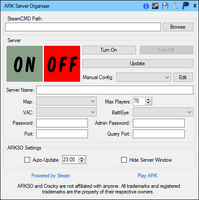
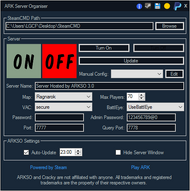
This freeware give an interface for your ARK Dedicated Server. It works with SteamCMD.
Extra :
- AutoUpdate: You can choose to update and restart the server everyday to keep your server up to date. You just have to check the checkbox and to choose the update time.
- Hide Server Window: Allow you to hide the black screen of the server (Screenshot n°4). You can also close the app, it will send it in notification area and the server will still run. This function need to be set before launching the server.
- Get Public Server Address IP: You can now have the full address quicly and easily to share it with friends for example.
- NotifyIcon Settings: Allow you to Turn ON or Turn OFF Server from NotifyIcon without any visual form. You can also have access to ‘Get IP Address’ function.
- Portable Application: Quick start, low size, no installation required.
- Night Mode: Cool for night using. It doesn’t hurt your eyes anymore.
- Anti-hibernation: Your machine will not sleep or hibernate when server is running.
- Server Backup: You can save your server’s data.
- SteamCMD packed-in: You can install SteamCMD with ARKSO
Notes[]
References[]
External Links[]
- This material is partially based on a Guide posted on the Steam Community forums by ShuwA.
- http://gameserversetup.com/ark-survival-evolved-dedicated-server-setup/
- https://survivalservers.com/wiki/index.php?title=How_to_Create_an_ARK:_Survival_Evolved_Dedicated_Server_Guide
- http://steamcommunity.com/app/346110/discussions/0/615086038673139870/
- https://www.bestarkhosting.com/guides/how-to-host-an-ark-dedicated-server/
- https://comparegamehosting.com/reviews/how-to-find-the-perfect-ark-survival-evolved-server-hosting-company/
- https://comparegameservers.com Compare ark survival evolved hosting companies to find the best hosting company for you.
- https://topserver.network/how-to-host-an-ark-survival-evolved-dedicated-server/ Find providers with the modern all in one compare site. Complete with guides/articles and do it yourself tips.
- https://topserver.network/ Compare Ark hosting companies.
| v · d · eТехнические и Настройки | |
|---|---|
| Технические |
Управление с клавиатуры • ArkML • ID Предметов • ID Существ • ID Цветов • ID Маяков • Имена классов Энграмм • Имена Мест Спавна Существ • Браузер Серверов • Web API • DevKit • Уровень Спавна Существ |
| Приватные Серверы |
Консольные Команды • Скрипты Выделенного Сервера • Установка Выделенного Сервера • Сложность • Конфигурация Сервера • Неофициальное руководство по хостингу серверов |
| Моды |
Моддинг • Пользовательские Карты |
| Внешние Ресурсы |
Приложения и Веб-Ресурсы |
The ARK: Survival Evolved dedicated server has a wide variety of configuration options that control its behavior and adjust many aspects of the game. These are options that can only be set at server startup.
Most options can be specified on the command line when launching the server or in the server’s configuration files. Options that must be specified on the command line are noted below.
Command Line
Syntax
The server is currently launched via the command line using the following syntax to specify runtime options:
<executable> <map_name>?listen[?<option>=<value>][?<option>=<value>]...[?<option>=<value>] -UseBattleye [<Argument>]
Following the <executable> name, options are specified as a single string with each option separated by a question mark (?). Most options require a value argument. Refer to the option reference below for more details.
When an option is not specified, its default value is used automatically.
Example
To launch a server that:
- shows each player a crosshair
- shows each player their position on the map
- allows players to view themselves in third person
- enforces a minimum distance between player structures built by different players and tribes
- enables BattlEye
On a Linux host:
./ShooterGameServer TheIsland?listen?ServerCrosshair=True?MapPlayerLocation=True?AllowThirdPersonPlayer=True?TheMaxStructuresInRange=100 -UseBattlEye
On a Windows host:
start ShooterGameServer.exe "TheIsland?listen?ServerCrosshair=True?AllowThirdPersonPlayer=True?MapPlayerLocation=True?TheMaxStructuresInRange=100" -UseBattlEye
On Windows, quotation marks («) are used to ensure the command shell does not attempt to interpret any options itself.
Map names
| Map | Name for dedicated servers |
|---|---|
| The Island | TheIsland
|
| The Center | TheCenter
|
| Scorched Earth | ScorchedEarth_P
|
| Ragnarok | Ragnarok
|
| Aberration | Aberration_P
|
| Extinction | Extinction
|
| Valguero | Valguero_P
|
| Genesis: Part 1 | Genesis
|
| Crystal Isles | CrystalIsles
|
| Genesis: Part 2 | Gen2
|
| Lost Island | LostIsland
|
| Fjordur | Fjordur
|
For modded maps check their Workshop pages or contact the author for the exact name.
Command line arguments
These options may be only specified on the command line. For the syntax see above. Options starting with a ? (question mark) are appended directly one after another, options starting with a — (dash) have to be noted separately.
For Single Player: Right click in your Steam client on the game’s name in the Library, choose Properties, tab General, button «Set Launch Options…», enter the options. But some options won’t work this way, especially these starting with a ? (question mark). Try to put them into the section [ServerSettings] of the GameUserSettings.ini (for the location of this file see Configuration Files).
| Argument | Platform | Effect | ||||||||||||||||||||||
|---|---|---|---|---|---|---|---|---|---|---|---|---|---|---|---|---|---|---|---|---|---|---|---|---|
-allcores |
? | ? | ||||||||||||||||||||||
-UseDynamicConfig |
all | enables the use of the dynamic config, if you dont provide a customdynamicconfigurl the server will use the default dynamic config for that platform (the one used on official server) NOTE: Unless you force an immediate update using the ForceUpdateDynamicConfig command, it takes about 15 minutes for the config to take effect after the file has been changed. When you want to «undo» the config you should be changing it back to whatever your default is. Introduced in patch 307.2 |
||||||||||||||||||||||
?customdynamicconfigurl="<link>"
|
all | direct link to config file e.g.: http://arkdedicated.com/dynamicconfig.ini ; currently only the following options are supported to be adjusted dynamically: TamingSpeedMultiplier, HarvestAmountMultiplier, XPMultiplier, MatingIntervalMultiplier, BabyMatureSpeedMultiplier, EggHatchSpeedMultiplier, BabyFoodConsumptionSpeedMultiplier, CropGrowthSpeedMultiplier, MatingSpeedMultiplier, BabyCuddleIntervalMultiplier, BabyImprintAmountMultiplier, CustomRecipeEffectivenessMultiplier, TributeItemExpirationSeconds, TributeDinoExpirationSeconds, EnableFullDump, GUseServerNetSpeedCheck, bUseAlarmNotifications, HexagonRewardMultiplier and NPCReplacements. Introduced in patch 307.2 |
||||||||||||||||||||||
?CustomLiveTuningUrl="<link>"
|
PC | direct link to the LiveTuning file e.g.: http://arkdedicated.com/DefaultOverloads.json ; currently only allows to change the values of DecayDestructionPeriod & DecayDestructionPeriodMultiplier for any items in the game, for more information on how to use this system check out the official announcement: https://survivetheark.com/index.php?/forums/topic/569366-server-configuration-live-tuning-system/
|
||||||||||||||||||||||
-allowansel
|
? | Activates NVIDIA Ansel support, in single player. When connecting to a server, this will cause most lights (lamps) to no longer function, even when powered and lit. Introduced in patch 246.0 |
||||||||||||||||||||||
?AllowAnyoneBabyImprintCuddle=true
|
Use this if you want ANYONE to be able to «take care» of a Baby Dino (cuddle etc.), not just whomever Imprinted on it. | |||||||||||||||||||||||
?AllowCrateSpawnsOnTopOfStructures=true
|
Servers can now allow from-the-air Supply Crates to appear on top of Structures, rather than being prevented by Structures. | |||||||||||||||||||||||
?AllowFlyerCarryPvE=true
|
Flyers on PvE can carry wild dinos. | |||||||||||||||||||||||
?AllowFlyingStaminaRecovery=false
|
Set to true if flyers should recover stamina when player is standing on instead riding. | |||||||||||||||||||||||
?AllowMultipleAttachedC4=false
|
Set to true to allow to attach more than one C4 per dino. | |||||||||||||||||||||||
?AutoDestroyDecayedDinos=true
|
Auto-destroy claimable decayed dinos on load, rather than have them remain around as Claimable. Introduced in patch 255.0 |
|||||||||||||||||||||||
-automanagedmods
|
All | Automatic MOD download/installation/updating. Introduced in patch 244.3 |
||||||||||||||||||||||
bAppendItemSets=false
|
Set to true to add item sets to supply crates, rather than overriding all their items. See ConfigOverrideSupplyCrateItems Introduced in patch 273.7 |
|||||||||||||||||||||||
bAppendPreventIncreasingMinMaxItemSets=false
|
Set to true to dynamically increase the amount of items dropped. See ConfigOverrideSupplyCrateItems Introduced in patch 273.7 |
|||||||||||||||||||||||
?ClampItemSpoilingTimes=true
|
Will clamp all spoiling times to the items’ maximum spoiling times. Could potentially cause issues with Mods that alter spoiling time. Introduced in patch 254.944 |
|||||||||||||||||||||||
?ClampItemStats=true
|
Enable/Disable stats clamping for items. See ItemStatClamps for more info. Introduced in patch 255.0 |
|||||||||||||||||||||||
-ClearOldItems
|
All | Official PvP servers one-time Clearance of all old unequipped items (with the exception of blueprints, eatables, notes, and quest items), to ensure fairness after Item Duplication bug exploit. Server admins can enforce this once if they run with this command argument (will only work ONCE’ on pre-update save games) Introduced in patch 178.0 |
||||||||||||||||||||||
-culture=??
|
All | You can directly override the language by using this commandline. List of currently supported language codes: ca, cs, da, de, en, es, eu, fi, fr, hu, it, ja, ka, ko, nl, pl, pt_BR, ru, sv, th, tr, zh, zh-Hans-CN, zh-TW
|
||||||||||||||||||||||
-d3d10
|
Windows Only | The game is forced to use DX10 instead of DX11 by sm4. This will reduce the graphics engine to a lesser version, reducing some graphics, but raising the framerate. | ||||||||||||||||||||||
?DestroyUnconnectedWaterPipes=true
|
All | After two days real-time the pipes will auto-destroy if unconnected to any non-pipe (directly or indirectly) and no allied player is nearby. | ||||||||||||||||||||||
?DisableImprintDinoBuff=true
|
Use this to disable the Dino Imprinting-Player Stat Bonus, if you don’t like it (where whomever specifically imprinted on the Dino, and Raised it to have an Imprinting Quality, gets extra Damage/Resistance buff) | |||||||||||||||||||||||
-EnableIdlePlayerKick
|
All | Cause characters that have not moved or interacted within the KickIdlePlayersPeriod to be kicked. | ||||||||||||||||||||||
?EnableExtraStructurePreventionVolumes=true
|
All | Use this to completely disable building in specific resource-rich areas, in particular setup on TheIsland around the major mountains. | ||||||||||||||||||||||
?ExtinctionEventTimeInterval=2592000
|
All | Use this to enable extinction for 30 days. The number is the time in seconds. | ||||||||||||||||||||||
?FastDecayUnsnappedCoreStructures=true
|
Will decay unsnapped foundations/pillars at 5x speed. Introduced in patch 245.987 |
|||||||||||||||||||||||
-ForceAllowCaveFlyers
|
All | Force Flyer dinos to be allowed into caves (Flyers able to go into caves by default on custom maps) | ||||||||||||||||||||||
?ForceFlyerExplosives=true
|
All | Flyer (except Quetzal and Wyvern can’t fly with C4 attached to it. Set this parameter to true to let them still fly. Introduced in patch 252.83 |
||||||||||||||||||||||
-ForceRespawnDinos
|
All | Launch with this command to destroy all wild creatures on a startup. (this will only destroy wild creatures that are NOT currently being tamed) Introduced in patch 216.0 |
||||||||||||||||||||||
-gameplaylogging
|
All | Survival of the Fittest servers can launch with this commandline option to output a dated log file to Saved folder, which will contain a timestamped kill & winners log listing steam id, steam name, character name, etc. Handy for automatic Tournament records… | ||||||||||||||||||||||
-insecure
|
Windows Only | Disable Valve Anti-Cheat (VAC) system. | ||||||||||||||||||||||
-lowmemory
|
All | Launch options that reduces graphics and audio effects to save about 800 MB RAM, likely enabling 4GB RAM players to get past infinite-loading screens | ||||||||||||||||||||||
-MapModID=#########
|
All | Dedicated servers can now optionally load custom maps via ModID diectly, rather than having to specify the map name directly, using this syntax (where the MapModID is the Steam Workshop FileID of your custom map, and the GameModIds are the Id’s of the stacked mods you wish to use, in order) Introduced in patch 193.0 |
||||||||||||||||||||||
?MaxPersonalTamedDinos=Number
|
Activates a per-tribe dino tame limit. (500 on official servers) Introduced in patch 255.0 |
|||||||||||||||||||||||
?MinimumDinoReuploadInterval=xxxx
|
All | Number of seconds cooldown between allowed Dino re-uploads (defaults to 0, set to 43200 on Official Servers which is 12 hours). | ||||||||||||||||||||||
-noantispeedhack
|
All | Anti speedhack detection is now enabled by default — to disable it, use this server commandline Introduced in patch 218.5 |
||||||||||||||||||||||
-NoBattlEye
|
Run server without BattleEye | |||||||||||||||||||||||
-NoBiomeWalls
|
Eliminates the upcoming-Biome-change area wall effects as introduced in an unversioned addition of v241.5. Introduced in patch 242.7 |
|||||||||||||||||||||||
-nocombineclientmoves
|
All | Server player-move-physics optimization is now enabled by default (improves perf) — to disable it, use this server commandline Introduced in patch 218.5 |
||||||||||||||||||||||
-nofishloot
|
All | disable non-meat Fish Loot when using Fishing Rod Introduced in patch 245.9 |
||||||||||||||||||||||
-noninlinesaveload
|
All | Fixed a savegame corruption case with large savegames: this is experimental, so try with this command, if you have any saves that don’t load. We’ll formally roll this loader change out in a subsequent patch after we’re 100% certain it has no side effects. | ||||||||||||||||||||||
-nomansky
|
All | Lots of detailed sky features are disabled, such as clouds and starry night sky. This decreases all of those but you can still have them. You still obtain the stars, the sun, and the moon. This just helps you remove the sparkling stars that make you sightless at night | ||||||||||||||||||||||
-nomemorybias
|
Reduced client game memory usage by about 600 MB system and 600 MB GPU RAM! (all meshes now stream LOD’s dynamically). This could potentially have a small runtime performance impact, so to use the old method (more RAM usage but no potential performance loss), launch with -nomemorybias | |||||||||||||||||||||||
?NonPermanentDiseases=true
|
This will make Diseases not permanent (you will then lose them if you respawn). | |||||||||||||||||||||||
-NotifyAdminCommandsInChat
|
||||||||||||||||||||||||
-oldsaveformat
|
Defaulted to using «new save format», which is approximately 4x faster and 50% smaller. If you want to use the old save format, launch with -oldsaveformat. | |||||||||||||||||||||||
?OnlyAutoDestroyCoreStructures=true
|
You can launch an autodestroy enabled server with this opion to prevent any non-core/non-foundation structures from autodestroying (however they’ll still get autodestroyed if a floor that they’re on gets autodestroyed, of course). Official PvE Servers use this option. Introduced in patch 245.989 |
|||||||||||||||||||||||
?OnlyDecayUnsnappedCoreStructures=true
|
If set, only unsnapped core structures will decay. Useful for eliminating lone pillar/foundation spam on PvP Servers. Introduced in patch 245.986 |
|||||||||||||||||||||||
?OverrideOfficialDifficulty=5.0
|
Allows you to override the default server difficulty level of 4 with 5 to match the new official server difficulty level. Introduced in patch 247.95 |
|||||||||||||||||||||||
?OverrideStructurePlatformPrevention=true
|
Use this override if you want turret or spike structures to be buildable and functional on platform saddles. Introduced in patch 242.0, changed in patch 247.999 |
|||||||||||||||||||||||
?OxygenSwimSpeedStatMultiplier=1.0
|
Use this to set how swim speed is multiplied by level spent in oxygen. The value was reduced by 80% in 256.0. Introduced in patch 256.3 |
|||||||||||||||||||||||
?PreventDiseases=true
|
This will completely disable Diseases on the server. (thus far just ‘Swamp Fever’). | |||||||||||||||||||||||
?PreventDownloadSurvivors=False
|
Prevent Cross-ARK Data Transfer Introduced in patch 246.0 |
|||||||||||||||||||||||
-PreventHibernation
|
In both Single Player and Non-Dedicated Servers creatures in inactive zones are in hibernation instead of in stasis. Use this option to prevent hibernation at the cost of performance and memory usage. Introduced in patch 259.0 |
|||||||||||||||||||||||
?PreventOfflinePvP=true
|
Use this to enable the offline raiding prevention option. | |||||||||||||||||||||||
?PreventOfflinePvPInterval=900
|
That would be a 15 min wait before a tribe/players dinos/structures become invulnerable/inactive after they log off. (if Tribe, requires ALL Tribe members logged off!) | |||||||||||||||||||||||
?PreventSpawnAnimations=false
|
Setting to true lets player characters (re)spawn without the wake up animation. Introduced in patch 261.0 |
|||||||||||||||||||||||
?PvEAllowStructuresAtSupplyDrops=false
|
Set to true to allow building near supply drop points in PvE mode. Introduced in patch 247.999 |
|||||||||||||||||||||||
?PvEDinoDecayPeriodMultiplier=1.0
|
Dino PvE Auto-Claim time multiplier Introduced in patch 241.4 |
|||||||||||||||||||||||
?PvPDinoDecay=true
|
Set to true to prevent dinosaurs from decaying while the Offline Raiding Prevention is active. | |||||||||||||||||||||||
?PvPStructureDecay=true
|
Set to true to prevent structure from decaying while the Offline Raiding Prevention is active. Introduced in patch 206.0 |
|||||||||||||||||||||||
?RCONEnabled=True
|
Enables RCON, needs ?RCONPort=32330 and ?ServerAdminPassword=123 to work Introduced in patch 185.0 |
|||||||||||||||||||||||
?RCONPort=32330
|
specifies the connection port for the RCON is needed for RCOn to work, you need to manually enable the specified port, any not used port can be used Introduced in patch 185.0 |
|||||||||||||||||||||||
?ShowFloatingDamageText=true
|
Use this to enable RPG-style popup text stat mode. | |||||||||||||||||||||||
-server
|
? | ? | ||||||||||||||||||||||
?ServerAdminPassword=passwort
|
If specified, players must provide this password (via the in-game console) to gain access to administrator commands on the server. Also used to log in via RCON. | |||||||||||||||||||||||
-servergamelog
|
All | Enable Server Admin Logs (including RCON support) use RCON command “getgamelog” to print 100 entries at a time also outputs to dated file in in “Logs”, adjust max length of RCON buffer with commandline: “?RCONServerGameLogBuffer=600” Introduced in patch 224.0 |
||||||||||||||||||||||
-servergamelogincludetribelogs
|
||||||||||||||||||||||||
-ServerRCONOutputTribeLogs
|
Allows tribe chat to be displayed in rcon, in addition to global chat. | |||||||||||||||||||||||
-sm4
|
Windows Only | The game is forced to use Shader Model 4 instead of the Shader Model 5 as usual. Well, there is no much difference, the game still looks and feels the same, but you can obtain better performance (Windows only?) (reported to increase frames but changes the game lighting) | ||||||||||||||||||||||
-StasisKeepControllers
|
AI Controllers to once again be destroyed on Stasis, too much memory overhead to keeping them around on large maps. For servers with a lot of RAM, they can now optionally gain performance by running with this to keep the AI’s in memory. | |||||||||||||||||||||||
-StructureDestructionTag=DestroySwampSnowStructures
|
All | One-Time Auto-Structure Demolish on Swamp and Snow Zones: To do this, which you can only execute once after updating to v216, run your server or game with this commandline | ||||||||||||||||||||||
?TheMaxStructuresInRange=10500
|
new value for maximum allowed structures on a server. replaced NewMaxStructuresInRange Introduced in patch 252.1 |
|||||||||||||||||||||||
?TribeLogDestroyedEnemyStructures=true
|
By default enemy structure destruction (for the victim tribe) is not displayed in the tribe Logs, set this to true to enable it. Introduced in patch 247.93 |
|||||||||||||||||||||||
-USEALLAVAILABLECORES
|
All | All of your CPU cores will be used, if all of them are not being utilized after using this launch option, then try to disable it! | ||||||||||||||||||||||
-usecache
|
All | ~70% faster loading speed option. Choose “Experiment Fast Load Cache” launch option (use add “-usecache” to your launch commandline manually). After the first & second times that you start the game & load will be still be slow, but the third time onwards will be fast. This may be deprecated, as of 188.2 as it was added, by default, for the PrimalData. It was also supposed to be added to all maps, but has never been clarified as to if this occurred. | ||||||||||||||||||||||
?UseOptimizedHarvestingHealth=true
|
«optimized» server with high HarvestAmountMultiplier (but less rare items). | |||||||||||||||||||||||
?bRawSockets
|
? | Direct UDP socket connections rather than Steam P2P, for significantly increased server network performance. Need to manually open ports 7777 & 7778 if you do so in order for your server to accept connections. Introduced in patch 213.0, disabled since v311.78 |
||||||||||||||||||||||
-nonetthreading
|
option for bRawSockets servers to only utilize a single thread for networking (useful to improve performance for machines with more servers than cpu cores, on Linux in particular) Introduced in patch 271.15 seems to be deprecated with patch 271.17 |
|||||||||||||||||||||||
-forcenetthreading
|
Defaulted dedicated server ?bRawSockets mode to not use threaded networking, seemed to generally be a net performance loss in our analysis. Use this to forcefully enable it. Disabled since v311.78 |
|||||||||||||||||||||||
-vday
|
All | Activate Valentine’s Day Event (2x Mateboost Range, 3x Mating Speed/Mating Recovery, 3x Baby/Egg Maturation Speed, 1/3rd Baby Food Consumption).
Possibly deprecated; use -ActiveEvent=vday instead. |
||||||||||||||||||||||
-webalarm
|
All | Activate Web alarms when important things happen to a tribe, such as Tripwire Alarms going off and Babies being born. See Web Notifications for details. Introduced in patch 243.0 |
||||||||||||||||||||||
-exclusivejoin
|
All | Activate a whitelist only mode on the server that only lets players join if added to the allow list. Not to be confused with «Admin Whitelisting» which uses «AllowedCheaterSteamIDs.txt» to allow players to cheat. This option uses «PlayersJoinNoCheckList.txt» to allow people to join but not give them cheats. If the file does not exist in your Linux/Win64 Binaries folder, create it and add the Steam64 IDs of the players you wish to be allowed to join your server. Path; «ShooterGameBinariesWin64» «/ShooterGame/Binaries/Linux/».
You will need to restart your server, if you add new lines to the file while it is running. You can however use «Cheat AllowPlayerToJoinNoCheck 12345678901234567» in game, to add a new player to the whitelist. This method will also save to the file, so you don’t need to reboot the server. |
||||||||||||||||||||||
-ActiveEvent=<eventname>
|
PC | enables a specified event Only one can be specified and active at a time
It is possible that some events will only work partially or not at all. |
||||||||||||||||||||||
?GameModIds=ModID1,ModID2
|
PC | Specifies the order and which mods are loaded, ModIDs need to be comma-separated Introduced in patch 190.0 |
||||||||||||||||||||||
?MaxTamedDinos=4000
|
Sets the maximum number of tamed Dinos on a Server, this is a global cap. Introduced in patch 191.0 |
|||||||||||||||||||||||
?SpectatorPassword=mypassword
|
To use non-admin spectator, the server must specify a spectator password. Then any client can use these console commands: requestspectator <password> and stopspectating. See patch 191.0 for more information and hotkeys. | |||||||||||||||||||||||
?AllowCaveBuildingPVE=true
|
If set to True, allows building in caves when PvE mode is also enabled. Introduced in patch 194.0, seems to have been removed from the command-line options before patch 241.5. |
|||||||||||||||||||||||
?AdminLogging=true
|
logs all admin commands to ingame chat Introduced in patch 206.0 |
|||||||||||||||||||||||
?ForceAllStructureLocking=true
|
enabling this will default lock all structures Introduced in patch 222.0 |
|||||||||||||||||||||||
?AutoDestroyOldStructuresMultiplier=1.0
|
Server Option to allow Auto-Destroying Structures after sufficient «no nearby Tribe» time has passed (defined as a multiplier of the Allow Claim period). Useful for servers to clear off abandoned structures automatically over time if they wish Introduced in patch 222.0 |
|||||||||||||||||||||||
?RCONServerGameLogBuffer=600
|
determines how many lines of gamelogs are send over RCON Introduced in patch 224.0 |
|||||||||||||||||||||||
?PreventTribeAlliances=true
|
Enabling this will prevent tribes from creating Alliances Introduced in patch 243.0 |
|||||||||||||||||||||||
AllowRaidDinoFeeding=true
|
To allow your Server’s Titanosaurs to be permanently tamed (namely allow them to be Fed) However, note that TheIsland currently only spawns 3 Titanosaurs whatsoever, so 3 Tamed ones would ultimately block any more Wild ones from spawning. Introduced in patch 243.0 |
|||||||||||||||||||||||
?AllowHitMarkers=false
|
Use this to disable optional hitmarkers for ranged attacks Introduced in patch 245.0 |
|||||||||||||||||||||||
?ServerCrosshair=false
|
Use this to disable the Crosshair on your Server Introduced in patch 245.0 |
|||||||||||||||||||||||
?PreventMateBoost=true
|
Option to disable Dino Mate Boost Introduced in patch 247.0 |
|||||||||||||||||||||||
?ServerAutoForceRespawnWildDinosInterval
|
Force Respawn of Wild Dinos on Server Restart. Enabled by default on official servers, this will force weekly respawns of dinos on all servers to prevent certain dino types (like the Basilo and Spino) from becoming depopulated on long running servers. NOTE in some cases this may not work more than once Introduced in patch 265.0 |
|||||||||||||||||||||||
?PersonalTamedDinosSaddleStructureCost=19
|
determines the amount of dinoslots a platform saddle will use towards the tribe dino limit Introduced in patch 265.0 |
|||||||||||||||||||||||
-structurememopts
|
PC | enables structure memory optimizations NOTE avoid using it when running structure-related mods (until they get updated) as it can break the snappoints of these mod structures Introduced in patch 295.108 |
||||||||||||||||||||||
-nodinos
|
PC | prevents wild dinos from being spawned NOTE you need to wipe dinos ( cheat destroywilddinos) after adding this on a not fresh server
|
||||||||||||||||||||||
-noundermeshchecking
|
PC | Will turn off the anti meshing system entirely Introduced in patch 304.445 |
||||||||||||||||||||||
-noundermeshkilling
|
PC | Will turn off the anti meshing player kills (but still allow teleporting) Introduced in patch 304.445 |
||||||||||||||||||||||
-AutoDestroyStructures
|
PC | Enables auto destruction of old structures. Timer can be adjusted with AutoDestroyOldStructuresMultiplier
|
||||||||||||||||||||||
-crossplay
|
PC | enables Crossplay (between EPIC and Steam) on Dedicated Server Introduced in patch 311.74 |
||||||||||||||||||||||
-epiconly
|
PC | enables Epic Game Store only players to connect to the Dedicated Server Introduced in patch 311.74 |
||||||||||||||||||||||
-UseVivox
|
PC | enables Vivox on Steam only servers default for EPIC servers can be enabled for Steam server Introduced in patch 311.74 |
||||||||||||||||||||||
-PublicIPForEpic=<IPAddress>
|
PC | this is the public IP that EGS clients will attempt to connect to, if this command line is missing and -Multihome is specified, then EGS clients will attempt to connect to the Multihome IP; Note that if you’re using Multihome and specify a non-public IP address, then players will not be able to connect to your server using EGS. Make sure to set a public IP address (e.g WAN or external) | ||||||||||||||||||||||
-high
|
PC | runs game (ARK:SE) as a high-priority process | ||||||||||||||||||||||
-noaafonts
|
PC | removes fonts anitalising | ||||||||||||||||||||||
?IgnoreLimitMaxStructuresInRangeTypeFlag=false
|
PC | Removes the limit of 150 | ||||||||||||||||||||||
-UseStructureStasisGrid
|
PC | enables the structure stasis grid to improve server performance on large bases with lots of players, more info can be found here: https://survivetheark.com/index.php?/articles.html/community-crunch-241-fear-evolved-4-live-tuning-system-network-improvements-and-more-r1652/ Introduced in patch 314.5 |
||||||||||||||||||||||
-NewYearEvent
|
PC | enables the New Year Event; it will automaticly start at Midnight EST and Noon EST on the 1st of January 2021, unless specificly specified with the following 2 options Introduced in patch 320.38 |
||||||||||||||||||||||
?NewYear1UTC=<epoch time>
|
PC | You can use https://www.epochconverter.com/ to get your appropriate timestamp. Please keep in mind that this event cannot be run before Midnight EST on the 1st of January 2021, so if you wish to change your time it would have to be set after that. Introduced in patch 320.38 |
||||||||||||||||||||||
?NewYear2UTC=<epoch time>
|
PC | You can use https://www.epochconverter.com/ to get your appropriate timestamp. Please keep in mind that this event cannot be run before Midnight EST on the 1st of January 2021, so if you wish to change your time it would have to be set after that. Introduced in patch 320.38 |
||||||||||||||||||||||
-UseItemDupeCheck
|
PC | Enables additional dupe protection (Note: this could have an impact on mods, so use with caution) Introduced in patch 333.13 |
Configuration Files
Most options can also be specified in the games configuration files. The location of the configuration files varies by platform
| Platform | Configuration File | Location |
|---|---|---|
| Linux | GameUserSettings.ini | ShooterGame/Saved/Config/LinuxServer/
|
| Linux | Game.ini | ShooterGame/Saved/Config/LinuxServer/
|
| Windows | GameUserSettings.ini | ShooterGame/Saved/Config/WindowsServer/
|
| Windows | Game.ini | ShooterGame/Saved/Config/WindowsServer/
|
The GameUserSettings.ini file contains options for both the game client and the game server. Options for the game client are not used by the server. Server options are specified in the section labeled [ServerSettings], which is usually located at the bottom of the file.
The Game.ini file is used for more advanced modifications, such as changing engram points or XP rewarded per level, disabling specific content, or rebalancing depending on player tastes.
For all supported platforms, options are listed one per line using the same basic syntax:
<option>=<value>
All options in the configuration file require a value. If an option is not listed in the configuration file, its default value is used automatically.
To configure a game server with the same configuration as shown in Command Line Syntax above:
ServerCrosshair=True AllowThirdPersonPlayer=True MapPlayerLocation=True TheMaxStructuresInRange=100
With these options in the configuration file, the server can be launched with a much shorter command line. For Linux:
./ShooterGameServer TheIsland?listen
For Windows:
start ShooterGameServer.exe "TheIsland?listen"
GameUserSettings.ini
To easily create this file, you can use this ini-Generator.
| Option | Value Type | Default | Effect |
|---|---|---|---|
listen |
N/A | None | (command line only) Listen for (and accept) player connections from other systems Note: This option is mandatory for multiplayer servers. |
MaxTributeDinos |
integer | 20 |
Slots for uploaded creatures Note: Some player claimed maximum 273 to be safe cap and more will corrupt profile/cluster and lead to loose of all storaged creatures but it need to be checked |
MaxTributeItems |
integer | 50 |
Slots for uploaded items and resources Note: Some player claimed maximum 154 to be safe cap and more will corrupt profile/cluster and lead to loose of all storaged items and resources but it need to be checked |
alwaysNotifyPlayerJoined |
boolean | False |
Players will always get notified if someone joins the server |
alwaysNotifyPlayerLeft |
boolean | False |
Players will always get notified if someone leaves the server |
allowThirdPersonPlayer |
boolean | False |
Enables 3rd Person view |
globalVoiceChat |
boolean | False |
Voice chat turns global |
ShowMapPlayerLocation |
boolean | False |
Show each player their own precise position when they view their map |
noTributeDownloads |
boolean | False |
Disables downloading characters from other servers |
proximityChat |
boolean | False |
Only players near each other can see their chat messages |
serverPVE |
boolean | False |
Disables PvP, enables PvE |
serverHardcore |
boolean | False |
Enables hardcore mode (player characters revert to level 1 upon death) |
serverForceNoHud |
boolean | False |
HUD always disabled |
DisableStructureDecayPvE |
boolean | False |
Disable the gradual (7 days) decay of player structures Introduced in patch 173.0 |
DisableDinoDecayPvE |
boolean | False |
Disable the gradual (7 days) decay of dinosaur ownership. Without this set to true, every dinosaur can be claimed by any player. Introduced in patch 206.0 |
AllowFlyerCarryPvE |
boolean | False |
Permit flying dinosaurs to pick up other dinosaurs and players when mounted by a player in PvE Introduced in patch 173.0 but changed from bAllowFlyerCarryPVE to AllowFlyerCarryPVE |
TheMaxStructuresInRange |
integer | 10500 | Specifies the maximum number of structures that can be constructed within a certain (currently hard-coded) range. Introduced in patch 252.1 replacing the old value NewMaxStructuresInRange
|
bAllowPlatformSaddleMultiFloors |
boolean | False |
Set to true to allow multiple platform floors. Introduced in patch 260.0 |
MaxPlayers |
integer | 70 | Specifies the maximum number of players that can play on the server simultaneously. Must be placed under [/script/engine.gamesession] in GameUserSettings.ini to function when not used in the command line. |
DifficultyOffset |
float | 0.2 | Specifies the difficulty level. |
ServerPassword |
string | None | If specified, players must provide this password to join the server. |
ServerAdminPassword |
string | None | If specified, players must provide this password (via the in-game console) to gain access to administrator commands on the server. |
SpectatorPassword |
string | None | To use non-admin spectator, the server must specify a spectator password. Then any client can use these console commands: requestspectator <password> and stopspectating. See patch 191.0 for more information and hotkeys. |
DayCycleSpeedScale |
float | 1.0 | Specifies the scaling factor for the passage of time in the ARK, controlling how often day changes to night and night changes to day. The default value 1 provides the same cycle speed as the singleplayer experience (and the official public servers). Values lower than 1 slow down the cycle; higher values accelerate it. Base time when value is 1 appears to be 1 minute real time equals approx. 28 minutes game time. Thus, for an approximate 24 hour day/night cycle in game, use .035 for the value.
|
NightTimeSpeedScale |
float | 1.0 | Specifies the scaling factor for the passage of time in the ARK during night time. This value determines the length of each night, relative to the length of each day (as specified by DayTimeSpeedScale. Lowering this value increases the length of each night.
|
DayTimeSpeedScale |
float | 1.0 | Specifies the scaling factor for the passage of time in the ARK during the day. This value determines the length of each day, relative to the length of each night (as specified by NightTimeSpeedScale. Lowering this value increases the length of each day.
|
DinoDamageMultiplier |
float | 1.0 | Specifies the scaling factor for the damage dinosaurs deal with their attacks. The default value 1 provides normal damage. Higher values increase damage. Lower values decrease it.
|
PlayerDamageMultiplier |
float | 1.0 | Specifies the scaling factor for the damage players deal with their attacks. The default value 1 provides normal damage. Higher values increase damage. Lower values decrease it.
|
StructureDamageMultiplier |
float | 1.0 | Specifies the scaling factor for the damage structures deal with their attacks (i.e. spiked walls). The default value 1 provides normal damage. Higher values increase damage. Lower values decrease it.
|
PlayerResistanceMultiplier |
float | 1.0 | Specifies the scaling factor for the resistance to damage players receive when attacked. The default value 1 provides normal damage. Higher values decrease resistance, increasing damage per attack. Lower values increase it, reducing damage per attack. A value of 0.5 results in a player taking half damage while a value of 2.0 would result in taking double normal damage.
|
DinoResistanceMultiplier |
float | 1.0 | Specifies the scaling factor for the resistance to damage dinosaurs receive when attacked. The default value 1 provides normal damage. Higher values decrease resistance, increasing damage per attack. Lower values increase it, reducing damage per attack. A value of 0.5 results in a dino taking half damage while a value of 2.0 would result in a dino taking double normal damage.
|
StructureResistanceMultiplier |
float | 1.0 | Specifies the scaling factor for the resistance to damage structures receive when attacked. The default value 1 provides normal damage. Higher values decrease resistance, increasing damage per attack. Lower values increase it, reducing damage per attack. A value of 0.5 results in a structure taking half damage while a value of 2.0 would result in a structure taking double normal damage.
|
XPMultiplier |
float | 1.0 | Specifies the scaling factor for the experience received by players, tribes and dinosaurs for various actions. The default value 1 provides the same amounts of experience as in the singleplayer experience (and official public servers). Higher values increase XP amounts awarded for various actions; lower values decrease it.In 313.5 an additional hardcoded multiplier of 4 was activated. |
PvEStructureDecayPeriodMultiplier |
float | 1.0 | Specifies the scaling factor for the decay rate of player structures in PvE mode. The specific effect(s) of this option and its range of valid values are unknown as of this writing.[1] |
PvEStructureDecayDestructionPeriod |
0 | Specifies the time required for player structures to decay in PvE mode. The specific effect(s) of this option and its range of valid values are unknown as of this writing.[1] | |
PvEDinoDecayPeriodMultiplier |
float | 1.0 | … Introduced in patch 206.0 |
TamingSpeedMultiplier |
float | 1.0 | Specifies the scaling factor for dinosaur taming speed. Higher values make taming faster. |
HarvestAmountMultiplier |
float | 1.0 | Specifies the scaling factor for yields from all harvesting activities (chopping down trees, picking berries, carving carcasses, mining rocks, etc.). Higher values increase the amount of materials harvested with each strike. |
HarvestHealthMultiplier |
float | 1.0 | Specifies the scaling factor for the «health» of items that can be harvested (trees, rocks, carcasses, etc.). Higher values increase the amount of damage (i.e. «number of strikes») such objects can withstand before being destroyed, which results in higher overall harvest yields. |
MaxPlatformSaddleStructureLimit |
integer | Changes the maximum number of platformed-creatures/rafts allowed on the ARK (a potential performance cost) Example: MaxPlatformSaddleStructureLimit=10 would only allow 10 platform saddles / rafts across the entire ark Introduced in patch 212.1 |
|
PerPlatformMaxStructuresMultiplier |
float | 1.0 | Higher number increases (on a percentage scale) max number of items place-able on saddles and rafts Example: PerPlatformMaxStructuresMultiplier=1.5 Introduced in patch 211.0 |
MaxGateFrameOnSaddles |
integer | 0 | Defines the maximum amount of gateways allowed on platform saddles. Example: MaxGateFrameOnSaddles=2 Would prevent players from placing more than 2 gateways on their platform saddles. This setting is not retroactive, meaning existing builds won’t be affected. Set to 0 to not impose any limits. Official PVP servers have it set to 2. Introduced in patch 312.65 |
ResourcesRespawnPeriodMultiplier |
float | 1.0 | Specifies the scaling factor for the respawn rate for resource nodes (trees, rocks, bushes, etc.). Lower values cause nodes to respawn more frequently. |
PlayerCharacterWaterDrainMultiplier |
float | 1.0 | Specifies the scaling factor for player characters’ water consumption. Higher values increase water consumption (player characters get thirsty faster). |
PlayerCharacterFoodDrainMultiplier |
float | 1.0 | Specifies the scaling factor for player characters’ food consumption. Higher values increase food consumption (player characters get hungry faster). |
PlayerCharacterStaminaDrainMultiplier |
float | 1.0 | Specifies the scaling factor for player characters’ stamina consumption. Higher values increase stamina consumption (player characters get tired faster). |
PlayerCharacterHealthRecoveryMultiplier |
float | 1.0 | Specifies the scaling factor for player characters’ health recovery. Higher values increase the recovery rate (player characters heal faster). |
DinoCharacterFoodDrainMultiplier |
float | 1.0 | Specifies the scaling factor for dinosaurs’ food consumption. Higher values increase food consumption (dinosaurs get hungry faster). It also affects the taming-times. |
DinoCharacterStaminaDrainMultiplier |
float | 1.0 | Specifies the scaling factor for dinosaurs’ stamina consumption. Higher values increase stamina consumption (dinosaurs get tired faster). |
DinoCharacterHealthRecoveryMultiplier |
float | 1.0 | Specifies the scaling factor for dinosaurs’ health recovery. Higher values increase the recovery rate (dinosaurs heal faster). |
DinoCountMultiplier |
float | 1.0 | Specifies the scaling factor for dinosaur spawns. Higher values increase the number of dinosaurs spawned throughout the ARK. |
AllowCaveBuildingPvE |
boolean | False |
If set to True, allows building in caves when PvE mode is also enabled. Introduced in patch 194.0 |
AllowCaveBuildingPvP
|
boolean | False
|
If set to True, allows building in caves when PvP mode is also enabled. Introduced in patch 326.13 |
BanListURL |
URL | "http://arkdedicated.com/banlist.txt" |
Use the official global ban list, or point to any online ban list that you want. Must be enclosed in double quotes. Before 279.233 the URL was http://playark.com/banlist.txt Introduced in patch 201.0 |
PvPStructureDecay |
boolean | false | Turns off structure decay on PvP servers. |
TributeItemExpirationSeconds |
integer | 86400 | Set the expiration timer for uploaded items. |
TributeDinoExpirationSeconds |
integer | 86400 | Set the expiration timer for uploaded dinos. |
TributeCharacterExpirationSeconds |
integer | 86400 | Set the expiration timer for uploaded survivors. |
AutoSavePeriodMinutes |
float | 15.0 | Set interval for automatic saves. Setting this to 0 will cause constant saving, You can however set it to 9000000 to effectively disable it. |
NPCNetworkStasisRangeScalePlayerCountStart |
|||
NPCNetworkStasisRangeScalePlayerCountEnd |
|||
NPCNetworkStasisRangeScalePercentEnd |
float | ||
CrossARKAllowForeignDinoDownloads |
boolean | false | if set to true, you will be able to tribute download non-native creatures on the Aberration map Introduced in patch 275.0 |
DisablePvEGamma |
boolean | false | Prevents use of console command «gamma» in PvE mode Introduced in patch 207.0 |
EnablePvPGamma |
boolean | false | Allow use of console command «gamma» in PvP mode Introduced in patch 174.3 |
TribeNameChangeCooldown |
integer | 15 | Cooldown, in minutes, in between tribe name changes Introduced in patch 278.0 |
AllowHideDamageSourceFromLogs |
boolean | false | Allows the hiding of damage sources in tribe logs. Introduced in patch 278.0 |
RandomSupplyCratePoints |
boolean | false | If true, supply drops are in random locations. NOTE: This setting is known to cause artifacts becoming inaccesable on [Ragnarok] if active Introduced in patch 278.0 |
DisableWeatherFog |
boolean | false | If true, disables fog. Introduced in patch 278.0 |
ActiveMods |
integer | ModID | Specifies the order and which mods are loaded, ModIDs need to be comma seperated and in one line Introduced in patch 190.0 |
AdminLogging |
boolean | true | logs all admin commands to ingame chat Introduced in patch 206.0 |
ClampResourceHarvestDamage |
boolean | false | Limit the damage caused by a dino to a resource for harvesting. Introduced in patch 182.0 |
ItemStackSizeMultiplier |
float | 1.0 | allow increasing or decreasing global item stack size, this means all default stacksizes will be multiplied by the value given Introduced in patch 291.100 |
PlatformSaddleBuildAreaBoundsMultiplier |
float | 1.0 | increasing the number allows structures being placed further away from the platform |
bForceCanRideFliers |
boolean | false | allows flyers to be used on maps where they normally are disabled NOTE: if you set it to false it will disable flyers on any map |
AllowTekSuitPowersInGenesis |
boolean | false | enable or disable TEK suit powers in Genesis Part 1 |
EnableCryoSicknessPVE |
boolean | true? | Enable/Disable Cryopod cooldown timer when deploying a creature. If false, deployed creatures do not experience cryosickness. Introduced in patch 307.56 |
EnableCryopodNerf |
boolean | false | Enable/Disable Cryosickness when deploying a creature. The following settings need to be set also: CryopodNerfDamageMult & CryopodNerfDuration. If true, there is no Cryopod cooldown timer, and creatures do not become unconscious. Introduced in patch 309.53 |
CryopodNerfDuration |
integer | 10 | Amount of time, in seconds, Cryosickness lasts after deploying a creature from a Cryopod. If EnableCryoSicknessPVE is enabled, it will override this line. Introduced in patch 309.53 |
CryopodNerfDamageMult |
float | 0.01 | Reduces the amount of damage delt by the creature after it is deployed from the cryopod, as a percentage of total damage output, and for the length of time set by CryopodNerfDuration. CryopodNerfDuration needs a valid value. CryopodNerfDamageMult=0.01 means 99% of the damage is removed Introduced in patch 309.53 |
CryopodNerfIncomingDamageMultPercent |
float | 0.25 | Increases the amount of damage taken by the creature after it is deployed from the cryopod, as a percentage of total damage received, and for the length of time set by CryopodNerfDuration. CryopodNerfIncomingDamageMultPercent=0.25 means a realeased tame takes 25% more damage while the debuff lasts Introduced in patch 310.11 |
AllowSharedConnections |
boolean | false | AllowSharedConnections=False means family sharing is disabled Introduced in patch 312.73 |
CustomDynamicConfigUrl |
string | None | direct link to config file e.g.: http://arkdedicated.com/dynamicconfig.ini ; currently only the following options are supported to be adjusted dynamically: TamingSpeedMultiplier, HarvestAmountMultiplier, XPMultiplier, MatingIntervalMultiplier, BabyMatureSpeedMultiplier, EggHatchSpeedMultiplier, BabyFoodConsumptionSpeedMultiplier, CropGrowthSpeedMultiplier, MatingSpeedMultiplier, BabyCuddleIntervalMultiplier, BabyImprintAmountMultiplier, CustomRecipeEffectivenessMultiplier, TributeItemExpirationSeconds, TributeDinoExpirationSeconds, EnableFullDump, GUseServerNetSpeedCheck, bUseAlarmNotifications, HexagonRewardMultiplier and NPCReplacements. Introduced in patch 307.2 |
MaxTamedDinos |
integer | 4000 | Sets the maximum number of tamed Dinos on a Server, this is a global cap. Introduced in patch 191.0 |
NewMaxStructuresInRange |
integer | 6000 | Specifies the maximum number of structures that can be constructed within a certain (currently hard-coded) range. Introduced in patch 188.0 and deprecated with patch 252.1 by TheMaxStructuresInRange
|
MaxStructuresInRange |
integer | 1300? | Specifies the maximum number of structures that can be constructed within a certain (currently hard-coded) range. Introduced in patch 173.0 and deprecated with patch 188.0 by NewMaxStructuresInRange
|
Ragnarok
The following options are only available when playing the DLC Ragnarok.
They need to be set in the [Ragnarok] section (if you dont have one you can create it at the bottom) of the GameUserSettings.ini file.
NOTE: You don’t need to use these settings. The game will use the default values if these settings aren’t specified.
| Option | Value Type | Default | Effect |
|---|---|---|---|
AllowMultipleTamedUnicorns |
boolean | false | false = one unicorn on the map at a time, true = one wild and unlimited tamed Unicorns on the map. *This setting currently does not seem to work properly |
UnicornSpawnInterval |
integer | 24 | How long the game should wait before spawning a new Unicorn if the wild one is killed (or tamed, if AllowMultipleTamedUnicorns is enabled). This value sets the minimum amount of time (in hours), and the maximum is equal to 2x this value.
|
VolcanoIntensity |
float | 1 | The lower the value, the more intense the volcano’s eruption will be. Recommended to leave at 1. The minimum value is 0.25, and for multiplayer games, it should not go below 0.5. Very high numbers will basically disable the flaming rocks flung out of the volcano. |
VolcanoInterval |
integer | 0 | 0 = 5000 (min) — 15000 (max) seconds between instances of the volcano becoming active. Any number above 0 acts as a multiplier, with a minimum value of .1 |
EnableVolcano |
boolean | true | false = disabled (the volcano will not become active), true = enabled |
ARK: Homestead specific
| Option | Value Type | Default | Effect |
|---|---|---|---|
AlwaysAllowStructurePickup |
boolean | false | if true disables the timer on the quick-pickup system |
StructurePickupTimeAfterPlacement |
float | 30.0 | amount of time in seconds after placement that quick pickup is available |
AllowIntegratedSPlusStructures |
boolean | true | if false disables all of the new S+ structures (intended mainly for letting unofficials that want to keep using the S+ mod version to keep using that without a ton of extra duplicate structures) |
StructurePickupHoldDuration |
float | 0.5 | used to specify the quick-pickup hold duration use 0 to disable and have instant pickup
|
Game.ini
The following options can only be set in the [/script/shootergame.shootergamemode] section of Game.ini, located in the same folder as GameUserSettings.ini (see above for the location for each platform). Specifying them on the command line will have no effect.
| Option | Arguments | Effects and Example | ||||||||||||
|---|---|---|---|---|---|---|---|---|---|---|---|---|---|---|
ConfigOverrideItemMaxQuantity=(ItemClassString="<Class Name>",Quantity=(MaxItemQuantity=<n>, bIgnoreMultiplier=<value>))
|
|
allow manually overriding item stack size on a per-item basis
Example: ConfigOverrideItemMaxQuantity=(ItemClassString="PrimalItemAmmo_ArrowTranq_C",Quantity=(MaxItemQuantity=543, bIgnoreMultiplier=true)) this will make the Tranqarrows stack to 543 items per stack |
||||||||||||
bAllowUnlimitedRespecs=<value>
|
value = boolean (true/false) |
Set to true to allow more than one usage of Mindwipe Tonic without 24 hours cooldown. |
||||||||||||
|
|
value = boolean (true/false) |
If true, any Engram not explicitly specified in the OverrideEngramEntries or OverrideNamedEngramEntries list will be hidden. All Items and Blueprints based on hidden Engrams will be removed. |
||||||||||||
|
|
|
Configure the total number of levels available to players and dinosaurs and the experience points required to reach each level.
This directive can be specified twice in the configuration file. The first time it appears, the values provided will configure player levels. The second time it appears, the values provided will configure dinosaur levels. Because of this, each time the directive is used, it must list all of the levels players (or dinosaurs) can reach on the server. One The examples provided here are split into multiple lines for space considerations. In the configuration file, an entry must be placed on a single line. LevelExperienceRampOverrides=( ExperiencePointsForLevel[0]=1, ExperiencePointsForLevel[1]=5, ... ExperiencePointsForLevel[64]=1000) LevelExperienceRampOverrides=( ExperiencePointsForLevel[0]=1, ExperiencePointsForLevel[1]=5, ... ExperiencePointsForLevel[34]=1000) The first example specifies 50 player levels and 15 ascension levels. The second example (when placed in the configuration file after the first example) specifies 35 dinosaur levels. |
||||||||||||
OverridePlayerLevelEngramPoints=<points>
|
points = integer | Configure the number of engram points granted to players for each level gained.
This option must be repeated for each player level configured on the server; if there are 65 player levels available, this option should appear in the configuration file 65 times. OverridePlayerLevelEngramPoints=5 OverridePlayerLevelEngramPoints=10 ... OverridePlayerLevelEngramPoints=100 |
||||||||||||
GlobalSpoilingTimeMultiplier=<value>
|
value = float Default = 1.0 |
Scales the spoiling time of perishables globally. Higher values prolong the time. (Note: As of patch 196.0 there is still a bug whereby items moved to the player’s inventory have their spoilage times reset to normal (value 1.0) despite what this value is set at. It seems that as of 248.5 this has been fixed.) Introduced in patch 189.0 |
||||||||||||
GlobalItemDecompositionTimeMultiplier=<value>
|
value = float Default = 1.0 |
Scales the decomposition time of dropped items, loot bags etc. globally. Higher values prolong the time. Introduced in patch 189.0 |
||||||||||||
GlobalCorpseDecompositionTimeMultiplier=<value>
|
value = float Default = 1.0 |
Scales the decomposition time of corpses, (player and dinosaur), globally. Higher values prolong the time. Introduced in patch 189.0 |
||||||||||||
HarvestResourceItemAmountClassMultipliers=(
|
|
Scales on a per-resource type basis, the amount of resources harvested. Higher values increase the amount per swing/attack. E.g.:
HarvestResourceItemAmountClassMultipliers=( ClassName="PrimalItemResource_Thatch_C", Multiplier=2.0 ) will provide 2x the amount harvested when harvesting thatch from a tree. Resource classnames can be found at Item IDs. Functions in the same way as the global setting HarvestAmountMultiplier but for only the type of resource named on this line. Additional lines can be added with other resource types, such as Wood, Stone etc. |
||||||||||||
OverrideMaxExperiencePointsPlayer=<value>
|
value = integer Default = N/A |
Overrides the Max XP cap of players & dinosaur characters, respectively, by exact specified amount. Introduced in patch 189.0 |
||||||||||||
PreventDinoTameClassNames="<classname>"
|
classname = string | Prevents taming of specific dinosaurs via classname. E.g. PreventDinoTameClassNames="Argent_Character_BP_C"
Dino classnames can be found on the Creature IDs page. |
||||||||||||
PreventTransferForClassName="<classname>"
|
classname = string | Prevents transfer of specific dinosaurs via classname. E.g. PreventTransferForClassName="Argent_Character_BP_C"Dino classnames can be found on the Creature IDs page.Introduced in patch 326.13 |
||||||||||||
DinoClassDamageMultipliers=(
|
classname = string
multiplier = float Default 1.0 |
Multiplies damage dealt of specific dinosaurs via classname. Higher values increase the damage dealt.
Dino classnames can be found on the Creature IDs page. The examples provided here are split into multiple lines for space considerations. In the configuration file, an entry must be placed on a single line. Multiple Examples: DinoClassDamageMultipliers=( ClassName="MegaRex_Character_BP_C", Multiplier=0.1 ) TamedDinoClassDamageMultipliers=( ClassName="Rex_Character_BP_C", Multiplier=10.0 ) Line breaks and spaces are here for better readability of the example. Keep it as one line in your configuration file. Introduced in patch 194.0 |
||||||||||||
DinoClassResistanceMultipliers=(
|
classname = string
multiplier = float Default 1.0 |
Multiplies resistance of specific dinosaurs via classname. Higher values decrease the damage received.
Dino classnames can be found on the Creature IDs page. The examples provided here are split into multiple lines for space considerations. In the configuration file, an entry must be placed on a single line. Multiple Examples: DinoClassResistanceMultipliers=( ClassName="MegaRex_Character_BP_C", Multiplier=0.1 ) TamedDinoClassResistanceMultipliers=( ClassName="Rex_Character_BP_C", Multiplier=10.0 ) Line breaks and spaces are here for better readability of the example. Keep it as one line in your configuration file. Introduced in patch 194.0 |
||||||||||||
ResourceNoReplenishRadiusPlayers=<value>
|
Value = float Default = 1.0 | Allow resources to regrow closer or farther away from players & structures. Values higher than 1 increase the distance around players and structures where resources are not allowed to grow back. Values between 0 and 1 will reduce it.
Introduced in patch 196.0 |
||||||||||||
bIncreasePvPRespawnInterval=<Boolean>
|
|
PvP servers have an optional +1 minute additional respawn (<value3>) that doubles (<value2>) each time if you are killed by a team within 5 minutes (<value1>) of your previous death to that team (timer indicated on Spawn UI). Is enabled in pvp by default, and on all the official pvp servers. Helps prevent PvO ammo-wasting of auto turrets by repeatedly throwing sacrificial players at them.
Introduced in patch 196.0 |
||||||||||||
bAutoPvETimer=<Boolean1>
|
|
Allow switching from PvE to PvP mode at pre-specified in-game times OR a pre-specified real-world (server-side) times! For more detailed information regarding using system time vs. in-game time, please see patch notes 196.0.
Introduced in patch 196.0 |
||||||||||||
bPvEDisableFriendlyFire=<value> |
Value = boolean (true/false) Default = false |
Prevent-Friendly-Fire (among tribesmates/tribesdinos/tribesstructures) option for PvE servers Introduced in patch 202.0 |
||||||||||||
bDisableFriendlyFire=<value> |
Value = boolean (true/false) Default =false |
Prevent-Friendly-Fire (among tribesmates/tribesdinos/tribesstructures) option for PvP servers Introduced in patch 228.4 |
||||||||||||
bFlyerPlatformAllowUnalignedDinoBasing=<boolean> |
Value = boolean (true/false) Default = false |
Quetz platforms will not allow any non-allied dino to base on them when they are flying. If you want your server to allow non-allied dinos to be able to stand on the Quetz platforms set this to true. Introduced in patch 218.3 |
||||||||||||
bUseCorpseLocator |
Value = boolean (true/false) Default = false |
If set to true, you will see a green light beam at the location of your death | ||||||||||||
MatingIntervalMultiplier=<value> |
Value = float Default = 1.0 |
Higher number increases (on a percentage scale) interval between which dinosaurs can mate Example: MatingIntervalMultiplier=0.5 would allow dinosaurs to mate 50% sooner Introduced in patch 219.0 |
||||||||||||
MatingSpeedMultiplier=<value>
|
Value = float
Default = 1.0 |
Higher number increases (by percentage) speed at which dinosaurs mate with each other
Example: MatingSpeedMultiplier=2.0 would cause dinosaurs to complete mating in half the normal time Introduced in patch ??? (this var is undocumented in patch notes) |
||||||||||||
EggHatchSpeedMultiplier=<value> |
Value = float Default = 1.0 |
Higher number decreases (by percentage) time needed for fertilized egg to hatch
Introduced in patch 219.0 |
||||||||||||
BabyMatureSpeedMultiplier=<value> |
Value = float Default = 1.0 |
Higher number decreases (by percentage) time needed for baby dino to mature
Introduced in patch 219.0 |
||||||||||||
BabyFoodConsumptionSpeedMultiplier=<value> |
Value = float Default = 1.0 |
Lower number decreases (by percentage) the speed that baby dinos eat their food
Introduced in patch 222.3 |
||||||||||||
CropGrowthSpeedMultiplier=<value> |
Value = float Default = 1.0 |
Higher number increases (by percentage) speed of crop growth Introduced in patch 218.0 |
||||||||||||
LayEggIntervalMultiplier=<value> |
Value = float Default = 1.0 |
Higher number increases (by percentage) time between eggs spawning / being laid Introduced in patch 218.0 |
||||||||||||
PoopIntervalMultiplier=<value> |
Value = float Default = 1.0 |
Higher number decreases (by percentage) how frequently you can poop Introduced in patch 218.0 |
||||||||||||
CropDecaySpeedMultiplier=<value> |
Value = float Default = 1.0 |
Higher number decrease (by percentage) speed of crop decay in plots Introduced in patch 218.0 |
||||||||||||
HairGrowthSpeedMultiplier=<value> |
Value = float Default = 1.0 |
Higher number increase speed of hair growth.
Introduced in patch 254.0 |
||||||||||||
StructureDamageRepairCooldown=<value> |
Value= integer Default = 180 |
Option for cooldown period on structure repair from the last time damaged. Set to 180 seconds by default, 0 to disable it
Introduced in patch 222.0 |
||||||||||||
bPvEAllowTribeWar=<value> |
Value = boolean Default = True |
False disables capability for Tribes to officially declare war on each other for mutually-agreed-upon period of time
Introduced in patch 223.0 |
||||||||||||
bPvEAllowTribeWarCancel=<value> |
Value = boolean Default = False |
True allows cancellation of an agreed-upon war before it has actually started
Introduced in patch 223.0 |
||||||||||||
bPassiveDefensesDamageRiderlessDinos=<value> |
Value = boolean Default = False |
True allow spike walls to damage wild/riderless Dinos
Introduced in patch 224.0 |
||||||||||||
CustomRecipeEffectivenessMultiplier=<value> |
Value = float Default = 1.0 |
Higher number increases (by percentage) the effectiveness of a custom recipe
Introduced in patch 226.0 |
||||||||||||
CustomRecipeSkillMultiplier=<value> |
Value = float Default = 1.0 |
Higher number increases (by percentage) the effect of the players crafting speed level that is used as a base for the formula in creating a custom recipe
Introduced in patch 226.0 |
||||||||||||
DinoHarvestingDamageMultiplier=<value> |
Value = float Default = 3.2 |
Higher number increases (by percentage) the damage done to a harvestable item/entity by a Dino. The higher number, the faster you collect
Introduced in patch 231.1 |
||||||||||||
PlayerHarvestingDamageMultiplier=<value> |
Value = float Default = 1.0 |
Higher number increases (by percentage) the damage done to a harvestable item/entity by a Player. The higher number, the faster you collect
Introduced in patch 231.1 |
||||||||||||
DinoTurretDamageMultiplier=<value> |
Value = float Default = 1.0 |
Higher number increases (by percentage) the damage done by Turrets towards a Dino
Introduced in patch 231.4 |
||||||||||||
bDisableLootCrates=<value> |
Value = boolean Default = False |
True prevent spawning of Loot crates (artifact creates will still spawn)
Introduced in patch 231.7 |
||||||||||||
SupplyCrateLootQualityMultiplier=<value> |
Value = float Default = 1.0 Range= 1 to 5 |
Increases the quality of items that have a quality in the supply crates. The quality also depends on the Difficulty Offset.
Introduced in patch 260.0 |
||||||||||||
FishingLootQualityMultiplier=<value> |
Value = float Default = 1.0 Range= 1 to 5 |
Increases the quality of items that have a quality when fishing.
Introduced in patch 260.0 |
||||||||||||
KickIdlePlayersPeriod=<value> |
Value = integer Default = 3600 |
Time after which characters that have not moved or interacted will be kicked (if -EnableIdlePlayerKick as command line parameter is set).
Introduced in patch 241.5 |
||||||||||||
TribeSlotReuseCooldown=<value> |
Value = float Default = 0 |
Set this to a number > 0 to act as a timer. Locks a tribe slot for the value in seconds, so a value of 3600 would mean that if someone leaves the tribe, their place cannot be taken by another player (or rejoin) for 1 hour. Used on Official Small Tribes Servers.
Introduced in patch 280.114 |
||||||||||||
MaxNumberOfPlayersInTribe=<value> |
Value = float Default = 0 |
Set this to a number > 0 to act as a limit. 1 Player Tribes effectively disables Tribes
Introduced in patch 242.0 |
||||||||||||
BabyImprintingStatScaleMultiplier=<value> |
Value = float Default = 1.0 |
How much of an effect on stats the Imprinting Quality has. Set it to 0 to effectively disable the system.
Introduced in patch 242.0 |
||||||||||||
BabyImprintAmountMultiplier=<value> |
Value = float Default = 1.0 |
Multiplier applied to the percentage each imprints provide. For example, if an imprint usually give 10%, setting this multiplier to 0.5 means they would now give 5% each. While setting it to 2.0 means they would now give 20% each, etc. This multiplier is global, meaning it will affect the imprinting progression of every species. Introduced in patch 312.35 |
||||||||||||
BabyCuddleIntervalMultiplier=<value> |
Value = float Default = 1.0 |
How often Babies wanna cuddle. More often means you’ll need to cuddle with them more frequently to gain Imprinting Quality.
Introduced in patch 242.0 |
||||||||||||
BabyCuddleGracePeriodMultiplier=<value> |
Value = float Default = 1.0 |
A multiplier on how long after delaying cuddling with the Baby before Imprinting Quality starts to decrease.
Introduced in patch 242.0 |
||||||||||||
BabyCuddleLoseImprintQualitySpeedMultiplier=<value> |
Value = float Default = 1.0 |
A multiplier on how fast Imprinting Qualitiy decreases after the grace period if you haven’t yet cuddled with the Baby.
Introduced in patch 242.0 |
||||||||||||
ConfigOverrideItemCraftingCosts
|
See section ConfigOverrideItemCraftingCosts for an example.
Currently doesn’t change repair cost and demolish refund of edited structures. Results in potential exploit for lowered crafting costs and may make structures unrepairable. Note: if using stack mods, refer to the mod new resources instead of vanilla ones (i.e.: PrimalItemResource_Electronics_Child_C instead of PrimalItemResource_Electronics_C) Introduced in patch 242.0 |
|||||||||||||
ConfigOverrideSupplyCrateItems
|
See section ConfigOverrideSupplyCrateItems for an example
Introduced in patch 242.0 |
|||||||||||||
ExcludeItemIndices=<value>
|
Value = one Item ID | Exclude an item from supply crates. You can have multiple lines of this option. | ||||||||||||
MaxTribeLogs=<value> |
Value = integer Default = 100 |
How many Tribe logs are displayed for each tribe.
Introduced in patch 224.0 |
||||||||||||
PvPZoneStructureDamageMultiplier=<value> |
Value = float Default = 6.0 |
Specifies the scaling factor for damage structures take within caves. The lower the value, the less damage the structure takes (i.e. setting to 1.0 will make structure built in or near a cave receive the same amount of damage as those built on the surface). Introduced in patch 187.0 |
||||||||||||
bDisableDinoRiding=<value>
|
Value = boolean (true/false) Default = false |
|||||||||||||
bDisableDinoTaming=<value>
|
Value = boolean (true/false) Default = false |
|||||||||||||
bDisableStructurePlacementCollision=<value>
|
Value = boolean (true/false) Default = false |
If ‘true’ allows for structures to clip into the terrain. | ||||||||||||
bAllowCustomRecipes=<value>
|
Value = boolean (true/false) Default = false |
Introduced in patch 224.0 | ||||||||||||
bAutoUnlockAllEngrams=<value>
|
Value = boolean(true/false) Default = false |
unlocks all Engrams available. -Ignores OverrideEngramEntries and OverrideNamedEngramEntries entries.
introduced in patch 273.62 |
||||||||||||
EngramEntryAutoUnlocks=(
|
|
automatically unlocks the specified Engram when reaching the level specified
this example unlocks the Tek Teleporter with level 0: EngramEntryAutoUnlocks=( EngramClassName="EngramEntry_TekTeleporter_C", LevelToAutoUnlock=0 ) introduced in patch 273.62 |
||||||||||||
bHardLimitTurretsInRange
|
Value = boolean (true/false) Default = false |
Introduced in patch 278.0 | ||||||||||||
bShowCreativeMode
|
Value = boolean (true/false) Default = false |
Enables creative mode.
Introduced in patch 278.0 |
||||||||||||
PreventOfflinePvPConnectionInvincibleInterval
|
Value = float Default = 5.0 |
Introduced in patch 278.0 | ||||||||||||
TamedDinoCharacterFoodDrainMultiplier
|
Value = float Default = 1.0 |
A multiplier on how fast tame dinos consume food.
Introduced in patch 278.0 |
||||||||||||
WildDinoCharacterFoodDrainMultiplier
|
Value = float Default = 1.0 |
A multiplier on how fast wild dinos consume food.
Introduced in patch 278.0 |
||||||||||||
WildDinoTorporDrainMultiplier
|
Value = float Default = 1.0 |
A multiplier on how fast wild dinos lose torpor.
Introduced in patch 278.0 |
||||||||||||
PassiveTameIntervalMultiplier
|
Value = float Default = 1.0 |
A multiplier on how often you get tame requests for passive tame dinos.
Introduced in patch 278.0 |
||||||||||||
TamedDinoTorporDrainMultiplier
|
Value = float Default = 1.0 |
A multiplier on how fast tamed dinos lose torpor.
Introduced in patch 278.0 |
||||||||||||
KillXPMultiplier
|
Value = float Default = 1.0 |
A multiplier to scale the amount of XP earned for a kill Introduced in patch 243.0 |
||||||||||||
HarvestXPMultiplier
|
Value = float Default = 1.0 |
A multiplier to scale the amount of XP earned for harvesting Introduced in patch 243.0 |
||||||||||||
CraftXPMultiplier
|
Value = float Default = 1.0 |
A multiplier to scale the amount of XP earned for crafting Introduced in patch 243.0 |
||||||||||||
GenericXPMultiplier
|
Value = float Default = 1.0 |
A multiplier to scale the amount of XP earned for generic XP (automatic over time) Introduced in patch 243.0 |
||||||||||||
SpecialXPMultiplier
|
Value = float Default = 1.0 |
A multiplier to scale the amount of XP earned for SpecialEvents Introduced in patch 243.0 |
||||||||||||
[ModInstaller]
|
Value = ModID | specify a manual list of extra Steam Workshop Mods/Maps/TC ID’s to download/install/update in your Game.ini via (with the commandline(-automanagedmods) as normal to actually use them in-game)Introduced in patch 244.3 |
||||||||||||
FastDecayInterval
|
Value =integer Default = 43200 |
Enable this option for a fixed constant decay period for «Fast Decay» structures (such as pillars or lone foundations). Value is in seconds. | ||||||||||||
MaxAlliancesPerTribe
|
Value = integer Default = N/A |
Define the maximum alliances a tribe can form or be part of. | ||||||||||||
MaxTribesPerAlliance
|
Value = integer Default = N/A |
Define the maximum of tribes in an alliance. | ||||||||||||
bUseTameLimitForStructuresOnly
|
Value = boolean | if true will make Tame Units only be applied and used for Platforms with Structures and Rafts effectively disabling Tame Units for Dinos without Platform Structures | ||||||||||||
UseCorpseLifeSpanMultiplier
|
Value = float | modifies corpse AND dropped box lifespan Introduced in patch 275.0 |
||||||||||||
FuelConsumptionIntervalMultiplier
|
Value = float Default = 1.0 |
Define the interval of fuel consumption.
Introduced in patch 264.0 |
||||||||||||
GlobalPoweredBatteryDurabilityDecreasePerSecond
|
Value = float Default = 3 |
Introduced in patch 275.0 | ||||||||||||
DestroyTamesOverLevelClamp
|
Value = integer Default = 0 |
Tames that exceed that level will be deleted on server start. Official servers have it set to 449.
Introduced in patch 255.0 |
||||||||||||
LimitNonPlayerDroppedItemsRange
|
Value = integer Default = 0 |
Limit the number of droppeditems in an area (together with LimitNonPlayerDroppedItemsCount). Official servers have it set to 1600
Introduced in patch 302.4 |
||||||||||||
LimitNonPlayerDroppedItemsCount
|
Value = integer Default = 0 |
Limit the number of droppeditems in an area(together with LimitNonPlayerDroppedItemsRange). Official servers have it set to 600
Introduced in patch 302.4 |
||||||||||||
MaxFallSpeedMultiplier
|
Value = float Default = 1.0 |
Defines the falling speed multiplier at which players starts taking fall damage. The falling speed is based on the time players spent in the air while having a negated Z axis velocity meaning that the higher this setting is, the longer players can fall without taking fall damage. For example, having it set to 0.1 means players will no longer survive a regular jump while having it set very high such as to 100.0 means players will survive a fall from the sky limit, etc. This setting doesn’t affect the gravity scale of the players so there won’t be any physics difference to the character movements.
Introduced in patch 279.224 |
||||||||||||
bIgnoreStructuresPreventionVolumes
|
Value = boolean Default = true |
Enable building in Mission Volumes on Genesis Part 1 | ||||||||||||
bGenesisUseStructuresPreventionVolumes
|
Value = boolean Default = true |
Disable building in mission areas on Genesis Part 1 if set to true | ||||||||||||
bAllowFlyerSpeedLeveling
|
Value = boolean Default = false |
Specifies whether flyer creatures can have their Movement Speed leveled up. Introduced in patch 321.1 |
||||||||||||
CraftingSkillBonusMultiplier
|
Value = float Default = 1.0 |
A multiplier to modify the bonus received from upgrading the Crafting Skill.
Introduced in patch 259.32 |
Genesis
| Option | Value Type | Default | Effect | ||||||||||||||||||||||||
|---|---|---|---|---|---|---|---|---|---|---|---|---|---|---|---|---|---|---|---|---|---|---|---|---|---|---|---|
bDisableDefaultMapItemSets
|
boolean | false | Disable Genesis 2 Tek Suit on Spawn.
Introduced in patch 329.7 |
||||||||||||||||||||||||
bDisableGenesisMissions |
boolean | false | Disables missions on Genesis | ||||||||||||||||||||||||
bDisableWorldBuffs |
boolean | false | Disables world effects from Missions (Genesis: Part 2) altogether. Introduced in patch 329.51 |
||||||||||||||||||||||||
bEnableWorldBuffScaling |
boolean | false | Makes world effects from Missions (Genesis: Part 2) scale from server settings, rather than add/subtract a flat amount to the value at runtime. Introduced in patch 329.25 |
||||||||||||||||||||||||
WorldBuffScalingEfficacy |
float | 1 | Makes world effects from Missions (Genesis: Part 2) scaling more or less effective when setting bEnableWorldBuffScaling=true. 1 would be default, 0.5 would be 50% less effective, 100 would be 100x more effective.Introduced in patch 329.51 |
||||||||||||||||||||||||
MutagenLevelBoost[stat ID] |
integer | 5, 5, 0, 0, 0, 0, 0, 5, 5, 0, 0, 0 | Number of levels  Mutagen adds to tames with wild ancestry. Mutagen adds to tames with wild ancestry.Introduced in patch 329.51
|
||||||||||||||||||||||||
MutagenLevelBoostBred[stat ID] |
integer | 1, 1, 0, 0, 0, 0, 0, 1, 1, 0, 0, 0 | Analogical to MutagenLevelBoost, but for bred dinos.Introduced in patch 329.51 |
 Health
 Stamina /
  Torpidity
 Oxygen /
  Food
Food
 Water
Water
 Weight
 Melee Damage /
  Movement Speed /
  Maewing’s Nursing Effectiveness
 Fortitude
 Crafting Speed
bLimitTurretsInRange=<overrride> LimitTurretsRange=<range> LimitTurretsNum=<turrets>
Arguments:
override |
boolean | if true enable the Limit |
range |
integer | determines the area in which turrets are added towards the limit, the value is UE4 units |
turrets |
integer | determines the maximum number of turrets that are allowed in the area |
Limits the maximum allowed automated turrets (including Plant Species X) in a certain range.
Introduced in patch 274.0
Engram Entries
OverrideEngramEntries=(EngramIndex=<index> [,EngramHidden=<hidden>] [,EngramPointsCost=<cost>] [,EngramLevelRequirement=<level>] [,RemoveEngramPreReq=<remove_prereq>])
OverrideNamedEngramEntries=(EngramClassName="<class_name>" [,EngramHidden=<hidden>] [,EngramPointsCost=<cost>] [,EngramLevelRequirement=<level>] [,RemoveEngramPreReq=<remove_prereq>])
Arguments:
|
|
||
class_name |
integer | Class name of the engram |
hidden |
false | If true, hide the engram in the players’ Engrams panel
|
cost |
integer | Engram points needed to learn engram |
level |
integer | Minimum level needed to learn engram |
remove_prereq |
false | Remove the need of prerequisite engrams to learn this engram. |
Description:
Configure the status and requirements for learning an engram. For OverrideEngramEntries the EngramIndex argument is always required, for OverrideNamedEngramEntries the EngramClassName argument is always required; the rest are optional, but at least one must be provided in order for the option to have any effect. The option may be repeated in Game.ini once for each engram to be configured.
The examples provided here are split into multiple lines for space considerations. In the configuration file, an entry must be placed entirely on a single line. Multiple OverrideEngramEntries and OverrideNamedEngramEntries entries can be specified in the file, but EngramIndex and EngramClassName values should not be repeated across multiple entries.
For the Engram Index and Engram Class Name see Engram classnames.
Examples:
OverrideEngramEntries=(EngramIndex=0,
EngramHidden=false)
OverrideEngramEntries=(EngramIndex=1, EngramHidden=false, EngramPointsCost=3, EngramLevelRequirement=3, RemoveEngramPreReq=true)
OverrideNamedEngramEntries=(EngramClassName="EngramEntry_Campfire_C", EngramHidden=false)
OverrideNamedEngramEntries=(EngramClassName="EngramEntry_StoneHatchet_C", EngramHidden=false, EngramPointsCost=3, EngramLevelRequirement=3, RemoveEngramPreReq=true)
ConfigAddNPCSpawnEntriesContainer
ConfigAddNPCSpawnEntriesContainer=( [NPCSpawnEntriesContainerClassString=<spawn_class>], [NPCSpawnEntries=((AnEntryName=<spawn_name>], [EntryWeight=<factor>], [NPCsToSpawnStrings=(<entity_id>)))], [NPCSpawnLimits=((NPCClassString=<entity_id>], [MaxPercentageOfDesiredNumToAllow=<percentage>)))]
Arguments:
spawn_class |
string | Spawn Group Container Class Name, see Spawn entries |
spawn_name |
string | Spawn Name |
factor |
float | Weight Factor for this spawn |
entity_id |
string | Entity ID of the dinosaur or creature to be added, see Creature IDs |
percentage |
float | Sets the maximum allowed dinosaurs or creatures for this instance |
Allows specified dinosaurs/creatures to spawn in specified locations directly through the spawners limited to what is specified.
Examples:
Line breaks and spaces are here for better readability of the example. Keep it as one line in your configuration file.
Adding 1 Giganotosaurus to the beach spawn area:
ConfigAddNPCSpawnEntriesContainer=(
NPCSpawnEntriesContainerClassString="DinoSpawnEntriesBeach_C",
NPCSpawnEntries=((AnEntryName="GigaSpawner", EntryWeight=1000.0, NPCsToSpawnStrings=("Gigant_Character_BP_C"))),
NPCSpawnLimits=((NPCClassString="Gigant_Character_BP_C", MaxPercentageOfDesiredNumToAllow=0.01))
)
Adding a pack of two Dodos and a Rex to the Herbivore Island:
ConfigAddNPCSpawnEntriesContainer=(
NPCSpawnEntriesContainerClassString="DinoSpawnEntriesDamiensAtoll_C",
NPCSpawnEntries=(
(AnEntryName="Dodos (2)", EntryWeight=1.0, NPCsToSpawnStrings=("Dodo_Character_BP_C","Dodo_Character_BP_C")),
(AnEntryName="Rex (1)", EntryWeight=0.5, NPCsToSpawnStrings=("Rex_Character_BP_C"))
),
NPCSpawnLimits=(
(NPCClassString="Dodo_Character_BP_C", MaxPercentageOfDesiredNumToAllow=0.5),
(NPCClassString="Rex_Character_BP_C", MaxPercentageOfDesiredNumToAllow=0.01)
)
)
Introduced in Patch 248.0
ConfigSubtractNPCSpawnEntriesContainer
ConfigSubtractNPCSpawnEntriesContainer=( [NPCSpawnEntriesContainerClassString=<spawn_class>], [NPCSpawnEntries=((NPCsToSpawnStrings=(<entity_id>)))], [NPCSpawnLimits=((NPCClassString=<entity_id>)))]
Arguments:
Completely removes specified dinosaurs/creatures from specified locations. More than one dinosaur/creature can be specified.
You cannot reference the same Spawn Entry in multiple lines and have them all take effect, even if the Entity ID or Spawn Class referenced is different between each line. If removing multiple dinosaurs/creatures from the same Spawn Entry, use one line to do so.
Example: Removing Trike and Pteros from the Beach.
ConfigSubtractNPCSpawnEntriesContainer=(
NPCSpawnEntriesContainerClassString="DinoSpawnEntriesBeach_C",
NPCSpawnEntries=(
(NPCsToSpawnStrings=("Trike_Character_BP_C")),
(NPCsToSpawnStrings=("Ptero_Character_BP_C"))
),
NPCSpawnLimits=(
(NPCClassString="Trike_Character_BP_C"),
(NPCClassString="Ptero_Character_BP_C")
)
)
Line breaks and spaces are here for better readability of the example. Keep it as one line in your configuration file.
Introduced in Patch 248.0
ConfigOverrideNPCSpawnEntriesContainer
ConfigOverrideNPCSpawnEntriesContainer=( [NPCSpawnEntriesContainerClassString=<spawn_class>], [NPCSpawnEntries=((AnEntryName=<spawn_name>], [EntryWeight=<factor>], [NPCsToSpawnStrings=(<entity_id>)))], [NPCSpawnLimits=((NPCClassString=<entity_id>], [MaxPercentageOfDesiredNumToAllow=<percentage>)))]
Arguments:
spawn_class |
string | Spawn Class String, see Spawn entries |
spawn_name |
string | Spawn Name |
factor |
float | Weight Factor for this spawn |
entity_id |
string | Entity ID of the dino or creature to override other spawns, see Creature IDs |
percentage |
float | Sets the maximum allowed dinos or creatures for this instance |
Overrides all dinosaurs/creatures within a specified area with specified dinos, allows for areas to be dedicated for the spawning of specific dinosaurs/creatures. Does not prevent wanderers from entering said location.
For example: If you want only Rexes and Carnos to spawn in the Mountain Region
ConfigOverrideNPCSpawnEntriesContainer=(
NPCSpawnEntriesContainerClassString="DinoSpawnEntriesMountain_C",
NPCSpawnEntries=(
(AnEntryName="CarnoSpawner", EntryWeight=1.0, NPCsToSpawnStrings=("Carno_Character_BP_C")),
(AnEntryName="RexSpawner", EntryWeight=1.0, NPCsToSpawnStrings=("Rex_Character_BP_C"))
),
NPCSpawnLimits=(
(NPCClassString="Carno_Character_BP_C", MaxPercentageOfDesiredNumToAllow=0.5),
(NPCClassString="Rex_Character_BP_C", MaxPercentageOfDesiredNumToAllow=0.5)
)
)
Line breaks and spaces are here for better readability of the example. Keep it as one line in your configuration file.
Introduced in Patch 248.0
DinoSpawnWeightMultipliers
DinoSpawnWeightMultipliers=( DinoNameTag=<tag> [,SpawnWeightMultiplier=<factor>] [,OverrideSpawnLimitPercentage=<override>] [,SpawnLimitPercentage=<limit>])
Arguments:
tag |
string | Dinosaur type to adjust, see Creature IDs (column Name Tags) |
factor |
float | Weight factor for this type |
override |
false | If true, use the specified SpawnLimitPercentage
|
limit |
float | Maximum percentage (among all spawns) for this type |
Customizes the spawning rate for a given dinosaur type (at all dinosaur spawn points). Types with a larger SpawnWeightMultiplier are selected more often when spawning new dinosaurs than types with lower multipliers. When OverrideSpawnLimitPercentage is specified (and true), the type will never be spawned more than SpawnLimitPercentage * 100 percent of the time, regardless of multiplier. For example, a SpawnLimitPercentage of 0.25 specifies that the type will be selected for spawning no more than 25% of the time.
The examples provided here are split into multiple lines for space considerations. In the configuration file, an entry must be placed entirely on a single line. Multiple DinoSpawnWeightMultipliers entries can be specified in the file, but DinoNameTag values should not be repeated across multiple entries.
DinoSpawnWeightMultipliers=( DinoNameTag=Bronto, SpawnWeightMultiplier=10.0, OverrideSpawnLimitPercentage=true, SpawnLimitPercentage=0.5 )
Line breaks and spaces are here for better readability of the example. Keep it as one line in your configuration file.
NPCReplacements
NPCReplacements=(FromClassName="<classname>", ToClassName="<classname>")
Arguments:
This can be used to disable specific Alpha Creatures, replace the spawns of a particular NPC (NPC=Non-player character, i.e. a dino) with that of a different NPC, or completely disable any specific NPC spawn.
NPCReplacements=(FromClassName="MegaRaptor_Character_BP_C", ToClassName="Dodo_Character_BP_C")
Dynamic Config:
As of 319.14, NPC replacements can be defined through the dynamic config. However, the syntax is slightly different. Rather than having multiple entries each defining a single replacement, it must be a single entry mapping all of them. For example (note the extra brackets):
NPCReplacements=((FromClassName="MegaRaptor_Character_BP_C", ToClassName="Dodo_Character_BP_C"))
Any additional replacements must be mapped inside that set separated by a comma like so:
NPCReplacements=((FromClassName="MegaRaptor_Character_BP_C", ToClassName="Dodo_Character_BP_C"), (FromClassName="Coel_Character_BP_C", ToClassName="Piranha_Character_BP_C"))
Introduced in patch 196.0
PlayerBaseStatMultipliers
PlayerBaseStatMultipliers[<attribute>]=<multiplier>
Arguments:
attribute |
integer |
0: Health |
multiplier |
float | Default = 1.0, see table below for the default value |
Changes the base stats of a player by multipling with the default value. Meaning the start stats of a new spawned character.
Introduced in patch 254.6
Default values:
| Attribute | default | output |
|---|---|---|
| 0 Health | 1.0 | 100.0 |
| 1 Stamina | 1.0 | 100.0 |
| 2 Torpidity | 1.0 | 200.0 (you still become unconscious at 50 regardless of total amount) |
| 3 Oxygen | 1.0 | 100.0 |
| 4 Food | 1.0 | 100.0 |
| 5 Water | 1.0 | 100.0 |
| 6 Temperature | 0.0 | 0.0 (Unused stat) |
| 7 Weight | 1.0 | 100.0 |
| 8 MeleeDamageMultiplier | 0.0 | 100% (Base cannot be increased) |
| 9 SpeedMultiplier | 0.0 | 100% (Base cannot be increased) |
| 10 TemperatureFortitude | 0.0 | 0 (Base cannot be increased) |
| 11 CraftingSpeedMultiplier | 0.0 | 100% (Base cannot be increased) |
PerLevelStatsMultiplier
PerLevelStatsMultiplier_Player[<attribute>]=<multiplier> PerLevelStatsMultiplier_DinoTamed<type>[<attribute>]=<multiplier> PerLevelStatsMultiplier_DinoWild[<attribute>]=<multiplier>
Arguments:
type |
text |
no type given: Multiplier applied for each tamed level-up point |
attribute |
integer |
0: Health |
multiplier |
float | Default = 1.0 or see table below |
Allows changing the amount of stats gained for each level.
E.g.: PerLevelStatsMultiplier_Player[7]=2.0 would mean that weight-increase per level is 2x as much as default for players.
PerLevelStatsMultiplier_Player changes the amount for players.
PerLevelStatsMultiplier_DinoTamed changes the amount for tamed dinos.
PerLevelStatsMultiplier_DinoWild changes the amount for wild dinos.
To nearly disable gaining stats use 0.01 because setting the value to 0 makes it default to 1.0
Examples for different types effecting Health of a tamed dino:
PerLevelStatsMultiplier_DinoTamed[0]=1.0 PerLevelStatsMultiplier_DinoTamed_Add[0]=1.0 PerLevelStatsMultiplier_DinoTamed_Affinity[0]=1.0
Introduced in patch 202.0
Default Values:
| Attribute | Wild | Tamed | Tamed_Add | Tamed_Affinity |
|---|---|---|---|---|
| 0 Health | 1 | 0.2 | 0.14 | 0.44 |
| 1 Stamina | 1 | 1 | 1 | 1 |
| 2 Torpidity | 1 | 1 | 1 | 1 |
| 3 Oxygen | 1 | 1 | 1 | 1 |
| 4 Food | 1 | 1 | 1 | 1 |
| 7 Weight | 1 | 1 | 1 | 1 |
| 8 Damage | 1 | 0.17 | 0.14 | 0.44 |
| 9 Speed | 1 | 1 | 1 | 1 |
If bUseSingleplayerSettings=true then the following multipliers are applied additionally to the configured (or default) values.
| Attribute | Tamed | Tamed_Add | Tamed_Affinity |
|---|---|---|---|
| 0 Health | × 2.125 | × 3.571 | × 2.273 |
| 8 Damage | × 2.353 | × 3.571 | × 2.273 |
ConfigOverrideItemCraftingCosts
ConfigOverrideItemCraftingCosts=(ItemClassString="PrimalItem_WeaponStoneHatchet_C",BaseCraftingResourceRequirements=((ResourceItemTypeString="PrimalItemResource_Thatch_C",BaseResourceRequirement=1.0,bCraftingRequireExactResourceType=false),(ResourceItemTypeString="PrimalItemAmmo_ArrowStone_C",BaseResourceRequirement=2.0,bCraftingRequireExactResourceType=false)))
ConfigOverrideItemCraftingCosts=(ItemClassString="PrimalItem_WeaponTorch_C",BaseCraftingResourceRequirements=((ResourceItemTypeString="PrimalItemConsumable_RawMeat_C",BaseResourceRequirement=3.0,bCraftingRequireExactResourceType=false),(ResourceItemTypeString="PrimalItemConsumable_CookedMeat_C",BaseResourceRequirement=2.0,bCraftingRequireExactResourceType=false)))
That’s an example of how to make the Hatchet require 1 thatch and 2 stone arrows to craft. And to make the torch require 3 raw meat and 2 cooked meat to craft (because ya know, Meat Torches are the best torches!)
Every Item Class String can be found in the Dev Kit.
ConfigOverrideSupplyCrateItems
ConfigOverrideSupplyCrateItems=(SupplyCrateClassString="SupplyCrate_Level03_C",MinItemSets=1,MaxItemSets=1,NumItemSetsPower=1.0,bSetsRandomWithoutReplacement=true,ItemSets=((MinNumItems=2,MaxNumItems=2,NumItemsPower=1.0,SetWeight=1.0,bItemsRandomWithoutReplacement=true,ItemEntries=((EntryWeight=1.0,ItemClassStrings=("PrimalItemResource_Stone_C"),ItemsWeights=(1.0),MinQuantity=10.0,MaxQuantity=10.0,MinQuality=1.0,MaxQuality=1.0,bForceBlueprint=false,ChanceToBeBlueprintOverride=0.0),(EntryWeight=1.0,ItemClassStrings=("PrimalItemResource_Thatch_C"),ItemsWeights=(1.0),MinQuantity=10.0,MaxQuantity=10.0,MinQuality=1.0,MaxQuality=1.0,bForceBlueprint=false,ChanceToBeBlueprintOverride=0.0)))))
That’s an example of how to completely override the items contained in the regular Level 3 supply crate, to contain just some stone and thatch for example.
Since v273.7 the SupplyCrateClassString also takes a part of the class name. E.g. «SupplyCrate» will override all supply crates. You can also set bAppendItemSets=true to add item sets to supply crates, rather than totally overriding all their items. And you can set bAppendPreventIncreasingMinMaxItemSets=true to dynamically increase the amount of items dropped by however many additional itemsets you add (only applies when bAppendItemSets=true).
All of the Item class strings and Supply Crate names can, of course, be found in the ARK Dev Kit and on page Beacon IDs!
Tutorial: Modify loot crate contents (v242)
ItemStatClamps
NOTE: The command line argument ClampItemStats need to be set to true for the clamping to be enabled on your server. See Command Line Syntax.
ItemStatClamps[<attribute>]=<value>
Arguments:
attribute |
integer |
0: Generic Quality |
value |
integer | The algorithm used appears to be the following:
Each items have their own specific data which can be found in the Dev Kit. |
For example, here are the values needed to have the same clamping as official servers for Armor and Weapon Damage Percent:
ItemStatClamps[1]=19800 ItemStatClamps[3]=19800
This would clamp Saddles to 124.0 armor (74.5 for the ‘tank’ creatures such as Doedicurus, Rock Elemental, etc.), Flak Armor pieces to 496.0 armor, Longneck Rifle to 298.0% damage, etc.
WARNING: This will permanently change the stats of any existing items so make sure to backup your current save before modifying and playing with the clamping values.
Administrator Whitelisting
Players can be whitelisted as administrators on the server via their SteamID. These players can use cheat commands on the server automatically, as if they had authenticated themselves via the enablecheats command (described below).
To whitelist administrators, create the file ShooterGame/Saved/AllowedCheaterSteamIDs.txt. In the file, list each player’s SteamID, one per line.
SteamIDs for all connected players can be listed in-game via the cheat ListPlayers command. Players can be kicked from the server (using their SteamIDs) via the cheat KickPlayer command. Refer to the following section for details.
Note: When this method is used, it is not necessary to specify a server administrator password. A password can still be specified, and can be used by players not on the whitelist to gain administrator privileges, but the server will function without it and will still automatically grant privileges to whitelisted administrators.
Cross-ARK Data Transfer
How Cross-ARK Data Transfer works [2]
1. For Officials, you can ‘upload’ Survivors from TheIsland or TheCenter via the «ARK Tribute» option available at any Supply Crate or Tribute Terminal. You can then ‘download’ these Survivors onto an Official ScorchedEarth Server of that same game mode. Currently only Survivors are allowed to travel TO ScorchedEarth (they can not have any items on them), in order to keep it balanced for the time being. However, FROM ScorchedEarth you can transfer Survivors, Items, and Dinos, which you can then download (via the ARK Tribute) onto TheIsland or TheCenter. So indeed you can bring all ScorchedEarth Items, Dinos, and Survivors (and thus Scorched Earth Engrams) onto TheIsland or TheCenter to extend your capabilities there. When transferring a Survivor between ARKs using this method, Tribes should be retained. However Alliances will not be retained, and will need to be re-setup on the other side.
2. For Unofficial Servers, if they wish to allow dynamic Cross-ARK Travel, they will need to run two Servers on the same box from the same directory, and then you can launch with the following commandlines:
ShooterGameServer.exe ScorchedEarth_P?SessionName=MySession1?AltSaveDirectoryName=Save1 -NoTransferFromFiltering -clusterid=mycluster123 ShooterGameServer.exe TheIsland?SessionName=MySession2?AltSaveDirectoryName=Save2 -NoTransferFromFiltering -clusterid=mycluster123
(the clusterid must be the same between the servers!)
(to avoid saves from clashing each server should use distinct values for: ?AltSaveDirectoryName=<SaveFolderName>)
you also have options like:
?PreventDownloadSurvivors=False ?PreventDownloadItems=False ?PreventDownloadDinos=False ?PreventUploadSurvivors=False ?PreventUploadItems=False ?PreventUploadDinos=False ?noTributeDownloads=False
247.85 added the ability to specify a common cross-server storage location that functions between multiple servers running on the same machine by adding the following launch parameter to each server:
-ClusterDirOverride=C:/TestStorage/
3. Meanwhile, in singleplayer, you can just use the «ARK Tribute» option and then go back to the main menu and host on the other map, and download your data accordingly.
References
- ↑ 1.0 1.1 Drake (23 June 2015). «Extended Game Options: How to Configure your Custom ARK server». Server Hosting & Advertisement. Steam Community :: ARK: Survival Evolved. Retrieved 19 July 2015.
- ↑ https://survivetheark.com/index.php?/forums/topic/85463-scorched-earth-technicaldetail-faq-ongoing/
| v · d · eTechnical & Customization | |
|---|---|
| Technical |
ArkML • Beacon IDs • Color IDs • Creature IDs • DevKit • Engram class names • GFI Codes • Item IDs • Keyboard Controls • Options • Server Browser • Spawn entries • Web API • Level Weight |
| Private Servers |
Console Commands • Dedicated server scripts • Dedicated server setup • Difficulty • Server configuration • Unofficial server hosting guide |
| Mods |
Custom Maps • Modding |
| External Resources |
Apps and Webpages |
The ARK: Survival Evolved dedicated server has a wide variety of configuration options that control its behavior and adjust many aspects of the game. These are options that can only be set at server startup.
Most options can be specified on the command line when launching the server or in the server’s configuration files. Options that must be specified on the command line are noted below.
Command Line
Syntax
The server is currently launched via the command line using the following syntax to specify runtime options:
<executable> <map_name>?listen[?<option>=<value>][?<option>=<value>]...[?<option>=<value>] -UseBattleye [<Argument>]
Following the <executable> name, options are specified as a single string with each option separated by a question mark (?). Most options require a value argument. Refer to the option reference below for more details.
When an option is not specified, its default value is used automatically.
Example
To launch a server that:
- shows each player a crosshair
- shows each player their position on the map
- allows players to view themselves in third person
- enforces a minimum distance between player structures built by different players and tribes
- enables BattlEye
On a Linux host:
./ShooterGameServer TheIsland?listen?ServerCrosshair=True?MapPlayerLocation=True?AllowThirdPersonPlayer=True?TheMaxStructuresInRange=100 -UseBattlEye
On a Windows host:
start ShooterGameServer.exe "TheIsland?listen?ServerCrosshair=True?AllowThirdPersonPlayer=True?MapPlayerLocation=True?TheMaxStructuresInRange=100" -UseBattlEye
On Windows, quotation marks («) are used to ensure the command shell does not attempt to interpret any options itself.
Map names
| Map | Name for dedicated servers |
|---|---|
| The Island | TheIsland
|
| The Center | TheCenter
|
| Scorched Earth | ScorchedEarth_P
|
| Ragnarok | Ragnarok
|
| Aberration | Aberration_P
|
| Extinction | Extinction
|
| Valguero | Valguero_P
|
| Genesis: Part 1 | Genesis
|
| Crystal Isles | CrystalIsles
|
| Genesis: Part 2 | Gen2
|
| Lost Island | LostIsland
|
| Fjordur | Fjordur
|
For modded maps check their Workshop pages or contact the author for the exact name.
Command line arguments
These options may be only specified on the command line. For the syntax see above. Options starting with a ? (question mark) are appended directly one after another, options starting with a — (dash) have to be noted separately.
For Single Player: Right click in your Steam client on the game’s name in the Library, choose Properties, tab General, button «Set Launch Options…», enter the options. But some options won’t work this way, especially these starting with a ? (question mark). Try to put them into the section [ServerSettings] of the GameUserSettings.ini (for the location of this file see Configuration Files).
| Argument | Platform | Effect | ||||||||||||||||||||||
|---|---|---|---|---|---|---|---|---|---|---|---|---|---|---|---|---|---|---|---|---|---|---|---|---|
-allcores |
? | ? | ||||||||||||||||||||||
-UseDynamicConfig |
all | enables the use of the dynamic config, if you dont provide a customdynamicconfigurl the server will use the default dynamic config for that platform (the one used on official server) NOTE: Unless you force an immediate update using the ForceUpdateDynamicConfig command, it takes about 15 minutes for the config to take effect after the file has been changed. When you want to «undo» the config you should be changing it back to whatever your default is. Introduced in patch 307.2 |
||||||||||||||||||||||
?customdynamicconfigurl="<link>"
|
all | direct link to config file e.g.: http://arkdedicated.com/dynamicconfig.ini ; currently only the following options are supported to be adjusted dynamically: TamingSpeedMultiplier, HarvestAmountMultiplier, XPMultiplier, MatingIntervalMultiplier, BabyMatureSpeedMultiplier, EggHatchSpeedMultiplier, BabyFoodConsumptionSpeedMultiplier, CropGrowthSpeedMultiplier, MatingSpeedMultiplier, BabyCuddleIntervalMultiplier, BabyImprintAmountMultiplier, CustomRecipeEffectivenessMultiplier, TributeItemExpirationSeconds, TributeDinoExpirationSeconds, EnableFullDump, GUseServerNetSpeedCheck, bUseAlarmNotifications, HexagonRewardMultiplier and NPCReplacements. Introduced in patch 307.2 |
||||||||||||||||||||||
?CustomLiveTuningUrl="<link>"
|
PC | direct link to the LiveTuning file e.g.: http://arkdedicated.com/DefaultOverloads.json ; currently only allows to change the values of DecayDestructionPeriod & DecayDestructionPeriodMultiplier for any items in the game, for more information on how to use this system check out the official announcement: https://survivetheark.com/index.php?/forums/topic/569366-server-configuration-live-tuning-system/
|
||||||||||||||||||||||
-allowansel
|
? | Activates NVIDIA Ansel support, in single player. When connecting to a server, this will cause most lights (lamps) to no longer function, even when powered and lit. Introduced in patch 246.0 |
||||||||||||||||||||||
?AllowAnyoneBabyImprintCuddle=true
|
Use this if you want ANYONE to be able to «take care» of a Baby Dino (cuddle etc.), not just whomever Imprinted on it. | |||||||||||||||||||||||
?AllowCrateSpawnsOnTopOfStructures=true
|
Servers can now allow from-the-air Supply Crates to appear on top of Structures, rather than being prevented by Structures. | |||||||||||||||||||||||
?AllowFlyerCarryPvE=true
|
Flyers on PvE can carry wild dinos. | |||||||||||||||||||||||
?AllowFlyingStaminaRecovery=false
|
Set to true if flyers should recover stamina when player is standing on instead riding. | |||||||||||||||||||||||
?AllowMultipleAttachedC4=false
|
Set to true to allow to attach more than one C4 per dino. | |||||||||||||||||||||||
?AutoDestroyDecayedDinos=true
|
Auto-destroy claimable decayed dinos on load, rather than have them remain around as Claimable. Introduced in patch 255.0 |
|||||||||||||||||||||||
-automanagedmods
|
All | Automatic MOD download/installation/updating. Introduced in patch 244.3 |
||||||||||||||||||||||
bAppendItemSets=false
|
Set to true to add item sets to supply crates, rather than overriding all their items. See ConfigOverrideSupplyCrateItems Introduced in patch 273.7 |
|||||||||||||||||||||||
bAppendPreventIncreasingMinMaxItemSets=false
|
Set to true to dynamically increase the amount of items dropped. See ConfigOverrideSupplyCrateItems Introduced in patch 273.7 |
|||||||||||||||||||||||
?ClampItemSpoilingTimes=true
|
Will clamp all spoiling times to the items’ maximum spoiling times. Could potentially cause issues with Mods that alter spoiling time. Introduced in patch 254.944 |
|||||||||||||||||||||||
?ClampItemStats=true
|
Enable/Disable stats clamping for items. See ItemStatClamps for more info. Introduced in patch 255.0 |
|||||||||||||||||||||||
-ClearOldItems
|
All | Official PvP servers one-time Clearance of all old unequipped items (with the exception of blueprints, eatables, notes, and quest items), to ensure fairness after Item Duplication bug exploit. Server admins can enforce this once if they run with this command argument (will only work ONCE’ on pre-update save games) Introduced in patch 178.0 |
||||||||||||||||||||||
-culture=??
|
All | You can directly override the language by using this commandline. List of currently supported language codes: ca, cs, da, de, en, es, eu, fi, fr, hu, it, ja, ka, ko, nl, pl, pt_BR, ru, sv, th, tr, zh, zh-Hans-CN, zh-TW
|
||||||||||||||||||||||
-d3d10
|
Windows Only | The game is forced to use DX10 instead of DX11 by sm4. This will reduce the graphics engine to a lesser version, reducing some graphics, but raising the framerate. | ||||||||||||||||||||||
?DestroyUnconnectedWaterPipes=true
|
All | After two days real-time the pipes will auto-destroy if unconnected to any non-pipe (directly or indirectly) and no allied player is nearby. | ||||||||||||||||||||||
?DisableImprintDinoBuff=true
|
Use this to disable the Dino Imprinting-Player Stat Bonus, if you don’t like it (where whomever specifically imprinted on the Dino, and Raised it to have an Imprinting Quality, gets extra Damage/Resistance buff) | |||||||||||||||||||||||
-EnableIdlePlayerKick
|
All | Cause characters that have not moved or interacted within the KickIdlePlayersPeriod to be kicked. | ||||||||||||||||||||||
?EnableExtraStructurePreventionVolumes=true
|
All | Use this to completely disable building in specific resource-rich areas, in particular setup on TheIsland around the major mountains. | ||||||||||||||||||||||
?ExtinctionEventTimeInterval=2592000
|
All | Use this to enable extinction for 30 days. The number is the time in seconds. | ||||||||||||||||||||||
?FastDecayUnsnappedCoreStructures=true
|
Will decay unsnapped foundations/pillars at 5x speed. Introduced in patch 245.987 |
|||||||||||||||||||||||
-ForceAllowCaveFlyers
|
All | Force Flyer dinos to be allowed into caves (Flyers able to go into caves by default on custom maps) | ||||||||||||||||||||||
?ForceFlyerExplosives=true
|
All | Flyer (except Quetzal and Wyvern can’t fly with C4 attached to it. Set this parameter to true to let them still fly. Introduced in patch 252.83 |
||||||||||||||||||||||
-ForceRespawnDinos
|
All | Launch with this command to destroy all wild creatures on a startup. (this will only destroy wild creatures that are NOT currently being tamed) Introduced in patch 216.0 |
||||||||||||||||||||||
-gameplaylogging
|
All | Survival of the Fittest servers can launch with this commandline option to output a dated log file to Saved folder, which will contain a timestamped kill & winners log listing steam id, steam name, character name, etc. Handy for automatic Tournament records… | ||||||||||||||||||||||
-insecure
|
Windows Only | Disable Valve Anti-Cheat (VAC) system. | ||||||||||||||||||||||
-lowmemory
|
All | Launch options that reduces graphics and audio effects to save about 800 MB RAM, likely enabling 4GB RAM players to get past infinite-loading screens | ||||||||||||||||||||||
-MapModID=#########
|
All | Dedicated servers can now optionally load custom maps via ModID diectly, rather than having to specify the map name directly, using this syntax (where the MapModID is the Steam Workshop FileID of your custom map, and the GameModIds are the Id’s of the stacked mods you wish to use, in order) Introduced in patch 193.0 |
||||||||||||||||||||||
?MaxPersonalTamedDinos=Number
|
Activates a per-tribe dino tame limit. (500 on official servers) Introduced in patch 255.0 |
|||||||||||||||||||||||
?MinimumDinoReuploadInterval=xxxx
|
All | Number of seconds cooldown between allowed Dino re-uploads (defaults to 0, set to 43200 on Official Servers which is 12 hours). | ||||||||||||||||||||||
-noantispeedhack
|
All | Anti speedhack detection is now enabled by default — to disable it, use this server commandline Introduced in patch 218.5 |
||||||||||||||||||||||
-NoBattlEye
|
Run server without BattleEye | |||||||||||||||||||||||
-NoBiomeWalls
|
Eliminates the upcoming-Biome-change area wall effects as introduced in an unversioned addition of v241.5. Introduced in patch 242.7 |
|||||||||||||||||||||||
-nocombineclientmoves
|
All | Server player-move-physics optimization is now enabled by default (improves perf) — to disable it, use this server commandline Introduced in patch 218.5 |
||||||||||||||||||||||
-nofishloot
|
All | disable non-meat Fish Loot when using Fishing Rod Introduced in patch 245.9 |
||||||||||||||||||||||
-noninlinesaveload
|
All | Fixed a savegame corruption case with large savegames: this is experimental, so try with this command, if you have any saves that don’t load. We’ll formally roll this loader change out in a subsequent patch after we’re 100% certain it has no side effects. | ||||||||||||||||||||||
-nomansky
|
All | Lots of detailed sky features are disabled, such as clouds and starry night sky. This decreases all of those but you can still have them. You still obtain the stars, the sun, and the moon. This just helps you remove the sparkling stars that make you sightless at night | ||||||||||||||||||||||
-nomemorybias
|
Reduced client game memory usage by about 600 MB system and 600 MB GPU RAM! (all meshes now stream LOD’s dynamically). This could potentially have a small runtime performance impact, so to use the old method (more RAM usage but no potential performance loss), launch with -nomemorybias | |||||||||||||||||||||||
?NonPermanentDiseases=true
|
This will make Diseases not permanent (you will then lose them if you respawn). | |||||||||||||||||||||||
-NotifyAdminCommandsInChat
|
||||||||||||||||||||||||
-oldsaveformat
|
Defaulted to using «new save format», which is approximately 4x faster and 50% smaller. If you want to use the old save format, launch with -oldsaveformat. | |||||||||||||||||||||||
?OnlyAutoDestroyCoreStructures=true
|
You can launch an autodestroy enabled server with this opion to prevent any non-core/non-foundation structures from autodestroying (however they’ll still get autodestroyed if a floor that they’re on gets autodestroyed, of course). Official PvE Servers use this option. Introduced in patch 245.989 |
|||||||||||||||||||||||
?OnlyDecayUnsnappedCoreStructures=true
|
If set, only unsnapped core structures will decay. Useful for eliminating lone pillar/foundation spam on PvP Servers. Introduced in patch 245.986 |
|||||||||||||||||||||||
?OverrideOfficialDifficulty=5.0
|
Allows you to override the default server difficulty level of 4 with 5 to match the new official server difficulty level. Introduced in patch 247.95 |
|||||||||||||||||||||||
?OverrideStructurePlatformPrevention=true
|
Use this override if you want turret or spike structures to be buildable and functional on platform saddles. Introduced in patch 242.0, changed in patch 247.999 |
|||||||||||||||||||||||
?OxygenSwimSpeedStatMultiplier=1.0
|
Use this to set how swim speed is multiplied by level spent in oxygen. The value was reduced by 80% in 256.0. Introduced in patch 256.3 |
|||||||||||||||||||||||
?PreventDiseases=true
|
This will completely disable Diseases on the server. (thus far just ‘Swamp Fever’). | |||||||||||||||||||||||
?PreventDownloadSurvivors=False
|
Prevent Cross-ARK Data Transfer Introduced in patch 246.0 |
|||||||||||||||||||||||
-PreventHibernation
|
In both Single Player and Non-Dedicated Servers creatures in inactive zones are in hibernation instead of in stasis. Use this option to prevent hibernation at the cost of performance and memory usage. Introduced in patch 259.0 |
|||||||||||||||||||||||
?PreventOfflinePvP=true
|
Use this to enable the offline raiding prevention option. | |||||||||||||||||||||||
?PreventOfflinePvPInterval=900
|
That would be a 15 min wait before a tribe/players dinos/structures become invulnerable/inactive after they log off. (if Tribe, requires ALL Tribe members logged off!) | |||||||||||||||||||||||
?PreventSpawnAnimations=false
|
Setting to true lets player characters (re)spawn without the wake up animation. Introduced in patch 261.0 |
|||||||||||||||||||||||
?PvEAllowStructuresAtSupplyDrops=false
|
Set to true to allow building near supply drop points in PvE mode. Introduced in patch 247.999 |
|||||||||||||||||||||||
?PvEDinoDecayPeriodMultiplier=1.0
|
Dino PvE Auto-Claim time multiplier Introduced in patch 241.4 |
|||||||||||||||||||||||
?PvPDinoDecay=true
|
Set to true to prevent dinosaurs from decaying while the Offline Raiding Prevention is active. | |||||||||||||||||||||||
?PvPStructureDecay=true
|
Set to true to prevent structure from decaying while the Offline Raiding Prevention is active. Introduced in patch 206.0 |
|||||||||||||||||||||||
?RCONEnabled=True
|
Enables RCON, needs ?RCONPort=32330 and ?ServerAdminPassword=123 to work Introduced in patch 185.0 |
|||||||||||||||||||||||
?RCONPort=32330
|
specifies the connection port for the RCON is needed for RCOn to work, you need to manually enable the specified port, any not used port can be used Introduced in patch 185.0 |
|||||||||||||||||||||||
?ShowFloatingDamageText=true
|
Use this to enable RPG-style popup text stat mode. | |||||||||||||||||||||||
-server
|
? | ? | ||||||||||||||||||||||
?ServerAdminPassword=passwort
|
If specified, players must provide this password (via the in-game console) to gain access to administrator commands on the server. Also used to log in via RCON. | |||||||||||||||||||||||
-servergamelog
|
All | Enable Server Admin Logs (including RCON support) use RCON command “getgamelog” to print 100 entries at a time also outputs to dated file in in “Logs”, adjust max length of RCON buffer with commandline: “?RCONServerGameLogBuffer=600” Introduced in patch 224.0 |
||||||||||||||||||||||
-servergamelogincludetribelogs
|
||||||||||||||||||||||||
-ServerRCONOutputTribeLogs
|
Allows tribe chat to be displayed in rcon, in addition to global chat. | |||||||||||||||||||||||
-sm4
|
Windows Only | The game is forced to use Shader Model 4 instead of the Shader Model 5 as usual. Well, there is no much difference, the game still looks and feels the same, but you can obtain better performance (Windows only?) (reported to increase frames but changes the game lighting) | ||||||||||||||||||||||
-StasisKeepControllers
|
AI Controllers to once again be destroyed on Stasis, too much memory overhead to keeping them around on large maps. For servers with a lot of RAM, they can now optionally gain performance by running with this to keep the AI’s in memory. | |||||||||||||||||||||||
-StructureDestructionTag=DestroySwampSnowStructures
|
All | One-Time Auto-Structure Demolish on Swamp and Snow Zones: To do this, which you can only execute once after updating to v216, run your server or game with this commandline | ||||||||||||||||||||||
?TheMaxStructuresInRange=10500
|
new value for maximum allowed structures on a server. replaced NewMaxStructuresInRange Introduced in patch 252.1 |
|||||||||||||||||||||||
?TribeLogDestroyedEnemyStructures=true
|
By default enemy structure destruction (for the victim tribe) is not displayed in the tribe Logs, set this to true to enable it. Introduced in patch 247.93 |
|||||||||||||||||||||||
-USEALLAVAILABLECORES
|
All | All of your CPU cores will be used, if all of them are not being utilized after using this launch option, then try to disable it! | ||||||||||||||||||||||
-usecache
|
All | ~70% faster loading speed option. Choose “Experiment Fast Load Cache” launch option (use add “-usecache” to your launch commandline manually). After the first & second times that you start the game & load will be still be slow, but the third time onwards will be fast. This may be deprecated, as of 188.2 as it was added, by default, for the PrimalData. It was also supposed to be added to all maps, but has never been clarified as to if this occurred. | ||||||||||||||||||||||
?UseOptimizedHarvestingHealth=true
|
«optimized» server with high HarvestAmountMultiplier (but less rare items). | |||||||||||||||||||||||
?bRawSockets
|
? | Direct UDP socket connections rather than Steam P2P, for significantly increased server network performance. Need to manually open ports 7777 & 7778 if you do so in order for your server to accept connections. Introduced in patch 213.0, disabled since v311.78 |
||||||||||||||||||||||
-nonetthreading
|
option for bRawSockets servers to only utilize a single thread for networking (useful to improve performance for machines with more servers than cpu cores, on Linux in particular) Introduced in patch 271.15 seems to be deprecated with patch 271.17 |
|||||||||||||||||||||||
-forcenetthreading
|
Defaulted dedicated server ?bRawSockets mode to not use threaded networking, seemed to generally be a net performance loss in our analysis. Use this to forcefully enable it. Disabled since v311.78 |
|||||||||||||||||||||||
-vday
|
All | Activate Valentine’s Day Event (2x Mateboost Range, 3x Mating Speed/Mating Recovery, 3x Baby/Egg Maturation Speed, 1/3rd Baby Food Consumption).
Possibly deprecated; use -ActiveEvent=vday instead. |
||||||||||||||||||||||
-webalarm
|
All | Activate Web alarms when important things happen to a tribe, such as Tripwire Alarms going off and Babies being born. See Web Notifications for details. Introduced in patch 243.0 |
||||||||||||||||||||||
-exclusivejoin
|
All | Activate a whitelist only mode on the server that only lets players join if added to the allow list. Not to be confused with «Admin Whitelisting» which uses «AllowedCheaterSteamIDs.txt» to allow players to cheat. This option uses «PlayersJoinNoCheckList.txt» to allow people to join but not give them cheats. If the file does not exist in your Linux/Win64 Binaries folder, create it and add the Steam64 IDs of the players you wish to be allowed to join your server. Path; «ShooterGameBinariesWin64» «/ShooterGame/Binaries/Linux/».
You will need to restart your server, if you add new lines to the file while it is running. You can however use «Cheat AllowPlayerToJoinNoCheck 12345678901234567» in game, to add a new player to the whitelist. This method will also save to the file, so you don’t need to reboot the server. |
||||||||||||||||||||||
-ActiveEvent=<eventname>
|
PC | enables a specified event Only one can be specified and active at a time
It is possible that some events will only work partially or not at all. |
||||||||||||||||||||||
?GameModIds=ModID1,ModID2
|
PC | Specifies the order and which mods are loaded, ModIDs need to be comma-separated Introduced in patch 190.0 |
||||||||||||||||||||||
?MaxTamedDinos=4000
|
Sets the maximum number of tamed Dinos on a Server, this is a global cap. Introduced in patch 191.0 |
|||||||||||||||||||||||
?SpectatorPassword=mypassword
|
To use non-admin spectator, the server must specify a spectator password. Then any client can use these console commands: requestspectator <password> and stopspectating. See patch 191.0 for more information and hotkeys. | |||||||||||||||||||||||
?AllowCaveBuildingPVE=true
|
If set to True, allows building in caves when PvE mode is also enabled. Introduced in patch 194.0, seems to have been removed from the command-line options before patch 241.5. |
|||||||||||||||||||||||
?AdminLogging=true
|
logs all admin commands to ingame chat Introduced in patch 206.0 |
|||||||||||||||||||||||
?ForceAllStructureLocking=true
|
enabling this will default lock all structures Introduced in patch 222.0 |
|||||||||||||||||||||||
?AutoDestroyOldStructuresMultiplier=1.0
|
Server Option to allow Auto-Destroying Structures after sufficient «no nearby Tribe» time has passed (defined as a multiplier of the Allow Claim period). Useful for servers to clear off abandoned structures automatically over time if they wish Introduced in patch 222.0 |
|||||||||||||||||||||||
?RCONServerGameLogBuffer=600
|
determines how many lines of gamelogs are send over RCON Introduced in patch 224.0 |
|||||||||||||||||||||||
?PreventTribeAlliances=true
|
Enabling this will prevent tribes from creating Alliances Introduced in patch 243.0 |
|||||||||||||||||||||||
AllowRaidDinoFeeding=true
|
To allow your Server’s Titanosaurs to be permanently tamed (namely allow them to be Fed) However, note that TheIsland currently only spawns 3 Titanosaurs whatsoever, so 3 Tamed ones would ultimately block any more Wild ones from spawning. Introduced in patch 243.0 |
|||||||||||||||||||||||
?AllowHitMarkers=false
|
Use this to disable optional hitmarkers for ranged attacks Introduced in patch 245.0 |
|||||||||||||||||||||||
?ServerCrosshair=false
|
Use this to disable the Crosshair on your Server Introduced in patch 245.0 |
|||||||||||||||||||||||
?PreventMateBoost=true
|
Option to disable Dino Mate Boost Introduced in patch 247.0 |
|||||||||||||||||||||||
?ServerAutoForceRespawnWildDinosInterval
|
Force Respawn of Wild Dinos on Server Restart. Enabled by default on official servers, this will force weekly respawns of dinos on all servers to prevent certain dino types (like the Basilo and Spino) from becoming depopulated on long running servers. NOTE in some cases this may not work more than once Introduced in patch 265.0 |
|||||||||||||||||||||||
?PersonalTamedDinosSaddleStructureCost=19
|
determines the amount of dinoslots a platform saddle will use towards the tribe dino limit Introduced in patch 265.0 |
|||||||||||||||||||||||
-structurememopts
|
PC | enables structure memory optimizations NOTE avoid using it when running structure-related mods (until they get updated) as it can break the snappoints of these mod structures Introduced in patch 295.108 |
||||||||||||||||||||||
-nodinos
|
PC | prevents wild dinos from being spawned NOTE you need to wipe dinos ( cheat destroywilddinos) after adding this on a not fresh server
|
||||||||||||||||||||||
-noundermeshchecking
|
PC | Will turn off the anti meshing system entirely Introduced in patch 304.445 |
||||||||||||||||||||||
-noundermeshkilling
|
PC | Will turn off the anti meshing player kills (but still allow teleporting) Introduced in patch 304.445 |
||||||||||||||||||||||
-AutoDestroyStructures
|
PC | Enables auto destruction of old structures. Timer can be adjusted with AutoDestroyOldStructuresMultiplier
|
||||||||||||||||||||||
-crossplay
|
PC | enables Crossplay (between EPIC and Steam) on Dedicated Server Introduced in patch 311.74 |
||||||||||||||||||||||
-epiconly
|
PC | enables Epic Game Store only players to connect to the Dedicated Server Introduced in patch 311.74 |
||||||||||||||||||||||
-UseVivox
|
PC | enables Vivox on Steam only servers default for EPIC servers can be enabled for Steam server Introduced in patch 311.74 |
||||||||||||||||||||||
-PublicIPForEpic=<IPAddress>
|
PC | this is the public IP that EGS clients will attempt to connect to, if this command line is missing and -Multihome is specified, then EGS clients will attempt to connect to the Multihome IP; Note that if you’re using Multihome and specify a non-public IP address, then players will not be able to connect to your server using EGS. Make sure to set a public IP address (e.g WAN or external) | ||||||||||||||||||||||
-high
|
PC | runs game (ARK:SE) as a high-priority process | ||||||||||||||||||||||
-noaafonts
|
PC | removes fonts anitalising | ||||||||||||||||||||||
?IgnoreLimitMaxStructuresInRangeTypeFlag=false
|
PC | Removes the limit of 150 | ||||||||||||||||||||||
-UseStructureStasisGrid
|
PC | enables the structure stasis grid to improve server performance on large bases with lots of players, more info can be found here: https://survivetheark.com/index.php?/articles.html/community-crunch-241-fear-evolved-4-live-tuning-system-network-improvements-and-more-r1652/ Introduced in patch 314.5 |
||||||||||||||||||||||
-NewYearEvent
|
PC | enables the New Year Event; it will automaticly start at Midnight EST and Noon EST on the 1st of January 2021, unless specificly specified with the following 2 options Introduced in patch 320.38 |
||||||||||||||||||||||
?NewYear1UTC=<epoch time>
|
PC | You can use https://www.epochconverter.com/ to get your appropriate timestamp. Please keep in mind that this event cannot be run before Midnight EST on the 1st of January 2021, so if you wish to change your time it would have to be set after that. Introduced in patch 320.38 |
||||||||||||||||||||||
?NewYear2UTC=<epoch time>
|
PC | You can use https://www.epochconverter.com/ to get your appropriate timestamp. Please keep in mind that this event cannot be run before Midnight EST on the 1st of January 2021, so if you wish to change your time it would have to be set after that. Introduced in patch 320.38 |
||||||||||||||||||||||
-UseItemDupeCheck
|
PC | Enables additional dupe protection (Note: this could have an impact on mods, so use with caution) Introduced in patch 333.13 |
Configuration Files
Most options can also be specified in the games configuration files. The location of the configuration files varies by platform
| Platform | Configuration File | Location |
|---|---|---|
| Linux | GameUserSettings.ini | ShooterGame/Saved/Config/LinuxServer/
|
| Linux | Game.ini | ShooterGame/Saved/Config/LinuxServer/
|
| Windows | GameUserSettings.ini | ShooterGame/Saved/Config/WindowsServer/
|
| Windows | Game.ini | ShooterGame/Saved/Config/WindowsServer/
|
The GameUserSettings.ini file contains options for both the game client and the game server. Options for the game client are not used by the server. Server options are specified in the section labeled [ServerSettings], which is usually located at the bottom of the file.
The Game.ini file is used for more advanced modifications, such as changing engram points or XP rewarded per level, disabling specific content, or rebalancing depending on player tastes.
For all supported platforms, options are listed one per line using the same basic syntax:
<option>=<value>
All options in the configuration file require a value. If an option is not listed in the configuration file, its default value is used automatically.
To configure a game server with the same configuration as shown in Command Line Syntax above:
ServerCrosshair=True AllowThirdPersonPlayer=True MapPlayerLocation=True TheMaxStructuresInRange=100
With these options in the configuration file, the server can be launched with a much shorter command line. For Linux:
./ShooterGameServer TheIsland?listen
For Windows:
start ShooterGameServer.exe "TheIsland?listen"
GameUserSettings.ini
To easily create this file, you can use this ini-Generator.
| Option | Value Type | Default | Effect |
|---|---|---|---|
listen |
N/A | None | (command line only) Listen for (and accept) player connections from other systems Note: This option is mandatory for multiplayer servers. |
MaxTributeDinos |
integer | 20 |
Slots for uploaded creatures Note: Some player claimed maximum 273 to be safe cap and more will corrupt profile/cluster and lead to loose of all storaged creatures but it need to be checked |
MaxTributeItems |
integer | 50 |
Slots for uploaded items and resources Note: Some player claimed maximum 154 to be safe cap and more will corrupt profile/cluster and lead to loose of all storaged items and resources but it need to be checked |
alwaysNotifyPlayerJoined |
boolean | False |
Players will always get notified if someone joins the server |
alwaysNotifyPlayerLeft |
boolean | False |
Players will always get notified if someone leaves the server |
allowThirdPersonPlayer |
boolean | False |
Enables 3rd Person view |
globalVoiceChat |
boolean | False |
Voice chat turns global |
ShowMapPlayerLocation |
boolean | False |
Show each player their own precise position when they view their map |
noTributeDownloads |
boolean | False |
Disables downloading characters from other servers |
proximityChat |
boolean | False |
Only players near each other can see their chat messages |
serverPVE |
boolean | False |
Disables PvP, enables PvE |
serverHardcore |
boolean | False |
Enables hardcore mode (player characters revert to level 1 upon death) |
serverForceNoHud |
boolean | False |
HUD always disabled |
DisableStructureDecayPvE |
boolean | False |
Disable the gradual (7 days) decay of player structures Introduced in patch 173.0 |
DisableDinoDecayPvE |
boolean | False |
Disable the gradual (7 days) decay of dinosaur ownership. Without this set to true, every dinosaur can be claimed by any player. Introduced in patch 206.0 |
AllowFlyerCarryPvE |
boolean | False |
Permit flying dinosaurs to pick up other dinosaurs and players when mounted by a player in PvE Introduced in patch 173.0 but changed from bAllowFlyerCarryPVE to AllowFlyerCarryPVE |
TheMaxStructuresInRange |
integer | 10500 | Specifies the maximum number of structures that can be constructed within a certain (currently hard-coded) range. Introduced in patch 252.1 replacing the old value NewMaxStructuresInRange
|
bAllowPlatformSaddleMultiFloors |
boolean | False |
Set to true to allow multiple platform floors. Introduced in patch 260.0 |
MaxPlayers |
integer | 70 | Specifies the maximum number of players that can play on the server simultaneously. Must be placed under [/script/engine.gamesession] in GameUserSettings.ini to function when not used in the command line. |
DifficultyOffset |
float | 0.2 | Specifies the difficulty level. |
ServerPassword |
string | None | If specified, players must provide this password to join the server. |
ServerAdminPassword |
string | None | If specified, players must provide this password (via the in-game console) to gain access to administrator commands on the server. |
SpectatorPassword |
string | None | To use non-admin spectator, the server must specify a spectator password. Then any client can use these console commands: requestspectator <password> and stopspectating. See patch 191.0 for more information and hotkeys. |
DayCycleSpeedScale |
float | 1.0 | Specifies the scaling factor for the passage of time in the ARK, controlling how often day changes to night and night changes to day. The default value 1 provides the same cycle speed as the singleplayer experience (and the official public servers). Values lower than 1 slow down the cycle; higher values accelerate it. Base time when value is 1 appears to be 1 minute real time equals approx. 28 minutes game time. Thus, for an approximate 24 hour day/night cycle in game, use .035 for the value.
|
NightTimeSpeedScale |
float | 1.0 | Specifies the scaling factor for the passage of time in the ARK during night time. This value determines the length of each night, relative to the length of each day (as specified by DayTimeSpeedScale. Lowering this value increases the length of each night.
|
DayTimeSpeedScale |
float | 1.0 | Specifies the scaling factor for the passage of time in the ARK during the day. This value determines the length of each day, relative to the length of each night (as specified by NightTimeSpeedScale. Lowering this value increases the length of each day.
|
DinoDamageMultiplier |
float | 1.0 | Specifies the scaling factor for the damage dinosaurs deal with their attacks. The default value 1 provides normal damage. Higher values increase damage. Lower values decrease it.
|
PlayerDamageMultiplier |
float | 1.0 | Specifies the scaling factor for the damage players deal with their attacks. The default value 1 provides normal damage. Higher values increase damage. Lower values decrease it.
|
StructureDamageMultiplier |
float | 1.0 | Specifies the scaling factor for the damage structures deal with their attacks (i.e. spiked walls). The default value 1 provides normal damage. Higher values increase damage. Lower values decrease it.
|
PlayerResistanceMultiplier |
float | 1.0 | Specifies the scaling factor for the resistance to damage players receive when attacked. The default value 1 provides normal damage. Higher values decrease resistance, increasing damage per attack. Lower values increase it, reducing damage per attack. A value of 0.5 results in a player taking half damage while a value of 2.0 would result in taking double normal damage.
|
DinoResistanceMultiplier |
float | 1.0 | Specifies the scaling factor for the resistance to damage dinosaurs receive when attacked. The default value 1 provides normal damage. Higher values decrease resistance, increasing damage per attack. Lower values increase it, reducing damage per attack. A value of 0.5 results in a dino taking half damage while a value of 2.0 would result in a dino taking double normal damage.
|
StructureResistanceMultiplier |
float | 1.0 | Specifies the scaling factor for the resistance to damage structures receive when attacked. The default value 1 provides normal damage. Higher values decrease resistance, increasing damage per attack. Lower values increase it, reducing damage per attack. A value of 0.5 results in a structure taking half damage while a value of 2.0 would result in a structure taking double normal damage.
|
XPMultiplier |
float | 1.0 | Specifies the scaling factor for the experience received by players, tribes and dinosaurs for various actions. The default value 1 provides the same amounts of experience as in the singleplayer experience (and official public servers). Higher values increase XP amounts awarded for various actions; lower values decrease it.In 313.5 an additional hardcoded multiplier of 4 was activated. |
PvEStructureDecayPeriodMultiplier |
float | 1.0 | Specifies the scaling factor for the decay rate of player structures in PvE mode. The specific effect(s) of this option and its range of valid values are unknown as of this writing.[1] |
PvEStructureDecayDestructionPeriod |
0 | Specifies the time required for player structures to decay in PvE mode. The specific effect(s) of this option and its range of valid values are unknown as of this writing.[1] | |
PvEDinoDecayPeriodMultiplier |
float | 1.0 | … Introduced in patch 206.0 |
TamingSpeedMultiplier |
float | 1.0 | Specifies the scaling factor for dinosaur taming speed. Higher values make taming faster. |
HarvestAmountMultiplier |
float | 1.0 | Specifies the scaling factor for yields from all harvesting activities (chopping down trees, picking berries, carving carcasses, mining rocks, etc.). Higher values increase the amount of materials harvested with each strike. |
HarvestHealthMultiplier |
float | 1.0 | Specifies the scaling factor for the «health» of items that can be harvested (trees, rocks, carcasses, etc.). Higher values increase the amount of damage (i.e. «number of strikes») such objects can withstand before being destroyed, which results in higher overall harvest yields. |
MaxPlatformSaddleStructureLimit |
integer | Changes the maximum number of platformed-creatures/rafts allowed on the ARK (a potential performance cost) Example: MaxPlatformSaddleStructureLimit=10 would only allow 10 platform saddles / rafts across the entire ark Introduced in patch 212.1 |
|
PerPlatformMaxStructuresMultiplier |
float | 1.0 | Higher number increases (on a percentage scale) max number of items place-able on saddles and rafts Example: PerPlatformMaxStructuresMultiplier=1.5 Introduced in patch 211.0 |
MaxGateFrameOnSaddles |
integer | 0 | Defines the maximum amount of gateways allowed on platform saddles. Example: MaxGateFrameOnSaddles=2 Would prevent players from placing more than 2 gateways on their platform saddles. This setting is not retroactive, meaning existing builds won’t be affected. Set to 0 to not impose any limits. Official PVP servers have it set to 2. Introduced in patch 312.65 |
ResourcesRespawnPeriodMultiplier |
float | 1.0 | Specifies the scaling factor for the respawn rate for resource nodes (trees, rocks, bushes, etc.). Lower values cause nodes to respawn more frequently. |
PlayerCharacterWaterDrainMultiplier |
float | 1.0 | Specifies the scaling factor for player characters’ water consumption. Higher values increase water consumption (player characters get thirsty faster). |
PlayerCharacterFoodDrainMultiplier |
float | 1.0 | Specifies the scaling factor for player characters’ food consumption. Higher values increase food consumption (player characters get hungry faster). |
PlayerCharacterStaminaDrainMultiplier |
float | 1.0 | Specifies the scaling factor for player characters’ stamina consumption. Higher values increase stamina consumption (player characters get tired faster). |
PlayerCharacterHealthRecoveryMultiplier |
float | 1.0 | Specifies the scaling factor for player characters’ health recovery. Higher values increase the recovery rate (player characters heal faster). |
DinoCharacterFoodDrainMultiplier |
float | 1.0 | Specifies the scaling factor for dinosaurs’ food consumption. Higher values increase food consumption (dinosaurs get hungry faster). It also affects the taming-times. |
DinoCharacterStaminaDrainMultiplier |
float | 1.0 | Specifies the scaling factor for dinosaurs’ stamina consumption. Higher values increase stamina consumption (dinosaurs get tired faster). |
DinoCharacterHealthRecoveryMultiplier |
float | 1.0 | Specifies the scaling factor for dinosaurs’ health recovery. Higher values increase the recovery rate (dinosaurs heal faster). |
DinoCountMultiplier |
float | 1.0 | Specifies the scaling factor for dinosaur spawns. Higher values increase the number of dinosaurs spawned throughout the ARK. |
AllowCaveBuildingPvE |
boolean | False |
If set to True, allows building in caves when PvE mode is also enabled. Introduced in patch 194.0 |
AllowCaveBuildingPvP
|
boolean | False
|
If set to True, allows building in caves when PvP mode is also enabled. Introduced in patch 326.13 |
BanListURL |
URL | "http://arkdedicated.com/banlist.txt" |
Use the official global ban list, or point to any online ban list that you want. Must be enclosed in double quotes. Before 279.233 the URL was http://playark.com/banlist.txt Introduced in patch 201.0 |
PvPStructureDecay |
boolean | false | Turns off structure decay on PvP servers. |
TributeItemExpirationSeconds |
integer | 86400 | Set the expiration timer for uploaded items. |
TributeDinoExpirationSeconds |
integer | 86400 | Set the expiration timer for uploaded dinos. |
TributeCharacterExpirationSeconds |
integer | 86400 | Set the expiration timer for uploaded survivors. |
AutoSavePeriodMinutes |
float | 15.0 | Set interval for automatic saves. Setting this to 0 will cause constant saving, You can however set it to 9000000 to effectively disable it. |
NPCNetworkStasisRangeScalePlayerCountStart |
|||
NPCNetworkStasisRangeScalePlayerCountEnd |
|||
NPCNetworkStasisRangeScalePercentEnd |
float | ||
CrossARKAllowForeignDinoDownloads |
boolean | false | if set to true, you will be able to tribute download non-native creatures on the Aberration map Introduced in patch 275.0 |
DisablePvEGamma |
boolean | false | Prevents use of console command «gamma» in PvE mode Introduced in patch 207.0 |
EnablePvPGamma |
boolean | false | Allow use of console command «gamma» in PvP mode Introduced in patch 174.3 |
TribeNameChangeCooldown |
integer | 15 | Cooldown, in minutes, in between tribe name changes Introduced in patch 278.0 |
AllowHideDamageSourceFromLogs |
boolean | false | Allows the hiding of damage sources in tribe logs. Introduced in patch 278.0 |
RandomSupplyCratePoints |
boolean | false | If true, supply drops are in random locations. NOTE: This setting is known to cause artifacts becoming inaccesable on [Ragnarok] if active Introduced in patch 278.0 |
DisableWeatherFog |
boolean | false | If true, disables fog. Introduced in patch 278.0 |
ActiveMods |
integer | ModID | Specifies the order and which mods are loaded, ModIDs need to be comma seperated and in one line Introduced in patch 190.0 |
AdminLogging |
boolean | true | logs all admin commands to ingame chat Introduced in patch 206.0 |
ClampResourceHarvestDamage |
boolean | false | Limit the damage caused by a dino to a resource for harvesting. Introduced in patch 182.0 |
ItemStackSizeMultiplier |
float | 1.0 | allow increasing or decreasing global item stack size, this means all default stacksizes will be multiplied by the value given Introduced in patch 291.100 |
PlatformSaddleBuildAreaBoundsMultiplier |
float | 1.0 | increasing the number allows structures being placed further away from the platform |
bForceCanRideFliers |
boolean | false | allows flyers to be used on maps where they normally are disabled NOTE: if you set it to false it will disable flyers on any map |
AllowTekSuitPowersInGenesis |
boolean | false | enable or disable TEK suit powers in Genesis Part 1 |
EnableCryoSicknessPVE |
boolean | true? | Enable/Disable Cryopod cooldown timer when deploying a creature. If false, deployed creatures do not experience cryosickness. Introduced in patch 307.56 |
EnableCryopodNerf |
boolean | false | Enable/Disable Cryosickness when deploying a creature. The following settings need to be set also: CryopodNerfDamageMult & CryopodNerfDuration. If true, there is no Cryopod cooldown timer, and creatures do not become unconscious. Introduced in patch 309.53 |
CryopodNerfDuration |
integer | 10 | Amount of time, in seconds, Cryosickness lasts after deploying a creature from a Cryopod. If EnableCryoSicknessPVE is enabled, it will override this line. Introduced in patch 309.53 |
CryopodNerfDamageMult |
float | 0.01 | Reduces the amount of damage delt by the creature after it is deployed from the cryopod, as a percentage of total damage output, and for the length of time set by CryopodNerfDuration. CryopodNerfDuration needs a valid value. CryopodNerfDamageMult=0.01 means 99% of the damage is removed Introduced in patch 309.53 |
CryopodNerfIncomingDamageMultPercent |
float | 0.25 | Increases the amount of damage taken by the creature after it is deployed from the cryopod, as a percentage of total damage received, and for the length of time set by CryopodNerfDuration. CryopodNerfIncomingDamageMultPercent=0.25 means a realeased tame takes 25% more damage while the debuff lasts Introduced in patch 310.11 |
AllowSharedConnections |
boolean | false | AllowSharedConnections=False means family sharing is disabled Introduced in patch 312.73 |
CustomDynamicConfigUrl |
string | None | direct link to config file e.g.: http://arkdedicated.com/dynamicconfig.ini ; currently only the following options are supported to be adjusted dynamically: TamingSpeedMultiplier, HarvestAmountMultiplier, XPMultiplier, MatingIntervalMultiplier, BabyMatureSpeedMultiplier, EggHatchSpeedMultiplier, BabyFoodConsumptionSpeedMultiplier, CropGrowthSpeedMultiplier, MatingSpeedMultiplier, BabyCuddleIntervalMultiplier, BabyImprintAmountMultiplier, CustomRecipeEffectivenessMultiplier, TributeItemExpirationSeconds, TributeDinoExpirationSeconds, EnableFullDump, GUseServerNetSpeedCheck, bUseAlarmNotifications, HexagonRewardMultiplier and NPCReplacements. Introduced in patch 307.2 |
MaxTamedDinos |
integer | 4000 | Sets the maximum number of tamed Dinos on a Server, this is a global cap. Introduced in patch 191.0 |
NewMaxStructuresInRange |
integer | 6000 | Specifies the maximum number of structures that can be constructed within a certain (currently hard-coded) range. Introduced in patch 188.0 and deprecated with patch 252.1 by TheMaxStructuresInRange
|
MaxStructuresInRange |
integer | 1300? | Specifies the maximum number of structures that can be constructed within a certain (currently hard-coded) range. Introduced in patch 173.0 and deprecated with patch 188.0 by NewMaxStructuresInRange
|
Ragnarok
The following options are only available when playing the DLC Ragnarok.
They need to be set in the [Ragnarok] section (if you dont have one you can create it at the bottom) of the GameUserSettings.ini file.
NOTE: You don’t need to use these settings. The game will use the default values if these settings aren’t specified.
| Option | Value Type | Default | Effect |
|---|---|---|---|
AllowMultipleTamedUnicorns |
boolean | false | false = one unicorn on the map at a time, true = one wild and unlimited tamed Unicorns on the map. *This setting currently does not seem to work properly |
UnicornSpawnInterval |
integer | 24 | How long the game should wait before spawning a new Unicorn if the wild one is killed (or tamed, if AllowMultipleTamedUnicorns is enabled). This value sets the minimum amount of time (in hours), and the maximum is equal to 2x this value.
|
VolcanoIntensity |
float | 1 | The lower the value, the more intense the volcano’s eruption will be. Recommended to leave at 1. The minimum value is 0.25, and for multiplayer games, it should not go below 0.5. Very high numbers will basically disable the flaming rocks flung out of the volcano. |
VolcanoInterval |
integer | 0 | 0 = 5000 (min) — 15000 (max) seconds between instances of the volcano becoming active. Any number above 0 acts as a multiplier, with a minimum value of .1 |
EnableVolcano |
boolean | true | false = disabled (the volcano will not become active), true = enabled |
ARK: Homestead specific
| Option | Value Type | Default | Effect |
|---|---|---|---|
AlwaysAllowStructurePickup |
boolean | false | if true disables the timer on the quick-pickup system |
StructurePickupTimeAfterPlacement |
float | 30.0 | amount of time in seconds after placement that quick pickup is available |
AllowIntegratedSPlusStructures |
boolean | true | if false disables all of the new S+ structures (intended mainly for letting unofficials that want to keep using the S+ mod version to keep using that without a ton of extra duplicate structures) |
StructurePickupHoldDuration |
float | 0.5 | used to specify the quick-pickup hold duration use 0 to disable and have instant pickup
|
Game.ini
The following options can only be set in the [/script/shootergame.shootergamemode] section of Game.ini, located in the same folder as GameUserSettings.ini (see above for the location for each platform). Specifying them on the command line will have no effect.
| Option | Arguments | Effects and Example | ||||||||||||
|---|---|---|---|---|---|---|---|---|---|---|---|---|---|---|
ConfigOverrideItemMaxQuantity=(ItemClassString="<Class Name>",Quantity=(MaxItemQuantity=<n>, bIgnoreMultiplier=<value>))
|
|
allow manually overriding item stack size on a per-item basis
Example: ConfigOverrideItemMaxQuantity=(ItemClassString="PrimalItemAmmo_ArrowTranq_C",Quantity=(MaxItemQuantity=543, bIgnoreMultiplier=true)) this will make the Tranqarrows stack to 543 items per stack |
||||||||||||
bAllowUnlimitedRespecs=<value>
|
value = boolean (true/false) |
Set to true to allow more than one usage of Mindwipe Tonic without 24 hours cooldown. |
||||||||||||
|
|
value = boolean (true/false) |
If true, any Engram not explicitly specified in the OverrideEngramEntries or OverrideNamedEngramEntries list will be hidden. All Items and Blueprints based on hidden Engrams will be removed. |
||||||||||||
|
|
|
Configure the total number of levels available to players and dinosaurs and the experience points required to reach each level.
This directive can be specified twice in the configuration file. The first time it appears, the values provided will configure player levels. The second time it appears, the values provided will configure dinosaur levels. Because of this, each time the directive is used, it must list all of the levels players (or dinosaurs) can reach on the server. One The examples provided here are split into multiple lines for space considerations. In the configuration file, an entry must be placed on a single line. LevelExperienceRampOverrides=( ExperiencePointsForLevel[0]=1, ExperiencePointsForLevel[1]=5, ... ExperiencePointsForLevel[64]=1000) LevelExperienceRampOverrides=( ExperiencePointsForLevel[0]=1, ExperiencePointsForLevel[1]=5, ... ExperiencePointsForLevel[34]=1000) The first example specifies 50 player levels and 15 ascension levels. The second example (when placed in the configuration file after the first example) specifies 35 dinosaur levels. |
||||||||||||
OverridePlayerLevelEngramPoints=<points>
|
points = integer | Configure the number of engram points granted to players for each level gained.
This option must be repeated for each player level configured on the server; if there are 65 player levels available, this option should appear in the configuration file 65 times. OverridePlayerLevelEngramPoints=5 OverridePlayerLevelEngramPoints=10 ... OverridePlayerLevelEngramPoints=100 |
||||||||||||
GlobalSpoilingTimeMultiplier=<value>
|
value = float Default = 1.0 |
Scales the spoiling time of perishables globally. Higher values prolong the time. (Note: As of patch 196.0 there is still a bug whereby items moved to the player’s inventory have their spoilage times reset to normal (value 1.0) despite what this value is set at. It seems that as of 248.5 this has been fixed.) Introduced in patch 189.0 |
||||||||||||
GlobalItemDecompositionTimeMultiplier=<value>
|
value = float Default = 1.0 |
Scales the decomposition time of dropped items, loot bags etc. globally. Higher values prolong the time. Introduced in patch 189.0 |
||||||||||||
GlobalCorpseDecompositionTimeMultiplier=<value>
|
value = float Default = 1.0 |
Scales the decomposition time of corpses, (player and dinosaur), globally. Higher values prolong the time. Introduced in patch 189.0 |
||||||||||||
HarvestResourceItemAmountClassMultipliers=(
|
|
Scales on a per-resource type basis, the amount of resources harvested. Higher values increase the amount per swing/attack. E.g.:
HarvestResourceItemAmountClassMultipliers=( ClassName="PrimalItemResource_Thatch_C", Multiplier=2.0 ) will provide 2x the amount harvested when harvesting thatch from a tree. Resource classnames can be found at Item IDs. Functions in the same way as the global setting HarvestAmountMultiplier but for only the type of resource named on this line. Additional lines can be added with other resource types, such as Wood, Stone etc. |
||||||||||||
OverrideMaxExperiencePointsPlayer=<value>
|
value = integer Default = N/A |
Overrides the Max XP cap of players & dinosaur characters, respectively, by exact specified amount. Introduced in patch 189.0 |
||||||||||||
PreventDinoTameClassNames="<classname>"
|
classname = string | Prevents taming of specific dinosaurs via classname. E.g. PreventDinoTameClassNames="Argent_Character_BP_C"
Dino classnames can be found on the Creature IDs page. |
||||||||||||
PreventTransferForClassName="<classname>"
|
classname = string | Prevents transfer of specific dinosaurs via classname. E.g. PreventTransferForClassName="Argent_Character_BP_C"Dino classnames can be found on the Creature IDs page.Introduced in patch 326.13 |
||||||||||||
DinoClassDamageMultipliers=(
|
classname = string
multiplier = float Default 1.0 |
Multiplies damage dealt of specific dinosaurs via classname. Higher values increase the damage dealt.
Dino classnames can be found on the Creature IDs page. The examples provided here are split into multiple lines for space considerations. In the configuration file, an entry must be placed on a single line. Multiple Examples: DinoClassDamageMultipliers=( ClassName="MegaRex_Character_BP_C", Multiplier=0.1 ) TamedDinoClassDamageMultipliers=( ClassName="Rex_Character_BP_C", Multiplier=10.0 ) Line breaks and spaces are here for better readability of the example. Keep it as one line in your configuration file. Introduced in patch 194.0 |
||||||||||||
DinoClassResistanceMultipliers=(
|
classname = string
multiplier = float Default 1.0 |
Multiplies resistance of specific dinosaurs via classname. Higher values decrease the damage received.
Dino classnames can be found on the Creature IDs page. The examples provided here are split into multiple lines for space considerations. In the configuration file, an entry must be placed on a single line. Multiple Examples: DinoClassResistanceMultipliers=( ClassName="MegaRex_Character_BP_C", Multiplier=0.1 ) TamedDinoClassResistanceMultipliers=( ClassName="Rex_Character_BP_C", Multiplier=10.0 ) Line breaks and spaces are here for better readability of the example. Keep it as one line in your configuration file. Introduced in patch 194.0 |
||||||||||||
ResourceNoReplenishRadiusPlayers=<value>
|
Value = float Default = 1.0 | Allow resources to regrow closer or farther away from players & structures. Values higher than 1 increase the distance around players and structures where resources are not allowed to grow back. Values between 0 and 1 will reduce it.
Introduced in patch 196.0 |
||||||||||||
bIncreasePvPRespawnInterval=<Boolean>
|
|
PvP servers have an optional +1 minute additional respawn (<value3>) that doubles (<value2>) each time if you are killed by a team within 5 minutes (<value1>) of your previous death to that team (timer indicated on Spawn UI). Is enabled in pvp by default, and on all the official pvp servers. Helps prevent PvO ammo-wasting of auto turrets by repeatedly throwing sacrificial players at them.
Introduced in patch 196.0 |
||||||||||||
bAutoPvETimer=<Boolean1>
|
|
Allow switching from PvE to PvP mode at pre-specified in-game times OR a pre-specified real-world (server-side) times! For more detailed information regarding using system time vs. in-game time, please see patch notes 196.0.
Introduced in patch 196.0 |
||||||||||||
bPvEDisableFriendlyFire=<value> |
Value = boolean (true/false) Default = false |
Prevent-Friendly-Fire (among tribesmates/tribesdinos/tribesstructures) option for PvE servers Introduced in patch 202.0 |
||||||||||||
bDisableFriendlyFire=<value> |
Value = boolean (true/false) Default =false |
Prevent-Friendly-Fire (among tribesmates/tribesdinos/tribesstructures) option for PvP servers Introduced in patch 228.4 |
||||||||||||
bFlyerPlatformAllowUnalignedDinoBasing=<boolean> |
Value = boolean (true/false) Default = false |
Quetz platforms will not allow any non-allied dino to base on them when they are flying. If you want your server to allow non-allied dinos to be able to stand on the Quetz platforms set this to true. Introduced in patch 218.3 |
||||||||||||
bUseCorpseLocator |
Value = boolean (true/false) Default = false |
If set to true, you will see a green light beam at the location of your death | ||||||||||||
MatingIntervalMultiplier=<value> |
Value = float Default = 1.0 |
Higher number increases (on a percentage scale) interval between which dinosaurs can mate Example: MatingIntervalMultiplier=0.5 would allow dinosaurs to mate 50% sooner Introduced in patch 219.0 |
||||||||||||
MatingSpeedMultiplier=<value>
|
Value = float
Default = 1.0 |
Higher number increases (by percentage) speed at which dinosaurs mate with each other
Example: MatingSpeedMultiplier=2.0 would cause dinosaurs to complete mating in half the normal time Introduced in patch ??? (this var is undocumented in patch notes) |
||||||||||||
EggHatchSpeedMultiplier=<value> |
Value = float Default = 1.0 |
Higher number decreases (by percentage) time needed for fertilized egg to hatch
Introduced in patch 219.0 |
||||||||||||
BabyMatureSpeedMultiplier=<value> |
Value = float Default = 1.0 |
Higher number decreases (by percentage) time needed for baby dino to mature
Introduced in patch 219.0 |
||||||||||||
BabyFoodConsumptionSpeedMultiplier=<value> |
Value = float Default = 1.0 |
Lower number decreases (by percentage) the speed that baby dinos eat their food
Introduced in patch 222.3 |
||||||||||||
CropGrowthSpeedMultiplier=<value> |
Value = float Default = 1.0 |
Higher number increases (by percentage) speed of crop growth Introduced in patch 218.0 |
||||||||||||
LayEggIntervalMultiplier=<value> |
Value = float Default = 1.0 |
Higher number increases (by percentage) time between eggs spawning / being laid Introduced in patch 218.0 |
||||||||||||
PoopIntervalMultiplier=<value> |
Value = float Default = 1.0 |
Higher number decreases (by percentage) how frequently you can poop Introduced in patch 218.0 |
||||||||||||
CropDecaySpeedMultiplier=<value> |
Value = float Default = 1.0 |
Higher number decrease (by percentage) speed of crop decay in plots Introduced in patch 218.0 |
||||||||||||
HairGrowthSpeedMultiplier=<value> |
Value = float Default = 1.0 |
Higher number increase speed of hair growth.
Introduced in patch 254.0 |
||||||||||||
StructureDamageRepairCooldown=<value> |
Value= integer Default = 180 |
Option for cooldown period on structure repair from the last time damaged. Set to 180 seconds by default, 0 to disable it
Introduced in patch 222.0 |
||||||||||||
bPvEAllowTribeWar=<value> |
Value = boolean Default = True |
False disables capability for Tribes to officially declare war on each other for mutually-agreed-upon period of time
Introduced in patch 223.0 |
||||||||||||
bPvEAllowTribeWarCancel=<value> |
Value = boolean Default = False |
True allows cancellation of an agreed-upon war before it has actually started
Introduced in patch 223.0 |
||||||||||||
bPassiveDefensesDamageRiderlessDinos=<value> |
Value = boolean Default = False |
True allow spike walls to damage wild/riderless Dinos
Introduced in patch 224.0 |
||||||||||||
CustomRecipeEffectivenessMultiplier=<value> |
Value = float Default = 1.0 |
Higher number increases (by percentage) the effectiveness of a custom recipe
Introduced in patch 226.0 |
||||||||||||
CustomRecipeSkillMultiplier=<value> |
Value = float Default = 1.0 |
Higher number increases (by percentage) the effect of the players crafting speed level that is used as a base for the formula in creating a custom recipe
Introduced in patch 226.0 |
||||||||||||
DinoHarvestingDamageMultiplier=<value> |
Value = float Default = 3.2 |
Higher number increases (by percentage) the damage done to a harvestable item/entity by a Dino. The higher number, the faster you collect
Introduced in patch 231.1 |
||||||||||||
PlayerHarvestingDamageMultiplier=<value> |
Value = float Default = 1.0 |
Higher number increases (by percentage) the damage done to a harvestable item/entity by a Player. The higher number, the faster you collect
Introduced in patch 231.1 |
||||||||||||
DinoTurretDamageMultiplier=<value> |
Value = float Default = 1.0 |
Higher number increases (by percentage) the damage done by Turrets towards a Dino
Introduced in patch 231.4 |
||||||||||||
bDisableLootCrates=<value> |
Value = boolean Default = False |
True prevent spawning of Loot crates (artifact creates will still spawn)
Introduced in patch 231.7 |
||||||||||||
SupplyCrateLootQualityMultiplier=<value> |
Value = float Default = 1.0 Range= 1 to 5 |
Increases the quality of items that have a quality in the supply crates. The quality also depends on the Difficulty Offset.
Introduced in patch 260.0 |
||||||||||||
FishingLootQualityMultiplier=<value> |
Value = float Default = 1.0 Range= 1 to 5 |
Increases the quality of items that have a quality when fishing.
Introduced in patch 260.0 |
||||||||||||
KickIdlePlayersPeriod=<value> |
Value = integer Default = 3600 |
Time after which characters that have not moved or interacted will be kicked (if -EnableIdlePlayerKick as command line parameter is set).
Introduced in patch 241.5 |
||||||||||||
TribeSlotReuseCooldown=<value> |
Value = float Default = 0 |
Set this to a number > 0 to act as a timer. Locks a tribe slot for the value in seconds, so a value of 3600 would mean that if someone leaves the tribe, their place cannot be taken by another player (or rejoin) for 1 hour. Used on Official Small Tribes Servers.
Introduced in patch 280.114 |
||||||||||||
MaxNumberOfPlayersInTribe=<value> |
Value = float Default = 0 |
Set this to a number > 0 to act as a limit. 1 Player Tribes effectively disables Tribes
Introduced in patch 242.0 |
||||||||||||
BabyImprintingStatScaleMultiplier=<value> |
Value = float Default = 1.0 |
How much of an effect on stats the Imprinting Quality has. Set it to 0 to effectively disable the system.
Introduced in patch 242.0 |
||||||||||||
BabyImprintAmountMultiplier=<value> |
Value = float Default = 1.0 |
Multiplier applied to the percentage each imprints provide. For example, if an imprint usually give 10%, setting this multiplier to 0.5 means they would now give 5% each. While setting it to 2.0 means they would now give 20% each, etc. This multiplier is global, meaning it will affect the imprinting progression of every species. Introduced in patch 312.35 |
||||||||||||
BabyCuddleIntervalMultiplier=<value> |
Value = float Default = 1.0 |
How often Babies wanna cuddle. More often means you’ll need to cuddle with them more frequently to gain Imprinting Quality.
Introduced in patch 242.0 |
||||||||||||
BabyCuddleGracePeriodMultiplier=<value> |
Value = float Default = 1.0 |
A multiplier on how long after delaying cuddling with the Baby before Imprinting Quality starts to decrease.
Introduced in patch 242.0 |
||||||||||||
BabyCuddleLoseImprintQualitySpeedMultiplier=<value> |
Value = float Default = 1.0 |
A multiplier on how fast Imprinting Qualitiy decreases after the grace period if you haven’t yet cuddled with the Baby.
Introduced in patch 242.0 |
||||||||||||
ConfigOverrideItemCraftingCosts
|
See section ConfigOverrideItemCraftingCosts for an example.
Currently doesn’t change repair cost and demolish refund of edited structures. Results in potential exploit for lowered crafting costs and may make structures unrepairable. Note: if using stack mods, refer to the mod new resources instead of vanilla ones (i.e.: PrimalItemResource_Electronics_Child_C instead of PrimalItemResource_Electronics_C) Introduced in patch 242.0 |
|||||||||||||
ConfigOverrideSupplyCrateItems
|
See section ConfigOverrideSupplyCrateItems for an example
Introduced in patch 242.0 |
|||||||||||||
ExcludeItemIndices=<value>
|
Value = one Item ID | Exclude an item from supply crates. You can have multiple lines of this option. | ||||||||||||
MaxTribeLogs=<value> |
Value = integer Default = 100 |
How many Tribe logs are displayed for each tribe.
Introduced in patch 224.0 |
||||||||||||
PvPZoneStructureDamageMultiplier=<value> |
Value = float Default = 6.0 |
Specifies the scaling factor for damage structures take within caves. The lower the value, the less damage the structure takes (i.e. setting to 1.0 will make structure built in or near a cave receive the same amount of damage as those built on the surface). Introduced in patch 187.0 |
||||||||||||
bDisableDinoRiding=<value>
|
Value = boolean (true/false) Default = false |
|||||||||||||
bDisableDinoTaming=<value>
|
Value = boolean (true/false) Default = false |
|||||||||||||
bDisableStructurePlacementCollision=<value>
|
Value = boolean (true/false) Default = false |
If ‘true’ allows for structures to clip into the terrain. | ||||||||||||
bAllowCustomRecipes=<value>
|
Value = boolean (true/false) Default = false |
Introduced in patch 224.0 | ||||||||||||
bAutoUnlockAllEngrams=<value>
|
Value = boolean(true/false) Default = false |
unlocks all Engrams available. -Ignores OverrideEngramEntries and OverrideNamedEngramEntries entries.
introduced in patch 273.62 |
||||||||||||
EngramEntryAutoUnlocks=(
|
|
automatically unlocks the specified Engram when reaching the level specified
this example unlocks the Tek Teleporter with level 0: EngramEntryAutoUnlocks=( EngramClassName="EngramEntry_TekTeleporter_C", LevelToAutoUnlock=0 ) introduced in patch 273.62 |
||||||||||||
bHardLimitTurretsInRange
|
Value = boolean (true/false) Default = false |
Introduced in patch 278.0 | ||||||||||||
bShowCreativeMode
|
Value = boolean (true/false) Default = false |
Enables creative mode.
Introduced in patch 278.0 |
||||||||||||
PreventOfflinePvPConnectionInvincibleInterval
|
Value = float Default = 5.0 |
Introduced in patch 278.0 | ||||||||||||
TamedDinoCharacterFoodDrainMultiplier
|
Value = float Default = 1.0 |
A multiplier on how fast tame dinos consume food.
Introduced in patch 278.0 |
||||||||||||
WildDinoCharacterFoodDrainMultiplier
|
Value = float Default = 1.0 |
A multiplier on how fast wild dinos consume food.
Introduced in patch 278.0 |
||||||||||||
WildDinoTorporDrainMultiplier
|
Value = float Default = 1.0 |
A multiplier on how fast wild dinos lose torpor.
Introduced in patch 278.0 |
||||||||||||
PassiveTameIntervalMultiplier
|
Value = float Default = 1.0 |
A multiplier on how often you get tame requests for passive tame dinos.
Introduced in patch 278.0 |
||||||||||||
TamedDinoTorporDrainMultiplier
|
Value = float Default = 1.0 |
A multiplier on how fast tamed dinos lose torpor.
Introduced in patch 278.0 |
||||||||||||
KillXPMultiplier
|
Value = float Default = 1.0 |
A multiplier to scale the amount of XP earned for a kill Introduced in patch 243.0 |
||||||||||||
HarvestXPMultiplier
|
Value = float Default = 1.0 |
A multiplier to scale the amount of XP earned for harvesting Introduced in patch 243.0 |
||||||||||||
CraftXPMultiplier
|
Value = float Default = 1.0 |
A multiplier to scale the amount of XP earned for crafting Introduced in patch 243.0 |
||||||||||||
GenericXPMultiplier
|
Value = float Default = 1.0 |
A multiplier to scale the amount of XP earned for generic XP (automatic over time) Introduced in patch 243.0 |
||||||||||||
SpecialXPMultiplier
|
Value = float Default = 1.0 |
A multiplier to scale the amount of XP earned for SpecialEvents Introduced in patch 243.0 |
||||||||||||
[ModInstaller]
|
Value = ModID | specify a manual list of extra Steam Workshop Mods/Maps/TC ID’s to download/install/update in your Game.ini via (with the commandline(-automanagedmods) as normal to actually use them in-game)Introduced in patch 244.3 |
||||||||||||
FastDecayInterval
|
Value =integer Default = 43200 |
Enable this option for a fixed constant decay period for «Fast Decay» structures (such as pillars or lone foundations). Value is in seconds. | ||||||||||||
MaxAlliancesPerTribe
|
Value = integer Default = N/A |
Define the maximum alliances a tribe can form or be part of. | ||||||||||||
MaxTribesPerAlliance
|
Value = integer Default = N/A |
Define the maximum of tribes in an alliance. | ||||||||||||
bUseTameLimitForStructuresOnly
|
Value = boolean | if true will make Tame Units only be applied and used for Platforms with Structures and Rafts effectively disabling Tame Units for Dinos without Platform Structures | ||||||||||||
UseCorpseLifeSpanMultiplier
|
Value = float | modifies corpse AND dropped box lifespan Introduced in patch 275.0 |
||||||||||||
FuelConsumptionIntervalMultiplier
|
Value = float Default = 1.0 |
Define the interval of fuel consumption.
Introduced in patch 264.0 |
||||||||||||
GlobalPoweredBatteryDurabilityDecreasePerSecond
|
Value = float Default = 3 |
Introduced in patch 275.0 | ||||||||||||
DestroyTamesOverLevelClamp
|
Value = integer Default = 0 |
Tames that exceed that level will be deleted on server start. Official servers have it set to 449.
Introduced in patch 255.0 |
||||||||||||
LimitNonPlayerDroppedItemsRange
|
Value = integer Default = 0 |
Limit the number of droppeditems in an area (together with LimitNonPlayerDroppedItemsCount). Official servers have it set to 1600
Introduced in patch 302.4 |
||||||||||||
LimitNonPlayerDroppedItemsCount
|
Value = integer Default = 0 |
Limit the number of droppeditems in an area(together with LimitNonPlayerDroppedItemsRange). Official servers have it set to 600
Introduced in patch 302.4 |
||||||||||||
MaxFallSpeedMultiplier
|
Value = float Default = 1.0 |
Defines the falling speed multiplier at which players starts taking fall damage. The falling speed is based on the time players spent in the air while having a negated Z axis velocity meaning that the higher this setting is, the longer players can fall without taking fall damage. For example, having it set to 0.1 means players will no longer survive a regular jump while having it set very high such as to 100.0 means players will survive a fall from the sky limit, etc. This setting doesn’t affect the gravity scale of the players so there won’t be any physics difference to the character movements.
Introduced in patch 279.224 |
||||||||||||
bIgnoreStructuresPreventionVolumes
|
Value = boolean Default = true |
Enable building in Mission Volumes on Genesis Part 1 | ||||||||||||
bGenesisUseStructuresPreventionVolumes
|
Value = boolean Default = true |
Disable building in mission areas on Genesis Part 1 if set to true | ||||||||||||
bAllowFlyerSpeedLeveling
|
Value = boolean Default = false |
Specifies whether flyer creatures can have their Movement Speed leveled up. Introduced in patch 321.1 |
||||||||||||
CraftingSkillBonusMultiplier
|
Value = float Default = 1.0 |
A multiplier to modify the bonus received from upgrading the Crafting Skill.
Introduced in patch 259.32 |
Genesis
| Option | Value Type | Default | Effect | ||||||||||||||||||||||||
|---|---|---|---|---|---|---|---|---|---|---|---|---|---|---|---|---|---|---|---|---|---|---|---|---|---|---|---|
bDisableDefaultMapItemSets
|
boolean | false | Disable Genesis 2 Tek Suit on Spawn.
Introduced in patch 329.7 |
||||||||||||||||||||||||
bDisableGenesisMissions |
boolean | false | Disables missions on Genesis | ||||||||||||||||||||||||
bDisableWorldBuffs |
boolean | false | Disables world effects from Missions (Genesis: Part 2) altogether. Introduced in patch 329.51 |
||||||||||||||||||||||||
bEnableWorldBuffScaling |
boolean | false | Makes world effects from Missions (Genesis: Part 2) scale from server settings, rather than add/subtract a flat amount to the value at runtime. Introduced in patch 329.25 |
||||||||||||||||||||||||
WorldBuffScalingEfficacy |
float | 1 | Makes world effects from Missions (Genesis: Part 2) scaling more or less effective when setting bEnableWorldBuffScaling=true. 1 would be default, 0.5 would be 50% less effective, 100 would be 100x more effective.Introduced in patch 329.51 |
||||||||||||||||||||||||
MutagenLevelBoost[stat ID] |
integer | 5, 5, 0, 0, 0, 0, 0, 5, 5, 0, 0, 0 | Number of levels Mutagen adds to tames with wild ancestry. Introduced in patch 329.51
|
||||||||||||||||||||||||
MutagenLevelBoostBred[stat ID] |
integer | 1, 1, 0, 0, 0, 0, 0, 1, 1, 0, 0, 0 | Analogical to MutagenLevelBoost, but for bred dinos.Introduced in patch 329.51 |
bLimitTurretsInRange=<overrride> LimitTurretsRange=<range> LimitTurretsNum=<turrets>
Arguments:
override |
boolean | if true enable the Limit |
range |
integer | determines the area in which turrets are added towards the limit, the value is UE4 units |
turrets |
integer | determines the maximum number of turrets that are allowed in the area |
Limits the maximum allowed automated turrets (including Plant Species X) in a certain range.
Introduced in patch 274.0
Engram Entries
OverrideEngramEntries=(EngramIndex=<index> [,EngramHidden=<hidden>] [,EngramPointsCost=<cost>] [,EngramLevelRequirement=<level>] [,RemoveEngramPreReq=<remove_prereq>])
OverrideNamedEngramEntries=(EngramClassName="<class_name>" [,EngramHidden=<hidden>] [,EngramPointsCost=<cost>] [,EngramLevelRequirement=<level>] [,RemoveEngramPreReq=<remove_prereq>])
Arguments:
|
|
||
class_name |
integer | Class name of the engram |
hidden |
false | If true, hide the engram in the players’ Engrams panel
|
cost |
integer | Engram points needed to learn engram |
level |
integer | Minimum level needed to learn engram |
remove_prereq |
false | Remove the need of prerequisite engrams to learn this engram. |
Description:
Configure the status and requirements for learning an engram. For OverrideEngramEntries the EngramIndex argument is always required, for OverrideNamedEngramEntries the EngramClassName argument is always required; the rest are optional, but at least one must be provided in order for the option to have any effect. The option may be repeated in Game.ini once for each engram to be configured.
The examples provided here are split into multiple lines for space considerations. In the configuration file, an entry must be placed entirely on a single line. Multiple OverrideEngramEntries and OverrideNamedEngramEntries entries can be specified in the file, but EngramIndex and EngramClassName values should not be repeated across multiple entries.
For the Engram Index and Engram Class Name see Engram classnames.
Examples:
OverrideEngramEntries=(EngramIndex=0, EngramHidden=false)
OverrideEngramEntries=(EngramIndex=1, EngramHidden=false, EngramPointsCost=3, EngramLevelRequirement=3, RemoveEngramPreReq=true)
OverrideNamedEngramEntries=(EngramClassName="EngramEntry_Campfire_C", EngramHidden=false)
OverrideNamedEngramEntries=(EngramClassName="EngramEntry_StoneHatchet_C", EngramHidden=false, EngramPointsCost=3, EngramLevelRequirement=3, RemoveEngramPreReq=true)
ConfigAddNPCSpawnEntriesContainer
ConfigAddNPCSpawnEntriesContainer=( [NPCSpawnEntriesContainerClassString=<spawn_class>], [NPCSpawnEntries=((AnEntryName=<spawn_name>], [EntryWeight=<factor>], [NPCsToSpawnStrings=(<entity_id>)))], [NPCSpawnLimits=((NPCClassString=<entity_id>], [MaxPercentageOfDesiredNumToAllow=<percentage>)))]
Arguments:
spawn_class |
string | Spawn Group Container Class Name, see Spawn entries |
spawn_name |
string | Spawn Name |
factor |
float | Weight Factor for this spawn |
entity_id |
string | Entity ID of the dinosaur or creature to be added, see Creature IDs |
percentage |
float | Sets the maximum allowed dinosaurs or creatures for this instance |
Allows specified dinosaurs/creatures to spawn in specified locations directly through the spawners limited to what is specified.
Examples:
Line breaks and spaces are here for better readability of the example. Keep it as one line in your configuration file.
Adding 1 Giganotosaurus to the beach spawn area:
ConfigAddNPCSpawnEntriesContainer=(
NPCSpawnEntriesContainerClassString="DinoSpawnEntriesBeach_C",
NPCSpawnEntries=((AnEntryName="GigaSpawner", EntryWeight=1000.0, NPCsToSpawnStrings=("Gigant_Character_BP_C"))),
NPCSpawnLimits=((NPCClassString="Gigant_Character_BP_C", MaxPercentageOfDesiredNumToAllow=0.01))
)
Adding a pack of two Dodos and a Rex to the Herbivore Island:
ConfigAddNPCSpawnEntriesContainer=(
NPCSpawnEntriesContainerClassString="DinoSpawnEntriesDamiensAtoll_C",
NPCSpawnEntries=(
(AnEntryName="Dodos (2)", EntryWeight=1.0, NPCsToSpawnStrings=("Dodo_Character_BP_C","Dodo_Character_BP_C")),
(AnEntryName="Rex (1)", EntryWeight=0.5, NPCsToSpawnStrings=("Rex_Character_BP_C"))
),
NPCSpawnLimits=(
(NPCClassString="Dodo_Character_BP_C", MaxPercentageOfDesiredNumToAllow=0.5),
(NPCClassString="Rex_Character_BP_C", MaxPercentageOfDesiredNumToAllow=0.01)
)
)
Introduced in Patch 248.0
ConfigSubtractNPCSpawnEntriesContainer
ConfigSubtractNPCSpawnEntriesContainer=( [NPCSpawnEntriesContainerClassString=<spawn_class>], [NPCSpawnEntries=((NPCsToSpawnStrings=(<entity_id>)))], [NPCSpawnLimits=((NPCClassString=<entity_id>)))]
Arguments:
Completely removes specified dinosaurs/creatures from specified locations. More than one dinosaur/creature can be specified.
You cannot reference the same Spawn Entry in multiple lines and have them all take effect, even if the Entity ID or Spawn Class referenced is different between each line. If removing multiple dinosaurs/creatures from the same Spawn Entry, use one line to do so.
Example: Removing Trike and Pteros from the Beach.
ConfigSubtractNPCSpawnEntriesContainer=(
NPCSpawnEntriesContainerClassString="DinoSpawnEntriesBeach_C",
NPCSpawnEntries=(
(NPCsToSpawnStrings=("Trike_Character_BP_C")),
(NPCsToSpawnStrings=("Ptero_Character_BP_C"))
),
NPCSpawnLimits=(
(NPCClassString="Trike_Character_BP_C"),
(NPCClassString="Ptero_Character_BP_C")
)
)
Line breaks and spaces are here for better readability of the example. Keep it as one line in your configuration file.
Introduced in Patch 248.0
ConfigOverrideNPCSpawnEntriesContainer
ConfigOverrideNPCSpawnEntriesContainer=( [NPCSpawnEntriesContainerClassString=<spawn_class>], [NPCSpawnEntries=((AnEntryName=<spawn_name>], [EntryWeight=<factor>], [NPCsToSpawnStrings=(<entity_id>)))], [NPCSpawnLimits=((NPCClassString=<entity_id>], [MaxPercentageOfDesiredNumToAllow=<percentage>)))]
Arguments:
spawn_class |
string | Spawn Class String, see Spawn entries |
spawn_name |
string | Spawn Name |
factor |
float | Weight Factor for this spawn |
entity_id |
string | Entity ID of the dino or creature to override other spawns, see Creature IDs |
percentage |
float | Sets the maximum allowed dinos or creatures for this instance |
Overrides all dinosaurs/creatures within a specified area with specified dinos, allows for areas to be dedicated for the spawning of specific dinosaurs/creatures. Does not prevent wanderers from entering said location.
For example: If you want only Rexes and Carnos to spawn in the Mountain Region
ConfigOverrideNPCSpawnEntriesContainer=(
NPCSpawnEntriesContainerClassString="DinoSpawnEntriesMountain_C",
NPCSpawnEntries=(
(AnEntryName="CarnoSpawner", EntryWeight=1.0, NPCsToSpawnStrings=("Carno_Character_BP_C")),
(AnEntryName="RexSpawner", EntryWeight=1.0, NPCsToSpawnStrings=("Rex_Character_BP_C"))
),
NPCSpawnLimits=(
(NPCClassString="Carno_Character_BP_C", MaxPercentageOfDesiredNumToAllow=0.5),
(NPCClassString="Rex_Character_BP_C", MaxPercentageOfDesiredNumToAllow=0.5)
)
)
Line breaks and spaces are here for better readability of the example. Keep it as one line in your configuration file.
Introduced in Patch 248.0
DinoSpawnWeightMultipliers
DinoSpawnWeightMultipliers=( DinoNameTag=<tag> [,SpawnWeightMultiplier=<factor>] [,OverrideSpawnLimitPercentage=<override>] [,SpawnLimitPercentage=<limit>])
Arguments:
tag |
string | Dinosaur type to adjust, see Creature IDs (column Name Tags) |
factor |
float | Weight factor for this type |
override |
false | If true, use the specified SpawnLimitPercentage
|
limit |
float | Maximum percentage (among all spawns) for this type |
Customizes the spawning rate for a given dinosaur type (at all dinosaur spawn points). Types with a larger SpawnWeightMultiplier are selected more often when spawning new dinosaurs than types with lower multipliers. When OverrideSpawnLimitPercentage is specified (and true), the type will never be spawned more than SpawnLimitPercentage * 100 percent of the time, regardless of multiplier. For example, a SpawnLimitPercentage of 0.25 specifies that the type will be selected for spawning no more than 25% of the time.
The examples provided here are split into multiple lines for space considerations. In the configuration file, an entry must be placed entirely on a single line. Multiple DinoSpawnWeightMultipliers entries can be specified in the file, but DinoNameTag values should not be repeated across multiple entries.
DinoSpawnWeightMultipliers=( DinoNameTag=Bronto, SpawnWeightMultiplier=10.0, OverrideSpawnLimitPercentage=true, SpawnLimitPercentage=0.5 )
Line breaks and spaces are here for better readability of the example. Keep it as one line in your configuration file.
NPCReplacements
NPCReplacements=(FromClassName="<classname>", ToClassName="<classname>")
Arguments:
This can be used to disable specific Alpha Creatures, replace the spawns of a particular NPC (NPC=Non-player character, i.e. a dino) with that of a different NPC, or completely disable any specific NPC spawn.
NPCReplacements=(FromClassName="MegaRaptor_Character_BP_C", ToClassName="Dodo_Character_BP_C")
Dynamic Config:
As of 319.14, NPC replacements can be defined through the dynamic config. However, the syntax is slightly different. Rather than having multiple entries each defining a single replacement, it must be a single entry mapping all of them. For example (note the extra brackets):
NPCReplacements=((FromClassName="MegaRaptor_Character_BP_C", ToClassName="Dodo_Character_BP_C"))
Any additional replacements must be mapped inside that set separated by a comma like so:
NPCReplacements=((FromClassName="MegaRaptor_Character_BP_C", ToClassName="Dodo_Character_BP_C"), (FromClassName="Coel_Character_BP_C", ToClassName="Piranha_Character_BP_C"))
Introduced in patch 196.0
PlayerBaseStatMultipliers
PlayerBaseStatMultipliers[<attribute>]=<multiplier>
Arguments:
attribute |
integer |
0: Health |
multiplier |
float | Default = 1.0, see table below for the default value |
Changes the base stats of a player by multipling with the default value. Meaning the start stats of a new spawned character.
Introduced in patch 254.6
Default values:
| Attribute | default | output |
|---|---|---|
| 0 Health | 1.0 | 100.0 |
| 1 Stamina | 1.0 | 100.0 |
| 2 Torpidity | 1.0 | 200.0 (you still become unconscious at 50 regardless of total amount) |
| 3 Oxygen | 1.0 | 100.0 |
| 4 Food | 1.0 | 100.0 |
| 5 Water | 1.0 | 100.0 |
| 6 Temperature | 0.0 | 0.0 (Unused stat) |
| 7 Weight | 1.0 | 100.0 |
| 8 MeleeDamageMultiplier | 0.0 | 100% (Base cannot be increased) |
| 9 SpeedMultiplier | 0.0 | 100% (Base cannot be increased) |
| 10 TemperatureFortitude | 0.0 | 0 (Base cannot be increased) |
| 11 CraftingSpeedMultiplier | 0.0 | 100% (Base cannot be increased) |
PerLevelStatsMultiplier
PerLevelStatsMultiplier_Player[<attribute>]=<multiplier> PerLevelStatsMultiplier_DinoTamed<type>[<attribute>]=<multiplier> PerLevelStatsMultiplier_DinoWild[<attribute>]=<multiplier>
Arguments:
type |
text |
no type given: Multiplier applied for each tamed level-up point |
attribute |
integer |
0: Health |
multiplier |
float | Default = 1.0 or see table below |
Allows changing the amount of stats gained for each level.
E.g.: PerLevelStatsMultiplier_Player[7]=2.0 would mean that weight-increase per level is 2x as much as default for players.
PerLevelStatsMultiplier_Player changes the amount for players.
PerLevelStatsMultiplier_DinoTamed changes the amount for tamed dinos.
PerLevelStatsMultiplier_DinoWild changes the amount for wild dinos.
To nearly disable gaining stats use 0.01 because setting the value to 0 makes it default to 1.0
Examples for different types effecting Health of a tamed dino:
PerLevelStatsMultiplier_DinoTamed[0]=1.0 PerLevelStatsMultiplier_DinoTamed_Add[0]=1.0 PerLevelStatsMultiplier_DinoTamed_Affinity[0]=1.0
Introduced in patch 202.0
Default Values:
| Attribute | Wild | Tamed | Tamed_Add | Tamed_Affinity |
|---|---|---|---|---|
| 0 Health | 1 | 0.2 | 0.14 | 0.44 |
| 1 Stamina | 1 | 1 | 1 | 1 |
| 2 Torpidity | 1 | 1 | 1 | 1 |
| 3 Oxygen | 1 | 1 | 1 | 1 |
| 4 Food | 1 | 1 | 1 | 1 |
| 7 Weight | 1 | 1 | 1 | 1 |
| 8 Damage | 1 | 0.17 | 0.14 | 0.44 |
| 9 Speed | 1 | 1 | 1 | 1 |
If bUseSingleplayerSettings=true then the following multipliers are applied additionally to the configured (or default) values.
| Attribute | Tamed | Tamed_Add | Tamed_Affinity |
|---|---|---|---|
| 0 Health | × 2.125 | × 3.571 | × 2.273 |
| 8 Damage | × 2.353 | × 3.571 | × 2.273 |
ConfigOverrideItemCraftingCosts
ConfigOverrideItemCraftingCosts=(ItemClassString="PrimalItem_WeaponStoneHatchet_C",BaseCraftingResourceRequirements=((ResourceItemTypeString="PrimalItemResource_Thatch_C",BaseResourceRequirement=1.0,bCraftingRequireExactResourceType=false),(ResourceItemTypeString="PrimalItemAmmo_ArrowStone_C",BaseResourceRequirement=2.0,bCraftingRequireExactResourceType=false)))
ConfigOverrideItemCraftingCosts=(ItemClassString="PrimalItem_WeaponTorch_C",BaseCraftingResourceRequirements=((ResourceItemTypeString="PrimalItemConsumable_RawMeat_C",BaseResourceRequirement=3.0,bCraftingRequireExactResourceType=false),(ResourceItemTypeString="PrimalItemConsumable_CookedMeat_C",BaseResourceRequirement=2.0,bCraftingRequireExactResourceType=false)))
That’s an example of how to make the Hatchet require 1 thatch and 2 stone arrows to craft. And to make the torch require 3 raw meat and 2 cooked meat to craft (because ya know, Meat Torches are the best torches!)
Every Item Class String can be found in the Dev Kit.
ConfigOverrideSupplyCrateItems
ConfigOverrideSupplyCrateItems=(SupplyCrateClassString="SupplyCrate_Level03_C",MinItemSets=1,MaxItemSets=1,NumItemSetsPower=1.0,bSetsRandomWithoutReplacement=true,ItemSets=((MinNumItems=2,MaxNumItems=2,NumItemsPower=1.0,SetWeight=1.0,bItemsRandomWithoutReplacement=true,ItemEntries=((EntryWeight=1.0,ItemClassStrings=("PrimalItemResource_Stone_C"),ItemsWeights=(1.0),MinQuantity=10.0,MaxQuantity=10.0,MinQuality=1.0,MaxQuality=1.0,bForceBlueprint=false,ChanceToBeBlueprintOverride=0.0),(EntryWeight=1.0,ItemClassStrings=("PrimalItemResource_Thatch_C"),ItemsWeights=(1.0),MinQuantity=10.0,MaxQuantity=10.0,MinQuality=1.0,MaxQuality=1.0,bForceBlueprint=false,ChanceToBeBlueprintOverride=0.0)))))
That’s an example of how to completely override the items contained in the regular Level 3 supply crate, to contain just some stone and thatch for example.
Since v273.7 the SupplyCrateClassString also takes a part of the class name. E.g. «SupplyCrate» will override all supply crates. You can also set bAppendItemSets=true to add item sets to supply crates, rather than totally overriding all their items. And you can set bAppendPreventIncreasingMinMaxItemSets=true to dynamically increase the amount of items dropped by however many additional itemsets you add (only applies when bAppendItemSets=true).
All of the Item class strings and Supply Crate names can, of course, be found in the ARK Dev Kit and on page Beacon IDs!
Tutorial: Modify loot crate contents (v242)
ItemStatClamps
NOTE: The command line argument ClampItemStats need to be set to true for the clamping to be enabled on your server. See Command Line Syntax.
ItemStatClamps[<attribute>]=<value>
Arguments:
attribute |
integer |
0: Generic Quality |
value |
integer | The algorithm used appears to be the following:
Each items have their own specific data which can be found in the Dev Kit. |
For example, here are the values needed to have the same clamping as official servers for Armor and Weapon Damage Percent:
ItemStatClamps[1]=19800 ItemStatClamps[3]=19800
This would clamp Saddles to 124.0 armor (74.5 for the ‘tank’ creatures such as Doedicurus, Rock Elemental, etc.), Flak Armor pieces to 496.0 armor, Longneck Rifle to 298.0% damage, etc.
WARNING: This will permanently change the stats of any existing items so make sure to backup your current save before modifying and playing with the clamping values.
Administrator Whitelisting
Players can be whitelisted as administrators on the server via their SteamID. These players can use cheat commands on the server automatically, as if they had authenticated themselves via the enablecheats command (described below).
To whitelist administrators, create the file ShooterGame/Saved/AllowedCheaterSteamIDs.txt. In the file, list each player’s SteamID, one per line.
SteamIDs for all connected players can be listed in-game via the cheat ListPlayers command. Players can be kicked from the server (using their SteamIDs) via the cheat KickPlayer command. Refer to the following section for details.
Note: When this method is used, it is not necessary to specify a server administrator password. A password can still be specified, and can be used by players not on the whitelist to gain administrator privileges, but the server will function without it and will still automatically grant privileges to whitelisted administrators.
Cross-ARK Data Transfer
How Cross-ARK Data Transfer works [2]
1. For Officials, you can ‘upload’ Survivors from TheIsland or TheCenter via the «ARK Tribute» option available at any Supply Crate or Tribute Terminal. You can then ‘download’ these Survivors onto an Official ScorchedEarth Server of that same game mode. Currently only Survivors are allowed to travel TO ScorchedEarth (they can not have any items on them), in order to keep it balanced for the time being. However, FROM ScorchedEarth you can transfer Survivors, Items, and Dinos, which you can then download (via the ARK Tribute) onto TheIsland or TheCenter. So indeed you can bring all ScorchedEarth Items, Dinos, and Survivors (and thus Scorched Earth Engrams) onto TheIsland or TheCenter to extend your capabilities there. When transferring a Survivor between ARKs using this method, Tribes should be retained. However Alliances will not be retained, and will need to be re-setup on the other side.
2. For Unofficial Servers, if they wish to allow dynamic Cross-ARK Travel, they will need to run two Servers on the same box from the same directory, and then you can launch with the following commandlines:
ShooterGameServer.exe ScorchedEarth_P?SessionName=MySession1?AltSaveDirectoryName=Save1 -NoTransferFromFiltering -clusterid=mycluster123 ShooterGameServer.exe TheIsland?SessionName=MySession2?AltSaveDirectoryName=Save2 -NoTransferFromFiltering -clusterid=mycluster123
(the clusterid must be the same between the servers!)
(to avoid saves from clashing each server should use distinct values for: ?AltSaveDirectoryName=<SaveFolderName>)
you also have options like:
?PreventDownloadSurvivors=False ?PreventDownloadItems=False ?PreventDownloadDinos=False ?PreventUploadSurvivors=False ?PreventUploadItems=False ?PreventUploadDinos=False ?noTributeDownloads=False
247.85 added the ability to specify a common cross-server storage location that functions between multiple servers running on the same machine by adding the following launch parameter to each server:
-ClusterDirOverride=C:/TestStorage/
3. Meanwhile, in singleplayer, you can just use the «ARK Tribute» option and then go back to the main menu and host on the other map, and download your data accordingly.
References
- ↑ 1.0 1.1 Drake (23 June 2015). «Extended Game Options: How to Configure your Custom ARK server». Server Hosting & Advertisement. Steam Community :: ARK: Survival Evolved. Retrieved 19 July 2015.
- ↑ https://survivetheark.com/index.php?/forums/topic/85463-scorched-earth-technicaldetail-faq-ongoing/
| v · d · eTechnical & Customization | |
|---|---|
| Technical |
ArkML • Beacon IDs • Color IDs • Creature IDs • DevKit • Engram class names • GFI Codes • Item IDs • Keyboard Controls • Options • Server Browser • Spawn entries • Web API • Level Weight |
| Private Servers |
Console Commands • Dedicated server scripts • Dedicated server setup • Difficulty • Server configuration • Unofficial server hosting guide |
| Mods |
Custom Maps • Modding |
| External Resources |
Apps and Webpages |
В данном разделе приведены основные настройки сервера ARK. Что бы найти нужные значения, рекомендуем пользоваться поиском по странице «Ctrl + F»
Если параметр не указан в файле, его значение по умолчанию используется автоматически.
Если параметра нету в файле, впишите его вручную.
Все параметры вписываются под [ServerSettings] (Относится к файлу GameUserSettings.ini)
GAMEUSERSETTING.INI
| Код | Значение | Описание |
|---|---|---|
| OverrideOfficialDifficulty= | По умолчанию строка отсутствует | Повысит уровень динозавров на сервере. 10 = 300 уровень, 20 = 600 уровень. |
| alwaysNotifyPlayerJoined | По умолчанию False | Игроки всегда будут получать уведомления, если кто-то присоединится к серверу |
| ShowFloatingDamageText | По умолчанию строка отсутствует | Отображение чисел урона при ударе |
| alwaysNotifyPlayerLeft | По умолчанию False | Игроки всегда будут получать уведомления, если кто-то покидает сервер |
| allowThirdPersonPlayer | По умолчанию False | Включает просмотр от 3-го лица |
| globalVoiceChat | По умолчанию False | Голосовой чат становится глобальным |
| ShowMapPlayerLocation | По умолчанию False | Показывает местоположение игрока на карте |
| proximityChat | По умолчанию False | Только игроки рядом друг с другом смогут видеть свои сообщения в чате |
| serverPVE | По умолчанию False | Отключает PvP, включает PvE |
| serverHardcore | По умолчанию False | Включает режим hardcore (Персонаж игрока возвращаются к уровню 1 после смерти) |
| serverForceNoHud | По умолчанию False | HUD всегда будет отключен |
| DisableStructureDecayPvE | По умолчанию False | Отключает постепенное старение структур на PVE серверах (по умолчанию 7 дней) |
| DisableDinoDecayPvE | По умолчанию False | Отключает роспуск динозавров на PVE серверах (По умолчанию спустя 7 дней динозавры могут быть заклеймлены другими игроками) |
| AllowFlyerCarryPvE | По умолчанию False | Разрешить летающим динозаврам подбирать других динозавров и игроков (PVE) |
| TheMaxStructuresInRange | По умолчанию 10500 | Задает максимальное количество структур, которые могут быть построены в определенном диапазоне. |
| bAllowPlatformSaddleMultiFloors | По умолчанию False | Позволяет построить несколько этажей на платформе |
| MaxPlayers | По умолчанию 10 | Указывает максимальное количество людей на сервере (Слоты) |
| DifficultyOffset | По умолчанию 0.2 | Указывает уровень сложности (Влияет на уровень динозавров) |
| ServerPassword | По умолчанию None | Устанавливает пароль на сервер |
| ServerAdminPassword | По умолчанию None | Устанавливает пароль администратора |
| NightTimeSpeedScale | По умолчанию 1.0 | Снижение этого значения увеличивает продолжительность каждой ночи |
| DayTimeSpeedScale | По умолчанию 1.0 | Снижение этого значения увеличивает продолжительность каждого дня |
| DinoDamageMultiplier | По умолчанию 1.0 | Указывает коэффициент масштабирования урона, наносимого ДИНОЗАВРАМИ при их атаках. Более высокие значения увеличивают урон. |
| PlayerDamageMultiplier | По умолчанию 1.0 | Указывает коэффициент масштабирования урона, наносимого ИГРОКАМИ при их атаках. Более высокие значения увеличивают урон. |
| StructureDamageMultiplier | По умолчанию 1.0 | Указывает масштабный коэффициент для повреждений, наносимых конструкциями при их атаках (например, шипастые стены). Более высокие значения увеличивают урон. |
| PlayerResistanceMultiplier | По умолчанию 1.0 | Определяет коэффициент масштабирования для сопротивления урону, получаемому игроками при атаке. Более низкие значения увеличивают его, уменьшая урон за атаку. |
| DinoResistanceMultiplier | По умолчанию 1.0 | Задает коэффициент масштабирования для сопротивления урону, получаемому динозаврами при атаке. Более низкие значения увеличивают его, уменьшая урон за атаку. |
| StructureResistanceMultiplier | По умолчанию 1.0 | Задает коэффициент масштабирования для сопротивления повреждениям, получаемым структурами при атаке. Более низкие значения увеличивают его, уменьшая урон за атаку. |
| XPMultiplier | По умолчанию 1.0 | Получение опыта игроками, племенами и динозаврами за различные действия. Более высокое значение увеличиваю опыт. |
| TamingSpeedMultiplier | По умолчанию 1.0 | Скорость приручения динозавров. Более высокие значения делают приручение более быстрым. |
| HarvestAmountMultiplier | По умолчанию 1.0 | Увеличивает количество ресурсов со сбора. Более высокие значения увеличивают количество собранных материалов с каждым ударом. |
| HarvestHealthMultiplier | По умолчанию 1.0 | Указывает ЗДОРОВЬЕ ресурсов (деревья, камни, туши) Более высокие значения увеличивают количество повреждений, которые такие объекты могут выдержать перед уничтожением. |
| ResourcesRespawnPeriodMultiplier | По умолчанию 1.0 | Задает скорость респавна ресурсов для камней, деревьев, кустарников. Более НИЗКИЕ значения приводят к тому, что они возрождаются чаще. |
| PlayerCharacterWaterDrainMultiplier | По умолчанию 1.0 | Более высокие значения увеличивают потребление воды (персонажи игроков быстрее испытывают жажду). |
| PlayerCharacterFoodDrainMultiplier | По умолчанию 1.0 | Более высокие значения увеличивают потребление пищи (персонажи игроков голодают быстрее). |
| PlayerCharacterStaminaDrainMultiplier | По умолчанию 1.0 | Более высокие значения увеличивают потребление выносливости (персонажи игроков быстрее устают). |
| PlayerCharacterHealthRecoveryMultiplier | По умолчанию 1.0 | Более высокие значения увеличивают скорость восстановления здоровья ПЕРСОНАЖЕЙ. |
| DinoCharacterFoodDrainMultiplier | По умолчанию 1.0 | Более высокие значения увеличивают потребление пищи (ДИНОЗАВРЫ голодают быстрее). Это также влияет на время приручение. |
| DinoCharacterStaminaDrainMultiplier | По умолчанию 1.0 | Более высокие значения увеличивают потребление выносливости (ДИНОЗАВРЫ быстрее устают). |
| DinoCharacterHealthRecoveryMultiplier | По умолчанию 1.0 | Более высокие значения увеличивают скорость восстановления здоровья ДИНОЗАВРОВ. |
| DinoCountMultiplier | По умолчанию 1.0 | Более высокие значения увеличивают количество динозавров (Увеличивают спавн динозавров, если раньше было 3 динозавра на одной месте то с повышением значения станет больше) |
| AllowCaveBuildingPvE | По умолчанию False | Если установлено значение True, позволяет строить в пещерах, (так же влияет на PVE сервера) |
| PvPStructureDecay | По умолчанию False | Отключает распад структур на PVP |
| TributeDinoExpirationSeconds | По умолчанию 86400 | Установите таймер истечения срока действия для загруженных динозавров. |
| AutoSavePeriodMinutes | По умолчанию 15.0 | Установливает интервал для автоматического сохранения сервера. |
| CrossARKAllowForeignDinoDownloads | По умолчанию False | Позволяет загрузить (летающих)динозавров на карту Абберация. |
| DisablePvEGamma | По умолчанию False | Отключает использование консольной команды «gamma» в режиме PvE |
| EnablePvPGamma | По умолчанию False | Разрешить использование консольной команды «gamma» в режиме PvP |
| TribeNameChangeCooldown | По умолчанию 15 | Тайм-аут до следующей смены названия племени |
| DisableWeatherFog | По умолчанию False | Если true, то отключает туман. |
| ActiveMods | Эта строка по умолчанию пустая | Указывает порядок и какие моды загружаются. Моды должны быть разделены запятыми и в одной строке. |
| AdminLogging | По умолчанию true | Показывает команды администратора в игровом чате |
| PlatformSaddleBuildAreaBoundsMultiplier | По умолчанию 1.0 | Увеличение количества конструкций, позволяет размещать их дальше от платформы. |
| bForceCanRideFliers | По умолчанию 1.0 | позволяет использовать флаеры на картах, где они обычно отключены. ПРИМЕЧАНИЕ:Если вы установите false, он отключит флаеры на любой карте. |
| EnableCryoSicknessPVE | По умолчанию False | Включение/выключение таймера крипто-перезарядки при вытаскивании существа из криокуба. Если «false», существа не испытывают криозаразита. |
| CryopodNerfDuration | По умолчанию 10 | Количество времени, в секундах, крио-болезнь длится после вытаскивания существа из Криопода. |
| CryopodNerfDamageMult | По умолчанию 0.01 | Уменьшает количество урона, наносимого существом после того, как оно было вытащено из криопода, в процентах от общего урона и в течение периода времени. 0.01 = 99% урона. |
| MaxTamedDinos | По умолчанию 4000 | Устанавливает МАКСИМАЛЬНОЕ количество прирученных динозавров на сервере. |
| AllowMultipleTamedUnicorns | по умолчанию false | false = один единорог на карте за раз, true = один дикий и неограниченное количество прирученных единорогов на карте.( *Этот параметр в настоящее время, похоже, не всегда срабатывает) |
| UnicornSpawnInterval | По умолчанию 24 | Тайм-аут на спавн нового единорога на карте. Это значение задает минимальное количество времени (в часах). |
| VolcanoIntensity | По умолчанию 1 | Чем ниже это значение, тем интенсивнее будет извержение вулкана. |
| EnableVolcano | по умолчанию true | false = отключено (вулкан больше не будет извергаться), true = включено |
| ?AllowAnyoneBabyImprintCuddle=true | по умолчанию строка отсутствует | Впишите это если хотите что бы каждый человек мог уделить внимание детенышу. |
| ?AllowFlyerCarryPvE=true | по умолчанию строка отсутствует | Впишите это если хотите что бы етуны на PvE смогли нести диких динозавров. |
| ?AllowFlyingStaminaRecovery=false | по умолчанию строка отсутствует | Установите значение true, если хотите что бы летуны восстанавливали выносливость, когда игрок стоит на седле, а не едет верхом. |
| ?AllowMultipleAttachedC4=false | по умолчанию строка отсутствует | Установите значение true, чтобы разрешить прикреплять более одного C4 на одного динозавра. |
| ?DestroyUnconnectedWaterPipes=true | по умолчанию строка отсутствует | Через два дня в режиме реального времени трубы будут автоматически уничтожаться, если они не подключены к какой-либо другой трубе или поблизости нет союзного игрока. |
| ?DisableImprintDinoBuff=true | по умолчанию строка отсутствует | Используйте это, чтобы отключить бонус от привязанности динозаврам. |
| ?EnableExtraStructurePreventionVolumes=true | по умолчанию строка отсутствует | Используйте это, чтобы полностью отключить строительство в определенных богатых ресурсами районах. |
| -ForceAllowCaveFlyers | по умолчанию строка отсутствует | Разрешит летающим динозаврам летать в пещерах. |
| ?NonPermanentDiseases=true | по умолчанию строка отсутствует | Это сделает болезни не постоянными (тогда вы потеряете их, если возродитесь). |
| ?PreventDiseases=true | по умолчанию строка отсутствует | Это полностью отключит болезни на сервере. |
| ?PreventOfflinePvPInterval=900 | по умолчанию строка отсутствует | Даёт 15-минутное ожидание, прежде чем племя/игроки Дино/структуры станут неуязвимыми/неактивными после выхода из системы. |
| ?PreventSpawnAnimations=false | по умолчанию строка отсутствует | Установка значения true позволяет игровым персонажам появляться без анимации пробуждения. |
| ?ShowFloatingDamageText=true | по умолчанию строка отсутствует | Используйте это, чтобы включить режим всплывающего текста в стиле RPG. |
| ?ForceAllStructureLocking=true | по умолчанию строка отсутствует | включение этого параметра по умолчанию все структуры |
| ?PreventTribeAlliances=true | по умолчанию строка отсутствует | Включение этого режима предотвратит создание племенами альянсов |
| ?AllowRaidDinoFeeding | по умолчанию строка отсутствует | Впишите это чтобы позволить титанозаврам вашего сервера быть постоянно прирученными (а именно позволить им быть накормленными) |
| -AutoDestroyStructures | по умолчанию строка отсутствует | Позволяет автоматически разрушать старые конструкции. |
| Код | Значение | Описание |
|---|---|---|
| OverridePlayerLevelEngramPoints=<points> | points = Значение | Настройте количество очков инграммы, предоставленных игрокам за каждый полученный уровень.
Эта опция должна быть повторена для каждого уровня игрока, настроенного на сервере; если доступно 65 уровней игрока, эта опция должна появиться в файле конфигурации 65 раз. Первое появление опции настраивает точки инграммы для достижения уровня 1. Следующий настраивает точки инграммы для уровня 2, и так далее вплоть до 65-го появления, которое настраивает точки инграммы для уровня 65. OverridePlayerLevelEngramPoints=5 OverridePlayerLevelEngramPoints=10 … OverridePlayerLevelEngramPoints=100 |
| DinoClassDamageMultipliers=(
ClassName=»<classname>», Multiplier=<multiplier> ) TamedDinoClassDamageMultipliers=( ClassName=»<classname>», Multiplier=<multiplier> |
classname = Официальные источники
multiplier = значение |
Умножает урон, наносимый конкретным динозаврам через имя класса. Более высокие значения увеличивают наносимый урон.
Названия классов динозавров можно найти на Creature IDs странице. Приведенные здесь примеры разбиты на несколько строк для удобства использования пространства. В файле конфигурации запись должна быть помещена в одну строку. Множественный DinoClassDamageMultipliers и TamedDinoClassDamageMultipliers записи могут быть указаны в файле, но ClassName значения не должны повторяться в нескольких записях. Примеры: DinoClassDamageMultipliers=( TamedDinoClassDamageMultipliers=( |
GAME.INI
Следующие параметры могут быть установлены только в [/script/shootergame.shootergamemode] раздел Game.ini, находится в той же папке, что и GameUserSettings.ini.
(Изначально файл пустой. Если нет «[/script/shootergame.shootergamemode]» впишите вручную)
Значения писать сразу после «=»
| Код | Значение | Описание |
|---|---|---|
| bAllowUnlimitedRespecs= | По умолчанию false | Установите значение true, чтобы разрешить более одного использования Тоника амнезии без 24-часового перезарядки. |
| GlobalSpoilingTimeMultiplier= | По умолчанию 1.0 | Определяет время порчи скоропортящихся продуктов по всему миру. Более высокие значения удлиняют время. |
| GlobalItemDecompositionTimeMultiplier= | По умолчанию 1.0 | Определяет время разложения сброшенных предметов, мешков с добычей и т. д. по всему миру. Более высокие значения удлиняют время. |
| GlobalCorpseDecompositionTimeMultiplier= | По умолчанию 1.0 | Определяет время разложения трупов (игрока и динозавра) по всему миру. Более высокие значения удлиняют время. |
| PreventDinoTameClassNames= | По умолчанию 1.0 | Предотвращает приручение определенных динозавров. Пример: PreventDinoTameClassNames=»Argent_Character_BP_C» Названия классов динозавров можно найти на официальных источниках |
| ResourceNoReplenishRadiusPlayers= | По умолчанию 1.0 | Позвольте ресурсам расти ближе или дальше от игроков и структур. Значения выше увеличивают расстояние вокруг игроков и структур, где ресурсы не могут расти. |
| bFlyerPlatformAllowUnalignedDinoBasing= | По умолчанию false | Платформа кетцаля не позволят никаким НЕсоюзным динозаврам приземляться на них, когда они летают. Если вы хотите, чтобы ваш сервер позволял НЕсоюзным динозаврам стоять на платформах кетцаля, установите это значение в true. |
| bUseCorpseLocator | По умолчанию false | Если установлено значение true, вы увидите зеленый луч света в месте вашей смерти. |
| MatingIntervalMultiplier= | По умолчанию 1.0 | Повышение этого значения увеличивают интервал между которым динозавры могут спариваться. |
| MatingSpeedMultiplier= | По умолчанию 1.0 | Повышение этого значения увеличивают скорость с которой динозавры спариваются. |
| EggHatchSpeedMultiplier= | По умолчанию 1.0 | Повышение этого значения сокращает (в процентах) время, необходимое для вылупления детенышей из яйца. |
| BabyMatureSpeedMultiplier= | По умолчанию 1.0 | Повышение этого значения уменьшает (в процентах) время, необходимое для роста детеныша динозавра. |
| BabyFoodConsumptionSpeedMultiplier= | По умолчанию 1.0 | Меньшее число уменьшает (в процентах) скорость, с которой детеныши едят пищу. |
| CropGrowthSpeedMultiplier= | По умолчанию 1.0 | Повышение этого значения увеличивает (в процентах) скорость роста урожая. |
| LayEggIntervalMultiplier= | По умолчанию 1.0 | Повышение этого значения увеличивает тайм-аут между откладыванием яиц. |
| PoopIntervalMultiplier= | По умолчанию 1.0 | Повышение этого значения уменьшает (в процентах), как часто вы можете какать =) |
| CropDecaySpeedMultiplier= | По умолчанию 1.0 | Повышение этого значения снижают (в процентах) скорость гниения сельскохозяйственных культур на месте их роста. |
| HairGrowthSpeedMultiplier= | По умолчанию 1.0 | Более высокое число увеличивает скорость роста волос. |
| StructureDamageRepairCooldown= | По умолчанию 180 | Определяет тайм-аут между починки структур. |
| bPvEAllowTribeWarCancel= | По умолчанию 1.0 | позволяет отменить согласованную войну до того, как она началась. (для PVE серверов) |
| CustomRecipeEffectivenessMultiplier= | По умолчанию 1.0 | Повышение этого значения увеличивает (в процентах) эффективность ВАШИХ рецептов |
| DinoHarvestingDamageMultiplier= | По умолчанию 1.0 | Повышение этого значения увеличивает (в процентах) урон, наносимый от динозавра ресурсу. Чем больше число, тем быстрее вы соберете. |
| PlayerHarvestingDamageMultiplier= | По умолчанию 1.0 | Повышение этого значения увеличивает (в процентах) урон, наносимый от игрока ресурсу. Чем больше число, тем быстрее вы соберете. |
| DinoTurretDamageMultiplier= | По умолчанию 1.0 | Повышение этого значения увеличивает (в процентах) урон, наносимый турелями динозавру. |
| bDisableLootCrates= | По умолчанию 1.0 | На карте не будут спавнится ящики с добычей (Не относится к артефактам) |
| SupplyCrateLootQualityMultiplier= | По умолчанию 1.0 | Повышение этого значения увеличивает качество предметов, в ящиках с добычей. Качество также зависит от сложности. |
| FishingLootQualityMultiplier= | По умолчанию 1.0 | Повышение этого значения увеличивает качество предметов при ловле рыбы. |
| KickIdlePlayersPeriod= | По умолчанию 3600 | Время, по истечении которого персонажи, которые не двигались и не взаимодействовали, будут выгнаны |
| BabyCuddleIntervalMultiplier= | По умолчанию 1.0 | Повышение этого значения увеличивает частоту внимания детенышей. |
| bAutoUnlockAllEngrams= | По умолчанию false | Если указать true то разблокирует все доступные инграммы. |
| WildDinoTorporDrainMultiplier | По умолчанию 1.0 | Множитель на то, как быстро дикие динозавры теряют оцепенение. |
| TamedDinoTorporDrainMultiplier | По умолчанию 1.0 | Множитель на то, как быстро прирученные динозавры теряют оцепенение. |
| KillXPMultiplier | По умолчанию 1.0 | Множитель для масштабирования количества опыта, заработанного за убийство. |
| HarvestXPMultiplier | По умолчанию 1.0 | Множитель для масштабирования количества опыта, заработанного за сбор урожая. |
| CraftXPMultiplier | По умолчанию 1.0 | Множитель для масштабирования количество опыта, заработанного за крафт. |
| MaxTribesPerAlliance | По умолчанию 1.0 | Определите максимальное количество племен в Союзе. |
| FuelConsumptionIntervalMultiplier | По умолчанию 1.0 | Определяет расхода топлива. |
| MaxFallSpeedMultiplier | По умолчанию 1.0 | Определяет урон от падения. Если установлен на 0.1 — игроки больше не будут выживать при обычном прыжке, если 100.0 — игроки переживут падение с неба. |
| bDisableGenesisMissions | По умолчанию false | включение и отключение миссии на генезисе. |
| bDisableStructurePlacementCollision=true | По умолчанию строка отсутствует | Разрешает строить без коллизии. |

|
Эту статью необходимо переписать в соответствии с принятыми стандартами качества.
Пожалуйста, помогите улучшить эту статью. Более подробную информацию можно найти на странице обсуждения. |
Эту статью необходимо переписать в соответствии с принятыми стандартами качества..
Пожалуйста, помогите улучшить эту статью. Более подробную информацию можно найти на странице обсуждения.
На этой странице вы найдете информацию о установке и некоторых настроек для сервера ARK: SE.
Скрипты по запуску сервера на вашем железе вы найдете в разделе Скрипты Выделенного Сервера.
Требование к ОС
Ваша ОС (операционная система) должна быть 64-битной (ShooterGameServer это 64-битный исполняемый файл и не будет работать на 32 битных Linux и Windows). Сервер был протестирован на Ubuntu 14.04 а так же поддерживается любая ОС Windows с предустановленным софтом, который вы найдете в _CommonRedist (DirectX и vcredist 2010-13).
Системные требования
Для запуска сервера требуется не менее 6ГБ ОЗУ. Потребление ОЗУ зависит от количества подключенных игроков. А так же зависит от настроек сервера и установленных модов.
В Windows пустой сервер ARK: SE использует от 4.5 ГБ, Linux от 4GB ОЗУ.
Сеть
Сервер прослушивает входящие соединения через порты, перечисленные ниже. Убедитесь, что ваша сетевая конфигурация разрешает входящие соединения с этими портами и направляет их на хост, на котором будет работать ваш выделенный сервер.
| Порт | Назначение |
|---|---|
| UDP 27015 | Query порт для запросов Steam browser |
| UDP 7777 | Основной игровой порт |
| UDP 7778 | Порт для «сырых» сокетов UDP (Всегда больше на +1 чем основной) |
| TCP 27020 | RCON порт, для удаленного администрирования (опционально) |
Примечание: указаны порты по умолчанию, администратор сервера может указать любые порты.
Вы можете разместить несколько выделенных серверов на одном железе, однако имейте в виду, что следует внимательно следить за процессором и памятью.
Например:
| Кластеры | Основной порт | «Сырой» UDP порт | Query порт | RCON порт |
|---|---|---|---|---|
| Сервер в кластере #1 | 7777 | 7778 | 27015 | 27020 |
| Сервер в кластере #2 | 7779 | 7780 | 27016 | 27021 |
| Сервер в кластере #3 | 7781 | 7782 | 27017 | 27022 |
| Сервер в кластере #4 | 9999 | 10000 | 37015 | 37016 |
Примечание: Query порт не может быть указан в диапазоне 27020 и 27050 из-за того, что Steam использует эти порты.
Программное обеспечение
Windows
Microsoft Visual C++ 2013 — 2015 Redistributable (находится в папке _CommonRedist/vcredist).
DirectX (находится в папке _CommonRedist/DirectX).
Linux
64 битному Linux серверу необходимы 32 битные компоненты для установки и запуска steamcmd.
sudo apt-get install lib32gcc1
Выделенному серверу ARK: SE требуется glibc 2.14 или выше. В Ubuntu 14.04 (или новее) и Debian 8 (Jessie) эти компоненты установлены, а в старых версиях, например, Debian 7 (Wheezy), нет. Чтобы установить необходимую версию glibc на Debian 7 (Wheezy):
- Добавьте экспериментальные репозитории в
/etc/apt/sources.list:# Экспериментальные/нестабильные (sid) репозитории deb http://ftp.debian.org/debian experimental main deb http://ftp.debian.org/debian sid main
- Обновите список доступных пакетов и установите экспериментальную библиотеку glibc, выполнив команду в консоли(добавьте в начало sudo если нет root привилегий):
apt-get update
apt-get -t experimental install libc6-dev
Примечание: данная процедура не обновит систему до Debian Unstable (sid); только glibc и все его зависимости(возможно это сломает все, лучше использовать новые ОС).
Для более старых дистрибутивов, которые не поддерживают glibc 2.14, почитайте документации к дистрибутиву или обратитесь за помощью на форумах.
Лимит открытых файлов
- Примечание: Пропустите этот пункт, если вы используете
systemd(описание найдете в разделе #Automatic Startup), лимит регулируется в конфиге systemd.
Что бы настроить лимит на открытые файлы, следуйте инструкциям:
- Добавьте строку в
/etc/sysctl.conf:fs.file-max=100000
затем выполните следующую команду, чтобы применить изменения(добавьте в начало sudo, если нет root привилегий)
$ sysctl -p /etc/sysctl.conf
- Добавьте строки в
/etc/security/limits.conf:* soft nofile 1000000 * hard nofile 1000000
- Добавьте строку в
/etc/pam.d/common-session:session required pam_limits.so
Внимание: без этих настроек игровой сервер может не запуститься. Если сервер запускается, но сильно нагружает процессор без использования как минимум 5,5 ГБ ОЗУ, сервер не смог открыть все необходимые ему файлы, и необходимо применить указанные выше изменение.
Tuned
это демон, который отслеживает использование системных компонентов и динамически настраивает системные параметры, в настоящее время только на RHEL7, CentOS7.x и Fedora.
Примечание: вам нужно настроить «пропускную способность». В противном случае все изменения в /etc/security/limits.conf будут игнорироваться!
SteamCMD
Выделенный сервер ARK: SE доступен на Windows и Linux. SteamCMD используется для загрузки сервера. Посетите страницу SteamCMD для уточнения детальной информации. Далее описываемые действия являются краткими инструкциями.
Установка сервера
- Скачайте и установить SteamCMD на ваш сервер
- Создайте папку для размещения файлов сервера. Требуется около 15+ ГБ дискового пространства.
- Запустите SteamCMD на своем сервере и используйте его для загрузки файлов сервера. (Удалите <> и замените их двойными кавычками, например,
force_install_dir "C:Program Files (x86)Ark Server") -
Используйте идентификатор
376030для ARK: Survival Evolved и445400для ARK: Survival of The FittestSteam> login anonymous Steam> force_install_dir <install_dir> Steam> app_update 376030 validate Steam> exit
- или, запустите строку в командной строке(или создайте скрипт):
steamcmd +login anonymous +force_install_dir <install_dir> +app_update 376030 +quit
Замените
<install_dir>на ранее созданную папку. Пример: Linux,/home/steam/servers/arkWindows,c:arkserver. -
Создайте скрипт для запуска сервера с нужными вам опциями и настройками. Для удобства поместите его в ту же папку, куда были загружены файлы сервера. В Windows это командный файл
.bat; в Linux это сценарий оболочки bash.sh. Примеры приведены ниже. Для обеих платформ параметры сервера указаны с одинаковым базовым синтаксисом. Для Windows, создайтеstart_server.bat: и разместите его в ВАША_ПАПКА_С_СЕРВЕРОМ/ShooterGame/Binaries/Win64/start ShooterGameServer.exe TheIsland?listen?SessionName=server_name?ServerPassword=join_password?ServerAdminPassword=admin_password?Port=port?QueryPort=query_port?MaxPlayers=max_players exit
Для Linux, создайте
server_start.sh: и разместите в ВАША_ПАПКА_С_СЕРВЕРОМ/ShooterGame/Binaries/Linux/#! /bin/bash ./ShooterGameServer TheIsland?listen?SessionName=server_name?ServerPassword=join_password?ServerAdminPassword=admin_password -server -log
В Linux, после создания скрипта, сделайте его запускаемым:
$ chmod +x server_start.sh
В скриптах
<server_name>это название сервера, отредактируйте по своему желанию,<join_password>укажите пароль для подключения к серверу и<admin_password>пароль для получения прав администратора сервера. Если для подключения к серверу пароль не требуется, удалите параметр?ServerPassword=. - Скрипты готовы, можете запускать сервер! (Примечание: это лишь базовая информация, ознакомившись со всем параметрами запуска, вы можете творить «магию»! )
Установка бета версий
Иногда вы можете поучаствовать в тестировании бета версий.
Добавьте параметр -beta после app_update, например:
Steam> app_update 376030 -beta branchname validate
А так же запустите сервер с параметром -branchname.
Brachname это пример, название бета версии может быть другим.
Перенаправление портов и брандмауэр
Чтобы ваш сервер был виден в списках серверов Ark, так и в списках Steam, сделайте следующее:
Windows
- Если вы используете Windows 10, нажмите на пуск в левом нижнем углу и введите «Брандмауэр».
- После открытия брандмауэра нажмите «Дополнительные параметры» на левой панели.
- Нажмите «Правила для входящих подключений» на левой панели, затем нажмите «Создать правило …» на правой панели.
- Когда откроется «Мастер создания правила для нового входящего подключения», выберите «Порт», затем «Далее».
- Теперь «Мастер создания правила» попросит вас, указать тип TCP или UDP порт. Выберите TCP. Затем убедитесь, что выбран «Определенные локальные порты», а затем укажите порт, который вы планируете открыть. (по умолчанию 27020 для RCON).
- Выберите «Разрешить подключение» и продолжите работу с мастером.
- Далее убедитесь что установлены все галочки на профилях.
- Введите имя правила (обязательно) и описание (необязательно).
- Повторите эти шаги, но теперь вместо TCP укажите UDP. Обязательно откройте порты для Steam Query — порт запроса (по умолчанию 27015) и игровой порт (по умолчанию 7777).
- Теперь у вас должно быть 3 ваших правила в разделе «Правила входящих подключений».
- Закройте окно дополнительных параметров брандмауэра и снова откройте брандмауэр Windows.
- Нажмите «Разрешение взаимодействия с приложениями или компонентами брандмауэра». Прокрутите вниз до ShooterGame. Убедитесь, что во всех приложениях с именем ShooterGame установлены флажки Личное и Публичное.
- Все готово, если порты не открылись, вернись и начните сначала.
OS X
Данные отсутствуют.
Linux
В большинстве Linux дистрибутивах брандмауэром является iptables. Для настройки правил будем использовать удобную утилиту UFW.
Все команды выполняем от root или с приставкой sudo. These open ports 7777 7778 and 27015 for UDP and optionally 27020 for TCP. You may want to adjust the list of ports you need by editing the «for port in…» line.
UFW
This script will open the ports in a way that will persist across reboots. UFW is the firewall on Ubuntu
 #!/bin/sh
 if [[ $EUID -ne 0 ]]; then
     echo "This must be run as root"
     exit 1
 fi
 for port in 7777 7778 27015; do
     ufw allow $port/udp
 done
 #Uncomment the next if you want to open the default rcon port
 #ufw allow 27020/tcp
FirewallD
This script will open the ports in a way that will persist across reboots. FirewallD is the firewall on RHEL7, CentOS7.x, and Fedora.
 #!/bin/sh
 if [[ $EUID -ne 0 ]]; then
     echo "This must be run as root"
     exit 1
 fi
 for port in 7777 7778 27015; do
     firewall-cmd --permanent --add-port $port/udp
 done
 #Uncomment the next if you want to open the default rcon port
 #firewall-cmd --permanent --add-port 27020/tcp
 firewall-cmd --reload
iptables
Keep in mind that this is only a temporary solution, and should only be used if neither of the other scripts apply for your system. To make it safe for reboots see the documentation of your distribution, how to add firewall ports to the existing configuration files — or how to add scripts to the boot process.
 #!/bin/sh
 if [[ $EUID -ne 0 ]]; then
     echo "This must be run as root"
     exit 1
 fi
 for port in 7777 7778 27015; do
   iptables -t filter -I INPUT -p udp --dport $port -j ACCEPT
 done
 #Uncomment the next if you want to open the default rcon port
 #iptables -t filter -I INPUT -p tcp --dport 27020 -j ACCEPT
Port Forwarding
There are many websites with tutorials on port forwarding. It is highly suggested you visit portforward.com, which offers tutorials for the majority of routers.
What ports work depends on you. Try forwarding 27015 as the port, and 27016 as the query port. 27015, 27016, and 7777 are the most common ports that work.
You MUST forward both TCP and UDP for your server to show up on any lists. You can make sure your ports are open by using the tool from portforward.com, that is, after you
Enter the ports that you have forwarded in the start_server.bat file you should have created earlier. For example,
start ShooterGameServer.exe TheIsland?listen?SessionName=<server_name>?ServerPassword=<join_password>?ServerAdminPassword=<admin_password>?Port=7777?QueryPort=27015?MaxPlayers=<max_players></max_players>
Good luck, port forwarding is not very easy.
Finding Your Server in Lists
You can access your server via the Steam servers list or the Ark unofficial list. Just search for you name in the Ark list, or find your IP address in the Steam server list. It is best to add your servers IP:PORT to your Steam favourites and joining using the ‘favourites’ tab ingame. The ingame list has a limit on the servers it will show at one time. There is no guarantee your server will appear in the unofficial lists all the time.
Good luck!
Automatic Startup
Windows (via Scheduled Task)
You can configure a scheduled task to automatically run a batch file and start the dedicated server when the system boots.
- Open ‘Task Scheduler’
- Create Basic Task
- The ‘Create Basic Task Wizard’ will appear, name the task whatever you want
- Set the Trigger to ‘When the computer starts’
- Set the Action to ‘Start a program’.
- You will need to browse to the program/script you wish to start (which is your .BAT batch file that starts your server).
- Depending on how your batch file works, you may need to set the «Start in (optional)» path, so the working directory of your batch file is correct. (If your batch file simply contains the «start ShooterGame …» command, then you should set the «Start in (optional)» path of your scheduled task to the directory that contains the batch file)
- Before you create the scheduled task, click the checkbox to «open properties window» after it’s created
- In the General Tab under the Security Options frame, you probably want to choose «Run whether user is logged on or not»
- I personally checked «run with highest privileges» just in case. This might not be necessary.
Linux (via systemd)
NOTE: systemd is not available for Ubuntu 14.04
As an alternative to using a script to launch the dedicated server manually, hosts running systemd can be configured to automatically start the dedicated server when the system boots. When using this method to manage the server, using GameUserSettings.ini to specify its settings is highly recommended. Refer to Admin Game Commands for more information.
- Create a file named
/etc/systemd/system/ark-dedicated.servicewith the following contents:[Unit] Description=ARK: Survival Evolved dedicated server Wants=network-online.target After=syslog.target network.target nss-lookup.target network-online.target [Service] ExecStartPre=/home/steam/steamcmd +login anonymous +force_install_dir /home/steam/servers/ark +app_update 376030 +quit ExecStart=/home/steam/servers/ark/ShooterGame/Binaries/Linux/ShooterGameServer TheIsland?listen?SessionName=<session_name> -server -log WorkingDirectory=/home/steam/servers/ark/ShooterGame/Binaries/Linux LimitNOFILE=100000 ExecReload=/bin/kill -s HUP $MAINPID ExecStop=/bin/kill -s INT $MAINPID User=steam Group=steam [Install] WantedBy=multi-user.target
The
ExecStartline specifies the command to run in order to start the service. It uses the same syntax as the startup examples shown above (in #Server Installation), with all the same arguments, but here it’s important to adjust it to reflect the location of your ARK dedicated server on the host. Use the full path to the server executable, as shown above.Be sure to replace
<SESSION_NAME>with the desired session name for your server as well.Finally, adjust the
UserandGroupsettings for your host. Without these two options inark-dedicated.service, the dedicated server will be run as the root user. This is unsafe, as any vulnerability in the dedicated server could result in an attacker gaining remote superuser access on the host.It’s recommended to run the dedicated server in an unprivileged account used solely for this purpose. In the example above, the user account «steam» is used. It’s a member of the «steam» group, which is generally created along with the account.
WorkingDirectory option is required to fix some issues. (For example not having WorkingDirectory set will fail to download mods (if using with -automanagedmods))
- To install systemd:
apt-get install systemd systemd-sysv
You will need to reboot after installation to initialize systemd.
Activate the new service so it starts automatically when the host boots by running the following command via sudo or a root shell:
# systemctl enable ark-dedicated
After running this command, the dedicated server will automatically start when the host does. The command doesn’t start the server immediately, so to launch the dedicated server after enabling it, run:
# systemctl start ark-dedicated
After following these steps, your server should be up and running, and be automatically managed by the host on startup and shutdown.
Post-Setup Management
The server can be stopped by running:
# systemctl stop ark-dedicated
and its current status can be viewed (whether it’s running or not) by running:
# systemctl status ark-dedicated
Note: If you need to update the ark-dedicated.service file (to change the dedicated server’s startup options or to adjust its path), run the following command to ensure your changes are applied:
# systemctl daemon-reload
Updating
To update the server when a new version is released, repeat the same SteamCMD commands shown in the previous section. Be sure to use the correct set of commands for your platform. Refer to SteamCMD’s documentation for details on automating this process.
If you use the systemd startup file you can easily integrate the update-mechanism to be run before every start of the game.
SteamCMD provides additional tools to make installation and updates easier and more seamless.
Console Commands
While running the game, the command console can be accessed with either the [~] (tilde) or [TAB] keys (depending on game version, default configuration and your keyboard layout). Once in the console, to activate administrator commands, enter:
enablecheats <admin_password></admin_password>
Replace <admin_password> with the server’s administrator password.
Refer to Admin Game Commands for a list of available commands.
If the console can’t be opened in-game, exit the game, open the game’s DefaultInput.ini file (located in your Steam library in the folder named steamappscommonARKShooterGameConfig) with a text editor and locate the line (near the bottom of the file) that reads:
;+ConsoleKeys=Tab
Remove the semicolon (;), changing the line to read:
+ConsoleKeys=Tab
Save the file and launch the game. The console should be accessible.
Backing Up Server Data
To make a backup of the server data, simply copy the folder named ShooterGame/Saved (and his content) to the desired backup location. This folder contains all tribe, player and world data for the server.
Performing a backup is recommended before updating a server to a new release.
Troubleshooting
Server Loses Characters or World Data Upon Restart
If your server isn’t retaining characters or world data when it’s restarted, it may not have full access to the folder where it’s installed.
The first time the server is run, it should create a folder named ShooterGame/Saved containing various configuration and save files. If the server has run at least once but hasn’t created this folder, it may not have been able to create new folders and files there. Verify that the folder where the server is installed is readable and writable by the user account that actually runs the server. (For Windows servers, check the status of User Account Control)
The server software, by default, is set-up to automatically save world data every 15 minutes. If your server crashes before the first 15 minutes are up, you will not have any data saved.
Linux Server Exhibits High CPU Usage and Low Memory Usage (Below 1GB)
This can occur when the server can’t open all the files it needs due to an insufficient open files limit on the host. Refer to the Linux section above and follow the procedure to increase the host’s open files limit.
Tool — ARK Server Organiser
You can also use this tool to manage your server when it is installed: http://steamcommunity.com/sharedfiles/filedetails/?id=951274291
This freeware give an interface for your ARK Dedicated Server. It works with SteamCMD.
Extra :
- AutoUpdate: You can choose to update and restart the server everyday to keep your server up to date. You just have to check the checkbox and to choose the update time.
- Hide Server Window: Allow you to hide the black screen of the server (Screenshot n°4). You can also close the app, it will send it in notification area and the server will still run. This function need to be set before launching the server.
- Get Public Server Address IP: You can now have the full address quicly and easily to share it with friends for example.
- NotifyIcon Settings: Allow you to Turn ON or Turn OFF Server from NotifyIcon without any visual form. You can also have access to ‘Get IP Address’ function.
- Portable Application: Quick start, low size, no installation required.
- Night Mode: Cool for night using. It doesn’t hurt your eyes anymore.
- Anti-hibernation: Your machine will not sleep or hibernate when server is running.
- Server Backup: You can save your server’s data.
- SteamCMD packed-in: You can install SteamCMD with ARKSO
Notes
References
External Links
- This material is partially based on a Guide posted on the Steam Community forums by ShuwA.
- http://gameserversetup.com/ark-survival-evolved-dedicated-server-setup/
- https://survivalservers.com/wiki/index.php?title=How_to_Create_an_ARK:_Survival_Evolved_Dedicated_Server_Guide
- http://steamcommunity.com/app/346110/discussions/0/615086038673139870/
- https://www.bestarkhosting.com/guides/how-to-host-an-ark-dedicated-server/
- https://comparegamehosting.com/reviews/how-to-find-the-perfect-ark-survival-evolved-server-hosting-company/
- https://comparegameservers.com Compare ark survival evolved hosting companies to find the best hosting company for you.
- https://findgameserverhosting.com/ark-dedicated-server-setup/ Find providers with the modern all in one compare site. Complete with guides/articles and do it yourself tips.
| v · d · eТехнические и Настройки | |
|---|---|
| Технические |
Управление с клавиатуры • ArkML • ID Предметов • ID Существ • ID Цветов • ID Маяков • Имена классов Энграмм • Коды GFI • Браузер Серверов • Web API • DevKit • Опции • Записи о Спавне |
| Приватные Серверы |
Консольные Команды • Скрипты Выделенного Сервера • Настройка Выделенного Сервера • Сложность • Конфигурация Сервера • Неофициальное руководство по хостингу серверов |
| Моды |
Моддинг • Пользовательские Карты |
| Внешние Ресурсы |
Приложения и Веб-Ресурсы |
Чтобы посмотреть видео гайд, кликните по изображению выше.
Описание видео гайда
В этом видео гайде я рассказываю о том, каким способом на компьютере (пк) можно создать и настроить свой собственный локальный сервер в игре ARK: Survival Evolved без наличия особых знаний и умений, а также расскажу о вариантах его настройки (от простого к сложному).
То есть создав такой одиночный сервер в ARK: Survival Evolved, вы сможете играть в одиночку (соло) без других игроков и сможете делать все что угодно на таком сервере: используйте читы, консольные команды, тестируйте разные билды и стройте сколько угодно баз без опасения, что их уничтожат или вас убьют во время очередного рейда.
Настройку публичных (выделенных) серверов в игре АРК: Сурвайвал Эволв я не затрагиваю в этом видео руководстве, хотя она не сильно отличается от настройки локального сервера.
Текст видео гайда (субтитры)
Всем привет, в этом видео я расскажу простой способ как настроить свой локальный сервер и варки я итак начнем мы запустили нашу игру и теперь заходим в подменю cost локально здесь открывается удобный интерфейс, который мы быстро сейчас разберем слева мы видим настройки нашего будущего сервера для начала сбросим все настройки по умолчанию нажав на эту стрелку первой вкладке общее у нас находятся основные настройки сервера они хранятся файлы игры game user settings о нем я буду говорить позже сейчас я быстро я пробегусь по интересным, на мой взгляд, пунктом настроек уровень сложности эта настройка влияет на уровне диких динозавров в игре и на качество игровых предметов, чтобы настроить уровень динозавра используется два параметра в игре этот еще один, но второй параметр в этом тыр фейсе я не нашел из-за этого я столкнулся с проблемой, что на карте остров уровень диких динозавров выше 120 я поучить не смог, хотя с другими картами получается есть также галочка максимальная сложность написано, что она устанавливает уровень динозавра в 150 вне в зависимости от карты только эта галочка, опять же, у меня не работает и максимальный уровень динозавров на карте остров я смог получить только 120, поэтому уровень сложности я выставлю себе в единицу, а дальше я расскажу о том, как это исправить и добиться 150 уровня следующая настройка это множитель опыта чем выше это значение тем больше опыта вы получаете за все действия в игре я поставлю себе два, чтобы прокачиваться в два раза быстрее новичкам не советую выставлять больше двух, так как ваше развитие будет очень быстрым, и вы не насладитесь ранними стадиями развития в игре скорость приручения чем выше значение тем быстрее вы приручаете динозавра я поставлю себе 10, чтобы не пришлось сидеть часами возле приручаем его динозавра когда я был новичком я не мог понять, зачем мне нужно сидеть несколько часов возле динозавра, чтобы потом на него покататься никакого интереса количество собираемых ресурсов чем выше значение тем больше ресурсов вы добываете с источника ресурсов я поставлю себе два новичкам советую не выставлять больших значений, так как на начальных этапах развития махать терку и по дереву весьма увлекательно плюс вам понадобится много динозавров, чтобы эффективнее добывает все ресурсы в игре, а при высоких значениях от многих динозавров можно будет отказаться и ресурсы добывайте инструментами разрешить вид от третьего лица это, чтобы можно было видеть персонажи со спины я оставляю включенным включить прицел мне нравится играть прицелом в игре, поэтому я оставляю себе включен режим хардкор для любителей ценить свою жизнь в игре если вы умираете потеряете все свои уровни свои постройки и своих динозавров, как по мне, опция бесполезная, так как всегда можно подстраховаться и подготовить запасы на черный день тому же играя на серверах нельзя поставить игру на паузу вы можете просто умереть от голода пока пьете чай на кухне, или если у вас произойдет разрыв соединения ваш персонаж остался в опасной пещере в игре столько косяков и багов, что она и без этого от скоро на вырежем если играете один отключаем как не нужную опцию ведь у вас не нужно защищать от недоброжелательных игроков метка игрока на карте с помощью этой галочки вы сможете видеть свое положение на карте мне так нравится я ставлю включенным игроки, которые не знают карты могут легко потеряться максимальной сложности мы уже говорили в самом в начале оставлю включены, и хотя у меня это опция не работает со всем разрешить изменения гамов PvP оставим включенным в игре с наступлением ночи совсем не видно ничего, а подкручивание гаммы позволяет играть ночью вместо для того, чтобы сидеть на базе в ожидании солнца использовать настройки одиночной игры эта галочка изменяет игровые настройки сервера под одиночного игрока, таким образом задумали сами разработчики точно знаю динозавры будут быстрее приучаться ресурсов будете больше добывать возможно что-то еще не буду останавливаться на этом долго просто включаю, так как играя один иду дальше использовать локатор трупов после смерти ваш труд будет подсвечиваться лучом с неба, чтобы вам было легче найти свой труп в лесу или под водой весьма легко потерять свой труп начинающему игроку оставлю включенным.
Идем дальше. Отключить коллизию при строительстве позволяет строить постройки на неровной местности многим это понравится у себя оставлю отключенным многократный сброс очков опыта позволяет выпить тоник amnezia и перераспределять очки опыта заново на одном уровне это полезно для игроков, которые докачались до максимального уровня, и они хотят себе перераспределить очки опыта следующая вкладка у нас дополнительные настройки они хранятся файлы game о нем поговорим позже, а сейчас пробежимся по этим настройкам увеличивать задержку воскрешения в ПвП, так как я играю один и отключая себе эту опцию, чтобы после нескольких смертей время до следующего воскрешения оставалось неизменным интервал яйценоскости чем меньше значение тем чаще динозавры будут откладывать яйца ставлю 0 5 интервал между повторным спариванием чем меньше значение тем чаще динозавр из могут спариваться друг с другом для разведения ставлю 0 5 скорость инку бац,ии яиц чем выше значение тем быстрее оплодотворенные яйца инкубируют ставлю 5 скорость взросления детенышей чем выше значение тем быстрее детеныши динозавров растут вставлю 5 дальше идет жизнь источнику ресурса чем больше значения тем больше сможете добывать ресурсов с одного источника оставлю по умолчанию.
Идем дальше. Время регенерации ресурсов чем ниже значение тем быстрее источник ресурсов появится на карте после уничтожения оставлю по умолчанию интервал между желанием и детенышей чем меньше значение тем быстрее детеныш потребуют поиграть с ним поставлен 01 наши детеныши растут быстрее обычного, а значит и желание у них должны возникать раньше, чтобы мы успели увеличивать им привязанность с этим значением стоит поиграться самостоятельно, чтобы подобрать оптимальный для себя параметры скорость ночи чем больше значения тем короче в игре будут ночи на ночь и позволяют использовать всю мощь мегалозавры на некоторых картах, поэтому оставлю по умолчанию скорость роста культур, поскольку не все захотят оставлять свой сервер включенным когда вы не играете, то расти ваши урожаю буду только пока сервер запущен ставлю значение 2, чтобы овощи росли быстрее раздел характеристики у прирученных за уровень чем выше вы установите значение этих ползунков тем больше ваш динозавр будет получать прибавку к параметру за прокачку характеристики оставлю по умолчанию характеристики игрока за уровень аналогично с разделом для динозавров чем выше ставите значение ползунков тем больше будут увеличиваться ваши характеристики персонажа при прокачке оставлю по умолчанию так вы сможете сделать вашего персонажа сильнее множители опыта на серверах динозавры могут прокачиваться просто за то что они стоят чем выше значение вкладке общий тем больше опыта они получают в течением времени со стаями, в принципе все понятно пассивная защита наносит урон всем эта галочка если включена позволяет шипам наносить урон диким динозавром я, включая для своего сервера показывать величину урона из этой галочки, и вы не увидите величину своего урона включаю разрешить кормление рейдовых дина если вы хотите, чтобы ваш титанозавра не умер от голода, то включите эту галочку тебе ставлю отключенной, так как считаю титанозавра бесполезны в одиночной игре качество добычи в контейнерах.
Если хотите сильно облегчить себе игру можете увеличить этот параметр когда у вас в лучах и сундуках будут находиться более сильные инструменты и вещи следующий параметр качества добычи с рыбалки этот параметр тоже самое, что и в качество добычи с контейнеров, но для рыбалки последнюю вкладку инграммы я не рассматриваю здесь можно запретить использовать ненужные вам инграммы вправо этого интерфейса мы можем добавлять или удалять модификации с нашего сервера из списка установленных, например, добавлено наш сервер бинокль бинокуляр и авто инграммы, хотя сам буду играть на своем сервере без модификаций сначала я уберу все модификации, которые мне были использованы и добавляем бинокуляр и авто миром и вот таким образом добавляется модификации теперь по центру экрана мы можем выбрать карту, на которой будем играть для начала я удалю все сохранения одиночные серверной игры теперь выбираем карту остров и нажимаем запуск выделенного сервера название сессии необходимо использовать буквы английского алфавита наша игра закрывается и открывается приложение сервера игры в виде вот такого черного окна в нем мы будем наблюдать процесс загрузки нашего сервера запуск сервера занимает некоторое время после того, как сервер запущен вы увидите надпись на экране как у меня полное время запуска сервера заняла 80 секунд теперь мы можем, затем на наш сервер играть для этого я захожу на жесткий диск, где у меня установлен арк папка шутер games dinner is win 64 и названия нашей игры шутеры games для удобства можно создать ярлык на рабочий стол после запуска игры заходе в подменю присоединиться установим фильтр серверов локальная сеть и вот он наш сервер выбираем его и нажимаем подключиться создаем какого-нибудь персонажа называем его как-нибудь и вот мы с вами в игре на нашем сервере проверяем установлены модификации вот он наш бинокуляр на двадцать пятом уровне и авто инграммы уже работает у нас уже изучили с 3 инграммы автоматически, чтобы остановить наш сервер мы просто выходим из игры и просто закрываем это черное окно сервер sun сохранит все изменения и завершит свою работу это самый простой запуск сервера, но каждый раз заходить в игру, чтобы запустить сервер, а потом снова заходить в игру, чтобы подключиться к серверу может показаться многим неудобно, поэтому расскажу о том, как сделать запуск сервера без запуска игры сперва зайдем в папку с файлами для запуска игры здесь есть нужный нам файл shooter game server после того, как мы в игре нажимали кнопку запустить локальный сервер, на самом деле происходит запуск этого файла, но если мы просто запустим этот файл сервер работать не будет, так как он не знает какую карту загрузить как будет называться наш сервер и так далее.
В общем этому файлу нужно сообщить некоторые параметры для запуска сервера, чтобы это сделать я создаю в этой папке текстовый документ назову его start server имя может быть любым открывая его через блокнот вот у нас пустой документ и в нем я пишу следующие строчки эта запись означает, что нужно запустить файл shooter game server exe, который находится в этом же каталоге, что и созданный нами файл вот созданную нами файл вот файл запуска сервера в двойных кавычках передаются параметры для сервера параметры разделяются знака вопроса первый параметр это название карты, на который мы будем играть название карты я приведу в правом верхнем углу экрана если вдруг вы соберетесь играть на другой карте 2 передаваемые параметры это название сессии до знака равно идет название параметра после знака равно имя нашего сервера кошмарик сервер после закрытия скобок с новой строки пишем exit, что означает конец нашего скрипта убедитесь, что вы использовали только буквы английского алфавита написали без ошибок словам открыли и закрыли кавычки и нигде не наставили лишних пробелов теперь мы закрываем этот файл сохраняем изменения и меняем расширение этого файла txt на bat нажимаем переименовать и enter.
Да, мы действительно хотим изменить этот файл теперь мы получили файл, который будет запускать наш сервер с переданными параметрами, которые мы указали в кавычках если у вас нет расширения файлов в проводнике сейчас я покажу как их включить для этого мы открываем пуск ищем параметры проводника заходим во вкладку вид и в самом низу последняя галочка скрывать расширения для зарегистрированных типов файлов и необходимо снять после этого применяем изменения и ok, и вы видите все расширения у всех файлов папки дальше я запускаю наш bat-файл и вижу это черное окно, где идет процесс запуска сервера теперь мы видим те же надписи, что наш сервер запущен, и что полное время запуска сервера составила 90 одну секунду если у вас не появилась надпись о запуске сервера или вы видите какие-то ошибки или черное окно вообще не запустилась, то в вашем bat файле вы допустили ошибку при наборе текста теперь мы свернем это окно и я запускаю нашу игру, чтобы проверить наш сервер заходим присоединиться проверяем фильтр серверов локальная сеть вот он наш сервер выбираем его и нажимаем подключиться игра запущена на том в самом моменте, на котором мы закончили нашу игру проверяем модификации инграммы автоматически изучены и проверим модификацию бинокуляр вот оно все здесь присутствует есть также возможность редактировать параметры сервера не через интерфейс игры как мы это делали ранее, а через текстовый документ для многих это может быть удобнее к тому же в нем можно изменить гораздо больше параметров чем доступна нам через интерфейс игры когда мы первый раз запустили сервер все наши настройки сервера сохранились в папке часть я ее открою вот эта папка, где хранятся настройки сервера нашего Windows server нас интересует вот этот файл game user settings и не в нем лежат все настройки из вкладки общее, которые мы рассмотрели ранее такие как уровень сложности рейд и приручения метка игрока на карте и другие открыть его можно с помощью блокнота структура файла очень простая он состоит из блоков, которые заключены в квадратные скобки это название блока каждый блок заканчивается пустой строкой дальше мы видим идет следующий блок и заканчивается он тоже пустой строкой нас интересует конкретно блок сервер setting в блоке содержится название параметров после равно указывается значение этого параметра значение могут быть численные как здесь либо логические true я истинно, то есть включить параметр или ложь фалсо, то есть отключить параметр полный список параметров для сервера вы сможете найти на сайте game pedi и по игре и самостоятельно сможете разобраться какой из них за что отвечают сейчас в нашем блоке прописаны все те параметры, которые мы задавали через интерфейс игры, к примеру, чтобы изменить множитель получаемого опыта мы находим параметр xp мультиплеер, который равен двум, то есть опыт на сервере увеличен в два раза если мы изменим это значение на 4 и сохраним наш файл, то после запуска сервера мы увидим все изменения также мы хотели изменить уровень динозавра в диких на 150 уровень для всех карт, особенно для карты остров для этого мы убедимся, что параметр уровня сложности равен единице теперь нам необходимо в этом же блоке добавить новый параметр, который отсутствовал в интерфейсе игры для этого мы создаем этот параметр вручную на новой строке значение параметра устанавливаем равным 5 внимательно проверяйте название параметра если вы напишите его с ошибкой вы не заметите никаких изменений в игре значение в 5 означает, что уровне динозавров будут кратны пяти обратил внимание на параметр актив mods в нем перечислены два наших мода, которые мы добавили это ID модификацией наверняка вы захотите добавить свои модификации на свой сервер для этого вам надо знать о, где ваших модов, чтобы узнать ID вашего мода можно воспользоваться Steam мастерской, к примеру, я хочу добавить модификацию эй си М, которая позволяет получить доступ к админпанели и модификацию с плюс в структуры для этого я зайду в Steam выберу его арк и в списке мастерской среди моих подписок я найду эти модификации вот модификация на админ-панель ссылке в конце я вижу ID этой модификации я просто копирую и через запятую добавляю к нашему модификацию следующую модификацию добавлю сплю структуры вот наша модификация выбираю ее и копирую ее едим добавляем в наш файл теперь у нас нам сервере есть четыре модификации теперь сохраним наш файл с измененными настройками и закроем его.
Обратите внимание на вот этот файл game и не в нем содержатся все настройки из вкладки дополнительной настройки, которые мы рассмотрели ранее такие как показывать величину урона интервал яйценоскости и другие теперь за запустим наш сервер и убедимся, что в игре появились все наши изменения наш сервер запущен время запуска составила 90 секунд теперь зайдем в игру нажимаем присоединиться фильтруем сервера по локальной сети выбираем наш сервер жмем подключиться на стадии загрузки я вижу, что у нас загружается четыре модификации на сервере вот мы подключились к серверу проверяем модификации в игре с плюс структуры появились инграммы проверим бинокуляр он никуда не пропал на двадцать пятом уровне и проверим админ-панель админ панель тоже работает сейчас ее помощью найдем с plustek transmitter добавим себе его в инвентарь и посмотрим уровне динозавров на сервере через низко сейчас динозавры будут, естественно, маленьких уровней нам необходимо убить всех динозавров на сервере, чтобы заспавнились новые динозавра по новым настройкам нашего сервера сейчас попробуем без сердить и динозавров на сервере проверим команда сработала сейчас необходимо немного подождать, чтобы динозавры заспавнились аргентавис мы видим, что максимальный уровень динозавр 150 уровне динозавров все кратны 5, то есть все изменения на нашем сервере применились как переносить динозавров и персонажа на другую карту для начала добираемся до ближайшего обелиска сначала выгружаем какие-нибудь вещи данные потом выгружаем существа ну.
И, наконец, выгружаем с самого выжившего сервера потом мы выходим из игры закрываем наш сервер теперь необходимо изменить название карты на нашем сервере, например, extinction сохраняем изменения и перед запускаем наш сервер наш сервер запущен на карте x-team шин время запуска восемьдесят две секунды теперь запускаем нашу игру нажимаем присоединиться фильтруем сервера по локальной сети и находим наш сервер в cortex ten shin подключаемся к нему ну вот сменю возможных персонажей наш кошмарик, которого мы успешно загрузились другой карты нажимаем загрузить выжившего выбираем место, где мы появляемся вот наш персонаж на этой карте теперь нам необходимо добраться до ближайшего обелиска насколько знаю в городе есть терминала с этой терминалов мы сможем выгрузить нашего пути радона, чтобы было быстрее я добавлю себе аргентавис, а и на нем быстро доберусь вот мы добрались до терминала открываем инвентарь существо вот наш питера done загружаем его вот вся ищем наших данных их мы тоже все забираем можно создать кластер серверов из нескольких карт и запустить их все сразу, а в игре перемещаться между ними в любой момент, но при тестировании этого момента у меня возникли проблемы когда я создал кластер из карт и видимся сервера и могут с успехом подключиться на любой из них, но когда я выгрузил динозавров и предметы в обелиск нажал переместить персонажа я не смог их не обнаружить ни одного из своих серверов для перемещения, а это значит, что сервера не зарегистрировались публично и недоступны другим игрокам, чтобы решить эту проблему потребуется зарегистрировать выделены api адрес вашего провайдера интернета, затем в настройках роутера открыть порты для вашего сервера касаться этой темы я не буду, потому что в мои планы не входит открытие своего публичного сервера всем до встречи увидимся в следующих видео.