
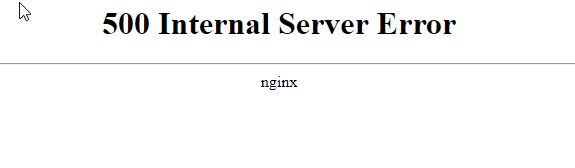
Is your Drupal site showing “500 Internal Server Error” all of a sudden?
In our role as Support Engineers for web hosts, this is a common error we see in Drual websites.

We’ve seen this happen during:
- Drupal core update,
- Module or Theme update,
- Website feature additions (code update),
- PHP upgrade or reconfiguration,
- Web server (eg. Apache) updates,
- Website migration, or
- New website setup
What is Drupal 500 internal server error?
500 Internal Server Error is a web server’s way of saying, “Something has gone wrong when I tried to display the page. Not sure what.”
Almost always it means that there is a configuration error in either the web server settings, PHP settings or website settings.
Some of these errors are temporary (eg. due to resource limits), and might go away when you refresh the site.
But if it doesn’t, it might indeed be a server issue.
How to troubleshoot Drupal error 500
The standard way to troubleshoot error 500 is to analyze the web server log files.
An error log might look something like this:
[Thu Jul 19 11:01:33.126782 2018] [:error] [pid 31931] [client xx.xx.xx.xx] PHP Fatal error: Allowed memory size of 1048576 bytes exhausted (tried to allocate 17120 bytes) in /var/www/drupal7/includes/module.inc on line 503
It won’t make much sense if you aren’t a developer.
So, let’s see what else can be done.
Troubleshooting using error display in Drupal
All web hosts supress PHP errors by default.
So, when there’s an Error 500, you’re not likely to see the reason on the site.
However, you can enable error reporting by adding these lines in index.php.
error_reporting(E_ALL);

ini_set('display_errors', TRUE);

ini_set('display_startup_errors', TRUE);
And when the page is refreshed, you may see an error such as this:
PHP Fatal error: require_once(): Failed opening required '/home/username/sitename/docroot/sites/all/modules/contrib/rules_dev_comments/includes/rules_dev_comments.plugin.inc' (include_path='.:/usr/share/php:/usr/share/pear') in /home/username/sitename/docroot/includes/bootstrap.inc on line 3157
Again, that one can also be a bit difficult to understand if you aren’t a Drupal developer.
Drupal error 500 troubleshooting for humans
For those who do not want a PhD in Drupal, and wants this error fixed, we’ll list here the most common causes for this error, and how to fix them.
1. Misconfigured .htaccess
The number one reason we’ve seen for this error is incompatibility of .htaccess settings with the server environment.
Some hosting accounts will be set to single site environment, while others will be set to multi-site.
Some will allow directory listing and soft links, while others may not.
But Drupal packages and installation instructions assume a basic set of hosting settings to be present.
We’ve seen enabling or disabling these settings (differs from one server to another) can fix this error:
- RewriteBase /
- Options -Multiviews
- Options +FollowSymLinks
- Options -Indexes
Comment (by adding a #) or uncomment these settings one by one to see if it’ll clear the error.
If it is an error with .htaccess, that should fix it.
2. PHP configuration errors
The next big source of error is PHP config issues.
We’ve seen this range from un-installed PHP extensions & wrong PHP paths to incorrect PHP.ini & obsolete PHP handlers.
By default, Drupal requires these PHP extensions to function, but misconfigurations can prevent access to these libraries.
- OpenSSL
- Curl
- GD
- PDO
- XML
- JSON
- Mbstring
In addition to these modules, PHP also requires certain PHP settings to be set right.
For eg. “allow_url_fopen”, “magic_quotes_gpc”, and “register_globals” needs to be set to “off”.
We’ve seen cases where this is either not set right, or the website uses an incorrect version of php.ini, that had the settings configured wrong.
To fix this, we use a two step method:
- Verify PHP config path – We check if the PHP handler, PHP program file, and the PHP configuration file are all set correctly.
- Verify PHP settings – We then look at the settings to make sure everything is as per Drupal’s requirement doc.
The list of individual specs are a bit too long for this article. However, if you need help fixing your site, click here to talk to our Drupal experts.
3. Resource limits
In VPS and Shared hosting servers, a big cause of errors is the memory limit.
Drupal core only requires 32 MB of memory to execute, and most hosting accounts provide a minimum of 128 MB or 256 MB of memory for Drupal processes.
However, when modules are added, the memory requirement of Drupal processes can exceed the allocated quota. The operating system will kill such processes, and the visitor gets a 500 error.
Here’s one way that we’ve seen to be working for many:
- Login to your FTP account.
- Download .htaccess file.
- Add the line
php_value memory_limit 512Min the file, and save - Re-upload the file.
If you are not sure how to do this, or if editing is disallowed in your account, our Prestashop experts can help you fix this. Click here to submit a support request. We are online 24/7.
4. File ownership or permission errors
Site migrations or new site setup can be hard.
A lot of settings need to be changed to make an app compatible to the new environment.
We’ve seen file and folder permissions set wrong in Drupal installations, causing the PHP execution to fail.
The right permissions for files is 644 and folders is 755.
If you see anywhere in the log files that the permissions (user, group, world) is not set right, these commands could help:
find /home/USERNAME/public_html -type d -exec chmod 755 {} ;
find /home/USERNAME/public_html -type f -exec chmod 644 {} ;
Replace /home/USERNAME/public_html with the path to your web directory.
You might also do this from an admin front-end (if you are provided with one).
Warning : Take a backup of your site before you execute any command.
If you are not sure how to reset the file and folder permissions, click here to request support. Our Drupal experts are online 24/7.
5. Errors in Drupal modules or themes
Not all modules are created equal.
Some have code errors, like a missing “;” or a wrong module path.
We’ve seen Drupal sites go down after an upgrade, or a code update, or a backup restore.
In such cases, you can disable the Drupal modules and themes one by one to find out which one caused the error.
A faster way is to analyze the log files and figure out the error’s origin. Here at Bobcares, that’s our favored method, and helps us resolve issues within minutes.
If you are in a hurry and need the issue resolved right now, click here to talk to our Drupal experts. We’re online 24/7.
6. Web server or FastCGI config issues
Many settings in webservers can conflict with each other.
For eg. since Apache 2.2, the config option “SymLinksIfOwnerMatch” is available that is more secure than the older “FollowSymLinks”.
We’ve seen sites where both these options are enabled in .htaccess, causing the site to fail.
This usually happens after a migration where the site owner tries to retain the old settings while adding the new ones.
Similarly, FastCGI has many limits such as Process Execution Time, Request Length, etc. which we’ve found to limit Drupal execution.
In such cases, there are no cookie-cutter solutions. We follow the log trail, find out what the conflicts are, and fix the offending setting.
7. Stale cache, security settings, and others
Temporary issues like resource bottlenecks or server load can cause Drupal error 500.
But the Drupal or server cache will store them for a while more even after the error has passed.
So, in many cases, we’ve solved the issue just by clearing the cache.
Similarly, we’ve seen this error displayed when a script execution is blocked by a firewall such as mod_security.
In such cases, we identify which exact security rule is being triggered and add an exemption for that site.
More causes for Drupal error 500
There can be way more reasons such as Database errors, Brute force attacks, etc. for this error to happen.
If none of the above could help you fix this error, you’ll need to get a Drupal expert to look into this issue.
Here at Bobcares, we resolve hundreds of these issues everyday in our role of Support Engineers for web hosts, and other online companies.
We should be able to fix this error for you fairly quickly. Click here to submit a support request. We’re online 24/7.
Conclusion
Drupal 500 internal server error is caused by resource limits, PHP misconfiguration, .htaccess errors, and more. Here we’ve gone through the top 7 reasons for this error and how our Support Engineers fix it for web hosting providers.
Содержание
- Drupal 500 Internal Server Error – Top 5 Causes and How to Fix Them
- Misconfigured .htaccess
- Resource limits
- File ownership or permission errors
- Errors in Drupal modules or themes
- Stale cache
- Conclusion
- How to fix Drupal 500 internal server error – Top 7 causes & solutions
- What is Drupal 500 internal server error?
- How to troubleshoot Drupal error 500
- Troubleshooting using error display in Drupal
- Drupal error 500 troubleshooting for humans
- 1. Misconfigured .htaccess
- 2. PHP configuration errors
- 3. Resource limits
- 4. File ownership or permission errors
- 5. Errors in Drupal modules or themes
- 6. Web server or FastCGI config issues
- 7. Stale cache, security settings, and others
- More causes for Drupal error 500
- Conclusion
- PREVENT YOUR SERVER FROM CRASHING!
- Drupal Русскоязычное сообщество
- Главные вкладки
- Комментарии
Drupal 500 Internal Server Error – Top 5 Causes and How to Fix Them
Are you getting the “500 Internal Server Error” from your Drupal site all of a sudden? Well, don’t you worry, as in this article I’ll list one of the most common reasons why this error happens, so what are we waiting for? Let’s roll.
Before I get into the reasons, let’s first understand what this error really is? Well, basically it’s a way of webserver saying, “Something has gone wrong when I tried to display the page. But I am not really sure what.” Most of the time it means that there is a configuration error with the settings of your web server, PHP, or website.
So, now with that out of our way, lets get down to the reasons and how you can resolve them (almost anyone will be able to do it, you don’t necessarily have to be a Drupal developer).
Misconfigured .htaccess
One of the primary reasons why you’d get a Drupal “500 Internal Server Error” is because your .htaccess settings are not compatible with the server environment. You could try your luck by commenting (by adding a #) or uncommenting the following lines of code in the .htaccess file: RewriteBase /
Options -Multiviews
Options +FollowSymLinks
Options -Indexes
If the issue is with .htaccess, that should fix it.
Resource limits
Memory limit causes all sorts of different errors in VPS and Shared hosting servers. A minimum memory of 128 or 256 MB is provided by most hosting accounts for Drupal processes while only 32 MB of memory is required to execute Drupal core.
Now, all this is fine, but when contributed or custom modules are installed, the memory requirement of Drupal processes can exceed whatever quota is allocated to it. Thus the OS will kill such processes, and you will get a “500 Internal Server Error”.
Now, to fix this issue you will have to again open up the .htaccess file and add the following line to it:
php_value memory_limit 512M
File ownership or permission errors
Whether you are migrating an existing site from one Drupal version to another or setting up a new site altogether, we all know it’s a pretty hard ride. As lots of settings need to be changed to make the site compatible to the new environment. One reason the “500 Internal Server Error” may occur is that the file and folder permissions are not set right in Drupal installations, thus causing the PHP execution to fail.
So, make sure that all the files have permissions set as 644 and the folders as 755.
Errors in Drupal modules or themes
At times for certain reasons some module or theme after getting updated or any other reasons might have some code that conflicts with the existing site’s code due to which the site starts showing the “500 Internal Server Error.”
So, what you should do then is trying disabling the modules and themes one by one to find out which one caused the error.
Stale cache
The “500 Internal Server Error” can also be caused by resource bottlenecks, server load or other such temporary issues. But the Drupal or server cache will store them for a while more even after the error has passed. You will easily be able to solve this issue by just clearing the cache.
Conclusion
These are the most common reasons (according to me) that can cause the Drupal “500 Internal Server Error,” but these are not the only ones as there can be many many more. So, if you find any new one, please mention it in the comments along with the solution. Thank you for reading!
Источник
How to fix Drupal 500 internal server error – Top 7 causes & solutions
by Visakh S | Sep 17, 2018
Is your Drupal site showing “500 Internal Server Error” all of a sudden?
In our role as Support Engineers for web hosts, this is a common error we see in Drual websites.

We’ve seen this happen during:
- Drupal core update,
- Module or Theme update,
- Website feature additions (code update),
- PHP upgrade or reconfiguration,
- Web server (eg. Apache) updates,
- Website migration, or
- New website setup
What is Drupal 500 internal server error?
500 Internal Server Error is a web server’s way of saying, “Something has gone wrong when I tried to display the page. Not sure what.”
Almost always it means that there is a configuration error in either the web server settings, PHP settings or website settings.
Some of these errors are temporary (eg. due to resource limits), and might go away when you refresh the site.
But if it doesn’t, it might indeed be a server issue.
How to troubleshoot Drupal error 500
The standard way to troubleshoot error 500 is to analyze the web server log files.
An error log might look something like this:
[Thu Jul 19 11:01:33.126782 2018] [:error] [pid 31931] [client xx.xx.xx.xx] PHP Fatal error: Allowed memory size of 1048576 bytes exhausted (tried to allocate 17120 bytes) in /var/www/drupal7/includes/module.inc on line 503
It won’t make much sense if you aren’t a developer.
So, let’s see what else can be done.
Troubleshooting using error display in Drupal
All web hosts supress PHP errors by default.
So, when there’s an Error 500, you’re not likely to see the reason on the site.
However, you can enable error reporting by adding these lines in index.php.
error_reporting(E_ALL);
ini_set(‘display_errors’, TRUE);
ini_set(‘display_startup_errors’, TRUE);
And when the page is refreshed, you may see an error such as this:
PHP Fatal error: require_once(): Failed opening required ‘/home/username/sitename/docroot/sites/all/modules/contrib/rules_dev_comments/includes/rules_dev_comments.plugin.inc’ (include_path=’.:/usr/share/php:/usr/share/pear’) in /home/username/sitename/docroot/includes/bootstrap.inc on line 3157
Again, that one can also be a bit difficult to understand if you aren’t a Drupal developer.
Drupal error 500 troubleshooting for humans
For those who do not want a PhD in Drupal, and wants this error fixed, we’ll list here the most common causes for this error, and how to fix them.
1. Misconfigured .htaccess
The number one reason we’ve seen for this error is incompatibility of .htaccess settings with the server environment.
Some hosting accounts will be set to single site environment, while others will be set to multi-site.
Some will allow directory listing and soft links, while others may not.
But Drupal packages and installation instructions assume a basic set of hosting settings to be present.
We’ve seen enabling or disabling these settings (differs from one server to another) can fix this error:
- RewriteBase /
- Options -Multiviews
- Options +FollowSymLinks
- Options -Indexes
Comment (by adding a #) or uncomment these settings one by one to see if it’ll clear the error.
If it is an error with .htaccess, that should fix it.
2. PHP configuration errors
The next big source of error is PHP config issues.
We’ve seen this range from un-installed PHP extensions & wrong PHP paths to incorrect PHP.ini & obsolete PHP handlers.
By default, Drupal requires these PHP extensions to function, but misconfigurations can prevent access to these libraries.
In addition to these modules, PHP also requires certain PHP settings to be set right.
For eg. “allow_url_fopen”, “magic_quotes_gpc”, and “register_globals” needs to be set to “off”.
We’ve seen cases where this is either not set right, or the website uses an incorrect version of php.ini, that had the settings configured wrong.
To fix this, we use a two step method:
- Verify PHP config path – We check if the PHP handler, PHP program file, and the PHP configuration file are all set correctly.
- Verify PHP settings – We then look at the settings to make sure everything is as per Drupal’s requirement doc.
The list of individual specs are a bit too long for this article. However, if you need help fixing your site, click here to talk to our Drupal experts.
3. Resource limits
In VPS and Shared hosting servers, a big cause of errors is the memory limit.
Drupal core only requires 32 MB of memory to execute, and most hosting accounts provide a minimum of 128 MB or 256 MB of memory for Drupal processes.
However, when modules are added, the memory requirement of Drupal processes can exceed the allocated quota. The operating system will kill such processes, and the visitor gets a 500 error.
Here’s one way that we’ve seen to be working for many:
- Login to your FTP account.
- Download .htaccess file.
- Add the line php_value memory_limit 512M in the file, and save
- Re-upload the file.
If you are not sure how to do this, or if editing is disallowed in your account, our Prestashop experts can help you fix this. Click here to submit a support request. We are online 24/7.
4. File ownership or permission errors
Site migrations or new site setup can be hard.
A lot of settings need to be changed to make an app compatible to the new environment.
We’ve seen file and folder permissions set wrong in Drupal installations, causing the PHP execution to fail.
The right permissions for files is 644 and folders is 755.
If you see anywhere in the log files that the permissions (user, group, world) is not set right, these commands could help:
find /home/USERNAME/public_html -type d -exec chmod 755 <> ;
find /home/USERNAME/public_html -type f -exec chmod 644 <> ;
Replace /home/USERNAME/public_html with the path to your web directory.
You might also do this from an admin front-end (if you are provided with one).
Warning : Take a backup of your site before you execute any command.
If you are not sure how to reset the file and folder permissions, click here to request support. Our Drupal experts are online 24/7.
5. Errors in Drupal modules or themes
Not all modules are created equal.
Some have code errors, like a missing “;” or a wrong module path.
We’ve seen Drupal sites go down after an upgrade, or a code update, or a backup restore.
In such cases, you can disable the Drupal modules and themes one by one to find out which one caused the error.
A faster way is to analyze the log files and figure out the error’s origin. Here at Bobcares, that’s our favored method, and helps us resolve issues within minutes.
If you are in a hurry and need the issue resolved right now, click here to talk to our Drupal experts. We’re online 24/7.
6. Web server or FastCGI config issues
Many settings in webservers can conflict with each other.
For eg. since Apache 2.2, the config option “SymLinksIfOwnerMatch” is available that is more secure than the older “FollowSymLinks”.
We’ve seen sites where both these options are enabled in .htaccess, causing the site to fail.
This usually happens after a migration where the site owner tries to retain the old settings while adding the new ones.
Similarly, FastCGI has many limits such as Process Execution Time, Request Length, etc. which we’ve found to limit Drupal execution.
In such cases, there are no cookie-cutter solutions. We follow the log trail, find out what the conflicts are, and fix the offending setting.
7. Stale cache, security settings, and others
Temporary issues like resource bottlenecks or server load can cause Drupal error 500.
But the Drupal or server cache will store them for a while more even after the error has passed.
So, in many cases, we’ve solved the issue just by clearing the cache.
Similarly, we’ve seen this error displayed when a script execution is blocked by a firewall such as mod_security.
In such cases, we identify which exact security rule is being triggered and add an exemption for that site.
More causes for Drupal error 500
There can be way more reasons such as Database errors, Brute force attacks, etc. for this error to happen.
If none of the above could help you fix this error, you’ll need to get a Drupal expert to look into this issue.
Here at Bobcares, we resolve hundreds of these issues everyday in our role of Support Engineers for web hosts, and other online companies.
We should be able to fix this error for you fairly quickly. Click here to submit a support request. We’re online 24/7.
Conclusion
Drupal 500 internal server error is caused by resource limits, PHP misconfiguration, .htaccess errors, and more. Here we’ve gone through the top 7 reasons for this error and how our Support Engineers fix it for web hosting providers.
PREVENT YOUR SERVER FROM CRASHING!
Never again lose customers to poor server speed! Let us help you.
Our server experts will monitor & maintain your server 24/7 so that it remains lightning fast and secure.
Источник
Drupal Русскоязычное сообщество
Главные вкладки
Доброе время суток.
Я понимаю что тем таких было создана уже куча, но за сутки поиска решения не нашел. Если предположение, что дело далеко не а друпале, но ошибку перехватить не могу.
В общем описываю:
1. Сайт установлен drupal-7.55
2. Изменения в сайт не вносились, однако ошибка 500
Что пробовал и проверял:
1. Логи php/apache ошибок не выдают, мало того боты получают доступ к файлам картинок, сервер им отвечает на прямые ссылки на файлы. Хотя часть запросов уходит с ответом 304 о отсутствии изменений. Но сам сайт выдает ошибку 500.
2. Решил проверить, поменял версию php с 5 на 7 ку, подправил setting на доступ вместо localhost на 127.0.01, локально с phpmyadmin все работает.
3. .htaccess никто не правил, но накатил на другом компьютере чистую версию и залил по новой. Логирование ошибок включал но их нет. RewriteBase / раскомментировал
4. Пробовал для проверки внести изменения в index.php добавил echo ‘Init’; после require_once DRUPAL_ROOT . ‘/includes/bootstrap.inc’; надпись появилась и ошибка ушла. если перенести строку после
drupal_bootstrap(DRUPAL_BOOTSTRAP_FULL); то ошибка сразу появится и скрипт приостанавливает работу, надписи init уже нет.
5. Пробовал найти модуль views по адресу sites/all/modules/views переименовывал для теста, результат тот же
6. phpinfo сообщает что памяти 512 выделено.
7. Смущает только папка с фалами на гиг, но не думаю что есть ограничение.
ps. Сайт настаивал не я, люди попросили посмотреть в чем беда.
- Drupal7
- Есть вопрос
- Решение проблем
- Блог
- Войдите или зарегистрируйтесь, чтобы отправлять комментарии
Комментарии
Сервер и будет отдавать картинки и файлы, почему бы и нет? У вас 500 ошибка, это где-то в коде.
Копайте причину почему у вас не пишутся в лог ошибки, возможно, прошлого разработчика не оплатили, он оставил сюрприз в коде. Возможно протроянили, ядро старое.
Остальные ваши предположения — врядли имеют отношение к делу.
- Войдите или зарегистрируйтесь, чтобы отправлять комментарии
- Реакции
Да вполне возможно, сайт говорят просил обновления. Наведите на мысль, куда копать ? Ошибки только руками по фалам бежать или в базе нужно искать? Процедура дебага на drupal какая?
- Войдите или зарегистрируйтесь, чтобы отправлять комментарии
- Реакции
Копайте в сторону «php включить показ ошибок».
Вам ещё предстоит после себя погром зачищать.
Процедура дебага в друпале такая же как и во всём PHP.
- Войдите или зарегистрируйтесь, чтобы отправлять комментарии
- Реакции
Вот что интересно, что после :
php_value error_reporting 4
php_flag display_errors on
php_flag display_startup_errors on
php_flag ignore_repeated_source off
php_flag ignore_repeated_errors off
php_flag track_errors on
php_flag mysql.trace_mode on
php_flag log_errors on
результат тот же. Ладно спасибо, поищем еще.
Уже больше месяца известна уязвимость, по которой можно взломать любой сайт на семёрке ниже версии 7.58. Тысячи, если не миллионы сайтов взломали по этой уязвимости. Но только на друпал.ру обладатели старых версий почему-то уверены, что у них не взлом, а что-то другое.
В общем, 99.9% вероятность, что после обновления до 7.59 ваш сайт восстановит работоспособность. Но потом ещё нужно будет вычистить левые вредоносные файлы.
- Войдите или зарегистрируйтесь, чтобы отправлять комментарии
- Реакции
А конкретнее, где то обсуждалось? Куда копать что чистить, базу или файлы. Я по самой структуре пробежался новые искал ничего вроде не нашел. А так спасибо, обновлюсь.
- Войдите или зарегистрируйтесь, чтобы отправлять комментарии
- Реакции
Чистить файлы
Чистить базу
Обновлять друпал сейчас и в будущем.
28 марта вышло критическое обновление. Возможно, вы один из пострадавших, кто не обновился.
Но иные варианты заражения, например, через утёкшие пароли к FTP — исключать не стоит.
Или пишите, контакты в профиле, договоримся о лечении.
- Войдите или зарегистрируйтесь, чтобы отправлять комментарии
- Реакции
Спасибо, попытаюсь сам, если что обращусь.
Спасибо всем, полечил. Почистил cache, watchdog (9 гиг было), обновил систему до последней седьмой версии, и выплыло что проблема в модуле recaptcha плюс отсутствовал модуль visualization. После всего проделанного все заработало.
На моих проектах тоже был взлом — реально рекомендую скачать старый рабочий бэкап и сравнить файлы с текущими, показав новые и изменившиеся, скорее всего много чего интересного увидите.
Источник
When using Drupal your browser returns the following error
Internal Server Error
The server encountered an internal error or misconfiguration and was unable to complete your request.
Please contact the server administrator, webmaster@******.com and inform them of the time the error occurred, and anything you might have done that may have caused the error.
More information about this error may be available in the server error log.
Additionally, a 500 Internal Server Error error was encountered while trying to use an ErrorDocument to handle the request.
An «Internal Server Error» is an error on the web server that you’re trying to access. That server is misconfigured in some way that is preventing it from responding properly to what you’re asking for.
An «Internal Server Error» often occurs due to:
- Misconfigured Drupal core file or folder read and write permissions.
- Misconfigured web server file or folder read and write permissions.
- Corrupted file(s).
To fix this click on one of the below possible causes.

Drupal 500 Internal Server Error – Top 5 Causes and How to Fix Them
24 May 2021
Are you getting the “500 Internal Server Error” from your Drupal site all of a sudden? Well, don’t you worry, as in this article I’ll list one of the most common reasons why this error happens, so what are we waiting for? Let’s roll.
Before I get into the reasons, let’s first understand what this error really is? Well, basically it’s a way of webserver saying, “Something has gone wrong when I tried to display the page. But I am not really sure what.” Most of the time it means that there is a configuration error with the settings of your web server, PHP, or website.
So, now with that out of our way, lets get down to the reasons and how you can resolve them (almost anyone will be able to do it, you don’t necessarily have to be a Drupal developer).
Misconfigured .htaccess
One of the primary reasons why you’d get a Drupal “500 Internal Server Error” is because your .htaccess settings are not compatible with the server environment. You could try your luck by commenting (by adding a #) or uncommenting the following lines of code in the .htaccess file: RewriteBase /
Options -Multiviews
Options +FollowSymLinks
Options -Indexes
If the issue is with .htaccess, that should fix it.
Resource limits
Memory limit causes all sorts of different errors in VPS and Shared hosting servers. A minimum memory of 128 or 256 MB is provided by most hosting accounts for Drupal processes while only 32 MB of memory is required to execute Drupal core.
Now, all this is fine, but when contributed or custom modules are installed, the memory requirement of Drupal processes can exceed whatever quota is allocated to it. Thus the OS will kill such processes, and you will get a “500 Internal Server Error”.
Now, to fix this issue you will have to again open up the .htaccess file and add the following line to it:
php_value memory_limit 512M
File ownership or permission errors
Whether you are migrating an existing site from one Drupal version to another or setting up a new site altogether, we all know it’s a pretty hard ride. As lots of settings need to be changed to make the site compatible to the new environment. One reason the “500 Internal Server Error” may occur is that the file and folder permissions are not set right in Drupal installations, thus causing the PHP execution to fail.
So, make sure that all the files have permissions set as 644 and the folders as 755.
Errors in Drupal modules or themes
At times for certain reasons some module or theme after getting updated or any other reasons might have some code that conflicts with the existing site’s code due to which the site starts showing the “500 Internal Server Error.”
So, what you should do then is trying disabling the modules and themes one by one to find out which one caused the error.
Stale cache
The “500 Internal Server Error” can also be caused by resource bottlenecks, server load or other such temporary issues. But the Drupal or server cache will store them for a while more even after the error has passed. You will easily be able to solve this issue by just clearing the cache.
Conclusion
These are the most common reasons (according to me) that can cause the Drupal “500 Internal Server Error,” but these are not the only ones as there can be many many more. So, if you find any new one, please mention it in the comments along with the solution. Thank you for reading!
For some reasons, my site stopped responding today, Error
The www.mysite.com page isn’t working
www.mysite.com is currently unable to handle this request. HTTP ERROR
500
I understand there are many reasons for 500 error and it hard to know what exactly happend, I had a look into server log and notice this error
[Wed May 11 10:31:27 2016] [warn] [client x.y.z] mod_fcgid: stderr:
PHP Parse error: syntax error, unexpected ‘return’ (T_RETURN) in
/var/www/vhosts/mysite.com/httpdocs/pro/includes/common.inc on line
5106.
Looking into common.inc
function drupal_json_encode($var) {
  // The PHP version cannot change within a request.
  static $php530;

  if (!isset($php530)) {
    $php530 = version_compare(PHP_VERSION, '5.3.0', '>=');
  }

  if ($php530) {
    // Encode <, >, ', &, and " using the json_encode() options parameter.
    return json_encode($var, JSON_HEX_TAG | JSON_HEX_APOS | JSON_HEX_AMP | JSON_HEX_QUOT);
  }

  // json_encode() escapes <, >, ', &, and " using its options parameter, but
  // does not support this parameter prior to PHP 5.3.0.  Use a helper instead.
  include_once DRUPAL_ROOT . '/includes/json-encode.inc';
  return drupal_json_encode_helper($var);
}
Line 5106 = return json_encode($var, JSON_HEX_TAG | JSON_HEX_APOS | JSON_HEX_AMP | JSON_HEX_QUOT);
- If possible run cron and clear caches (1-9) with Drush
- Change of PHP version to match the Drupal version used. For older Drupal 7 versions possibly downgrade to PHP 5.6. For Drupal 8 possibly upgrade to PHP 7.0 +
- Increase PHP Memory limit to at least 256M
- Copying of original .htaccess and settings.php from Drupal installation. Disable/Remove to see if it is the cause of the problem.
- Check-up and correction of user rights, 755 and 440 special files
- Run update.php (set TRUE for free acess in /sites/default/settings.php, go to www.domain.xxx/update.php and follow the instructions)
See also:
https://www.drupal.org/node/416906
https://www.drupal.org/node/2764539

Read more articles

317
Updated
Speed up your computer today with this simple download.
Here are some simple methods that can help you fix the Drupal 500 Internal Error issue. Nonspecific staining is caused by ionic interaction between the main antibody or a secondary antibody with a molecular structure, which can lead to high background noise, so that the position of expression of the relevant protein in the tissue can no longer be tracked.
< tr>
Possible causes |
Solutions |
|
How do I fix 500 internal error?Primary antibody and second set of antibodies are compatible |
How can I fix 500 error in php?… do not make sure you are consuming a secondary antibody with a high level of resistance to primary antibodies (for example , primary antibodies can be high in rabbits, use secondary anti-rabbitantibodies). How do I troubleshoot IHC?First, find the problem with your immunohistochemical tone from the following options:Insufficient essential antibodies:Primary and secondary antibodies are incompatible:Fabrics benefit from:Cells are impermeable:Dewaxing is not enough: • Make sure the most important and secondary isotypes are compatible.
|
|
| No antibodies are bound to the actual protein |
|
|
| Antibody. This may not always be appropriate for IHC procedures that allow you to locate the protein in its native state |
|
|
| Antibodies or amplification devices may have lost their activity due to improper storage and handling I. |
|
|
| The protein of interest is not present in your current tissue |
|
|
| Recently, the protein of interest has a low frequency |
|
|
| which (when using fluorescence detection) could be damaged by too light exposure |
|
|
| Dewaxing may be absent (if the fabricembedded in paraffin) |
|
|
| The method of fixation (when using formalin-paraformaldehyde fixatives) may affect epitope protection |
|
|
| The antibody could not enter the cell nucleus (if the target protein is also a nuclear protein) |
|
|
| permeability damages cell filters (if the target protein is a protein membrane layer) |
|
|
| The tampon may be contaminated with bacta By side |
|
Updated
Are you tired of your computer running slow? Annoyed by frustrating error messages? ASR Pro is the solution for you! Our recommended tool will quickly diagnose and repair Windows issues while dramatically increasing system performance. So don’t wait any longer, download ASR Pro today!

Follow our immunohistochemistry troubleshooting guide to quickly determine the potential cause of a problem with your protocol and view solutions.
First, identify the problem with your amazing immunohistochemical staining using options or below:
Low without coloring
- Use a higher concentration of antibodies.
- Incubate longer
- Additional antibodies must be generated against your current primary antibody host. To illustrate, if the primary antibody is mouse anti-HSP70, use a secondary anti-mouse antibody (such as goat anti-mouse antibody)
- Isotypes must also be compatible.
- Samples must be covered with liquid during staining.
- Methanol and acetone st increase cell permeability, fixing
- When using formaldehyde to increase cell permeability, use 0.2% Triton X-100.
- Longer dewaxing sections
- Always use the latest xylene.
- Confirm that the IHC antibodies have been validated, or rather, what type – formalin, paraffin-embedded, fresh frozen, etc.
- Test the antibody with excellent Western blotting to make sure it hasn’t affected information technology.
- Shorten the duration at the same time as commit.
- Use various antigen recovery techniques to uncover the epitope.
- Increase the incubation time of most primary antibodies with the sample.
- Samples should be vividly illustrated shortly after processing as display quality degrades over time. If necessary, store slides in the dark at 4 ° C.
- Freeze / thaw cycles are harmful and can lead to quality degradation. It is best to create the smallestNo quantities from aliquots as soon as you receive the product.
- Antibody was not stored optimally. Unfortunately, this may require the use of a beginner vial.
- If the abutment is not stored in the dark (if using immunofluorescence alone), a new vial should be used.
- Conduct Positive Control
- When the most important protein is present but not abundant, use the amplification step to maximize the overall signal.
High background
- Longer dewaxing sections
- Always use semi-smoked xylene.
- When using the HRP detection system, also endogenous peroxidase activity with 3% H 2 O 2 before performing the staining process
- If the biotin detection system is used in samples with elevated endogenous biotin concentrations (e.g. kidney, liver organ, spleen), perform biotin blocking when incubating avidin samples, with and after a regular blocking step with biotin set and thus removed first No incubation of antibodies
- Further dilution of the primary and / or secondary antibody.
- Test for secondary antibodies without using primary antibodies. If staining is present, replace the secondary antibody or consider a conjugated primary antibody instead.
- Extend the difficult incubation period and consider changing the limiting agent.
- Reduce the incubation time for amplification and further dilute all secondary antibodies.
- It is very important to thoroughly wash the areas between the steps. Make sure you are likely to follow the following protocol instructions for the wash steps
- Consider using thinner fabrics as the flesh stain under the focal plane will remove unnecessary background stains.
Non-specific staining
- Try to reduce the specific concentration and incubation time.
Primary tissue is usually worn out in the same way that this tissue is dyed (for example, a mouse in a mouse):
- Try Use a main product bred against another specific species. If not, try blocking some of the endogenous IgG with the above serum as a byproduct. You can even try incubating the sections with 1% newt to cleanse the tissue. Or use TBS-Tween 20 as wash buffer instead of PBS-Tween 20.
How do I fix Drupal errors?
Speed up your computer today with this simple download.
What causes background staining in immunohistochemistry?
Background staining is thought to be the incredible result of the uptake of nonspecific antibodies (Ab) by endogenous Fc receptors (FcR) or a novel combination of ionic and hydrophobic interactions.
Błąd Wewnętrzny Drupala 500
Drupal 500 Internt Fel
Erreur Interne Drupal 500
Drupal 500 Interne Fout
Drupal 500 Interner Fehler
Внутренняя ошибка Drupal 500
Errore Interno Drupal 500
Error Interno De Drupal 500
Erro Interno Do Drupal 500
Drupal 500 내부 오류

Tags: ajax, api, drupal core, drupal org, drupal site, fix, htaccess, htaccess file, joomla drupal, module, php, response, rest api, status code 500, windows server, wordpress