
Редактор персонажа
Редактор персонажа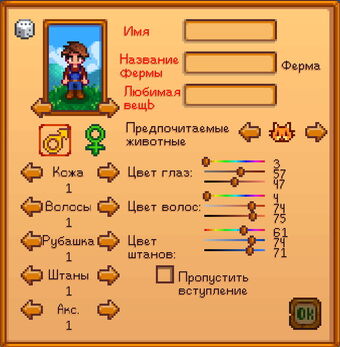
В начале игры вам предлагается создать своего персонажа. Вы можете выбрать:
- Внешний вид. Содержит 24 оттенка кожи, 74 прически, 20 аксессуаров, 4 варианта штанов и 112 рубашек. Все это может быть использовано представителями обоих полов, что представляет широкую возможность настройки внешнего вида. Внешний вид не воздействует на игровую механику и может быть изменен позднее, например, дополнен шляпами и ботинками в процессе игры. Кроме того, можно изменить внешний вид в игре, воспользовавшись Алтарём Иллюзий.
- Имя / Название фермы. Иногда используется в диалогах. Может содержат большинство символов ASCII формата, такие как: пробелы, заглавные и строчные буквы, цифры и символы
`~!@#$%^&*()-=+[{]}|;:'",<.>/?_. Длина имени ограничена шириной поля ввода. Несмотря на то, что кавычки — разрешенный ASCII символ, они не доступны для введения. - Питомец. Выбранный питомец присоединится к вам в 1-ый год, на 12-ый день весны.
- Любимая вещь. Влияет на текст, отображаемый при съедении Звёздной капли. Имеет те же ограничения ввода что и имя и название фермы.
- Пол. Имеет минимальное влияние на процесс игры, кроме того, не влияет на выбор брачного кандидата.
Также присутствует кнопка создания случайного персонажа (кликнуть по картинке игрового кубика). Если вы хотите пропустить вступление сразу — поставьте галочку напротив «Пропустить вступление». После создания персонажа начнётся сам процесс игры.
Процесс игры
Во время игры у персонажа появляется шкала энергии и инвентарь (изначально в 12 слотов), который открывается нажатием на кнопку Esc (игровое меню) или E. Также из игрового меню доступны вкладки коллекций, социальных отношений с жителями, картой, настройками и кнопкой выхода на рабочий стол. Более подробно про управление читайте здесь.
Примечания
- Ввод «ConcernedApe» или «Stardew» в качестве вашей любимой вещи запускает пасхалку.
- Некоторые специальные символы (например, *), введенные в текстовые поля, запускают определенный звук.
- Символ + в именах отображается как звезда.
- Игра не ограничивает вас какой-либо конкретной личностью (например, нет черт характера). В сценах и диалогах вы можете выбрать любой вариант ответа на свое усмотрение. Эти ответы не влияют на сюжет, хотя некоторые могут слегка повлиять на отношения с другими персонажами. Вы можете дружить с большинством жителей, взаимоисключающих друзей в игре нет (однако с некоторыми персонажами, вроде Гюнтера, нельзя подружиться).
- Игрок умеет играть на мини-арфе, что выясняется во время одной из сцен с Абигейл.
| Основы |
|---|
| Начало • Персонаж • Управление • Здоровье и Энергия • Навыки • Суточный цикл • Бумажник |
Using custom hair and outfits in Stardew Valley is possible only if players download and install mods. Here’s how to add custom content to the game.
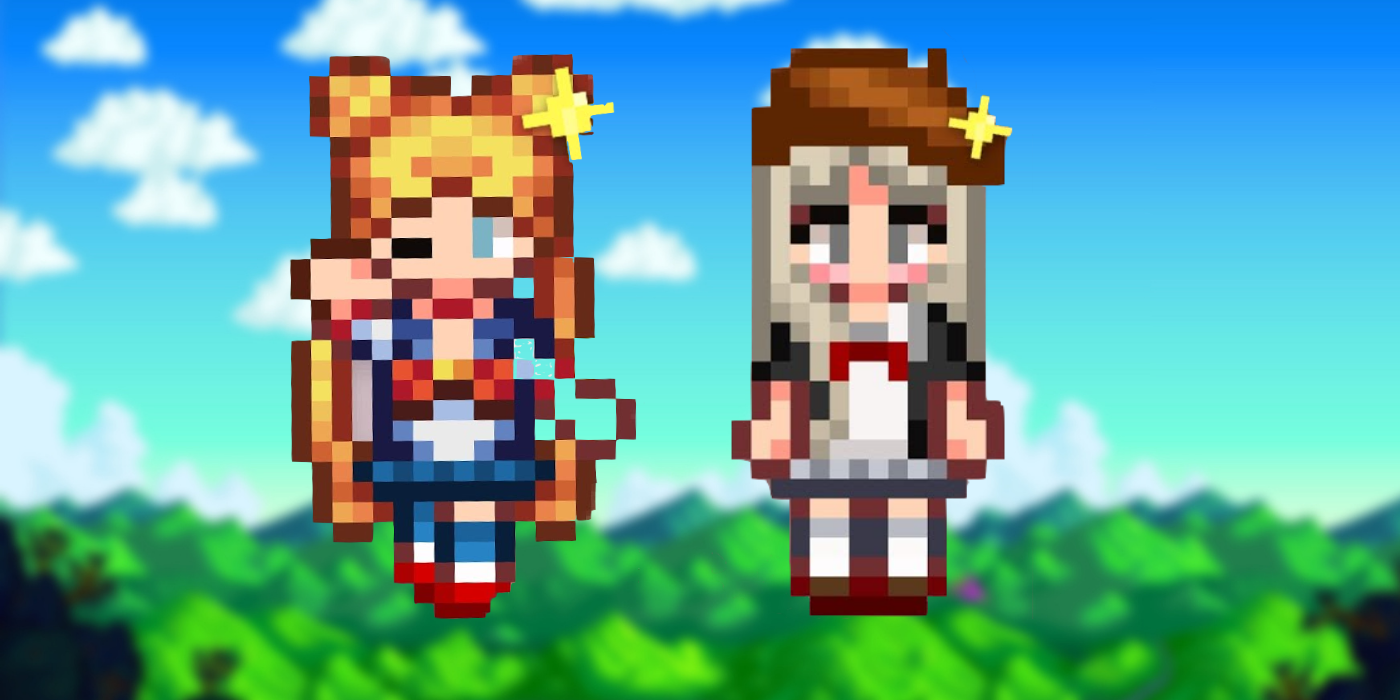
Stardew Valley is known for its character customization options, and custom hair and outfits let players make their farmers look even more unique. If the base game appearance choices are getting boring or don’t have exactly what players are looking for, mods offer hundreds of downloadable fan-made hair and outfit variations for players’ farmers.
Adding custom hair and outfits to Stardew Valley requires mods. Players can install these through the same method required to download all other mods. Here’s how to download custom appearance mods in Stardew Valley, how to install them, and where to find the best custom content.
Along with Stardew Valley, players will need to have SMAPI downloaded. SMAPI is the mod installer for Stardew Valley, and it lets players launch the game with mod support. The most recent version can be downloaded at smapi.io, and further instructions on how to install it can be found on the website. Installation instructions will vary depending on the operating system players use.
How to Use SMAPI to Download Custom Content in Stardew Valley
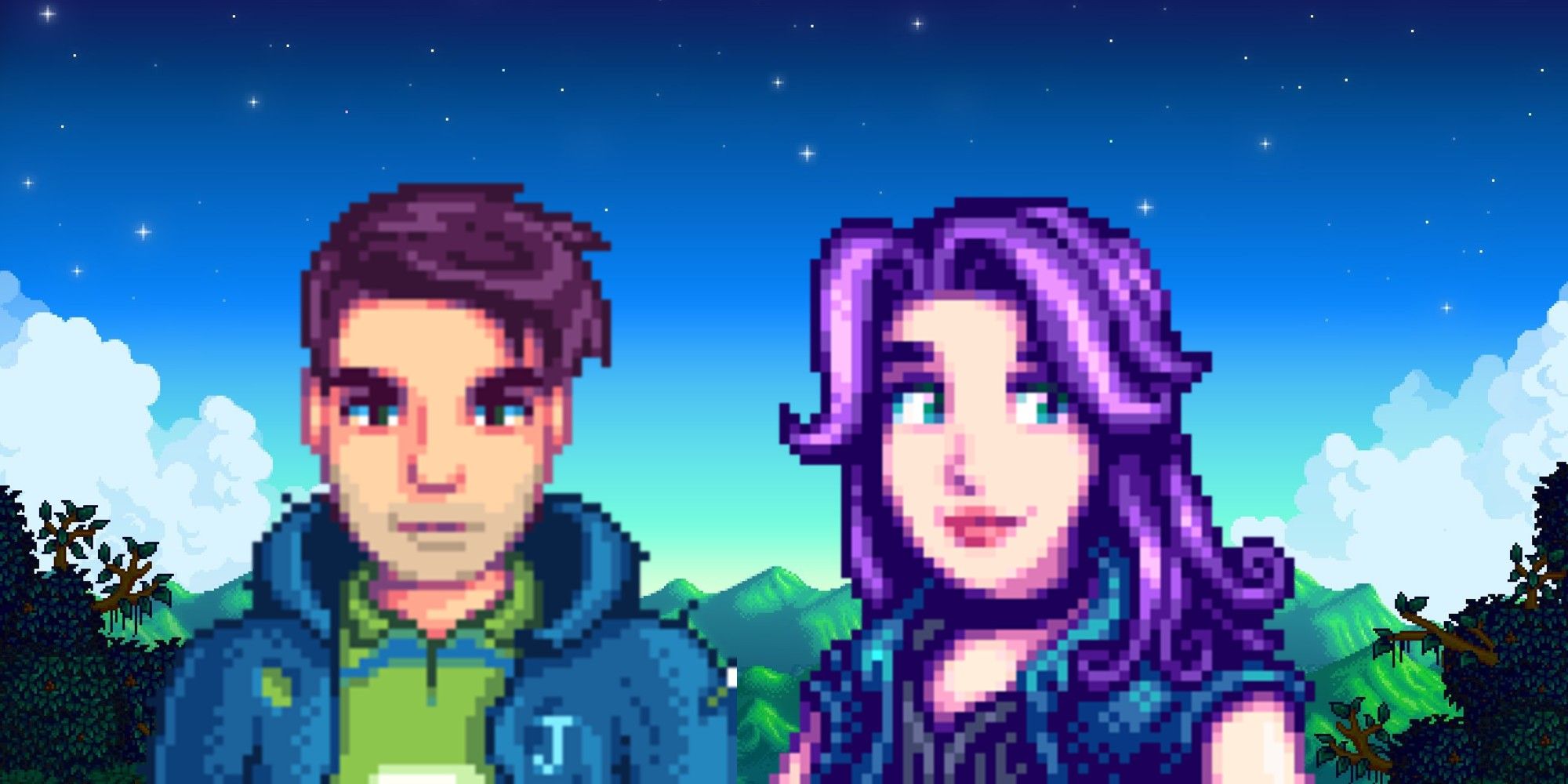
After SMAPI, the next mod players will need to install to begin modding Stardew Valley is called Json Assets by spaceshace0. This mod allows players to add modded custom content to their game. To install it, all players need to do is download the mod from Nexus Mods and unzip it into the Mods folder created by installing SMAPI.
The Mods folder can be found by going into the local files of the game. If players launch Stardew Valley via Steam, they can right-click on the game in their Library and select “Browse local files” in the Manage tab to access these files.
Next, players can begin choosing what content they’d like to add to their game. There are several websites that host player-uploaded mod content in the signature Stardew Valley pixel art style that players can browse and download. Some of the most popular websites include nexusmods.com and moddrop.com.
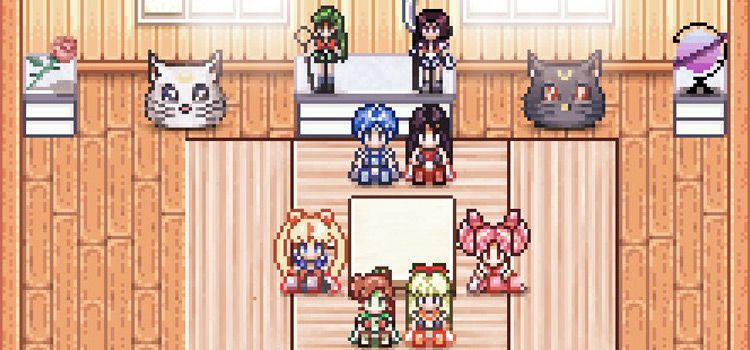
Through the search functions on these websites, players can choose the best mods to add to Stardew Valley. By searching “hairstyle,» for example, players will get dozens of custom hairstyles and hair colors to customize their farmer. These websites also have hundreds of clothing options for players to choose from. From Sailor-Moon-inspired Kimonos to summery swimsuits, players should be able to find whatever outfit they’re looking for.
After downloading the desired mods, players will need to extract the files and move them into the Mods folder. Each mod should be within its own sub-folder, so players can easily locate the files for different mods in case a mod begins to cause an in-game error.
With SMAPI and Json Assets installed, players should be able to download custom hair and outfits for their Stardew Valley farmers whenever they want. Players can change their hairstyle by using the Wizard’s backroom, and outfits can be changed at any time using a dresser. Players should look at the details of the mod they’re using to check whether the content is only available in farmer customization, can be bought in-game, or needs to be crafted.
More: Stardew Valley Pixel Art Puts The Whole Map On A Globe
Stardew Valley is available now on PC, PlayStation 4, Xbox One, Nintendo Switch, iOS, Android, MacOS, Linux, and PlayStation Vita.
Using custom hair and outfits in Stardew Valley is possible only if players download and install mods. Here’s how to add custom content to the game.
Stardew Valley is known for its character customization options, and custom hair and outfits let players make their farmers look even more unique. If the base game appearance choices are getting boring or don’t have exactly what players are looking for, mods offer hundreds of downloadable fan-made hair and outfit variations for players’ farmers.
Adding custom hair and outfits to Stardew Valley requires mods. Players can install these through the same method required to download all other mods. Here’s how to download custom appearance mods in Stardew Valley, how to install them, and where to find the best custom content.
Along with Stardew Valley, players will need to have SMAPI downloaded. SMAPI is the mod installer for Stardew Valley, and it lets players launch the game with mod support. The most recent version can be downloaded at smapi.io, and further instructions on how to install it can be found on the website. Installation instructions will vary depending on the operating system players use.
How to Use SMAPI to Download Custom Content in Stardew Valley
After SMAPI, the next mod players will need to install to begin modding Stardew Valley is called Json Assets by spaceshace0. This mod allows players to add modded custom content to their game. To install it, all players need to do is download the mod from Nexus Mods and unzip it into the Mods folder created by installing SMAPI.
The Mods folder can be found by going into the local files of the game. If players launch Stardew Valley via Steam, they can right-click on the game in their Library and select “Browse local files” in the Manage tab to access these files.
Next, players can begin choosing what content they’d like to add to their game. There are several websites that host player-uploaded mod content in the signature Stardew Valley pixel art style that players can browse and download. Some of the most popular websites include nexusmods.com and moddrop.com.
Through the search functions on these websites, players can choose the best mods to add to Stardew Valley. By searching “hairstyle,» for example, players will get dozens of custom hairstyles and hair colors to customize their farmer. These websites also have hundreds of clothing options for players to choose from. From Sailor-Moon-inspired Kimonos to summery swimsuits, players should be able to find whatever outfit they’re looking for.
After downloading the desired mods, players will need to extract the files and move them into the Mods folder. Each mod should be within its own sub-folder, so players can easily locate the files for different mods in case a mod begins to cause an in-game error.
With SMAPI and Json Assets installed, players should be able to download custom hair and outfits for their Stardew Valley farmers whenever they want. Players can change their hairstyle by using the Wizard’s backroom, and outfits can be changed at any time using a dresser. Players should look at the details of the mod they’re using to check whether the content is only available in farmer customization, can be bought in-game, or needs to be crafted.
More: Stardew Valley Pixel Art Puts The Whole Map On A Globe
Stardew Valley is available now on PC, PlayStation 4, Xbox One, Nintendo Switch, iOS, Android, MacOS, Linux, and PlayStation Vita.