
- Обязательно представиться на русском языке кириллицей (заполнить поле «Имя»).
- Фиктивные имена мы не приветствуем. Ивановых и Пупкиных здесь уже достаточно.
- Не писать свой вопрос в первую попавшуюся тему — вместо этого создать новую тему.
- За поиск и предложение пиратского ПО и средств взлома — бан без предупреждения.
- Рекламу и частные объявления «куплю/продам/есть халтура» мы не размещаем ни на каких условиях.
- Перед тем как что-то написать — читать здесь и здесь.
-

atamkosta
- read only

- Сообщения: 462
- Зарегистрирован: 31 янв 2010, 10:53
- Имя: Konstantin Atamanchuk
- Страна: Ukraine
- город/регион: Dniepropetrovsk
- Поблагодарили: 2 раза

Ошибки измерений расходомеров ProMass?
Сообщение
atamkosta » 31 янв 2010, 11:26
Здравствуйте Уважаемые коллеги!
Столкнулись с интересной проблемой. Имеются расходомеры E+H ProMass, несколько оных стоят на паралельных и идентичных ветках процесса. (производство асептичное поэтому одна моется, стерилизуется…) поставлены эти приборы в разное время. Некоторые из них пролиты на атестат. На определенных продуктах наблюдается катастрофическая ложь (3-5 тонн на 25тоннах), причем согласно архивов во всех ветках. Вязкость продуктов примерно одинакова. Есть различие в электропроводности, но лгут продукты с большей э.проводностю. Забираю с них импульс 5кг/имп. и плотность 4-20мА. Морда и SCADA в показаниях совпадают. Установлены вертикально пузырьки отсутствуют. Может кто сталкивался или есть идеи как бороться?
Заранее благодарю!
с Уважением К
-

Barsik
- не первый раз у нас
- Сообщения: 353
- Зарегистрирован: 02 фев 2010, 22:28
- Имя: Корнеев Дмитрий
- Страна: Россия
- город/регион: Санкт-Петербург
- Благодарил (а): 1 раз
- Поблагодарили: 7 раз


Re: Ошибки измерений расходомеров ProMass?
Сообщение
Barsik » 02 фев 2010, 22:38
Ай яй яй.. Я конечно очень извиняюсь, но как можно не знать таких простых вещей… Массовые расходомеры работают только на абсолютно гомогенных средах. Например, апельсиновый сок с «клеткой» — это нифига не гомогенная среда. Более подробно сюда: http://www.yokogawa.ru/knowledge/press_488_18.aspx
Запуск и модернизация оборудования без проекта и документации. Дорого.
-
atamkosta
- read only
- Сообщения: 462
- Зарегистрирован: 31 янв 2010, 10:53
- Имя: Konstantin Atamanchuk
- Страна: Ukraine
- город/регион: Dniepropetrovsk
- Поблагодарили: 2 раза
Re: Ошибки измерений расходомеров ProMass?
Сообщение
atamkosta » 03 фев 2010, 00:50
сорри
апельсин считается абсолютно в нолик  не идет мультифрут и яблоко — абсолютно гомогенные вещи. Кстати клетка вносится отдельно прибывая в бочкотаре. (На сколько мне известно, по крайней мере делер гомогенизирует свои исходные.) Причем подозрительны они только по проводимости у них порядка 2200-2400 mS у остальных 270-600mS, но это вроде не должно ему мешать мерять, по прочим критериям не выдаются. например вязкость у апельсина выше на порядок. Брикс примерно равный — в смысле в одном порядке…
За статейку гранд мерси!
с Уважением К
-
dimagoreev
- осмотрелся
- Сообщения: 149
- Зарегистрирован: 06 ноя 2009, 17:09
- Имя: Гореев Дмитрий
- Страна: Россия
- город/регион: Челябинск
- Благодарил (а): 1 раз

Re: Ошибки измерений расходомеров ProMass?
Сообщение
dimagoreev » 03 фев 2010, 14:05
Электропроводность тут непричем. Проблема скорее всего с фазами. Я думаю пузырки все-таки есть или среда двуфазная. У эндрессов с этим проблема, они любят однородные среды. Ставишь на «газировку» и вранье начинается.
-
dimagoreev
- осмотрелся
- Сообщения: 149
- Зарегистрирован: 06 ноя 2009, 17:09
- Имя: Гореев Дмитрий
- Страна: Россия
- город/регион: Челябинск
- Благодарил (а): 1 раз
Re: Ошибки измерений расходомеров ProMass?
Сообщение
dimagoreev » 03 фев 2010, 14:36
На Севере перед наши стояла такая задача — измерение расхода «газировки», все со слов зам. главного инженера по автоматизации. Сам ничего не придумывал. Там нефть, вода, газ и еще что-то. Среда многофазная, а им надо было нефть мерить на технологию до сепаратора.
-
atamkosta
- read only
- Сообщения: 462
- Зарегистрирован: 31 янв 2010, 10:53
- Имя: Konstantin Atamanchuk
- Страна: Ukraine
- город/регион: Dniepropetrovsk
- Поблагодарили: 2 раза
Re: Ошибки измерений расходомеров ProMass?
Сообщение
atamkosta » 03 фев 2010, 21:25
Доброго времени суток!
спасибо всем откликнувшимся.
Сегодня просмотрел документы на продукты и отобрали пробы. Первое продукты все осветленные т.е. однородность высокая. По факту средняя ошибка на яблоке 3.5-4тонн/на 25тонн 63 брикс т=4С, янтарного цвет вязкая жидкость. Мультифрут 1.8-2.5 тонн/на 25 тонн 55 брикс т=7С вязкая субстанция похожа на майский мед. Все остальные продукты, в том числе и негомогенный апельсин и манго в переделах нормы 200-320кг на те же 25 тонн. Данные средние за пол года.
Еще — четыре одинаковых ветки. т.е. от панели танка идет четыре шины полностью дублированные до системы шин дозаций. Т.е расходомеров четыре. Насосы роторные и шнековые с оборотами 70-120об/мин. т.е. пенить не могут.
Есть идея — дисперсность среды возникает при перепадах т-ры в танке, эти продукты охлаждаются, и в них могут образовываться пызырьки растворенного при более высокой т-ре воздуха. Остальные продукты поступают при более низкой т-ре. Размышляю о проверке этой гипотезы.
По поводу правильности установки? вопрос тонкий. Это поле танков является таможеным складом и эти расходомеры очень интересны определенным структурам. Поэтому клиент настоял о заключении немецкого гос. тех. надзора — приезжал благообразный дядечка, бегал с чертежами, считал на бумажке. Потом долго думал на свой фатерлянд и в итоге у меня есть копия бумажки что все гуд.
с Уважением К
-
atamkosta
- read only
- Сообщения: 462
- Зарегистрирован: 31 янв 2010, 10:53
- Имя: Konstantin Atamanchuk
- Страна: Ukraine
- город/регион: Dniepropetrovsk
- Поблагодарили: 2 раза
Re: Ошибки измерений расходомеров ProMass?
Сообщение
atamkosta » 04 фев 2010, 19:18
dimagoreev писал(а):Наверно лучше обратиться в московский офис ЭХ, они сами вам врядли что скажут, а запросят в пруссии. Время это займет какое-то.
спасибо
мы пошли проще: на мое письмо в E+H, слезное, решили выслать шамана из фатерлянд. Завтра венским прилетает… пропали выходные  . Как будут результаты отпишусь
с Уважением К
-
atamkosta
- read only
- Сообщения: 462
- Зарегистрирован: 31 янв 2010, 10:53
- Имя: Konstantin Atamanchuk
- Страна: Ukraine
- город/регион: Dniepropetrovsk
- Поблагодарили: 2 раза
Re: Ошибки измерений расходомеров ProMass?
Сообщение
atamkosta » 07 фев 2010, 14:31
Докладываю
Первая бессонная ночь с пятницы: никого нет — зато в трубе есть продукт, помощи тоже нет в итоге нашел две системные ошибки по процесу. Первая — во время переключений на клапанных узлах возникает временный обратный проток через мои промассы, этого я не ожидал. Добавили условие — считать импульсы только когда крутят насосы. Вторая близка к первой. И связана с оверлоадом по плотности, откуда он ее такую видит при отсуствии протока не знаю но факт, видимо особенности сенсора или среды, но лечится тем же т.е. несчитанием на рекоммутационных шагах. Все, кроме двух продуктов, теперь уложились в допуски. Ура!.
Суббота — измученный гостиничной ночью представитель Е+Н бегал с бубном вокруг расходомеров и говорил — «гросс шайзе машинен» — затрахал местную ФХЛ и побежденный и неудовлетворенный был отвезен назад в гостиницу. Основное заключение — я взять немного вещества для анализа в главный офис…
Вот пока все наши достижения, сдвиги есть, и главное что этот дальний родственник Гетте неплохо выставился за приезд :-), так что уже не зря приехал
с Уважением К
-
atamkosta
- read only
- Сообщения: 462
- Зарегистрирован: 31 янв 2010, 10:53
- Имя: Konstantin Atamanchuk
- Страна: Ukraine
- город/регион: Dniepropetrovsk
- Поблагодарили: 2 раза
Re: Ошибки измерений расходомеров ProMass?
Сообщение
atamkosta » 07 фев 2010, 21:07
dimagoreev писал(а):В принципе предсказуемо. Мне интересно почему он не исправил проблему, у них же такие же предприятия и в такие же приборы в Европе.
Не знаю. Мне кажется всеж вязкости продукта сильно высокие. Я Вам замечу шнековые насосы проталкивают довольно густую чачу. Если учесть падение температуры зимой… Возможно летом этих приколов не было. Вязкость настолько высока что при падении т-ры в магистралях у насосов начинается кавитация даже на 70-100 об/мин. Все таки это, пока самая большая асептика построеная из европейских комплектующих. И часто КИП там имел номера из первой сотни. Пожарились мы на этом проекте (монтаж и ПНР) по взрослому. до сих пор пром. эксплуатация на горизонте.
с Уважением К
-
svstaros
Re: Ошибки измерений расходомеров ProMass?
Сообщение
svstaros » 08 фев 2010, 10:02
Я вот стал подзабывать уже теорию и особенности массовиков ЕН за ненадобностью в последние годы, но пара моментов: (может и не помогут конечно….)
1) у вас сенсоры какого типа стоят — F, M, I ?
Если двухтрубный, то мне кажется при сильно вязком продукте как раз возможна ситуация, что в одной трубе продукт, в другой вреди продукта пузырь — тогда и могут наверно поехать мозги по плотности когда такое увидят. В однотрубном наверно такого быть не должно.
2) Пишешь, он видит плотность при отсутствии потока — если продукт в нем есть, то по идее так оно и должно быть. А если он должен опорожниться от продукта самотеком — то опять же вполне возможно что при вязком продукте что-то на трубе прилипло и ползет медленно. отсюда опять же плотностные шаманства.
и вдогонку еще подумалось — если в двухтрубном налипнет что-то несимметрично — то он помимо изменения частоты колебаний же и сдвих фаз увидеть может — соответственно и плотность и расход может поймать. У вас отсечки какие-то по нижней границе стоят? 1% от шкалы вроде заводские.
3) на относительно жидких средах наличие пызурей можно было уменьшить или понять что есть вроде как прикрыв клапан например за расходомером, чтобы приподнять давление. Но это опять же если насосы работают не на всас, и можно ли такое творить в вашем продукте — не знаю.
Прошу простить, если где ересь вкралась… Все склероз проклятый…
-
atamkosta
- read only
- Сообщения: 462
- Зарегистрирован: 31 янв 2010, 10:53
- Имя: Konstantin Atamanchuk
- Страна: Ukraine
- город/регион: Dniepropetrovsk
- Поблагодарили: 2 раза
Re: Ошибки измерений расходомеров ProMass?
Сообщение
atamkosta » 08 фев 2010, 20:59
Доброго времени суток!
спасибо откликнувшимся!
расходомеры F-ки 80-ки они однотрубные. Увы на половине магистралей насосы работают на всас. Конструкция следующая: близко к грунту трубы всаса и шнековые насосы, за насосами задвижки, после расходомеры, далее труба на четыре метра вверх и метров 70 горизонтали. В конце небольшой опуск, задвижки/панели и счастливое брюхо танков. То есть подача происходит снизу танка.
По поводу плотности на стоящем протоке, может я неправильно выразился, плотность при остановке увеличивается.
Продукт считается в тоннах и учитывается в тоннах, плотность нужна только для разделения смешаных фаз.
Где найти проливной стенд — заправленный томатной пастой… на воде эти падлы работают исключительно.
Этот проект — проект расходомеров. только что отдал богу душу их соратник — промаг, но этот слава богу голову не морочил — сразу приказал долго жить.
с Уважением К
-
svstaros
Re: Ошибки измерений расходомеров ProMass?
Сообщение
svstaros » 08 фев 2010, 22:17
F — это как раз классическая система — изогнутая, двухтрубная (!). Соответственно при неравномерностях заполнения труб (продукт-продукт с пузырем) будет идти ошибка.
Прямая однотрубная система — это I.
вот по насосам я не совсем понял. я имел ввиду такое, на пальцах..
а) если по направлению продукта имеем: источник — насос — расходомер — приемник, то насос создает перед расходомером давление, соответственно придавив сечение перед приемником мы уменьшим расход, но если есть воздушные пробки в продукте — они должны уменьшиться. вроде так теоретически.
б) если источник-расходомер-насос-приемник, то в расходомере создается разряжение. с таким как бороться не знаю.
я так понял увас как раз схема типа А.
И вы берете с расходомера импульсный сигнал, который выдает импульсы считая общий поток (прямой+обратный)? Если есть в настройках именно расходомера возможность выдавать импульсы только на прямой поток — наверно лучше так сделать а не контроллером импульсы при вставших насосах игнорировать. Иначе ведь возможно ситуация к примеру — допустим насчитал он Хкг вперед, насосы встали, он насчитал еще Yкг назад и выдал импульс суммарного потока, а вы за счет его игнорирования потеряете этот Х в балансе.
Если есть в конфигурации 80-головы статус выход, то можно же по нему тоже отследить прямой/обратный поток, и уже по такому условию например считать импульсы и прибавлять/отнимать массу.
Во какой опус перед сном сочинил…
-
atamkosta
- read only
- Сообщения: 462
- Зарегистрирован: 31 янв 2010, 10:53
- Имя: Konstantin Atamanchuk
- Страна: Ukraine
- город/регион: Dniepropetrovsk
- Поблагодарили: 2 раза
Re: Ошибки измерений расходомеров ProMass?
Сообщение
atamkosta » 09 фев 2010, 17:55
Доброго времени суток!
Да я был неправ, расходомер действительно двухтрубный чет не тудой поглядел :-). Теперь по поводу пизурьков, ну за насосом стоит смотровое стекло, с лампочкой сзади и особых пузырьков и свилеватостей в потоке не видно, более того на входе насоса стоит датчик сухого хода (по проводимости), и за насосом тоже, хотя это не гарантия, но все же. Перед насосами стоят разгонные трубы большего диаметра, для борьбы с кавитацией, так что пузыри — даже не знаю. По поводу направления счета — спасибо за мысль попробую порыть доку. Если честно, то мне проще было дописать в прогу чем доку мусолить :-). Доп. сигналы врядли получится кинуть — там кабельные трассы большие, это добавочных шнурков затрусить по лоткам придется немало.
Идею с задвижкой я Вашу понял, вентили или туда или сюда, посередке не получится. Если закрыть, то насос по давлению сбросит обороты. Шнековые они ж дурные пока крутится — они будут пресовать :-).
Смертность среди расходомеров, не этом объекте, начинает приобретать характер эпидемии еще два промага за сутки. Правда один явно на счету технологов. Ту трубу бедную так трусило, что он стал перегружаться напостой. Микротрещины на платах пошли. В довершении труба таки отпала по швам слава богу снимали его на полу, а не на высоте.
с Уважением К
-
Barsik
- не первый раз у нас
- Сообщения: 353
- Зарегистрирован: 02 фев 2010, 22:28
- Имя: Корнеев Дмитрий
- Страна: Россия
- город/регион: Санкт-Петербург
- Благодарил (а): 1 раз
- Поблагодарили: 7 раз
Re: Ошибки измерений расходомеров ProMass?
Сообщение
Barsik » 09 фев 2010, 23:15
Ой как все это знакомо.. В Лебедяни (склад холодного хранения концентрата, холодильник с -12градусами, внутри 54 шт. 50-кубовых танков  ) эту проблему с расходомерами Siemens так и не победили. Их было 9 шт. прямо в холодильнике, после двухроторных насосов. Глючило только на некоторых тиапах апельсинового концентрата. Выражалось в постоянном уплывании «нуля».
Оффтоп: я там еще участвовал в наладке радарных датчиков уровня Siemens-Milltronics, кончилось тем что все срезали, все 74 шт 
Запуск и модернизация оборудования без проекта и документации. Дорого.
-
Lbs
- осмотрелся
- Сообщения: 161
- Зарегистрирован: 27 мар 2009, 16:33
- Имя: Либерман Алексей Владимирович
- Страна: Россия
- город/регион: Тула
- Поблагодарили: 1 раз
Re: Ошибки измерений расходомеров ProMass?
Сообщение
Lbs » 10 фев 2010, 12:56
Barsik писал(а):
Оффтоп: я там еще участвовал в наладке радарных датчиков уровня Siemens-Milltronics, кончилось тем что все срезали, все 74 шт
 а с этими-то что случилось? Задача-то для радара не сложная…
С уважением
-

ZZlobny
- осмотрелся
- Сообщения: 107
- Зарегистрирован: 02 мар 2009, 14:44
- Имя: Григорчук Виталий Игоревич
- Страна: Россия
- город/регион: Пермь
- Поблагодарили: 1 раз

Re: Ошибки измерений расходомеров ProMass?
Сообщение
ZZlobny » 10 фев 2010, 15:29
Оффтоп: я там еще участвовал в наладке радарных датчиков уровня Siemens-Milltronics, кончилось тем что все срезали, все 74 шт
При всем уважении к вернему уровню Сименс (ПЛК), полевые приборы у них слабоватые,
в том числе и радарные уровнемеры. Из них более-менее неплохо выглядит LR460, остальные —
LR Probe, LR200 и LR300 доверия не внушают.
Но ИК пульт для настройки — отличная штука! 
-
Alex
- здесь недавно
- Сообщения: 62
- Зарегистрирован: 23 июл 2008, 19:30
- Имя: Алексей Филиппов
- Благодарил (а): 3 раза
- Поблагодарили: 6 раз

Re: Ошибки измерений расходомеров ProMass?
Сообщение
Alex » 10 фев 2010, 18:38
Colleagues,
the first consideration is that probably measurement is performed on the fluids being in transient state between newtonian and non-newtonian. I looked for the articles rearding the issue and it seems that one guy of Endress+Hauser (http://www.controlglobal.com/articles/2003/253.html) admits that with proprietary algorithm of E+H it is not possible to achieve good absolute precision of viscosity measurement for non-newtonian fluids, although a repeatability remains good. This consideration suggests that E+H software do not suit too much for the flow measurement of non-newtonian fluids, and it may affect not only viscosity measurements, but flow rate and density as well.
I remains a supposition only, nd for sure E+H will never admit the bug even if it exists to verify it You need to install, let me say. Emerson or Krohne flowmeter and see what happens on the most problematic fluids.
Regards!
Alex
-
Михайло
- почётный участник форума
- Сообщения: 3392
- Зарегистрирован: 10 ноя 2009, 04:58
- Имя: Толмачев Михаил Алексеевич
- город/регион: г. Чехов, МО
- Благодарил (а): 4 раза
- Поблагодарили: 207 раз

Re: Ошибки измерений расходомеров ProMass?
Сообщение
Михайло » 10 фев 2010, 20:04
Alex писал(а):Colleagues…
Для тех, кто в английском слаб, вольно переведу:
Первое соображение, которое приходит на ум: измеряемая жидкость имеет состояние между ньютоновской и неньютоновской жидкостью. Я видел статью [ссылка], в которой парень указывает на то, что алгоритм Endress+Hauser не пригоден для измерения вязкости неньютоновских жидкостей, хотя повторяемость измерений хорошая. Это может касаться также измерения расхода и плотности.
Это всего лишь гипотеза и чтобы проверить, попробуйте поставить расходомеры Emerson или Krohne и посмотреть, что будут показывать они.
Спасибо за внимание!
Алекс
-
atamkosta
- read only
- Сообщения: 462
- Зарегистрирован: 31 янв 2010, 10:53
- Имя: Konstantin Atamanchuk
- Страна: Ukraine
- город/регион: Dniepropetrovsk
- Поблагодарили: 2 раза
Re: Ошибки измерений расходомеров ProMass?
Сообщение
atamkosta » 10 фев 2010, 21:48
Доброго времени суток!
Спасибо за участие в моем безнадежном деле
Вобщем опыты и обследование конструкции труб, обнаружили следующее: при закрывании клапанов перед расходомером или остановка шнекового насоса, вызывает колебания вязкой жидкости трубе за расходомером и разумеется в нем. Причем это достаточно слабые и мелкие колебания, но они вызывают счет при стоянке. Звено сварных, оперативно, приклело сверху одного обратный клапан — ему существенно полегчало
Сегодня прибыли регионалы из Киева, очень приятные и грамотные люди. По поводу ошибок на некоторых продуктах они собрали материал, считали сервисную с расходомеров, срисовали схемы работы и шаги рецептов — отправились думствовать. В сервисной инфе много сообщений о негомогенности, но к сожалению она не имеет привязки к времени. Предоставленные образцы продукта — они признали вполне нормальными и считаемыми.
Начинаем побеждать один из усопших промагов вернут к жизни от паяльника одного из сервисников.
Кстати кому интересно: сопротивление катушки у промага 80ом.
Еще полезная инфа: при смене плат (их там три питание, усилитель, выходная) первую понятно менять можно как угодно, хоть на водку :-). На средней стоит маленький синий чип так вот он должен всегда путешествовать со своей катушкой.
с Уважением К
-
Barsik
- не первый раз у нас
- Сообщения: 353
- Зарегистрирован: 02 фев 2010, 22:28
- Имя: Корнеев Дмитрий
- Страна: Россия
- город/регион: Санкт-Петербург
- Благодарил (а): 1 раз
- Поблагодарили: 7 раз
Re: Ошибки измерений расходомеров ProMass?
Сообщение
Barsik » 10 фев 2010, 22:42
Еще полезная инфа: при смене плат (их там три питание, усилитель, выходная) первую понятно менять можно как угодно, хоть на водку :-). На средней стоит маленький синий чип так вот он должен всегда путешествовать со своей катушкой.
Есть такое свойство. Только синий чип по моему у E+H, у Siemens белый  А вообще у буржуев это место похоже у всех одинаково. Например, у промага (и у пормасов маленьких тоже) калибровочные параметры катушки хранятся во флешке, которая установлена в основании измерительного блока. Наиболее частая неисправность у расходомеров Siemens — пропадание контакта этой флешки. Разберешь, подергаешь — дальше работает. В противном случае диаметр трубы, калибровочный коефф. и т.д. прибор берет с потолка…
А насчет радаров — LR200 там были. Оказались *абсолютно* неработоспособными на танках, которые применяют на пищевке — конусное дно и крыша. Из за каких то переотражений при некоторых значениях уровня эхо пропадало напрочь. Приезжали российские дяди, потом немецкие — ни хрена не сделали..
Звено сварных, оперативно, приклело сверху одного обратный клапан — ему существенно полегчало
Обратный клапан должен стоять до расходомера — чтоб всегда в приборе было повышенное давление.
ЗЫ Обратный клапан AlfaLaval предназначен только для вертикальной установки
Запуск и модернизация оборудования без проекта и документации. Дорого.
-
atamkosta
- read only
- Сообщения: 462
- Зарегистрирован: 31 янв 2010, 10:53
- Имя: Konstantin Atamanchuk
- Страна: Ukraine
- город/регион: Dniepropetrovsk
- Поблагодарили: 2 раза
Re: Ошибки измерений расходомеров ProMass?
Сообщение
atamkosta » 10 фев 2010, 23:10
До расходомера стоит клапан, а после как раз обратник. При закрытии клапана образуется колебательное движение вязкой структуры которая постоянно меняетсвою плотность. Труба то длинная в этой трубе в среднем 3 тонны продукта, при резкой остановки с 40 кубов до нуля, оно и будет. Создавая к тому же разрежения и нагружения на труб расходомера. А так клапан затухает эти колебания довольно быстро. Правильнее было бы поставить еще один клапан ,за расходомером, и закрывать просто одним пилотником две задвижки. Вероятно модернизация так и пойдет, просто сегодня под руками не было ничего кроме обратника и двух американок.
с Уважением К
-
Barsik
- не первый раз у нас
- Сообщения: 353
- Зарегистрирован: 02 фев 2010, 22:28
- Имя: Корнеев Дмитрий
- Страна: Россия
- город/регион: Санкт-Петербург
- Благодарил (а): 1 раз
- Поблагодарили: 7 раз
Re: Ошибки измерений расходомеров ProMass?
Сообщение
Barsik » 11 фев 2010, 16:03
При закрытии клапана образуется колебательное движение вязкой структуры которая постоянно меняетсвою плотность.
Это у вас не гидроудар случаем? С этим набо боротся обязательно. После остановки насоса должна быть пауза для остановки потока перед закрытием клапанов. Может быть реализована в контроллере, а так же аппаратно, пневматические золотниковые клапана, установленные на приводы. Если есть частотник, должен быть заметный рампинг для плавной остановки потока.
Запуск и модернизация оборудования без проекта и документации. Дорого.
Вернуться в «Метрология, КИП и датчики»
Перейти
- Работа форума
- База знаний (Knowledge Exchange)
- ↳ Eplan Electric P8
- ↳ Общий F.A.Q.
- ↳ Общие вопросы
- ↳ Новости
- ↳ Ошибки
- ↳ Проект
- ↳ Изделия
- ↳ Устройства
- ↳ Соединения
- ↳ Кабели
- ↳ Клеммы
- ↳ ПЛК
- ↳ Компоновка 2D
- ↳ Макросы
- ↳ Eplan API
- ↳ Сценарии (Только готовые решения)
- ↳ Внешняя обработка
- ↳ ProPanel
- ↳ Инструкции ProPanel (Только готовые решения)
- ↳ Прочие направления Eplan
- ↳ FieldSys (Топология)
- ↳ Preplanning
- ↳ Harness proD
- ↳ EEC One
- ↳ Advantech
- ↳ F.A.Q., Инструкции
- ↳ Allen Bradley
- ↳ Общие вопросы
- ↳ ПЛК
- ↳ Операторские панели
- ↳ B&R Automation
- ↳ F.A.Q.
- ↳ Danfoss
- ↳ DEIF A/S
- ↳ Общие вопросы
- ↳ UNI-LINE
- ↳ MULTI-LINE
- ↳ MULTI-LINE 300
- ↳ Emerson
- ↳ Общие вопросы
- ↳ КИП и регуляторы
- ↳ DeltaV
- ↳ ОВЕН
- ↳ Прософт-Системы
- ↳ Общие вопросы
- ↳ ПЛК REGUL
- ↳ Schneider Electric
- ↳ Общие вопросы
- ↳ ПЛК
- ↳ Панели оператора
- ↳ SCADA
- ↳ Электротехника
- ↳ Приводная техника
- ↳ SIEMENS
- ↳ Общие вопросы
- ↳ LOGO!
- ↳ ПЛК SIMATIC (S7-200, S7-1200, S7-300, S7-400, S7-1500, ET200)
- ↳ Simatic Step7
- ↳ Simatic TIA Portal
- ↳ Simatic PCS 7
- ↳ Операторские панели
- ↳ WinCC
- ↳ Приводная техника (Sinamics, Micromaster, Masterdrive, Simoreg, Simotics)
- ↳ SmartGen
- ↳ Общие вопросы
- ↳ Промышленные (береговые) контроллеры
- ↳ Морские контроллеры и устройства
- ↳ WEINTEK (операторские панели)
- ↳ F.A.Q., Инструкции
- ↳ Архив
- ↳ Микроконтроллеры и электроника
- ↳ Arduino
- ↳ Другие микроконтроллеры
- ↳ Электроника
- Общие вопросы АСУТП
- ↳ Общие вопросы
- ↳ Вопросы от студентов
- ↳ Литература
- ↳ Новости и отчётность
- ↳ Нормативы, ГОСТы, стандарты
- ↳ Информационная безопасность
- ↳ Проектирование и САПР
- ↳ Системная интеграция
- ↳ Разбор полетов
- ↳ Работа
- ↳ Заготовки для базы знаний
- ↳ Производство и технология
- ↳ MES — Системы автоматизации управления производством
- ↳ Метрология, КИП и датчики
- ↳ Исполнительные устройства, регуляторы
- ↳ Средний уровень автоматизации (управляющий)
- ↳ Алгоритмы
- ↳ Операторские панели
- ↳ Верхний уровень автоматизации (отображение)
- ↳ GE iFix
- ↳ Wonderware Intouch
- ↳ MasterScada
- ↳ SCADA+
- ↳ Alpha.Platform
- ↳ Интерфейсы, протоколы, связь
- ↳ Радиосвязь
- ↳ Полезное ПО
- ↳ Электротехника, энергетика и электропривод
- ↳ Генераторы и электростанции
- ↳ Теплотехника
- ↳ Подбор аналогов
- F.A.Q. (краткая выжимка из некоторых сообщений форума)
- ↳ Электротехника и электроэнергетика
- ↳ Документация
- ↳ Общие вопросы
- ↳ Оформление документации
- ↳ Нижний уровень автоматизации
- ↳ Средний уровень автоматизации
- ↳ Верхний уровень автоматизации
- ↳ Интерфейсы, протоколы, связь
- ↳ Функциональная и промышленная безопасность
- ↳ Электротехника и энергетика
- ↳ Автоматизация предприятия
- ↳ Описания средств автоматизации
- ↳ F.A.Q. по программируемым логическим контроллерам (PLC)
- ↳ Обсуждение F.A.Q. по PLC
- ↳ F.A.Q. по выбору PLC
- ↳ F.A.Q. по аппаратной части PLC
- ↳ F.A.Q. по языкам программирования
- ↳ F.A.Q. по структуре программ
- ↳ F.A.Q. по взаимодействию PLC с HMI
- О жизни
- ↳ Для дома, для семьи
- ↳ Комната смеха
- ↳ Электродвижение
-
Contents
-
Table of Contents
-
Troubleshooting
-
Bookmarks
Quick Links
Operating Instructions
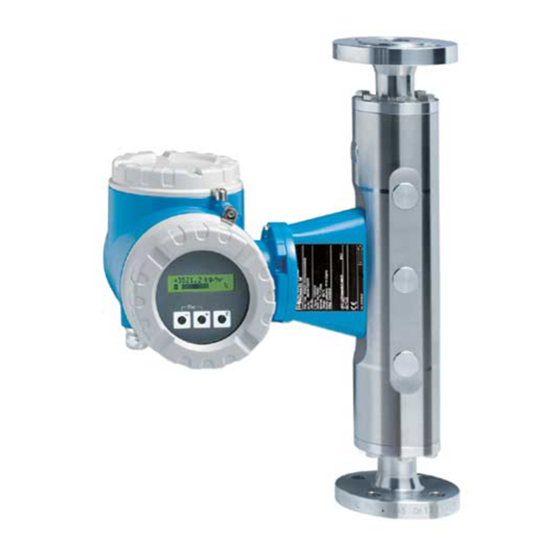
Proline Promass 80
PROFIBUS PA
Coriolis Mass Flow Measuring System
8
BA00072D/06/EN/13.12
71197488
Valid as of version
V 3.06.XX (device software)
Related Manuals for Endress+Hauser Proline Promass 80
Summary of Contents for Endress+Hauser Proline Promass 80
-
Page 1: Operating Instructions
Operating Instructions Proline Promass 80 PROFIBUS PA Coriolis Mass Flow Measuring System BA00072D/06/EN/13.12 71197488 Valid as of version V 3.06.XX (device software)
-
Page 3: Table Of Contents
Proline Promass 80 PROFIBUS PA Table of contents Table of contents Safety instructions ….5 Post-connection check ….. . 34 Designated use .
-
Page 4
Proline Promass 80 PROFIBUS PA Table of contents Accessories ….. 66 Device-specific accessories ….66 Measuring principle-specific accessories . -
Page 5: Safety Instructions
• The device must be operated by persons authorized and trained by the facility’s owner-operator. Strict compliance with the instructions in the Operating Instructions is mandatory. • Endress+Hauser is willing to assist in clarifying the chemical resistance properties of parts wetted by special fluids, including fluids used for cleaning. However small changes in temperature, concentration or the degree of contamination in the process can result in changes of the chemical resistance properties.
-
Page 6: Operational Safety
• The manufacturer reserves the right to modify technical data without prior notice. Your Endress+Hauser distributor will supply you with current information and updates to this Operating Instructions. Return •…
-
Page 7: Identification
Proline Promass 80 PROFIBUS PA Identification Identification The following options are available for identification of the measuring device:: • Nameplate specifications • Order code with breakdown of the device features on the delivery note • Enter serial numbers from nameplates in W@M Device Viewer (www.endress.com/deviceviewer): All information about the measuring device is displayed.
-
Page 8: Nameplate Of The Transmitter
Identification Proline Promass 80 PROFIBUS PA 2.1.1 Nameplate of the transmitter 2 3 4 Order Code: Ser. no.: Ext. ord. cd.: A0015928 Fig. 1: Example of a transmitter nameplate Name of the transmitter Order code Serial number (Ser. no.) Extended order code (Ext. ord. cd.)
-
Page 9: Nameplate Of The Sensor
Proline Promass 80 PROFIBUS PA Identification 2.1.2 Nameplate of the sensor Order Code: Ser.No.: Ext. ord. cd.: K-factor: Size: Materials: Density cal.: A0015930 Fig. 2: Example of a sensor nameplate Name of the sensor Order code Serial number (Ser. no.) Extended order code (Ext.
-
Page 10: Nameplate For Connections
Identification Proline Promass 80 PROFIBUS PA 2.1.3 Nameplate for connections active See operating manual passive Betriebsanleitung beachten normally open contact Observer manuel d’instruction normally closed contact Ser.No.: L1/L+ Supply / Versorgung / N/L- Tension d’alimentation Update 1 Update 2 ex works / ab Werk / réglages usine…
-
Page 11: Certificates And Approvals
Laboratory Procedures» and with the EMC requirements of IEC/EN 61326. The measuring system described in these Operating Instructions thus complies with the statutory requirements of the EC Directives. Endress+Hauser confirms successful testing of the device by affixing to it the CE mark.
-
Page 12: Installation
Installation Proline Promass 80 PROFIBUS PA Installation Incoming acceptance, transport and storage 3.1.1 Incoming acceptance On receipt of the goods, check the following points: • Check the packaging and the contents for damage. • Check the shipment, make sure nothing is missing and that the scope of supply matches your order.
-
Page 13: Storage
Proline Promass 80 PROFIBUS PA Installation 3.1.3 Storage Note the following points: • Pack the measuring device in such a way as to protect it reliably against impact for storage (and transportation). The original packaging provides optimum protection. • The permissible storage temperature is –40 to +80 °C (–40 °F to +176 °F), preferably +20 °C (+68 °F).
-
Page 14
Installation Proline Promass 80 PROFIBUS PA Installation in a vertical pipe The proposed configuration in the following diagram, however, permits installation in a vertical pipeline. Pipe restrictors or the use of an orifice plate with a smaller cross-section than the nominal diameter prevent the sensor from running empty during measurement. -
Page 15: Orientation
Proline Promass 80 PROFIBUS PA Installation 3.2.3 Orientation Make sure that the direction of the arrow on the nameplate of the sensor matches the direction of flow direction in which the fluid flows through the pipe. Orientation Promass A Vertical Recommended orientation with direction of flow upwards.
-
Page 16
Installation Proline Promass 80 PROFIBUS PA Orientation Promass F, E, H, I, S, P Make sure that the direction of the arrow on the nameplate of the sensor matches the direction of flow (direction in which the fluid flows through the pipe). -
Page 17: Special Installation Instructions
Proline Promass 80 PROFIBUS PA Installation 3.2.4 Special installation instructions Promass F, E, H, S and P » Caution! If the measuring tube is curved and the unit is installed horizontally, adapt the sensor position to the fluid properties. a0004581 Fig.
-
Page 18
Installation Proline Promass 80 PROFIBUS PA 21 mm/m ( 2%) 0.83 in/3.28 ft ( 2%) 0.83 in/3.28 ft ( 2%) A0010011 Promass I: When lines are pitched in a specific direction and at a specific slope: as per hygienic guidelines … -
Page 19: Heating
300 – Relative magnetic permeability μ – Plate thickness d 0.35 mm (0.014″) • Information on permissible temperature ranges ä 109 Special heating jackets which can be ordered as accessories from Endress+Hauser are available for the sensors. Endress+Hauser…
-
Page 20: Thermal Insulation
Installation Proline Promass 80 PROFIBUS PA 3.2.6 Thermal insulation Some fluids require suitable measures to avoid loss of heat at the sensor. A wide range of materials can be used to provide the required thermal insulation. a0004614 Fig. 12: In the case of the Promass F high-temperature version, a maximum insulation thickness of 60 mm (2.4″) must be observed in the area of the electronics/neck.
-
Page 21: Installation Instructions
Proline Promass 80 PROFIBUS PA Installation Installation instructions 3.3.1 Turning the transmitter housing Turning the aluminum field housing Warning! The turning mechanism in devices with EEx d/de or FM/CSA Cl. I Div. 1 classification is not the same as that described here. The procedure for turning these housings is described in the Ex-specific documentation.
-
Page 22: Installing The Wall-Mount Housing
Installation Proline Promass 80 PROFIBUS PA 3.3.2 Installing the wall-mount housing There are various ways of installing the wall-mount housing: • Mounted directly on the wall • Installation in control panel (separate mounting set, accessories) ä 23 • Pipe mounting (separate mounting set, accessories) ä 23 «…
-
Page 23
Proline Promass 80 PROFIBUS PA Installation Panel mounting Prepare the opening in the panel as illustrated in the diagram. Slide the housing into the opening in the panel from the front. Screw the fasteners onto the wall-mount housing. Screw threaded rods into holders and tighten until the housing is solidly seated on the panel wall. -
Page 24: Turning The Local Display
Installation Proline Promass 80 PROFIBUS PA 3.3.3 Turning the local display Unscrew cover of the electronics compartment from the transmitter housing. Press the side latches on the display module and remove the module from the electronics compartment cover plate. Rotate the display to the desired position (max. 4 × 45 ° in both directions), and reset it onto the electronics compartment cover plate.
-
Page 25: Wiring
Wiring Warning! When connecting Ex-certified devices, see the notes and diagrams in the Ex-specific supplement to these Operating Instructions. Please do not hesitate to contact your Endress+Hauser sales office if you have any questions. Note! The device does not have an internal power switch. For this reason, assign the device a switch or power-circuit breaker which can be used to disconnect the power supply line from the power grid.
-
Page 26: Maximum Overall Cable Length
Wiring Proline Promass 80 PROFIBUS PA 4.1.2 Maximum overall cable length The maximum network expansion depends on the type of protection and the cable specifications. The overall cable length combines the length of the main cable and the length of all the spurs >1 m (>3.28 ft).
-
Page 27: Shielding And Grounding
Proline Promass 80 PROFIBUS PA Wiring Shielding and grounding When planning the shielding and grounding for a fieldbus system, there are three important points to consider: • Electromagnetic compatibility (EMC) • Explosion protection • Safety of the personnel To ensure the optimum electromagnetic compatibility of systems, it is important that the system components and above all the cables, which connect the components, are shielded and that no portion of the system is unshielded.
-
Page 28: Connecting The Remote Version
Wiring Proline Promass 80 PROFIBUS PA Connecting the remote version 4.3.1 Connecting connecting cable for sensor/transmitter Warning! • Risk of electric shock. Switch off the power supply before opening the device. Do not install or wire the device while it is connected to the power supply.
-
Page 29: Connecting The Measuring Unit
Proline Promass 80 PROFIBUS PA Wiring Connecting the measuring unit 4.4.1 Terminal assignment Electrical values for: • Inputs ä 90 • Outputs ä 90 Terminal No. (inputs/outputs) Order version 20 (+) / 21 (–) 22 (+) / 23 (–) 24 (+) / 25 (–) 26 = PA + 27 = PA –…
-
Page 30
Wiring Proline Promass 80 PROFIBUS PA N (L–) PA + L1 (L+) PA – PA – PA + 20 21 22 23 24 25 26 27 N (L-) L1 (L+) a0002593 Fig. 20: Connecting the transmitter, cable cross-section: max. 2.5 mm² (AWG 14) -
Page 31: Fieldbus Connector
4-channel or 8-channel distribution modules. The device can therefore be supplied with the option of a ready-mounted fieldbus connector. Fieldbus connectors for retrofitting can be ordered from Endress+Hauser as a spare part ä 66. 150/300 45.0 (1.77) (5.91/11.81)
-
Page 32
Wiring Proline Promass 80 PROFIBUS PA Technical data (fieldbus connector): Connection cross section 0.75 mm Connector thread PG 13.5 Degree of protection IP 67 in accordance with DIN 40 050 IEC 529 Contact surface CuZnAu Housing material Cu Zn, surface Ni… -
Page 33: Degree Of Protection
Proline Promass 80 PROFIBUS PA Wiring Degree of protection The devices fulfill all the requirements for IP 67. Compliance with the following points is mandatory following installation in the field or servicing, in order to ensure that IP 67 protection is maintained: •…
-
Page 34: Post-Connection Check
Wiring Proline Promass 80 PROFIBUS PA Post-connection check Perform the following checks after completing electrical installation of the measuring device: Device condition and specifications Notes Are cables or the device damaged (visual inspection)? Electrical connection Notes Does the supply voltage match the specifications on the nameplate?
-
Page 35: Operation
Proline Promass 80 PROFIBUS PA Operation Operation Quick operation guide The user has a number of options for configuring and commissioning the device: Local display (option) ä 36 The local display enables you to read all important variables directly at the measuring point, configure device-specific parameters in the field and perform commissioning.
-
Page 36: Local Display
Operation Proline Promass 80 PROFIBUS PA Local display 5.2.1 Display and operating elements The local display enables you to read all important parameters directly at the measuring point and configure the device using the «Quick Setup» or the function matrix.
-
Page 37: Icons
Proline Promass 80 PROFIBUS PA Operation 5.2.2 Icons The icons which appear in the field on the left make it easier to read and recognize measured variables, device status, and error messages. Icons Meaning System error Notice message Process error Fault message …
-
Page 38: Brief Operating Instructions On The Function Matrix
Operation Proline Promass 80 PROFIBUS PA Brief operating instructions on the function matrix Note! • See the general notes ä 39 • Function descriptions see the «Description of Device Functions» manual» HOME position F Entry into the function matrix Select a function group (e.g.
-
Page 39: General Notes
• If programming is disabled and the P operating elements are pressed in any function, a prompt for the code automatically appears on the display. • If «0» is entered as the customer’s code, programming is always enabled! • The Endress+Hauser service organization can be of assistance if you mislay your personal code. » Caution! Changing certain parameters such as all sensor characteristics, for example, influences numerous functions of the entire measuring system, particularly measuring accuracy.
-
Page 40: Error Messages
Operation Proline Promass 80 PROFIBUS PA Error messages 5.4.1 Type of error Errors that occur during commissioning or measuring are displayed immediately. If two or more system or process errors occur, the error with the highest priority is the one shown on the display.
-
Page 41: Operating Options
5.5.1 FieldCare FieldCare is Endress+Hauser’s FDT-based plant asset management tool and allows the configuration and diagnosis of intelligent field devices. By using status information, you also have a simple but effective tool for monitoring devices. The Proline flowmeters are accessed via a service interface or via the service interface FXA193.
-
Page 42: Device Description Files For Operating Programs
The Fieldcheck tester/simulator is used for testing flowmeters in the field. When used in conjunction with the «FieldCare» software package, test results can be imported into a database, printed and used for official certification. Contact your Endress+Hauser representative for more information.
-
Page 43: Profibus Pa Hardware Settings
Proline Promass 80 PROFIBUS PA Operation PROFIBUS PA hardware settings 5.6.1 Hardware write protection A jumper on the I/O board provides the means of switching hardware write protection on or off. When hardware write protection is switched on, it is not possible to write to the device functions via PROFIBUS (acyclic data transmission, e.g.
-
Page 44: Configuring The Device Address
Operation Proline Promass 80 PROFIBUS PA 5.6.2 Configuring the device address The address must always be configured for a PROFIBUS PA device. The valid device addresses are in the range from 1 to 126. In a PROFIBUS PA network, each address can only be assigned once. If an address is not configured correctly, the device is not recognized by the master.
-
Page 45: Commissioning
Proline Promass 80 PROFIBUS PA Commissioning Commissioning Function check Make sure that the following function checks have been performed successfully before switching on the supply voltage for the measuring device: • Checklist for «Post-installation check» ä 24 • Checklist for «Post-connection check» ä 34…
-
Page 46: Quick Setup
Commissioning Proline Promass 80 PROFIBUS PA Quick Setup In the case of measuring devices without a local display, the individual parameters and functions must be configured via the operating program, e.g. FieldCare. If the measuring device is equipped with a local display, all the important device parameters for standard operation, as well as additional functions, can be configured quickly and easily by means of the following Quick Setup menus.
-
Page 47: Commissioning The Profibus Pa Interface
Proline Promass 80 PROFIBUS PA Commissioning Commissioning the PROFIBUS PA interface Note! • All functions required for commissioning are described in detail in the «Description of Device Functions» manual which is a separate part of these Operating Instructions. • A code (factory setting: 80) must be entered to change device functions, numerical values or factory settings.
-
Page 48
Commissioning Proline Promass 80 PROFIBUS PA Configuration of the totalizer: The measuring device has one totalizer. • You can assign a measured variable to the totalizer via the CHANNEL parameter: TOTALIZER CHANNEL … … VOLUME FLOW option (CHANNEL = 273), factory setting: the volume flow is totalized as the measured variable …… -
Page 49: Profibus Pa System Integration
How to acquire • Internet (Endress+Hauser) www.endress.com ( Download Software Device Driver) • CD-ROM with all GSD files for Endress+Hauser devices Order No.: 56003894 Contents of the download file from the Internet and the CD-ROM: • All Endress+Hauser GSD files (standard and extended format) •…
-
Page 50
The name of the device master file (GSD) is derived from this. For Endress+Hauser, this ID No. starts with the manufacturer ID 15xx. In order to ensure clarity and make assignment easier, the GSD names (with the exception of type… -
Page 51: Selecting The Gsd File In The Measuring Device
Proline Promass 80 PROFIBUS PA Commissioning 6.5.2 Selecting the GSD file in the measuring device Depending on which GSD file is used in the PROFIBUS master system, the corresponding GSD file has to be configured in the device by means of the SELECTION GSD function.
-
Page 52: Cyclic Data Transmission Profibus Pa
Commissioning Proline Promass 80 PROFIBUS PA Cyclic data transmission PROFIBUS PA Below is a description of the cyclic data transmission when using the Promass 80 GSD file (complete device functionality). 6.6.1 Block model The block model illustrated shows which input and output data Promass 80 provides for cyclic data exchange via PROFIBUS PA.
-
Page 53: Description Of The Modules
Proline Promass 80 PROFIBUS PA Commissioning It is essential to adhere to the following sequence/assignment when configuring the modules in the PROFIBUS master system: Slot Module Description sequence Analog Input function block 1 Output variable mass flow (factory setting) Analog Input function block 2 Output variable …
-
Page 54
Commissioning Proline Promass 80 PROFIBUS PA Assignment of the measured variables to the AI module The AI module can transmit different measured variables to the PROFIBUS master (Class 1). The measured variables are assigned to the Analog Input function blocks 1 to 4 by means of the local display or with the aid of an operating program (e.g. -
Page 55
Proline Promass 80 PROFIBUS PA Commissioning TOTAL module The measuring device has one totalizer function block. The totalizer values can be cyclically transmitted to the PROFIBUS master (Class 1) via the TOTAL module (slot 5). The totalizer value is represented in the first four bytes in the form of a floating point number in accordance with the IEEE 754 standard. -
Page 56
Commissioning Proline Promass 80 PROFIBUS PA SETTOT_TOTAL module The module combination SETTOT_TOTAL (slot 5) consists of the functions SETTOT and TOTAL. With this module combination: • The totalizer can be controlled via the automation system (SETTOT). • The totalizer value is transmitted including the status (TOTAL) SETTOT function In the SETTOT function, the totalizer can be controlled via control variables. -
Page 57
Proline Promass 80 PROFIBUS PA Commissioning TOTAL function For a description of the TOTAL function, refer to TOTAL module ä 55 Data structure of the SETTOT_MODETOT_TOTAL module combination Output data Input data SETTOT MODETOT TOTAL Byte 1 Byte 2 Byte 1… -
Page 58
Commissioning Proline Promass 80 PROFIBUS PA CONTROL_BLOCK module By means of the CONTROL_BLOCK module (slot 7), the measuring device is able to process device- specific control variables from the PROFIBUS master (Class 1) in cyclic data transmission (e.g. switching on positive zero return). -
Page 59: Configuration Examples With Simatic S7 Hw-Konfig
Proline Promass 80 PROFIBUS PA Commissioning 6.6.4 Configuration examples with Simatic S7 HW-Konfig Example 1: a0004775 Fig. 31: Complete configuration using the Promass 80 GSD file. It is essential to adhere to the following sequence when configuring the modules in the…
-
Page 60
Commissioning Proline Promass 80 PROFIBUS PA Example 2: a0004791 Fig. 32: In this configuration example, modules that are not needed are replaced by the module EMPTY_MODULE. The Promass 80 GSD file is used. With this configuration, the Analog Input function block 1 (slot 1), the totalizer value TOTAL (slot 5) and the cyclic control of device functions CONTROL_BLOCK (slot 7) are activated. -
Page 61: Adjustment
Proline Promass 80 PROFIBUS PA Commissioning Adjustment 6.7.1 Zero point adjustment All measuring devices are calibrated with state-of-the-art technology. The zero point obtained in this way is printed on the nameplate. Calibration takes place under reference operating conditions ä 92.
-
Page 62
Commissioning Proline Promass 80 PROFIBUS PA Performing a zero point adjustment Operate the system until operating conditions have settled. Stop the flow (v = 0 m/s). Check the shutoff valves for leaks. Check that operating pressure is correct. Now perform the adjustment as follows:… -
Page 63: Density Adjustment
Proline Promass 80 PROFIBUS PA Commissioning 6.7.2 Density adjustment Accuracy when determining the density has a direct effect on volume flow calculation. Density adjustment is thus necessary under the following conditions: • The sensor does not measure exactly the density value that the user expects on the basis of laboratory analyses.
-
Page 64: Rupture Disk
6.10 Data storage device (HistoROM) At Endress+Hauser, the term HistoROM refers to various types of data storage modules on which process and measuring device data are stored. By plugging and unplugging such modules, device configurations can be duplicated onto other measuring devices to cite just one example.
-
Page 65: Maintenance
Proline Promass 80 PROFIBUS PA Maintenance Maintenance No special maintenance work is required. Exterior cleaning When cleaning the exterior of measuring devices, always use cleaning agents that do not attack the surface of the housing and the seals. Cleaning with pigs (Promass H, I, S, P) If pigs are used for cleaning, it is essential to take the inside diameters of measuring tube and process connection into account.
-
Page 66: Accessories
Accessories Proline Promass 80 PROFIBUS PA Accessories Various accessories , which can be ordered separately from Endress+Hauser, are available for the transmitter and the sensor. The Endress+Hauser service organization can provide detailed information on the order code of your choice.
-
Page 67: Service-Specific Accessories
Proline Promass 80 PROFIBUS PA Accessories Service-specific accessories Accessory Description Order code Applicator Software for selecting and configuring Endress+Hauser DKA80 — * flowmeters: • Calculating all necessary data to determine the optimal flowmeter: e.g. nominal diameter, pressure drop, performance characteristics or process connections •…
-
Page 68: Troubleshooting
Troubleshooting Proline Promass 80 PROFIBUS PA Troubleshooting Troubleshooting instructions Always start troubleshooting with the following checklist if faults occur after commissioning or during operation. The routine takes you directly to the cause of the problem and the appropriate remedial measures.
-
Page 69
Proline Promass 80 PROFIBUS PA Troubleshooting Check permissible fieldbus length and number of spurs. ä 25 Network structure Basic current Is there a basic current of min. 11 mA? Bus address Check bus address: make sure there are no double assignments… -
Page 70: System Error Messages
Caution! In the event of a serious fault, a flowmeter might have to be returned to the manufacturer for repair. Important procedures must be carried out before you return a flowmeter to Endress+Hauser ä 85. Always enclose a duly completed «Declaration of contamination» form. You will find a preprinted blank of this form at the back of this manual.
-
Page 71: List Of System Error Messages
Proline Promass 80 PROFIBUS PA Troubleshooting • For FAILSAFE_TYPE LAST GOOD (factory setting): If a valid output value was available before the failure: Quality code (HEX) Quality status Quality substatus Limits 0x44 0x45 UNCERTAIN Last usable value 0x46 High…
-
Page 72
Troubleshooting Proline Promass 80 PROFIBUS PA PROFIBUS measured value status Extended diagnostic Cause/remedy (spare part ä 79) Device status message message in the (local display) PROFIBUS master S: SENSOR HW DAT 0x10 Sensor Failure O.K. S-DAT failure / Cause: $ : # 031… -
Page 73
Proline Promass 80 PROFIBUS PA Troubleshooting PROFIBUS measured value status Extended diagnostic Cause/remedy (spare part ä 79) Device status message message in the (local display) PROFIBUS master S: UPPER FREQ. LIM 0x0F Device Failure Constant Frequence limit 2 Cause: $ : # 380 The measuring tube oscillation frequency is outside the permitted range. -
Page 74
Troubleshooting Proline Promass 80 PROFIBUS PA PROFIBUS measured value status Extended diagnostic Cause/remedy (spare part ä 79) Device status message message in the (local display) PROFIBUS master S: SW.-UPDATE ACT. 0x48 UNCERTAIN Substitute set O.K. New amplifier Cause: !: # 501… -
Page 75
Proline Promass 80 PROFIBUS PA Troubleshooting PROFIBUS measured value status Extended diagnostic Cause/remedy (spare part ä 79) Device status message message in the (local display) PROFIBUS master S: SIM. FAILSAFE 0x48 UNCERTAIN Substitute set O.K. Simulation failsafe Cause: !: # 691… -
Page 76: Process Error Messages
Troubleshooting Proline Promass 80 PROFIBUS PA Process error messages Note! See the information ä 40 9.3.1 Displaying the device status on PROFIBUS PA Further information ä 70 9.3.2 List of process error messages PROFIBUS measured value status Extended diagnostic Device status message Cause/remedy message in the …
-
Page 77
Proline Promass 80 PROFIBUS PA Troubleshooting PROFIBUS measured value status Extended diagnostic Device status message Cause/remedy message in the (local display) PROFIBUS master P: MEDIUM INHOM. 0x43 UNCERT Non specific Constant Fluid Cause: !: # 702 (uncertain inhomogeneous… -
Page 78: Process Errors Without Messages
• Nameplate specifications: order code and serial number ä 7 Return devices to Endress+Hauser You can return a measuring device to Endress+Hauser for repair or calibration. Always enclose the duly completed «Declaration of contamination» form with the flowmeter. You will find a preprinted blank of this form at the back of this manual.
-
Page 79: Spare Parts
Note! You can order spare parts directly from your Endress+Hauser service organization by providing the serial number printed on the transmitter’s nameplate ä 7. Spare parts are shipped as sets comprising the following parts: •…
-
Page 80: Removing And Installing Printed
Troubleshooting Proline Promass 80 PROFIBUS PA 9.5.1 Removing and installing printed circuit boards Field housing Warning! • Risk of electric shock. Exposed components carry dangerous voltages. Make sure that the power supply is switched off before you remove the cover of the electronics compartment.
-
Page 81
Proline Promass 80 PROFIBUS PA Troubleshooting a0004769 Fig. 36: Field housing: removing and installing printed circuit boards Local display Latch Ribbon cable (display module) Screws of electronics compartment cover Aperture for installing/removing boards Power unit board Amplifier board Signal cable (sensor) -
Page 82
Troubleshooting Proline Promass 80 PROFIBUS PA Wall-mount housing Warning! • Risk of electric shock. Exposed components carry dangerous voltages. Make sure that the power supply is switched off before you remove the cover of the electronics compartment. • Risk of damaging electronic components (ESD protection). Static electricity can damage electronic components or impair their operability. -
Page 83
Proline Promass 80 PROFIBUS PA Troubleshooting a0004770 Fig. 37: Field housing: removing and installing printed circuit boards Housing cover Electronics module Ribbon cable (display module) Screws of electronics compartment cover Aperture for installing/removing boards Power unit board Amplifier board Signal cable (sensor) -
Page 84: Replacing The Device Fuse
Troubleshooting Proline Promass 80 PROFIBUS PA 9.5.2 Replacing the device fuse Warning! Risk of electric shock. Exposed components carry dangerous voltages. Make sure that the power supply is switched off before you remove the cover of the electronics compartment. The main fuse is on the power unit board å 36 The procedure for replacing the fuse is as follows: Switch off power supply.
-
Page 85: Return
Costs incurred for waste disposal and injury (burns, etc.) due to inadequate cleaning will be charged to the owner-operator. The following steps must be taken before returning a flow measuring device to Endress+Hauser, e.g. for repair or calibration: • Always enclose a duly completed «Declaration of contamination» form. Only then can Endress+Hauser transport, examine and repair a returned device.
-
Page 86
Troubleshooting Proline Promass 80 PROFIBUS PA Date Software version Changes to software Documentation 10.2003 Amplifier: Software expansion: 50100101/10.03 1.06.XX – Language groups Communication module: – Corrected volume measurement 2.03.XX – Adjustments to Fieldcheck and Simubox – New error messages – SIL2 support –… -
Page 87: Technical Data
Proline Promass 80 PROFIBUS PA Technical data Technical data 10.1 Technical data at a glance 10.1.1 Applications ä 5 10.1.2 Function and system design Measuring principle Mass flow measurement by the Coriolis principle ä 7 Measuring system 10.1.3 Input Measured variable •…
-
Page 88
Technical data Proline Promass 80 PROFIBUS PA Measuring ranges for liquids (Promass A): Range for full scale values (liquids) g to g min(F) max(F) [mm] [inch] 1/24″ 0 to 20 kg/h 0 to 0.7 lb/min 1/12″ 0 to 100 kg/h 0 to 3.7 lb/min… -
Page 89
Proline Promass 80 PROFIBUS PA Technical data Measuring ranges for gases (Promass E) [mm] [inch] 3/8″ ½» 1″ 1½» 2″ 3″ Measuring ranges for gases (Promass P, S) [mm] [inch] 3/8″ ½» 1″ 1½» 2″ Measuring ranges for gases (Promass A) -
Page 90: Output
Technical data Proline Promass 80 PROFIBUS PA Calculation example for gas: • Sensor type: Promass F, DN 50 • Gas: air with a density of 60.3 kg/m³ (at 20 °C and 50 bar) • Measuring range (liquid): 70 000 kg/h •…
-
Page 91: Power Supply
Proline Promass 80 PROFIBUS PA Technical data 10.1.5 Power supply ä 25 Electrical connections Supply voltage 85 to 260 V AC, 45 to 65 Hz 20 to 55 V AC, 45 to 65 Hz 16 to 62 V DC Cable entries Power supply and signal cables (inputs/outputs): •…
-
Page 92: Performance Characteristics
Technical data Proline Promass 80 PROFIBUS PA 10.1.6 Performance characteristics Reference operating • Error limits following ISO/DIN 11631 conditions • Water, typically +20 to +30 °C (+68 to +86 °F); 2 to 4 bar (30 to 60 psi) • Data according to calibration protocol ±5 °C (±9 °F) and ±2 bar (±30 psi) •…
-
Page 93
Proline Promass 80 PROFIBUS PA Technical data Flow values (example) Turn down Flow Max. measured error [kg/h] [lb/min.] [% o.r.] 250:1 0.0147 1.250 100:1 0.0368 0.500 25:1 0.1470 0.125 10:1 0.3675 0.100 1.8375 0.100 o.r. = of reading; Design fundamentals ä 93 Repeatability Design fundamentals ä… -
Page 94
Technical data Proline Promass 80 PROFIBUS PA Performance characteristic Maximum measured error Promass E The following values refer to the pulse/frequency output. The additional measured error at the current output is typically ±5 μA. Design fundamentals ä 96. o.r. = of reading; 1 g/cc = 1 kg/l; T = medium temperature •… -
Page 95
Proline Promass 80 PROFIBUS PA Technical data Flow values (example) Turn down Flow Maximum measured error [kg/h] or [l/h] [lb/min] [% o.r.] 250 : 1 2.646 2.50 100 : 1 6.615 1.00 25 : 1 26.46 0.25 10 : 1 1800 66.15… -
Page 96
Technical data Proline Promass 80 PROFIBUS PA Design fundamentals Dependent on the flow: • Flow Zero point stability ÷ (Base accuracy ÷ 100) – Max. measured error: ±Base accuracy in % o.r. – Repeatability: ± ½ · Base accuracy in % o.r. -
Page 97
Proline Promass 80 PROFIBUS PA Technical data Zero point stability Promass F (high-temperature version) Zero point stability Promass F (high-temperature version) [mm] [inch] [kg/h] or [l/h] [lb/min] 1″ 1.80 0.0661 2″ 7.00 0.2572 3″ 18.0 0.6610 Example for max. measured error ±1.0… -
Page 98
Technical data Proline Promass 80 PROFIBUS PA Influence of medium temperature When there is a difference between the temperature for zero point adjustment and the process temperature, the typical measured error of the sensor is ±0.0002% of the full scale value / °C (±0.0001% of the full scale value/°F). -
Page 99
Proline Promass 80 PROFIBUS PA Technical data Performance characteristic Maximum measured error Promass H The following values refer to the pulse/frequency output. The additional measured error at the current output is typically ±5 μA. Design fundamentals ä 101. o.r. = of reading; 1 g/cc = 1 kg/l; T = medium temperature Material measuring tube: Zirconium 702/R 60702 •… -
Page 100
Technical data Proline Promass 80 PROFIBUS PA Example for max. measured error ±1.0 ±0.5 ±0.2 18 t/h a0004611 Fig. 42: Max. measured error in % o.r. (example: Promass H, DN 25) Flow values (example) Turn down Flow Maximum measured error… -
Page 101
Proline Promass 80 PROFIBUS PA Technical data Influence of medium pressure The table below shows the effect on accuracy of mass flow due to a difference between calibration pressure and process pressure. Promass H Zirconium 702/R 60702 Promass H Tantalum 2.5W… -
Page 102
Technical data Proline Promass 80 PROFIBUS PA Zero point stability Zero point stability [mm] [inch] [kg/h] or [l/h] [lb/min] 3/8″ 0.150 0.0055 ½» 0.488 0.0179 15 FB ½» FB 1.350 0.0496 1″ 1.350 0.0496 25 FB 1″ FB 3.375 0.124 1½»… -
Page 103
Proline Promass 80 PROFIBUS PA Technical data Repeatability Design fundamentals ä 103 o.r. = of reading; 1 g/cc = 1 kg/l; T = medium temperature • Mass flow and volume flow (liquids): ±0.05% o.r. • Mass flow (gases): ±0.25% o.r. -
Page 104
Technical data Proline Promass 80 PROFIBUS PA Performance characteristic Maximum measured error Promass P The following values refer to the pulse/frequency output. The additional measured error at the current output is typically ±5 μA. Design fundamentals ä 106. o.r. = of reading; 1 g/cc = 1 kg/l; T = medium temperature •… -
Page 105
Proline Promass 80 PROFIBUS PA Technical data Flow values (example) Turn down Flow Maximum measured error [kg/h] or [l/h] [lb/min] [% o.r.] 250 : 1 2.646 2.50 100 : 1 6.615 1.00 25 : 1 26.46 0.25 10 : 1 1800 66.15… -
Page 106
Technical data Proline Promass 80 PROFIBUS PA Design fundamentals Dependent on the flow: • Flow Zero point stability ÷ (Base accuracy ÷ 100) – Max. measured error: ±Base accuracy in % o.r. – Repeatability: ± ½ · Base accuracy in % o.r. -
Page 107
Proline Promass 80 PROFIBUS PA Technical data Example for max. measured error ±1.0 ±0.5 ±0.2 18 t/h a0004611 Fig. 45: Max. measured error in % o.r. (example: Promass S, DN 25) Flow values (example) Turn down Flow Maximum measured error… -
Page 108: Installation
Technical data Proline Promass 80 PROFIBUS PA Influence of medium pressure The table below shows the effect on accuracy of mass flow due to a difference between calibration pressure and process pressure. [mm] [inch] [% o.r./bar] 3/8″ –0.002 ½» –0.006 1″…
-
Page 109: Process
Proline Promass 80 PROFIBUS PA Technical data Storage temperature –40 to +80 °C (–40 to +175 °F), preferably +20 °C (+68 °F) Degree of protection Standard: IP 67 (NEMA 4X) for transmitter and sensor Shock resistance According to IEC 68-2-31…
-
Page 110
Technical data Proline Promass 80 PROFIBUS PA Limiting medium pressure The material load diagrams (pressure-temperature diagrams) for the process connections are range (rated pressure) provided in the separate «Technical Information» document on the device in question. This can be downloaded as a PDF file from www.endress.com. List of the «Technical Information» documents available ä… -
Page 111
Proline Promass 80 PROFIBUS PA Technical data Pressure loss (SI units) Pressure loss depends on the properties of the fluid and on its flow. The following formulas can be used to approximately calculate the pressure loss: Pressure loss formulas for Promass F, E 2 ·… -
Page 112
Technical data Proline Promass 80 PROFIBUS PA Pressure loss formulas for Promass A 4 · Re = Reynolds number · d · · a0003381 Re 2300 0.25 1.75 –0.75 p = K · · · a0003380 p = K1 · · g Re <… -
Page 113
Proline Promass 80 PROFIBUS PA Technical data Pressure loss coefficient for Promass E d[m] 5.35 10 5.70 10 7.91 10 2.10 10 –3 8.30 10 7.62 10 1.73 10 2.13 10 –3 12.00 10 1.89 … -
Page 114
Technical data Proline Promass 80 PROFIBUS PA Pressure loss coefficient for Promass A d[m] 1.1 10 1.2 10 1.3 10 –3 1.8 10 1.6 10 2.4 10 –3 3.5 10 9.4 10 2.3 10 –3… -
Page 115
Proline Promass 80 PROFIBUS PA Technical data Pressure loss coefficient for Promass H d[m] 8.51 10 8.04 10 3.28 10 1.15 10 –3 12.00 10 1.81 10 9.99 10 1.87 10 –3 17.60 10 3.67 … -
Page 116
Technical data Proline Promass 80 PROFIBUS PA Pressure loss coefficient for Promass I d[m] 8.55 10 8.1 10 3.9 10 129.95 10 –3 11.38 10 2.3 10 1.3 10 23.33 10 –3 17.07 10 4.1 … -
Page 117
Pressure loss diagram for water Pressure loss (US units) Pressure loss is dependent on fluid properties nominal diameter. Consult Endress+Hauser for Applicator PC software to determine pressure loss in US units. All important instrument data is contained in the Applicator software program in order to optimize the design of measuring system. … -
Page 118: 10.1.10 Mechanical Construction
Technical data Proline Promass 80 PROFIBUS PA 10.1.10 Mechanical construction Design / dimensions The dimensions and lengths of the sensor and transmitter are provided in the separate «Technical Information» document on the device in question. This can be downloaded as a PDF file from www.endress.com.
-
Page 119
Proline Promass 80 PROFIBUS PA Technical data Promass P / DN Compact version Remote version Weight (US units) • Compact version: see table below • Remote version – Sensor: see table below – Wall-mount housing: 11 lb All values (weight) refer to devices with EN/DIN PN 40 flanges. -
Page 120
Technical data Proline Promass 80 PROFIBUS PA Promass P / DN 3/8″ ½» 1½» 2″ Compact version Remote version Material Transmitter housing: • Compact version – Compact version: powder coated die-cast aluminium – Stainless steel housing: stainless steel 1.4301/ASTM 304 –… -
Page 121
Proline Promass 80 PROFIBUS PA Technical data Promass E: • Flanges according to EN 1092-1 (DIN 2501) / according to ASME B16.5 / JIS B2220 stainless steel 1.4404/316L • DIN 11864-2 Form A (flat flange with groove) stainless steel 1.4404/316L •… -
Page 122
Technical data Proline Promass 80 PROFIBUS PA Measuring tube(s): Promass F: • DN 8 to 100 (3/8″ to 4″): stainless steel 1.4539/904L; manifold: 1.4404/316L • DN 150 (6″): stainless steel 1.4404/316L/1.4432 • DN 250 (10″): stainless steel 1.4404/316L/1.4432; manifold: CF3M •… -
Page 123: 10.1.11 Human Interface
CE mark The measuring system is in conformity with the statutory requirements of the EC Directives. Endress+Hauser confirms successful testing of the device by affixing to it the CE mark. C-tick mark The measuring system is in conformity with the EMC requirements of the «Australian Communications and Media Authority (ACMA)».
-
Page 124: 10.1.13 Ordering Information
The Endress+Hauser service organization can provide detailed ordering information and information on the order codes on request. 10.1.14 Accessories Various accessories, which can be ordered separately from Endress+Hauser, are available for the transmitter and the sensor ä 66. 10.1.15 Supplementary Documentation •…
-
Page 125: Index
Proline Promass 80 PROFIBUS PA Index Index Cable specifications (remote version) ….28 Degree of protection……33 Accessories .
-
Page 126
Proline Promass 80 PROFIBUS PA Index See Measuring range Pressure Equipment Directive ….. 123 Local display Pressure loss (formulas, pressure loss diagrams) ..111, 117 See Display Pressure monitoring connections. -
Page 127
Proline Promass 80 PROFIBUS PA Index Software Amplifier display ……45 Versions (history) ……85 Spare parts . -
Page 128
Proline Promass 80 PROFIBUS PA Index Endress+Hauser… -
Page 129
Erklärung zur Kontamination und Reinigung Please reference the Return Authorization Number (RA#), obtained from Endress+Hauser, on all paperwork and mark the RA# clearly on the outside of the box. If this procedure is not followed, it may result in the refusal of the package at our facility. -
Page 130
www.endress.com/worldwide BA00072D/06/EN/13.12 71197488 FM+SGML 10.0 ProMoDo…
-
Contents
-
Table of Contents
-
Troubleshooting
-
Bookmarks
Quick Links
Operating Instructions
Proline Promass 80
PROFIBUS PA
Coriolis Mass Flow Measuring System
8
BA00072D/06/EN/13.12
71197488
Valid as of version
V 3.06.XX (device software)
Related Manuals for Endress+Hauser Proline Promass 80
Summary of Contents for Endress+Hauser Proline Promass 80
-
Page 1: Operating Instructions
Operating Instructions Proline Promass 80 PROFIBUS PA Coriolis Mass Flow Measuring System BA00072D/06/EN/13.12 71197488 Valid as of version V 3.06.XX (device software)
-
Page 3: Table Of Contents
Proline Promass 80 PROFIBUS PA Table of contents Table of contents Safety instructions ….5 Post-connection check ….. . 34 Designated use .
-
Page 4
Proline Promass 80 PROFIBUS PA Table of contents Accessories ….. 66 Device-specific accessories ….66 Measuring principle-specific accessories . -
Page 5: Safety Instructions
• The device must be operated by persons authorized and trained by the facility’s owner-operator. Strict compliance with the instructions in the Operating Instructions is mandatory. • Endress+Hauser is willing to assist in clarifying the chemical resistance properties of parts wetted by special fluids, including fluids used for cleaning. However small changes in temperature, concentration or the degree of contamination in the process can result in changes of the chemical resistance properties.
-
Page 6: Operational Safety
• The manufacturer reserves the right to modify technical data without prior notice. Your Endress+Hauser distributor will supply you with current information and updates to this Operating Instructions. Return •…
-
Page 7: Identification
Proline Promass 80 PROFIBUS PA Identification Identification The following options are available for identification of the measuring device:: • Nameplate specifications • Order code with breakdown of the device features on the delivery note • Enter serial numbers from nameplates in W@M Device Viewer (www.endress.com/deviceviewer): All information about the measuring device is displayed.
-
Page 8: Nameplate Of The Transmitter
Identification Proline Promass 80 PROFIBUS PA 2.1.1 Nameplate of the transmitter 2 3 4 Order Code: Ser. no.: Ext. ord. cd.: A0015928 Fig. 1: Example of a transmitter nameplate Name of the transmitter Order code Serial number (Ser. no.) Extended order code (Ext. ord. cd.)
-
Page 9: Nameplate Of The Sensor
Proline Promass 80 PROFIBUS PA Identification 2.1.2 Nameplate of the sensor Order Code: Ser.No.: Ext. ord. cd.: K-factor: Size: Materials: Density cal.: A0015930 Fig. 2: Example of a sensor nameplate Name of the sensor Order code Serial number (Ser. no.) Extended order code (Ext.
-
Page 10: Nameplate For Connections
Identification Proline Promass 80 PROFIBUS PA 2.1.3 Nameplate for connections active See operating manual passive Betriebsanleitung beachten normally open contact Observer manuel d’instruction normally closed contact Ser.No.: L1/L+ Supply / Versorgung / N/L- Tension d’alimentation Update 1 Update 2 ex works / ab Werk / réglages usine…
-
Page 11: Certificates And Approvals
Laboratory Procedures» and with the EMC requirements of IEC/EN 61326. The measuring system described in these Operating Instructions thus complies with the statutory requirements of the EC Directives. Endress+Hauser confirms successful testing of the device by affixing to it the CE mark.
-
Page 12: Installation
Installation Proline Promass 80 PROFIBUS PA Installation Incoming acceptance, transport and storage 3.1.1 Incoming acceptance On receipt of the goods, check the following points: • Check the packaging and the contents for damage. • Check the shipment, make sure nothing is missing and that the scope of supply matches your order.
-
Page 13: Storage
Proline Promass 80 PROFIBUS PA Installation 3.1.3 Storage Note the following points: • Pack the measuring device in such a way as to protect it reliably against impact for storage (and transportation). The original packaging provides optimum protection. • The permissible storage temperature is –40 to +80 °C (–40 °F to +176 °F), preferably +20 °C (+68 °F).
-
Page 14
Installation Proline Promass 80 PROFIBUS PA Installation in a vertical pipe The proposed configuration in the following diagram, however, permits installation in a vertical pipeline. Pipe restrictors or the use of an orifice plate with a smaller cross-section than the nominal diameter prevent the sensor from running empty during measurement. -
Page 15: Orientation
Proline Promass 80 PROFIBUS PA Installation 3.2.3 Orientation Make sure that the direction of the arrow on the nameplate of the sensor matches the direction of flow direction in which the fluid flows through the pipe. Orientation Promass A Vertical Recommended orientation with direction of flow upwards.
-
Page 16
Installation Proline Promass 80 PROFIBUS PA Orientation Promass F, E, H, I, S, P Make sure that the direction of the arrow on the nameplate of the sensor matches the direction of flow (direction in which the fluid flows through the pipe). -
Page 17: Special Installation Instructions
Proline Promass 80 PROFIBUS PA Installation 3.2.4 Special installation instructions Promass F, E, H, S and P » Caution! If the measuring tube is curved and the unit is installed horizontally, adapt the sensor position to the fluid properties. a0004581 Fig.
-
Page 18
Installation Proline Promass 80 PROFIBUS PA 21 mm/m ( 2%) 0.83 in/3.28 ft ( 2%) 0.83 in/3.28 ft ( 2%) A0010011 Promass I: When lines are pitched in a specific direction and at a specific slope: as per hygienic guidelines … -
Page 19: Heating
300 – Relative magnetic permeability μ – Plate thickness d 0.35 mm (0.014″) • Information on permissible temperature ranges ä 109 Special heating jackets which can be ordered as accessories from Endress+Hauser are available for the sensors. Endress+Hauser…
-
Page 20: Thermal Insulation
Installation Proline Promass 80 PROFIBUS PA 3.2.6 Thermal insulation Some fluids require suitable measures to avoid loss of heat at the sensor. A wide range of materials can be used to provide the required thermal insulation. a0004614 Fig. 12: In the case of the Promass F high-temperature version, a maximum insulation thickness of 60 mm (2.4″) must be observed in the area of the electronics/neck.
-
Page 21: Installation Instructions
Proline Promass 80 PROFIBUS PA Installation Installation instructions 3.3.1 Turning the transmitter housing Turning the aluminum field housing Warning! The turning mechanism in devices with EEx d/de or FM/CSA Cl. I Div. 1 classification is not the same as that described here. The procedure for turning these housings is described in the Ex-specific documentation.
-
Page 22: Installing The Wall-Mount Housing
Installation Proline Promass 80 PROFIBUS PA 3.3.2 Installing the wall-mount housing There are various ways of installing the wall-mount housing: • Mounted directly on the wall • Installation in control panel (separate mounting set, accessories) ä 23 • Pipe mounting (separate mounting set, accessories) ä 23 «…
-
Page 23
Proline Promass 80 PROFIBUS PA Installation Panel mounting Prepare the opening in the panel as illustrated in the diagram. Slide the housing into the opening in the panel from the front. Screw the fasteners onto the wall-mount housing. Screw threaded rods into holders and tighten until the housing is solidly seated on the panel wall. -
Page 24: Turning The Local Display
Installation Proline Promass 80 PROFIBUS PA 3.3.3 Turning the local display Unscrew cover of the electronics compartment from the transmitter housing. Press the side latches on the display module and remove the module from the electronics compartment cover plate. Rotate the display to the desired position (max. 4 × 45 ° in both directions), and reset it onto the electronics compartment cover plate.
-
Page 25: Wiring
Wiring Warning! When connecting Ex-certified devices, see the notes and diagrams in the Ex-specific supplement to these Operating Instructions. Please do not hesitate to contact your Endress+Hauser sales office if you have any questions. Note! The device does not have an internal power switch. For this reason, assign the device a switch or power-circuit breaker which can be used to disconnect the power supply line from the power grid.
-
Page 26: Maximum Overall Cable Length
Wiring Proline Promass 80 PROFIBUS PA 4.1.2 Maximum overall cable length The maximum network expansion depends on the type of protection and the cable specifications. The overall cable length combines the length of the main cable and the length of all the spurs >1 m (>3.28 ft).
-
Page 27: Shielding And Grounding
Proline Promass 80 PROFIBUS PA Wiring Shielding and grounding When planning the shielding and grounding for a fieldbus system, there are three important points to consider: • Electromagnetic compatibility (EMC) • Explosion protection • Safety of the personnel To ensure the optimum electromagnetic compatibility of systems, it is important that the system components and above all the cables, which connect the components, are shielded and that no portion of the system is unshielded.
-
Page 28: Connecting The Remote Version
Wiring Proline Promass 80 PROFIBUS PA Connecting the remote version 4.3.1 Connecting connecting cable for sensor/transmitter Warning! • Risk of electric shock. Switch off the power supply before opening the device. Do not install or wire the device while it is connected to the power supply.
-
Page 29: Connecting The Measuring Unit
Proline Promass 80 PROFIBUS PA Wiring Connecting the measuring unit 4.4.1 Terminal assignment Electrical values for: • Inputs ä 90 • Outputs ä 90 Terminal No. (inputs/outputs) Order version 20 (+) / 21 (–) 22 (+) / 23 (–) 24 (+) / 25 (–) 26 = PA + 27 = PA –…
-
Page 30
Wiring Proline Promass 80 PROFIBUS PA N (L–) PA + L1 (L+) PA – PA – PA + 20 21 22 23 24 25 26 27 N (L-) L1 (L+) a0002593 Fig. 20: Connecting the transmitter, cable cross-section: max. 2.5 mm² (AWG 14) -
Page 31: Fieldbus Connector
4-channel or 8-channel distribution modules. The device can therefore be supplied with the option of a ready-mounted fieldbus connector. Fieldbus connectors for retrofitting can be ordered from Endress+Hauser as a spare part ä 66. 150/300 45.0 (1.77) (5.91/11.81)
-
Page 32
Wiring Proline Promass 80 PROFIBUS PA Technical data (fieldbus connector): Connection cross section 0.75 mm Connector thread PG 13.5 Degree of protection IP 67 in accordance with DIN 40 050 IEC 529 Contact surface CuZnAu Housing material Cu Zn, surface Ni… -
Page 33: Degree Of Protection
Proline Promass 80 PROFIBUS PA Wiring Degree of protection The devices fulfill all the requirements for IP 67. Compliance with the following points is mandatory following installation in the field or servicing, in order to ensure that IP 67 protection is maintained: •…
-
Page 34: Post-Connection Check
Wiring Proline Promass 80 PROFIBUS PA Post-connection check Perform the following checks after completing electrical installation of the measuring device: Device condition and specifications Notes Are cables or the device damaged (visual inspection)? Electrical connection Notes Does the supply voltage match the specifications on the nameplate?
-
Page 35: Operation
Proline Promass 80 PROFIBUS PA Operation Operation Quick operation guide The user has a number of options for configuring and commissioning the device: Local display (option) ä 36 The local display enables you to read all important variables directly at the measuring point, configure device-specific parameters in the field and perform commissioning.
-
Page 36: Local Display
Operation Proline Promass 80 PROFIBUS PA Local display 5.2.1 Display and operating elements The local display enables you to read all important parameters directly at the measuring point and configure the device using the «Quick Setup» or the function matrix.
-
Page 37: Icons
Proline Promass 80 PROFIBUS PA Operation 5.2.2 Icons The icons which appear in the field on the left make it easier to read and recognize measured variables, device status, and error messages. Icons Meaning System error Notice message Process error Fault message …
-
Page 38: Brief Operating Instructions On The Function Matrix
Operation Proline Promass 80 PROFIBUS PA Brief operating instructions on the function matrix Note! • See the general notes ä 39 • Function descriptions see the «Description of Device Functions» manual» HOME position F Entry into the function matrix Select a function group (e.g.
-
Page 39: General Notes
• If programming is disabled and the P operating elements are pressed in any function, a prompt for the code automatically appears on the display. • If «0» is entered as the customer’s code, programming is always enabled! • The Endress+Hauser service organization can be of assistance if you mislay your personal code. » Caution! Changing certain parameters such as all sensor characteristics, for example, influences numerous functions of the entire measuring system, particularly measuring accuracy.
-
Page 40: Error Messages
Operation Proline Promass 80 PROFIBUS PA Error messages 5.4.1 Type of error Errors that occur during commissioning or measuring are displayed immediately. If two or more system or process errors occur, the error with the highest priority is the one shown on the display.
-
Page 41: Operating Options
5.5.1 FieldCare FieldCare is Endress+Hauser’s FDT-based plant asset management tool and allows the configuration and diagnosis of intelligent field devices. By using status information, you also have a simple but effective tool for monitoring devices. The Proline flowmeters are accessed via a service interface or via the service interface FXA193.
-
Page 42: Device Description Files For Operating Programs
The Fieldcheck tester/simulator is used for testing flowmeters in the field. When used in conjunction with the «FieldCare» software package, test results can be imported into a database, printed and used for official certification. Contact your Endress+Hauser representative for more information.
-
Page 43: Profibus Pa Hardware Settings
Proline Promass 80 PROFIBUS PA Operation PROFIBUS PA hardware settings 5.6.1 Hardware write protection A jumper on the I/O board provides the means of switching hardware write protection on or off. When hardware write protection is switched on, it is not possible to write to the device functions via PROFIBUS (acyclic data transmission, e.g.
-
Page 44: Configuring The Device Address
Operation Proline Promass 80 PROFIBUS PA 5.6.2 Configuring the device address The address must always be configured for a PROFIBUS PA device. The valid device addresses are in the range from 1 to 126. In a PROFIBUS PA network, each address can only be assigned once. If an address is not configured correctly, the device is not recognized by the master.
-
Page 45: Commissioning
Proline Promass 80 PROFIBUS PA Commissioning Commissioning Function check Make sure that the following function checks have been performed successfully before switching on the supply voltage for the measuring device: • Checklist for «Post-installation check» ä 24 • Checklist for «Post-connection check» ä 34…
-
Page 46: Quick Setup
Commissioning Proline Promass 80 PROFIBUS PA Quick Setup In the case of measuring devices without a local display, the individual parameters and functions must be configured via the operating program, e.g. FieldCare. If the measuring device is equipped with a local display, all the important device parameters for standard operation, as well as additional functions, can be configured quickly and easily by means of the following Quick Setup menus.
-
Page 47: Commissioning The Profibus Pa Interface
Proline Promass 80 PROFIBUS PA Commissioning Commissioning the PROFIBUS PA interface Note! • All functions required for commissioning are described in detail in the «Description of Device Functions» manual which is a separate part of these Operating Instructions. • A code (factory setting: 80) must be entered to change device functions, numerical values or factory settings.
-
Page 48
Commissioning Proline Promass 80 PROFIBUS PA Configuration of the totalizer: The measuring device has one totalizer. • You can assign a measured variable to the totalizer via the CHANNEL parameter: TOTALIZER CHANNEL … … VOLUME FLOW option (CHANNEL = 273), factory setting: the volume flow is totalized as the measured variable …… -
Page 49: Profibus Pa System Integration
How to acquire • Internet (Endress+Hauser) www.endress.com ( Download Software Device Driver) • CD-ROM with all GSD files for Endress+Hauser devices Order No.: 56003894 Contents of the download file from the Internet and the CD-ROM: • All Endress+Hauser GSD files (standard and extended format) •…
-
Page 50
The name of the device master file (GSD) is derived from this. For Endress+Hauser, this ID No. starts with the manufacturer ID 15xx. In order to ensure clarity and make assignment easier, the GSD names (with the exception of type… -
Page 51: Selecting The Gsd File In The Measuring Device
Proline Promass 80 PROFIBUS PA Commissioning 6.5.2 Selecting the GSD file in the measuring device Depending on which GSD file is used in the PROFIBUS master system, the corresponding GSD file has to be configured in the device by means of the SELECTION GSD function.
-
Page 52: Cyclic Data Transmission Profibus Pa
Commissioning Proline Promass 80 PROFIBUS PA Cyclic data transmission PROFIBUS PA Below is a description of the cyclic data transmission when using the Promass 80 GSD file (complete device functionality). 6.6.1 Block model The block model illustrated shows which input and output data Promass 80 provides for cyclic data exchange via PROFIBUS PA.
-
Page 53: Description Of The Modules
Proline Promass 80 PROFIBUS PA Commissioning It is essential to adhere to the following sequence/assignment when configuring the modules in the PROFIBUS master system: Slot Module Description sequence Analog Input function block 1 Output variable mass flow (factory setting) Analog Input function block 2 Output variable …
-
Page 54
Commissioning Proline Promass 80 PROFIBUS PA Assignment of the measured variables to the AI module The AI module can transmit different measured variables to the PROFIBUS master (Class 1). The measured variables are assigned to the Analog Input function blocks 1 to 4 by means of the local display or with the aid of an operating program (e.g. -
Page 55
Proline Promass 80 PROFIBUS PA Commissioning TOTAL module The measuring device has one totalizer function block. The totalizer values can be cyclically transmitted to the PROFIBUS master (Class 1) via the TOTAL module (slot 5). The totalizer value is represented in the first four bytes in the form of a floating point number in accordance with the IEEE 754 standard. -
Page 56
Commissioning Proline Promass 80 PROFIBUS PA SETTOT_TOTAL module The module combination SETTOT_TOTAL (slot 5) consists of the functions SETTOT and TOTAL. With this module combination: • The totalizer can be controlled via the automation system (SETTOT). • The totalizer value is transmitted including the status (TOTAL) SETTOT function In the SETTOT function, the totalizer can be controlled via control variables. -
Page 57
Proline Promass 80 PROFIBUS PA Commissioning TOTAL function For a description of the TOTAL function, refer to TOTAL module ä 55 Data structure of the SETTOT_MODETOT_TOTAL module combination Output data Input data SETTOT MODETOT TOTAL Byte 1 Byte 2 Byte 1… -
Page 58
Commissioning Proline Promass 80 PROFIBUS PA CONTROL_BLOCK module By means of the CONTROL_BLOCK module (slot 7), the measuring device is able to process device- specific control variables from the PROFIBUS master (Class 1) in cyclic data transmission (e.g. switching on positive zero return). -
Page 59: Configuration Examples With Simatic S7 Hw-Konfig
Proline Promass 80 PROFIBUS PA Commissioning 6.6.4 Configuration examples with Simatic S7 HW-Konfig Example 1: a0004775 Fig. 31: Complete configuration using the Promass 80 GSD file. It is essential to adhere to the following sequence when configuring the modules in the…
-
Page 60
Commissioning Proline Promass 80 PROFIBUS PA Example 2: a0004791 Fig. 32: In this configuration example, modules that are not needed are replaced by the module EMPTY_MODULE. The Promass 80 GSD file is used. With this configuration, the Analog Input function block 1 (slot 1), the totalizer value TOTAL (slot 5) and the cyclic control of device functions CONTROL_BLOCK (slot 7) are activated. -
Page 61: Adjustment
Proline Promass 80 PROFIBUS PA Commissioning Adjustment 6.7.1 Zero point adjustment All measuring devices are calibrated with state-of-the-art technology. The zero point obtained in this way is printed on the nameplate. Calibration takes place under reference operating conditions ä 92.
-
Page 62
Commissioning Proline Promass 80 PROFIBUS PA Performing a zero point adjustment Operate the system until operating conditions have settled. Stop the flow (v = 0 m/s). Check the shutoff valves for leaks. Check that operating pressure is correct. Now perform the adjustment as follows:… -
Page 63: Density Adjustment
Proline Promass 80 PROFIBUS PA Commissioning 6.7.2 Density adjustment Accuracy when determining the density has a direct effect on volume flow calculation. Density adjustment is thus necessary under the following conditions: • The sensor does not measure exactly the density value that the user expects on the basis of laboratory analyses.
-
Page 64: Rupture Disk
6.10 Data storage device (HistoROM) At Endress+Hauser, the term HistoROM refers to various types of data storage modules on which process and measuring device data are stored. By plugging and unplugging such modules, device configurations can be duplicated onto other measuring devices to cite just one example.
-
Page 65: Maintenance
Proline Promass 80 PROFIBUS PA Maintenance Maintenance No special maintenance work is required. Exterior cleaning When cleaning the exterior of measuring devices, always use cleaning agents that do not attack the surface of the housing and the seals. Cleaning with pigs (Promass H, I, S, P) If pigs are used for cleaning, it is essential to take the inside diameters of measuring tube and process connection into account.
-
Page 66: Accessories
Accessories Proline Promass 80 PROFIBUS PA Accessories Various accessories , which can be ordered separately from Endress+Hauser, are available for the transmitter and the sensor. The Endress+Hauser service organization can provide detailed information on the order code of your choice.
-
Page 67: Service-Specific Accessories
Proline Promass 80 PROFIBUS PA Accessories Service-specific accessories Accessory Description Order code Applicator Software for selecting and configuring Endress+Hauser DKA80 — * flowmeters: • Calculating all necessary data to determine the optimal flowmeter: e.g. nominal diameter, pressure drop, performance characteristics or process connections •…
-
Page 68: Troubleshooting
Troubleshooting Proline Promass 80 PROFIBUS PA Troubleshooting Troubleshooting instructions Always start troubleshooting with the following checklist if faults occur after commissioning or during operation. The routine takes you directly to the cause of the problem and the appropriate remedial measures.
-
Page 69
Proline Promass 80 PROFIBUS PA Troubleshooting Check permissible fieldbus length and number of spurs. ä 25 Network structure Basic current Is there a basic current of min. 11 mA? Bus address Check bus address: make sure there are no double assignments… -
Page 70: System Error Messages
Caution! In the event of a serious fault, a flowmeter might have to be returned to the manufacturer for repair. Important procedures must be carried out before you return a flowmeter to Endress+Hauser ä 85. Always enclose a duly completed «Declaration of contamination» form. You will find a preprinted blank of this form at the back of this manual.
-
Page 71: List Of System Error Messages
Proline Promass 80 PROFIBUS PA Troubleshooting • For FAILSAFE_TYPE LAST GOOD (factory setting): If a valid output value was available before the failure: Quality code (HEX) Quality status Quality substatus Limits 0x44 0x45 UNCERTAIN Last usable value 0x46 High…
-
Page 72
Troubleshooting Proline Promass 80 PROFIBUS PA PROFIBUS measured value status Extended diagnostic Cause/remedy (spare part ä 79) Device status message message in the (local display) PROFIBUS master S: SENSOR HW DAT 0x10 Sensor Failure O.K. S-DAT failure / Cause: $ : # 031… -
Page 73
Proline Promass 80 PROFIBUS PA Troubleshooting PROFIBUS measured value status Extended diagnostic Cause/remedy (spare part ä 79) Device status message message in the (local display) PROFIBUS master S: UPPER FREQ. LIM 0x0F Device Failure Constant Frequence limit 2 Cause: $ : # 380 The measuring tube oscillation frequency is outside the permitted range. -
Page 74
Troubleshooting Proline Promass 80 PROFIBUS PA PROFIBUS measured value status Extended diagnostic Cause/remedy (spare part ä 79) Device status message message in the (local display) PROFIBUS master S: SW.-UPDATE ACT. 0x48 UNCERTAIN Substitute set O.K. New amplifier Cause: !: # 501… -
Page 75
Proline Promass 80 PROFIBUS PA Troubleshooting PROFIBUS measured value status Extended diagnostic Cause/remedy (spare part ä 79) Device status message message in the (local display) PROFIBUS master S: SIM. FAILSAFE 0x48 UNCERTAIN Substitute set O.K. Simulation failsafe Cause: !: # 691… -
Page 76: Process Error Messages
Troubleshooting Proline Promass 80 PROFIBUS PA Process error messages Note! See the information ä 40 9.3.1 Displaying the device status on PROFIBUS PA Further information ä 70 9.3.2 List of process error messages PROFIBUS measured value status Extended diagnostic Device status message Cause/remedy message in the …
-
Page 77
Proline Promass 80 PROFIBUS PA Troubleshooting PROFIBUS measured value status Extended diagnostic Device status message Cause/remedy message in the (local display) PROFIBUS master P: MEDIUM INHOM. 0x43 UNCERT Non specific Constant Fluid Cause: !: # 702 (uncertain inhomogeneous… -
Page 78: Process Errors Without Messages
• Nameplate specifications: order code and serial number ä 7 Return devices to Endress+Hauser You can return a measuring device to Endress+Hauser for repair or calibration. Always enclose the duly completed «Declaration of contamination» form with the flowmeter. You will find a preprinted blank of this form at the back of this manual.
-
Page 79: Spare Parts
Note! You can order spare parts directly from your Endress+Hauser service organization by providing the serial number printed on the transmitter’s nameplate ä 7. Spare parts are shipped as sets comprising the following parts: •…
-
Page 80: Removing And Installing Printed
Troubleshooting Proline Promass 80 PROFIBUS PA 9.5.1 Removing and installing printed circuit boards Field housing Warning! • Risk of electric shock. Exposed components carry dangerous voltages. Make sure that the power supply is switched off before you remove the cover of the electronics compartment.
-
Page 81
Proline Promass 80 PROFIBUS PA Troubleshooting a0004769 Fig. 36: Field housing: removing and installing printed circuit boards Local display Latch Ribbon cable (display module) Screws of electronics compartment cover Aperture for installing/removing boards Power unit board Amplifier board Signal cable (sensor) -
Page 82
Troubleshooting Proline Promass 80 PROFIBUS PA Wall-mount housing Warning! • Risk of electric shock. Exposed components carry dangerous voltages. Make sure that the power supply is switched off before you remove the cover of the electronics compartment. • Risk of damaging electronic components (ESD protection). Static electricity can damage electronic components or impair their operability. -
Page 83
Proline Promass 80 PROFIBUS PA Troubleshooting a0004770 Fig. 37: Field housing: removing and installing printed circuit boards Housing cover Electronics module Ribbon cable (display module) Screws of electronics compartment cover Aperture for installing/removing boards Power unit board Amplifier board Signal cable (sensor) -
Page 84: Replacing The Device Fuse
Troubleshooting Proline Promass 80 PROFIBUS PA 9.5.2 Replacing the device fuse Warning! Risk of electric shock. Exposed components carry dangerous voltages. Make sure that the power supply is switched off before you remove the cover of the electronics compartment. The main fuse is on the power unit board å 36 The procedure for replacing the fuse is as follows: Switch off power supply.
-
Page 85: Return
Costs incurred for waste disposal and injury (burns, etc.) due to inadequate cleaning will be charged to the owner-operator. The following steps must be taken before returning a flow measuring device to Endress+Hauser, e.g. for repair or calibration: • Always enclose a duly completed «Declaration of contamination» form. Only then can Endress+Hauser transport, examine and repair a returned device.
-
Page 86
Troubleshooting Proline Promass 80 PROFIBUS PA Date Software version Changes to software Documentation 10.2003 Amplifier: Software expansion: 50100101/10.03 1.06.XX – Language groups Communication module: – Corrected volume measurement 2.03.XX – Adjustments to Fieldcheck and Simubox – New error messages – SIL2 support –… -
Page 87: Technical Data
Proline Promass 80 PROFIBUS PA Technical data Technical data 10.1 Technical data at a glance 10.1.1 Applications ä 5 10.1.2 Function and system design Measuring principle Mass flow measurement by the Coriolis principle ä 7 Measuring system 10.1.3 Input Measured variable •…
-
Page 88
Technical data Proline Promass 80 PROFIBUS PA Measuring ranges for liquids (Promass A): Range for full scale values (liquids) g to g min(F) max(F) [mm] [inch] 1/24″ 0 to 20 kg/h 0 to 0.7 lb/min 1/12″ 0 to 100 kg/h 0 to 3.7 lb/min… -
Page 89
Proline Promass 80 PROFIBUS PA Technical data Measuring ranges for gases (Promass E) [mm] [inch] 3/8″ ½» 1″ 1½» 2″ 3″ Measuring ranges for gases (Promass P, S) [mm] [inch] 3/8″ ½» 1″ 1½» 2″ Measuring ranges for gases (Promass A) -
Page 90: Output
Technical data Proline Promass 80 PROFIBUS PA Calculation example for gas: • Sensor type: Promass F, DN 50 • Gas: air with a density of 60.3 kg/m³ (at 20 °C and 50 bar) • Measuring range (liquid): 70 000 kg/h •…
-
Page 91: Power Supply
Proline Promass 80 PROFIBUS PA Technical data 10.1.5 Power supply ä 25 Electrical connections Supply voltage 85 to 260 V AC, 45 to 65 Hz 20 to 55 V AC, 45 to 65 Hz 16 to 62 V DC Cable entries Power supply and signal cables (inputs/outputs): •…
-
Page 92: Performance Characteristics
Technical data Proline Promass 80 PROFIBUS PA 10.1.6 Performance characteristics Reference operating • Error limits following ISO/DIN 11631 conditions • Water, typically +20 to +30 °C (+68 to +86 °F); 2 to 4 bar (30 to 60 psi) • Data according to calibration protocol ±5 °C (±9 °F) and ±2 bar (±30 psi) •…
-
Page 93
Proline Promass 80 PROFIBUS PA Technical data Flow values (example) Turn down Flow Max. measured error [kg/h] [lb/min.] [% o.r.] 250:1 0.0147 1.250 100:1 0.0368 0.500 25:1 0.1470 0.125 10:1 0.3675 0.100 1.8375 0.100 o.r. = of reading; Design fundamentals ä 93 Repeatability Design fundamentals ä… -
Page 94
Technical data Proline Promass 80 PROFIBUS PA Performance characteristic Maximum measured error Promass E The following values refer to the pulse/frequency output. The additional measured error at the current output is typically ±5 μA. Design fundamentals ä 96. o.r. = of reading; 1 g/cc = 1 kg/l; T = medium temperature •… -
Page 95
Proline Promass 80 PROFIBUS PA Technical data Flow values (example) Turn down Flow Maximum measured error [kg/h] or [l/h] [lb/min] [% o.r.] 250 : 1 2.646 2.50 100 : 1 6.615 1.00 25 : 1 26.46 0.25 10 : 1 1800 66.15… -
Page 96
Technical data Proline Promass 80 PROFIBUS PA Design fundamentals Dependent on the flow: • Flow Zero point stability ÷ (Base accuracy ÷ 100) – Max. measured error: ±Base accuracy in % o.r. – Repeatability: ± ½ · Base accuracy in % o.r. -
Page 97
Proline Promass 80 PROFIBUS PA Technical data Zero point stability Promass F (high-temperature version) Zero point stability Promass F (high-temperature version) [mm] [inch] [kg/h] or [l/h] [lb/min] 1″ 1.80 0.0661 2″ 7.00 0.2572 3″ 18.0 0.6610 Example for max. measured error ±1.0… -
Page 98
Technical data Proline Promass 80 PROFIBUS PA Influence of medium temperature When there is a difference between the temperature for zero point adjustment and the process temperature, the typical measured error of the sensor is ±0.0002% of the full scale value / °C (±0.0001% of the full scale value/°F). -
Page 99
Proline Promass 80 PROFIBUS PA Technical data Performance characteristic Maximum measured error Promass H The following values refer to the pulse/frequency output. The additional measured error at the current output is typically ±5 μA. Design fundamentals ä 101. o.r. = of reading; 1 g/cc = 1 kg/l; T = medium temperature Material measuring tube: Zirconium 702/R 60702 •… -
Page 100
Technical data Proline Promass 80 PROFIBUS PA Example for max. measured error ±1.0 ±0.5 ±0.2 18 t/h a0004611 Fig. 42: Max. measured error in % o.r. (example: Promass H, DN 25) Flow values (example) Turn down Flow Maximum measured error… -
Page 101
Proline Promass 80 PROFIBUS PA Technical data Influence of medium pressure The table below shows the effect on accuracy of mass flow due to a difference between calibration pressure and process pressure. Promass H Zirconium 702/R 60702 Promass H Tantalum 2.5W… -
Page 102
Technical data Proline Promass 80 PROFIBUS PA Zero point stability Zero point stability [mm] [inch] [kg/h] or [l/h] [lb/min] 3/8″ 0.150 0.0055 ½» 0.488 0.0179 15 FB ½» FB 1.350 0.0496 1″ 1.350 0.0496 25 FB 1″ FB 3.375 0.124 1½»… -
Page 103
Proline Promass 80 PROFIBUS PA Technical data Repeatability Design fundamentals ä 103 o.r. = of reading; 1 g/cc = 1 kg/l; T = medium temperature • Mass flow and volume flow (liquids): ±0.05% o.r. • Mass flow (gases): ±0.25% o.r. -
Page 104
Technical data Proline Promass 80 PROFIBUS PA Performance characteristic Maximum measured error Promass P The following values refer to the pulse/frequency output. The additional measured error at the current output is typically ±5 μA. Design fundamentals ä 106. o.r. = of reading; 1 g/cc = 1 kg/l; T = medium temperature •… -
Page 105
Proline Promass 80 PROFIBUS PA Technical data Flow values (example) Turn down Flow Maximum measured error [kg/h] or [l/h] [lb/min] [% o.r.] 250 : 1 2.646 2.50 100 : 1 6.615 1.00 25 : 1 26.46 0.25 10 : 1 1800 66.15… -
Page 106
Technical data Proline Promass 80 PROFIBUS PA Design fundamentals Dependent on the flow: • Flow Zero point stability ÷ (Base accuracy ÷ 100) – Max. measured error: ±Base accuracy in % o.r. – Repeatability: ± ½ · Base accuracy in % o.r. -
Page 107
Proline Promass 80 PROFIBUS PA Technical data Example for max. measured error ±1.0 ±0.5 ±0.2 18 t/h a0004611 Fig. 45: Max. measured error in % o.r. (example: Promass S, DN 25) Flow values (example) Turn down Flow Maximum measured error… -
Page 108: Installation
Technical data Proline Promass 80 PROFIBUS PA Influence of medium pressure The table below shows the effect on accuracy of mass flow due to a difference between calibration pressure and process pressure. [mm] [inch] [% o.r./bar] 3/8″ –0.002 ½» –0.006 1″…
-
Page 109: Process
Proline Promass 80 PROFIBUS PA Technical data Storage temperature –40 to +80 °C (–40 to +175 °F), preferably +20 °C (+68 °F) Degree of protection Standard: IP 67 (NEMA 4X) for transmitter and sensor Shock resistance According to IEC 68-2-31…
-
Page 110
Technical data Proline Promass 80 PROFIBUS PA Limiting medium pressure The material load diagrams (pressure-temperature diagrams) for the process connections are range (rated pressure) provided in the separate «Technical Information» document on the device in question. This can be downloaded as a PDF file from www.endress.com. List of the «Technical Information» documents available ä… -
Page 111
Proline Promass 80 PROFIBUS PA Technical data Pressure loss (SI units) Pressure loss depends on the properties of the fluid and on its flow. The following formulas can be used to approximately calculate the pressure loss: Pressure loss formulas for Promass F, E 2 ·… -
Page 112
Technical data Proline Promass 80 PROFIBUS PA Pressure loss formulas for Promass A 4 · Re = Reynolds number · d · · a0003381 Re 2300 0.25 1.75 –0.75 p = K · · · a0003380 p = K1 · · g Re <… -
Page 113
Proline Promass 80 PROFIBUS PA Technical data Pressure loss coefficient for Promass E d[m] 5.35 10 5.70 10 7.91 10 2.10 10 –3 8.30 10 7.62 10 1.73 10 2.13 10 –3 12.00 10 1.89 … -
Page 114
Technical data Proline Promass 80 PROFIBUS PA Pressure loss coefficient for Promass A d[m] 1.1 10 1.2 10 1.3 10 –3 1.8 10 1.6 10 2.4 10 –3 3.5 10 9.4 10 2.3 10 –3… -
Page 115
Proline Promass 80 PROFIBUS PA Technical data Pressure loss coefficient for Promass H d[m] 8.51 10 8.04 10 3.28 10 1.15 10 –3 12.00 10 1.81 10 9.99 10 1.87 10 –3 17.60 10 3.67 … -
Page 116
Technical data Proline Promass 80 PROFIBUS PA Pressure loss coefficient for Promass I d[m] 8.55 10 8.1 10 3.9 10 129.95 10 –3 11.38 10 2.3 10 1.3 10 23.33 10 –3 17.07 10 4.1 … -
Page 117
Pressure loss diagram for water Pressure loss (US units) Pressure loss is dependent on fluid properties nominal diameter. Consult Endress+Hauser for Applicator PC software to determine pressure loss in US units. All important instrument data is contained in the Applicator software program in order to optimize the design of measuring system. … -
Page 118: 10.1.10 Mechanical Construction
Technical data Proline Promass 80 PROFIBUS PA 10.1.10 Mechanical construction Design / dimensions The dimensions and lengths of the sensor and transmitter are provided in the separate «Technical Information» document on the device in question. This can be downloaded as a PDF file from www.endress.com.
-
Page 119
Proline Promass 80 PROFIBUS PA Technical data Promass P / DN Compact version Remote version Weight (US units) • Compact version: see table below • Remote version – Sensor: see table below – Wall-mount housing: 11 lb All values (weight) refer to devices with EN/DIN PN 40 flanges. -
Page 120
Technical data Proline Promass 80 PROFIBUS PA Promass P / DN 3/8″ ½» 1½» 2″ Compact version Remote version Material Transmitter housing: • Compact version – Compact version: powder coated die-cast aluminium – Stainless steel housing: stainless steel 1.4301/ASTM 304 –… -
Page 121
Proline Promass 80 PROFIBUS PA Technical data Promass E: • Flanges according to EN 1092-1 (DIN 2501) / according to ASME B16.5 / JIS B2220 stainless steel 1.4404/316L • DIN 11864-2 Form A (flat flange with groove) stainless steel 1.4404/316L •… -
Page 122
Technical data Proline Promass 80 PROFIBUS PA Measuring tube(s): Promass F: • DN 8 to 100 (3/8″ to 4″): stainless steel 1.4539/904L; manifold: 1.4404/316L • DN 150 (6″): stainless steel 1.4404/316L/1.4432 • DN 250 (10″): stainless steel 1.4404/316L/1.4432; manifold: CF3M •… -
Page 123: 10.1.11 Human Interface
CE mark The measuring system is in conformity with the statutory requirements of the EC Directives. Endress+Hauser confirms successful testing of the device by affixing to it the CE mark. C-tick mark The measuring system is in conformity with the EMC requirements of the «Australian Communications and Media Authority (ACMA)».
-
Page 124: 10.1.13 Ordering Information
The Endress+Hauser service organization can provide detailed ordering information and information on the order codes on request. 10.1.14 Accessories Various accessories, which can be ordered separately from Endress+Hauser, are available for the transmitter and the sensor ä 66. 10.1.15 Supplementary Documentation •…
-
Page 125: Index
Proline Promass 80 PROFIBUS PA Index Index Cable specifications (remote version) ….28 Degree of protection……33 Accessories .
-
Page 126
Proline Promass 80 PROFIBUS PA Index See Measuring range Pressure Equipment Directive ….. 123 Local display Pressure loss (formulas, pressure loss diagrams) ..111, 117 See Display Pressure monitoring connections. -
Page 127
Proline Promass 80 PROFIBUS PA Index Software Amplifier display ……45 Versions (history) ……85 Spare parts . -
Page 128
Proline Promass 80 PROFIBUS PA Index Endress+Hauser… -
Page 129
Erklärung zur Kontamination und Reinigung Please reference the Return Authorization Number (RA#), obtained from Endress+Hauser, on all paperwork and mark the RA# clearly on the outside of the box. If this procedure is not followed, it may result in the refusal of the package at our facility. -
Page 130
www.endress.com/worldwide BA00072D/06/EN/13.12 71197488 FM+SGML 10.0 ProMoDo…