
Bot API v2: Кнопки и редактирование сообщений
Введение
В начале апреля 2016 года вышло первое по-настоящему крупное обновление API для ботов. Изменений довольно много, поэтому материал я разобью на несколько частей. Сегодня поговорим об inline-кнопках и редактировании сообщений, а затем обсудим новые инлайн-режимы вместе со специальными кнопками для отправки геолокации и номера телефона.
Новые возможности
Начнём с двух важных изменений:
- Каждая кнопка, будь то обычная или инлайн, это теперь самостоятельный объект
KeyboardButtonилиInlineKeyboardButton, не забудьте обновить своих ботов! - В Inline-режиме все текстовые поля теперь представлены отдельными объектами
InputMessageContent, которые, в свою очередь могут быть аж 4-х типов (подробности тут).
URL-кнопки
Итак, инлайн-кнопки. Что это такое? Это специальные объекты, которые “цепляются” к конкретным сообщениям и распространяют своё действие, в общем случае, только на них. Делятся такие кнопки на три типа: URL-кнопки, Callback-кнопки и Switch-кнопки.
Самыми простыми являются кнопки-ссылки (URL). Как видно из названия, их цель — просто перекидывать пользователей по определенным веб-адресам. Давайте сразу напишем обработчик, который будет на любое сообщение отвечать каким-либо текстом и предложением перейти, например, на Яндекс.
@bot.message_handler(content_types=["text"])
def default_test(message):
    keyboard = types.InlineKeyboardMarkup()
    url_button = types.InlineKeyboardButton(text="Перейти на Яндекс", url="https://ya.ru")
    keyboard.add(url_button)
    bot.send_message(message.chat.id, "Привет! Нажми на кнопку и перейди в поисковик.", reply_markup=keyboard)
Инлайн-клавиатура представляет собой объект InlineKeyboardMarkup, а каждая инлайн-кнопка – это объект InlineKeyboardButton. Чтобы получилась URL-кнопка, нужно указать значения параметров text (текст на кнопке) и url (валидный веб-адрес). В результате бот пришлет нам такое сообщение (см. рис.). В целях обеспечения безопасности, перед переходом по URL-кнопкам появляется всплывающее окно, в котором видна ссылка целиком.
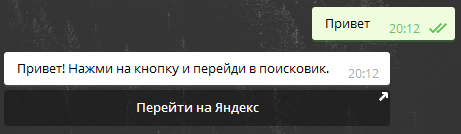
URL-кнопка
Callback-кнопки и редактирование сообщений
Прежде, чем мы перейдем к другим кнопкам, давайте познакомимся с функциями редактирования сообщений, коих тоже три: editMessageText (редактирование текста), editMessageCaption (редактирование подписи к медиа) и editMessageReplyMarkup (редактирование инлайн-клавиатуры). В рамках этого урока рассмотрим только первую функцию, остальные работают аналогично и предлагаются для самостоятельного изучения.
Чтобы отредактировать сообщение, нам надо знать, про какое именно идёт речь. В случае, если оно было отправлено самим ботом, идентификаторами служит связка chat_id + message_id. Но если сообщение было отправлено в инлайн-режиме, то ориентироваться надо по параметру inline_message_id.
И вот теперь вернемся к нашим баранам кнопкам. На очереди – Callback. Это, на мой взгляд, самая крутая фича нового обновления. Колбэк-кнопки позволяют выполнять произвольные действия по их нажатию. Всё зависит от того, какие параметры каждая кнопка в себе несёт. Соответственно, все нажатия будут приводить к отправке боту объекта CallbackQuery, содержащему поле data, в котором написана некоторая строка, заложенная в кнопку, а также либо объект Message, если сообщение отправлено ботом в обычном режиме, либо поле inline_message_id, если сообщение отправлено в инлайн-режиме.
Приведу пример, после которого все вопросы должны отпасть: пусть, например, если сообщение отправлено ботом в обычном режиме, то нажатие на кнопку заменит текст сообщения на “Пыщь”, если в инлайн – то “Бдыщь”. При этом в обоих случаях значение callback_data будет равно test. Что для этого нужно сделать: во-первых, написать простейший хэндлер для всех входящих сообщений, во-вторых, написать простейший хэндлер для инлайн-сообщений, в-третьих, написать простейший хэндлер для колбэка, который определит, из какого режима пришло сообщение.
# Обычный режим
@bot.message_handler(content_types=["text"])
def any_msg(message):
    keyboard = types.InlineKeyboardMarkup()
    callback_button = types.InlineKeyboardButton(text="Нажми меня", callback_data="test")
    keyboard.add(callback_button)
    bot.send_message(message.chat.id, "Я – сообщение из обычного режима", reply_markup=keyboard)


# Инлайн-режим с непустым запросом
@bot.inline_handler(lambda query: len(query.query) > 0)
def query_text(query):
    kb = types.InlineKeyboardMarkup()
    # Добавляем колбэк-кнопку с содержимым "test"
    kb.add(types.InlineKeyboardButton(text="Нажми меня", callback_data="test"))
    results = []
    single_msg = types.InlineQueryResultArticle(
        id="1", title="Press me",
        input_message_content=types.InputTextMessageContent(message_text="Я – сообщение из инлайн-режима"),
        reply_markup=kb
    )
    results.append(single_msg)
    bot.answer_inline_query(query.id, results)


# В большинстве случаев целесообразно разбить этот хэндлер на несколько маленьких
@bot.callback_query_handler(func=lambda call: True)
def callback_inline(call):
    # Если сообщение из чата с ботом
    if call.message:
        if call.data == "test":
            bot.edit_message_text(chat_id=call.message.chat.id, message_id=call.message.message_id, text="Пыщь")
    # Если сообщение из инлайн-режима
    elif call.inline_message_id:
        if call.data == "test":
            bot.edit_message_text(inline_message_id=call.inline_message_id, text="Бдыщь")

if __name__ == '__main__':
    bot.infinity_polling()
Запускаем бота, отправляем инлайн-сообщение, которое, в свою очередь, вызовет обычное:
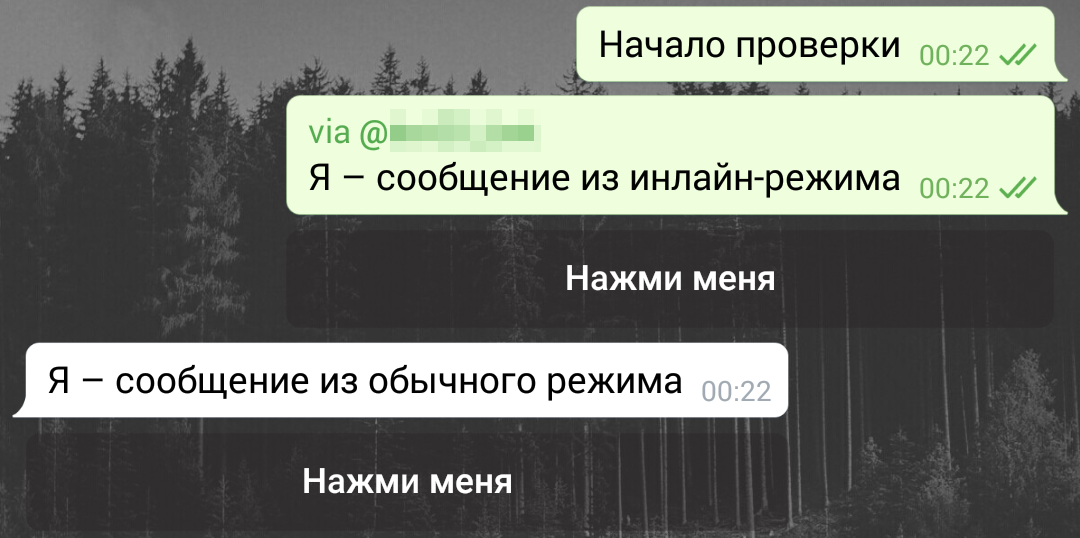
Нажмем на обе кнопки, результат правильный:
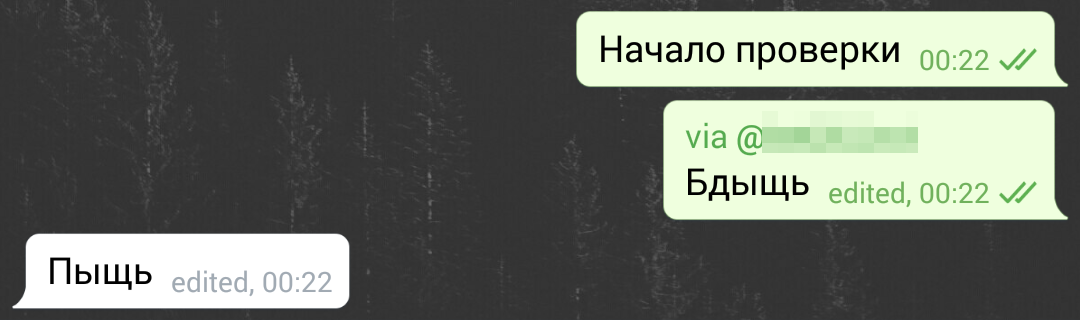
После проверки
Таким образом, callback-кнопки – это очень мощный инструмент для взаимодействия пользователей с ботом, а редактирование сообщений дополнительно помогает в этом.
Более того, нажатие на колбэк-кнопку может дополнительно тригернуть либо уведомление в верхней части экрана, либо всплывающее окно. Покажу первый вариант. Пускай помимо изменения сообщения на “Пыщь”, аналогичное слово показывается уведомлением. Для этого перепишем первое if-условие в хендлере колбэков:
if call.message:
    if call.data == "test":
        bot.edit_message_text(chat_id=call.message.chat.id, message_id=call.message.message_id, text="Пыщь")
        bot.answer_callback_query(callback_query_id=call.id, show_alert=False, text="Пыщь!")
Результат – на скриншоте. Попробуйте, кстати, изменить аргумент show_alert на True и посмотрите, что получится.
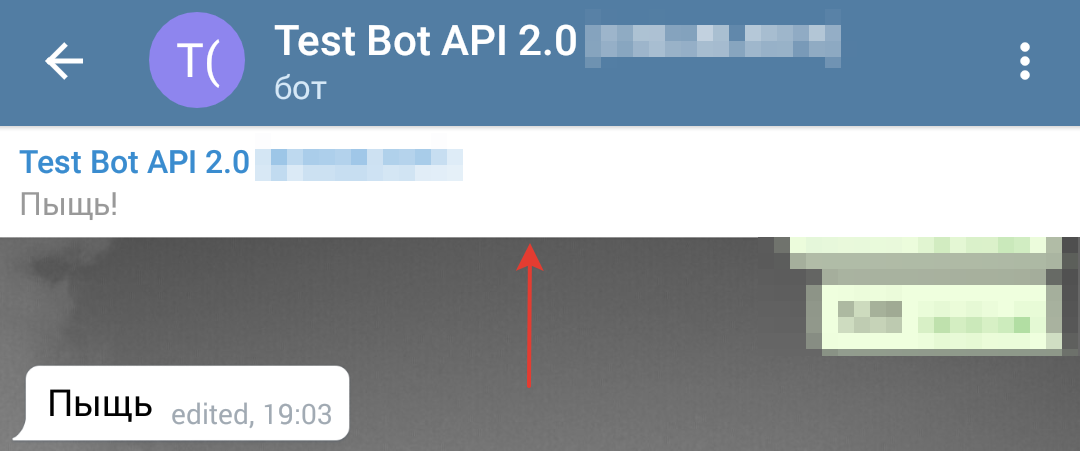
Всплывающее уведомление
Switch-кнопки
Наконец, остался последний тип кнопок — Switch (переключатель). Они нужны, чаще всего, для обучения пользователей работе с ботом в инлайн-режиме. Чтобы активировать сделать кнопку такого типа, нужно указать аргумент switch_inline_query либо пустой, либо с каким-либо текстом. В последнем случае этот текст будет сразу подставлен в поле ввода, например, для показа демонстрации инлайна. Как вообще работает такая кнопка? При нажатии на неё Telegram предложит выбрать чат, после чего подставит в поле ввода ник вашего бота и (если есть), текст, указанный вами в аргументе switch_inline_query. Давайте попробуем так сделать. Добавим кнопку, которая будет перенаправлять пользователя в какой-либо чат и предлагать в инлайн-режиме запрос “Telegram”. Код всего хендлера выглядит вот так:
@bot.message_handler(content_types=["text"])
def any_msg(message):
    keyboard = types.InlineKeyboardMarkup()
    switch_button = types.InlineKeyboardButton(text="Нажми меня", switch_inline_query="Telegram")
    keyboard.add(switch_button)
    bot.send_message(message.chat.id, "Я – сообщение из обычного режима", reply_markup=keyboard)
Теперь, если мы нажмем на кнопку и выберем чат, вот что получится:
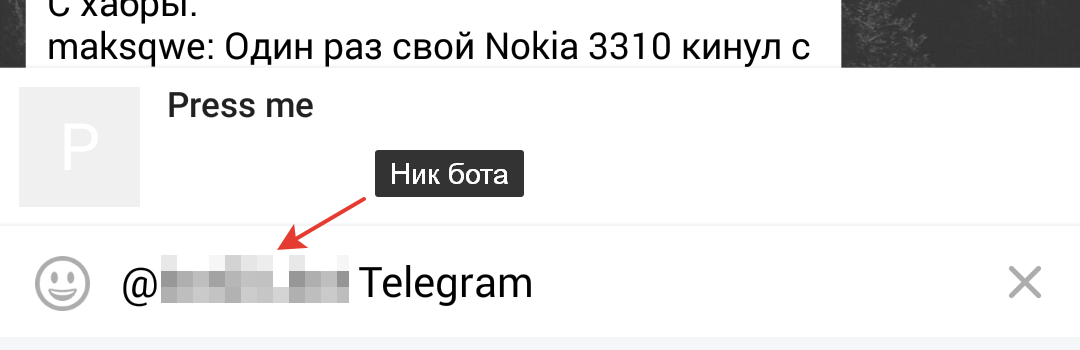
Результат
Итак, в этом уроке мы познакомились с новыми кнопками в Telegram Bot API, научились переписывать историю редактировать сообщения и отправлять небольшие уведомления по нажатию. В следующий раз продолжим изучать новые возможности для ботов.
А исходники к этому уроку можно найти в этом репозитории.
← Урок №7
Урок №9 →
В этом статье я покажу как создать Telegram бота с помощью Python, поскольку не нашел хорошей русскоязычной статьи по этой теме.
Создание бота
Бот создается с помощью BotFather через Telegram. После команды /newbot надо просто следовать инструкции.

В конце мы получаем токен для управления ботом и работы с Telegram API.
pyTelegramBotApi
Ссылки на документации всех библиотек будут в конце.
Создадим простого бота, отвечающего на команду /start, с помощью этой библиотеки:
import telebot

bot = telebot.TeleBot('1408700689:AAGVqcqscWWK7DnuNHahd0w1eNklfjPEVxE')

@bot.message_handler(commands=['start'])
def start(message):
    bot.send_message(message.chat.id, 'It works!')

bot.polling()
pyTelegramBotApi является просто обёрткой для всего Telegram Bot API, но здесь разберутся только основные составляющие.
Взаимодействие с ботом происходит через переменную bot (токен надо вставить свой).
Декоратор @message_handler реагирует на входящие сообщение.
Message – это объект из Bot API, содержащий в себе информацию о сообщении. Полезные поля:
message.chat.id – идентификатор чата
message.from.id – идентификатор пользователя
message.text – текст сообщения
Функция send_message принимает идентификатор чата (берем его из сообщения) и текст для отправки.
Примеры функций
Отправка изображений
Можно отправлять фото из локального хранилища, но удобнее это делать по ссылке. Код аналогичен предыдущему:
@bot.message_handler(commands=['start'])
def start(message):
	bot.send_photo(message.chat.id, photo=photo_url, caption='It works!')
Замена клавиатуры
У ботов есть функция замены стандартной клавиатуры на кнопочную. Для этого у всех функций есть опциональный аргумент reply_markup:
from telebot import types

@bot.message_handler(commands=['start'])
def start(message):
  markup = types.ReplyKeyboardMarkup()
  buttonA = types.KeyboardButton('A')
  buttonB = types.KeyboardButton('B')
  buttonC = types.KeyboardButton('C')

  markup.row(buttonA, buttonB)
  markup.row(buttonC)

  bot.send_message(message.chat.id, 'It works!', reply_markup=markup)
ReplyKeyboardMarkup – и есть та самая клавиатура. Метод row() создает ряд (максимум 12) из кнопок, передаваемых в качестве аргумента.
Также есть особенная клавиатура types.ReplyMarkupRemove(), которая меняет клавиатуру на стандартную.

Клавиатура для сообщений
Можно создавать клавиатуру для отдельного сообщения. Передавать его нужно так же в аргумент reply_markup:
from telebot import types

@bot.message_handler(commands=['start'])
def start(message):
  markup = types.InlineKeyboardMarkup()
  buttonA = types.InlineKeyboardButton('A', callback_data='a')
  buttonB = types.InlineKeyboardButton('B', callback_data='b')
  buttonC = types.InlineKeyboardButton('C', callback_data='c')

  markup.row(buttonA, buttonB)
  markup.row(buttonC)

  bot.send_message(message.chat.id, 'It works!', reply_markup=markup)
У кнопок есть несколько режимов, в зависимости от второго аргумента. Подробнее можно прочитать в официальной документации, но я остановлюсь только на callback_data.
При нажатии на такую кнопку боту придет отдельный CallbackQuery, который нужно обрабатывать подобно сообщению:
@bot.callback_query_handler(func=lambda call: True)
def handle(call):
	bot.send_message(call.message.chat.id, 'Data: {}'.format(str(call.data)))
  bot.answer_callback_query(call.id)
Для обработки обязательно указать аргумент func для «отсеивания» Callback запросов.
После обработки каждого запроса нужно выполнить команду answer_callback_query, чтобы Telegram понял, что запрос обработан. В поле callback.data хранится информация из callback_data нажатой кнопки.

Изменение сообщений
У ботов есть функция изменения своих сообщений (можно использовать, чтобы сделать перелистывание страниц, например). Для этого нужно воспользоваться методом edit_message_text (edit_message_caption для картинок):
@bot.callback_query_handler(lambda call: True)
def handle(call):
	bot.send_message(chat_id=call.message.chat.id, message_id=call.message.id, text='It works!')
  bot.answer_callback_query(call.id)
Смысл аргументов понятен из их названия.
Flask
Если запустить бота, то через какое-то время он упадет с ошибкой Connection to api.telegram.org timed out. Чтобы это исправить нужно использовать вебхук:
from flask import Flask, request
import telebot

token = '1408700689:AAGVqcqscWWK7DnuNHahd0w1eNklfjPEVxE'
bot = telebot.TeleBot(token)
app = Flask(__name__)

@bot.message_handler(commands=['start'])
def start(message):
    bot.send_message(message.chat.id, 'It works!')

@app.route("/" + token, methods=['POST'])
def getMessage():
  bot.process_new_updates([telebot.types.Update.de_json(request.stream.read().decode("utf-8"))])
  return "!", 200

bot.remove_webhook()
bot.set_webhook('https://test.com/' + token)
app.run()
Этот код при запуске сначала удалит вебхук, если такой был, и установит его на желаемый. Все запросы, которые приходят в функцию getMessage будут направляться в bot с помощью метода process_new_updates. Этот код уже можно использовать для запуска, например, на Heroku.
P.S. Чтобы работать с длинными диалогами, я хранил для каждого пользователя в базе данных его текущее состояние.
Полезные ссылки
https://flask.palletsprojects.com/en/1.1.x/ – Flask
https://pypi.org/project/pyTelegramBotAPI/ – pyTelegramBotApi
https://core.telegram.org/bots/api – Telegram Bot API

pyTelegramBotAPI
A simple, but extensible Python implementation for the Telegram Bot API.
Both synchronous and asynchronous.
Supported Bot API version: 6.5!
Official documentation
Official ru documentation
Contents
- Getting started
- Writing your first bot
- Prerequisites
- A simple echo bot
- General API Documentation
- Types
- Methods
- General use of the API
- Message handlers
- Edited Message handler
- Channel Post handler
- Edited Channel Post handler
- Callback Query handlers
- Shipping Query Handler
- Pre Checkout Query Handler
- Poll Handler
- Poll Answer Handler
- My Chat Member Handler
- Chat Member Handler
- Chat Join request handler
- Inline Mode
- Inline handler
- Chosen Inline handler
- Answer Inline Query
- Additional API features
- Middleware handlers
- Custom filters
- TeleBot
- Reply markup
- Advanced use of the API
- Using local Bot API Server
- Asynchronous TeleBot
- Sending large text messages
- Controlling the amount of Threads used by TeleBot
- The listener mechanism
- Using web hooks
- Logging
- Proxy
- Testing
- API conformance limitations
- AsyncTeleBot
- F.A.Q.
- How can I distinguish a User and a GroupChat in message.chat?
- How can I handle reocurring ConnectionResetErrors?
- The Telegram Chat Group
- Telegram Channel
- More examples
- Code Template
- Bots using this library
Getting started
This API is tested with Python 3.7-3.11 and Pypy 3.
There are two ways to install the library:
- Installation using pip (a Python package manager):
$ pip install pyTelegramBotAPI
- Installation from source (requires git):
$ git clone https://github.com/eternnoir/pyTelegramBotAPI.git
$ cd pyTelegramBotAPI
$ python setup.py install
or:
$ pip install git+https://github.com/eternnoir/pyTelegramBotAPI.git
It is generally recommended to use the first option.
While the API is production-ready, it is still under development and it has regular updates, do not forget to update it regularly by calling
pip install pytelegrambotapi --upgrade
Writing your first bot
Prerequisites
It is presumed that you have obtained an API token with @BotFather. We will call this token TOKEN.
Furthermore, you have basic knowledge of the Python programming language and more importantly the Telegram Bot API.
A simple echo bot
The TeleBot class (defined in _init_.py) encapsulates all API calls in a single class. It provides functions such as send_xyz (send_message, send_document etc.) and several ways to listen for incoming messages.
Create a file called echo_bot.py.
Then, open the file and create an instance of the TeleBot class.
import telebot

bot = telebot.TeleBot("TOKEN", parse_mode=None) # You can set parse_mode by default. HTML or MARKDOWN
Note: Make sure to actually replace TOKEN with your own API token.
After that declaration, we need to register some so-called message handlers. Message handlers define filters which a message must pass. If a message passes the filter, the decorated function is called and the incoming message is passed as an argument.
Let’s define a message handler which handles incoming /start and /help commands.
@bot.message_handler(commands=['start', 'help'])
def send_welcome(message):
	bot.reply_to(message, "Howdy, how are you doing?")
A function which is decorated by a message handler can have an arbitrary name, however, it must have only one parameter (the message).
Let’s add another handler:
@bot.message_handler(func=lambda m: True)
def echo_all(message):
	bot.reply_to(message, message.text)
This one echoes all incoming text messages back to the sender. It uses a lambda function to test a message. If the lambda returns True, the message is handled by the decorated function. Since we want all messages to be handled by this function, we simply always return True.
Note: all handlers are tested in the order in which they were declared
We now have a basic bot which replies a static message to «/start» and «/help» commands and which echoes the rest of the sent messages. To start the bot, add the following to our source file:
Alright, that’s it! Our source file now looks like this:
import telebot

bot = telebot.TeleBot("YOUR_BOT_TOKEN")

@bot.message_handler(commands=['start', 'help'])
def send_welcome(message):
	bot.reply_to(message, "Howdy, how are you doing?")

@bot.message_handler(func=lambda message: True)
def echo_all(message):
	bot.reply_to(message, message.text)

bot.infinity_polling()
To start the bot, simply open up a terminal and enter python echo_bot.py to run the bot! Test it by sending commands (‘/start’ and ‘/help’) and arbitrary text messages.
General API Documentation
Types
All types are defined in types.py. They are all completely in line with the Telegram API’s definition of the types, except for the Message’s from field, which is renamed to from_user (because from is a Python reserved token). Thus, attributes such as message_id can be accessed directly with message.message_id. Note that message.chat can be either an instance of User or GroupChat (see How can I distinguish a User and a GroupChat in message.chat?).
The Message object also has a content_typeattribute, which defines the type of the Message. content_type can be one of the following strings:
text, audio, document, photo, sticker, video, video_note, voice, location, contact, new_chat_members, left_chat_member, new_chat_title, new_chat_photo, delete_chat_photo, group_chat_created, supergroup_chat_created, channel_chat_created, migrate_to_chat_id, migrate_from_chat_id, pinned_message, web_app_data.
You can use some types in one function. Example:
content_types=["text", "sticker", "pinned_message", "photo", "audio"]
Methods
All API methods are located in the TeleBot class. They are renamed to follow common Python naming conventions. E.g. getMe is renamed to get_me and sendMessage to send_message.
General use of the API
Outlined below are some general use cases of the API.
Message handlers
A message handler is a function that is decorated with the message_handler decorator of a TeleBot instance. Message handlers consist of one or multiple filters.
Each filter must return True for a certain message in order for a message handler to become eligible to handle that message. A message handler is declared in the following way (provided bot is an instance of TeleBot):
@bot.message_handler(filters)
def function_name(message):
	bot.reply_to(message, "This is a message handler")
function_name is not bound to any restrictions. Any function name is permitted with message handlers. The function must accept at most one argument, which will be the message that the function must handle.
filters is a list of keyword arguments.
A filter is declared in the following manner: name=argument. One handler may have multiple filters.
TeleBot supports the following filters:
| name | argument(s) | Condition |
|---|---|---|
| content_types | list of strings (default ['text']) |
True if message.content_type is in the list of strings. |
| regexp | a regular expression as a string | True if re.search(regexp_arg) returns True and message.content_type == 'text' (See Python Regular Expressions) |
| commands | list of strings | True if message.content_type == 'text' and message.text starts with a command that is in the list of strings. |
| chat_types | list of chat types | True if message.chat.type in your filter |
| func | a function (lambda or function reference) | True if the lambda or function reference returns True |
Here are some examples of using the filters and message handlers:
import telebot
bot = telebot.TeleBot("TOKEN")

# Handles all text messages that contains the commands '/start' or '/help'.
@bot.message_handler(commands=['start', 'help'])
def handle_start_help(message):
	pass

# Handles all sent documents and audio files
@bot.message_handler(content_types=['document', 'audio'])
def handle_docs_audio(message):
	pass

# Handles all text messages that match the regular expression
@bot.message_handler(regexp="SOME_REGEXP")
def handle_message(message):
	pass

# Handles all messages for which the lambda returns True
@bot.message_handler(func=lambda message: message.document.mime_type == 'text/plain', content_types=['document'])
def handle_text_doc(message):
	pass

# Which could also be defined as:
def test_message(message):
	return message.document.mime_type == 'text/plain'

@bot.message_handler(func=test_message, content_types=['document'])
def handle_text_doc(message):
	pass

# Handlers can be stacked to create a function which will be called if either message_handler is eligible
# This handler will be called if the message starts with '/hello' OR is some emoji
@bot.message_handler(commands=['hello'])
@bot.message_handler(func=lambda msg: msg.text.encode("utf-8") == SOME_FANCY_EMOJI)
def send_something(message):
    pass
Important: all handlers are tested in the order in which they were declared
Edited Message handler
Handle edited messages
@bot.edited_message_handler(filters) # <- passes a Message type object to your function
Channel Post handler
Handle channel post messages
@bot.channel_post_handler(filters) # <- passes a Message type object to your function
Edited Channel Post handler
Handle edited channel post messages
@bot.edited_channel_post_handler(filters) # <- passes a Message type object to your function
Callback Query Handler
Handle callback queries
@bot.callback_query_handler(func=lambda call: True)
def test_callback(call): # <- passes a CallbackQuery type object to your function
    logger.info(call)
Shipping Query Handler
Handle shipping queries
@bot.shipping_query_handler() # <- passes a ShippingQuery type object to your function
Pre Checkout Query Handler
Handle pre checkoupt queries
@bot.pre_checkout_query_handler() # <- passes a PreCheckoutQuery type object to your function
Poll Handler
Handle poll updates
@bot.poll_handler() # <- passes a Poll type object to your function
Poll Answer Handler
Handle poll answers
@bot.poll_answer_handler() # <- passes a PollAnswer type object to your function
My Chat Member Handler
Handle updates of a the bot’s member status in a chat
@bot.my_chat_member_handler() # <- passes a ChatMemberUpdated type object to your function
Chat Member Handler
Handle updates of a chat member’s status in a chat
@bot.chat_member_handler() # <- passes a ChatMemberUpdated type object to your function
Note: «chat_member» updates are not requested by default. If you want to allow all update types, set allowed_updates in bot.polling() / bot.infinity_polling() to util.update_types
Chat Join Request Handler
Handle chat join requests using:
@bot.chat_join_request_handler() # <- passes ChatInviteLink type object to your function
Inline Mode
More information about Inline mode.
Inline handler
Now, you can use inline_handler to get inline queries in telebot.
@bot.inline_handler(lambda query: query.query == 'text')
def query_text(inline_query):
    # Query message is text
Chosen Inline handler
Use chosen_inline_handler to get chosen_inline_result in telebot. Don’t forgot add the /setinlinefeedback
command for @Botfather.
More information : collecting-feedback
@bot.chosen_inline_handler(func=lambda chosen_inline_result: True)
def test_chosen(chosen_inline_result):
    # Process all chosen_inline_result.
Answer Inline Query
@bot.inline_handler(lambda query: query.query == 'text')
def query_text(inline_query):
    try:
        r = types.InlineQueryResultArticle('1', 'Result', types.InputTextMessageContent('Result message.'))
        r2 = types.InlineQueryResultArticle('2', 'Result2', types.InputTextMessageContent('Result message2.'))
        bot.answer_inline_query(inline_query.id, [r, r2])
    except Exception as e:
        print(e)
Additional API features
Middleware Handlers
A middleware handler is a function that allows you to modify requests or the bot context as they pass through the
Telegram to the bot. You can imagine middleware as a chain of logic connection handled before any other handlers are
executed. Middleware processing is disabled by default, enable it by setting apihelper.ENABLE_MIDDLEWARE = True.
apihelper.ENABLE_MIDDLEWARE = True

@bot.middleware_handler(update_types=['message'])
def modify_message(bot_instance, message):
    # modifying the message before it reaches any other handler
    message.another_text = message.text + ':changed'

@bot.message_handler(commands=['start'])
def start(message):
    # the message is already modified when it reaches message handler
    assert message.another_text == message.text + ':changed'
There are other examples using middleware handler in the examples/middleware directory.
Class-based middlewares
There are class-based middlewares.
Basic class-based middleware looks like this:
class Middleware(BaseMiddleware):
    def __init__(self):
        self.update_types = ['message']
    def pre_process(self, message, data):
        data['foo'] = 'Hello' # just for example
        # we edited the data. now, this data is passed to handler.
        # return SkipHandler() -> this will skip handler
        # return CancelUpdate() -> this will cancel update
    def post_process(self, message, data, exception=None):
        print(data['foo'])
        if exception: # check for exception
            print(exception)
Class-based middleware should have to functions: post and pre process.
So, as you can see, class-based middlewares work before and after handler execution.
For more, check out in examples
Custom filters
Also, you can use built-in custom filters. Or, you can create your own filter.
Example of custom filter
Also, we have examples on them. Check this links:
You can check some built-in filters in source code
Example of filtering by id
Example of filtering by text
If you want to add some built-in filter, you are welcome to add it in custom_filters.py file.
Here is example of creating filter-class:
class IsAdmin(telebot.custom_filters.SimpleCustomFilter):
    # Class will check whether the user is admin or creator in group or not
    key='is_chat_admin'
    @staticmethod
    def check(message: telebot.types.Message):
        return bot.get_chat_member(message.chat.id,message.from_user.id).status in ['administrator','creator']

# To register filter, you need to use method add_custom_filter.
bot.add_custom_filter(IsAdmin())

# Now, you can use it in handler.
@bot.message_handler(is_chat_admin=True)
def admin_of_group(message):
	bot.send_message(message.chat.id, 'You are admin of this group!')
TeleBot
import telebot

TOKEN = '<token_string>'
tb = telebot.TeleBot(TOKEN)	#create a new Telegram Bot object

# Upon calling this function, TeleBot starts polling the Telegram servers for new messages.
# - interval: int (default 0) - The interval between polling requests
# - timeout: integer (default 20) - Timeout in seconds for long polling.
# - allowed_updates: List of Strings (default None) - List of update types to request
tb.infinity_polling(interval=0, timeout=20)

# getMe
user = tb.get_me()

# setWebhook
tb.set_webhook(url="http://example.com", certificate=open('mycert.pem'))
# unset webhook
tb.remove_webhook()

# getUpdates
updates = tb.get_updates()
# or
updates = tb.get_updates(1234,100,20) #get_Updates(offset, limit, timeout):

# sendMessage
tb.send_message(chat_id, text)

# editMessageText
tb.edit_message_text(new_text, chat_id, message_id)

# forwardMessage
tb.forward_message(to_chat_id, from_chat_id, message_id)

# All send_xyz functions which can take a file as an argument, can also take a file_id instead of a file.
# sendPhoto
photo = open('/tmp/photo.png', 'rb')
tb.send_photo(chat_id, photo)
tb.send_photo(chat_id, "FILEID")

# sendAudio
audio = open('/tmp/audio.mp3', 'rb')
tb.send_audio(chat_id, audio)
tb.send_audio(chat_id, "FILEID")

## sendAudio with duration, performer and title.
tb.send_audio(CHAT_ID, file_data, 1, 'eternnoir', 'pyTelegram')

# sendVoice
voice = open('/tmp/voice.ogg', 'rb')
tb.send_voice(chat_id, voice)
tb.send_voice(chat_id, "FILEID")

# sendDocument
doc = open('/tmp/file.txt', 'rb')
tb.send_document(chat_id, doc)
tb.send_document(chat_id, "FILEID")

# sendSticker
sti = open('/tmp/sti.webp', 'rb')
tb.send_sticker(chat_id, sti)
tb.send_sticker(chat_id, "FILEID")

# sendVideo
video = open('/tmp/video.mp4', 'rb')
tb.send_video(chat_id, video)
tb.send_video(chat_id, "FILEID")

# sendVideoNote
videonote = open('/tmp/videonote.mp4', 'rb')
tb.send_video_note(chat_id, videonote)
tb.send_video_note(chat_id, "FILEID")

# sendLocation
tb.send_location(chat_id, lat, lon)

# sendChatAction
# action_string can be one of the following strings: 'typing', 'upload_photo', 'record_video', 'upload_video',
# 'record_audio', 'upload_audio', 'upload_document' or 'find_location'.
tb.send_chat_action(chat_id, action_string)

# getFile
# Downloading a file is straightforward
# Returns a File object
import requests
file_info = tb.get_file(file_id)

file = requests.get('https://api.telegram.org/file/bot{0}/{1}'.format(API_TOKEN, file_info.file_path))
Reply markup
All send_xyz functions of TeleBot take an optional reply_markup argument. This argument must be an instance of ReplyKeyboardMarkup, ReplyKeyboardRemove or ForceReply, which are defined in types.py.
from telebot import types

# Using the ReplyKeyboardMarkup class
# It's constructor can take the following optional arguments:
# - resize_keyboard: True/False (default False)
# - one_time_keyboard: True/False (default False)
# - selective: True/False (default False)
# - row_width: integer (default 3)
# row_width is used in combination with the add() function.
# It defines how many buttons are fit on each row before continuing on the next row.
markup = types.ReplyKeyboardMarkup(row_width=2)
itembtn1 = types.KeyboardButton('a')
itembtn2 = types.KeyboardButton('v')
itembtn3 = types.KeyboardButton('d')
markup.add(itembtn1, itembtn2, itembtn3)
tb.send_message(chat_id, "Choose one letter:", reply_markup=markup)

# or add KeyboardButton one row at a time:
markup = types.ReplyKeyboardMarkup()
itembtna = types.KeyboardButton('a')
itembtnv = types.KeyboardButton('v')
itembtnc = types.KeyboardButton('c')
itembtnd = types.KeyboardButton('d')
itembtne = types.KeyboardButton('e')
markup.row(itembtna, itembtnv)
markup.row(itembtnc, itembtnd, itembtne)
tb.send_message(chat_id, "Choose one letter:", reply_markup=markup)
The last example yields this result:
# ReplyKeyboardRemove: hides a previously sent ReplyKeyboardMarkup
# Takes an optional selective argument (True/False, default False)
markup = types.ReplyKeyboardRemove(selective=False)
tb.send_message(chat_id, message, reply_markup=markup)
# ForceReply: forces a user to reply to a message
# Takes an optional selective argument (True/False, default False)
markup = types.ForceReply(selective=False)
tb.send_message(chat_id, "Send me another word:", reply_markup=markup)
ForceReply:
Working with entities
This object represents one special entity in a text message. For example, hashtags, usernames, URLs, etc.
Attributes:
typeurloffsetlengthuser
Here’s an Example:message.entities[num].<attribute>
Here num is the entity number or order of entity in a reply, for if incase there are multiple entities in the reply/message.
message.entities returns a list of entities object.
message.entities[0].type would give the type of the first entity
Refer Bot Api for extra details
Advanced use of the API
Using local Bot API Sever
Since version 5.0 of the Bot API, you have the possibility to run your own Local Bot API Server.
pyTelegramBotAPI also supports this feature.
from telebot import apihelper

apihelper.API_URL = "http://localhost:4200/bot{0}/{1}"
Important: Like described here, you have to log out your bot from the Telegram server before switching to your local API server. in pyTelegramBotAPI use bot.log_out()
Note: 4200 is an example port
Asynchronous TeleBot
New: There is an asynchronous implementation of telebot.
To enable this behaviour, create an instance of AsyncTeleBot instead of TeleBot.
tb = telebot.AsyncTeleBot("TOKEN")
Now, every function that calls the Telegram API is executed in a separate asynchronous task.
Using AsyncTeleBot allows you to do the following:
import telebot

tb = telebot.AsyncTeleBot("TOKEN")

@tb.message_handler(commands=['start'])
async def start_message(message):
	await bot.send_message(message.chat.id, 'Hello!')
See more in examples
Sending large text messages
Sometimes you must send messages that exceed 5000 characters. The Telegram API can not handle that many characters in one request, so we need to split the message in multiples. Here is how to do that using the API:
from telebot import util
large_text = open("large_text.txt", "rb").read()

# Split the text each 3000 characters.
# split_string returns a list with the splitted text.
splitted_text = util.split_string(large_text, 3000)

for text in splitted_text:
	tb.send_message(chat_id, text)
Or you can use the new smart_split function to get more meaningful substrings:
from telebot import util
large_text = open("large_text.txt", "rb").read()
# Splits one string into multiple strings, with a maximum amount of `chars_per_string` (max. 4096)
# Splits by last 'n', '. ' or ' ' in exactly this priority.
# smart_split returns a list with the splitted text.
splitted_text = util.smart_split(large_text, chars_per_string=3000)
for text in splitted_text:
	tb.send_message(chat_id, text)
Controlling the amount of Threads used by TeleBot
The TeleBot constructor takes the following optional arguments:
- threaded: True/False (default True). A flag to indicate whether
TeleBot should execute message handlers on it’s polling Thread.
The listener mechanism
As an alternative to the message handlers, one can also register a function as a listener to TeleBot.
NOTICE: handlers won’t disappear! Your message will be processed both by handlers and listeners. Also, it’s impossible to predict which will work at first because of threading. If you use threaded=False, custom listeners will work earlier, after them handlers will be called.
Example:
def handle_messages(messages):
	for message in messages:
		# Do something with the message
		bot.reply_to(message, 'Hi')

bot.set_update_listener(handle_messages)
bot.infinity_polling()
Using web hooks
When using webhooks telegram sends one Update per call, for processing it you should call process_new_messages([update.message]) when you recieve it.
There are some examples using webhooks in the examples/webhook_examples directory.
Logging
You can use the Telebot module logger to log debug info about Telebot. Use telebot.logger to get the logger of the TeleBot module.
It is possible to add custom logging Handlers to the logger. Refer to the Python logging module page for more info.
import logging

logger = telebot.logger
telebot.logger.setLevel(logging.DEBUG) # Outputs debug messages to console.
Proxy
For sync:
You can use proxy for request. apihelper.proxy object will use by call requests proxies argument.
from telebot import apihelper

apihelper.proxy = {'http':'http://127.0.0.1:3128'}
If you want to use socket5 proxy you need install dependency pip install requests[socks] and make sure, that you have the latest version of gunicorn, PySocks, pyTelegramBotAPI, requests and urllib3.
apihelper.proxy = {'https':'socks5://userproxy:password@proxy_address:port'}
For async:
from telebot import asyncio_helper

asyncio_helper.proxy = 'http://127.0.0.1:3128' #url
Testing
You can disable or change the interaction with real Telegram server by using
apihelper.CUSTOM_REQUEST_SENDER = your_handler
parameter. You can pass there your own function that will be called instead of requests.request.
For example:
def custom_sender(method, url, **kwargs):
    print("custom_sender. method: {}, url: {}, params: {}".format(method, url, kwargs.get("params")))
    result = util.CustomRequestResponse('{"ok":true,"result":{"message_id": 1, "date": 1, "chat": {"id": 1, "type": "private"}}}')
    return result
Then you can use API and proceed requests in your handler code.
apihelper.CUSTOM_REQUEST_SENDER = custom_sender
tb = TeleBot("test")
res = tb.send_message(123, "Test")
Result will be:
custom_sender. method: post, url: https://api.telegram.org/botololo/sendMessage, params: {'chat_id': '123', 'text': 'Test'}
API conformance limitations
- ➕ Bot API 4.5 — No nested MessageEntities and Markdown2 support
- ➕ Bot API 4.1 — No Passport support
- ➕ Bot API 4.0 — No Passport support
AsyncTeleBot
Asynchronous version of telebot
We have a fully asynchronous version of TeleBot.
This class is not controlled by threads. Asyncio tasks are created to execute all the stuff.
EchoBot
Echo Bot example on AsyncTeleBot:
# This is a simple echo bot using the decorator mechanism.
# It echoes any incoming text messages.

from telebot.async_telebot import AsyncTeleBot
import asyncio
bot = AsyncTeleBot('TOKEN')


# Handle '/start' and '/help'
@bot.message_handler(commands=['help', 'start'])
async def send_welcome(message):
    await bot.reply_to(message, """
Hi there, I am EchoBot.
I am here to echo your kind words back to you. Just say anything nice and I'll say the exact same thing to you!
""")


# Handle all other messages with content_type 'text' (content_types defaults to ['text'])
@bot.message_handler(func=lambda message: True)
async def echo_message(message):
    await bot.reply_to(message, message.text)


asyncio.run(bot.polling())
As you can see here, keywords are await and async.
Why should I use async?
Asynchronous tasks depend on processor performance. Many asynchronous tasks can run parallelly, while thread tasks will block each other.
Differences in AsyncTeleBot
AsyncTeleBot is asynchronous. It uses aiohttp instead of requests module.
Examples
See more examples in our examples folder
F.A.Q.
How can I distinguish a User and a GroupChat in message.chat?
Telegram Bot API support new type Chat for message.chat.
- Check the
typeattribute inChatobject:
if message.chat.type == "private":
    # private chat message

if message.chat.type == "group":
	# group chat message

if message.chat.type == "supergroup":
	# supergroup chat message

if message.chat.type == "channel":
	# channel message
How can I handle reocurring ConnectionResetErrors?
Bot instances that were idle for a long time might be rejected by the server when sending a message due to a timeout of the last used session. Add apihelper.SESSION_TIME_TO_LIVE = 5 * 60 to your initialisation to force recreation after 5 minutes without any activity.
The Telegram Chat Group
Get help. Discuss. Chat.
- Join the pyTelegramBotAPI Telegram Chat Group
Telegram Channel
Join the News channel. Here we will post releases and updates.
More examples
- Echo Bot
- Deep Linking
- next_step_handler Example
Code Template
Template is a ready folder that contains architecture of basic project.
Here are some examples of template:
- AsyncTeleBot template
- TeleBot template
Bots using this library
- SiteAlert bot (source) by ilteoood — Monitors websites and sends a notification on changes
- TelegramLoggingBot by aRandomStranger
- Telegram LMGTFY_bot by GabrielRF — Let me Google that for you.
- Telegram Proxy Bot by mrgigabyte
- RadRetroRobot by Tronikart — Multifunctional Telegram Bot RadRetroRobot.
- League of Legends bot (source) by i32ropie
- NeoBot by @NeoRanger
- ColorCodeBot (source) — Share code snippets as beautifully syntax-highlighted HTML and/or images.
- ComedoresUGRbot (source) by alejandrocq — Telegram bot to check the menu of Universidad de Granada dining hall.
- proxybot — Simple Proxy Bot for Telegram. by p-hash
- DonantesMalagaBot — DonantesMalagaBot facilitates information to Malaga blood donors about the places where they can donate today or in the incoming days. It also records the date of the last donation so that it helps the donors to know when they can donate again. — by vfranch
- DuttyBot by Dmytryi Striletskyi — Timetable for one university in Kiev.
- wat-bridge by rmed — Send and receive messages to/from WhatsApp through Telegram
- filmratingbot(source) by jcolladosp — Telegram bot using the Python API that gets films rating from IMDb and metacritic
- Send2Kindlebot (source) by GabrielRF — Send to Kindle service.
- RastreioBot (source) by GabrielRF — Bot used to track packages on the Brazilian Mail Service.
- Spbu4UBot(link) by EeOneDown — Bot with timetables for SPbU students.
- SmartySBot(link) by 0xVK — Telegram timetable bot, for Zhytomyr Ivan Franko State University students.
- LearnIt(link) — A Telegram Bot created to help people to memorize other languages’ vocabulary.
- Bot-Telegram-Shodan by rubenleon
- VigoBusTelegramBot (GitHub) — Bot that provides buses coming to a certain stop and their remaining time for the city of Vigo (Galicia — Spain)
- kaishnik-bot (source) by airatk — bot which shows all the necessary information to KNTRU-KAI students.
- Robbie (source) by @FacuM — Support Telegram bot for developers and maintainers.
- AsadovBot (source) by @DesExcile — Сatalog of poems by Eduard Asadov.
- thesaurus_com_bot (source) by @LeoSvalov — words and synonyms from dictionary.com and thesaurus.com in the telegram.
- InfoBot (source) by @irevenko — An all-round bot that displays some statistics (weather, time, crypto etc…)
- FoodBot (source) by @Fliego — a simple bot for food ordering
- Sporty (source) by @0xnu — Telegram bot for displaying the latest news, sports schedules and injury updates.
- JoinGroup Silencer Bot (source) by @zeph1997 — A Telegram Bot to remove «join group» and «removed from group» notifications.
- TasksListsBot (source) by @Pablo-Davila — A (tasks) lists manager bot for Telegram.
- MyElizaPsychologistBot (source) by @Pablo-Davila — An implementation of the famous Eliza psychologist chatbot.
- Frcstbot (source) by Mrsqd. A Telegram bot that will always be happy to show you the weather forecast.
- MineGramBot by ModischFabrications. This bot can start, stop and monitor a minecraft server.
- Tabletop DiceBot by dexpiper. This bot can roll multiple dices for RPG-like games, add positive and negative modifiers and show short descriptions to the rolls.
- BarnameKon by Anvaari. This Bot make «Add to google calendar» link for your events. It give information about event and return link. It work for Jalali calendar and in Tehran Time. Source code
- Translator bot by Areeg Fahad. This bot can be used to translate texts.
- Digital Cryptocurrency bot by Areeg Fahad. With this bot, you can now monitor the prices of more than 12 digital Cryptocurrency.
- Anti-Tracking Bot by Leon Heess (source). Send any link, and the bot tries its best to remove all tracking from the link you sent.
- Developer Bot by Vishal Singh (source code) This telegram bot can do tasks like GitHub search & clone,provide c++ learning resources ,Stackoverflow search, Codeforces(profile visualizer,random problems)
- oneIPO bot by Aadithya & Amol Soans This Telegram bot provides live updates , data and documents on current and upcoming IPOs(Initial Public Offerings)
- CoronaGraphsBot (source) by TrevorWinstral — Gets live COVID Country data, plots it, and briefs the user
- ETHLectureBot (source) by TrevorWinstral — Notifies ETH students when their lectures have been uploaded
- Vlun Finder Bot by Resinprotein2333. This bot can help you to find The information of CVE vulnerabilities.
- ETHGasFeeTrackerBot (Source by DevAdvik — Get Live Ethereum Gas Fees in GWEI
- Google Sheet Bot by JoachimStanislaus. This bot can help you to track your expenses by uploading your bot entries to your google sheet.
- GrandQuiz Bot by Carlosma7. This bot is a trivia game that allows you to play with people from different ages. This project addresses the use of a system through chatbots to carry out a social and intergenerational game as an alternative to traditional game development.
- Diccionario de la RAE (source) This bot lets you find difinitions of words in Spanish using RAE’s dictionary. It features direct message and inline search.
- remoteTelegramShell by EnriqueMoran. Control your LinuxOS computer through Telegram.
- Commerce Telegram Bot. Make purchases of items in a store with an Admin panel for data control and notifications.
- Pyfram-telegram-bot Query wolframalpha.com and make use of its API through Telegram.
- TranslateThisVideoBot This Bot can understand spoken text in videos and translate it to English
- Zyprexa (source) Zyprexa can solve, help you solve any mathematical problem you encounter and convert your regular mathematical expressions into beautiful imagery using LaTeX.
- Bincode-telegram-bot by tusharhero — Makes bincodes from text provides and also converts them back to text.
- hydrolib_bot Toolset for Hydrophilia tabletop game (game cards, rules, structure…).
- Gugumoe-bot (source) by 咕谷酱 GuXiaoJiang is a multi-functional robot, such as OSU game information query, IP test, animation screenshot search and other functions.
- Feedback-bot A feedback bot for user-admin communication. Made on AsyncTeleBot, using template.
- TeleServ by ablakely This is a Telegram to IRC bridge which links as an IRC server and makes Telegram users appear as native IRC users.
- Simple Store Bot by Anton Glyzin This is a simple telegram-store with an admin panel. Designed according to a template.
- Media Rating Bot (source)by CommanderCRM. This bot aggregates media (movies, TV series, etc.) ratings from IMDb, Rotten Tomatoes, Metacritic, TheMovieDB, FilmAffinity and also provides number of votes of said media on IMDb.
Want to have your bot listed here? Just make a pull request. Only bots with public source code are accepted.
Внимание! Пакеты
python-telegram-botверсии 13.x будут придерживаться многопоточной парадигмы программирования (на данный момент актуальна версия 13.14). Пакеты версий 20.x и новее будут полностью асинхронными и на октябрь 2022 года, первый из них находится в предрелизе. Дополнительно смотрите основные изменения в пакетеpython-telegram-botверсии 20.x.
Если используется подмодуль telegram.ext, то можно получить chat_id в функции обратного вызова обработчика с помощью метода update.message.chat_id. Напоминаем, что в функцию обратного вызова обработчика автоматически передаются объекты update и context в качестве аргументов. Доступ к экземпляру bot можно получить из объекта context. Например, для отправки текстового сообщения: context.bot.send_message().
Примечание. Как правило, можно отправлять сообщения пользователям, передавая их идентификатор пользователя в качестве
chat_id. Если у бота есть чат с пользователем, то он отправит сообщение в этот чат.
Содержание:
- Варианты отправки сообщений в Teegram;
- Форматирование сообщения (жирный, курсив, и т.д.);
- Обработка сущностей в сообщении (хэштеги, URL-адреса и т.д.).
Варианты отправки сообщений в Teegram.
Отправка текстового сообщения в Teegram.
Доступ к экземпляру bot можно получить из объекта context. Например, для отправки текстового сообщения: context.bot.send_message().
# для версии 13.x
bot.send_message(chat_id=chat_id, text="Текст сообщения...")
# для версии 20.x
await bot.send_message(chat_id=chat_id, text="Текст сообщения...")
Примечание: метод
.send_message(как и любой из методов.send_*классаtelegram.Bot()) возвращает экземпляр классаtelegram.Message(), поэтому его можно использовать в коде позже.
Ответ на полученное сообщение о время обновления.
# для версии 13.x
update.message.reply_text("Текст ответа на сообщение.")
# для версии 20.x
await update.message.reply_text("Текст ответа на сообщение.")
Примечание: метод
update.message.reply_text()представляет собой ссылку на методcontext.bot.send_message()с теми же значениями по умолчанию и уже переданнымchat_id.
Существуют эквиваленты этого метода для ответа на сообщение фотографиями, звуком и т. д., и подобные ссылки существуют во всей библиотеке python-telegram-bot.
Отправка действия в чат.
Чтобы сообщить пользователю, что что-то происходит на стороне бота — используйте следующий код:
# для версии 13.x
bot.send_chat_action(chat_id=chat_id, action=telegram.constants.ChatAction.TYPING)
# для версии 20.x
await bot.send_chat_action(chat_id=chat_id, action=telegram.constants.ChatAction.TYPING)
В качестве альтернативы, если есть несколько команд и хочется повторять приведенный выше фрагмент кода во всех командах, то смотрите раздел «Использование декораторов в python-telegram-bot«. Там же найдете описание класса constants.ChatAction.
Форматирование сообщения (жирный, курсив, и т.д.).
Telegram поддерживает некоторые параметры форматирования текста. Все подробности о том, что поддерживается, можно найти в официальной документации. Имейте в виду, что придется экранировать специальные символы, как описано в документации. Библиотека python-telegram-bot также предлагает вспомогательную функцию для экранирования текста Markdown. Для экранирования текста HTML можно использовать html.escape из стандартной библиотеки.
Можно форматировать текст с помощью любого метода/типа API, имеющего аргумент parse_mode. В дополнение к редактированию текста, необходимо передавать один из режимов разбора, доступных в классе telegram.constants.ParseMode, в аргумент parse_mode. Начиная с обновления 5.0 Bot API (версия 13.1), также можно передать список telegram.MessageEntities в параметр entity.
Примечание. В обновлении API 4.5 Telegram представил Markdown v2, который поддерживает вложенные объекты и требует другого экранирования, чем Markdown v1. В официальной документации API Markdown v1 упоминается как устаревший режим, следовательно следует предпочесть Markdown v2. Для удобства, не забывайте также использовать метод
message.reply_markdown_v2()вместоmessage.reply_markdown()и т. д.
Отправка текстового сообщения с форматированием Markdown.
# для версии 13.x
bot.send_message(chat_id=chat_id,
                 text="*bold* _italic_ `fixed width font` [link](http://google.com).",
                 parse_mode=telegram.constants.ParseMode.MARKDOWN_V2)
# для версии 20.x
await bot.send_message(chat_id=chat_id,
                 text="*bold* _italic_ `fixed width font` [link](http://google.com).",
                 parse_mode=telegram.constants.ParseMode.MARKDOWN_V2)
Ответ на сообщение с форматированием Markdown:
# для версии 13.x
update.message.reply_markdown_v2(text="*bold* _italic_ `fixed "
                                 "width font` [link](http://google.com).")
# для версии 20.x
await update.message.reply_markdown_v2(text="*bold* _italic_ `fixed "
                                 "width font` [link](http://google.com).")
Отправка текстового сообщения с форматированием HTML.
# для версии 13.x
bot.send_message(chat_id=chat_id,
                 text='<b>bold</b> <i>italic</i> <a href="http://google.com">link</a>.',
                 parse_mode=telegram.constants.ParseMode.HTML)
# для версии 20.x
await bot.send_message(chat_id=chat_id,
                 text='<b>bold</b> <i>italic</i> <a href="http://google.com">link</a>.',
                 parse_mode=telegram.constants.ParseMode.HTML)
Ответ на сообщение с форматированием HTML:
# для версии 13.x
update.message.reply_html(text='<b>bold</b> <i>italic</i> '
                          '<a href="http://google.com">link</a>.'")
# для версии 20.x
await update.message.reply_html(text='<b>bold</b> <i>italic</i> '
                          '<a href="http://google.com">link</a>.'")
Обработка сущностей в сообщении (хэштеги, URL-адреса и т.д.).
Чтобы обрабатывать сущности в сообщениях, необходимо использовать класс telegram.MessageEntity. Для этого нужно извлечь сущности и соответствующий им текст из объекта telegram.Message с помощью telegram.Messag.parse_entities.
Объект
telegram.MessageEntityпредставляет собой специальную сущность в текстовом сообщении. Например, хэштеги, имена пользователей, URL-адреса и т.д.
Messag.parse_entities(types=None):
Метод Messag.parse_entities() возвращает dict, который сопоставляет telegram.MessageEntity со строкой. Он содержит сущности из этого сообщения, отфильтрованные по их атрибуту telegram.MessageEntity.type в качестве ключа, и текст, которому принадлежит каждая сущность, в качестве значения dict.
, что этот метод всегда следует использовать вместо атрибута entities, поскольку он вычисляет правильную подстроку из текста сообщения на основе кодовых точек UTF-16.
Аргумент types (List[str], необязательный) — список типов telegram.MessageEntity в виде строк. Если атрибут type объекта содержится в этом списке, то он будет возвращен. По умолчанию — это список всех типов.
Рассмотрим пример, который проверяет наличие URL-адресов в сообщении и печатает их на экране.
# Словарь, который отображает сущность в текст
entities = message.parse_entities()
for ent in entities:
    txt = entities[ent]
    if ent.type == ent.TEXT_LINK:
        # Текст со встроенным URL
        print(f"{txt} - {ent.url}")
    elif ent.type == ent.URL:
        # Обычный URL
        print(txt)
Для таких вещей, как извлечение только ссылок из сообщений Telegram, лучше использовать стороннее расширение ptbcontrib.extract_urls.
Предоставляет два метода, позволяющих легко извлекать гиперссылки из сообщений.
- как простые ссылки, так и объекты сообщений,
- как обычные сообщения, так и подписи,
- извлечение исключительно прямых ссылок на сообщения Telegram.
- class telegram.Message(message_id, date, chat, from_user=None, forward_from=None, forward_from_chat=None, forward_from_message_id=None, forward_date=None, reply_to_message=None, edit_date=None, text=None, entities=None, caption_entities=None, audio=None, document=None, game=None, photo=None, sticker=None, video=None, voice=None, video_note=None, new_chat_members=None, caption=None, contact=None, location=None, venue=None, left_chat_member=None, new_chat_title=None, new_chat_photo=None, delete_chat_photo=None, group_chat_created=None, supergroup_chat_created=None, channel_chat_created=None, migrate_to_chat_id=None, migrate_from_chat_id=None, pinned_message=None, invoice=None, successful_payment=None, forward_signature=None, author_signature=None, media_group_id=None, connected_website=None, animation=None, passport_data=None, poll=None, forward_sender_name=None, reply_markup=None, dice=None, via_bot=None, proximity_alert_triggered=None, sender_chat=None, video_chat_started=None, video_chat_ended=None, video_chat_participants_invited=None, message_auto_delete_timer_changed=None, video_chat_scheduled=None, is_automatic_forward=None, has_protected_content=None, web_app_data=None, is_topic_message=None, message_thread_id=None, forum_topic_created=None, forum_topic_closed=None, forum_topic_reopened=None, forum_topic_edited=None, general_forum_topic_hidden=None, general_forum_topic_unhidden=None, write_access_allowed=None, has_media_spoiler=None, user_shared=None, chat_shared=None, *, api_kwargs=None)[source]
-
Bases:
telegram.TelegramObjectThis object represents a message.
Objects of this class are comparable in terms of equality. Two objects of this class are
considered equal, if theirmessage_idandchatare equal.Note
In Python
fromis a reserved word. Usefrom_userinstead.Available In
-
telegram.CallbackQuery.message -
telegram.Chat.pinned_message -
telegram.Message.pinned_message -
telegram.Message.reply_to_message -
telegram.Update.channel_post -
telegram.Update.edited_channel_post -
telegram.Update.edited_message -
telegram.Update.effective_message -
telegram.Update.message
Returned In
-
telegram.Bot.edit_message_caption() -
telegram.Bot.edit_message_live_location() -
telegram.Bot.edit_message_media() -
telegram.Bot.edit_message_reply_markup() -
telegram.Bot.edit_message_text() -
telegram.Bot.forward_message() -
telegram.Bot.send_animation() -
telegram.Bot.send_audio() -
telegram.Bot.send_contact() -
telegram.Bot.send_dice() -
telegram.Bot.send_document() -
telegram.Bot.send_game() -
telegram.Bot.send_invoice() -
telegram.Bot.send_location() -
telegram.Bot.send_message() -
telegram.Bot.send_photo() -
telegram.Bot.send_poll() -
telegram.Bot.send_sticker() -
telegram.Bot.send_venue() -
telegram.Bot.send_video_note() -
telegram.Bot.send_video() -
telegram.Bot.send_voice() -
telegram.Bot.set_game_score() -
telegram.Bot.stop_message_live_location()
Changed in version 20.0:
-
The arguments and attributes
voice_chat_scheduled,voice_chat_startedand
voice_chat_ended,voice_chat_participants_invitedwere renamed to
video_chat_scheduled/video_chat_scheduled,
video_chat_started/video_chat_started,
video_chat_ended/video_chat_endedand
video_chat_participants_invited/video_chat_participants_invited,
respectively, in accordance to Bot API 6.0. -
The following are now keyword-only arguments in Bot methods:
{read, write, connect, pool}_timeout,api_kwargs,contact,quote,
filename,loaction,venue. Use a named argument for those,
and notice that some positional arguments changed position as a result.
- Parameters:
-
-
message_id (
int) – Unique message identifier inside this chat. -
from_user (
telegram.User, optional) – Sender of the message; empty for messages
sent to channels. For backward compatibility, this will contain a fake sender user in
non-channel chats, if the message was sent on behalf of a chat. -
sender_chat (
telegram.Chat, optional) – Sender of the message, sent on behalf of a
chat. For example, the channel itself for channel posts, the supergroup itself for
messages from anonymous group administrators, the linked channel for messages
automatically forwarded to the discussion group. For backward compatibility,
from_usercontains a fake sender user in non-channel chats, if the message was
sent on behalf of a chat. -
date (
datetime.datetime) – Date the message was sent in Unix time. Converted to
datetime.datetime. -
chat (
telegram.Chat) – Conversation the message belongs to. -
forward_from (
telegram.User, optional) – For forwarded messages, sender of
the original message. -
forward_from_chat (
telegram.Chat, optional) – For messages forwarded from channels
or from anonymous administrators, information about the original sender chat. -
forward_from_message_id (
int, optional) – For forwarded channel posts, identifier of
the original message in the channel. -
forward_sender_name (
str, optional) – Sender’s name for messages forwarded from
users who disallow adding a link to their account in forwarded messages. -
forward_date (
datetime.datetime, optional) – For forwarded messages, date the
original message was sent in Unix time. Converted todatetime.datetime. -
is_automatic_forward (
bool, optional) –True, if the message is a channel
post that was automatically forwarded to the connected discussion group.New in version 13.9.
-
reply_to_message (
telegram.Message, optional) – For replies, the original message.
Note that the Message object in this field will not contain further
reply_to_messagefields even if it itself is a reply. -
edit_date (
datetime.datetime, optional) – Date the message was last edited in Unix
time. Converted todatetime.datetime. -
has_protected_content (
bool, optional) –True, if the message can’t be
forwarded.New in version 13.9.
-
media_group_id (
str, optional) – The unique identifier of a media message group this
message belongs to. -
text (
str, optional) – For text messages, the actual UTF-8 text of the message,
0-4096characters. -
entities (Sequence[
telegram.MessageEntity], optional) –For text messages, special
entities like usernames, URLs, bot commands, etc. that appear in the text. See
parse_entityandparse_entitiesmethods for how to use properly.
This list is empty if the message does not contain entities.Changed in version 20.0: Accepts any
collections.abc.Sequenceas input instead of just a list. The input is converted to a tuple. -
caption_entities (Sequence[
telegram.MessageEntity], optional) –For messages with a
Caption. Special entities like usernames, URLs, bot commands, etc. that appear in the
caption. SeeMessage.parse_caption_entityandparse_caption_entities
methods for how to use properly. This list is empty if the message does not contain
caption entities.Changed in version 20.0: Accepts any
collections.abc.Sequenceas input instead of just a list. The input is converted to a tuple. -
audio (
telegram.Audio, optional) – Message is an audio file, information
about the file. -
document (
telegram.Document, optional) – Message is a general file, information
about the file. -
animation (
telegram.Animation, optional) – Message is an animation, information
about the animation. For backward compatibility, when this field is set, the document
field will also be set. -
game (
telegram.Game, optional) – Message is a game, information about the game. -
photo (Sequence[
telegram.PhotoSize], optional) –Message is a photo, available
sizes of the photo. This list is empty if the message does not contain a photo.Changed in version 20.0: Accepts any
collections.abc.Sequenceas input instead of just a list. The input is converted to a tuple. -
sticker (
telegram.Sticker, optional) – Message is a sticker, information
about the sticker. -
video (
telegram.Video, optional) – Message is a video, information about the
video. -
voice (
telegram.Voice, optional) – Message is a voice message, information about
the file. -
video_note (
telegram.VideoNote, optional) – Message is a video note, information
about the video message. -
new_chat_members (Sequence[
telegram.User], optional) –New members that were added
to the group or supergroup and information about them (the bot itself may be one of
these members). This list is empty if the message does not contain new chat members.Changed in version 20.0: Accepts any
collections.abc.Sequenceas input instead of just a list. The input is converted to a tuple. -
caption (
str, optional) – Caption for the animation, audio, document, photo, video
or voice, 0-1024characters. -
contact (
telegram.Contact, optional) – Message is a shared contact, information
about the contact. -
location (
telegram.Location, optional) – Message is a shared location, information
about the location. -
venue (
telegram.Venue, optional) – Message is a venue, information about the
venue. For backward compatibility, when this field is set, the location field will
also be set. -
left_chat_member (
telegram.User, optional) – A member was removed from the group,
information about them (this member may be the bot itself). -
new_chat_title (
str, optional) – A chat title was changed to this value. -
new_chat_photo (Sequence[
telegram.PhotoSize], optional) –A chat photo was changed
to this value. This list is empty if the message does not contain a new chat photo.Changed in version 20.0: Accepts any
collections.abc.Sequenceas input instead of just a list. The input is converted to a tuple. -
delete_chat_photo (
bool, optional) – Service message: The chat photo was deleted. -
group_chat_created (
bool, optional) – Service message: The group has been created. -
supergroup_chat_created (
bool, optional) – Service message: The supergroup has been
created. This field can’t be received in a message coming through updates, because bot
can’t be a member of a supergroup when it is created. It can only be found in
reply_to_messageif someone replies to a very first message in a directly
created supergroup. -
channel_chat_created (
bool, optional) – Service message: The channel has been
created. This field can’t be received in a message coming through updates, because bot
can’t be a member of a channel when it is created. It can only be found in
reply_to_messageif someone replies to a very first message in a channel. -
message_auto_delete_timer_changed (
telegram.MessageAutoDeleteTimerChanged, optional) –Service message: auto-delete timer settings changed in the chat.
New in version 13.4.
-
migrate_to_chat_id (
int, optional) – The group has been migrated to a supergroup
with the specified identifier. -
migrate_from_chat_id (
int, optional) – The supergroup has been migrated from a group
with the specified identifier. -
pinned_message (
telegram.Message, optional) – Specified message was pinned. Note
that the Message object in this field will not contain further
reply_to_messagefields even if it is itself a reply. -
invoice (
telegram.Invoice, optional) – Message is an invoice for a payment,
information about the invoice. -
successful_payment (
telegram.SuccessfulPayment, optional) – Message is a service
message about a successful payment, information about the payment. -
connected_website (
str, optional) – The domain name of the website on which the user
has logged in. -
forward_signature (
str, optional) – For messages forwarded from channels, signature
of the post author if present. -
author_signature (
str, optional) – Signature of the post author for messages in
channels, or the custom title of an anonymous group administrator. -
passport_data (
telegram.PassportData, optional) – Telegram Passport data. -
poll (
telegram.Poll, optional) – Message is a native poll,
information about the poll. -
dice (
telegram.Dice, optional) – Message is a dice with random value. -
via_bot (
telegram.User, optional) – Bot through which message was sent. -
proximity_alert_triggered (
telegram.ProximityAlertTriggered, optional) – Service
message. A user in the chat triggered another user’s proximity alert while sharing
Live Location. -
video_chat_scheduled (
telegram.VideoChatScheduled, optional) –Service message:
video chat scheduled.New in version 20.0.
-
video_chat_started (
telegram.VideoChatStarted, optional) –Service message: video
chat started.New in version 20.0.
-
video_chat_ended (
telegram.VideoChatEnded, optional) –Service message: video chat
ended.New in version 20.0.
-
video_chat_participants_invited (
telegram.VideoChatParticipantsInvitedoptional) –Service message: new participants invited to a video chat.
New in version 20.0.
-
web_app_data (
telegram.WebAppData, optional) –Service message: data sent by a Web
App.New in version 20.0.
-
reply_markup (
telegram.InlineKeyboardMarkup, optional) – Inline keyboard attached
to the message.login_urlbuttons are
represented as ordinary url buttons. -
is_topic_message (
bool, optional) –True, if the message is sent to a forum
topic.New in version 20.0.
-
message_thread_id (
int, optional) –Unique identifier of a message thread to which
the message belongs; for supergroups only.New in version 20.0.
-
forum_topic_created (
telegram.ForumTopicCreated, optional) –Service message:
forum topic created.New in version 20.0.
-
forum_topic_closed (
telegram.ForumTopicClosed, optional) –Service message:
forum topic closed.New in version 20.0.
-
forum_topic_reopened (
telegram.ForumTopicReopened, optional) –Service message:
forum topic reopened.New in version 20.0.
-
forum_topic_edited (
telegram.ForumTopicEdited, optional) –Service message:
forum topic edited.New in version 20.0.
-
general_forum_topic_hidden (
telegram.GeneralForumTopicHidden, optional) –Service message: General forum topic hidden.
New in version 20.0.
-
general_forum_topic_unhidden (
telegram.GeneralForumTopicUnhidden, optional) –Service message: General forum topic unhidden.
New in version 20.0.
-
write_access_allowed (
telegram.WriteAccessAllowed, optional) –Service message:
the user allowed the bot added to the attachment menu to write messages.New in version 20.0.
-
has_media_spoiler (
bool, optional) –True, if the message media is covered
by a spoiler animation.New in version 20.0.
-
user_shared (
telegram.UserShared, optional) –Service message: a user was shared
with the bot.New in version 20.1.
-
chat_shared (
telegram.ChatShared, optional) –Service message: a chat was shared
with the bot.New in version 20.1.
-
- message_id[source]
-
Unique message identifier inside this chat.
- Type:
-
int
- from_user[source]
-
Optional. Sender of the message; empty for messages
sent to channels. For backward compatibility, this will contain a fake sender user in
non-channel chats, if the message was sent on behalf of a chat.- Type:
-
telegram.User
- sender_chat[source]
-
Optional. Sender of the message, sent on behalf of a
chat. For example, the channel itself for channel posts, the supergroup itself for
messages from anonymous group administrators, the linked channel for messages
automatically forwarded to the discussion group. For backward compatibility,
from_usercontains a fake sender user in non-channel chats, if the message was
sent on behalf of a chat.- Type:
-
telegram.Chat
- date[source]
-
Date the message was sent in Unix time. Converted to
datetime.datetime.- Type:
-
datetime.datetime
- chat[source]
-
Conversation the message belongs to.
- Type:
-
telegram.Chat
- forward_from[source]
-
Optional. For forwarded messages, sender of the
original message.- Type:
-
telegram.User
- forward_from_chat[source]
-
Optional. For messages forwarded from channels
or from anonymous administrators, information about the original sender chat.- Type:
-
telegram.Chat
- forward_from_message_id[source]
-
Optional. For forwarded channel posts, identifier of
the original message in the channel.- Type:
-
int
- forward_date[source]
-
Optional. For forwarded messages, date the
original message was sent in Unix time. Converted todatetime.datetime.- Type:
-
datetime.datetime
- is_automatic_forward[source]
-
Optional.
True, if the message is a channel
post that was automatically forwarded to the connected discussion group.New in version 13.9.
- Type:
-
bool
- reply_to_message[source]
-
Optional. For replies, the original message.
Note that the Message object in this field will not contain further
reply_to_messagefields even if it itself is a reply.- Type:
-
telegram.Message
- edit_date[source]
-
Optional. Date the message was last edited in Unix
time. Converted todatetime.datetime.- Type:
-
datetime.datetime
- has_protected_content[source]
-
Optional.
True, if the message can’t be
forwarded.New in version 13.9.
- Type:
-
bool
- media_group_id[source]
-
Optional. The unique identifier of a media message group this
message belongs to.- Type:
-
str
- text[source]
-
Optional. For text messages, the actual UTF-8 text of the message,
0-4096characters.- Type:
-
str
- entities[source]
-
Optional. For text messages, special
entities like usernames, URLs, bot commands, etc. that appear in the text. See
parse_entityandparse_entitiesmethods for how to use properly.
This list is empty if the message does not contain entities.Changed in version 20.0: This attribute is now an immutable tuple.
- Type:
-
Tuple[
telegram.MessageEntity]
- caption_entities[source]
-
Optional. For messages with a
Caption. Special entities like usernames, URLs, bot commands, etc. that appear in the
caption. SeeMessage.parse_caption_entityandparse_caption_entities
methods for how to use properly. This list is empty if the message does not contain
caption entities.Changed in version 20.0: This attribute is now an immutable tuple.
- Type:
-
Tuple[
telegram.MessageEntity]
- audio[source]
-
Optional. Message is an audio file, information
about the file.- Type:
-
telegram.Audio
- document[source]
-
Optional. Message is a general file, information
about the file.- Type:
-
telegram.Document
- animation[source]
-
Optional. Message is an animation, information
about the animation. For backward compatibility, when this field is set, the document
field will also be set.- Type:
-
telegram.Animation
- game[source]
-
Optional. Message is a game, information about the game.
- Type:
-
telegram.Game
- photo[source]
-
Optional. Message is a photo, available
sizes of the photo. This list is empty if the message does not contain a photo.Changed in version 20.0: This attribute is now an immutable tuple.
- Type:
-
Tuple[
telegram.PhotoSize]
- sticker[source]
-
Optional. Message is a sticker, information
about the sticker.- Type:
-
telegram.Sticker
- video[source]
-
Optional. Message is a video, information about the
video.- Type:
-
telegram.Video
- voice[source]
-
Optional. Message is a voice message, information about
the file.- Type:
-
telegram.Voice
- video_note[source]
-
Optional. Message is a video note, information
about the video message.- Type:
-
telegram.VideoNote
- new_chat_members[source]
-
Optional. New members that were added
to the group or supergroup and information about them (the bot itself may be one of
these members). This list is empty if the message does not contain new chat members.Changed in version 20.0: This attribute is now an immutable tuple.
- Type:
-
Tuple[
telegram.User]
- caption[source]
-
Optional. Caption for the animation, audio, document, photo, video
or voice, 0-1024characters.- Type:
-
str
- contact[source]
-
Optional. Message is a shared contact, information
about the contact.- Type:
-
telegram.Contact
- location[source]
-
Optional. Message is a shared location, information
about the location.- Type:
-
telegram.Location
- venue[source]
-
Optional. Message is a venue, information about the
venue. For backward compatibility, when this field is set, the location field will
also be set.- Type:
-
telegram.Venue
- left_chat_member[source]
-
Optional. A member was removed from the group,
information about them (this member may be the bot itself).- Type:
-
telegram.User
- new_chat_title[source]
-
Optional. A chat title was changed to this value.
- Type:
-
str
- new_chat_photo[source]
-
A chat photo was changed to
this value. This list is empty if the message does not contain a new chat photo.Changed in version 20.0: This attribute is now an immutable tuple.
- Type:
-
Tuple[
telegram.PhotoSize]
- delete_chat_photo[source]
-
Optional. Service message: The chat photo was deleted.
- Type:
-
bool
- group_chat_created[source]
-
Optional. Service message: The group has been created.
- Type:
-
bool
- supergroup_chat_created[source]
-
Optional. Service message: The supergroup has been
created. This field can’t be received in a message coming through updates, because bot
can’t be a member of a supergroup when it is created. It can only be found in
reply_to_messageif someone replies to a very first message in a directly
created supergroup.- Type:
-
bool
- channel_chat_created[source]
-
Optional. Service message: The channel has been
created. This field can’t be received in a message coming through updates, because bot
can’t be a member of a channel when it is created. It can only be found in
reply_to_messageif someone replies to a very first message in a channel.- Type:
-
bool
- message_auto_delete_timer_changed[source]
-
Optional. Service message: auto-delete timer settings changed in the chat.
New in version 13.4.
- Type:
-
telegram.MessageAutoDeleteTimerChanged
- migrate_to_chat_id[source]
-
Optional. The group has been migrated to a supergroup
with the specified identifier.- Type:
-
int
- migrate_from_chat_id[source]
-
Optional. The supergroup has been migrated from a group
with the specified identifier.- Type:
-
int
- pinned_message[source]
-
Optional. Specified message was pinned. Note
that the Message object in this field will not contain further
reply_to_messagefields even if it is itself a reply.- Type:
-
telegram.Message
- invoice[source]
-
Optional. Message is an invoice for a payment,
information about the invoice.- Type:
-
telegram.Invoice
- successful_payment[source]
-
Optional. Message is a service
message about a successful payment, information about the payment.- Type:
-
telegram.SuccessfulPayment
- connected_website[source]
-
Optional. The domain name of the website on which the user
has logged in.- Type:
-
str
- forward_signature[source]
-
Optional. For messages forwarded from channels, signature
of the post author if present.- Type:
-
str
-
Optional. Signature of the post author for messages in
channels, or the custom title of an anonymous group administrator.- Type:
-
str
- forward_sender_name[source]
-
Optional. Sender’s name for messages forwarded from
users who disallow adding a link to their account in forwarded messages.- Type:
-
str
- passport_data[source]
-
Optional. Telegram Passport data.
- Type:
-
telegram.PassportData
- poll[source]
-
Optional. Message is a native poll,
information about the poll.- Type:
-
telegram.Poll
- dice[source]
-
Optional. Message is a dice with random value.
- Type:
-
telegram.Dice
- via_bot[source]
-
Optional. Bot through which message was sent.
- Type:
-
telegram.User
- proximity_alert_triggered[source]
-
Optional. Service
message. A user in the chat triggered another user’s proximity alert while sharing
Live Location.- Type:
-
telegram.ProximityAlertTriggered
- video_chat_scheduled[source]
-
Optional. Service message:
video chat scheduled.New in version 20.0.
- Type:
-
telegram.VideoChatScheduled
- video_chat_started[source]
-
Optional. Service message: video
chat started.New in version 20.0.
- Type:
-
telegram.VideoChatStarted
- video_chat_ended[source]
-
Optional. Service message: video chat
ended.New in version 20.0.
- Type:
-
telegram.VideoChatEnded
- video_chat_participants_invited[source]
-
Optional.
Service message: new participants invited to a video chat.New in version 20.0.
- Type:
-
telegram.VideoChatParticipantsInvited
- web_app_data[source]
-
Optional. Service message: data sent by a Web
App.New in version 20.0.
- Type:
-
telegram.WebAppData
- reply_markup[source]
-
Optional. Inline keyboard attached
to the message.login_urlbuttons are
represented as ordinary url buttons.- Type:
-
telegram.InlineKeyboardMarkup
- is_topic_message[source]
-
Optional.
True, if the message is sent to a forum
topic.New in version 20.0.
- Type:
-
bool
- message_thread_id[source]
-
Optional. Unique identifier of a message thread to which
the message belongs; for supergroups only.New in version 20.0.
- Type:
-
int
- forum_topic_created[source]
-
Optional. Service message:
forum topic created.New in version 20.0.
- Type:
-
telegram.ForumTopicCreated
- forum_topic_closed[source]
-
Optional. Service message:
forum topic closed.New in version 20.0.
- Type:
-
telegram.ForumTopicClosed
- forum_topic_reopened[source]
-
Optional. Service message:
forum topic reopened.New in version 20.0.
- Type:
-
telegram.ForumTopicReopened
- forum_topic_edited[source]
-
Optional. Service message:
forum topic edited.New in version 20.0.
- Type:
-
telegram.ForumTopicEdited
- general_forum_topic_hidden[source]
-
Optional.
Service message: General forum topic hidden.New in version 20.0.
- Type:
-
telegram.GeneralForumTopicHidden
- general_forum_topic_unhidden[source]
-
Optional.
Service message: General forum topic unhidden.New in version 20.0.
- Type:
-
telegram.GeneralForumTopicUnhidden
- write_access_allowed[source]
-
Optional. Service message:
the user allowed the bot added to the attachment menu to write messages.New in version 20.0.
- Type:
-
telegram.WriteAccessAllowed
- has_media_spoiler[source]
-
Optional.
True, if the message media is covered
by a spoiler animation.New in version 20.0.
- Type:
-
bool
- user_shared[source]
-
Optional. Service message: a user was shared
with the bot.New in version 20.1.
- Type:
-
telegram.UserShared
- chat_shared[source]
-
Optional. Service message: a chat was shared
with the bot.New in version 20.1.
- Type:
-
telegram.ChatShared
- property caption_html[source]
-
Creates an HTML-formatted string from the markup entities found in the message’s
caption.Use this if you want to retrieve the message caption with the caption entities formatted as
HTML in the same way the original message was formatted.Note
Custom emoji entities will currently be ignored
by this function. Instead, the supplied replacement for the emoji will be used.Changed in version 13.10: Spoiler entities are now formatted as HTML.
- Returns:
-
Message caption with caption entities formatted as HTML.
- Return type:
-
str
- property caption_html_urled[source]
-
Creates an HTML-formatted string from the markup entities found in the message’s
caption.Use this if you want to retrieve the message caption with the caption entities formatted as
HTML. This also formatstelegram.MessageEntity.URLas a hyperlink.Note
Custom emoji entities will currently be ignored
by this function. Instead, the supplied replacement for the emoji will be used.Changed in version 13.10: Spoiler entities are now formatted as HTML.
- Returns:
-
Message caption with caption entities formatted as HTML.
- Return type:
-
str
- property caption_markdown[source]
-
Creates an Markdown-formatted string from the markup entities found in the message’s
caption usingtelegram.constants.ParseMode.MARKDOWN.Use this if you want to retrieve the message caption with the caption entities formatted as
Markdown in the same way the original message was formatted.Note
-
'Markdown'is a legacy mode, retained by
Telegram for backward compatibility. You should usecaption_markdown_v2()
instead. -
Custom emoji entities will currently be ignored
by this function. Instead, the supplied replacement for the emoji will be used.
- Returns:
-
Message caption with caption entities formatted as Markdown.
- Return type:
-
str - Raises:
-
ValueError – If the message contains underline, strikethrough, spoiler or nested
entities.
-
- property caption_markdown_urled[source]
-
Creates an Markdown-formatted string from the markup entities found in the message’s
caption usingtelegram.constants.ParseMode.MARKDOWN.Use this if you want to retrieve the message caption with the caption entities formatted as
Markdown. This also formatstelegram.MessageEntity.URLas a hyperlink.Note
-
'Markdown'is a legacy mode, retained by
Telegram for backward compatibility. You should use
caption_markdown_v2_urled()instead. -
Custom emoji entities will currently be ignored
by this function. Instead, the supplied replacement for the emoji will be used.
- Returns:
-
Message caption with caption entities formatted as Markdown.
- Return type:
-
str - Raises:
-
ValueError – If the message contains underline, strikethrough, spoiler or nested
entities.
-
- property caption_markdown_v2[source]
-
Creates an Markdown-formatted string from the markup entities found in the message’s
caption usingtelegram.constants.ParseMode.MARKDOWN_V2.Use this if you want to retrieve the message caption with the caption entities formatted as
Markdown in the same way the original message was formatted.Note
Custom emoji entities will currently be ignored
by this function. Instead, the supplied replacement for the emoji will be used.Changed in version 13.10: Spoiler entities are now formatted as Markdown V2.
- Returns:
-
Message caption with caption entities formatted as Markdown.
- Return type:
-
str
- property caption_markdown_v2_urled[source]
-
Creates an Markdown-formatted string from the markup entities found in the message’s
caption usingtelegram.constants.ParseMode.MARKDOWN_V2.Use this if you want to retrieve the message caption with the caption entities formatted as
Markdown. This also formatstelegram.MessageEntity.URLas a hyperlink.Note
Custom emoji entities will currently be ignored
by this function. Instead, the supplied replacement for the emoji will be used.Changed in version 13.10: Spoiler entities are now formatted as Markdown V2.
- Returns:
-
Message caption with caption entities formatted as Markdown.
- Return type:
-
str
- property chat_id[source]
-
Shortcut for
telegram.Chat.idforchat.- Type:
-
int
- async close_forum_topic(*, read_timeout=None, write_timeout=None, connect_timeout=None, pool_timeout=None, api_kwargs=None)[source]
-
Shortcut for:
await bot.close_forum_topic(
   chat_id=message.chat_id, message_thread_id=message.message_thread_id, *args,
   **kwargs
)
For the documentation of the arguments, please see
telegram.Bot.close_forum_topic().New in version 20.0.
- Returns:
-
On success,
Trueis returned. - Return type:
-
bool
- async copy(chat_id, caption=None, parse_mode=None, caption_entities=None, disable_notification=None, reply_to_message_id=None, allow_sending_without_reply=None, reply_markup=None, protect_content=None, message_thread_id=None, *, read_timeout=None, write_timeout=None, connect_timeout=None, pool_timeout=None, api_kwargs=None)[source]
-
Shortcut for:
await bot.copy_message(
    chat_id=chat_id,
    from_chat_id=update.effective_message.chat_id,
    message_id=update.effective_message.message_id,
    *args,
    **kwargs
)
For the documentation of the arguments, please see
telegram.Bot.copy_message().- Returns:
-
On success, returns the MessageId of the sent message.
- Return type:
-
telegram.MessageId
- classmethod de_json(data, bot)[source]
-
See
telegram.TelegramObject.de_json().
- async delete(*, read_timeout=None, write_timeout=None, connect_timeout=None, pool_timeout=None, api_kwargs=None)[source]
-
Shortcut for:
await bot.delete_message(
    chat_id=message.chat_id, message_id=message.message_id, *args, **kwargs
)
For the documentation of the arguments, please see
telegram.Bot.delete_message().- Returns:
-
On success,
Trueis returned. - Return type:
-
bool
- async delete_forum_topic(*, read_timeout=None, write_timeout=None, connect_timeout=None, pool_timeout=None, api_kwargs=None)[source]
-
Shortcut for:
await bot.delete_forum_topic(
   chat_id=message.chat_id, message_thread_id=message.message_thread_id, *args,
   **kwargs
)
For the documentation of the arguments, please see
telegram.Bot.delete_forum_topic().New in version 20.0.
- Returns:
-
On success,
Trueis returned. - Return type:
-
bool
- async edit_caption(caption=None, reply_markup=None, parse_mode=None, caption_entities=None, *, read_timeout=None, write_timeout=None, connect_timeout=None, pool_timeout=None, api_kwargs=None)[source]
-
Shortcut for:
await bot.edit_message_caption(
    chat_id=message.chat_id, message_id=message.message_id, *args, **kwargs
)
For the documentation of the arguments, please see
telegram.Bot.edit_message_caption().Note
You can only edit messages that the bot sent itself (i.e. of the
bot.send_*family
of methods) or channel posts, if the bot is an admin in that channel. However, this
behaviour is undocumented and might be changed by Telegram.- Returns:
-
On success, if edited message is sent by the bot, the
edited Message is returned, otherwiseTrueis returned. - Return type:
-
telegram.Message
- async edit_forum_topic(name=None, icon_custom_emoji_id=None, *, read_timeout=None, write_timeout=None, connect_timeout=None, pool_timeout=None, api_kwargs=None)[source]
-
Shortcut for:
await bot.edit_forum_topic(
   chat_id=message.chat_id, message_thread_id=message.message_thread_id, *args,
   **kwargs
)
For the documentation of the arguments, please see
telegram.Bot.edit_forum_topic().New in version 20.0.
- Returns:
-
On success,
Trueis returned. - Return type:
-
bool
- async edit_live_location(latitude=None, longitude=None, reply_markup=None, horizontal_accuracy=None, heading=None, proximity_alert_radius=None, *, location=None, read_timeout=None, write_timeout=None, connect_timeout=None, pool_timeout=None, api_kwargs=None)[source]
-
Shortcut for:
await bot.edit_message_live_location(
    chat_id=message.chat_id, message_id=message.message_id, *args, **kwargs
)
For the documentation of the arguments, please see
telegram.Bot.edit_message_live_location().Note
You can only edit messages that the bot sent itself (i.e. of the
bot.send_*family
of methods) or channel posts, if the bot is an admin in that channel. However, this
behaviour is undocumented and might be changed by Telegram.- Returns:
-
On success, if edited message is sent by the bot, the
edited Message is returned, otherwiseTrueis returned. - Return type:
-
telegram.Message
- async edit_media(media, reply_markup=None, *, read_timeout=None, write_timeout=None, connect_timeout=None, pool_timeout=None, api_kwargs=None)[source]
-
Shortcut for:
await bot.edit_message_media(
    chat_id=message.chat_id, message_id=message.message_id, *args, **kwargs
)
For the documentation of the arguments, please see
telegram.Bot.edit_message_media().Note
You can only edit messages that the bot sent itself(i.e. of the
bot.send_*family
of methods) or channel posts, if the bot is an admin in that channel. However, this
behaviour is undocumented and might be changed by Telegram.- Returns:
-
On success, if edited message is not an inline message, the
edited Message is returned, otherwiseTrueis returned. - Return type:
-
telegram.Message
- async edit_reply_markup(reply_markup=None, *, read_timeout=None, write_timeout=None, connect_timeout=None, pool_timeout=None, api_kwargs=None)[source]
-
Shortcut for:
await bot.edit_message_reply_markup(
    chat_id=message.chat_id, message_id=message.message_id, *args, **kwargs
)
For the documentation of the arguments, please see
telegram.Bot.edit_message_reply_markup().Note
You can only edit messages that the bot sent itself (i.e. of the
bot.send_*family
of methods) or channel posts, if the bot is an admin in that channel. However, this
behaviour is undocumented and might be changed by Telegram.- Returns:
-
On success, if edited message is sent by the bot, the
edited Message is returned, otherwiseTrueis returned. - Return type:
-
telegram.Message
- async edit_text(text, parse_mode=None, disable_web_page_preview=None, reply_markup=None, entities=None, *, read_timeout=None, write_timeout=None, connect_timeout=None, pool_timeout=None, api_kwargs=None)[source]
-
Shortcut for:
await bot.edit_message_text(
    chat_id=message.chat_id, message_id=message.message_id, *args, **kwargs
)
For the documentation of the arguments, please see
telegram.Bot.edit_message_text().Note
You can only edit messages that the bot sent itself (i.e. of the
bot.send_*family
of methods) or channel posts, if the bot is an admin in that channel. However, this
behaviour is undocumented and might be changed by Telegram.- Returns:
-
On success, if edited message is sent by the bot, the
edited Message is returned, otherwiseTrueis returned. - Return type:
-
telegram.Message
- property effective_attachment[source]
-
If this message is neither a plain text message nor a status update, this gives the
attachment that this message was sent with. This may be one of-
telegram.Audio -
telegram.Dice -
telegram.Contact -
telegram.Document -
telegram.Animation -
telegram.Game -
telegram.Invoice -
telegram.Location -
telegram.PassportData -
List[
telegram.PhotoSize] -
telegram.Poll -
telegram.Sticker -
telegram.SuccessfulPayment -
telegram.Venue -
telegram.Video -
telegram.VideoNote -
telegram.Voice
Otherwise
Noneis returned.Changed in version 20.0:
dice,passport_dataandpollare now also considered to be an
attachment. -
- async forward(chat_id, disable_notification=None, protect_content=None, message_thread_id=None, *, read_timeout=None, write_timeout=None, connect_timeout=None, pool_timeout=None, api_kwargs=None)[source]
-
Shortcut for:
await bot.forward_message(
    from_chat_id=update.effective_message.chat_id,
    message_id=update.effective_message.message_id,
    *args,
    **kwargs
)
For the documentation of the arguments, please see
telegram.Bot.forward_message().Note
Since the release of Bot API 5.5 it can be impossible to forward messages from
some chats. Use the attributestelegram.Message.has_protected_contentand
telegram.Chat.has_protected_contentto check this.As a workaround, it is still possible to use
copy(). However, this
behaviour is undocumented and might be changed by Telegram.- Returns:
-
On success, instance representing the message forwarded.
- Return type:
-
telegram.Message
- async get_game_high_scores(user_id, *, read_timeout=None, write_timeout=None, connect_timeout=None, pool_timeout=None, api_kwargs=None)[source]
-
Shortcut for:
await bot.get_game_high_scores(
    chat_id=message.chat_id, message_id=message.message_id, *args, **kwargs
)
For the documentation of the arguments, please see
telegram.Bot.get_game_high_scores().Note
You can only edit messages that the bot sent itself (i.e. of the
bot.send_*family
of methods) or channel posts, if the bot is an admin in that channel. However, this
behaviour is undocumented and might be changed by Telegram.- Returns:
-
Tuple[
telegram.GameHighScore]
- property id[source]
-
Shortcut for
message_id.New in version 20.0.
- Type:
-
int
- property link[source]
-
Convenience property. If the chat of the message is not
a private chat or normal group, returns a t.me link of the message.- Type:
-
str
- parse_caption_entities(types=None)[source]
-
Returns a
dictthat mapstelegram.MessageEntitytostr.
It contains entities from this message’s caption filtered by their
telegram.MessageEntity.typeattribute as the key, and the text that each entity
belongs to as the value of thedict.Note
This method should always be used instead of the
caption_entitiesattribute,
since it calculates the correct substring from the message text based on UTF-16
codepoints. Seeparse_entityfor more info.- Parameters:
-
types (List[
str], optional) – List oftelegram.MessageEntitytypes as
strings. If thetypeattribute of an entity is contained in this list, it will
be returned. Defaults to a list of all types. All types can be found as constants
intelegram.MessageEntity. - Returns:
-
A dictionary of entities mapped to
the text that belongs to them, calculated based on UTF-16 codepoints. - Return type:
-
Dict[
telegram.MessageEntity,str]
- parse_caption_entity(entity)[source]
-
Returns the text from a given
telegram.MessageEntity.Note
This method is present because Telegram calculates the offset and length in
UTF-16 codepoint pairs, which some versions of Python don’t handle automatically.
(That is, you can’t just sliceMessage.captionwith the offset and length.)- Parameters:
-
entity (
telegram.MessageEntity) – The entity to extract the text from. It must
be an entity that belongs to this message. - Returns:
-
The text of the given entity.
- Return type:
-
str - Raises:
-
RuntimeError – If the message has no caption.
- parse_entities(types=None)[source]
-
Returns a
dictthat mapstelegram.MessageEntitytostr.
It contains entities from this message filtered by their
telegram.MessageEntity.typeattribute as the key, and the text that each entity
belongs to as the value of thedict.Note
This method should always be used instead of the
entitiesattribute, since it
calculates the correct substring from the message text based on UTF-16 codepoints.
Seeparse_entityfor more info.- Parameters:
-
types (List[
str], optional) – List oftelegram.MessageEntitytypes as
strings. If thetypeattribute of an entity is contained in this list, it will
be returned. Defaults to a list of all types. All types can be found as constants
intelegram.MessageEntity. - Returns:
-
A dictionary of entities mapped to
the text that belongs to them, calculated based on UTF-16 codepoints. - Return type:
-
Dict[
telegram.MessageEntity,str]
- parse_entity(entity)[source]
-
Returns the text from a given
telegram.MessageEntity.Note
This method is present because Telegram calculates the offset and length in
UTF-16 codepoint pairs, which some versions of Python don’t handle automatically.
(That is, you can’t just sliceMessage.textwith the offset and length.)- Parameters:
-
entity (
telegram.MessageEntity) – The entity to extract the text from. It must
be an entity that belongs to this message. - Returns:
-
The text of the given entity.
- Return type:
-
str - Raises:
-
RuntimeError – If the message has no text.
- async pin(disable_notification=None, *, read_timeout=None, write_timeout=None, connect_timeout=None, pool_timeout=None, api_kwargs=None)[source]
-
Shortcut for:
await bot.pin_chat_message(
    chat_id=message.chat_id, message_id=message.message_id, *args, **kwargs
)
For the documentation of the arguments, please see
telegram.Bot.pin_chat_message().- Returns:
-
On success,
Trueis returned. - Return type:
-
bool
- async reopen_forum_topic(*, read_timeout=None, write_timeout=None, connect_timeout=None, pool_timeout=None, api_kwargs=None)[source]
-
Shortcut for:
await bot.reopen_forum_topic(
    chat_id=message.chat_id, message_thread_id=message.message_thread_id, *args,
    **kwargs
 )
For the documentation of the arguments, please see
telegram.Bot.reopen_forum_topic().New in version 20.0.
- Returns:
-
On success,
Trueis returned. - Return type:
-
bool
- async reply_animation(animation, duration=None, width=None, height=None, thumb=None, caption=None, parse_mode=None, disable_notification=None, reply_to_message_id=None, reply_markup=None, allow_sending_without_reply=None, caption_entities=None, protect_content=None, message_thread_id=None, has_spoiler=None, *, filename=None, quote=None, read_timeout=None, write_timeout=20, connect_timeout=None, pool_timeout=None, api_kwargs=None)[source]
-
Shortcut for:
await bot.send_animation(update.effective_message.chat_id, *args, **kwargs)
For the documentation of the arguments, please see
telegram.Bot.send_animation().- Keyword Arguments:
-
quote (
bool, optional) – If set toTrue, the animation is sent as an
actual reply to this message. Ifreply_to_message_idis passed, this parameter
will be ignored. Default:Truein group chats andFalsein private
chats. - Returns:
-
On success, instance representing the message posted.
- Return type:
-
telegram.Message
- async reply_audio(audio, duration=None, performer=None, title=None, caption=None, disable_notification=None, reply_to_message_id=None, reply_markup=None, parse_mode=None, thumb=None, allow_sending_without_reply=None, caption_entities=None, protect_content=None, message_thread_id=None, *, filename=None, quote=None, read_timeout=None, write_timeout=20, connect_timeout=None, pool_timeout=None, api_kwargs=None)[source]
-
Shortcut for:
await bot.send_audio(update.effective_message.chat_id, *args, **kwargs)
For the documentation of the arguments, please see
telegram.Bot.send_audio().- Keyword Arguments:
-
quote (
bool, optional) – If set toTrue, the audio is sent as an actual
reply to this message. Ifreply_to_message_idis passed, this parameter will be
ignored. Default:Truein group chats andFalsein private chats. - Returns:
-
On success, instance representing the message posted.
- Return type:
-
telegram.Message
- async reply_chat_action(action, message_thread_id=None, *, read_timeout=None, write_timeout=None, connect_timeout=None, pool_timeout=None, api_kwargs=None)[source]
-
Shortcut for:
await bot.send_chat_action(update.effective_message.chat_id, *args, **kwargs)
For the documentation of the arguments, please see
telegram.Bot.send_chat_action().New in version 13.2.
- Returns:
-
On success,
Trueis returned. - Return type:
-
bool
- async reply_contact(phone_number=None, first_name=None, last_name=None, disable_notification=None, reply_to_message_id=None, reply_markup=None, vcard=None, allow_sending_without_reply=None, protect_content=None, message_thread_id=None, *, contact=None, quote=None, read_timeout=None, write_timeout=None, connect_timeout=None, pool_timeout=None, api_kwargs=None)[source]
-
Shortcut for:
await bot.send_contact(update.effective_message.chat_id, *args, **kwargs)
For the documentation of the arguments, please see
telegram.Bot.send_contact().- Keyword Arguments:
-
quote (
bool, optional) – If set toTrue, the contact is sent as an actual
reply to this message. Ifreply_to_message_idis passed, this parameter will be
ignored. Default:Truein group chats andFalsein private chats. - Returns:
-
On success, instance representing the message posted.
- Return type:
-
telegram.Message
- async reply_copy(from_chat_id, message_id, caption=None, parse_mode=None, caption_entities=None, disable_notification=None, reply_to_message_id=None, allow_sending_without_reply=None, reply_markup=None, protect_content=None, message_thread_id=None, *, quote=None, read_timeout=None, write_timeout=None, connect_timeout=None, pool_timeout=None, api_kwargs=None)[source]
-
Shortcut for:
await bot.copy_message(
    chat_id=message.chat.id,
    message_id=message_id,
    *args,
    **kwargs
)
For the documentation of the arguments, please see
telegram.Bot.copy_message().- Keyword Arguments:
-
quote (
bool, optional) –If set to
True, the copy is sent as an actual
reply to this message. Ifreply_to_message_idis passed, this parameter will be
ignored. Default:Truein group chats andFalsein private chats.New in version 13.1.
- Returns:
-
On success, returns the MessageId of the sent message.
- Return type:
-
telegram.MessageId
- async reply_dice(disable_notification=None, reply_to_message_id=None, reply_markup=None, emoji=None, allow_sending_without_reply=None, protect_content=None, message_thread_id=None, *, quote=None, read_timeout=None, write_timeout=None, connect_timeout=None, pool_timeout=None, api_kwargs=None)[source]
-
Shortcut for:
await bot.send_dice(update.effective_message.chat_id, *args, **kwargs)
For the documentation of the arguments, please see
telegram.Bot.send_dice().- Keyword Arguments:
-
quote (
bool, optional) – If set toTrue, the dice is sent as an actual
reply to this message. Ifreply_to_message_idis passed, this parameter will be
ignored. Default:Truein group chats andFalsein private chats. - Returns:
-
On success, instance representing the message posted.
- Return type:
-
telegram.Message
- async reply_document(document, caption=None, disable_notification=None, reply_to_message_id=None, reply_markup=None, parse_mode=None, thumb=None, disable_content_type_detection=None, allow_sending_without_reply=None, caption_entities=None, protect_content=None, message_thread_id=None, *, filename=None, quote=None, read_timeout=None, write_timeout=20, connect_timeout=None, pool_timeout=None, api_kwargs=None)[source]
-
Shortcut for:
await bot.send_document(update.effective_message.chat_id, *args, **kwargs)
For the documentation of the arguments, please see
telegram.Bot.send_document().- Keyword Arguments:
-
quote (
bool, optional) – If set toTrue, the document is sent as an actual
reply to this message. Ifreply_to_message_idis passed, this parameter will be
ignored. Default:Truein group chats andFalsein private chats. - Returns:
-
On success, instance representing the message posted.
- Return type:
-
telegram.Message
- async reply_game(game_short_name, disable_notification=None, reply_to_message_id=None, reply_markup=None, allow_sending_without_reply=None, protect_content=None, message_thread_id=None, *, quote=None, read_timeout=None, write_timeout=None, connect_timeout=None, pool_timeout=None, api_kwargs=None)[source]
-
Shortcut for:
await bot.send_game(update.effective_message.chat_id, *args, **kwargs)
For the documentation of the arguments, please see
telegram.Bot.send_game().- Keyword Arguments:
-
quote (
bool, optional) – If set toTrue, the game is sent as an actual
reply to this message. Ifreply_to_message_idis passed, this parameter will be
ignored. Default:Truein group chats andFalsein private chats.
New in version 13.2.
- Returns:
-
On success, instance representing the message posted.
- Return type:
-
telegram.Message
- async reply_html(text, disable_web_page_preview=None, disable_notification=None, reply_to_message_id=None, reply_markup=None, allow_sending_without_reply=None, entities=None, protect_content=None, message_thread_id=None, *, quote=None, read_timeout=None, write_timeout=None, connect_timeout=None, pool_timeout=None, api_kwargs=None)[source]
-
Shortcut for:
await bot.send_message(
    update.effective_message.chat_id,
    parse_mode=ParseMode.HTML,
    *args,
    **kwargs,
)
Sends a message with HTML formatting.
For the documentation of the arguments, please see
telegram.Bot.send_message().- Keyword Arguments:
-
quote (
bool, optional) – If set toTrue, the message is sent as an actual
reply to this message. Ifreply_to_message_idis passed, this parameter will be
ignored. Default:Truein group chats andFalsein private chats. - Returns:
-
On success, instance representing the message posted.
- Return type:
-
telegram.Message
- async reply_invoice(title, description, payload, provider_token, currency, prices, start_parameter=None, photo_url=None, photo_size=None, photo_width=None, photo_height=None, need_name=None, need_phone_number=None, need_email=None, need_shipping_address=None, is_flexible=None, disable_notification=None, reply_to_message_id=None, reply_markup=None, provider_data=None, send_phone_number_to_provider=None, send_email_to_provider=None, allow_sending_without_reply=None, max_tip_amount=None, suggested_tip_amounts=None, protect_content=None, message_thread_id=None, *, quote=None, read_timeout=None, write_timeout=None, connect_timeout=None, pool_timeout=None, api_kwargs=None)[source]
-
Shortcut for:
await bot.send_invoice(update.effective_message.chat_id, *args, **kwargs)
For the documentation of the arguments, please see
telegram.Bot.send_invoice().Warning
As of API 5.2
start_parameter
is an optional argument and therefore the
order of the arguments had to be changed. Use keyword arguments to make sure that the
arguments are passed correctly.New in version 13.2.
Changed in version 13.5: As of Bot API 5.2, the parameter
start_parameteris optional.- Keyword Arguments:
-
quote (
bool, optional) – If set toTrue, the invoice is sent as an actual
reply to this message. Ifreply_to_message_idis passed, this parameter will be
ignored. Default:Truein group chats andFalsein private chats. - Returns:
-
On success, instance representing the message posted.
- Return type:
-
telegram.Message
- async reply_location(latitude=None, longitude=None, disable_notification=None, reply_to_message_id=None, reply_markup=None, live_period=None, horizontal_accuracy=None, heading=None, proximity_alert_radius=None, allow_sending_without_reply=None, protect_content=None, message_thread_id=None, *, location=None, quote=None, read_timeout=None, write_timeout=None, connect_timeout=None, pool_timeout=None, api_kwargs=None)[source]
-
Shortcut for:
await bot.send_location(update.effective_message.chat_id, *args, **kwargs)
For the documentation of the arguments, please see
telegram.Bot.send_location().- Keyword Arguments:
-
quote (
bool, optional) – If set toTrue, the location is sent as an actual
reply to this message. Ifreply_to_message_idis passed, this parameter will be
ignored. Default:Truein group chats andFalsein private chats. - Returns:
-
On success, instance representing the message posted.
- Return type:
-
telegram.Message
- async reply_markdown(text, disable_web_page_preview=None, disable_notification=None, reply_to_message_id=None, reply_markup=None, allow_sending_without_reply=None, entities=None, protect_content=None, message_thread_id=None, *, quote=None, read_timeout=None, write_timeout=None, connect_timeout=None, pool_timeout=None, api_kwargs=None)[source]
-
Shortcut for:
await bot.send_message(
    update.effective_message.chat_id,
    parse_mode=ParseMode.MARKDOWN,
    *args,
    **kwargs,
)
Sends a message with Markdown version 1 formatting.
For the documentation of the arguments, please see
telegram.Bot.send_message().Note
'Markdown'is a legacy mode, retained by
Telegram for backward compatibility. You should usereply_markdown_v2()instead.- Keyword Arguments:
-
quote (
bool, optional) – If set toTrue, the message is sent as an actual
reply to this message. Ifreply_to_message_idis passed, this parameter will be
ignored. Default:Truein group chats andFalsein private chats. - Returns:
-
On success, instance representing the message posted.
- Return type:
-
telegram.Message
- async reply_markdown_v2(text, disable_web_page_preview=None, disable_notification=None, reply_to_message_id=None, reply_markup=None, allow_sending_without_reply=None, entities=None, protect_content=None, message_thread_id=None, *, quote=None, read_timeout=None, write_timeout=None, connect_timeout=None, pool_timeout=None, api_kwargs=None)[source]
-
Shortcut for:
await bot.send_message(
    update.effective_message.chat_id,
    parse_mode=ParseMode.MARKDOWN_V2,
    *args,
    **kwargs,
)
Sends a message with markdown version 2 formatting.
For the documentation of the arguments, please see
telegram.Bot.send_message().- Keyword Arguments:
-
quote (
bool, optional) – If set toTrue, the message is sent as an actual
reply to this message. Ifreply_to_message_idis passed, this parameter will be
ignored. Default:Truein group chats andFalsein private chats. - Returns:
-
On success, instance representing the message posted.
- Return type:
-
telegram.Message
- async reply_media_group(media, disable_notification=None, reply_to_message_id=None, allow_sending_without_reply=None, protect_content=None, message_thread_id=None, *, quote=None, read_timeout=None, write_timeout=20, connect_timeout=None, pool_timeout=None, api_kwargs=None, caption=None, parse_mode=None, caption_entities=None)[source]
-
Shortcut for:
await bot.send_media_group(update.effective_message.chat_id, *args, **kwargs)
For the documentation of the arguments, please see
telegram.Bot.send_media_group().- Keyword Arguments:
-
quote (
bool, optional) – If set toTrue, the media group is sent as an
actual reply to this message. Ifreply_to_message_idis passed, this parameter
will be ignored. Default:Truein group chats andFalsein private
chats. - Returns:
-
An array of the sent Messages.
- Return type:
-
Tuple[
telegram.Message] - Raises:
-
telegram.error.TelegramError –
- async reply_photo(photo, caption=None, disable_notification=None, reply_to_message_id=None, reply_markup=None, parse_mode=None, allow_sending_without_reply=None, caption_entities=None, protect_content=None, message_thread_id=None, has_spoiler=None, *, filename=None, quote=None, read_timeout=None, write_timeout=20, connect_timeout=None, pool_timeout=None, api_kwargs=None)[source]
-
Shortcut for:
await bot.send_photo(update.effective_message.chat_id, *args, **kwargs)
For the documentation of the arguments, please see
telegram.Bot.send_photo().- Keyword Arguments:
-
quote (
bool, optional) – If set toTrue, the photo is sent as an actual
reply to this message. Ifreply_to_message_idis passed, this parameter will be
ignored. Default:Truein group chats andFalsein private chats. - Returns:
-
On success, instance representing the message posted.
- Return type:
-
telegram.Message
- async reply_poll(question, options, is_anonymous=None, type=None, allows_multiple_answers=None, correct_option_id=None, is_closed=None, disable_notification=None, reply_to_message_id=None, reply_markup=None, explanation=None, explanation_parse_mode=None, open_period=None, close_date=None, allow_sending_without_reply=None, explanation_entities=None, protect_content=None, message_thread_id=None, *, quote=None, read_timeout=None, write_timeout=None, connect_timeout=None, pool_timeout=None, api_kwargs=None)[source]
-
Shortcut for:
await bot.send_poll(update.effective_message.chat_id, *args, **kwargs)
For the documentation of the arguments, please see
telegram.Bot.send_poll().- Keyword Arguments:
-
quote (
bool, optional) – If set toTrue, the poll is sent as an actual
reply to this message. Ifreply_to_message_idis passed, this parameter will be
ignored. Default:Truein group chats andFalsein private chats. - Returns:
-
On success, instance representing the message posted.
- Return type:
-
telegram.Message
- async reply_sticker(sticker, disable_notification=None, reply_to_message_id=None, reply_markup=None, allow_sending_without_reply=None, protect_content=None, message_thread_id=None, *, quote=None, read_timeout=None, write_timeout=20, connect_timeout=None, pool_timeout=None, api_kwargs=None)[source]
-
Shortcut for:
await bot.send_sticker(update.effective_message.chat_id, *args, **kwargs)
For the documentation of the arguments, please see
telegram.Bot.send_sticker().- Keyword Arguments:
-
quote (
bool, optional) – If set toTrue, the sticker is sent as an actual
reply to this message. Ifreply_to_message_idis passed, this parameter will be
ignored. Default:Truein group chats andFalsein private chats. - Returns:
-
On success, instance representing the message posted.
- Return type:
-
telegram.Message
- async reply_text(text, parse_mode=None, disable_web_page_preview=None, disable_notification=None, reply_to_message_id=None, reply_markup=None, allow_sending_without_reply=None, entities=None, protect_content=None, message_thread_id=None, *, quote=None, read_timeout=None, write_timeout=None, connect_timeout=None, pool_timeout=None, api_kwargs=None)[source]
-
Shortcut for:
await bot.send_message(update.effective_message.chat_id, *args, **kwargs)
For the documentation of the arguments, please see
telegram.Bot.send_message().- Keyword Arguments:
-
quote (
bool, optional) – If set toTrue, the message is sent as an actual
reply to this message. Ifreply_to_message_idis passed, this parameter will be
ignored. Default:Truein group chats andFalsein private chats. - Returns:
-
On success, instance representing the message posted.
- Return type:
-
telegram.Message
- async reply_venue(latitude=None, longitude=None, title=None, address=None, foursquare_id=None, disable_notification=None, reply_to_message_id=None, reply_markup=None, foursquare_type=None, google_place_id=None, google_place_type=None, allow_sending_without_reply=None, protect_content=None, message_thread_id=None, *, venue=None, quote=None, read_timeout=None, write_timeout=None, connect_timeout=None, pool_timeout=None, api_kwargs=None)[source]
-
Shortcut for:
await bot.send_venue(update.effective_message.chat_id, *args, **kwargs)
For the documentation of the arguments, please see
telegram.Bot.send_venue().- Keyword Arguments:
-
quote (
bool, optional) – If set toTrue, the venue is sent as an actual
reply to this message. Ifreply_to_message_idis passed, this parameter will be
ignored. Default:Truein group chats andFalsein private chats. - Returns:
-
On success, instance representing the message posted.
- Return type:
-
telegram.Message
- async reply_video(video, duration=None, caption=None, disable_notification=None, reply_to_message_id=None, reply_markup=None, width=None, height=None, parse_mode=None, supports_streaming=None, thumb=None, allow_sending_without_reply=None, caption_entities=None, protect_content=None, message_thread_id=None, has_spoiler=None, *, filename=None, quote=None, read_timeout=None, write_timeout=20, connect_timeout=None, pool_timeout=None, api_kwargs=None)[source]
-
Shortcut for:
await bot.send_video(update.effective_message.chat_id, *args, **kwargs)
For the documentation of the arguments, please see
telegram.Bot.send_video().- Keyword Arguments:
-
quote (
bool, optional) – If set toTrue, the video is sent as an actual
reply to this message. Ifreply_to_message_idis passed, this parameter will be
ignored. Default:Truein group chats andFalsein private chats. - Returns:
-
On success, instance representing the message posted.
- Return type:
-
telegram.Message
- async reply_video_note(video_note, duration=None, length=None, disable_notification=None, reply_to_message_id=None, reply_markup=None, thumb=None, allow_sending_without_reply=None, protect_content=None, message_thread_id=None, *, filename=None, quote=None, read_timeout=None, write_timeout=20, connect_timeout=None, pool_timeout=None, api_kwargs=None)[source]
-
Shortcut for:
await bot.send_video_note(update.effective_message.chat_id, *args, **kwargs)
For the documentation of the arguments, please see
telegram.Bot.send_video_note().- Keyword Arguments:
-
quote (
bool, optional) – If set toTrue, the video note is sent as an
actual reply to this message. Ifreply_to_message_idis passed, this parameter
will be ignored. Default:Truein group chats andFalsein private
chats. - Returns:
-
On success, instance representing the message posted.
- Return type:
-
telegram.Message
- async reply_voice(voice, duration=None, caption=None, disable_notification=None, reply_to_message_id=None, reply_markup=None, parse_mode=None, allow_sending_without_reply=None, caption_entities=None, protect_content=None, message_thread_id=None, *, filename=None, quote=None, read_timeout=None, write_timeout=20, connect_timeout=None, pool_timeout=None, api_kwargs=None)[source]
-
Shortcut for:
await bot.send_voice(update.effective_message.chat_id, *args, **kwargs)
For the documentation of the arguments, please see
telegram.Bot.send_voice().- Keyword Arguments:
-
quote (
bool, optional) – If set toTrue, the voice note is sent as an
actual reply to this message. Ifreply_to_message_idis passed, this parameter
will be ignored. Default:Truein group chats andFalsein private
chats. - Returns:
-
On success, instance representing the message posted.
- Return type:
-
telegram.Message
- async set_game_score(user_id, score, force=None, disable_edit_message=None, *, read_timeout=None, write_timeout=None, connect_timeout=None, pool_timeout=None, api_kwargs=None)[source]
-
Shortcut for:
await bot.set_game_score(
    chat_id=message.chat_id, message_id=message.message_id, *args, **kwargs
)
For the documentation of the arguments, please see
telegram.Bot.set_game_score().Note
You can only edit messages that the bot sent itself (i.e. of the
bot.send_*family
of methods) or channel posts, if the bot is an admin in that channel. However, this
behaviour is undocumented and might be changed by Telegram.- Returns:
-
On success, if edited message is sent by the bot, the
edited Message is returned, otherwiseTrueis returned. - Return type:
-
telegram.Message
- async stop_live_location(reply_markup=None, *, read_timeout=None, write_timeout=None, connect_timeout=None, pool_timeout=None, api_kwargs=None)[source]
-
Shortcut for:
await bot.stop_message_live_location(
    chat_id=message.chat_id, message_id=message.message_id, *args, **kwargs
)
For the documentation of the arguments, please see
telegram.Bot.stop_message_live_location().Note
You can only edit messages that the bot sent itself (i.e. of the
bot.send_*family
of methods) or channel posts, if the bot is an admin in that channel. However, this
behaviour is undocumented and might be changed by Telegram.- Returns:
-
On success, if edited message is sent by the bot, the
edited Message is returned, otherwiseTrueis returned. - Return type:
-
telegram.Message
- async stop_poll(reply_markup=None, *, read_timeout=None, write_timeout=None, connect_timeout=None, pool_timeout=None, api_kwargs=None)[source]
-
Shortcut for:
await bot.stop_poll(
    chat_id=message.chat_id, message_id=message.message_id, *args, **kwargs
)
For the documentation of the arguments, please see
telegram.Bot.stop_poll().- Returns:
-
On success, the stopped Poll with the final results is
returned. - Return type:
-
telegram.Poll
- property text_html[source]
-
Creates an HTML-formatted string from the markup entities found in the message.
Use this if you want to retrieve the message text with the entities formatted as HTML in
the same way the original message was formatted.Note
Custom emoji entities will currently be ignored
by this function. Instead, the supplied replacement for the emoji will be used.Changed in version 13.10: Spoiler entities are now formatted as HTML.
- Returns:
-
Message text with entities formatted as HTML.
- Return type:
-
str
- property text_html_urled[source]
-
Creates an HTML-formatted string from the markup entities found in the message.
Use this if you want to retrieve the message text with the entities formatted as HTML.
This also formatstelegram.MessageEntity.URLas a hyperlink.Note
Custom emoji entities will currently be ignored
by this function. Instead, the supplied replacement for the emoji will be used.Changed in version 13.10: Spoiler entities are now formatted as HTML.
- Returns:
-
Message text with entities formatted as HTML.
- Return type:
-
str
- property text_markdown[source]
-
Creates an Markdown-formatted string from the markup entities found in the message
usingtelegram.constants.ParseMode.MARKDOWN.Use this if you want to retrieve the message text with the entities formatted as Markdown
in the same way the original message was formatted.Note
-
'Markdown'is a legacy mode, retained by
Telegram for backward compatibility. You should use
text_markdown_v2()instead. -
Custom emoji entities will currently be ignored
by this function. Instead, the supplied replacement for the emoji will be used.
- Returns:
-
Message text with entities formatted as Markdown.
- Return type:
-
str - Raises:
-
ValueError – If the message contains underline, strikethrough, spoiler or nested
entities.
-
- property text_markdown_urled[source]
-
Creates an Markdown-formatted string from the markup entities found in the message
usingtelegram.constants.ParseMode.MARKDOWN.Use this if you want to retrieve the message text with the entities formatted as Markdown.
This also formatstelegram.MessageEntity.URLas a hyperlink.Note
-
'Markdown'is a legacy mode, retained by
Telegram for backward compatibility. You should usetext_markdown_v2_urled()
instead. -
Custom emoji entities will currently be ignored
by this function. Instead, the supplied replacement for the emoji will be used.
- Returns:
-
Message text with entities formatted as Markdown.
- Return type:
-
str - Raises:
-
ValueError – If the message contains underline, strikethrough, spoiler or nested
entities.
-
- property text_markdown_v2[source]
-
Creates an Markdown-formatted string from the markup entities found in the message
usingtelegram.constants.ParseMode.MARKDOWN_V2.Use this if you want to retrieve the message text with the entities formatted as Markdown
in the same way the original message was formatted.Note
Custom emoji entities will currently be ignored
by this function. Instead, the supplied replacement for the emoji will be used.Changed in version 13.10: Spoiler entities are now formatted as Markdown V2.
- Returns:
-
Message text with entities formatted as Markdown.
- Return type:
-
str
- property text_markdown_v2_urled[source]
-
Creates an Markdown-formatted string from the markup entities found in the message
usingtelegram.constants.ParseMode.MARKDOWN_V2.Use this if you want to retrieve the message text with the entities formatted as Markdown.
This also formatstelegram.MessageEntity.URLas a hyperlink.Note
Custom emoji entities will currently be ignored
by this function. Instead, the supplied replacement for the emoji will be used.Changed in version 13.10: Spoiler entities are now formatted as Markdown V2.
- Returns:
-
Message text with entities formatted as Markdown.
- Return type:
-
str
- async unpin(*, read_timeout=None, write_timeout=None, connect_timeout=None, pool_timeout=None, api_kwargs=None)[source]
-
Shortcut for:
await bot.unpin_chat_message(
    chat_id=message.chat_id, message_id=message.message_id, *args, **kwargs
)
For the documentation of the arguments, please see
telegram.Bot.unpin_chat_message().- Returns:
-
On success,
Trueis returned. - Return type:
-
bool
- async unpin_all_forum_topic_messages(*, read_timeout=None, write_timeout=None, connect_timeout=None, pool_timeout=None, api_kwargs=None)[source]
-
Shortcut for:
await bot.unpin_all_forum_topic_messages(
   chat_id=message.chat_id, message_thread_id=message.message_thread_id, *args,
   **kwargs
)
For the documentation of the arguments, please see
telegram.Bot.unpin_all_forum_topic_messages().New in version 20.0.
- Returns:
-
On success,
Trueis returned. - Return type:
-
bool
-
A simple, but extensible Python implementation for the Telegram Bot API.
Both synchronous and asynchronous.
Supported Bot API version: 6.5!
Official documentation
Official ru documentation
Contents
- Getting started
- Writing your first bot
- Prerequisites
- A simple echo bot
- General API Documentation
- Types
- Methods
- General use of the API
- Message handlers
- Edited Message handler
- Channel Post handler
- Edited Channel Post handler
- Callback Query handlers
- Shipping Query Handler
- Pre Checkout Query Handler
- Poll Handler
- Poll Answer Handler
- My Chat Member Handler
- Chat Member Handler
- Chat Join request handler
- Inline Mode
- Inline handler
- Chosen Inline handler
- Answer Inline Query
- Additional API features
- Middleware handlers
- Custom filters
- TeleBot
- Reply markup
- Advanced use of the API
- Using local Bot API Server
- Asynchronous TeleBot
- Sending large text messages
- Controlling the amount of Threads used by TeleBot
- The listener mechanism
- Using web hooks
- Logging
- Proxy
- Testing
- API conformance limitations
- AsyncTeleBot
- F.A.Q.
- How can I distinguish a User and a GroupChat in message.chat?
- How can I handle reocurring ConnectionResetErrors?
- The Telegram Chat Group
- Telegram Channel
- More examples
- Code Template
- Bots using this library
Getting started
This API is tested with Python 3.7-3.11 and Pypy 3.
There are two ways to install the library:
- Installation using pip (a Python package manager):
$ pip install pyTelegramBotAPI
- Installation from source (requires git):
$ git clone https://github.com/eternnoir/pyTelegramBotAPI.git
$ cd pyTelegramBotAPI
$ python setup.py install
or:
$ pip install git+https://github.com/eternnoir/pyTelegramBotAPI.git
It is generally recommended to use the first option.
While the API is production-ready, it is still under development and it has regular updates, do not forget to update it regularly by calling
pip install pytelegrambotapi --upgrade
Writing your first bot
Prerequisites
It is presumed that you have obtained an API token with @BotFather. We will call this token TOKEN.
Furthermore, you have basic knowledge of the Python programming language and more importantly the Telegram Bot API.
A simple echo bot
The TeleBot class (defined in _init_.py) encapsulates all API calls in a single class. It provides functions such as send_xyz (send_message, send_document etc.) and several ways to listen for incoming messages.
Create a file called echo_bot.py.
Then, open the file and create an instance of the TeleBot class.
import telebot

bot = telebot.TeleBot("TOKEN", parse_mode=None) # You can set parse_mode by default. HTML or MARKDOWN
Note: Make sure to actually replace TOKEN with your own API token.
After that declaration, we need to register some so-called message handlers. Message handlers define filters which a message must pass. If a message passes the filter, the decorated function is called and the incoming message is passed as an argument.
Let’s define a message handler which handles incoming /start and /help commands.
@bot.message_handler(commands=['start', 'help'])
def send_welcome(message):
	bot.reply_to(message, "Howdy, how are you doing?")
A function which is decorated by a message handler can have an arbitrary name, however, it must have only one parameter (the message).
Let’s add another handler:
@bot.message_handler(func=lambda m: True)
def echo_all(message):
	bot.reply_to(message, message.text)
This one echoes all incoming text messages back to the sender. It uses a lambda function to test a message. If the lambda returns True, the message is handled by the decorated function. Since we want all messages to be handled by this function, we simply always return True.
Note: all handlers are tested in the order in which they were declared
We now have a basic bot which replies a static message to «/start» and «/help» commands and which echoes the rest of the sent messages. To start the bot, add the following to our source file:
bot.infinity_polling()
Alright, that’s it! Our source file now looks like this:
import telebot

bot = telebot.TeleBot("YOUR_BOT_TOKEN")

@bot.message_handler(commands=['start', 'help'])
def send_welcome(message):
	bot.reply_to(message, "Howdy, how are you doing?")

@bot.message_handler(func=lambda message: True)
def echo_all(message):
	bot.reply_to(message, message.text)

bot.infinity_polling()
To start the bot, simply open up a terminal and enter python echo_bot.py to run the bot! Test it by sending commands (‘/start’ and ‘/help’) and arbitrary text messages.
General API Documentation
Types
All types are defined in types.py. They are all completely in line with the Telegram API’s definition of the types, except for the Message’s from field, which is renamed to from_user (because from is a Python reserved token). Thus, attributes such as message_id can be accessed directly with message.message_id. Note that message.chat can be either an instance of User or GroupChat (see How can I distinguish a User and a GroupChat in message.chat?).
The Message object also has a content_typeattribute, which defines the type of the Message. content_type can be one of the following strings:
text, audio, document, photo, sticker, video, video_note, voice, location, contact, new_chat_members, left_chat_member, new_chat_title, new_chat_photo, delete_chat_photo, group_chat_created, supergroup_chat_created, channel_chat_created, migrate_to_chat_id, migrate_from_chat_id, pinned_message, web_app_data.
You can use some types in one function. Example:
content_types=["text", "sticker", "pinned_message", "photo", "audio"]
Methods
All API methods are located in the TeleBot class. They are renamed to follow common Python naming conventions. E.g. getMe is renamed to get_me and sendMessage to send_message.
General use of the API
Outlined below are some general use cases of the API.
Message handlers
A message handler is a function that is decorated with the message_handler decorator of a TeleBot instance. Message handlers consist of one or multiple filters.
Each filter must return True for a certain message in order for a message handler to become eligible to handle that message. A message handler is declared in the following way (provided bot is an instance of TeleBot):
@bot.message_handler(filters)
def function_name(message):
	bot.reply_to(message, "This is a message handler")
function_name is not bound to any restrictions. Any function name is permitted with message handlers. The function must accept at most one argument, which will be the message that the function must handle.
filters is a list of keyword arguments.
A filter is declared in the following manner: name=argument. One handler may have multiple filters.
TeleBot supports the following filters:
| name | argument(s) | Condition |
|---|---|---|
| content_types | list of strings (default ['text']) |
True if message.content_type is in the list of strings. |
| regexp | a regular expression as a string | True if re.search(regexp_arg) returns True and message.content_type == 'text' (See Python Regular Expressions) |
| commands | list of strings | True if message.content_type == 'text' and message.text starts with a command that is in the list of strings. |
| chat_types | list of chat types | True if message.chat.type in your filter |
| func | a function (lambda or function reference) | True if the lambda or function reference returns True |
Here are some examples of using the filters and message handlers:
import telebot
bot = telebot.TeleBot("TOKEN")

# Handles all text messages that contains the commands '/start' or '/help'.
@bot.message_handler(commands=['start', 'help'])
def handle_start_help(message):
	pass

# Handles all sent documents and audio files
@bot.message_handler(content_types=['document', 'audio'])
def handle_docs_audio(message):
	pass

# Handles all text messages that match the regular expression
@bot.message_handler(regexp="SOME_REGEXP")
def handle_message(message):
	pass

# Handles all messages for which the lambda returns True
@bot.message_handler(func=lambda message: message.document.mime_type == 'text/plain', content_types=['document'])
def handle_text_doc(message):
	pass

# Which could also be defined as:
def test_message(message):
	return message.document.mime_type == 'text/plain'

@bot.message_handler(func=test_message, content_types=['document'])
def handle_text_doc(message):
	pass

# Handlers can be stacked to create a function which will be called if either message_handler is eligible
# This handler will be called if the message starts with '/hello' OR is some emoji
@bot.message_handler(commands=['hello'])
@bot.message_handler(func=lambda msg: msg.text.encode("utf-8") == SOME_FANCY_EMOJI)
def send_something(message):
    pass
Important: all handlers are tested in the order in which they were declared
Edited Message handler
Handle edited messages
@bot.edited_message_handler(filters) # <- passes a Message type object to your function
Channel Post handler
Handle channel post messages
@bot.channel_post_handler(filters) # <- passes a Message type object to your function
Edited Channel Post handler
Handle edited channel post messages
@bot.edited_channel_post_handler(filters) # <- passes a Message type object to your function
Callback Query Handler
Handle callback queries
@bot.callback_query_handler(func=lambda call: True)
def test_callback(call): # <- passes a CallbackQuery type object to your function
    logger.info(call)
Shipping Query Handler
Handle shipping queries
@bot.shipping_query_handler() # <- passes a ShippingQuery type object to your function
Pre Checkout Query Handler
Handle pre checkoupt queries
@bot.pre_checkout_query_handler() # <- passes a PreCheckoutQuery type object to your function
Poll Handler
Handle poll updates
@bot.poll_handler() # <- passes a Poll type object to your function
Poll Answer Handler
Handle poll answers
@bot.poll_answer_handler() # <- passes a PollAnswer type object to your function
My Chat Member Handler
Handle updates of a the bot’s member status in a chat
@bot.my_chat_member_handler() # <- passes a ChatMemberUpdated type object to your function
Chat Member Handler
Handle updates of a chat member’s status in a chat
@bot.chat_member_handler() # <- passes a ChatMemberUpdated type object to your function
Note: «chat_member» updates are not requested by default. If you want to allow all update types, set allowed_updates in bot.polling() / bot.infinity_polling() to util.update_types
Chat Join Request Handler
Handle chat join requests using:
@bot.chat_join_request_handler() # <- passes ChatInviteLink type object to your function
Inline Mode
More information about Inline mode.
Inline handler
Now, you can use inline_handler to get inline queries in telebot.
@bot.inline_handler(lambda query: query.query == 'text')
def query_text(inline_query):
    # Query message is text
Chosen Inline handler
Use chosen_inline_handler to get chosen_inline_result in telebot. Don’t forgot add the /setinlinefeedback
command for @Botfather.
More information : collecting-feedback
@bot.chosen_inline_handler(func=lambda chosen_inline_result: True)
def test_chosen(chosen_inline_result):
    # Process all chosen_inline_result.
Answer Inline Query
@bot.inline_handler(lambda query: query.query == 'text')
def query_text(inline_query):
    try:
        r = types.InlineQueryResultArticle('1', 'Result', types.InputTextMessageContent('Result message.'))
        r2 = types.InlineQueryResultArticle('2', 'Result2', types.InputTextMessageContent('Result message2.'))
        bot.answer_inline_query(inline_query.id, [r, r2])
    except Exception as e:
        print(e)
Additional API features
Middleware Handlers
A middleware handler is a function that allows you to modify requests or the bot context as they pass through the
Telegram to the bot. You can imagine middleware as a chain of logic connection handled before any other handlers are
executed. Middleware processing is disabled by default, enable it by setting apihelper.ENABLE_MIDDLEWARE = True.
apihelper.ENABLE_MIDDLEWARE = True

@bot.middleware_handler(update_types=['message'])
def modify_message(bot_instance, message):
    # modifying the message before it reaches any other handler
    message.another_text = message.text + ':changed'

@bot.message_handler(commands=['start'])
def start(message):
    # the message is already modified when it reaches message handler
    assert message.another_text == message.text + ':changed'
There are other examples using middleware handler in the examples/middleware directory.
Class-based middlewares
There are class-based middlewares.
Basic class-based middleware looks like this:
class Middleware(BaseMiddleware):
    def __init__(self):
        self.update_types = ['message']
    def pre_process(self, message, data):
        data['foo'] = 'Hello' # just for example
        # we edited the data. now, this data is passed to handler.
        # return SkipHandler() -> this will skip handler
        # return CancelUpdate() -> this will cancel update
    def post_process(self, message, data, exception=None):
        print(data['foo'])
        if exception: # check for exception
            print(exception)
Class-based middleware should have to functions: post and pre process.
So, as you can see, class-based middlewares work before and after handler execution.
For more, check out in examples
Custom filters
Also, you can use built-in custom filters. Or, you can create your own filter.
Example of custom filter
Also, we have examples on them. Check this links:
You can check some built-in filters in source code
Example of filtering by id
Example of filtering by text
If you want to add some built-in filter, you are welcome to add it in custom_filters.py file.
Here is example of creating filter-class:
class IsAdmin(telebot.custom_filters.SimpleCustomFilter):
    # Class will check whether the user is admin or creator in group or not
    key='is_chat_admin'
    @staticmethod
    def check(message: telebot.types.Message):
        return bot.get_chat_member(message.chat.id,message.from_user.id).status in ['administrator','creator']

# To register filter, you need to use method add_custom_filter.
bot.add_custom_filter(IsAdmin())

# Now, you can use it in handler.
@bot.message_handler(is_chat_admin=True)
def admin_of_group(message):
	bot.send_message(message.chat.id, 'You are admin of this group!')
TeleBot
import telebot

TOKEN = '<token_string>'
tb = telebot.TeleBot(TOKEN)	#create a new Telegram Bot object

# Upon calling this function, TeleBot starts polling the Telegram servers for new messages.
# - interval: int (default 0) - The interval between polling requests
# - timeout: integer (default 20) - Timeout in seconds for long polling.
# - allowed_updates: List of Strings (default None) - List of update types to request
tb.infinity_polling(interval=0, timeout=20)

# getMe
user = tb.get_me()

# setWebhook
tb.set_webhook(url="http://example.com", certificate=open('mycert.pem'))
# unset webhook
tb.remove_webhook()

# getUpdates
updates = tb.get_updates()
# or
updates = tb.get_updates(1234,100,20) #get_Updates(offset, limit, timeout):

# sendMessage
tb.send_message(chat_id, text)

# editMessageText
tb.edit_message_text(new_text, chat_id, message_id)

# forwardMessage
tb.forward_message(to_chat_id, from_chat_id, message_id)

# All send_xyz functions which can take a file as an argument, can also take a file_id instead of a file.
# sendPhoto
photo = open('/tmp/photo.png', 'rb')
tb.send_photo(chat_id, photo)
tb.send_photo(chat_id, "FILEID")

# sendAudio
audio = open('/tmp/audio.mp3', 'rb')
tb.send_audio(chat_id, audio)
tb.send_audio(chat_id, "FILEID")

## sendAudio with duration, performer and title.
tb.send_audio(CHAT_ID, file_data, 1, 'eternnoir', 'pyTelegram')

# sendVoice
voice = open('/tmp/voice.ogg', 'rb')
tb.send_voice(chat_id, voice)
tb.send_voice(chat_id, "FILEID")

# sendDocument
doc = open('/tmp/file.txt', 'rb')
tb.send_document(chat_id, doc)
tb.send_document(chat_id, "FILEID")

# sendSticker
sti = open('/tmp/sti.webp', 'rb')
tb.send_sticker(chat_id, sti)
tb.send_sticker(chat_id, "FILEID")

# sendVideo
video = open('/tmp/video.mp4', 'rb')
tb.send_video(chat_id, video)
tb.send_video(chat_id, "FILEID")

# sendVideoNote
videonote = open('/tmp/videonote.mp4', 'rb')
tb.send_video_note(chat_id, videonote)
tb.send_video_note(chat_id, "FILEID")

# sendLocation
tb.send_location(chat_id, lat, lon)

# sendChatAction
# action_string can be one of the following strings: 'typing', 'upload_photo', 'record_video', 'upload_video',
# 'record_audio', 'upload_audio', 'upload_document' or 'find_location'.
tb.send_chat_action(chat_id, action_string)

# getFile
# Downloading a file is straightforward
# Returns a File object
import requests
file_info = tb.get_file(file_id)

file = requests.get('https://api.telegram.org/file/bot{0}/{1}'.format(API_TOKEN, file_info.file_path))
Reply markup
All send_xyz functions of TeleBot take an optional reply_markup argument. This argument must be an instance of ReplyKeyboardMarkup, ReplyKeyboardRemove or ForceReply, which are defined in types.py.
from telebot import types

# Using the ReplyKeyboardMarkup class
# It's constructor can take the following optional arguments:
# - resize_keyboard: True/False (default False)
# - one_time_keyboard: True/False (default False)
# - selective: True/False (default False)
# - row_width: integer (default 3)
# row_width is used in combination with the add() function.
# It defines how many buttons are fit on each row before continuing on the next row.
markup = types.ReplyKeyboardMarkup(row_width=2)
itembtn1 = types.KeyboardButton('a')
itembtn2 = types.KeyboardButton('v')
itembtn3 = types.KeyboardButton('d')
markup.add(itembtn1, itembtn2, itembtn3)
tb.send_message(chat_id, "Choose one letter:", reply_markup=markup)

# or add KeyboardButton one row at a time:
markup = types.ReplyKeyboardMarkup()
itembtna = types.KeyboardButton('a')
itembtnv = types.KeyboardButton('v')
itembtnc = types.KeyboardButton('c')
itembtnd = types.KeyboardButton('d')
itembtne = types.KeyboardButton('e')
markup.row(itembtna, itembtnv)
markup.row(itembtnc, itembtnd, itembtne)
tb.send_message(chat_id, "Choose one letter:", reply_markup=markup)
The last example yields this result:
# ReplyKeyboardRemove: hides a previously sent ReplyKeyboardMarkup
# Takes an optional selective argument (True/False, default False)
markup = types.ReplyKeyboardRemove(selective=False)
tb.send_message(chat_id, message, reply_markup=markup)
# ForceReply: forces a user to reply to a message
# Takes an optional selective argument (True/False, default False)
markup = types.ForceReply(selective=False)
tb.send_message(chat_id, "Send me another word:", reply_markup=markup)
ForceReply:
Working with entities
This object represents one special entity in a text message. For example, hashtags, usernames, URLs, etc.
Attributes:
typeurloffsetlengthuser
Here’s an Example:message.entities[num].<attribute>
Here num is the entity number or order of entity in a reply, for if incase there are multiple entities in the reply/message.
message.entities returns a list of entities object.
message.entities[0].type would give the type of the first entity
Refer Bot Api for extra details
Advanced use of the API
Using local Bot API Sever
Since version 5.0 of the Bot API, you have the possibility to run your own Local Bot API Server.
pyTelegramBotAPI also supports this feature.
from telebot import apihelper

apihelper.API_URL = "http://localhost:4200/bot{0}/{1}"
Important: Like described here, you have to log out your bot from the Telegram server before switching to your local API server. in pyTelegramBotAPI use bot.log_out()
Note: 4200 is an example port
Asynchronous TeleBot
New: There is an asynchronous implementation of telebot.
To enable this behaviour, create an instance of AsyncTeleBot instead of TeleBot.
tb = telebot.AsyncTeleBot("TOKEN")
Now, every function that calls the Telegram API is executed in a separate asynchronous task.
Using AsyncTeleBot allows you to do the following:
import telebot

tb = telebot.AsyncTeleBot("TOKEN")

@tb.message_handler(commands=['start'])
async def start_message(message):
	await bot.send_message(message.chat.id, 'Hello!')
See more in examples
Sending large text messages
Sometimes you must send messages that exceed 5000 characters. The Telegram API can not handle that many characters in one request, so we need to split the message in multiples. Here is how to do that using the API:
from telebot import util
large_text = open("large_text.txt", "rb").read()

# Split the text each 3000 characters.
# split_string returns a list with the splitted text.
splitted_text = util.split_string(large_text, 3000)

for text in splitted_text:
	tb.send_message(chat_id, text)
Or you can use the new smart_split function to get more meaningful substrings:
from telebot import util
large_text = open("large_text.txt", "rb").read()
# Splits one string into multiple strings, with a maximum amount of `chars_per_string` (max. 4096)
# Splits by last 'n', '. ' or ' ' in exactly this priority.
# smart_split returns a list with the splitted text.
splitted_text = util.smart_split(large_text, chars_per_string=3000)
for text in splitted_text:
	tb.send_message(chat_id, text)
Controlling the amount of Threads used by TeleBot
The TeleBot constructor takes the following optional arguments:
- threaded: True/False (default True). A flag to indicate whether
TeleBot should execute message handlers on it’s polling Thread.
The listener mechanism
As an alternative to the message handlers, one can also register a function as a listener to TeleBot.
NOTICE: handlers won’t disappear! Your message will be processed both by handlers and listeners. Also, it’s impossible to predict which will work at first because of threading. If you use threaded=False, custom listeners will work earlier, after them handlers will be called.
Example:
def handle_messages(messages):
	for message in messages:
		# Do something with the message
		bot.reply_to(message, 'Hi')

bot.set_update_listener(handle_messages)
bot.infinity_polling()
Using web hooks
When using webhooks telegram sends one Update per call, for processing it you should call process_new_messages([update.message]) when you recieve it.
There are some examples using webhooks in the examples/webhook_examples directory.
Logging
You can use the Telebot module logger to log debug info about Telebot. Use telebot.logger to get the logger of the TeleBot module.
It is possible to add custom logging Handlers to the logger. Refer to the Python logging module page for more info.
import logging

logger = telebot.logger
telebot.logger.setLevel(logging.DEBUG) # Outputs debug messages to console.
Proxy
For sync:
You can use proxy for request. apihelper.proxy object will use by call requests proxies argument.
from telebot import apihelper

apihelper.proxy = {'http':'http://127.0.0.1:3128'}
If you want to use socket5 proxy you need install dependency pip install requests[socks] and make sure, that you have the latest version of gunicorn, PySocks, pyTelegramBotAPI, requests and urllib3.
apihelper.proxy = {'https':'socks5://userproxy:password@proxy_address:port'}
For async:
from telebot import asyncio_helper

asyncio_helper.proxy = 'http://127.0.0.1:3128' #url
Testing
You can disable or change the interaction with real Telegram server by using
apihelper.CUSTOM_REQUEST_SENDER = your_handler
parameter. You can pass there your own function that will be called instead of requests.request.
For example:
def custom_sender(method, url, **kwargs):
    print("custom_sender. method: {}, url: {}, params: {}".format(method, url, kwargs.get("params")))
    result = util.CustomRequestResponse('{"ok":true,"result":{"message_id": 1, "date": 1, "chat": {"id": 1, "type": "private"}}}')
    return result
Then you can use API and proceed requests in your handler code.
apihelper.CUSTOM_REQUEST_SENDER = custom_sender
tb = TeleBot("test")
res = tb.send_message(123, "Test")
Result will be:
custom_sender. method: post, url: https://api.telegram.org/botololo/sendMessage, params: {'chat_id': '123', 'text': 'Test'}
API conformance limitations
- ➕ Bot API 4.5 — No nested MessageEntities and Markdown2 support
- ➕ Bot API 4.1 — No Passport support
- ➕ Bot API 4.0 — No Passport support
AsyncTeleBot
Asynchronous version of telebot
We have a fully asynchronous version of TeleBot.
This class is not controlled by threads. Asyncio tasks are created to execute all the stuff.
EchoBot
Echo Bot example on AsyncTeleBot:
# This is a simple echo bot using the decorator mechanism.
# It echoes any incoming text messages.

from telebot.async_telebot import AsyncTeleBot
import asyncio
bot = AsyncTeleBot('TOKEN')


# Handle '/start' and '/help'
@bot.message_handler(commands=['help', 'start'])
async def send_welcome(message):
    await bot.reply_to(message, """
Hi there, I am EchoBot.
I am here to echo your kind words back to you. Just say anything nice and I'll say the exact same thing to you!
""")


# Handle all other messages with content_type 'text' (content_types defaults to ['text'])
@bot.message_handler(func=lambda message: True)
async def echo_message(message):
    await bot.reply_to(message, message.text)


asyncio.run(bot.polling())
As you can see here, keywords are await and async.
Why should I use async?
Asynchronous tasks depend on processor performance. Many asynchronous tasks can run parallelly, while thread tasks will block each other.
Differences in AsyncTeleBot
AsyncTeleBot is asynchronous. It uses aiohttp instead of requests module.
Examples
See more examples in our examples folder
F.A.Q.
How can I distinguish a User and a GroupChat in message.chat?
Telegram Bot API support new type Chat for message.chat.
- Check the
typeattribute inChatobject:
if message.chat.type == "private":
    # private chat message

if message.chat.type == "group":
	# group chat message

if message.chat.type == "supergroup":
	# supergroup chat message

if message.chat.type == "channel":
	# channel message
How can I handle reocurring ConnectionResetErrors?
Bot instances that were idle for a long time might be rejected by the server when sending a message due to a timeout of the last used session. Add apihelper.SESSION_TIME_TO_LIVE = 5 * 60 to your initialisation to force recreation after 5 minutes without any activity.
The Telegram Chat Group
Get help. Discuss. Chat.
- Join the pyTelegramBotAPI Telegram Chat Group
Telegram Channel
Join the News channel. Here we will post releases and updates.
More examples
- Echo Bot
- Deep Linking
- next_step_handler Example
Code Template
Template is a ready folder that contains architecture of basic project.
Here are some examples of template:
- AsyncTeleBot template
- TeleBot template
Bots using this library
- SiteAlert bot (source) by ilteoood — Monitors websites and sends a notification on changes
- TelegramLoggingBot by aRandomStranger
- Telegram LMGTFY_bot by GabrielRF — Let me Google that for you.
- Telegram Proxy Bot by mrgigabyte
- RadRetroRobot by Tronikart — Multifunctional Telegram Bot RadRetroRobot.
- League of Legends bot (source) by i32ropie
- NeoBot by @NeoRanger
- ColorCodeBot (source) — Share code snippets as beautifully syntax-highlighted HTML and/or images.
- ComedoresUGRbot (source) by alejandrocq — Telegram bot to check the menu of Universidad de Granada dining hall.
- proxybot — Simple Proxy Bot for Telegram. by p-hash
- DonantesMalagaBot — DonantesMalagaBot facilitates information to Malaga blood donors about the places where they can donate today or in the incoming days. It also records the date of the last donation so that it helps the donors to know when they can donate again. — by vfranch
- DuttyBot by Dmytryi Striletskyi — Timetable for one university in Kiev.
- wat-bridge by rmed — Send and receive messages to/from WhatsApp through Telegram
- filmratingbot(source) by jcolladosp — Telegram bot using the Python API that gets films rating from IMDb and metacritic
- Send2Kindlebot (source) by GabrielRF — Send to Kindle service.
- RastreioBot (source) by GabrielRF — Bot used to track packages on the Brazilian Mail Service.
- Spbu4UBot(link) by EeOneDown — Bot with timetables for SPbU students.
- SmartySBot(link) by 0xVK — Telegram timetable bot, for Zhytomyr Ivan Franko State University students.
- LearnIt(link) — A Telegram Bot created to help people to memorize other languages’ vocabulary.
- Bot-Telegram-Shodan by rubenleon
- VigoBusTelegramBot (GitHub) — Bot that provides buses coming to a certain stop and their remaining time for the city of Vigo (Galicia — Spain)
- kaishnik-bot (source) by airatk — bot which shows all the necessary information to KNTRU-KAI students.
- Robbie (source) by @FacuM — Support Telegram bot for developers and maintainers.
- AsadovBot (source) by @DesExcile — Сatalog of poems by Eduard Asadov.
- thesaurus_com_bot (source) by @LeoSvalov — words and synonyms from dictionary.com and thesaurus.com in the telegram.
- InfoBot (source) by @irevenko — An all-round bot that displays some statistics (weather, time, crypto etc…)
- FoodBot (source) by @Fliego — a simple bot for food ordering
- Sporty (source) by @0xnu — Telegram bot for displaying the latest news, sports schedules and injury updates.
- JoinGroup Silencer Bot (source) by @zeph1997 — A Telegram Bot to remove «join group» and «removed from group» notifications.
- TasksListsBot (source) by @Pablo-Davila — A (tasks) lists manager bot for Telegram.
- MyElizaPsychologistBot (source) by @Pablo-Davila — An implementation of the famous Eliza psychologist chatbot.
- Frcstbot (source) by Mrsqd. A Telegram bot that will always be happy to show you the weather forecast.
- MineGramBot by ModischFabrications. This bot can start, stop and monitor a minecraft server.
- Tabletop DiceBot by dexpiper. This bot can roll multiple dices for RPG-like games, add positive and negative modifiers and show short descriptions to the rolls.
- BarnameKon by Anvaari. This Bot make «Add to google calendar» link for your events. It give information about event and return link. It work for Jalali calendar and in Tehran Time. Source code
- Translator bot by Areeg Fahad. This bot can be used to translate texts.
- Digital Cryptocurrency bot by Areeg Fahad. With this bot, you can now monitor the prices of more than 12 digital Cryptocurrency.
- Anti-Tracking Bot by Leon Heess (source). Send any link, and the bot tries its best to remove all tracking from the link you sent.
- Developer Bot by Vishal Singh (source code) This telegram bot can do tasks like GitHub search & clone,provide c++ learning resources ,Stackoverflow search, Codeforces(profile visualizer,random problems)
- oneIPO bot by Aadithya & Amol Soans This Telegram bot provides live updates , data and documents on current and upcoming IPOs(Initial Public Offerings)
- CoronaGraphsBot (source) by TrevorWinstral — Gets live COVID Country data, plots it, and briefs the user
- ETHLectureBot (source) by TrevorWinstral — Notifies ETH students when their lectures have been uploaded
- Vlun Finder Bot by Resinprotein2333. This bot can help you to find The information of CVE vulnerabilities.
- ETHGasFeeTrackerBot (Source by DevAdvik — Get Live Ethereum Gas Fees in GWEI
- Google Sheet Bot by JoachimStanislaus. This bot can help you to track your expenses by uploading your bot entries to your google sheet.
- GrandQuiz Bot by Carlosma7. This bot is a trivia game that allows you to play with people from different ages. This project addresses the use of a system through chatbots to carry out a social and intergenerational game as an alternative to traditional game development.
- Diccionario de la RAE (source) This bot lets you find difinitions of words in Spanish using RAE’s dictionary. It features direct message and inline search.
- remoteTelegramShell by EnriqueMoran. Control your LinuxOS computer through Telegram.
- Commerce Telegram Bot. Make purchases of items in a store with an Admin panel for data control and notifications.
- Pyfram-telegram-bot Query wolframalpha.com and make use of its API through Telegram.
- TranslateThisVideoBot This Bot can understand spoken text in videos and translate it to English
- Zyprexa (source) Zyprexa can solve, help you solve any mathematical problem you encounter and convert your regular mathematical expressions into beautiful imagery using LaTeX.
- Bincode-telegram-bot by tusharhero — Makes bincodes from text provides and also converts them back to text.
- hydrolib_bot Toolset for Hydrophilia tabletop game (game cards, rules, structure…).
- Gugumoe-bot (source) by 咕谷酱 GuXiaoJiang is a multi-functional robot, such as OSU game information query, IP test, animation screenshot search and other functions.
- Feedback-bot A feedback bot for user-admin communication. Made on AsyncTeleBot, using template.
- TeleServ by ablakely This is a Telegram to IRC bridge which links as an IRC server and makes Telegram users appear as native IRC users.
- Simple Store Bot by Anton Glyzin This is a simple telegram-store with an admin panel. Designed according to a template.
- Media Rating Bot (source)by CommanderCRM. This bot aggregates media (movies, TV series, etc.) ratings from IMDb, Rotten Tomatoes, Metacritic, TheMovieDB, FilmAffinity and also provides number of votes of said media on IMDb.
Want to have your bot listed here? Just make a pull request. Only bots with public source code are accepted.
Сегодня будем учиться создавать ботов в Telegram с помощью Python.
Попробуем заставить бота присылать сводку погоды по нашему городу.
Нам потребуется:
- Компьютер или ноутбук (При должном усердии можно попробовать на телефоне).
- Python 3 (Мы будем работать на версии 3.10).
- Редактор кода (Я использую PyCharm).
- Соединение с интернетом.
У всех на слуху две библиотеки для разработки telegram-ботов, это:
— telebot (он же pyTelegramBotAPI),
— aiogram.
Мы будем использовать telebot как более простой инструмент для личного пользования. Посмотрим как запустить первого бота, что для этого нужно и на что он способен.
Как и aiogram, telebot является адаптацией API telegram для взаимодействия с ответами от сайта. Со справкой API telegram можно ознакомиться тут https://core.telegram.org/. Там же вы сможете узнать подробнее об ответах API.
Чтобы создать нашего первого бота на Python надо обратиться к официальному боту от Telegram — BotFather. Там можно создать бота и получить его токен. Токен – это аналог пароля, который позволит нам управлять ботом изнутри и программировать его ответы.
Переходим в BotFather — https://t.me/BotFather и нажимаем «Запустить»:
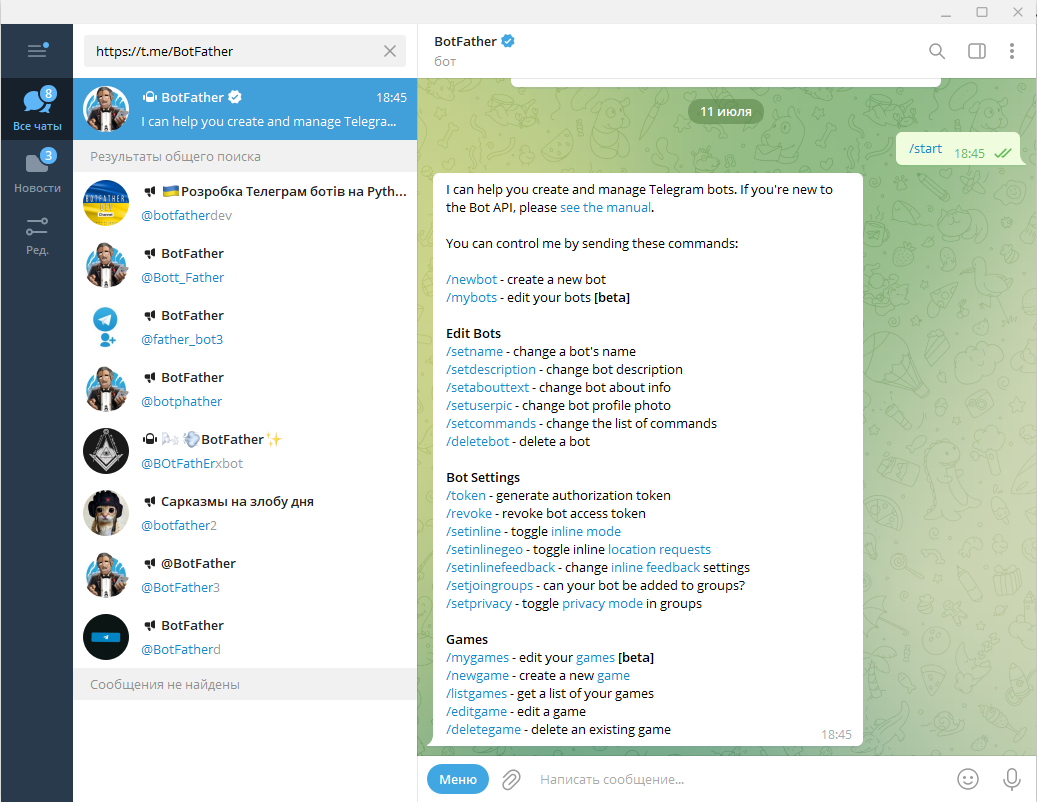
Дальше выбираем команду /newbot и следуем всем указанием, и в конце мы получаем токен нашего бота:
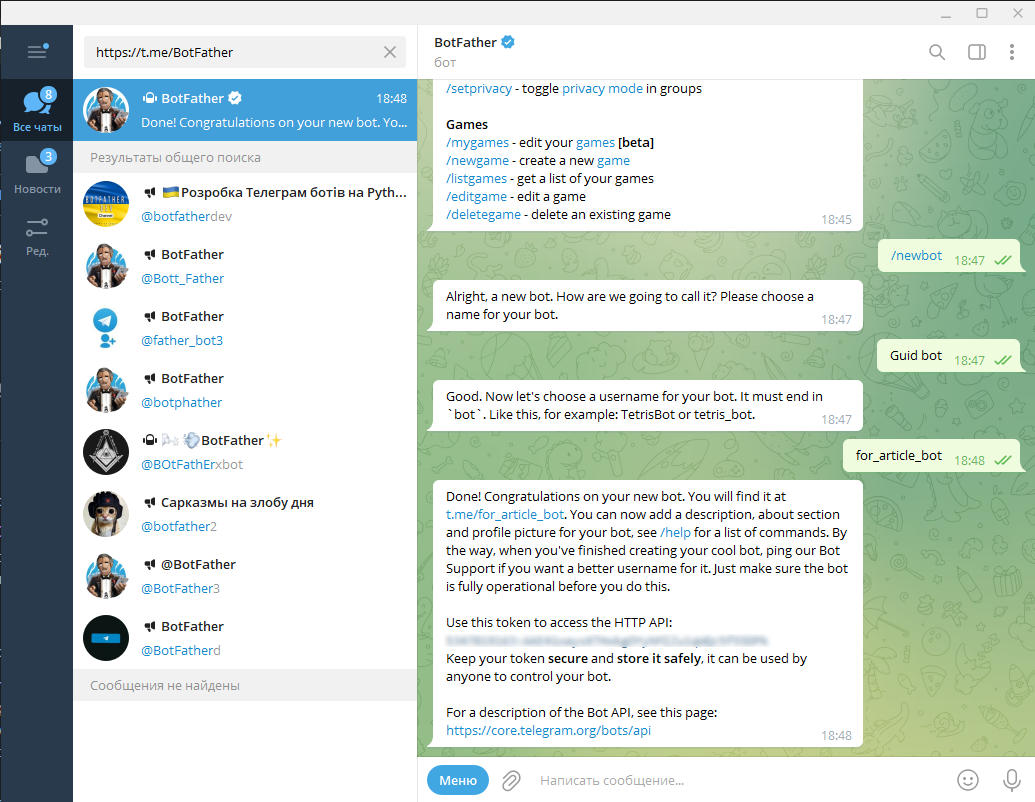
Установка библиотеки telebot и знакомство с pyTelegramBotAPI
После получения токена нужно скачать библиотеку telebot:
pip install pyTelegramBotAPI если вы на macOS, то:
pip3 install pyTelegramBotAPIМы не будем раскладывать проект по модулям, поэтому у нас будет один исполнимый файл main.py. После создания файла надо импортировать библиотеку и наш токен:
import telebot
api_token = 'Ваш токен вставлять сюда'
Первым делом следует инициализировать бота, передав в него токен, полученный от BotFather:
bot = telebot.TeleBot(api_token)Дальше убедимся, что все корректно работает и заставим отправлять полученное сообщение обратно:
@bot.message_handler(content_types=['text'])
def echo(message):
    bot.send_message(message.chat.id, text=f"{message.text}")
Бот работает за cчёт декораторов, которые указывают, что мы хотим от него. Message handler – это обработчик всех сообщений, которые отправляет пользователь. В списке content_types перечисляем типы сообщений, которые хотим принимать. Можно указать text, audio, image и document.
У объекта bot есть множество методов, частью которых мы будем пользоваться. Основной из них — send message.
Чтобы заставить бота принимать сообщение, в конце файла пропишем:
bot.polling(none_stop=True)Параметр none_stop указывает, что мы хотим принимать сообщения постоянно.
В стандартном положении параметр равен False, но мы ставим True.
После всех манипуляций получаем свое же сообщение:
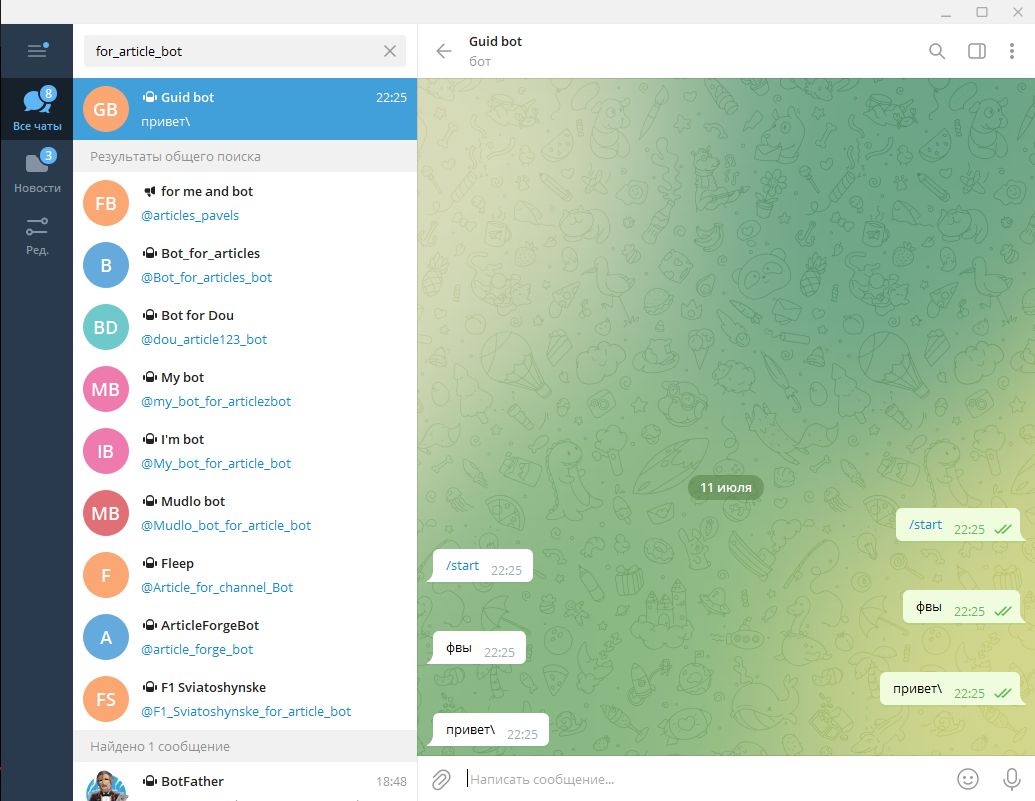
Работа с API Яндекс Погоды
Перейдем к добавлению нужных функций — получению данных о погоде.
Для погоды мы будем пользоваться услугами бесплатного API от Яндекс Погоды:
https://yandex.ru/dev/weather/. Следует отметить, что бесплатный API от Яндекса ограничен 50 запросам в сутки. Если вас такое количество не устраивает, можно воспользоваться OpenWeather.
Запрос будет выглядеть так:
https://api.weather.yandex.ru/v2/informers?lat=55.75222&lon=37.61556Запрос состоит из местоположения — в данном случае указаны координаты Москвы. Далее можно просить у пользователя геолокацию и присылать ему погоду по его координатам.
Для отправки GET-запроса к API Яндекс.Погоды нам поможет библиотека requests, а для обработки ответа — библиотека json.
Устанавливаем requests:
pip install requestsдля macOS:
pip3 install requests Библиотека requests предназначена для работы с GET и POST запросами, которые обычный пользователь делает через браузер. Теперь же мы можем общаться с сервером через python оставляя браузер за скобками. Часто используют requests вместе с BS4 (beautiful soup 4), чтобы удобно получать и анализировать информацию из html кода. Но в наш случае другая задача.
API Яндекс.Погоды отдаёт данные в формате JSON, поэтому библиотека json подойдёт лучше всего. JSON основан на JavaScript объекте и часто используется при обмене данными. Раньше он использовался только на сайтаx для работы с текстовыми данными. Сейчас его используют почти везде для удобного обмена данными. JSON принимают все языки программирования, что является его большим плюсом. В python библиотека json уже установлена и не требует отдельной команды.
Добавляем импорт нужных библиотек:
import requests
import json
До этого мы не затрагивали тему, как именно обрабатывать команды через слеш. Для этого у декоратора есть метод message_handlers, внутрь которого мы передаем название команд:
@bot.message_handler(commands=['get_weather', 'weather', 'pogoda']):
def get_weather(message):
    pass
Для удобства выносим токен Яндекс.Погоды и ссылку в отдельные переменные:
url = "https://api.weather.yandex.ru/v2/informers?lat=55.75222&lon=37.61556"
headers = {"X-Yandex-API-Key": "weather token"}
Отправим себе в Telegram полный ответ от API Яндекс.Погоды и проверим что все работает:
@bot.message_handler(commands=['get_weather', 'weather', 'pogoda'])
def get_weather(message):
    r = requests.get(url=url, headers=headers)
    bot.send_message(message.chat.id, r.text)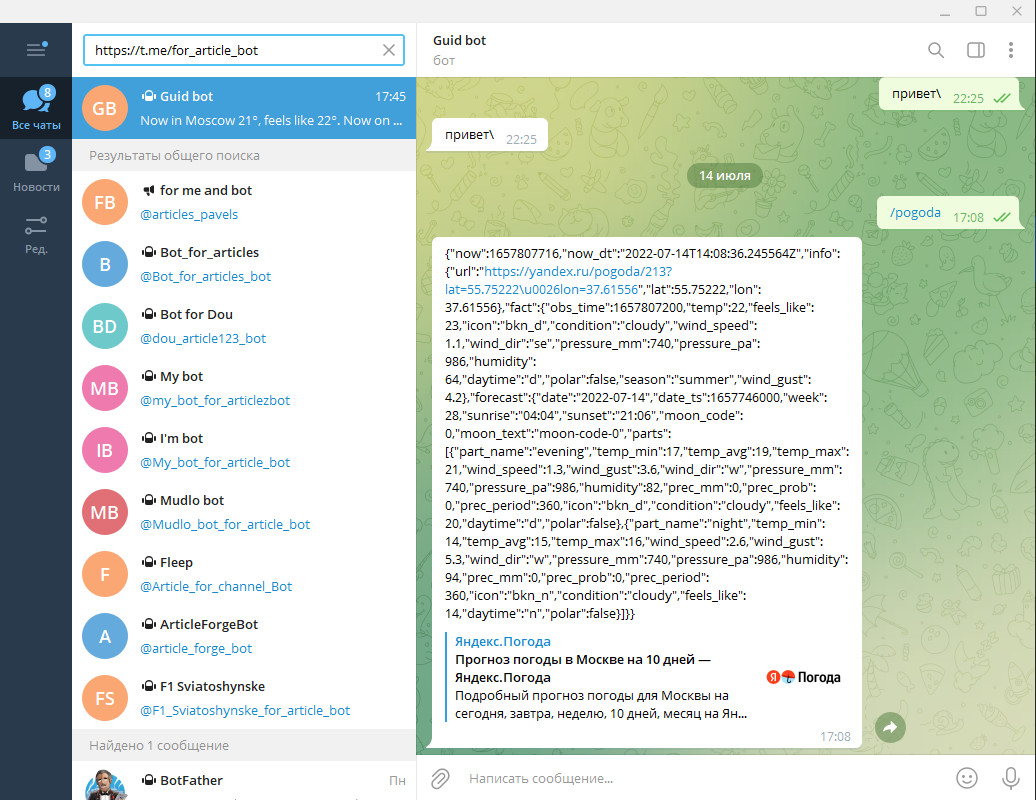
После получения ответа сформируем нормальный ответ для пользователя. Сразу сделаем проверку на status_code, чтобы оповестить пользователя, если проблемы на стороне API. После получения ответа от API в текстовом формате, надо перевести его в словарь. Для этого подключаем библиотеку json — в функцию loads мы передаем текст ответа, а на выходе получаем объект типа dict (словарь):
@bot.message_handler(commands=['get_weather', 'weather', 'pogoda'])
def get_weather(message):
    r = requests.get(url=url, headers=headers)
    bot.send_message(message.chat.id, r.text)
    if r.status_code == 200:
        data = json.loads(r.text)
        fact = data["fact"]
        bot.send_message(message.chat.id, text=f'Now in Moscow {fact["temp"]}°, feels like {fact["feels_like"]}°. Now on the street {fact["condition"]}')
    else:
        bot.send_message(message.chat.id, 'Problems on weather API')
Теперь бот отправляет температуру, как она ощущается и какая сейчас погода:
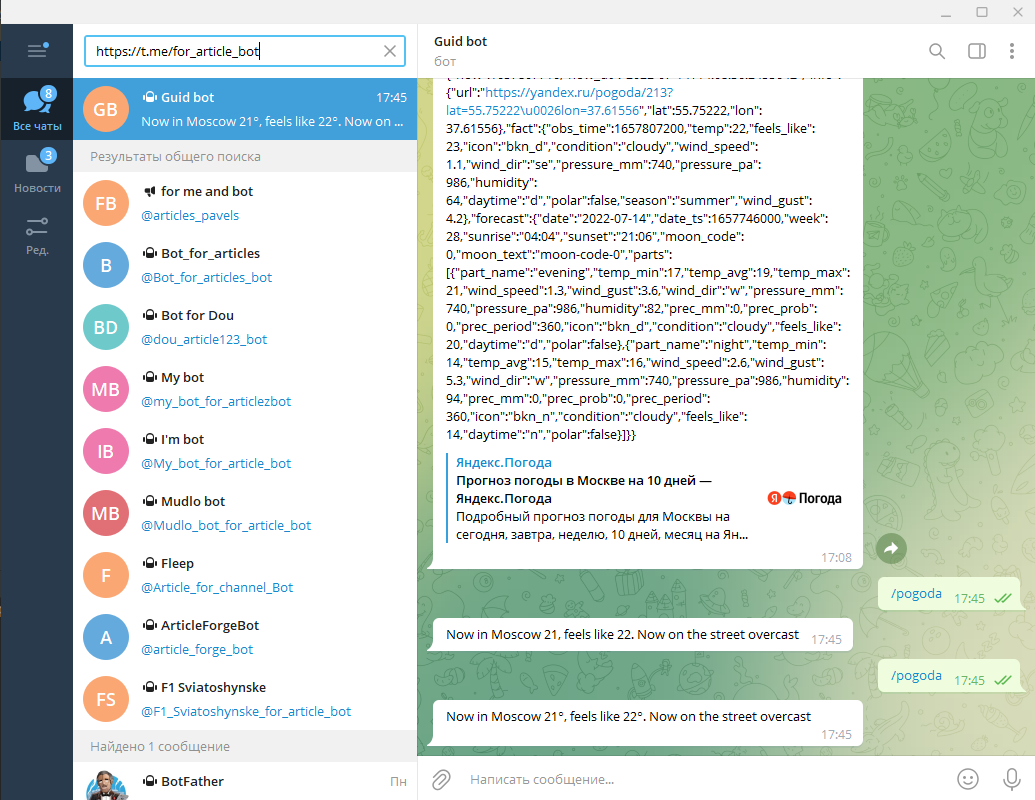
Настройка команд для telegram-бота
Нам осталось сделать реакцию на команду /start. Она будет выводить команду для получения данных о погоде:
@bot.message_handler(commands=['start'])
def get_weather(message):
	bot.send_message(message.chat.id, text=f'Hello,
	{message.from_user.username}!
	nnI can show you the weather with:
	n/weathern/pogodan/get_weather')
Мы обращаемся к информации, которая приходит нам в сообщении пользователя, чтобы получить из нее имя пользователя. Подробнее узнать о сообщениях пользователей можно тут https://core.telegram.org/constructor/message.
Теперь создадим подсказки для пользователей. Библиотека pyTElegramBotAPI не позволяет из кода редактировать подсказки для написания команды. Чтобы это сделать нам потребуется несколько операций в BotFather:
- кликаем на меню
- выбираем команду /mybots
- ищем нашего бота
- edit bot
- и выбираем edit commands
- дальше вводим нашу команду (Пример: команда – описание)
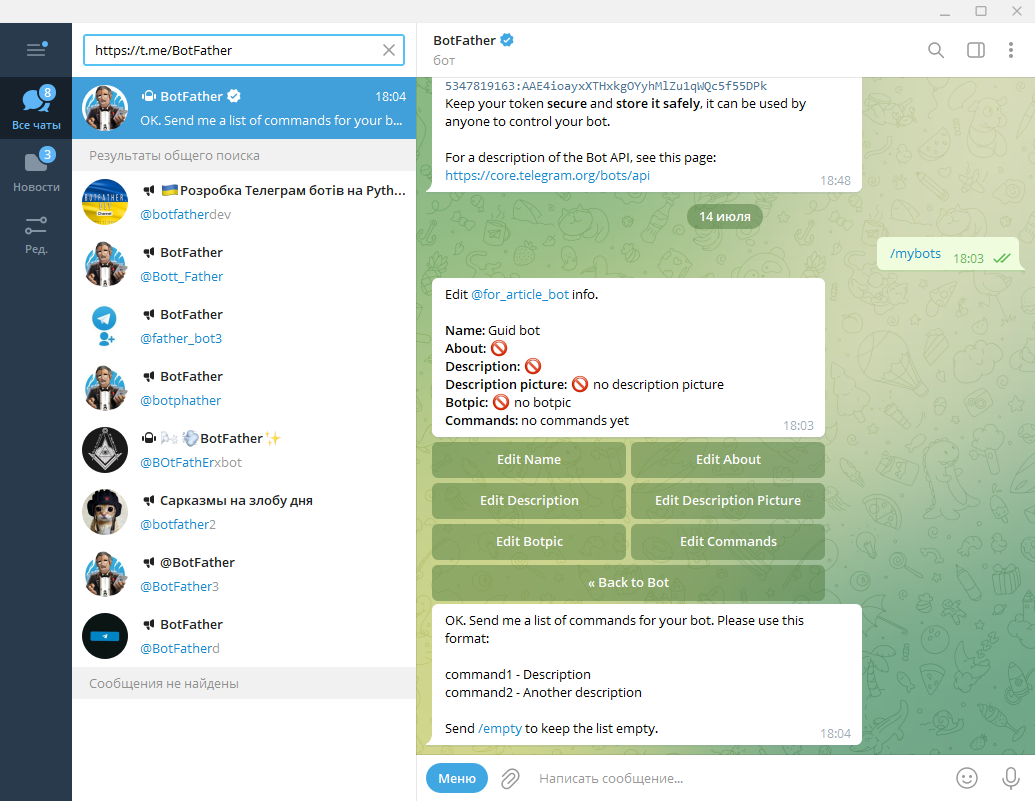
После всех манипуляций у нас появится всплывающая менюшка с командами:
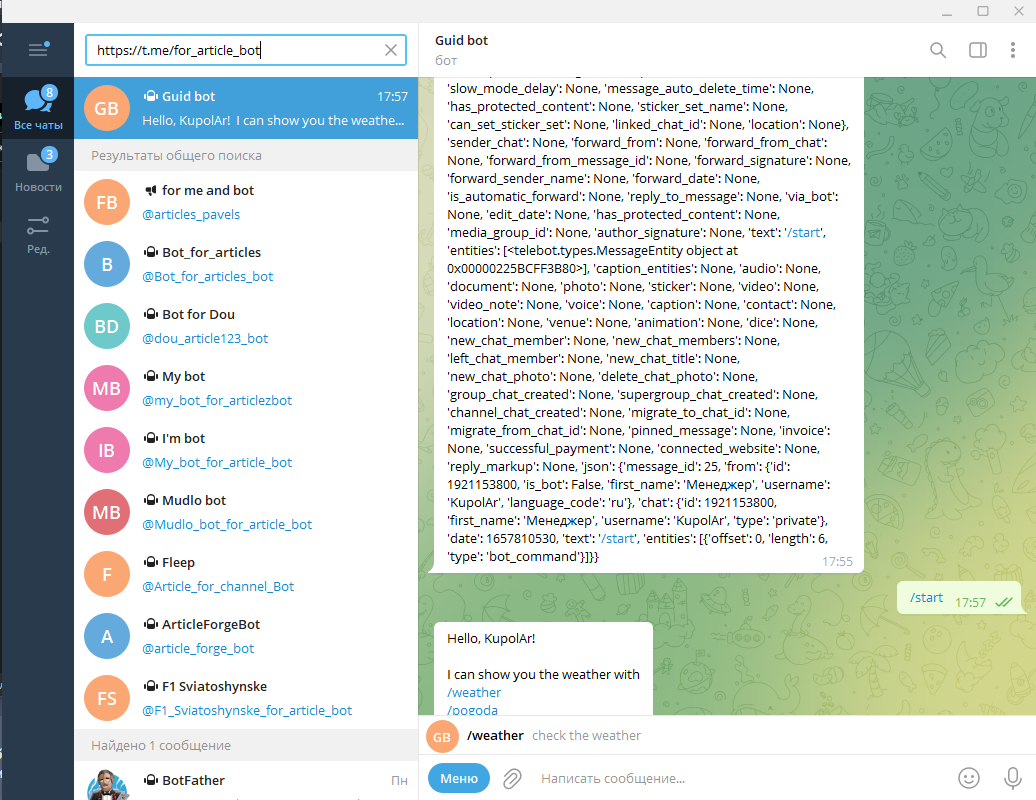
Финальный код Telegram-бота на Python
Мы с вами затронули лишь малу часть того, что можно сделать с помощью python и Telegram. Telebot — не самая лучшая библиотека для создания ботов под большую аудитории. Если вы хотите писать бот для магазинов, вам потребуется более сильные инструменты разработки, которые есть в aiogram.
Если вам хочется потренироваться самостоятельно — попробуйте написать бота со следующими функциями: конвертор валюты, сводка по курсу валюты.
Весь код из урока:
import telebot
import requests
import json

api_token = '5347819163:********lZu1qWQc5f55DPk'

url = "https://api.weather.yandex.ru/v2/informers?lat=55.75222&lon=37.61556"
headers = {"X-Yandex-API-Key": "43e3e725-*******-0750c87d0d54"}

bot = telebot.TeleBot(api_token)

@bot.message_handler(commands=['start'])
def get_weather(message):
    bot.send_message(message.chat.id, text=f'Hello,
    {message.from_user.username}!
    nnI can show you the weather with:
    n/weathern/pogodan/get_weather')

@bot.message_handler(commands=['get_weather', 'weather', 'pogoda'])
def get_weather(message):
    r = requests.get(url=url, headers=headers)
    bot.send_message(message.chat.id, r.text)
    if r.status_code == 200:
        data = json.loads(r.text)
        fact = data["fact"]
        bot.send_message(message.chat.id, text=f'Now in Moscow {fact["temp"]}°, feels like {fact["feels_like"]}°. Now on the street {fact["condition"]}')
    else:
        bot.send_message(message.chat.id, 'Problems on weather API')

bot.polling(none_stop=True)
Полезные ссылки:
Yandex Weather: https://yandex.ru/dev/weather/
Документация Yandex API: https://yandex.ru/dev/weather/doc/dg/concepts/forecast-info.html
pyTealegramBotAPI на Guthub: https://github.com/eternnoir/pyTelegramBotAPI