
 Ник в Battle Net — это сочетание букв и символов, под которыми вас будут знать другие пользователи сервиса. В том числе, ник из Battle Net используется в некоторых играх, которые доступны в сервисе, из-за чего у многих пользователей возникает желание его поменять. Одно дело, когда ник видите только вы и несколько ваших друзей, и совсем другое дело, когда он отображается в качестве имени вашего персонажа в самой игре.
В этой статье мы рассмотрим способы поменять ник в Battle Net — бесплатно или платно.
Важно:
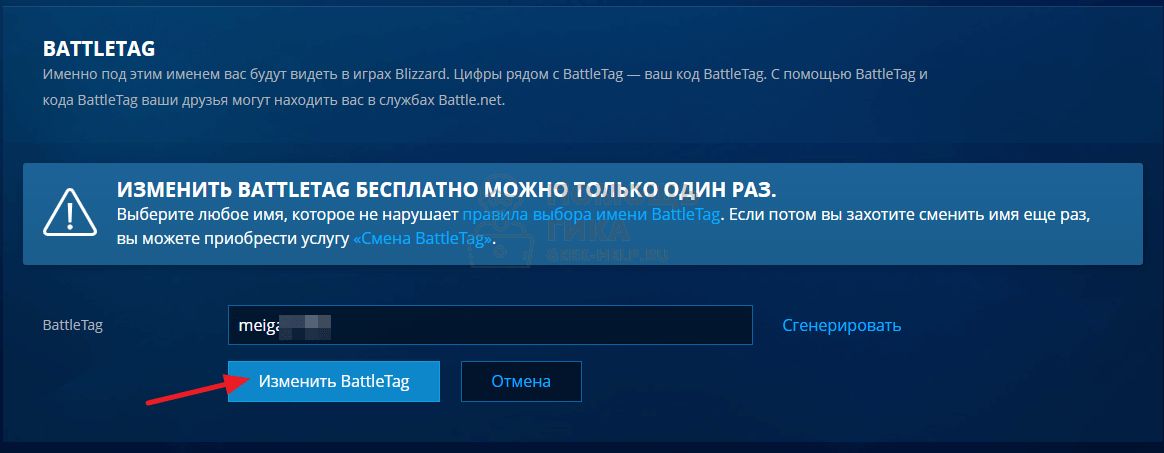
Поменять ник в Battle Net бесплатно можно только 1 раз. Если у вашего аккаунта еще есть такая возможность, рекомендуем ее использовать только в действительно важных случаях. Далее смена ника каждый раз будет стоить 699 рублей.
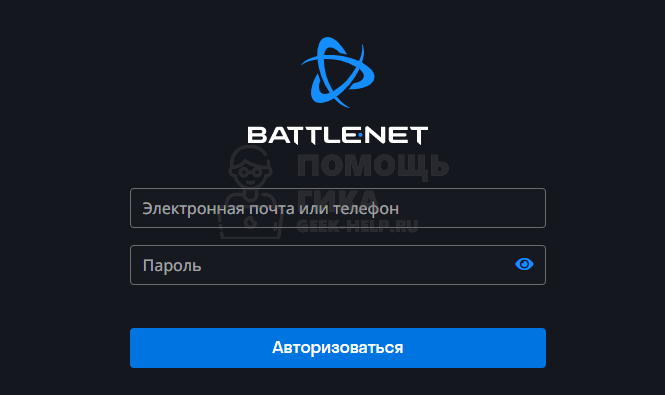
Чтобы поменять ник в Battle Net, нужно перейти на страницу настройки профиля сервиса. Для этого перейдите по ссылке https://account.battle.net и авторизуйтесь под своим логином (электронная почта или телефон) и паролем.
Обратите внимание:
Через само приложение Battle Net сменить ник нельзя. Если вы авторизованы в приложении, можете нажать в правом верхнем углу на свой ник и выбрать пункт “Просмотр профиля”, откроется в браузере страница профиля.
В левом меню переключитесь в раздел “Информация о записи” и пролистайте немного вниз открывшуюся страницу до пункта “BATTLETAG”.
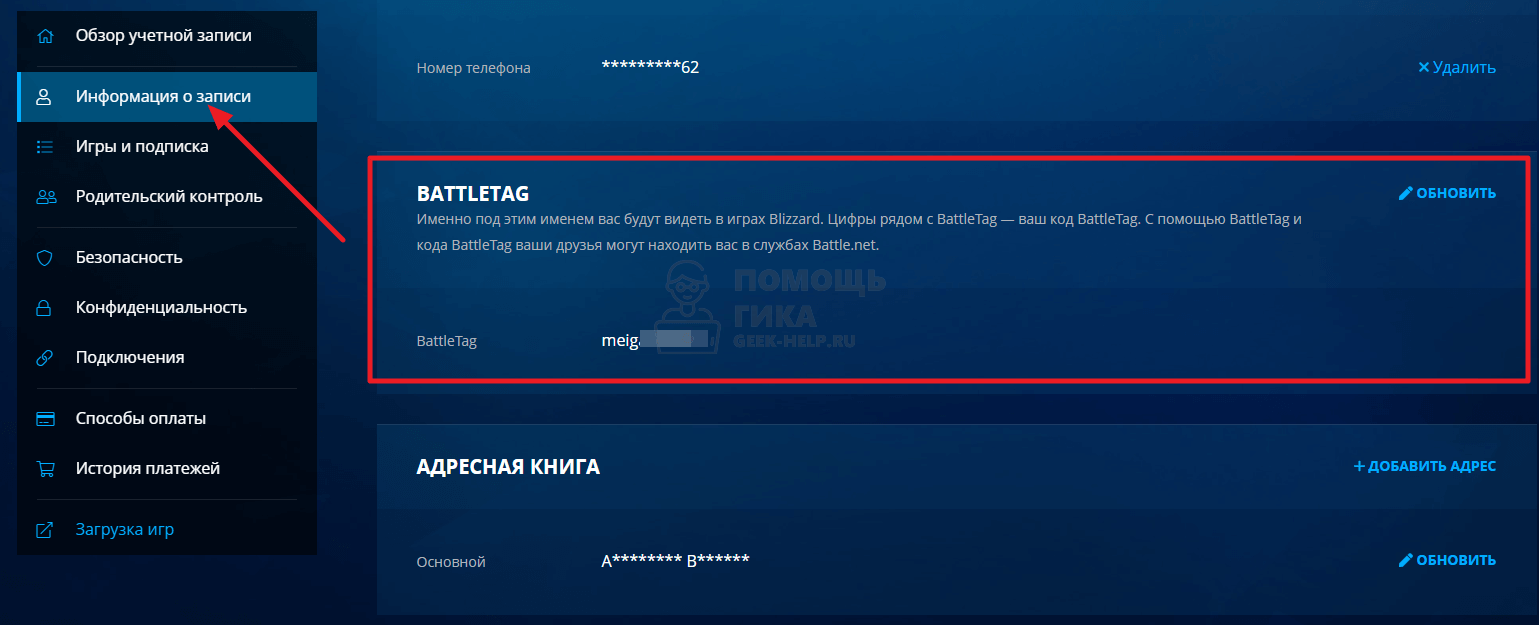
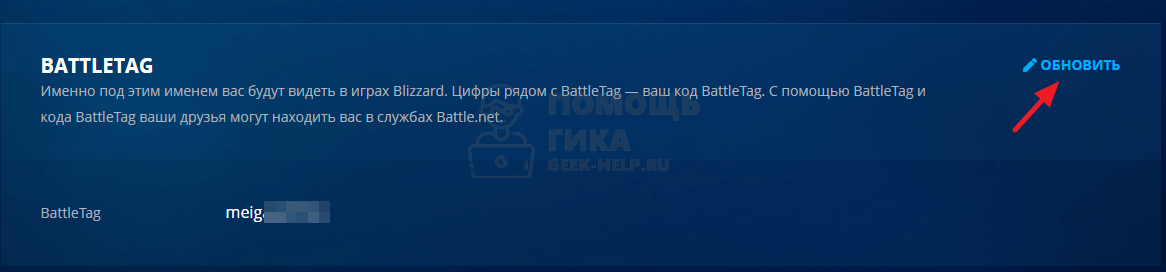
В BATTLETAG нажмите справа “Обновить”.
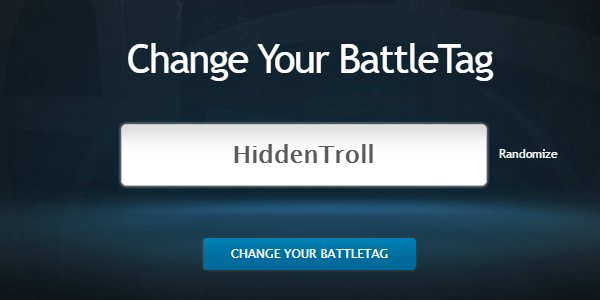
Введите желаемый ник и нажмите “Изменить BattleTag”.
После этого ник в Battle Net будет изменен.
Как поменять ник в Battle Net во второй и последующие разы
Если вы единожды уже сменили ник в Battle Net, то больше бесплатно его сменить не получится. Все последующие смены ника предполагают плату по 699 рублей.
Обратите внимание:
Иногда Blizzard проводит акции, когда можно бесплатно сменить ник.
Чтобы сменить ник в Battle Net во второй, третий и последующие разы, нужно купить в BattleNet товар под названием “Смена BattleTag”. Его можно найти на этой странице.
Стоимость товара в российском регионе — 699 рублей.
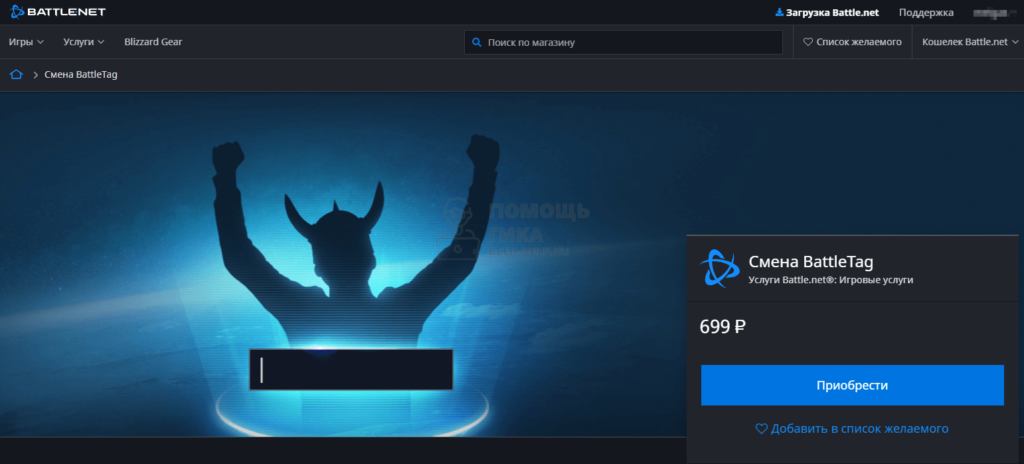
Когда вы купите данный товар, у вас появится возможность сменить 1 раз ник в Battle Net на любой другой.
Отметим, что Battle Net позволяет поменять ник на абсолютно любой. Если такой ник уже занят другим пользователем, вам будет предложено использовать его с цифровым номером после самого ника. Сам цифровой номер выбрать нельзя.
I want to change my Name/Last name on my Blizzard account as, because of some childishness of mine, I didn’t put my real name, but a nickname instead (and I used the same nickname on my last name).
I looked around and found some information, but not the proper way on how do I do this. Can somebody help me on this one?
asked Jan 21, 2013 at 13:02

1
Generally the method would be to contact Blizzard’s Customer Support Service by telephone. The number should be listed on their website. You will likely also be asked to provide by fax or email at least one form of photo identification. This is the same method used to turn off Parental Controls on your account, or to prove your YOU in the event that Blizzard feels your account has been hacked or otherwise stolen.
Remember, Blizzard employees will NEVER ask you for your password. (something to keep in mind during times such as these)
answered Jan 21, 2013 at 13:06

EnderEnder
21.2k44 gold badges136 silver badges255 bronze badges
2
As a complement for @Ender’s answer. Here is a Ticket that I submit to blizzard.
The reply
Greetings!
The first and last name on the account can only be changed by us, in
this case I’d highly recommend you contact us for more information
directly over the phone.Hopefully the information will help out, but if you need more
assistance, I’d like to reiterate that you can always resubmit a
ticket or give us a call directly.We’re here daily between 7am and 8pm Pacific Time, at
1-800-59-BLIZZARD (800-592-5499). Customers in Australia should call
1-800-041-378.

answered Jan 21, 2013 at 13:29
MichelMichel
9,85032 gold badges87 silver badges138 bronze badges
I also registered with a fake name on Battle.net and after something like 20 support emails, these lovely guys from Blizzard told me that there were NO WAY for me to change my account’s personnal data EXCEPT if I provide a copy of my identity card.
So I would say that you’ll have to provide a genuine id before the accept to change anything.
answered Jan 21, 2013 at 13:15

AntoAnto
12.2k39 gold badges103 silver badges167 bronze badges
You must log in to answer this question.
Not the answer you’re looking for? Browse other questions tagged
.
Not the answer you’re looking for? Browse other questions tagged
.
I want to change my Name/Last name on my Blizzard account as, because of some childishness of mine, I didn’t put my real name, but a nickname instead (and I used the same nickname on my last name).
I looked around and found some information, but not the proper way on how do I do this. Can somebody help me on this one?
asked Jan 21, 2013 at 13:02
1
Generally the method would be to contact Blizzard’s Customer Support Service by telephone. The number should be listed on their website. You will likely also be asked to provide by fax or email at least one form of photo identification. This is the same method used to turn off Parental Controls on your account, or to prove your YOU in the event that Blizzard feels your account has been hacked or otherwise stolen.
Remember, Blizzard employees will NEVER ask you for your password. (something to keep in mind during times such as these)
answered Jan 21, 2013 at 13:06
EnderEnder
21.2k44 gold badges136 silver badges255 bronze badges
2
As a complement for @Ender’s answer. Here is a Ticket that I submit to blizzard.
The reply
Greetings!
The first and last name on the account can only be changed by us, in
this case I’d highly recommend you contact us for more information
directly over the phone.Hopefully the information will help out, but if you need more
assistance, I’d like to reiterate that you can always resubmit a
ticket or give us a call directly.We’re here daily between 7am and 8pm Pacific Time, at
1-800-59-BLIZZARD (800-592-5499). Customers in Australia should call
1-800-041-378.
answered Jan 21, 2013 at 13:29
MichelMichel
9,85032 gold badges87 silver badges138 bronze badges
I also registered with a fake name on Battle.net and after something like 20 support emails, these lovely guys from Blizzard told me that there were NO WAY for me to change my account’s personnal data EXCEPT if I provide a copy of my identity card.
So I would say that you’ll have to provide a genuine id before the accept to change anything.
answered Jan 21, 2013 at 13:15
AntoAnto
12.2k39 gold badges103 silver badges167 bronze badges
You must log in to answer this question.
Not the answer you’re looking for? Browse other questions tagged
.
Not the answer you’re looking for? Browse other questions tagged
.


- You can change your Battle.net name, known as a BattleTag, once for free or again at-cost on the Blizzard Entertainment platform.
- BattleTags don’t need to be unique, and you can change it once for free, with a fee for additional changes.
- To change your BattleTag, go to your Blizzard account settings in a web browser and find the BattleTag settings in your account details.
Blizzard’s Battle.net gaming service is a popular platform for purchasing and playing Blizzard’s extensive library of games. Because it includes multiplayer gaming and social features like chats, you can choose a gamer tag – which Blizzard calls a BattleTag – so you can be found and identified online.
Your BattleTag is unique, so you don’t have to worry about other gamers having the same name. Blizzard allows you to change this tag once for free. After that, you’re charged a change fee, which is currently $10 per BattleTag change.
Blizzard’s BattleTag naming rules
Blizzard gives you a lot of freedom when creating your name, but you’ll need to follow these conventions when changing your BattleTag:
- It must be between 3-12 characters long.
- It can’t start with a number, but numbers are allowed.
- You can’t use any spaces or special symbols.
- It also needs to follow Blizzard’s online code of conduct, which prohibits rude or offensive language.
Here’s how to change your BattleTag for free or at cost.
How to change your Battle.net name on a computer
1. Open the Blizzard website in a web browser.
2. At the top right of the page, click «My Account» and log in with your Battle.net credentials if necessary.
Dave Johnson/Business Insider
3. Click your BattleTag at the top right of the page.
4. In the dropdown menu, select «Account Settings.»
Dave Johnson/Business Insider
5. In the navigation pane on the left, choose «Account Details.»
6. In the BattleTag section of the main page, click «Update.»
Dave Johnson/Business Insider
7. Enter your new BattleTag and click «Change Your BattleTag.»
8. If this is your first time changing your BattleTag, the change will appear immediately.
9. If you’ve already changed your name at least once in the past, you will now need to buy a new BattleTag to proceed.
Dave Johnson/Business Insider
Related coverage from Tech Reference:
-
How to change your Epic Games display name, so that people you play with can see you with a new title
-
How to change your Twitch username in 6 simple steps, and rebrand your streaming channel
-
How to change your nickname on Discord for a particular server, or change your username for all servers
-
How to change your Steam username in 4 simple steps, and delete all traces of what your username used to be
-
How to change the username on your PS4’s PlayStation Network service in 2 ways
Dave Johnson
Freelance Writer
Dave Johnson is a technology journalist who writes about consumer tech and how the industry is transforming the speculative world of science fiction into modern-day real life. Dave grew up in New Jersey before entering the Air Force to operate satellites, teach space operations, and do space launch planning. He then spent eight years as a content lead on the Windows team at Microsoft. As a photographer, Dave has photographed wolves in their natural environment; he’s also a scuba instructor and co-host of several podcasts. Dave is the author of more than two dozen books and has contributed to many sites and publications including CNET, Forbes, PC World, How To Geek, and Insider.
Read more
Read less
На чтение 3 мин. Просмотров 43 Опубликовано 15.12.2019
«Battletag» – проще говоря, это ваше имя в Battle.net. Не «настоящее имя», которое является лишним способом самоопределения, позволяющим использовать дополнительные возможности между сетевыми друзьями, знающими реальные имена друг друга, а просто удобный алиас – «ник», как мы привыкли называть это в IRC. Battletag не должен быть уникальным (Blizzard добавляет номер в конце, чтобы различать их), и вы можете сделать его каким угодно, без ограничений, установленных политикой именования Blizzard.

Чего вы не можете сделать (точнее, не могли сделать до сих пор) – так это сменить свой Battletag более одного раза. Blizzard предоставляли одну возможность изменить Battletag и на этом все. И если однажды вы не обрадуетесь своему решению назваться XxMrSwagNutz420xX – что ж, очень жаль. Но теперь эта ситуация изменилась, и сейчас вы можете менять свой Battletag так часто, как только вы этого хотите – пока вы готовы за это платить.
Изменение Battletag теперь доступно в Услугах Battle.net за $10 (450 рублей). Вы можете покупать его сколько угодно, так что, наконец, вы можете пойти навстречу вашему мнению, что выбранное имя определяет поведение в виртуальном мире, и это не затронет ваш список друзей или другие элементы вашего онлайн-окружения. И, как и раньше, одно изменение доступно бесплатно. Blizzard не сообщают, почему они пошли на этот шаг – и насколько мне известно, они вообще не сообщали об этом изменении, оно просто было обнаружено некими внимательными пользователями Reddit – но учитывая, как долго люди просили эту возможность, хорошо, что она наконец появилась.
И раз уж вы дочитали до конца, если вы хотите почерпнуть идей для вашего следующего имени Battletag, я настоятельно рекомендую подписаться на отличный твиттер @battlenet_txt, где вы можете найти несколько потрясающих вариантов, отобранных через фильтр Blizzard.

Ранее в этом году Blizzard позволяла геймерам сменить их ник в Battle.net, так называемый Battle Tag. Теперь вы можете менять его сколько угодно.
Battle Tag — это то, что видите вы и другие геймеры во всех играх Blizzard, включая Overwatch. Возможно, вы использовали смену ника и поставили себе что-то вроде Harambe, постоянно играя с Уинстона, но теперь вам это надоело и вам хочется вернуть нормальный ник.
Вперед в настройки аккаунта, вы можете менять его сколько угодно.
Но за деньги — 699 руб. за каждый раз.
Бывает так, что человек, не мудрствуя лукаво, регистрирует игровую учётную запись под каким-то непонятным, а порой — и вовсе похабным никнеймом. Взять ту же Blizzard. Все её игры привязаны к клиенту Battle.net. Какой никнейм в Battle.net — такой же и во всех играх студии. И если несколько лет назад, когда у Blizzard из достойных игр были только WoW и StarCraft II, «кривой» ник не доставлял особых неудобств, то с появлением Hearthstone и Overwatch ситуация изменилась — светить непотребщиной стало неудобно.
реклама
Отныне Blizzard даёт возможность менять свой BattleTag хоть по сто раз на дню. Главное, чтобы деньги у вас были, и немаленькие. Да, всё верно: хочешь менять ник — плати 700 рублей. Деньги в кассу — смена ников в массы! И ничего, что за такие деньги целые игры на тысячи часов геймплея покупаются.