
Hi Guys, Today I am Going to tell you How to Fix “File importer detected an inconsistency in the file structure.Reading and writing this files metadata (XMP) has been disabled.” Error in Adobe Premiere Pro?
Check Out This: How to Fix “Some of these settings are hidden or managed by your organization” in Windows 10 & 11?
Are you Looking for “How to Fix “File importer detected an inconsistency in the file structure” Error in Adobe Premiere Pro? (or) “How to Fix “Reading and writing this files metadata (XMP) has been disabled” Error in Adobe Premiere Pro?
You are at the Right Place to Get Your Answers & Solve the Issue/Error.
We all use Adobe Premiere Pro and Adobe Media Encoders for our Video Editing & exporting purposes. Adobe Premiere Pro is the industry-leading video editor and One of the most reliable video editing software. It is also one of the Best Video Editing Programs among Video Editing Professionals. Adobe Media Encoder is a media processing program that allows users to convert any file into other types of files. It is also a Great Software for video editors because it allows you to continue using Premiere Pro and After Effects while the project is being encoded.Whenever We Work on Video Projects, We Can See the common error “File importer detected an inconsistency in the file structure”.This Error Happens on some occasions like Low Disk Storage Spaces.
Normally, If you’re Doing More Video Projects without Clearing the Media Cache, then Media Cache Files Can Occupy the Storage Spaces Largely If You Didn’t Delete them after completing your Video Projects. For Freeing up Storage Space We Should Consider Deleting the Media Cache Files that are stored when we import video and audio files into a project in Premiere Pro. These Media Cache Files are generally the temporary versions of the files. Media Cache files like Adobe Premiere Peak Waveform files (.pek) and Adobe Conformed Audio File (.cfa) files were created in the media cache folder. So Deleting these Files Will Give you Some Good Storage Space. In the Future, Always Keep in Mind that If you completed the projects, then right away delete these files to save storage space which keeps your computer’s hard drive Good.
Let’s See About it.
Steps For How to Fix “File importer detected an inconsistency in the file structure.Reading and writing this files metadata (XMP) has been disabled.” Error in Adobe Premiere Pro?
Solution 1: Make Sure that You Have Enough Storage Space
Step 1: Goto Your System Local Disk and Check Your Disk Space Whether it has Proper Free Space or Not.
*Note – This Error Often Occurs Due to Low Disk Space.
Step 2: Now Try to Free Some Spaces By Deleting the Unnecessary Folders & Files Like Temp Folders, and Windows Previous Installation (Windows.old) Folders.
Step 3: Now Export the File Again With the Proper Amount of Disk Space.
Solution 2: Uninstall and Reinstall the Adobe Premiere Pro
Step 1: Goto Control Panel & Find Adobe Premiere Pro and Uninstall it Completely.
Step 2: Restart Your PC and Reinstall Adobe Premiere Pro and Check Whether the Errors are appearing or not.
Leave the Comments Below.
That’s It. You’re Done. Have a Nice Day.
@@@ Leave Comments @@@
##Stay Safe Guys And Live Happily ##

Basically an Instrumentation Engineer But Very much Interested in Blogging. I’m a Passionate Blogger and an Intermediate in the Search Engine Optimization And Always Looking Forward to Learn New Things. I always try to Fix the Common Issues Which were Faced By the Users in the World.
Are you getting the “File Importer Detected an Inconsistency in the File Structure” error in Premiere Pro?
In this article, you’ll learn how to fix it.
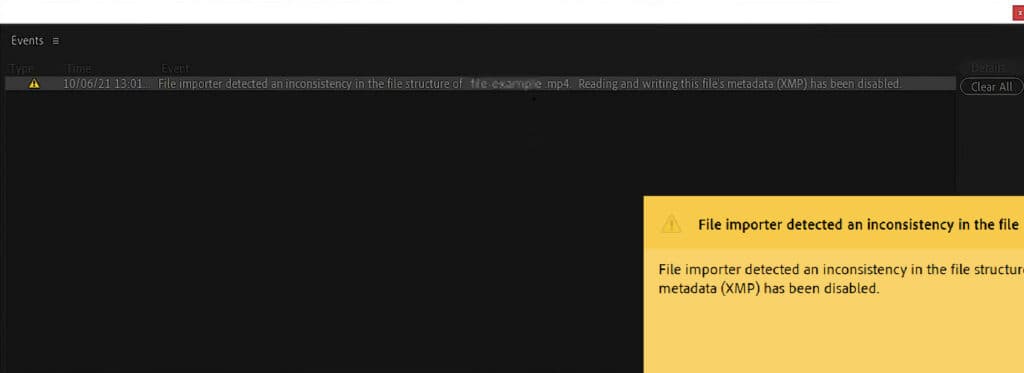
The error has appeared frequently in version 23.1 of Premiere Pro due to a bug; luckily, there are some easy solutions/workarounds.
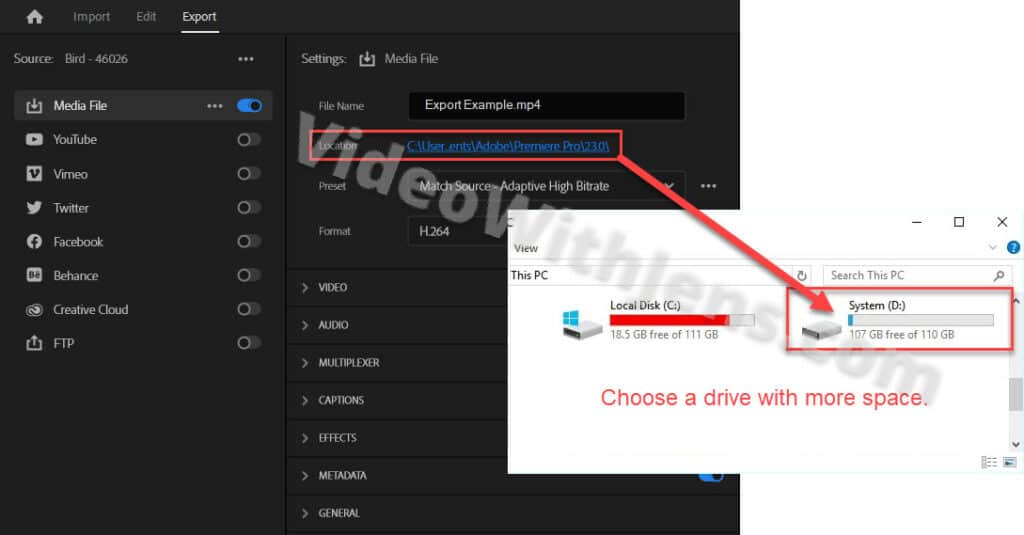
1. Free Up Disc Space
It’s been reported that exporting to a drive out of space has triggered the error.
Either free up some space (empty recycle bin, downloads folder, etc.) or export to another drive with sufficient space.
It seems like the bug is not affecting the Adobe Media Encoder. Thus, using the Adobe Media Encoder is a very easy fix to avoid the bug.
If you are unfamiliar with the software, it’s included in your Premiere Pro subscription, and you can download it from the Adobe Creative Cloud desktop application under All apps.
- You can download Adobe Creative Cloud here.
Here’s how to use the Media Encoder:
In the Export tab of Premiere Pro, click on Send to Media Encoder instead of clicking on the blue Export button.
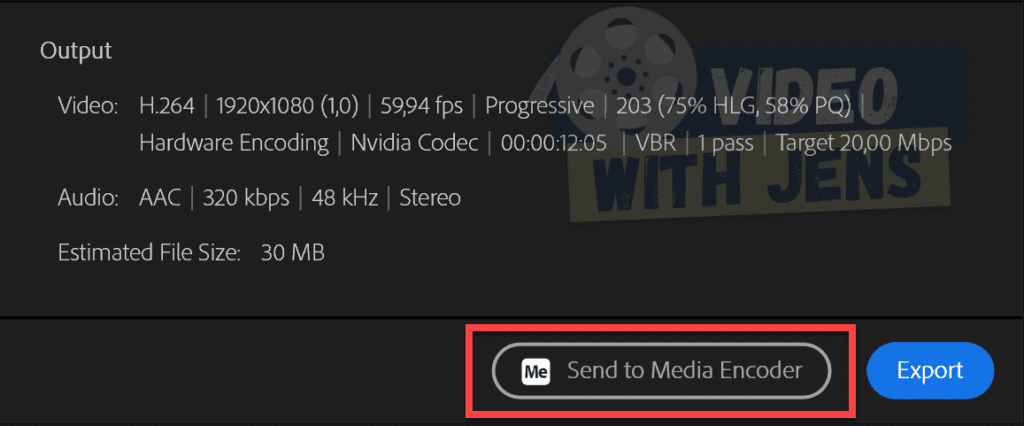
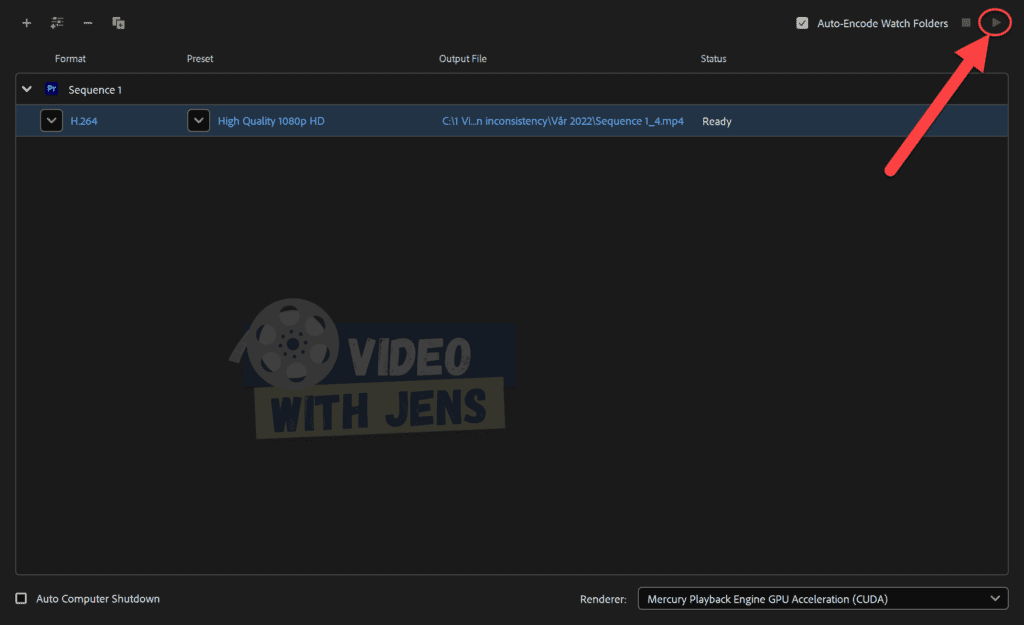
Then, the Media Encoder will automatically launch, and you should be able to see your sequence in the Queue window.
Next, click on the play button:
3. Rename Destination Folder
Here’s an explanation from an employee at Adobe as to why the bug happens:
The issue impacts H.264 and HEVC/H.265 exports to folders with names that use double-byte characters, such as Chinese, Japanese, Korean, or extended ASCII characters, like accents and umlauts. Affected users will see this message: File importer detected an inconsistency in the file structure of %filename.mp4%. Reading and writing this file’s metadata (XMP) has been disabled.
Francis-Crossman (Source)
The developers of Premiere Pro are aware of this issue, so it‘s likely fixed in version 23.2.
Anyways!
A workaround for this bug is simply renaming the destination folder using only letters from the English alphabet.

4. Use Software Encoding
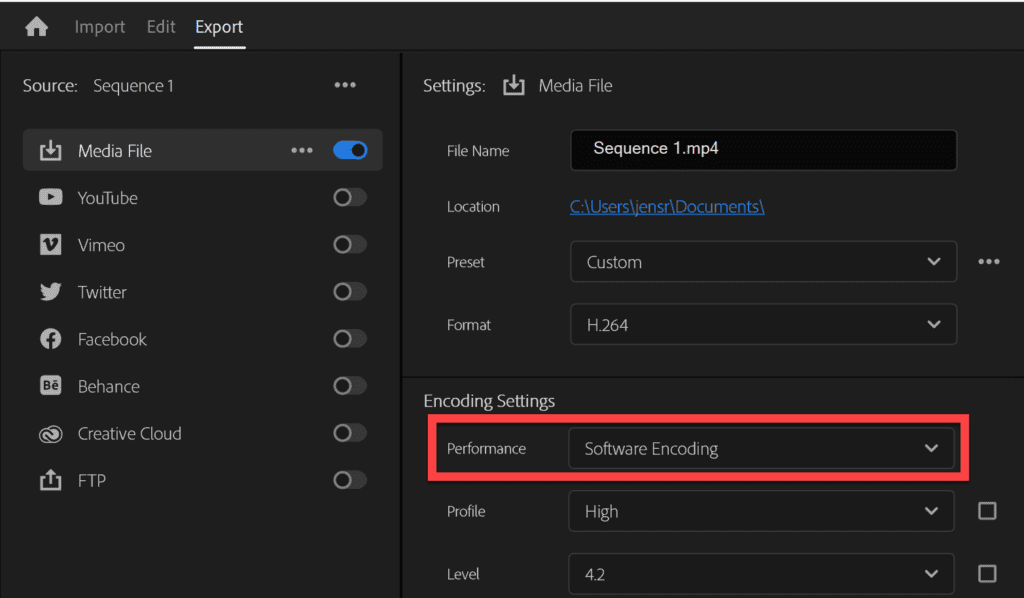
If you don’t want to rename the destination folder, it seems the issue only affects GPU-accelerated encoding.
Therefore, setting the Performance against Software Encoding may be a better option for you. This option is available in the Export tab > Video > Encoding Settings.
Be aware that using Software Encoding may increase encoding times.
5. Export to Another Format
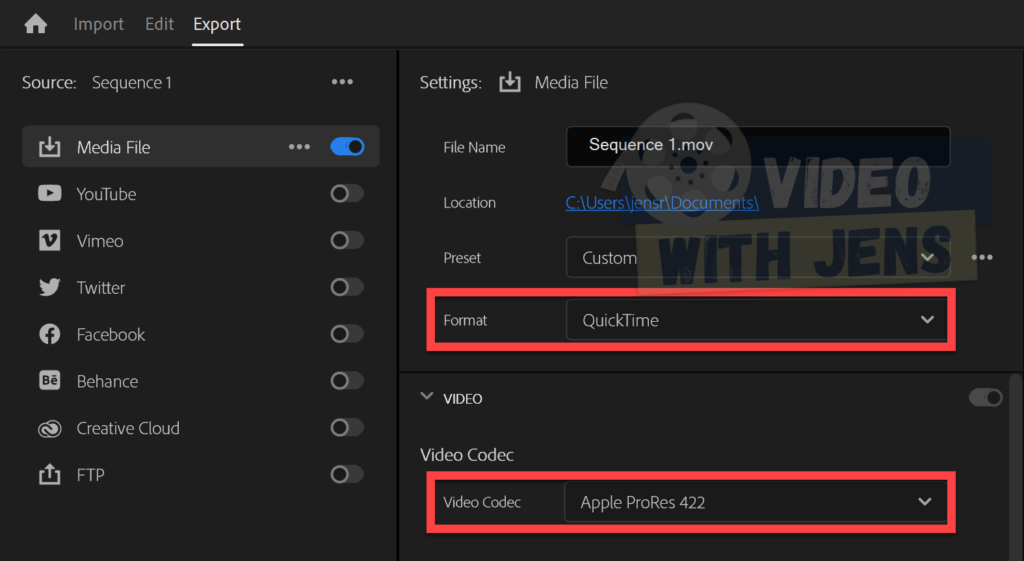
Exporting to another format than H.264 or H.265 should solve the error if it’s caused by the bug mentioned above.
An alternative format is QuickTime, and then under Video, setting the Video Codec against Apple ProRes.
6. Roll back to Version 23.0 of Premiere Pro
Another solution is rolling back to the previous version of Premiere Pro, where the bug was non-existent.
To do this, open the Adobe Creative Cloud desktop application > All apps, and click on the three dots next to Premiere Pro. In the drop-down menu, select Other versions, then Install Premiere Pro version 23.0 or earlier.

7. Install Premiere Pro Beta Version
If you don’t like to travel back in time, a solution pointed out in the Adobe community forum was installing the beta version of Premiere Pro.
Since the developers of Premiere Pro are aware of the error, it’s likely to be fixed in the next update, which you can access by installing the beta version.
To install the beta version, open the Adobe Creative Cloud desktop application > Beta apps, and click on Install next to Premiere Pro (Beta):

Check out this article, where I’ve gathered the most common errors inside Premiere Pro in one place!
- TIPS: Bookmark it, as you can fix future errors immediately!
Исправляем ошибки
8. Не импортируется HEVC видео с экшен камеры GoPro Hero 7, 8 и 9. Появляются следующие сообщения об ошибках: File Import Failure. Error Message: Unsupported format or damaged file.
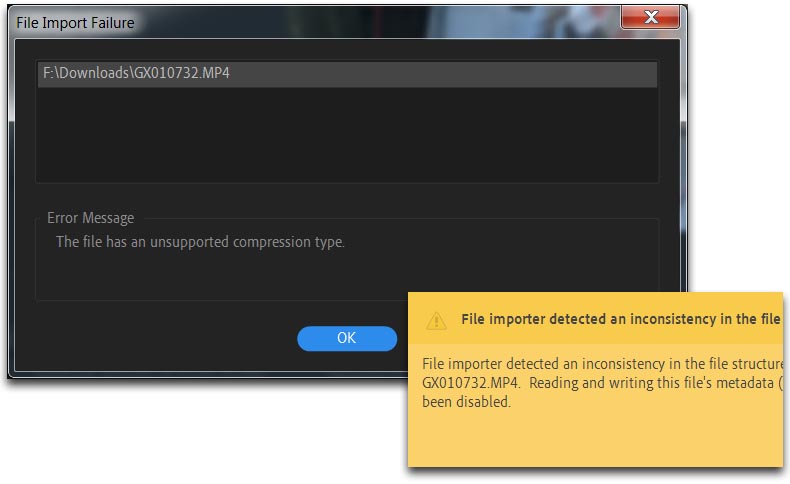
Или: File Import Failure. Error Message: This file has on unsupported compression type.
File importer detected inconsistency in the file structure of xxx.MP4. Reading and writing this file’s metadata (XMP) has been disabled.
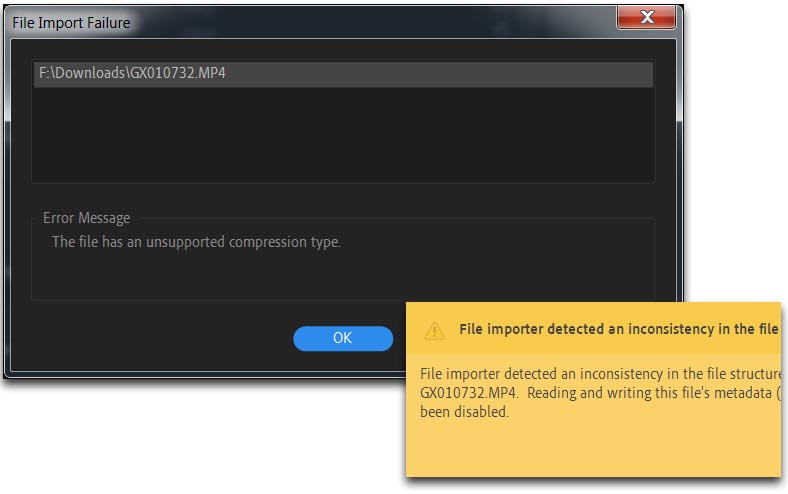
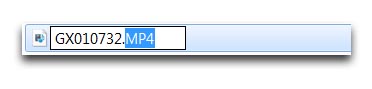
Если не открывается, то пробуем найти клип через панель Media Browser, нажать правую кнопку мыши на нём и выбрать из списка пункт: Import.
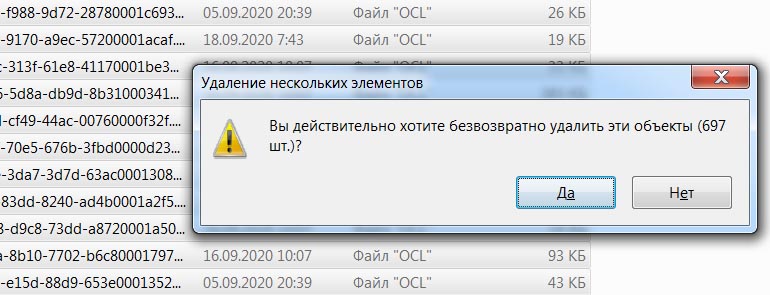
Чистим медиа кэш, меняем директорию файла и его имя.
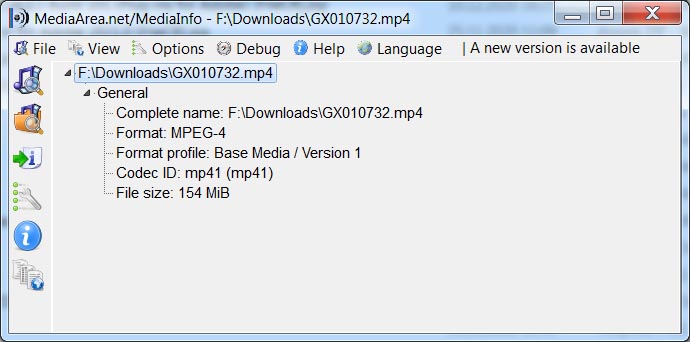
Такие файлы могут не открывать даже MPC-HC и другие плеера (на Mac OS работает переконвертация через QuickTime), а Media Info показывать только такую информацию:
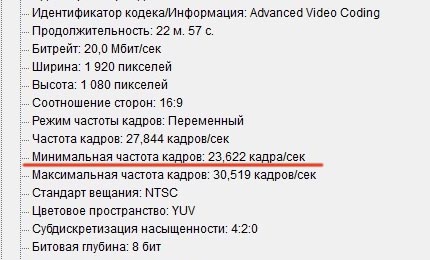
9. Рассинхрон видео и звука. Смартфон Xiaomi Redmi 5 Plus пишет видео с переменной частотой кадров (VFR). Но, есть отличия, если писать видео на фронтальную камеру, то при установке 1080p30, минимальная частота кадров может опускаться до 23 кадров в секунду. И даже на версии программы Adobe Premiere Pro CC 2020, получаем на таймлайне рассинхрон видео и звука. С основной камеры, частота кадров также переменная но не опускается ниже 1-2 кадров, поэтому нет такой проблемы.
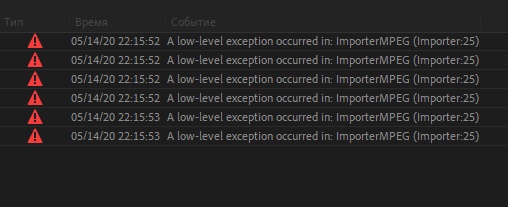
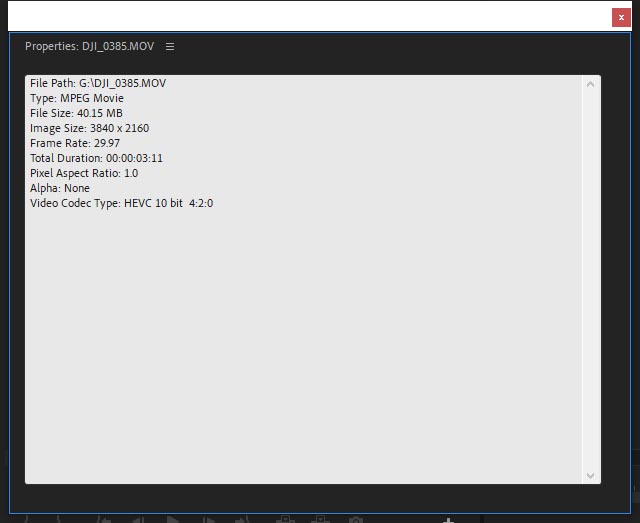
10. Не импортируется HEVC видео. На примере видео с дрона DJI Mavic 2 PRO. При импорте получаем следующую ошибку: A low-level exception occurred in: ImporterMPEG (Importer:37).
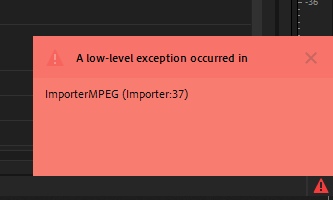
Это ошибка появляется в сборке Adobe Premiere Pro 2020 (v14.3) Repack by Diakov и некоторых сборках от Кролика (KpoJIuK).
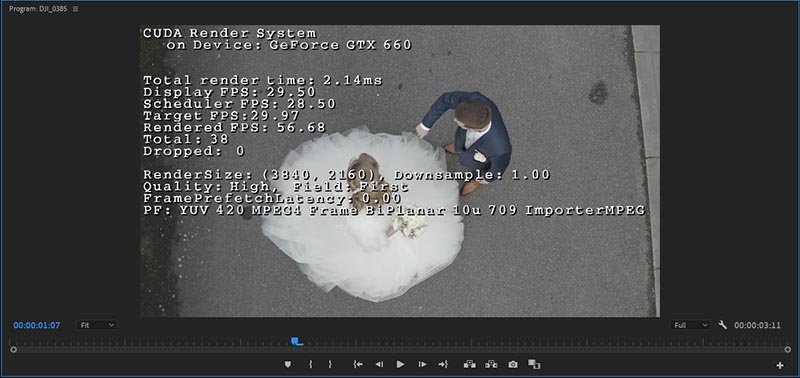
При использовании патча Gen-P данное видео корректно импортируется: 10-бит HEVC.
Картинка в окне Программа, обращаем внимание на PF:
Метки: нет поддержки hevc видео, mme device internal error что делать, mme device internal error, mme device internal error adobe premiere pro, mme device internal error adobe audition, mme device internal error premiere, mme device internal error premiere pro, mme device internal error adobe premiere, mme device internal error do you want to open the audio hardware preference, mme device internal, mme device internal error как исправить, внутренняя ошибка устройства mme premiere, внутренняя ошибка устройства mme adobe premiere, adobe premiere внутренняя ошибка mme, внутренняя ошибка устройства mme premiere pro, mme device internal error ошибка, the device settings could not be applied because the following error occurred mme, adobe premiere pro audio setup issue.
Источник
Экспорт в ProRes
Как вывести видео в формат ProRes из программы Adobe Premiere Pro CC 2018 на платформе Windows? Нам поможет бесплатный на данный момент плагин: Voukoder for Premiere Pro.
Качаем его здесь:
https://github.com/Vouk/voukoder/releases
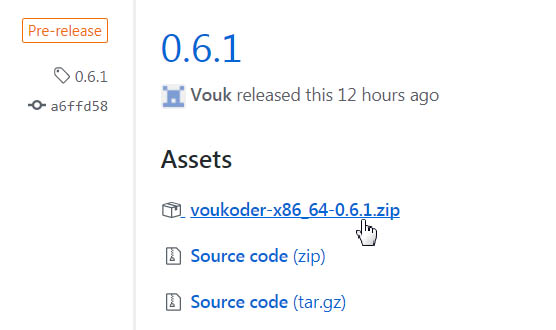
Открываем скачанный архив:

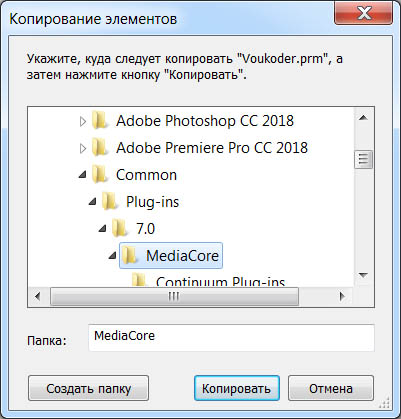
И плагин Voukoder.prm из открытого архива, копируем (для Adobe Premiere Pro CC) в следующую директорию:
C:Program FilesAdobeCommonPlug-ins7.0MediaCore
Для более старых программ:
C:Program FilesAdobeCommonPlug-insCS6MediaCore
Для Adobe Premiere Elements:
C:Program FilesAdobeAdobe Premiere Elements 15Plug-InsCommon
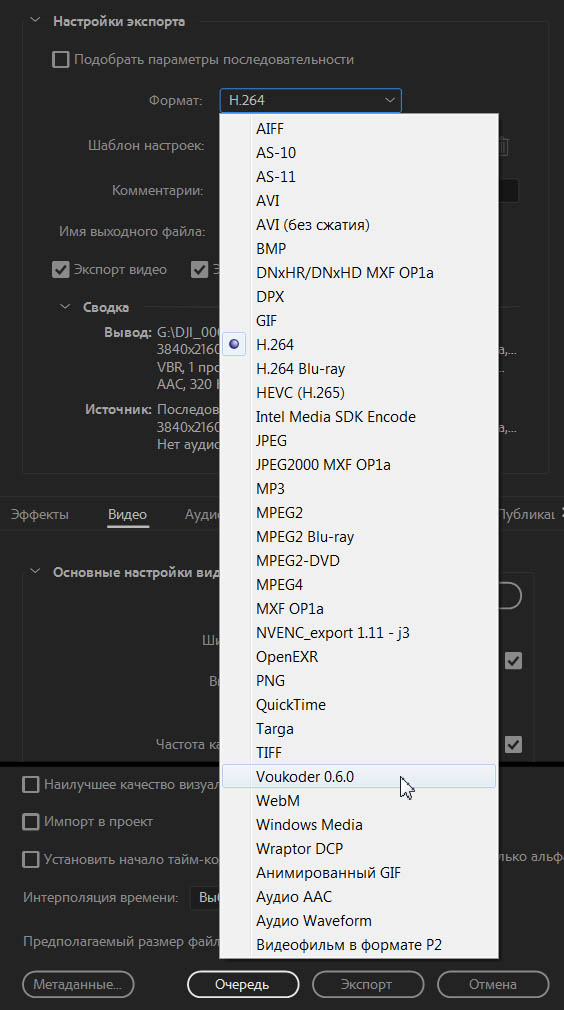
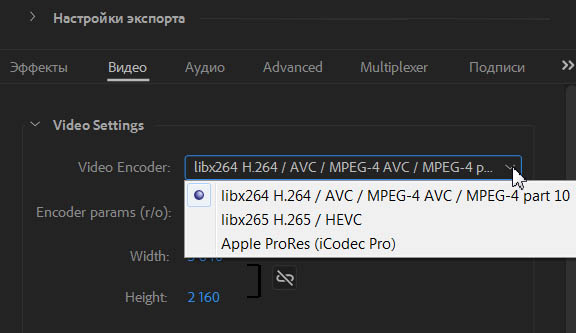
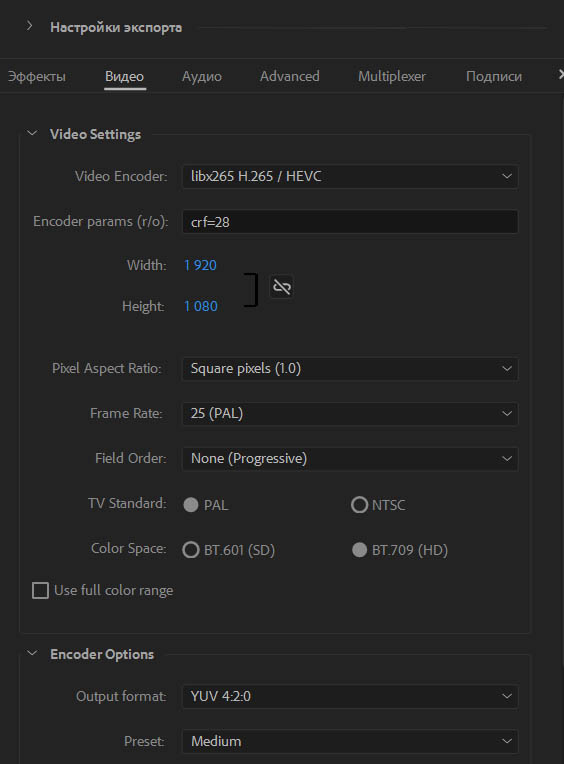
Идем в закладку: Видео и в разделе Video Settings для кодека x264 (формат по-умолчанию) видим следующие настройки.
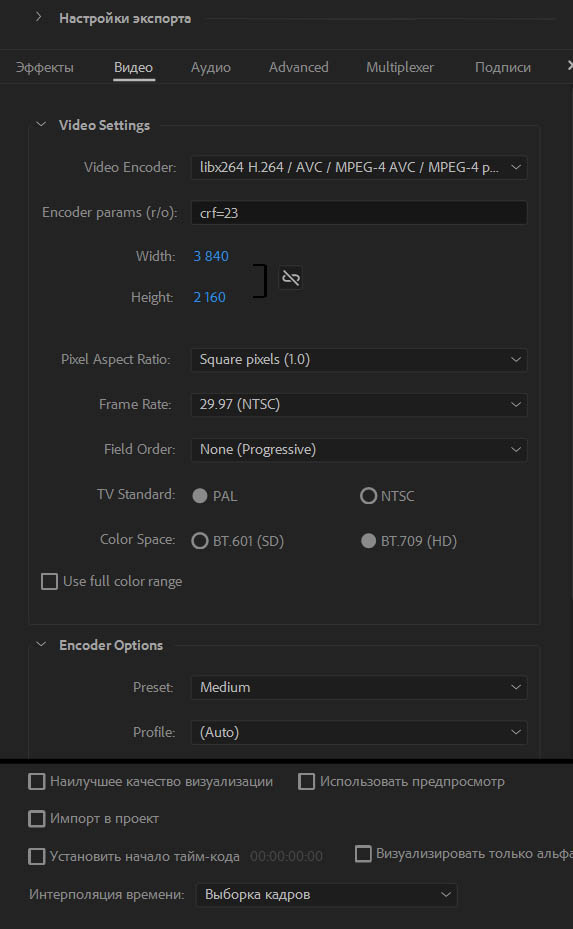
В выпадающем списке Video Codec, можно выбрать следующие варианты: x264 (libx264 H.264 / AVC / MPEG-4 AVC / MPEG-4 part 10), x265 (libx265 H.265 / HEVC), Apple ProRes (iCodec Pro) и при наличии в системе видеокарты с поддержкой NVENC, доступны еще два варинта: NVIDIA NVENC H.264 encoder и NVIDIA NVENC hevc encoder.
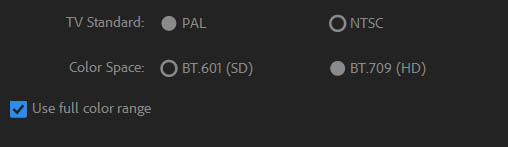
В наличии галка: Use full color range, для вывода видео с полным диапазоном 0-255.
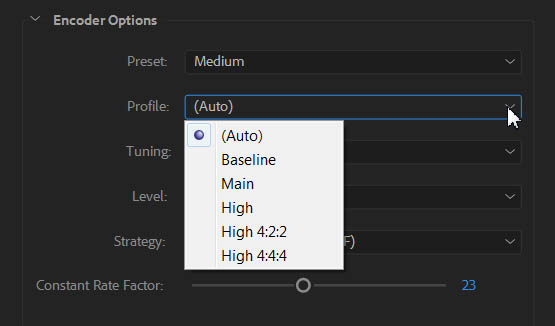
Раздел: Encoder Options.
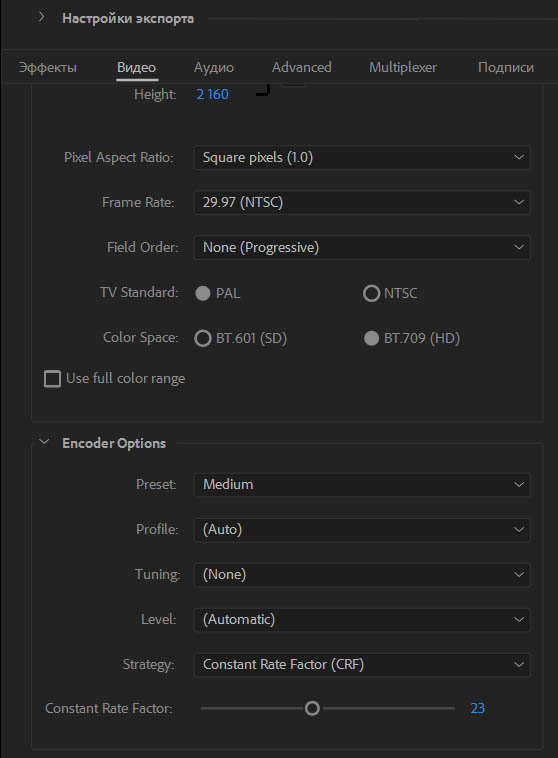
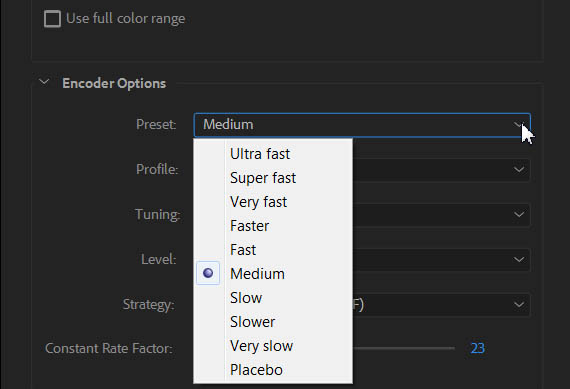
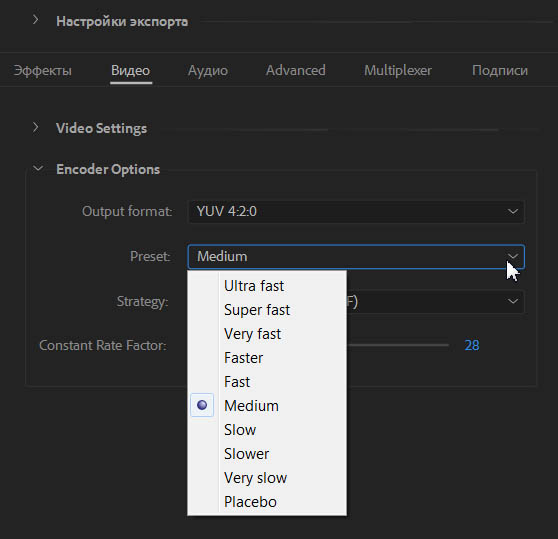
Там можно выбрать Preset (подробнее о них читаем здесь).
Выпадающий список Profile:
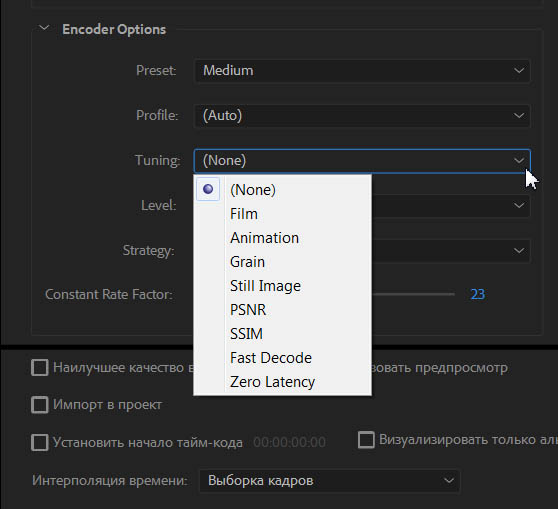
Выпадающий список Tuning:
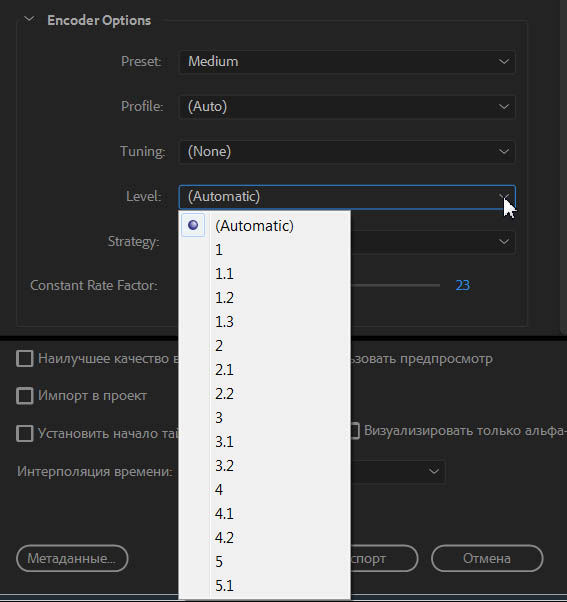
Доступные уровни Levels:
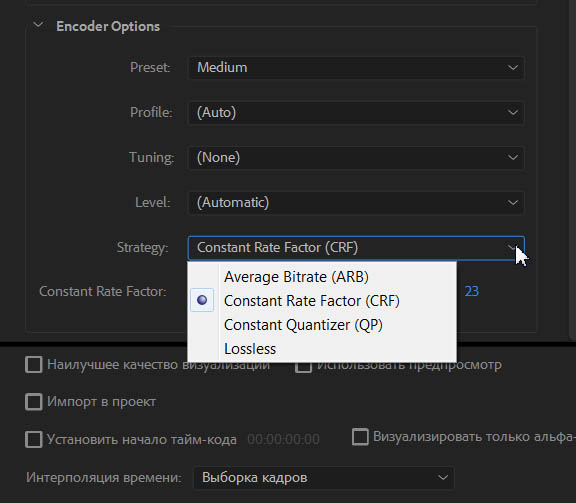
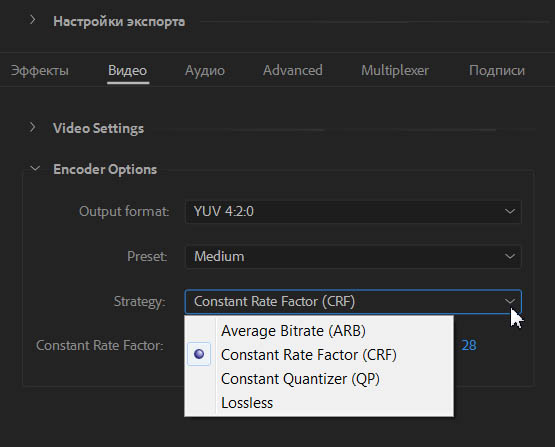
Выпадающий список Strategy:
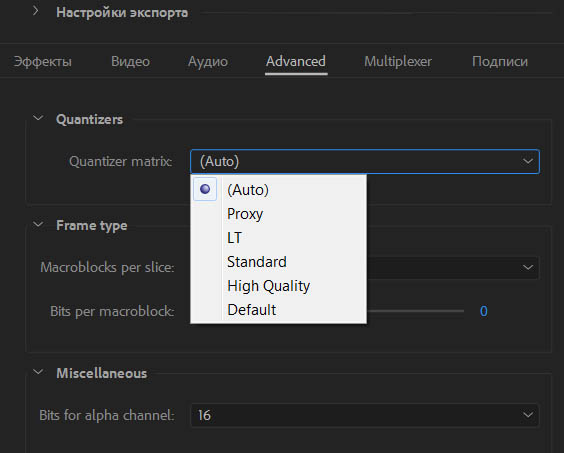
Все дополнительные настройки спрятались в закладке: Advanced.
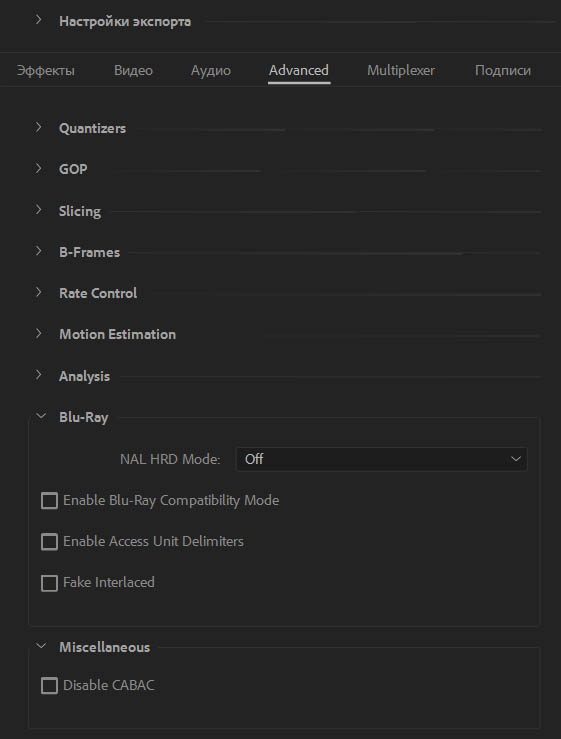
Video Settings > Video Encoder: libx265 H.265 / HEVC.
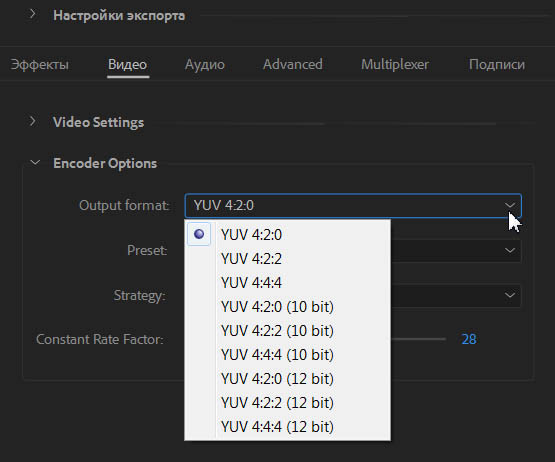
Выпадающий список Preset:
Выпадающий список Strategy:
Video Settings > Video Encoder: Apple ProRes (iCodec Pro).
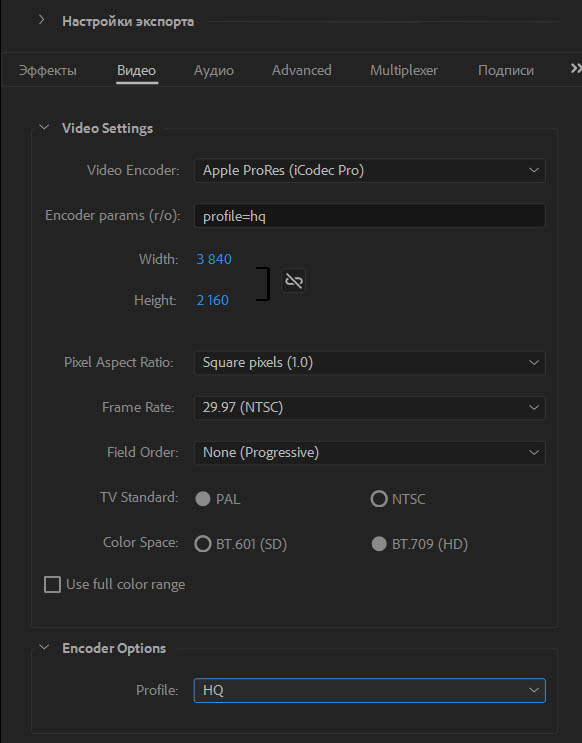
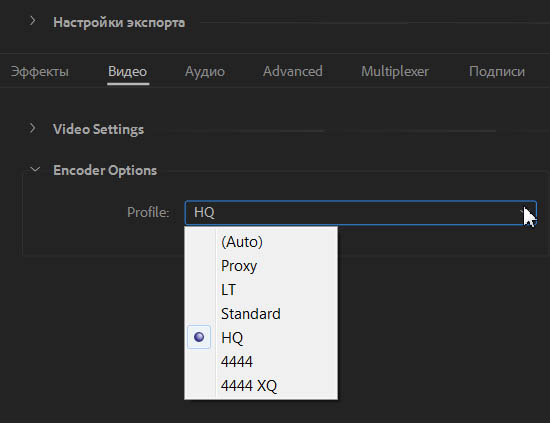
Раздел: Encoder Options. Выбираем Profile: HQ.
Нажимаем на кнопку: Экспорт (Экспорт с текущими настройками).

И получаем ошибку: Средство импорта файлов обнаружило несоответствие в структуре файла. Чтение и запись метаданных (XMP) этого файла отключены (File importer detected an inconsistency in the file structure of xxx.mp4. Reading and writing this file’s metadata (XMP) has been disabled).
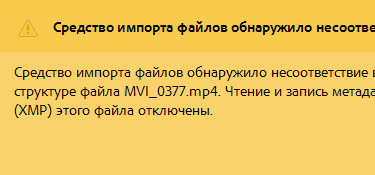
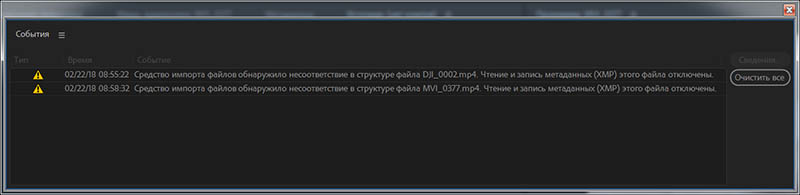
В новом обновлении плагина Voukoder for Premiere Pro v0.6.1 добавлена поддержка Unicode для кириллицы и соответственно решена проблема с ошибкой: Средство импорта файлов обнаружило несоответствие в структуре файла.
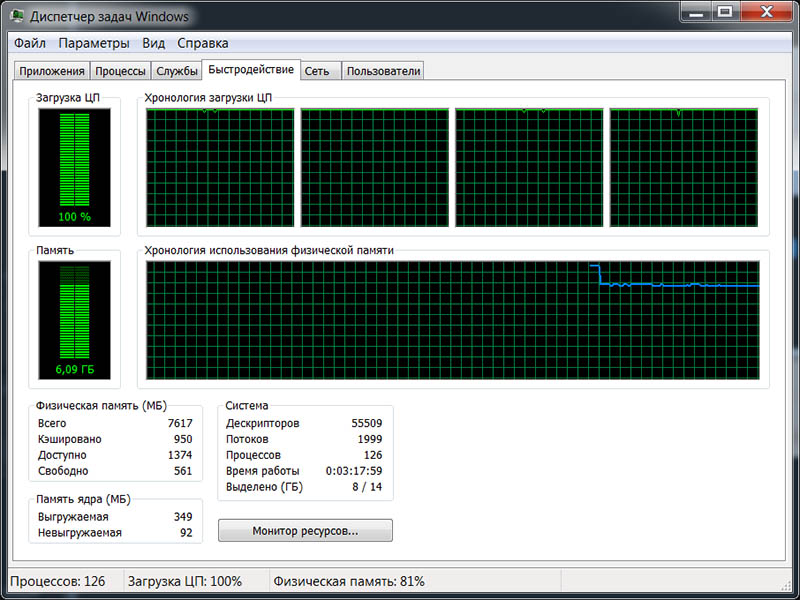
При кодировании Full HD видео в кодек Apple ProRes (iCodec Pro), загрузка четырехъядерного процессора: 100%.
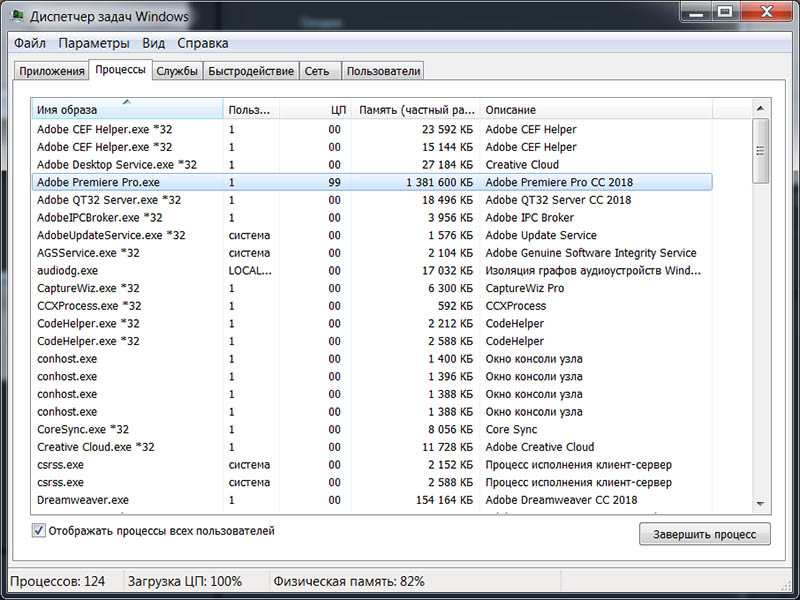
Процесс Adobe Premiere Pro.exe грузит центральный процессор на 99% и утилизирует 1.4 Гбайта оперативной памяти.
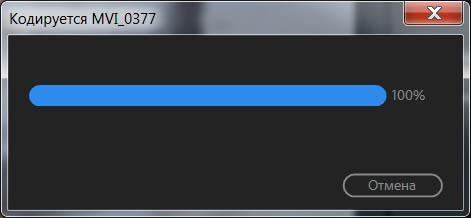
На 100% у нас рендеринг зависает, так как ProRes тяжелое видео, и после рендеринга, запускается процесс Multiplexer.
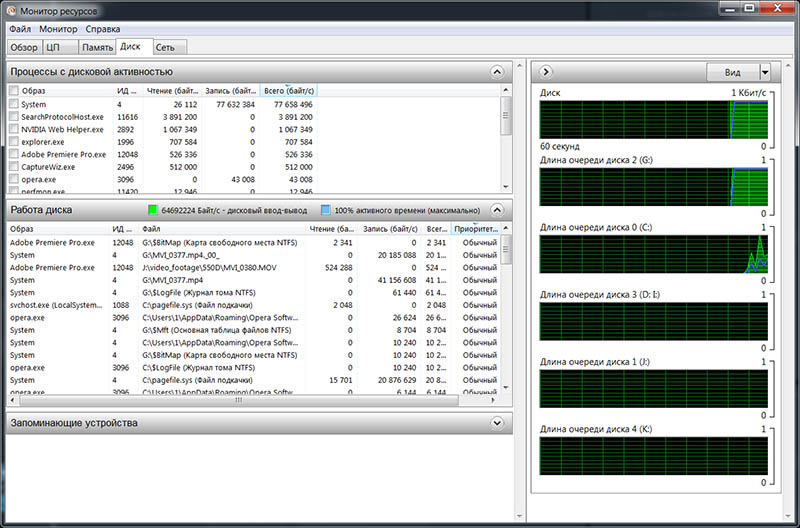
Монитор ресурсов, 100% загрузка диска на котором происходит процесс мультиплекса, еще и активно работает и файл подкачки.
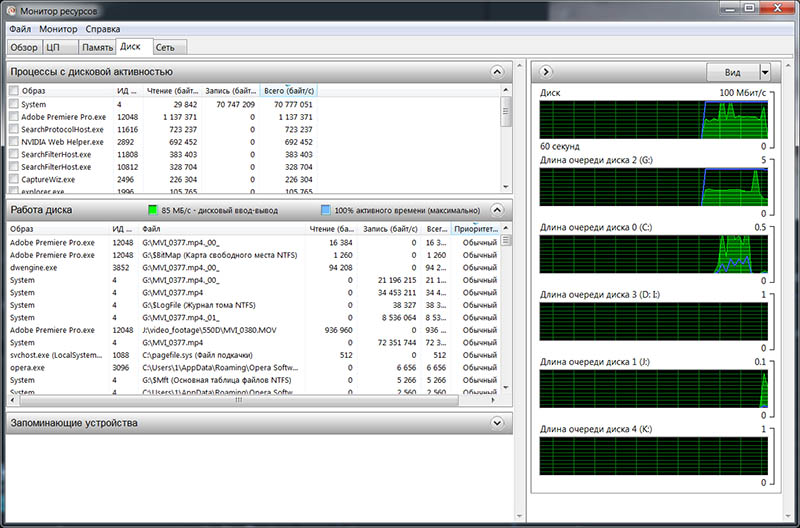
На этом скрине, видим цифру в 85Мб/с, и это для файла длительностью 53 секунды и объемом 1.4Гбайта.
Информация о полученном после экспорта видео, от Media Info:
Источник
How to Fix “File importer detected an inconsistency in the file structure.Reading and writing this files metadata (XMP) has been disabled.” Error in Adobe Premiere Pro?
Hi Guys, Today I am Going to tell you How to Fix “File importer detected an inconsistency in the file structure.Reading and writing this files metadata (XMP) has been disabled.” Error in Adobe Premiere Pro?
Are you Looking for “How to Fix “File importer detected an inconsistency in the file structure” Error in Adobe Premiere Pro? (or) “How to Fix “Reading and writing this files metadata (XMP) has been disabled” Error in Adobe Premiere Pro?
You are at the Right Place to Get Your Answers & Solve the Issue/Error.
Steps For How to Fix “File importer detected an inconsistency in the file structure.Reading and writing this files metadata (XMP) has been disabled.” Error in Adobe Premiere Pro?
Step 1: Goto Your System Local Disk and Check Your Disk Space Whether it has Proper Free Space or Not.
*Note – This Error Often Occurs Due to Low Disk Space.
Step 2: Now Try to Free Some Spaces By Deleting the Unnecessary Folders & Files Like Temp Folders, Windows Previous Installation (Windows.old) Folders.
Step 3: Now Export the File Again With the Proper Amount of Disk Space.
Leave the Comments Below.
That’s It. You’re Done. Have a Nice Day.
@@@ Leave Comments @@@
## Stay Safe Guys And Live Happily ##
Basically an Instrumentation Engineer But Very much Interested in Blogging. I’m a Passionate Blogger and an Intermediate in the Search Engine Optimization Process. I’ll always try to Fix those Common Issues Which was Faced By Most of the users in the World.
Источник