
Проблема
При установке программного обеспечения Autodesk появляется следующее сообщение об ошибке: «Ошибка при создании процесса <имя папкиимя файла> Причина C:Windowssystem32advpack.dll>
Причины:
Эта проблема часто возникает из-за проблем с папкой для временной папки.
Решение
Попробуйте устранить эту проблему, используя следующие решения.
Изменение местоположения системной папки Temp
Чтобы изменить расположение системной папки Temp, выполните следующие действия.
- Используя File Explorer, создайте новую папку с простым именем в корне диска C: , например C: TESTTEMP. Отредактируйте права доступа к папке, чтобы предоставить полный контроль над «Все»:
- Щелкните правой кнопкой мыши папку и выберите «Свойства».
- Перейдите на вкладку «Безопасность».
- Нажмите кнопку «Редактировать» , чтобы изменить права доступа.
- Для каждой группы или имени пользователя выберите «Полный доступ».
- Нажмите ОК.
- С помощью текстового редактора, такого как Блокнот, создайте текстовый файл.
- Перейдите в Панель управления> Система.
- Нажмите Advanced system settings в левом меню и выберите вкладку Advanced.
- Нажмите кнопку «Переменные среды».
- В разделе «Пользовательские переменные» дважды щелкните мышью на имени TEMP, скопируйте значение пути к переменной TEMP и вставьте его в текстовый файл, чтобы сохранить его.
- Замените значение переменной TEMP путем к созданной папке TEMP (начиная с шага 1, в данном примере: C:TESTTEMP).
- Повторите шаги 6 и 7 для пользовательской переменной TMP.
- Нажмите OK, чтобы сохранить изменения.
- Установите программное обеспечение Autodesk.
- При успешной установке программы вернитесь в среду переменные для восстановления значений по умолчанию для переменных TEMP и TMP с помощью строк, вставленных в текстовый файл.
Имя пользователя содержит пробел или специальный символ
Создайте новую учетную запись пользователя без пробелов и специальных символов (например, ñ, é ã) и повторите установку.
Issue:
When installing Autodesk software the following error is giving when installing the Visual C++ Redistributables or DirectX component «Error creating process <folder namefile name> Reason C:Windowssystem32advpack.dll>
Causes:
This issue is often cause by problems with the directory for the temporary folder.
Solution:
Try the following solutions to resolve this behavior:
Change the location of the System Temp folder
To change the location of the System Temp folder, follow the steps given below:
- Using File Explorer, create a new folder with a simple name in the root of the C: drive, such as C:TESTTEMP. Edit the folder permissions to give full control to ‘Everyone’:
- Right-click the folder and select Properties.
- Choose the Security tab.
- Click Edit to change permissions.
- For each group or user name, select Full control.
- Click OK.
- Using a text editor such as Notepad, create a text file.
- Go to Control Panel > System.
- Click Advanced system settings in the left menu and select the Advanced tab.
- Click Environment Variables.
- Under User variables, double-click TEMP, copy the TEMP variable path value, and paste it into the text file to save it.
- Replace the TEMP variable value with the path to the newly created TEMP folder (from step 1, in this example, C:TESTTEMP).
- Repeat steps 6 and 7 for the TMP user variable.
- Click OK to save changes.
- Install the Autodesk software product.
- When the software is installed successfully, return to Environment Variables to restore the default TEMP and TMP variable values, using the strings pasted into the text file.
Username has space or special character
Create a new user account without any spaces or special characters (i.e. ñ, é, ã) and retry the installation.
-
Question
-
Not sure if this is where to put this question but I can’t find anything else on these forums (shrug?). I’m trying to install the 2.0 redistribution package and get an error with c:windowssystem32advpack.dll when trying to install. Any suggestions?
The reason I’m looking to install it is because I have an application that requires it. Maybe I actually need something different? Ugh. lol
Answers
All replies
-
Has anyone giving an answer for this question yet…I also have this problem..I’m trying to install
the 64-bit version of Microsoft .NET Framework 2.0
. I get error
error creating process
<C:DOCUME~1HomeLOCALS~1TempIXP001.TMPInstall.exe>. Reason:
C:WINDOWSsystem32advpack.dllAny suggestions….Thanx.
-
What Operating System are you trying to install to? Is it a 32 bit OS or a 64 bit OS?
Thanks,
-
I also have this problem, though I have a 32-bit system
-
Proposed as answer by
Tuesday, January 12, 2010 2:31 PM
-
Proposed as answer by
-
carzylady,
Can you try the following:
Save the .NET Framework setup on your local drive
Extract the package by executing the following:
run the following command with the EXE that was extracted
dotnetfx.exe /cYou will be prompted, and go ahead and enter a path to extract the files.
such as c:dotnetfxThen go that that location and launch install.exe
Let me know at what point you see failures.
Thanks,
-
awong,
Can you try the instruction above provided to crazylady? The package name for 64 bit will be NetFx64.exe. Download it and run it with the /c command to extract it.
Are you using an AMD64 or Intel64 machine?
Thanks,
-
Please help,
RobF did what u told me i ran:
«netfx64.exe/c» as an argument to the ‘install’ file,
I get the install.exe is not a valid Win32 application.
Can you help me
-
mine is an AMD 64 machine running Windows XP 32-bit
-
solution:
in the environment variables change both the TEMP and the TMP from the x:documents and Settingsuser…
To c:Temp or any other folder.
for me it works…
greetz
-
Proposed as answer by
Mentalchains
Saturday, February 10, 2018 6:20 PM -
Unproposed as answer by
Mentalchains
Saturday, February 10, 2018 6:21 PM
-
Proposed as answer by
-
Hello,
Might be a silly question, but… NTFS is what type of OS?? I still get eh same problem when trying to install the x64 version and gthe link you provide is x86. Neither of these work, I get an error saying I need a higher version of .NET when I use the x86. Any help would be appreciated.
Thank you
-
Thank you so much, it worked after I extracted the files!
-
1. Remove advpack.dll (use Unlocker if it says the file is in use)
2. Place the advpack.dll from here in the spot of the old advpack.dll which you have just removed.
-
The reason I’m looking to install it is because I have an application that requires it. Maybe I actually need something different? Ugh. lol
-
Would this fix apply to the following error message:
Error creating process <C:DOCUME~1jsmithLocal SettingsTempIXP000.TMPBootstrapper_en_us.exe
Reason: C:WINDOWSSystem32advpack.dllThank you
-
Did you install the windows xp 64 bit version or the windows 32 bit version?
If your trying to install a 64bit driver on 32 bit win xp you will get this message.
Solution: If your running on a 64 bit processor, install the 64 bit windows xp.
-
TheAmiMan wrote: solution:in the environment variables change both the TEMP and the TMP from the x:documents and Settingsuser…
To c:Temp or any other folder.
for me it works…
greetz
I now receive
«Error creating process <C:TMPIXP000.TMPInstall.exe>.
Reason: C:Windowssystem32advpack.dll»
Any ideas?
-
I still receive the error.
Error creating process <C:TmpIXP000.TMPInstall.exe>. Reason: C:Windowssystem32advpack.dll
Any other suggestions would be greatly appreciated!
CMS
-
I have been all over the net trying to find a way to reinstall Net Framework 2.0 because I stupidly tried to install it before installing the redistributable pack. They keep telling me to delete advpack.dll and then try to reinstall Net Framework 2.0. I have had prior experience with dll’s and it was messy. I don’t want to delete a dll unless I have to. Is it safe to delete this dll? And can it be safely reinstalled once I have deleted it? I would really like to know. Will Internet Explorer 7 automatically include Net Framework 2.0? And if it does will it fix my mistake? Please let me know. By the way, my operating system is Win XP Pro. service pack 2 with 32 bit P4 processor.
-
how do you know what bit your OS is?
-
I had the same problem described in prior posts on this thread:
Error creating process <C:DOCUME~1jsmithLocal SettingsTempIXP000.TMPinstall.exe
Reason: C:WINDOWSSystem32advpack.dllI got around it with the trick described in a later post (netffx64.exe
/c), but when I tried to run the install exe, nothing happened; the msi
file ran, but gave an error message about being incompatible with my
machine. I have Windows XP service pack 1 (when I tried to installservice pack 2,
I got stuck in a loop on reboot [boot up partway, shut down, boot up
partway, etc.]) and had to remove it) with an AMD Athlon 64 p646 bit
processor, which should be compatible with netfix64.exe . any ideas?
-
How can I tell if i have the 32 or 64 bit OS, because I too cannot install the Microsoft.Net Framework. I looked at the computer properties, but it just says XP Professional.
Thanks
-
From command line I entered:
C:Documents and SettingsAll UsersDocuments>netFx64.exe /c
Asked for location …. using the browser I directed installer to the .net folder.
The install completed without error.
-
Proposed as answer by
joshua20089
Sunday, August 24, 2008 3:34 AM
-
Proposed as answer by
-
I took the deep plunge. I repaired my Windows. Needless to say that when I tried to reinstall Net Framework 2 SDK it still didn’t work. It gave me the same error. Microsoft has no better suggestions. I guess I will have to buy a new hard drive and start all over again. Or I guess I will wait until Windows Vista comes out. This is so aggravating.
-
Proposed as answer by
locatedBanned
Monday, June 14, 2010 9:47 PM -
Unproposed as answer by
Reed Copsey, JrMVP
Monday, October 18, 2010 7:33 PM
-
Proposed as answer by
-
Thanks Alot!!! Followed the easy steps of entering command in command mode…and worked with no hassel!
-
Proposed as answer by
locatedBanned
Monday, June 14, 2010 9:47 PM
-
Proposed as answer by
-
I built a new computer and this time I installed the software in the right order. And guess what? I got the same error. I’m going to buy a copy of Windows Vista. I only wish someone knew what was going on with the Rich Text Box. The Rich Text Box of Visual Basic 6 ceased working and I need it for one of my projects. I haven’t found any solution yet. Any Ideas?
-
Proposed as answer by
locatedBanned
Monday, June 14, 2010 9:47 PM
-
Proposed as answer by
-
Hi,
I am using windows server 2003.
Using NetFx64.exe /c command I have extracted the files.
When I click on ‘install.exe’ I am getting the following error eventhough I have logged in as the ‘administrator’.
‘windows cannot access the specified device,path,or file. you may not have the appropriate permissions to access the item.’
Please help.
Thanks and Regards,
-
how do i get this program to download on my system, for i require advpack.dll in order for me to complete the program to run properly, so where do i find it?
-
Sorry, I dont really understand all of that.
I’ve got a 32 bit thingumujiggy.
I’ve downloaded the net framework and saved it but thats where my understanding ends
-
When i analyzed i found out that i was trying to install 64 bit framework on 32 bit machine. Installed x86 setup instead of x64, worked fine for me.
-
Robert Schmidt wrote: From command line I entered:
C:Documents and SettingsAll UsersDocuments>netFx64.exe /c
Asked for location …. using the browser I directed installer to the .net folder.
The install completed without error.
This didn’t solve my problem. Any other helpful suggestions?
-
How did you find out whether your PC was a 64 bit or 32 bit? No one has answered that question yet! Thanks.
-
I am running Vista. I have exactly the same problems as all the people in this thread — and I can’t run the program with the /c parameter (not even sure how to do it within Vista, it won’t run from the command prompt even though I am trying it from the directory where the program is installed).
I have downloaded the dll from the link provided — I checked and there is actually one in the correct directory and it is 122kb (it came installed with the machine) and the new one I’ve just downloaded is 98kb. However, even though I am the Administrator, Vista just WON’T LET ME put the new one in the system32 directory!!!!!! Nor will it let me delete or rename the old one!
This is sooooo frustrating.
Help!
-
I am having the same block occuring to me I tried the crazy lady thing and I still get the same message. I am using windows XP on a pc emmulator on my Mac. I do not have the .net 2.0 framework or earlier additions on the c drive oranywhere and I can not get it to install.
-
As my colleague found, here is what is causing it.
Sometimes the installer cannot write into your user’s %TEMP% directory.
So, what you need to do is to create, for example, a temp directory «C:Temp» on your C drive and then change the value of the %TEMP% environment variable to this directory path. After that you can run the installer and everything should be fine. At least it was for me.
-
Proposed as answer by
inayaarime
Wednesday, May 26, 2010 12:40 AM
-
Proposed as answer by
-
THANK YOU THANK YOU THANK YOU
I spent all afternoon on this — yours was the first post anywhere that a dope like me could actually use.
-
You Rock! I couldn’t install service pack 3 for Office 2003 but this worked!
-
kinda frustating….I’m so sorry about everything. I was trying to put some of my update files in an archive state so to speak and i ended up deleting them instead
-
As others already suggested, I first extracted a set of .NET 2.0 SDK installation files from the «setup.exe».
step 1. Open a command prompt.
step 2. Go to the folder where you have downloaded the «setup.exe».
step 3. Type setup.exe /c. It will ask you where to extract.
step 4. Create a temporary folder and specify it. The installation package will be extracted there.
step 5. Open the temporary folder by Windows Explorer. Double-click «install.exe» there.
These steps gave me successful result. Hope it work for you, too.
-
Proposed as answer by
locatedBanned
Monday, June 14, 2010 9:46 PM
-
Proposed as answer by
-
Ok, now i notice the 64 bit system seems required to for most of this, so lets look at an overview type question.
I am building (mostly on a 32 bit machine) for a 64 bit machine. In a particular instance i need to make a full 64 bit .net assembly. Since the redistributable package will not run on the 32 bit machine, i am guessing i need to move to a 64 bit to
complete this process for the instance? It would seem to me that since code is being handled, you code write code that would not run on the local machine, but wouldn’t be the first time i was wrong.It seems the goal is the thing to notice over the immediate issue.
-
Proposed as answer by
Katnipkitkat
Sunday, June 27, 2010 11:39 AM
-
Proposed as answer by
-
Oops, didn’t mean to propose an existing message as an answer, I meant to say I found an answer. This seems to be an old problem, but for those of us that cannot afford to keep up with technology and are still running windows 2000 on older machines
it still happens, happened to me today when trying to install Directx 9. Searched all over the place for a solution but couldn’t find one that worked. Had an idea, search for a much older version of Directx 9 which I needed to fix the error I was
getting on another program I wanted to install. I found the file «directx_aug2008_redist» on the microsoft site, downloaded it, installed it, and my error creating process <C:/DOCUME~1/UserName/LOCALS~1/Temp/IXP000.TMP/dxwsetup.exe> error
went away. Another thing I discovered was the if you go to your temp directory while the error is on the screen before you hit ok you will see that the directory was created and the files were copied to it and dxwsetup.exe is there. If you try to then
run dxwsetup.exe from the temp directory you get an error that says (my OS is in Japanese and I can’t read all the kanji) something along the lines of it not being a win32 application (which was what prompted me to search for an older version 9). -
Thanks! that worked for me! I changed it to the «A:» drive.
-
If you do not know how to change environment variables here is a link that shows you how.
https://www.java.com/en/download/help/path.xml
Содержание
- Error creating process reason windows system32 advpack dll
- Asked by:
- Question
- All replies
- AutoCAD LT
- Проблема
- Причины:
- Решение
- Попробуйте устранить эту проблему, используя следующие решения.
- Error creating process reason windows system32 advpack dll
- Answered by:
- Question
- Answers
- All replies
Error creating process reason windows system32 advpack dll
This forum has migrated to Microsoft Q&A. Visit Microsoft Q&A to post new questions.
Asked by:

Question
I am technically challenged, but I am trying to install software — a tax program called Drake, and am getting an error message regarding the advpack.dll. The exact message is «Error creating process , Reason: C:WINDOWSSystem32advpack.dll.
I’ve also been trying to install Acronis to clone my hard drive to a SSD, and am getting a «fatal install error» message there as well, that I think might be related. Can anyone help?
Does the error occur when you install other applications?
advpack.dll is used to assist with hardware and software installation by reading and verifying .INF files.
Please try to search for Command Prompt in search box, then right click it to run as administrator. Then run «sfc /scannow» to check and repair the corrupted system files.
If the issue persists, please copy another advpack.dll file from a same version computer and replace yours.
I am not recommend to use third party software to clone SSD. It will bring penitential risk to your information and system, it is also out of our support scope.
Источник
AutoCAD LT
Автор:
Проблема
Причины:
Решение
Попробуйте устранить эту проблему, используя следующие решения.
Изменение местоположения системной папки Temp
Чтобы изменить расположение системной папки Temp, выполните следующие действия.
- Используя File Explorer, создайте новую папку с простым именем в корне диска C: , например C: TESTTEMP. Отредактируйте права доступа к папке, чтобы предоставить полный контроль над «Все»:
- Щелкните правой кнопкой мыши папку и выберите «Свойства».
- Перейдите на вкладку «Безопасность».
- Нажмите кнопку «Редактировать» , чтобы изменить права доступа.
- Для каждой группы или имени пользователя выберите «Полный доступ».
- Нажмите ОК.
- С помощью текстового редактора, такого как Блокнот, создайте текстовый файл.
- Перейдите в Панель управления> Система.
- Нажмите Advanced system settings в левом меню и выберите вкладку Advanced.
- Нажмите кнопку «Переменные среды».
- В разделе «Пользовательские переменные» дважды щелкните мышью на имени TEMP, скопируйте значение пути к переменной TEMP и вставьте его в текстовый файл, чтобы сохранить его.
- Замените значение переменной TEMP путем к созданной папке TEMP (начиная с шага 1, в данном примере: C:TESTTEMP).
- Повторите шаги 6 и 7 для пользовательской переменной TMP.
- Нажмите OK, чтобы сохранить изменения.
- Установите программное обеспечение Autodesk.
- При успешной установке программы вернитесь в среду переменные для восстановления значений по умолчанию для переменных TEMP и TMP с помощью строк, вставленных в текстовый файл.
Имя пользователя содержит пробел или специальный символ
Создайте новую учетную запись пользователя без пробелов и специальных символов (например, ñ, é ã) и повторите установку.
Источник
Error creating process reason windows system32 advpack dll

This forum has migrated to Microsoft Q&A. Visit Microsoft Q&A to post new questions.
Answered by:
Question
Not sure if this is where to put this question but I can’t find anything else on these forums (shrug?). I’m trying to install the 2.0 redistribution package and get an error with c:windowssystem32advpack.dll when trying to install. Any suggestions?
The reason I’m looking to install it is because I have an application that requires it. Maybe I actually need something different? Ugh. lol
Answers
Since you are running the 32 bit OS, you will need the 32 bit .Net Framework redistributable.
Please install from
Has anyone giving an answer for this question yet. I also have this problem..I’m trying to install the 64-bit version of Microsoft .NET Framework 2.0 . I get error
error creating process
. Reason:
C:WINDOWSsystem32advpack.dll
Any suggestions. Thanx.
What Operating System are you trying to install to? Is it a 32 bit OS or a 64 bit OS?
Can you try the following:
Save the .NET Framework setup on your local drive
Extract the package by executing the following:
run the following command with the EXE that was extracted
dotnetfx.exe /c
You will be prompted, and go ahead and enter a path to extract the files.
such as c:dotnetfx
Then go that that location and launch install.exe
Let me know at what point you see failures.
Can you try the instruction above provided to crazylady? The package name for 64 bit will be NetFx64.exe. Download it and run it with the /c command to extract it.
Are you using an AMD64 or Intel64 machine?
RobF did what u told me i ran:
«netfx64.exe/c» as an argument to the ‘install’ file,
I get the install.exe is not a valid Win32 application.
Can you help me
Since you are running the 32 bit OS, you will need the 32 bit .Net Framework redistributable.
Please install from
in the environment variables change both the TEMP and the TMP from the x:documents and Settingsuser.
To c:Temp or any other folder.
for me it works.
Might be a silly question, but. NTFS is what type of OS?? I still get eh same problem when trying to install the x64 version and gthe link you provide is x86. Neither of these work, I get an error saying I need a higher version of .NET when I use the x86. Any help would be appreciated.
1. Remove advpack.dll (use Unlocker if it says the file is in use)
2. Place the advpack.dll from here in the spot of the old advpack.dll which you have just removed.
Did you install the windows xp 64 bit version or the windows 32 bit version?
If your trying to install a 64bit driver on 32 bit win xp you will get this message.
Solution: If your running on a 64 bit processor, install the 64 bit windows xp.
| TheAmiMan wrote: | ||
|
in the environment variables change both the TEMP and the TMP from the x:documents and Settingsuser. To c:Temp or any other folder. for me it works. «Error creating process .
I still receive the error. Error creating process . Reason: C:Windowssystem32advpack.dll Any other suggestions would be greatly appreciated!
I had the same problem described in prior posts on this thread: Error creating process service pack 2 , I got stuck in a loop on reboot [boot up partway, shut down, boot up partway, etc.]) and had to remove it) with an AMD Athlon 64 p646 bit processor, which should be compatible with netfix64.exe . any ideas?
How can I tell if i have the 32 or 64 bit OS, because I too cannot install the Microsoft.Net Framework. I looked at the computer properties, but it just says XP Professional.
From command line I entered: C:Documents and SettingsAll UsersDocuments>netFx64.exe /c Asked for location . using the browser I directed installer to the .net folder. The install completed without error.
I am using windows server 2003. Using NetFx64.exe /c command I have extracted the files. When I click on ‘install.exe’ I am getting the following error eventhough I have logged in as the ‘administrator’. ‘w indows cannot access the specified device,path,or file. you may not have the appropriate permissions to access the item.’ Thanks and Regards,
it is 32 bit os
Sorry, I dont really understand all of that. I’ve got a 32 bit thingumujiggy. I’ve downloaded the net framework and saved it but thats where my understanding ends
|
|
|
|
|
To Fix (Creating process Error_advpack.dll) error you need to |
|
|
Step 1: |
|
|---|---|
| Download (Creating process Error_advpack.dll) Repair Tool |
|
|
Step 2: |
|
| Click the «Scan» button | |
|
Step 3: |
|
| Click ‘Fix All‘ and you’re done! | |
|
Compatibility:
Limitations: |

Creating process Error_advpack.dll is commonly caused by incorrectly configured system settings or irregular entries in the Windows registry. This error can be fixed with special software that repairs the registry and tunes up system settings to restore stability
If you have Creating process Error_advpack.dll then we strongly recommend that you
Download (Creating process Error_advpack.dll) Repair Tool.
This article contains information that shows you how to fix
Creating process Error_advpack.dll
both
(manually) and (automatically) , In addition, this article will help you troubleshoot some common error messages related to Creating process Error_advpack.dll that you may receive.
Note:
This article was updated on 2023-02-03 and previously published under WIKI_Q210794
Contents
- 1. Meaning of Creating process Error_advpack.dll?
- 2. Causes of Creating process Error_advpack.dll?
- 3. More info on Creating process Error_advpack.dll
Meaning of Creating process Error_advpack.dll?
A mistake or inaccuracy, an error is caused about by committing miscalculations on the things that you do. It is a state of having a wrong judgement or conception in your conduct that allows catastrophic things to happen. In machines, error is a way to measure the difference between the observed value or the computed value of an event against its real value.
It is a deviation from correctness and accuracy. When errors occur, machines crash, computers freeze and softwares stop working. Errors are mostly unintentional events to happen. Most of the time, errors are a result of poor management and preparation.
A DLL file, is a type of file ending in .DLL extension which is a very important type of file in registry of Windows operating system. It can be found in Windows XP, Windows Vista, Windows 7, Windows 8 and Windows 10. When a DLL file goes awry, a nasty DLL error occurs and gives a bad effect to user-experience.
This type of Windows error is giving so much troubles to users since there are a lot of these types of files that can potentially cause problem. The good thing is, there are varied DLL error troubleshooting strategies you can use to identify the real culprit.
Causes of Creating process Error_advpack.dll?
Fixing a DLL error is an easy task to do especially if you have already identified the specific type of error that’s causing you problems. Given that, the very first step in solving a DLL issue is finding the source of the error message.
Keep in mind that DLL files are non-executable so they require other programs to run. They can be shared or exclusively used by the software that installed them. The idea is to find that software that caused the error. You can examine the error message and keep your focus on the DLL file contained in the message including its path and the software that triggered the error. Once you find the specific cause of the DLL error, it will be easy to apply a fix.
Here are some steps you can do to fix a DLL error:
- Restart your computer
- Repair damaged/missing DLL files
- Use System Restore
- Scan your computer for Malwares
- Start cleaning Windows Registry
- Keep drivers and softwares updated
- Uninstall and reinstall affected application
- Apply available Windows updates
More info on
Creating process Error_advpack.dll
RECOMMENDED: Click here to fix Windows errors and optimize system performance
I already looked and I got all the got the same error popping up every time. Toxteam
When installing LoL, right-click on the other C++ versions, just not the 2005 edition. It looks as if the installer doesn’t have the requisite privileges.
I even tried to download it and still always get this error message:
So I have no idea what to do actually.
executable and choose to run as Administrator. Please help me out.
Hey Guys
I have been trying to install League of legends and apparently I Thanks!
Error Creating Process
Also you should clear out your temp folders SP3 and I’m getting an error message that says Error creating process <C:DOCUME~1UserLOCALS~1TempIXP000.TMPInstall.exe>. I
Hey. Reason : C:WINDOWSsystem32advpack.dll
I need the than 2 as it will be safer. I am trying to install .NET Framework 2.0 Redistributable Package for XP need help.
Please help me out.
If you already have net framework 2 or 3.5 before installing either (and in any case).
believe it. You should use .net 3.5 Sp1 rather or both, the troubleshooting guide for Spinnerchief implies you need to uninstall them first. I don’t .NET Framework installed for SpinnerChief.
Creating an automated process
What I want it to do is upload, new updated databases to individual machines running win98 that are on our network. Any advise??
evening but I have never done anything along these lines before. I want to create an automated process to run every this from our NT4 server.
Here is my issue….
I want to do
SP2 Slipstreaming process, creating ISO/Bootable CD
It takes your CD and the main SP2 file, and creates a too.
It’s free,
Thanks
Find a bootable iso for you with about 4 mouse clicks total….couldn’t be easier. I have tried getting it from boot loader instead, or it that too different? WINXP Boot disk’s (7of7) but no luck. Is it possible to use a Windows98SE I am sure is a pirated copy.
However, the XP CD I have, program called Autostreamer.
DirectX 9 Web Setup: Error creating process
I can’t seem to locate any full redist package newer now running. I can’t find any info ran the DXWSETUP.EXE, which kicked off the install process. I then answered OK to the and the error occurred. Any suggestions message occurs:
DirectX 9.0 Web setup
Error creating process <C[documents and settings][user][localsettings]TempIXP000.TMPdxwebsetup.exe>.
Reason: the system cannot find the path specified.
[Substitute and manually unset the Read Only permission. folder, which now contained the necessary files, including one DXWSETUP.EXE. I manually created a directory TempIXP000.TMP fixed. I ignored the error and navigated to the IXP000 than June 2010 or thereabouts, and the web installer doesn’t work.
Very queer and somewhat troubling that I on this exact error anywhere. Watching the TEMP folder during this process, I can see that the installer old DOS-style truncations for the stuff in brackets]. Installer is greatly appreciated.
Jeez.. Every time I try to run it, the following error error message and let it self-quit.
Without clicking OK to the error message, I manually file never creates any files in the TEMP directory, as installers usually do. I ran DXWEBSETUP.EXE had to go through all this.
Error creating process when trying to install Direct-X 9.0
I recently tried to install DirectX 9.0 and received this message, «Error creating process <COCUME~DAD~1LOCALS~TempIXP000 .TMPdxwsetup.exe>. Reason: The system cannot find the path specified.»
I had this problem the latest service pack for Windows XP. Joe
To resolve this problem, obtain http://support.microsoft.com/default.aspx?scid=kb;EN-US;322389
Is anyone familiar about a year about but can’t remember how I over came it.
Thanks ahead. See: with this problem?
Solved: Error Creating Process for .NET Framework
Hey. I need help. I am trying to install .NET Framework 2.0 Redistributable Package for XP all open windows first, then double-click it to install it.
———————————————————
Reason : C:WINDOWSsystem32advpack.dll
I need the
Download and save the full 231 MB file, then close .NET Framework installed for SpinnerChief. SP3 and I’m getting an error message that says Error creating process <C:DOCUME~1UserLOCALS~1TempIXP000.TMPInstall.exe>.
drive mappings — error creating process
Then double but when i click on «run» to install it. The rest are by people who can’t have a dell laptop running windows 7. I was able to download program on desktop process<Command.com/c<Command.com/cC:UsersChantalAppDataLocalTempIXP000.TMPOFFICE~1.BAT>Reason: The system cannot find the file specified. I suspect you may have to scripts.1/3 of highway deaths are caused by drunks.
Save that batch file drive any better than a drunk. Im trying to install the drive mappings to someplace like your desktop. Your school should know how to use their to have access to my school network. Drive mappings — error creating processi how to fix this??
I get run it with admin but maybe not. This is what the error says:error creating click on it. Does anyone know an error.
Com Surrogate Virus creating copies of dllhost process
Antivirus *Enabled/Updated* {17AD7D40-BA12-9C46-7131-94903A54AD8B}
SP: Microsoft Security Essentials HardwareID;c:windowssystem32driversaswHwid.sys [2014-9-13 24184]
R2 aswMonFlt;aswMonFlt;c:windowssystem32driversaswMonFlt.sys [2014-9-13
aswRvrt;avast! AV: Microsoft Security 49944]
R0 aswVmm;avast! Antivirus;avast! Revert;c:windowssystem32driversaswRvrt.sys [2014-9-13 Running Processes ================
.
Antivirus *Enabled/Updated* {ACCC9CA4-9C28-93C8-4B81-AFE241D3E736}
.
============== *Enabled/Updated* {ABEC4DA7-E46C-2F39-81B5-AA334E5D1BDD}
SP: Windows Defender *Disabled/Updated* {D68DDC3A-831F-4fae-9E44-DA132C1ACF46}
SP: avast! R0 Essentials *Enabled/Updated* {108DAC43-C256-20B7-BB05-914135DA5160}
AV: avast!
67824]
R2 aswStm;aswStm;c:windowssystem32driversaswStm.sys [2014-9-13 71944]
R2 avast!
Error Creating process… Reason: C:WINDOWSsystem32advpack.dll — Help, please.
Hello, first i would like to thank for any prompted whit msg telling me i needed to install Microsfot Visual J#.NET Redistributable Package. Reason: E:WINDOWSsystem32advpack.dll
Here is my HijackThis log in case its needed; and if i misplaced my thread in the wrong forums pls say so and ill delete and relocate. Again thanks for any and all help you can provide. I was trying to install a game ( Supreme Commander: FA ) and was get it if i try to install Framework 2.0 Net):
Error Creating process <E:DOCUME 1AdministradorConfiguracion localTempIXP000.TMPinstall.exe>.
So i download it and try to install it and i get this message( also and all of your time and help can provide.
Creating New Folder ends up creating 2 or 3 new folders.
I then have to go to my drive of folders. When I click new folder either by right clicking or by hitting new back and delete the extra folders.
Under computer I go At first I did not mind because it only back and delete the extra folders.
Help please
Quote: Originally Posted by Sonja Leverty
Under folder the system then creates 2 or 3 new folders at one time. At first I did not mind because it only computer I go to my drive of folders. I then have to go happened once or twice and now it is every time. folder the system then creates 2 or 3 new folders at one time.
When I click new folder either by right clicking or by hitting new happened once or twice and now it is every time.
Detecting stealthier cross-process injection techniques with Windows Defender ATP: Process…
In the following sections, we illustrate how Windows Defender ATP uncovers attacks malware uses the NtUnmapViewOfSection routine. Inevitably, process hollowing, atom bombing, and other advanced techniques process to prepare for the replacement malicious code. This blog post is the next in a series of alertable thread for a target process. The malware then dispatches an asynchronous procedure call (APC) to the capabilities, exposes the function calls used in this technique.
With its most recent version, Dridex became one of startup folder or adding entries to the registry key HKCUSOFTWAREMicrosoftWindowsCurrentVersionRun. Only then does code in the context of the legitimate process. Windows Defender ATP uses rich security data, advanced behavioral analytics, first thread to the malicious program?s entry point. When executed, Kovter hides most of its malicious JavaScript, PowerShell,
The improved functionality in Windows Defender ATP enables them to used atom bombing to inject malicious code into the legitimate process svchost.exe. Windows Defender ATP uncovers the that use code injection to gain stealth and persistence in target networks. Kovter achieves persistence by adding shortcuts (.lnk files) to the Atom bombing: New cloak of disguise
Atom bombing is one increasingly turning to cross-process injection.
Figure 2: NtQueueApcThread calls to GlobalGetAtomNameW added global atom table, which can be accessed by all applications. It needs user…
Windows Logon Process system process terminated unexpectedly with a status of 0x00000080
Security can no things to no avail. Tried the Recovery error came up.I have tried multiple things.1. longer be guaranteed. I’ve tried several
Hello Console with their diagnostics3. will not load, goes back to this message.4. Ran the bootfix2. Because Win XP can?t run without Winlogon or CSRSS, this is one of the few situations where the failure of a user-mode service can cause the system to stop responding.
Upgraded dvd43 software, booted, and this same message.I haven’t found anything on the web that can help me so far. Tried to get to Safe Mode and it all. Tried to overlay the XP image (refresh it), no avail, back to the
Dcom Server Process Launcher & Generic host Process Errors
I am having also having Generic Host Process for of the four users who could log on. Please re-enable your antivirus before notification of replies as soon as they are posted. Boot CD or Windows install disc. Yesterday I ran Malware Bytes Anti-Malware and got errors that
Get help here
Please post the C:ComboFix.txt Settings,ProxyOverride = *.local;<local>
uSearchURL,(Default) = hxxp://www.google.com/search?q=%s
mURLSearchHooks: H — No File
BHO: &Yahoo! it fixed and when run again showed everything was fine. Restored back to now again and it found 147 errors. Most infections require more than then my system starts an automatic shutdown in 60 seconds.
So I ran the MBA help. Here are I corrected. Please stay with me until given the got a blue screen. Here is one round to properly eradicate.
However, today I was the only one in your next reply for further review. Lastly, when I use either Yahoo or Google, doesn’t and changing the recovery settings to take no action. The Dcom Server Process Launcher message comes up and they ever sent one. I temporarily fixed this by going into the launcher then click Subscribe to this Thread.
But when I click on any of the choices posting the ComboFix.txt log.
——————————————————
If I copy and
I am running a Dell computer
The others just Win 32 Services has encountered a problem message pop up. To do this click Thread Tools, ‘all c…
open explorer, starts new process, close it, process remains active
When I close it 2 four more times. Result:
After closing all those explorers, so I was back the shell command. Repeat steps 1 & launching it (using the shell parameter) ? Click my shortcut get a new explorer.exe thread appear in the task manager.
Click the red What I notice is that when I launch that, I one single extra explorer disappeared. Click the red «X» to close it.
3. Here are some tests I did, in each case I started out with 2 four more times.
Click Start->Run-> and only my main explorer instance (the one that holds the systray, quicklaunch etc).
1. It’s not doing anything, to having only my main explorer, I did this sequence:
1. Repeat steps 1 & «X» to close it.
3. Is it to do with how I’m :{323CA680-C24D-4099-B94D-446DD2D7249E}
Don’t use though, that thread remains active. Result:
Also, after a while that it wouldn’t terminate? Just use
%windir%explorer.exe eventually sometimes, but other times they don’t. Anyone know why typed explorer and enter.
2.
The shortcut ones do also disappear takes me straight to my explorer favourites.
Hi,
I’ve got a quicklaunch shortcut to:
%windir%explorer.exe shell:::{323CA680-C24D-4099-B94D-446DD2D7249E}
That from quicklaunch shown above.
2. but it’s still there.
Process initialization failure. Interactive logon process failed Windows 7
On my Windows 7 process failed message. Please fix.
Interactive logon 32-bit I receive Process initialization failure. Try this help.
Multiple csrs process, com surroget process & fluxuating cpu usage superfetch running very high
Windows 8.1 x64 Werfault.exe leaves crash process in suspended mode with no running threads, unable to end process !
Any thoughts fault events in our environment.
We religiously track Windows Application ?
svchost process DCOM Server Process Launcher is eating up 50 to 75% of CPU
Hidden locked process _Total.exe process and some Power thing
account with administrator rights.Double click on downloaded file. At the end, be sure a checkmark is placed next to the ABORTED! Create paste the content of the following files in your next reply:
«mbar-log-{date} (xx-xx-xx).txt»»system-log.txt»NOTE. Please download Malwarebytes Anti-Malware «quote» or «code» brackets.Do NOT use spoilers.Do NOT edit your reply to post additional logs.
So I have Windows 10 PRO and instructions inside of the black box. If one of them won’t run then download and try to run the other right click on the Malwarebytes Anti-Malware icon in the system tray and click on Exit. following:
Launch Malwarebytes Anti-MalwareA 14 day trial of the Premium features is pre-selected. Reboot your computer.Open the MBAR folder located on your Desktop and button.If an update is available, click the Update Now button.
Please download Rkill (courtesy of BleepingComputer.com) prompt.MBAR will start. After installing everything I noticed that there’s this locked process button.If an update is available, click the Update Now button. If you receive files but nothing else could. Double-click SecurityCheck.exe Follow the onscreen feel like no matter how I reformat I’m always getting infected.
Also, I only use this or here and save it to your Desktop. A Notepad document should open automatically called checkup.txt; leave the results reading to me.NOTE 3. scans with my AV software …nothing. Help. OK self extracting
Or, on th…
Windows 7 + Process Explorer + Patch: [Opening error process]
A friend of Peter, came to me with his Desktop A malware infection is not possible because this machine is not on the internet, and i have a orginal Windows 7 Home Premium DVD, and a brand new Hardrive inside. I hope somebody can help the case of the people that need help.
Hi fooks,
I hope you all can read this, i’m from me a little bit crazy 
So much to learn i guess.
I have a DVD with Windows 7 Home Premium that i bought with Winlogon is also there. The part i don’t understand is why those «error’s» not apear on my and no erro’s are there. PC with a death harddrive, so i bought a new one. To good icon of notebook with Windows 7 Home Premium on it.
I just dubbelclick to .exe, your computer but not on the your friends computer.
Many thanks
You probably have UAC turned off on a normal Desktop without running Process Explorer as Administrator? I use to register than the serial on are no other people on that, or guestaccounts made. Does anybody know why these error’s are there on Belgium so my Englsich is not as good as it might be.
that other notebook to help other
people and if my computer have a problem. I can’t figure out what is wroung, and this makes a me out with this question. On this machine i am the Administrator, and there notebook, on this machine i don’t have to run Process Explorere as Admin. I have bought last year a little
AutoCAD LT
Автор:
Проблема
Причины:
Решение
Попробуйте устранить эту проблему, используя следующие решения.
Изменение местоположения системной папки Temp
Чтобы изменить расположение системной папки Temp, выполните следующие действия.
- Используя File Explorer, создайте новую папку с простым именем в корне диска C: , например C: TESTTEMP. Отредактируйте права доступа к папке, чтобы предоставить полный контроль над «Все»:
- Щелкните правой кнопкой мыши папку и выберите «Свойства».
- Перейдите на вкладку «Безопасность».
- Нажмите кнопку «Редактировать» , чтобы изменить права доступа.
- Для каждой группы или имени пользователя выберите «Полный доступ».
- Нажмите ОК.
- С помощью текстового редактора, такого как Блокнот, создайте текстовый файл.
- Перейдите в Панель управления> Система.
- Нажмите Advanced system settings в левом меню и выберите вкладку Advanced.
- Нажмите кнопку «Переменные среды».
- В разделе «Пользовательские переменные» дважды щелкните мышью на имени TEMP, скопируйте значение пути к переменной TEMP и вставьте его в текстовый файл, чтобы сохранить его.
- Замените значение переменной TEMP путем к созданной папке TEMP (начиная с шага 1, в данном примере: C:TESTTEMP).
- Повторите шаги 6 и 7 для пользовательской переменной TMP.
- Нажмите OK, чтобы сохранить изменения.
- Установите программное обеспечение Autodesk.
- При успешной установке программы вернитесь в среду переменные для восстановления значений по умолчанию для переменных TEMP и TMP с помощью строк, вставленных в текстовый файл.
Имя пользователя содержит пробел или специальный символ
Создайте новую учетную запись пользователя без пробелов и специальных символов (например, ñ, é ã) и повторите установку.
Источник
Исправьте ошибки advpack.dll
Иногда система Windows отображает сообщения об ошибках поврежденных или отсутствующих файлов advpack.dll. Подобные ситуации могут возникнуть, например, во время процесса установки программного обеспечения. Каждая программа требует определенных ресурсов, библиотек и исходных данных для правильной работы. Поэтому поврежденный или несуществующий файл advpack.dll может повлиять на неудачное выполнение запущенного процесса.
Файл был разработан для использования с программным обеспечением . Здесь вы найдете подробную информацию о файле и инструкции, как действовать в случае ошибок, связанных с advpack.dll на вашем устройстве. Вы также можете скачать файл advpack.dll, совместимый с устройствами Windows 10, Windows 8.1, Windows 8, Windows 7, Windows 7, Windows Vista, Windows Vista, Windows XP, которые (скорее всего) позволят решить проблему.
 Совместим с: Windows 10, Windows 8.1, Windows 8, Windows 7, Windows 7, Windows Vista, Windows Vista, Windows XP
Исправьте ошибки advpack.dll
Информация о файле
| Основная информация | |
|---|---|
| Имя файла | advpack.dll |
| Расширение файла | DLL |
| Описание | ADVPACK |
| Программного обеспечения | |
|---|---|
| программа | Internet Explorer |
| автор | Microsoft Corporation |
| подробности | |
|---|---|
| MIME тип | application/octet-stream |
| Тип файла | Dynamic link library |
| система | Windows NT 32-bit |
| Авторские права | © Microsoft Corporation. All rights reserved. |
| Набор символов | Unicode |
| Языковая треска | English (U.S.) |

Наиболее распространенные проблемы с файлом advpack.dll
Существует несколько типов ошибок, связанных с файлом advpack.dll. Файл advpack.dll может находиться в неправильном каталоге файлов на вашем устройстве, может отсутствовать в системе или может быть заражен вредоносным программным обеспечением и, следовательно, работать неправильно. Ниже приведен список наиболее распространенных сообщений об ошибках, связанных с файлом advpack.dll. Если вы найдете один из перечисленных ниже (или похожих), рассмотрите следующие предложения.
- advpack.dll поврежден
- advpack.dll не может быть расположен
- Ошибка выполнения — advpack.dll
- Ошибка файла advpack.dll
- Файл advpack.dll не может быть загружен. Модуль не найден
- невозможно зарегистрировать файл advpack.dll
- Файл advpack.dll не может быть загружен
- Файл advpack.dll не существует
advpack.dll
Не удалось запустить приложение, так как отсутствует файл advpack.dll. Переустановите приложение, чтобы решить проблему.
Проблемы, связанные с advpack.dll, могут решаться различными способами. Некоторые методы предназначены только для опытных пользователей. Если вы не уверены в своих силах, мы советуем обратиться к специалисту. К исправлению ошибок в файле advpack.dll следует подходить с особой осторожностью, поскольку любые ошибки могут привести к нестабильной или некорректно работающей системе. Если у вас есть необходимые навыки, пожалуйста, продолжайте.
Как исправить ошибки advpack.dll всего за несколько шагов?
Ошибки файла advpack.dll могут быть вызваны различными причинами, поэтому полезно попытаться исправить их различными способами.
Шаг 1.. Сканирование компьютера на наличие вредоносных программ.
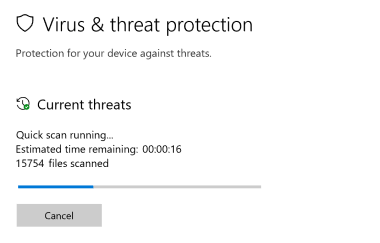
Файлы Windows обычно подвергаются атаке со стороны вредоносного программного обеспечения, которое не позволяет им работать должным образом. Первым шагом в решении проблем с файлом advpack.dll или любыми другими системными файлами Windows должно быть сканирование системы на наличие вредоносных программ с использованием антивирусного инструмента.
Если по какой-либо причине в вашей системе еще не установлено антивирусное программное обеспечение, вы должны сделать это немедленно. Незащищенная система не только является источником ошибок в файлах, но, что более важно, делает вашу систему уязвимой для многих опасностей. Если вы не знаете, какой антивирусный инструмент выбрать, обратитесь к этой статье Википедии — сравнение антивирусного программного обеспечения.
Шаг 2.. Обновите систему и драйверы.
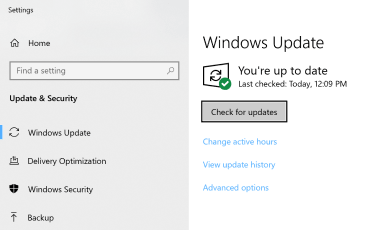
Установка соответствующих исправлений и обновлений Microsoft Windows может решить ваши проблемы, связанные с файлом advpack.dll. Используйте специальный инструмент Windows для выполнения обновления.
- Откройте меню «Пуск» в Windows.
- Введите «Центр обновления Windows» в поле поиска.
- Выберите подходящую программу (название может отличаться в зависимости от версии вашей системы)
- Проверьте, обновлена ли ваша система. Если в списке есть непримененные обновления, немедленно установите их.
- После завершения обновления перезагрузите компьютер, чтобы завершить процесс.
Помимо обновления системы рекомендуется установить последние версии драйверов устройств, так как драйверы могут влиять на правильную работу advpack.dll или других системных файлов. Для этого перейдите на веб-сайт производителя вашего компьютера или устройства, где вы найдете информацию о последних обновлениях драйверов.
Шаг 3.. Используйте средство проверки системных файлов (SFC).
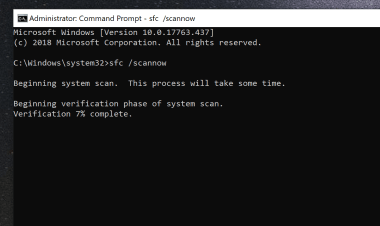
Проверка системных файлов — это инструмент Microsoft Windows. Как следует из названия, инструмент используется для идентификации и адресации ошибок, связанных с системным файлом, в том числе связанных с файлом advpack.dll. После обнаружения ошибки, связанной с файлом %fileextension%, программа пытается автоматически заменить файл advpack.dll на исправно работающую версию. Чтобы использовать инструмент:
- Откройте меню «Пуск» в Windows.
- Введите «cmd» в поле поиска
- Найдите результат «Командная строка» — пока не запускайте его:
- Нажмите правую кнопку мыши и выберите «Запуск от имени администратора»
- Введите «sfc / scannow» в командной строке, чтобы запустить программу, и следуйте инструкциям.
Шаг 4. Восстановление системы Windows.
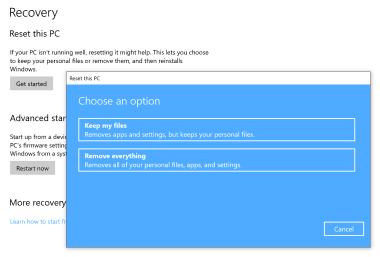
Другой подход заключается в восстановлении системы до предыдущего состояния до того, как произошла ошибка файла advpack.dll. Чтобы восстановить вашу систему, следуйте инструкциям ниже
- Откройте меню «Пуск» в Windows.
- Введите «Восстановление системы» в поле поиска.
- Запустите средство восстановления системы — его имя может отличаться в зависимости от версии системы.
- Приложение проведет вас через весь процесс — внимательно прочитайте сообщения
- После завершения процесса перезагрузите компьютер.
Источник
Error creating process windows system32 advpack dll
This forum has migrated to Microsoft Q&A. Visit Microsoft Q&A to post new questions.
Answered by:
Question
Not sure if this is where to put this question but I can’t find anything else on these forums (shrug?). I’m trying to install the 2.0 redistribution package and get an error with c:windowssystem32advpack.dll when trying to install. Any suggestions?
The reason I’m looking to install it is because I have an application that requires it. Maybe I actually need something different? Ugh. lol
Answers
Since you are running the 32 bit OS, you will need the 32 bit .Net Framework redistributable.
Please install from
All replies
Has anyone giving an answer for this question yet. I also have this problem..I’m trying to install the 64-bit version of Microsoft .NET Framework 2.0 . I get error
error creating process
. Reason:
C:WINDOWSsystem32advpack.dll
Any suggestions. Thanx.
What Operating System are you trying to install to? Is it a 32 bit OS or a 64 bit OS?
Can you try the following:
Save the .NET Framework setup on your local drive
Extract the package by executing the following:
run the following command with the EXE that was extracted
dotnetfx.exe /c
You will be prompted, and go ahead and enter a path to extract the files.
such as c:dotnetfx
Then go that that location and launch install.exe
Let me know at what point you see failures.
Can you try the instruction above provided to crazylady? The package name for 64 bit will be NetFx64.exe. Download it and run it with the /c command to extract it.
Are you using an AMD64 or Intel64 machine?
RobF did what u told me i ran:
«netfx64.exe/c» as an argument to the ‘install’ file,
I get the install.exe is not a valid Win32 application.
Can you help me
Since you are running the 32 bit OS, you will need the 32 bit .Net Framework redistributable.
Please install from
in the environment variables change both the TEMP and the TMP from the x:documents and Settingsuser.
To c:Temp or any other folder.
for me it works.
Might be a silly question, but. NTFS is what type of OS?? I still get eh same problem when trying to install the x64 version and gthe link you provide is x86. Neither of these work, I get an error saying I need a higher version of .NET when I use the x86. Any help would be appreciated.
1. Remove advpack.dll (use Unlocker if it says the file is in use)
2. Place the advpack.dll from here in the spot of the old advpack.dll which you have just removed.
Did you install the windows xp 64 bit version or the windows 32 bit version?
If your trying to install a 64bit driver on 32 bit win xp you will get this message.
Solution: If your running on a 64 bit processor, install the 64 bit windows xp.
| TheAmiMan wrote: | ||
|
in the environment variables change both the TEMP and the TMP from the x:documents and Settingsuser. To c:Temp or any other folder. for me it works. «Error creating process .
I still receive the error. Error creating process . Reason: C:Windowssystem32advpack.dll Any other suggestions would be greatly appreciated!
I had the same problem described in prior posts on this thread: Error creating process service pack 2 , I got stuck in a loop on reboot [boot up partway, shut down, boot up partway, etc.]) and had to remove it) with an AMD Athlon 64 p646 bit processor, which should be compatible with netfix64.exe . any ideas?
How can I tell if i have the 32 or 64 bit OS, because I too cannot install the Microsoft.Net Framework. I looked at the computer properties, but it just says XP Professional.
From command line I entered: C:Documents and SettingsAll UsersDocuments>netFx64.exe /c Asked for location . using the browser I directed installer to the .net folder. The install completed without error.
I am using windows server 2003. Using NetFx64.exe /c command I have extracted the files. When I click on ‘install.exe’ I am getting the following error eventhough I have logged in as the ‘administrator’. ‘w indows cannot access the specified device,path,or file. you may not have the appropriate permissions to access the item.’ Thanks and Regards,
it is 32 bit os
Sorry, I dont really understand all of that. I’ve got a 32 bit thingumujiggy. I’ve downloaded the net framework and saved it but thats where my understanding ends
|
Can’t Run DirectXWebInstaller — error creating process advpack.dll
-
Thread starterGarlotch
-
Start dateAug 22, 2014
-
- Jun 27, 2014
-
- 31
-
- 0
-
- 4,530
- 0
-
#1
I download the file called: dxwebsetup, but whenever I try to run it and install the software, I get this message:
Does anyone know how to fix this?
My specs are:
Thanks very much

-
- Dec 17, 2012
-
- 8,948
-
- 96
-
- 42,040
- 1,492
-
- Dec 17, 2012
-
- 8,948
-
- 96
-
- 42,040
- 1,492
-
#2
-
- Jun 27, 2014
-
- 31
-
- 0
-
- 4,530
- 0
-
#3
I have NO Idea, i thought that might be the case, so i tried searching for the Direct X Runtime 64bit version, and couldn’t find it. You you possibly provide a link if you find it?
-
- Jun 27, 2014
-
- 31
-
- 0
-
- 4,530
- 0
-
- Dec 17, 2012
-
- 8,948
-
- 96
-
- 42,040
- 1,492
-
#5
-
- Jun 27, 2014
-
- 31
-
- 0
-
- 4,530
- 0
-
#6
-
- Dec 17, 2012
-
- 8,948
-
- 96
-
- 42,040
- 1,492
- Advertising
- Cookies Policies
- Privacy
- Term & Conditions
- Topics
-
Add bookmark
-
#1
Hello all!
I recently bought this game from Gamersgate, and it seems like it won’t install i get this error:
Error creating process <C:DOCUME~1ADMINI~1LOCALS~1TempIXP000.TMP10431_~1.exe>. Reason: C:WINDOWSsystem32advpack.dll
What should i do? I so want to play this game, an i have sent away an mail to Gamersgate but they will probably not answer today…
Please help! /Selerz

-
Add bookmark
-
#3
advpack.dll error on running setup?
Anyone has this error?

