

Для того чтобы вводить команды в игру надо нажать клавишу f1.
Важные кнопки
Кнопка «F1» — Вызвать консоль
Кнопка «F3» — Показывает подробную информацию (только при включенном debugmenu).
Кнопка «F4» — Переход в оконный режим.
Кнопка «F5» — Переключение вида от 1-го/3-го лица.
Кнопка «F6» — Открывает меню спавна (только при включенном debugmenu).
Кнопка «F7» — Отключает HUD.
Кнопка «F8» — Показывает FPS. При включенном debugmenu показывает более подробную информацию.
Кнопка «U» — Открывает окно в котором можно получить любые предметы, что есть в игре (только при включенном creativemenu).
Кнопка «H» — Позволяет вам летать, при этом для того чтобы двигаться вверх, используется ПРОБЕЛ, а чтобы спуститься кнопка «С» (только при включенном creativemenu).
Кнопка «G» — Позволяет включить режим бога. В этом режиме вы не получаете повреждения, но эффекты все равно накладываются (только при включенном debugmenu).
Кнопка «Esc» — При включенном debugmenu кроме основного меню справа так же откроется дополнительная панель управления.
Консольные Команды.
admin add
Добавить права админа (пример admin add 171 1000)
admin remove
Убрать права админа (пример admin remove 171)
ban add [reason]
Забанить игрока (пример — ban 171 10 hours griefing / ban 282 1 year hacking)
ban list
Бан Лист
ban remove
Разбанить игрока
buff
Применяет эффект к текущему игроку (пример buff CoffeeStaminaBoost)
buffplayer
Применение эффекта к указанному игроку (buffplayer 171 CoffeeStaminaBoost)
clear
Очищает консоль
cp add
Добавить команду и уровень доступа (Пример cp add gettime 1000)
cp remove
Удалить команду
cp list
Список команд и уровней доступа
creativemenu (cm)
включает/выключает меню креатива
deathscreen
Показывает экран смерти
debuff
снимает эффект с текущего игрока
debuffplayer
снимает эффект с указанного игрока
debugmenu (dm)
включает/выключает дебаг-меню
exhausted (es)
Делает игрока уставшим
exportitemicons
Сохраняет все иконки предметов в папку 7DaysToDieItemIcons. Чрезвычайно полезный для редактирования Wiki!
gettime (gt)
Выводит в консоли текущее время игры
giveguest
Запустить квест по внутреннему имени квеста. (Пример givequest quest_BasicSurvival8)
giveself [quality level]
Получить определенный предмет. (Пример giveself machete 500)
giveselfskillxp
Получить очки опыта для нужного умения (пример giveselfskillxp Mining Tools 1000)
giveselfxp
Получить нужное количество очков общего опыта.(пример giveselfxp 1000)
kick [reason]
Выкинуть игрока с сервера (пример kick 171 bye)
kickall [reason]
Выкинуть всех игроков с сервера
Kill
Убивает указанного игрока
killall
Убить всех игроков
listplayerids (lpi)
Выводит в консоль список всех игроков с указанием их ID
listplayers (lp)
Выводит в консоль список всех игроков
removequest
Удалить определенный квест
repairchunkdensity (rcd) [fix]
Восстанавливает(fix) chunk (пример rcd 0 100 fix)
saveworld
Сохранить мир(карту)
say
Отправить сообщение от именни [Server]
settempunit (stu)
Изменить единицы измерения температуры, градусы Цельсия или градусы Фаренгейта. (Пример stu f / stu c)
settime (st)
Установление времени (например для установления 10дня 12ч и 33 минуты: settime 10 12 33)
shownexthordetime
показывает время следующей орды
shutdown
выйти из игры
spawnairdrop
вызывает самолет (airdrop)
spawnentity (se)
спавн различных животных и зомби.
spawnscouts
спавн зомби крикуньи
SpawnScreen
Показать экран спавна
spawnsupplycrate
призывает аирдроп ящик прямо над головой игрока.
spawnwanderinghorde
спавн блуждающей орды
switchview (sv)
изменение вида от 1-го лица на вид от 3-го лица и наоборот
starve
делает персонажа голодны (устанавливает показатель сытости в 0)
thirsty
Вызывает жажду. (Показатель воды устанавливается в 0)
systeminfo
Показать информацию о системе (CPU, operating system, etc)
teleport (tp)
Тулепортирует в указанные координаты (пример tp -200 77 300 )
teleportplayer
Телепортирует игрока по координатам (пример tele 171 -200 77 300 )
teleportplayer
Телепортирует игрока к игроку (пример tele 171 365)
water
Параметры настройки воды.
weather
Параметры настройки погоды.
Выключить дождь: weather rain 0
Убрать тучи: weather clouds 0
whitelist add
Добавить игрока в whitelist
whitelist remove
Убрать игрока из whitelist
whitelist list
Список whitelist
Так же вас могут заинтересовать другие материалы по игре, которые вы сможете найти в нашем архиве читов.
Fair Warning: Use of this command console for gameplay purposes has the potential to ruin any sense of tension or consequences in-game when playing again due to being able to easily bypass events, injuries etc.
Description[]
The Command Console is a tool primarily used for game development. However, it can be accessed by the player and used to input various «Console Commands» adding a wider range of functionality to the game. Using the commands the player is able to retrieve game information and statistics in addition, but not limited to altering the game’s settings, spawning items and controlling time. Commands are also available which can be used to control guest players when the game is running in multi-player. This allows the host player to kick or even ban other players that are abusive or being disruptive. More command are available at 7DaysToDieCommands.com.
Usage[]
- There are two different keys that can be used to open the Command Console these are as follows:
Key 1[]
- press F1 for US and EU keyboards.
Key 2[]
- press » for US keyboards.
- press @ for EU keyboards.
- press Ö/Ø/F2 for Scandinavian keyboards.
- press Ñ for spanish keyboards.
Console Commands[]
Entering codes[]
- Some commands are case sensitive; «a» is not the same as «A».
- Shortcuts can be used in place of the full command. Not all commands have a shortcut.
- Command arguments presented in [square braces] are optional, however commands using <pointed braces> are not.
See also[]
- Creative Menu
- Cheat Mode
- Game Settings
Command List[]
Current list taken from Alpha 15. Commands are as listed by typing «help» into the console.
| Command | Shortcut | Description | Example |
|---|---|---|---|
| help <command> | Prints help text for supported commands. | help ban | |
| admin add <name / entity id / steam id> <permission level> | Used to add a player to the admin list with the desired permission level. Note that you can use the players entityid, playername, or steam ID. Type «lpi» to find an ID. Permission levels can range between 0 (maximum) and 1000 (none). | admin add 171 0 | |
| admin remove <name / entity id / steam id> | Used to remove a player from the admin list. Type «lpi» to find an ID. | admin remove 171 | |
| ai pathgrid | TBD — added in A19.2 b3 | ||
| ai pathlines (was: ai path) | TBD — renamed in A19.2 b3 | ||
| aiddebug | Toggles AIDirector debug output. | ||
| ban add <name / entity id / steam id> <duration> <duration unit> [reason] | Bans a player from the game for <duration> in <duration units> with a reason of [reason] (optional). Duration units are minutes, hours, days, weeks, months, and years. Type «lpi» to find an ID. | ban 171 10 hours griefing ban 282 1 year hacking |
|
| ban list | Print a list of banned players with their duration, ID, and reason to the console. | ||
| ban remove <name / entity id / steam id> | Remove a ban. Find a list of banned player IDs using «ban list». | ban remove 171 | |
| buff <buff name> | Applies a buff to the local player (you). Buff names can be found in 7 Days To DieDataConfigbuffs.xml
|
buff CoffeeStaminaBoost | |
| buffplayer <name / entity id / steam id> <buff name> | Applies a buff to the selected player. Type «lpi» to find an ID. Buff names can be found in 7 Days To DieDataConfigbuffs.xml.
|
buffplayer 171 CoffeeStaminaBoost | |
| chunkcache | cc | Shows all loaded chunks in the cache. | |
| clear | Clears all output text in the command console | ||
| cp add <command> <level> | Used to add a command to the command permission list with the desired permission level. Use «cp list» to view commands. | cp add gettime 0 | |
| cp remove <command> | Used to remove a command from the command permission list. | cp remove gettime | |
| cp list | Display a list of current command permissions. «1000» is the lowest (Guest or normal player) while «0» is the highest (Host or Admin). | ||
| creativemenu | cm | Enables or disables the Creative Menu | |
| deathscreen <on/off> | Display the blood-filled death screen during normal gameplay. This does not hurt or kill the player but it diminishes visibility. | ||
| debuff <buff name> | Remove a buff from the local player (you). | debuff buffLegBroken | |
| debuffplayer <name / entity id / steam id> <buff name> | Remove a buff from the targeted player. | debuff 171 buffLegBroken | |
| debugmenu [on/off] | dm | Toggles Debug Mode on or off. This allows God mode (G key), the debug menu (ESC), and other unique functionality. | |
| enablescope <on/off> | es | Toggle debug scope. | |
| exhausted | Makes the player exhausted. | ||
| exportcurrentconfigs | Exports the currently used configs to %appdata%/7DaystoDie/Saves/<worldname>/<savegamename>/Configs on Windows and .local/share/7DaystoDie/Saves/<worldname>/<savegamename>/Configs on Linux.
Useful for mod development. [1] |
||
| exportitemicons | Exports all item icons to the 7 Days To DieItemIcons folder. Extremely useful for wiki editing!
|
||
| getgamepref | gg | Prints a list of current game preferences to the console (airdrop frequency, daylight length, etc). | |
| getgamestat | ggs | Prints a list of current game stats to the console (land claim size, difficulty, etc) | |
| gettime | gt | Prints current number of days and time. | |
| gfx af <0 or 1> | Sets the anisotropic filtering to off(0) or on(1, default). | gfx af 0 | |
| gfx dti | Set distant terrain instancing (A19.2 b3) | ||
| gfx dtpix | Set distant terrain pixel error (A19.2 b3) | ||
| givequest | Give yourself a quest. Quest names can be found in 7 Days To DieDataConfigquests.xml. The example command can be used to skip to the end of the tutorial quests. This is also immensely helpful for modded quests.
|
givequest quest_BasicSurvival8 | |
| giveself <item name> [quality level] | Drops an item at your feet with maximum (600) quality. Use the optional [quality level] to specify. Item names can be found in 7 Days To DieDataConfigitems.xml
|
giveself machete | |
| giveselfskillxp Mining Tools 1000 | |||
| giveselfxp <amount> | Increase your experience by <amount>. | giveselfxp 1000 | |
| kick <name / entity id / steam id> [reason] | Kicks a player from the game. Type «lpi» to find an ID. [reason] is optional. | kick 171 bye | |
| kickall [reason] | Kicks all players from the game. [reason] is optional. | kickall bye | |
| killall | Kills all players and entities. | ||
| lights | Toggles display of an outline around all light-emitting objects (candles, campfires, etc) (screenshot) | ||
| listents | le | Lists all entities currently in game (zombies, players, animals). | |
| listlandclaim | llp | Lists all active Land Claim Blocks with player name, world ID, SteamID, LCB’s current health state, and coordinates. | |
| listplayerids | lpi | Lists all players and their IDs. | |
| listplayers | lp | Lists all players with IDs, positions, health, stats, IP address, etc. | |
| listthreads | lt | Lists all threads. | |
| loggamestate <message> [true/false] | lgs | Writes information on the current state of the game (memory usage, entities, threads, etc) to the log file at 7 Days To Die7DaysToDie_Dataoutput_log.txt. <message> is any string that will be included in the header of the generated log. True = the command should be run on the client. False = the command should be run on the server. «False» is default.
|
loggamestate START |
| loglevel <loglevel name> <true/false> | Telnet/web only. Select which types of log messages are shown on the connection. By default, all log messages are printed on every connection. Log levels: INF, WRN, ERR, EXC, or ALL. | loglevel INF false | |
| mem | Prints memory information and calls garbage collector. | ||
| memcl | Prints memory information on client and calls garbage collector. | ||
| pplist | Prints Persistent Player data. | ||
| removequest | Removes a quest. Quest names can be found in 7 Days To DieDataConfigquests.xml.
|
||
| repairchunkdensity <x> <z> [fix] | rcd | Used to check if the densities of blocks in a chunk match the actual block type. If there is a mismatch it can lead to the chunk rendering incorrectly or not at all, indicated by the error message «Failed setting triangles. Some indices are references out of bounds vertices.» It can also fix mismatches within a chunk. <x> and <z> are the coordinates of any block within the chunk to check. Adding «fix» to the end of the command will repair any mismatches. | rcd 0 100 fix |
| saveworld | sa | Manually saves the world. | |
| say <message> | Sends a server message to all connected clients. | ||
| setgamepref <preference name> <value> | sg | Sets a gamepref. Preference names can be viewed with the «gg» command (getgamepref). | sg ZombiesRun 0 |
| setgamestat <stat name> <value> | sgs | Sets a gamestat. Stat names can be viewed with the «ggs» command (getgamestat). | sgs LandClaimExpiryTime 10 |
| settempunit <c or f> | stu | Sets the temperature unit to Celsius (c) or Fahrenheit (f, default). | |
| settime day settime night settime <time> settime <day> <hour> <minute> |
st | Sets the current game time. <time> is in the 24h/military format (1pm is 1300). [hour] and [minute] are not. You can also set the <day>, which is the number of total days that have passed. Type «help settime» for more info.
WARNING!!! Using this command runs a high risk of breaking everything timer related on your save game. |
settime 1300 settime 6 15 0 |
| showalbedo | albedo | Toggles display of albedo in gBuffer. | |
| showchunkdata | sc | Shows some data of the current chunk. | |
| showclouds | Artist command to show one layer of clouds. | ||
| shownexthordetime | Displays the wandering horde time. | ||
| shownormals | norms | Toggles display of normal maps in gBuffer. | |
| showspecular | spec | Toggles display of specular values in gBuffer. | |
| shutdown | Shuts the game down. | ||
| sounddebug | Toggles SoundManager debug output. | ||
| spawnairdrop | Spawns an air drop. | ||
| spawnentity <playerID> <entityID> | se | «se» by itself prints a list of entity IDs. Type «lpi» to find an ID. You may also use the Entity Spawner (F6) in Debug Mode to spawn an entity. | |
| spawnscouts | Spawns 1 Screamer in the distance and makes it navigate towards the location where the command was used. | ||
| spawnscreen | Displays spawn screen. | ||
| spawnsupplycrate | Spawns a supply crate above the player. | ||
| spawnwh | Spawns a wandering horde in the distance; these hordes will move generally towards the player’s location when they were spawned (but not GPS at the player). (verified for A19.2 by faatal @TFP) | ||
| spectrum <choice> | Force a lighting spectrum. Choices are Biome, BloodMoon, Foggy, Rainy, Stormy, Snowy. For the moment, the «biome» choice is bugged and might crash the game. | ||
| starve | Makes the player hungry. | ||
| staticmap | Switches the Navazgane map between static and dynamic | ||
| switchview | sv | Switches the player view between 1st person and 3rd person views. This can also be done in Debug Mode by hitting F5. | |
| systeminfo | Print info about the current system (CPU, operating system, etc). | ||
| teleport <E / W> [y] <N / S> teleport <E / W> <N / S> teleport <target player name/steam id/entity id> teleport offset <inc E / W> <inc y> <inc N / S> |
tp | Teleport the local player (you) to specified location. If using [y] (optional) use -1 to spawn on the ground. Use only <E / W> and <N / S> to always spawn on the ground. Use «offset» to teleport based on current position (e.g. 3 meters north inside a locked building). Type «help tp» for more info. South and West are negative, (-) before number. | tp -200 77 300 tp -200 300 tp 171 tp offset 3 1 0 |
| teleportplayer <name / player id / steam id> <E / W> <y> <N / S> teleportplayer <player id> <player id> |
tele | Teleport the target player to specified location. Use y = -1 to spawn on the ground. Use another player’s name or ID to teleport one player to another (such as to yourself). Type «lpi» to print a list of player IDs. Type «help tele» for more info.
South and West are negative, (-) before number. |
tele 171 -200 77 300 tele 171 365 tele <friend> <self> = friend to you. |
| thirsty | Makes the player thirsty. | ||
| traderarea | If a player is within a trader area they will be forced out but can reenter unless trader is closed. | ||
| updatelighton <name / player id / steam id> | Commands for UpdateLightOnAllMaterials and UpdateLightOnPlayers. | ||
| version | Print the version of the game and loaded mods. | ||
| water | Control water settings. Type «help water» for more info. | ||
| weather | Control weather settings. Type «help weather» for more info. | ||
| weathersurvival <on / off> | Toggles weather survival. | ||
| whitelist add <name / player id / steam id> | Adds a player to the whitelist. | ||
| whitelist remove <name / player id / steam id> | Removes a player from the white list. | ||
| whitelist list | Prints a list of all whitelisted players. |
Notes[]
- Not applicable to A18
Video Guide[]
- ↑ https://forums.7daystodie.com/forum/-7-days-to-die-pc/game-modification/tutorials-guides/101325-xpath-error-checking?99279-XPath-Error-Checking=
Fair Warning: Use of this command console for gameplay purposes has the potential to ruin any sense of tension or consequences in-game when playing again due to being able to easily bypass events, injuries etc.
Description[]
The Command Console is a tool primarily used for game development. However, it can be accessed by the player and used to input various «Console Commands» adding a wider range of functionality to the game. Using the commands the player is able to retrieve game information and statistics in addition, but not limited to altering the game’s settings, spawning items and controlling time. Commands are also available which can be used to control guest players when the game is running in multi-player. This allows the host player to kick or even ban other players that are abusive or being disruptive. More command are available at 7DaysToDieCommands.com.
Usage[]
- There are two different keys that can be used to open the Command Console these are as follows:
Key 1[]
- press F1 for US and EU keyboards.
Key 2[]
- press » for US keyboards.
- press @ for EU keyboards.
- press Ö/Ø/F2 for Scandinavian keyboards.
- press Ñ for spanish keyboards.
Console Commands[]
Entering codes[]
- Some commands are case sensitive; «a» is not the same as «A».
- Shortcuts can be used in place of the full command. Not all commands have a shortcut.
- Command arguments presented in [square braces] are optional, however commands using <pointed braces> are not.
See also[]
- Creative Menu
- Cheat Mode
- Game Settings
Command List[]
Current list taken from Alpha 15. Commands are as listed by typing «help» into the console.
| Command | Shortcut | Description | Example |
|---|---|---|---|
| help <command> | Prints help text for supported commands. | help ban | |
| admin add <name / entity id / steam id> <permission level> | Used to add a player to the admin list with the desired permission level. Note that you can use the players entityid, playername, or steam ID. Type «lpi» to find an ID. Permission levels can range between 0 (maximum) and 1000 (none). | admin add 171 0 | |
| admin remove <name / entity id / steam id> | Used to remove a player from the admin list. Type «lpi» to find an ID. | admin remove 171 | |
| ai pathgrid | TBD — added in A19.2 b3 | ||
| ai pathlines (was: ai path) | TBD — renamed in A19.2 b3 | ||
| aiddebug | Toggles AIDirector debug output. | ||
| ban add <name / entity id / steam id> <duration> <duration unit> [reason] | Bans a player from the game for <duration> in <duration units> with a reason of [reason] (optional). Duration units are minutes, hours, days, weeks, months, and years. Type «lpi» to find an ID. | ban 171 10 hours griefing ban 282 1 year hacking |
|
| ban list | Print a list of banned players with their duration, ID, and reason to the console. | ||
| ban remove <name / entity id / steam id> | Remove a ban. Find a list of banned player IDs using «ban list». | ban remove 171 | |
| buff <buff name> | Applies a buff to the local player (you). Buff names can be found in 7 Days To DieDataConfigbuffs.xml
|
buff CoffeeStaminaBoost | |
| buffplayer <name / entity id / steam id> <buff name> | Applies a buff to the selected player. Type «lpi» to find an ID. Buff names can be found in 7 Days To DieDataConfigbuffs.xml.
|
buffplayer 171 CoffeeStaminaBoost | |
| chunkcache | cc | Shows all loaded chunks in the cache. | |
| clear | Clears all output text in the command console | ||
| cp add <command> <level> | Used to add a command to the command permission list with the desired permission level. Use «cp list» to view commands. | cp add gettime 0 | |
| cp remove <command> | Used to remove a command from the command permission list. | cp remove gettime | |
| cp list | Display a list of current command permissions. «1000» is the lowest (Guest or normal player) while «0» is the highest (Host or Admin). | ||
| creativemenu | cm | Enables or disables the Creative Menu | |
| deathscreen <on/off> | Display the blood-filled death screen during normal gameplay. This does not hurt or kill the player but it diminishes visibility. | ||
| debuff <buff name> | Remove a buff from the local player (you). | debuff buffLegBroken | |
| debuffplayer <name / entity id / steam id> <buff name> | Remove a buff from the targeted player. | debuff 171 buffLegBroken | |
| debugmenu [on/off] | dm | Toggles Debug Mode on or off. This allows God mode (G key), the debug menu (ESC), and other unique functionality. | |
| enablescope <on/off> | es | Toggle debug scope. | |
| exhausted | Makes the player exhausted. | ||
| exportcurrentconfigs | Exports the currently used configs to %appdata%/7DaystoDie/Saves/<worldname>/<savegamename>/Configs on Windows and .local/share/7DaystoDie/Saves/<worldname>/<savegamename>/Configs on Linux.
Useful for mod development. [1] |
||
| exportitemicons | Exports all item icons to the 7 Days To DieItemIcons folder. Extremely useful for wiki editing!
|
||
| getgamepref | gg | Prints a list of current game preferences to the console (airdrop frequency, daylight length, etc). | |
| getgamestat | ggs | Prints a list of current game stats to the console (land claim size, difficulty, etc) | |
| gettime | gt | Prints current number of days and time. | |
| gfx af <0 or 1> | Sets the anisotropic filtering to off(0) or on(1, default). | gfx af 0 | |
| gfx dti | Set distant terrain instancing (A19.2 b3) | ||
| gfx dtpix | Set distant terrain pixel error (A19.2 b3) | ||
| givequest | Give yourself a quest. Quest names can be found in 7 Days To DieDataConfigquests.xml. The example command can be used to skip to the end of the tutorial quests. This is also immensely helpful for modded quests.
|
givequest quest_BasicSurvival8 | |
| giveself <item name> [quality level] | Drops an item at your feet with maximum (600) quality. Use the optional [quality level] to specify. Item names can be found in 7 Days To DieDataConfigitems.xml
|
giveself machete | |
| giveselfskillxp Mining Tools 1000 | |||
| giveselfxp <amount> | Increase your experience by <amount>. | giveselfxp 1000 | |
| kick <name / entity id / steam id> [reason] | Kicks a player from the game. Type «lpi» to find an ID. [reason] is optional. | kick 171 bye | |
| kickall [reason] | Kicks all players from the game. [reason] is optional. | kickall bye | |
| killall | Kills all players and entities. | ||
| lights | Toggles display of an outline around all light-emitting objects (candles, campfires, etc) (screenshot) | ||
| listents | le | Lists all entities currently in game (zombies, players, animals). | |
| listlandclaim | llp | Lists all active Land Claim Blocks with player name, world ID, SteamID, LCB’s current health state, and coordinates. | |
| listplayerids | lpi | Lists all players and their IDs. | |
| listplayers | lp | Lists all players with IDs, positions, health, stats, IP address, etc. | |
| listthreads | lt | Lists all threads. | |
| loggamestate <message> [true/false] | lgs | Writes information on the current state of the game (memory usage, entities, threads, etc) to the log file at 7 Days To Die7DaysToDie_Dataoutput_log.txt. <message> is any string that will be included in the header of the generated log. True = the command should be run on the client. False = the command should be run on the server. «False» is default.
|
loggamestate START |
| loglevel <loglevel name> <true/false> | Telnet/web only. Select which types of log messages are shown on the connection. By default, all log messages are printed on every connection. Log levels: INF, WRN, ERR, EXC, or ALL. | loglevel INF false | |
| mem | Prints memory information and calls garbage collector. | ||
| memcl | Prints memory information on client and calls garbage collector. | ||
| pplist | Prints Persistent Player data. | ||
| removequest | Removes a quest. Quest names can be found in 7 Days To DieDataConfigquests.xml.
|
||
| repairchunkdensity <x> <z> [fix] | rcd | Used to check if the densities of blocks in a chunk match the actual block type. If there is a mismatch it can lead to the chunk rendering incorrectly or not at all, indicated by the error message «Failed setting triangles. Some indices are references out of bounds vertices.» It can also fix mismatches within a chunk. <x> and <z> are the coordinates of any block within the chunk to check. Adding «fix» to the end of the command will repair any mismatches. | rcd 0 100 fix |
| saveworld | sa | Manually saves the world. | |
| say <message> | Sends a server message to all connected clients. | ||
| setgamepref <preference name> <value> | sg | Sets a gamepref. Preference names can be viewed with the «gg» command (getgamepref). | sg ZombiesRun 0 |
| setgamestat <stat name> <value> | sgs | Sets a gamestat. Stat names can be viewed with the «ggs» command (getgamestat). | sgs LandClaimExpiryTime 10 |
| settempunit <c or f> | stu | Sets the temperature unit to Celsius (c) or Fahrenheit (f, default). | |
| settime day settime night settime <time> settime <day> <hour> <minute> |
st | Sets the current game time. <time> is in the 24h/military format (1pm is 1300). [hour] and [minute] are not. You can also set the <day>, which is the number of total days that have passed. Type «help settime» for more info.
WARNING!!! Using this command runs a high risk of breaking everything timer related on your save game. |
settime 1300 settime 6 15 0 |
| showalbedo | albedo | Toggles display of albedo in gBuffer. | |
| showchunkdata | sc | Shows some data of the current chunk. | |
| showclouds | Artist command to show one layer of clouds. | ||
| shownexthordetime | Displays the wandering horde time. | ||
| shownormals | norms | Toggles display of normal maps in gBuffer. | |
| showspecular | spec | Toggles display of specular values in gBuffer. | |
| shutdown | Shuts the game down. | ||
| sounddebug | Toggles SoundManager debug output. | ||
| spawnairdrop | Spawns an air drop. | ||
| spawnentity <playerID> <entityID> | se | «se» by itself prints a list of entity IDs. Type «lpi» to find an ID. You may also use the Entity Spawner (F6) in Debug Mode to spawn an entity. | |
| spawnscouts | Spawns 1 Screamer in the distance and makes it navigate towards the location where the command was used. | ||
| spawnscreen | Displays spawn screen. | ||
| spawnsupplycrate | Spawns a supply crate above the player. | ||
| spawnwh | Spawns a wandering horde in the distance; these hordes will move generally towards the player’s location when they were spawned (but not GPS at the player). (verified for A19.2 by faatal @TFP) | ||
| spectrum <choice> | Force a lighting spectrum. Choices are Biome, BloodMoon, Foggy, Rainy, Stormy, Snowy. For the moment, the «biome» choice is bugged and might crash the game. | ||
| starve | Makes the player hungry. | ||
| staticmap | Switches the Navazgane map between static and dynamic | ||
| switchview | sv | Switches the player view between 1st person and 3rd person views. This can also be done in Debug Mode by hitting F5. | |
| systeminfo | Print info about the current system (CPU, operating system, etc). | ||
| teleport <E / W> [y] <N / S> teleport <E / W> <N / S> teleport <target player name/steam id/entity id> teleport offset <inc E / W> <inc y> <inc N / S> |
tp | Teleport the local player (you) to specified location. If using [y] (optional) use -1 to spawn on the ground. Use only <E / W> and <N / S> to always spawn on the ground. Use «offset» to teleport based on current position (e.g. 3 meters north inside a locked building). Type «help tp» for more info. South and West are negative, (-) before number. | tp -200 77 300 tp -200 300 tp 171 tp offset 3 1 0 |
| teleportplayer <name / player id / steam id> <E / W> <y> <N / S> teleportplayer <player id> <player id> |
tele | Teleport the target player to specified location. Use y = -1 to spawn on the ground. Use another player’s name or ID to teleport one player to another (such as to yourself). Type «lpi» to print a list of player IDs. Type «help tele» for more info.
South and West are negative, (-) before number. |
tele 171 -200 77 300 tele 171 365 tele <friend> <self> = friend to you. |
| thirsty | Makes the player thirsty. | ||
| traderarea | If a player is within a trader area they will be forced out but can reenter unless trader is closed. | ||
| updatelighton <name / player id / steam id> | Commands for UpdateLightOnAllMaterials and UpdateLightOnPlayers. | ||
| version | Print the version of the game and loaded mods. | ||
| water | Control water settings. Type «help water» for more info. | ||
| weather | Control weather settings. Type «help weather» for more info. | ||
| weathersurvival <on / off> | Toggles weather survival. | ||
| whitelist add <name / player id / steam id> | Adds a player to the whitelist. | ||
| whitelist remove <name / player id / steam id> | Removes a player from the white list. | ||
| whitelist list | Prints a list of all whitelisted players. |
Notes[]
- Not applicable to A18
Video Guide[]
- ↑ https://forums.7daystodie.com/forum/-7-days-to-die-pc/game-modification/tutorials-guides/101325-xpath-error-checking?99279-XPath-Error-Checking=
7 Days to Die — это компьютерная игра в жанре
survival horror и симулятора выживания с открытым миром, разрабатываемая
компанией The Fun Pimps Entertainment. Действие 7 Days to Die происходит в
процедурно генерируемом, полностью разрушаемом мире (кроме торговых зон и
самого нижнего, не разрушаемого блока), охваченном зомби-апокалипсисом. Чтобы
сохранить жизнь своему персонажу, игрок должен обороняться от враждебных зомби,
собирать различные ресурсы и строить здания. Разработка игры была
профинансирована посредством краудфандинга через сайт Kickstarter. По состоянию
на 2021 год игра все ещё находится в стадии разработки и не имеет многих
запланированных функций. Мы собрали все актуальные читы для 7 Days to Die в
одном месте.
Как
использовать читы в 7 Days to Die

В 7 Days to Die читы активируются через игровую
консоль. Чтобы ее открыть, нужно нажать на клавишу F1. Затем необходимо ввести нужный чит-код и
нажать на Enter. После этого чит будет активирован.
Горячие клавиши в 7 Days to Die
F1 — Вызвать консоль;
F3 — Показывает подробную информацию;
F4 — Переход в оконный режим;
F5 — Переключение вида от первого и от третьего лица;
F6 — Открывает меню спавна;
F7 — Отключает HUD;
F8 — Показывает FPS;
U — Открывает окно, в котором можно получить любые предметы, что
есть в игре;
H — Позволяет летать;
С — Прекращает полет;
G — Позволяет включить режим бога. В этом режиме вы не получаете
повреждения, но эффекты все равно накладываются;
Esc — Кроме основного меню справа так же откроется дополнительная
панель управления.
Основные
читы в 7 Days to Die
giveself [id предмета]
[уровень качества(1—6)] — позволяет получить указанный
предмет с указанным уровнем качества;
buff [id бафа] — помогает наложить баф на местного игрока;
debuff [id бафа] — снимите баф с локального игрока или себя;
buffplayer [steam id / имя
игрока / id объекта] [id бафа] — применить баф к любому конкретному
игроку, но с указанием идентификатора;
debuffplayer [steam id / имя
игрока / id объекта] [id бафа] — снять баф с любого конкретного
игрока, но с указанием id;
switchview — переключение между режимами просмотра от первого и третьего лица;
systeminfo — показать информацию о текущем системном процессоре или операционной
системе;
debugmenu — включает или выключает режим отладки;
exhausted — приводит к истощению игрока;
giveselfxp [количество xp] — увеличить XP;
creativemenu — включить или отключить меню создания;
spawnsupplycrate — помогает создать ящик с припасами;
admin [add / remove / list]
[steam id / имя игрока / id объекта] [уровень разрешений] — управлять уровнем разрешений пользователя;
kick [steam id / имя игрока
/ id объекта] — кикнуть любого конкретного игрока;
kickall — кикнуть всех игроков;
whitelist [add / remove /
list] [steam id / имя игрока / id объекта] — добавить или
удалить любого конкретного игрока из белого списка;
ban [add / remove / list]
[steam id / имя игрока / id объекта] [продолжительность + единица измерения
продолжительности] — забанить или разблокировать указанного
игрока;
killall — убить всех игроков и сущностей;
teleport [steam id / имя
игрока / id объекта] [смещение x y z] [вид] —
телепортировать игрока в любое место;
showclouds [имя файла
текстуры] — показать слой облаков;
weather [настройки погоды] — изменить погоду;
spawnentity [player id]
[entity id] — показать список сущностей, которые могут быть
созданы;
spawnwanderinghorde — вызывает бродячую орду зомби;
givequest [id квеста] — взять квест;
removequest [id квеста] — удалить любой конкретный квест из игры;
say [Сообщение] — отправить сообщение на сервер;
cp [add / remove / list]
[команда] [0 – 1000] — добавить команду в список
разрешений для команд;
listplayers — список всех игроков с идентификаторами, здоровьем, статистикой, IP-адресом,
позициями;
version — показать текущую версию игры;
waterlimit [количество] — контроль потока воды;
thirsty — заставить игрока испытывать жажду;
spectrum [id спектра] — изменить спектр освещения;
gettime — показать текущее количество дней и время;
spawnscouts [steam id / имя
игрока / id объекта] [смещение x y z] — вызвать крикуна;
listents — список всех игроков, животных и зомби;
shutdown— выключить игру;
spawnairdrop — создать воздушную каплю;
staticmap — переключение карты;
listplayerids — вывести список всех игроков и их идентификаторов;
setgamestat [стат]
[значение] — установите любому стату игры любое значение;
getgamestat [строка] — показать список текущих игровых статов;
setgamepref [строка] [значение] — установка игровых настроек;
getgamepref [строка] — показать список текущих игровых настроек;
starve — сделать игрока голодным;
settempunit [c / f] — установка единицы измерения температуры по Цельсию или Фаренгейту;
memcl — показывает информацию о памяти на клиенте и вызывает сборщик мусора;
traderarea — показать все торговые площади;
exportitemicons — экспорт иконок всех предметов в папку с игрой;
lights — включить или выключить свет;
shownexthordetime — отображение времени появления следующей орды;
pplist — показать постоянные данные игрока;
clear — очистить весь выводимый текст;
spawnscreen — показать экран появления;
showalbedo — скрыть или показать альбедо в gBuffer;
settime [day / night] [0—24000]
[d hh mm] — установить время игры;
help [команда] — показать справку по команде;
sounddebug — включение или отключение вывода отладки SoundManager;
showormals — показать или скрыть карты нормалей в gBuffer;
chunkcache — показать все загруженные фрагменты в кеше;
loglevel [тип сообщения]
[true / false] — включить, какой тип сообщений журнала
отображается при подключении;
saveworld — сохранить игровой мир;
showchunkdata — показать некоторые данные текущего чанка;
helpdebug — включить или отключить вывод отладки AIDirector;
showspecular — включение или отключение отображения зеркальных значений в gBuffer.
Читы
на зомби в 7 Days to Die
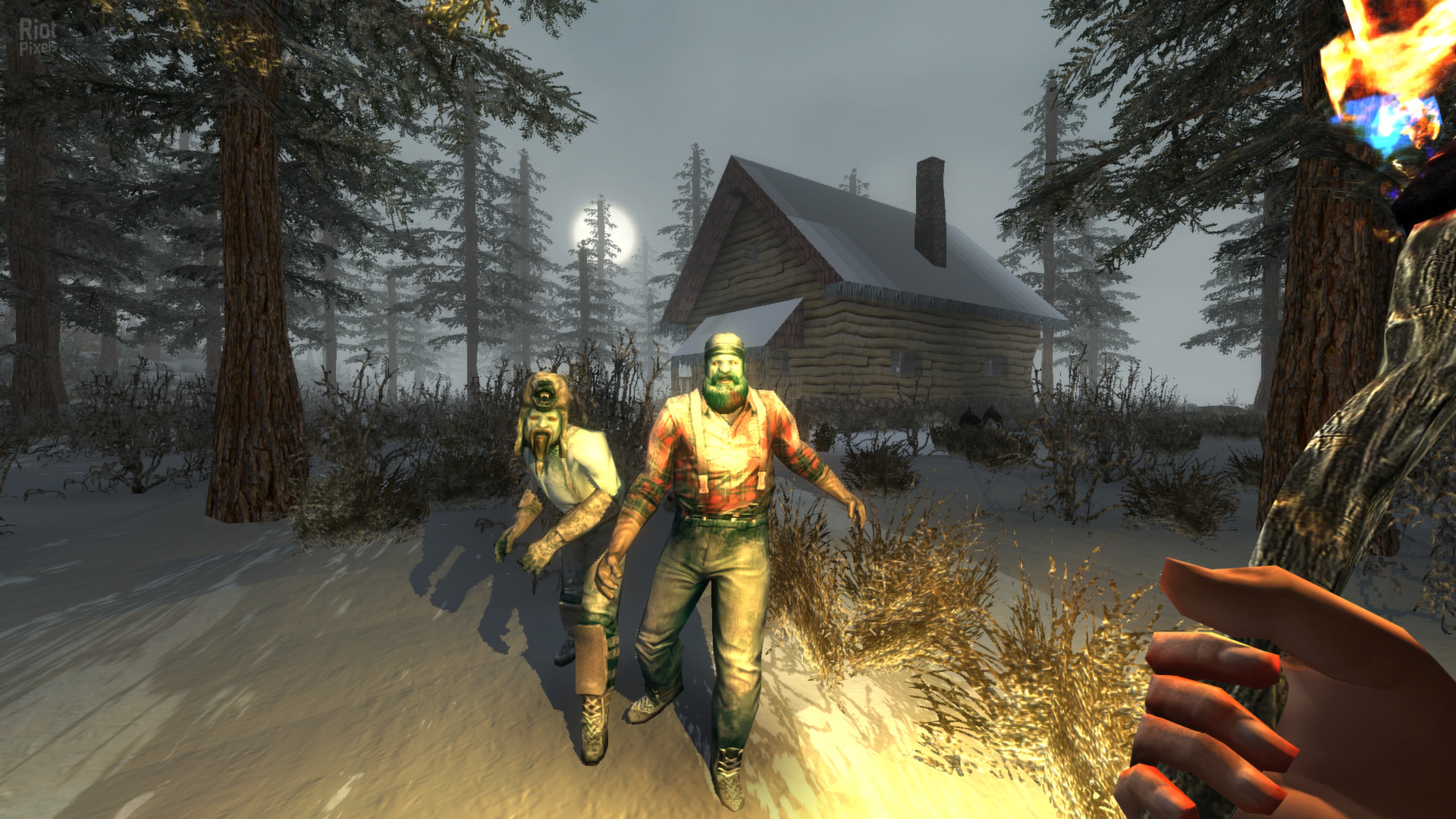
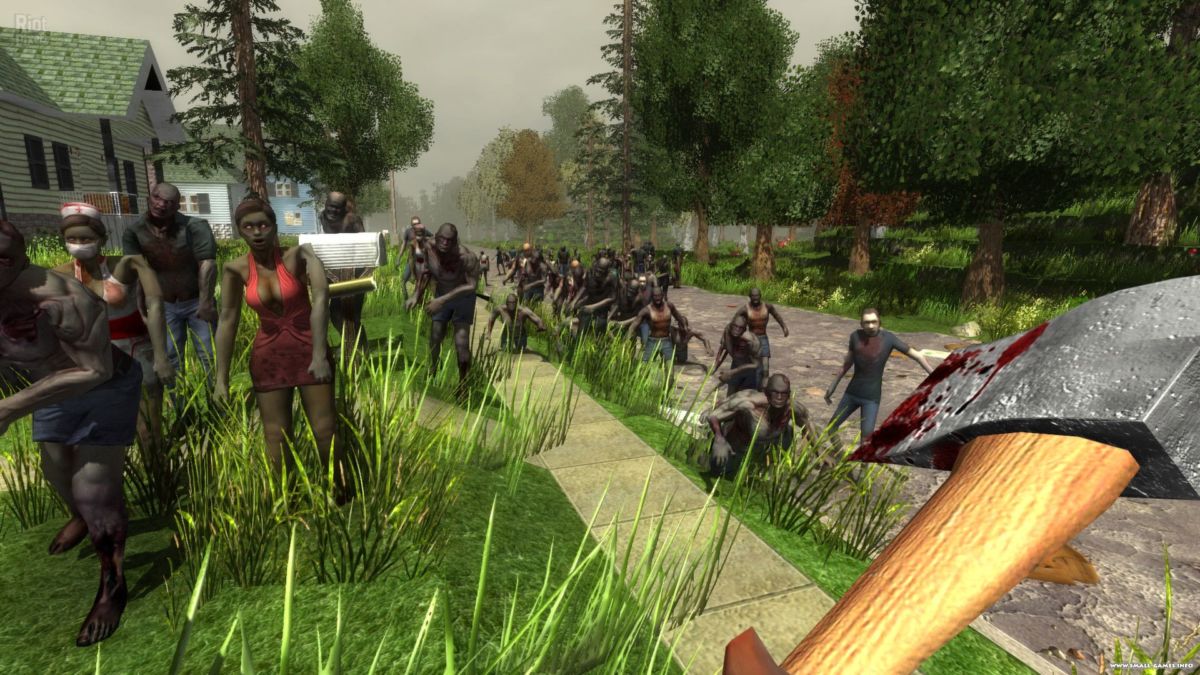
spawnentity1 — Заражённый выживший;
spawnentity2 — Оживший труп;
spawnentity3 — Обглоданный зомби;
spawnentity4 — Гноящийся зомби;
spawnentity5 — zombie1;
spawnentity6 — Ползающий зомби;
spawnentity7 — Замёрзший охотник;
spawnentity8 — Замёрзший дровосек;
spawnentity9 — Обмороженный рабочий;
spawnentity10 — Лазающий зомби;
spawnentity11 — Обгоревший зомби;
spawnentity12 — Зомби—медсестра;
spawnentity13 — Заражённая женщина;
spawnentity14 — Заражённая леди;
spawnentity15 — Заражённая болельщица;
spawnentity16 — Одичавший зомби;
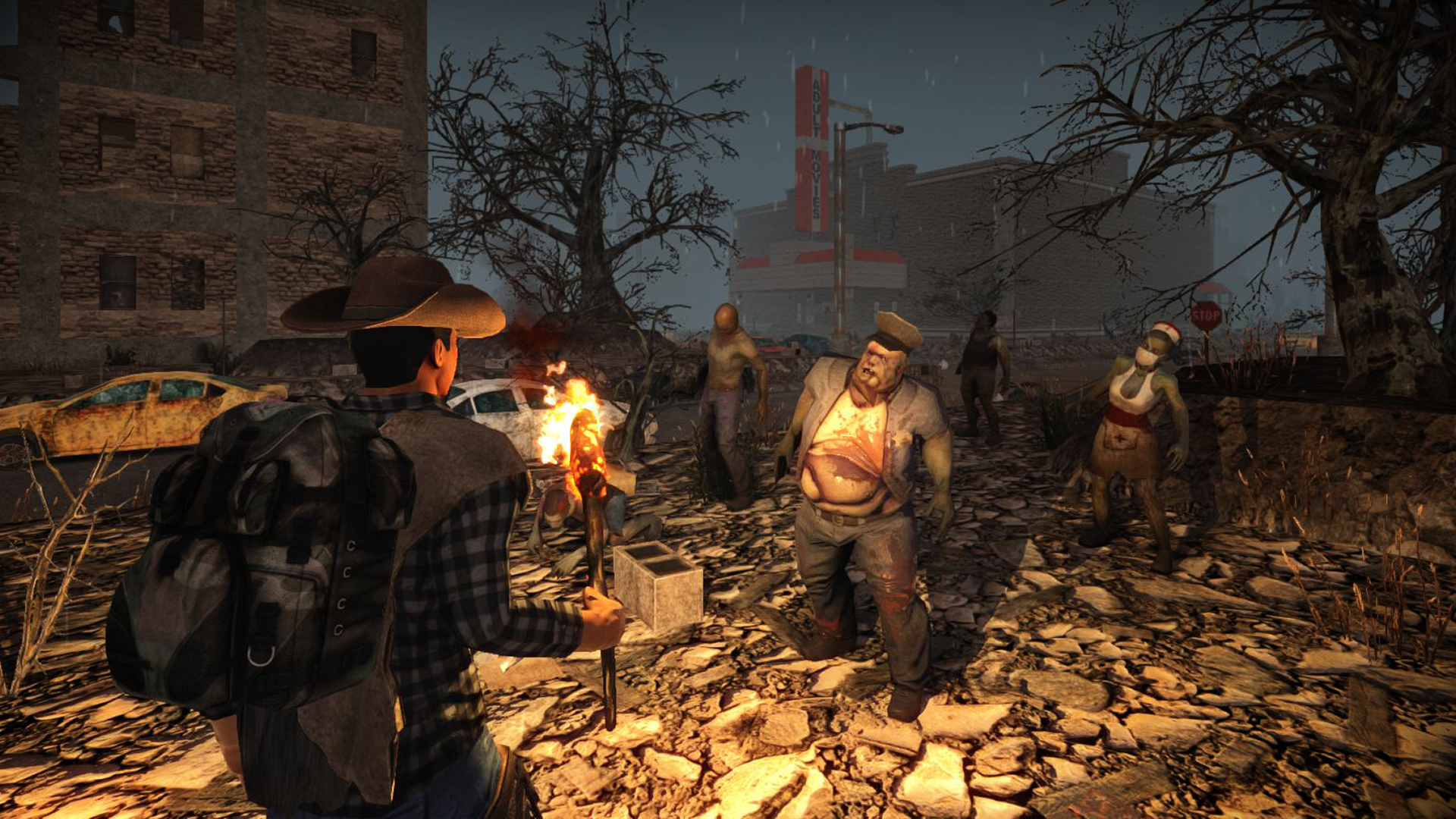
spawnentity17 — Зомби—полицейский;
spawnentity18 — Толстяк;
spawnentity19 — Шершень;
spawnentity20 — Зомби-собака.
Читы на автомобили в 7
Days to Die
spawnentity21 — Синий;
spawnentity22 — Оранжевый;
spawnentity23 — Красный;
spawnentity24 – Белый.
Читы на животных в 7
Days to Die
spawnentity25 — Олень;
spawnentity26 — Кролик;
spawnentity27 – Свинья.
Читы на ящики в 7
Days to Die
spawnentity29 — Ящик с инструментами;
spawnentity30 — Ящик с едой и пайком;
spawnentity31 — Ящик с ресурсами для
строительства;
spawnentity32 — Ящик с огнестрельным
оружием (обрез дробовика, ружьё, пистолеты, патроны);
spawnentity34 — Ящик с огнестрельным
оружием (то же самое, но с шансом появления запчастей Магнума);
spawnentity35 — Ящик с взрывчаткой
(мины, ракетницы, бомбы);
spawnentity36 — Ящик со случайными ресурсами.