


Jungheinrich System Error Codes list.pdf
Adobe Acrobat Document
168.2 KB
Jungheinrich Fault Codes.pdf
Adobe Acrobat Document
720.8 KB
Jungheinrich Error Codes List PDF.pdf
Adobe Acrobat Document
191.8 KB
Jungheinrich EJC112 & E1202 Event Messag
Adobe Acrobat Document
582.8 KB
Event Messages
Z This display units shows a four-digit event message for every
event. Trucks that only use one luminous display (e.g. LED) show
the event through a flashing code (see «Display System”).
Each event message is also stored in the master logbook. The
master logbook describes the event in more detail through the sub
index behind the event message (FEXX).
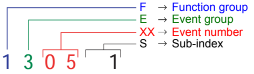
Event numbering display
F E XX S
F Function group; E Event group
XX Event number S Sub index
The first two characters “F, E” refer to the category. The middle
two digits “XX” refer to the event. From these two digits the range:
• 1 to 50 describes standard events (uniform basic events)
which can occur in any function group.
• 51 to 99 describes specific events.
The event is described in further detail through the last characters
“S” (single digit / multi-digit).
This process ensures that a unique number is assigned to each
event. Example:
0 Fault reset or
no fault
1 General fault / additional functions
Example:
Logic error, e.g. both directions selected simultaneously
2 Current
(input interface, device-internal, output interface)
3 Voltage
(input interface, device-internal, output interface)
4 Temperature
5 Hardware
Example: Output transformer short circuit, EEPROM not
responding, …
6 Software
(internal software, application software, data record /
parameters)
Example: EEPROM data error
7 Additional modules
8 CAN monitoring
9 External fault
Example: ISM
Автор ForkliftMan, 20 апреля 2021, 17:38:17
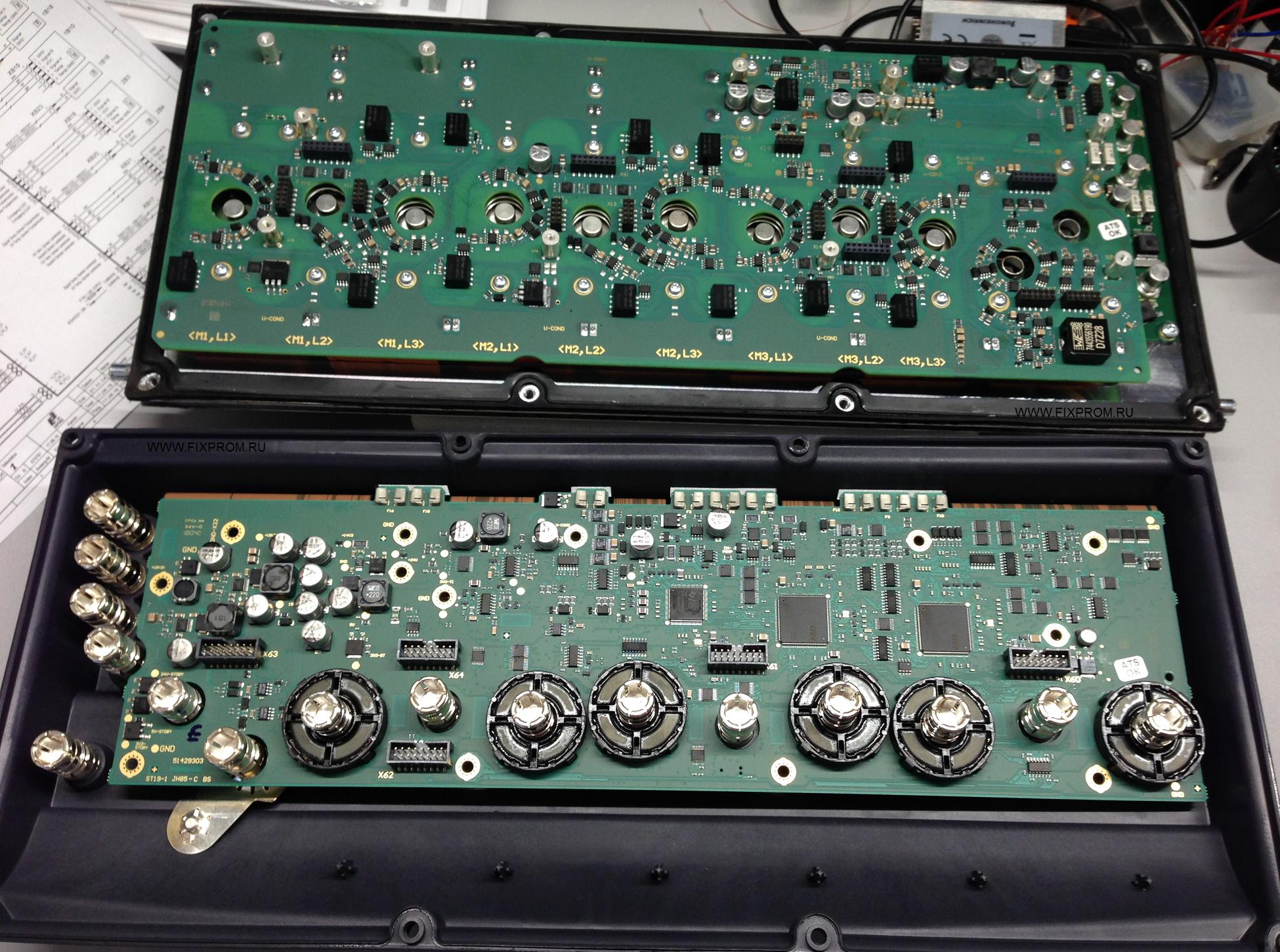
Заказчик привёз в ремонт блок управления 51462020 AS4824iS/F/H/Plus от нового погрузчика Jungheinrich EFG второй серии, выпускаемого с 2016 года.
Сделали несколько фото. Весьма интересный контроллер. Инженеры Jungheinrich впихнули в него всё что можно.
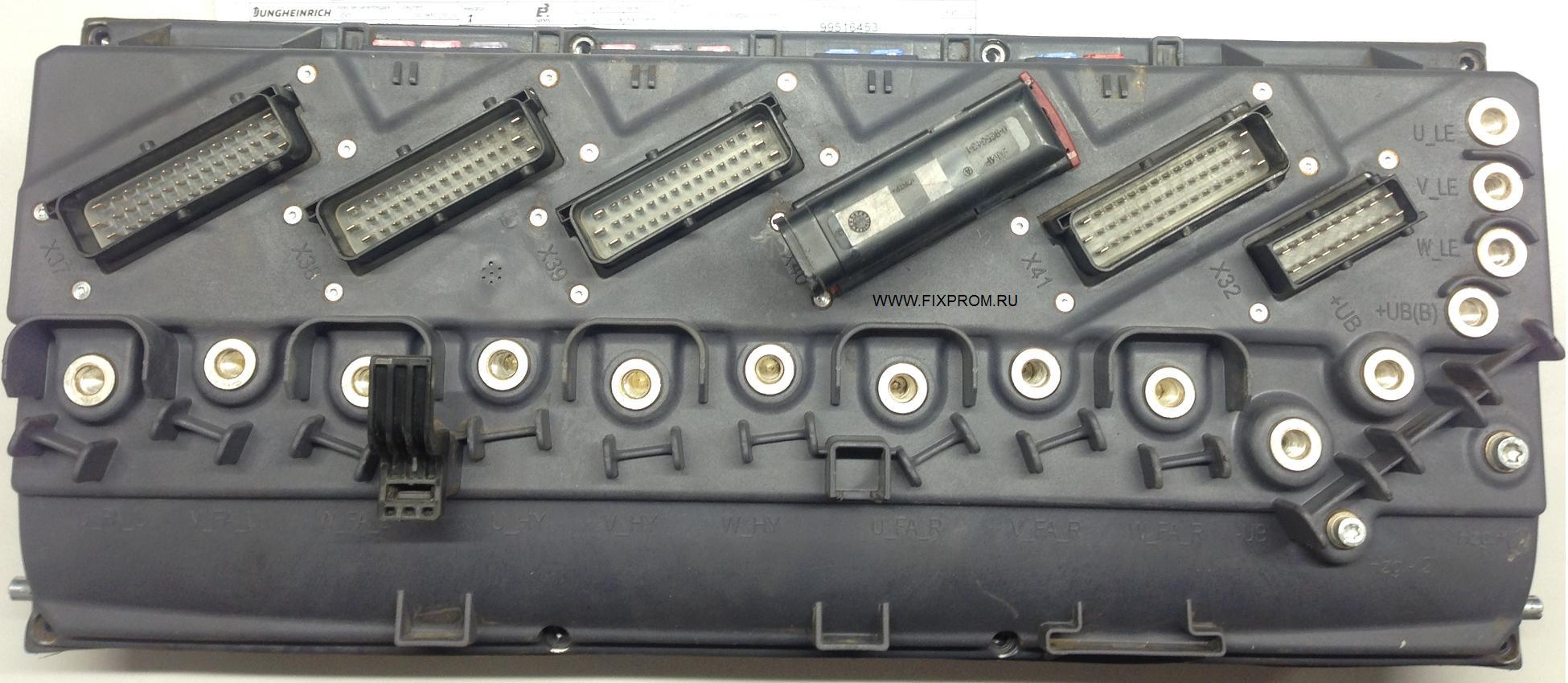
Контроллер отвечает буквально за всё в погрузчике, и любая его неисправность приводит к тому, что клиент попадает на дорогостоящий ремонт.
К слову блок этот очень дорогой и сложный.
По сравнению с ним контроллер JXP-DPI от узкопроходчика EKX 515 или комплектовщика EKS 312 покажется «детским садом».
Предыдущее поколение контроллеров для тяжелой серии EFG, выпускаемых с 2014 года, тоже однозначно попроще будет.
И так, под пластиковой крышкой находится плата управления…
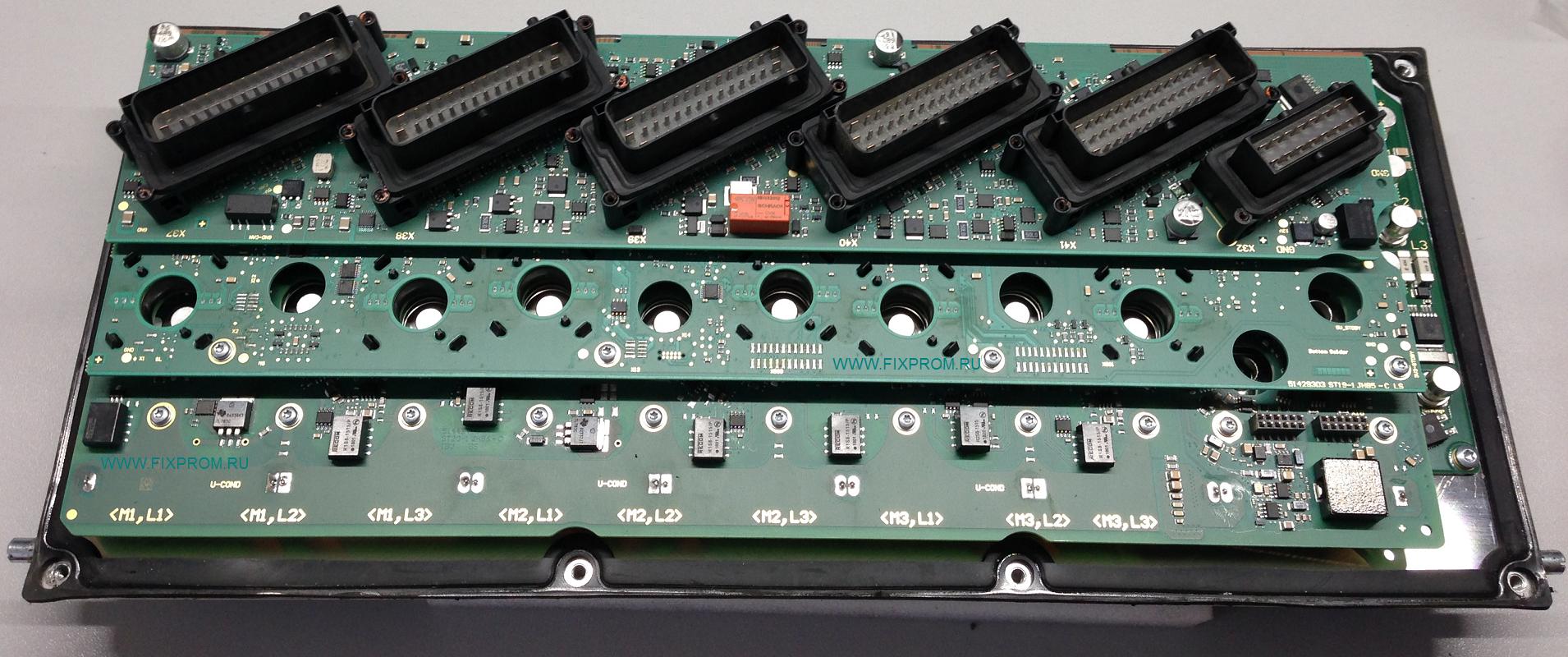
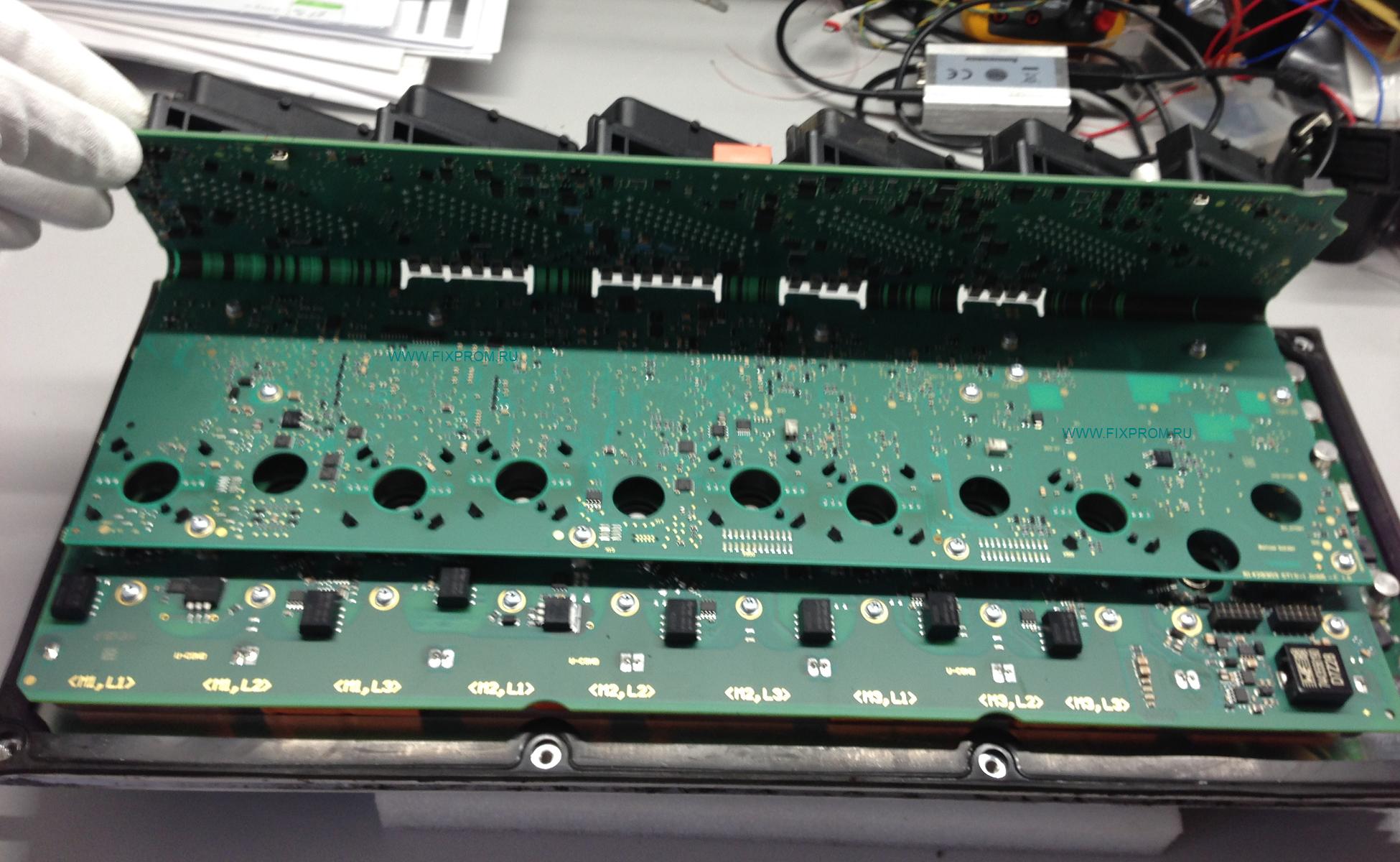
Плата выполнена по гибко-жесткой технологии, весьма сложна в ремонте и требует большой аккуратности в обращении с ней.
Далее на следующем этаже живёт плата управления силовыми MOSFET-ключами.
На ней расположились яркие рыжие конденсаторы Epcos.
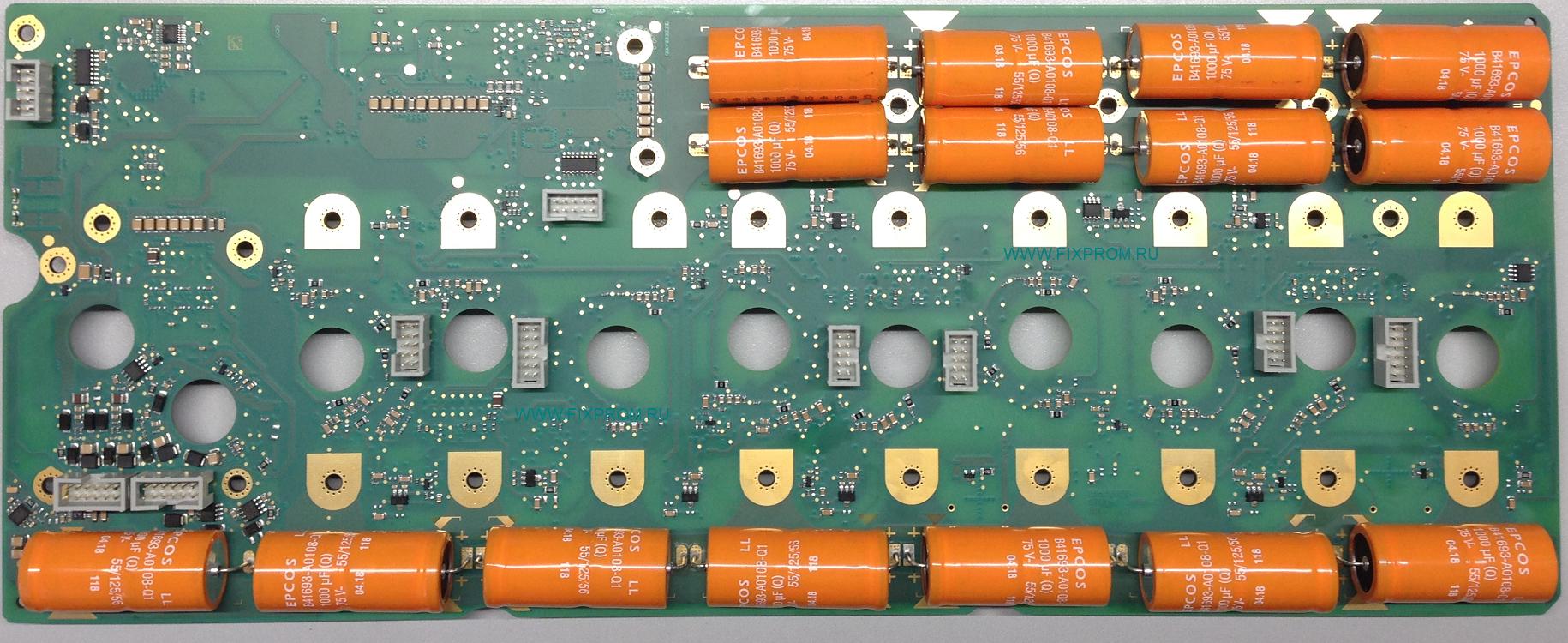
Прослеживается явная экономия места. Конденсаторы через теплопроводящие подложки упираются в радиатор,
на котором расположена силовая часть блока (MOSFET-ключи и вторичный источник питания на 24 вольта).
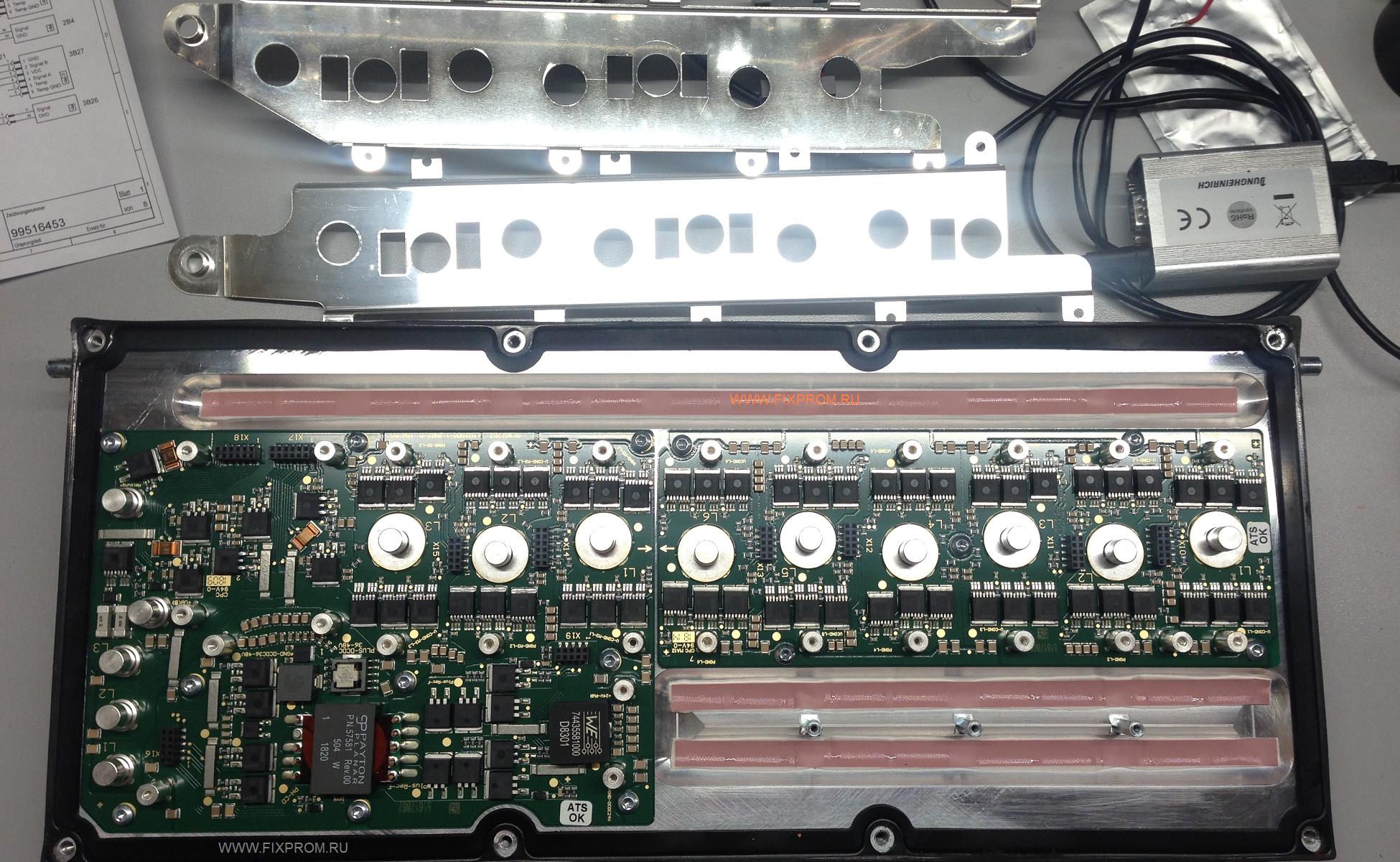
Радиатор обдувается парой вентиляторов. Нашему взору предстала вот такая картина.
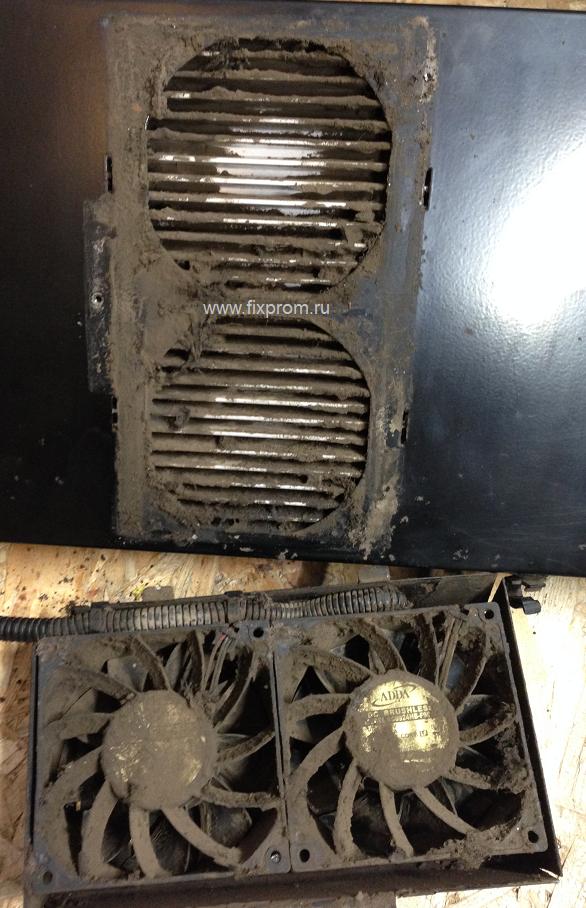
Оба вентилятора были заклинившие огромным количеством грязи и не вращались.
Силовым компонентам в блоке и так тяжело приходится, а тут с охлаждением вообще беда.
Делайте регулярные ТО и чистку от пыли грязи, иначе техника может в любой момент приподнести неприятный сюрприз.
Ещё красивые фото
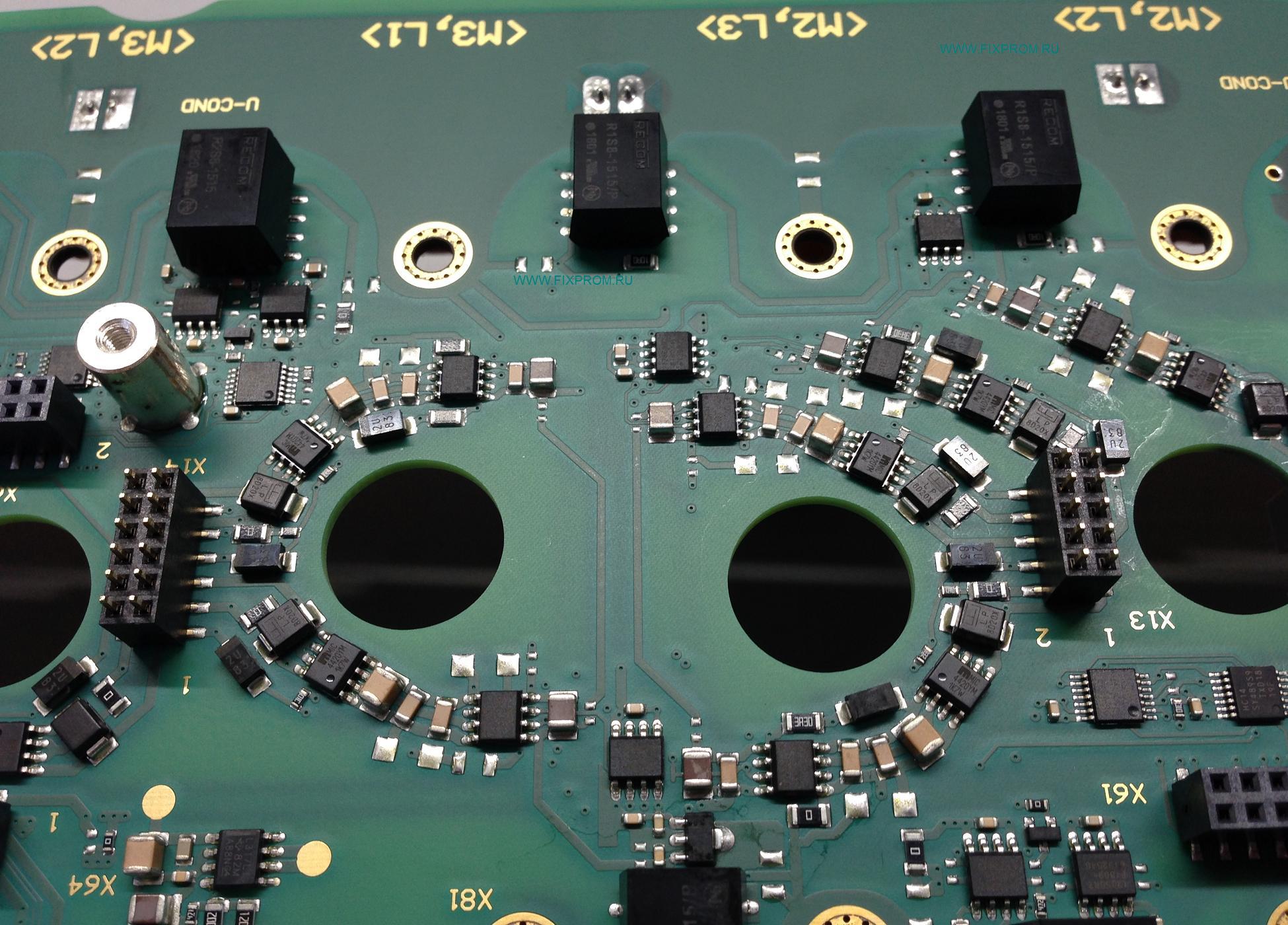
фигурная компоновка драйверов
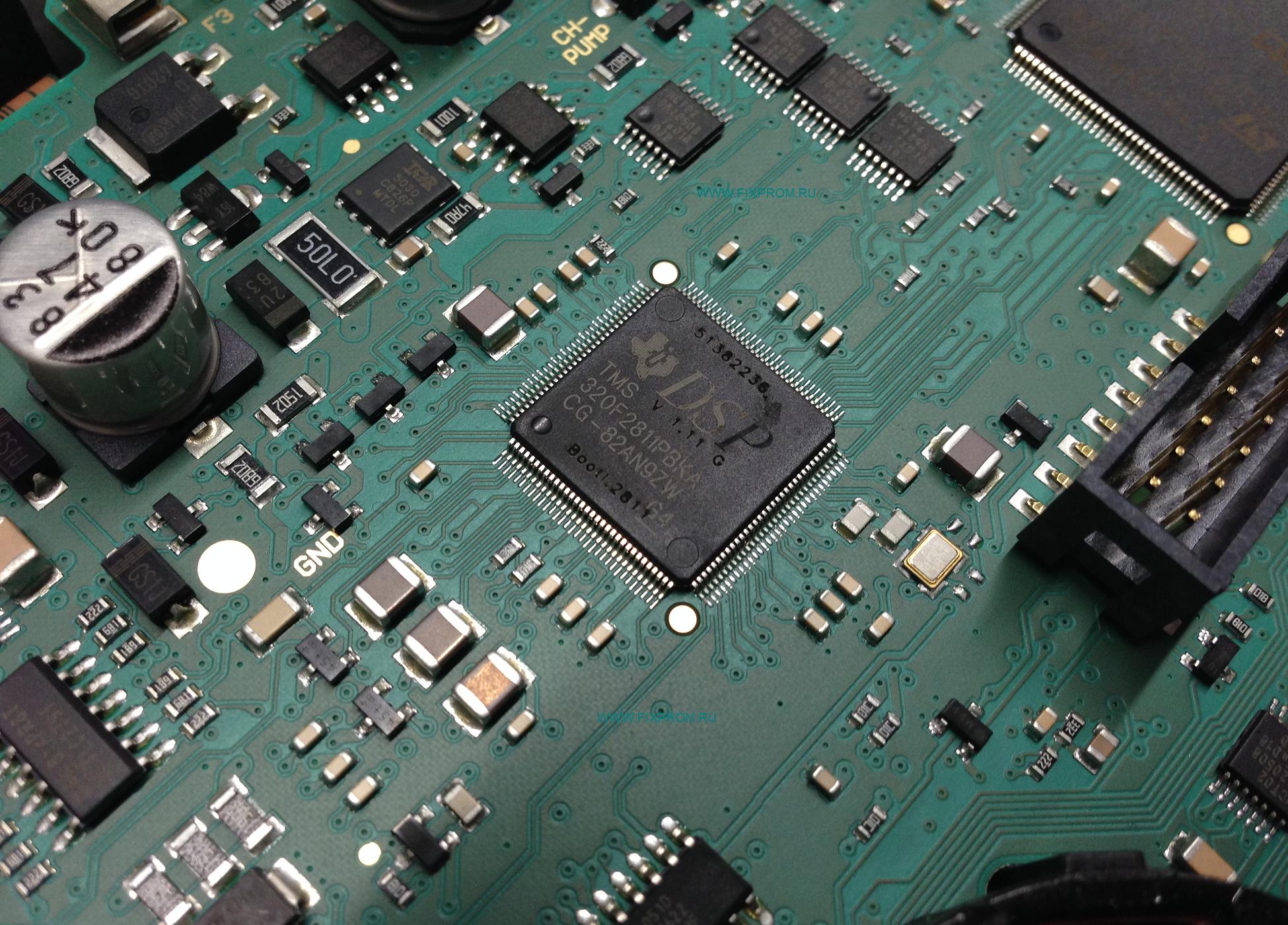
микроконтроллер Texas Instruments, что предназначен крутить трёхфазные двигатели
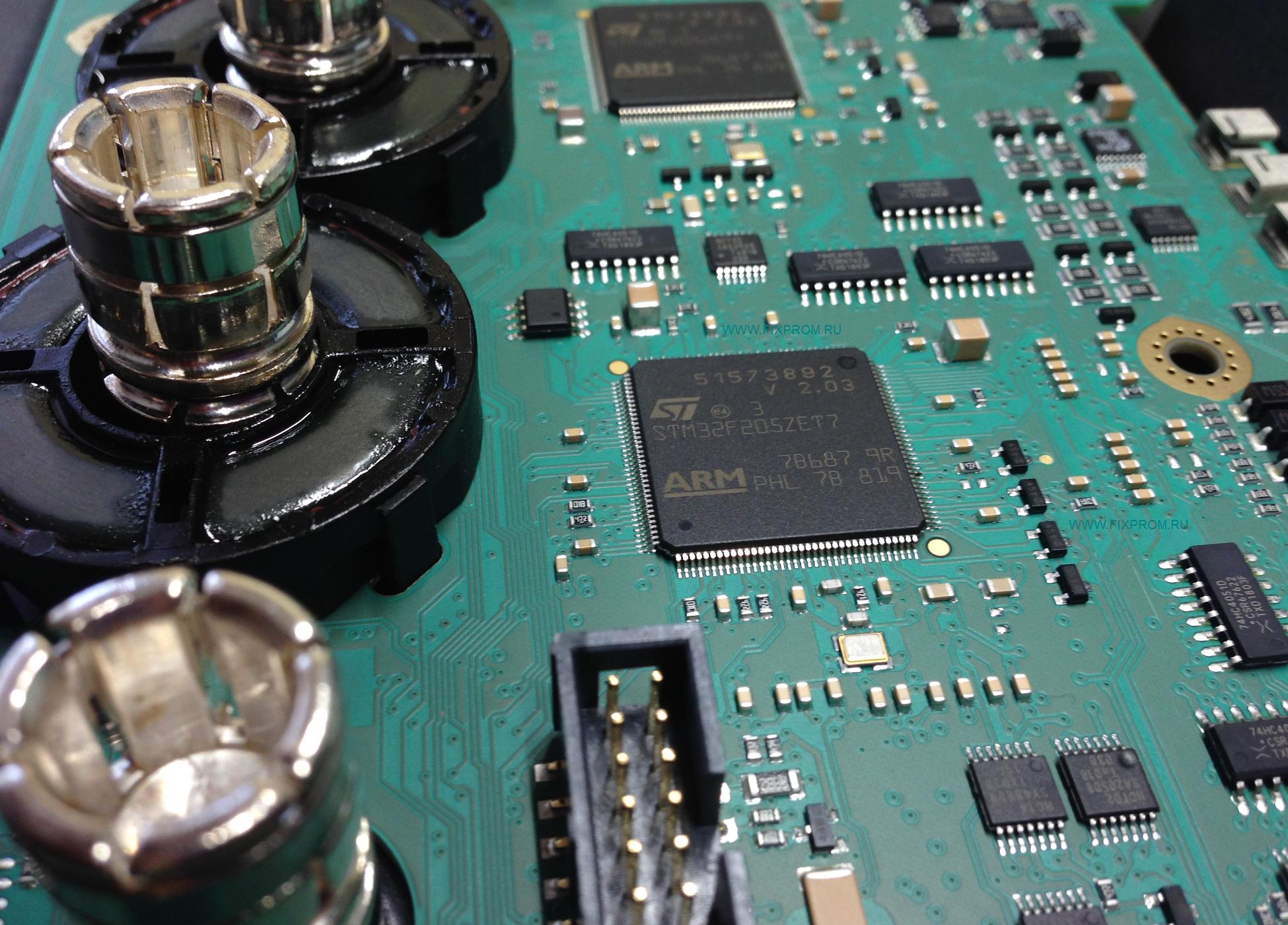
и новые процы от ST
У клиента погрузчик Jungheinrich EFG 215 2018 года выпуска, перестал проходить самотестирование
и встал с ошибками 0181.1 0304.1 0132.3
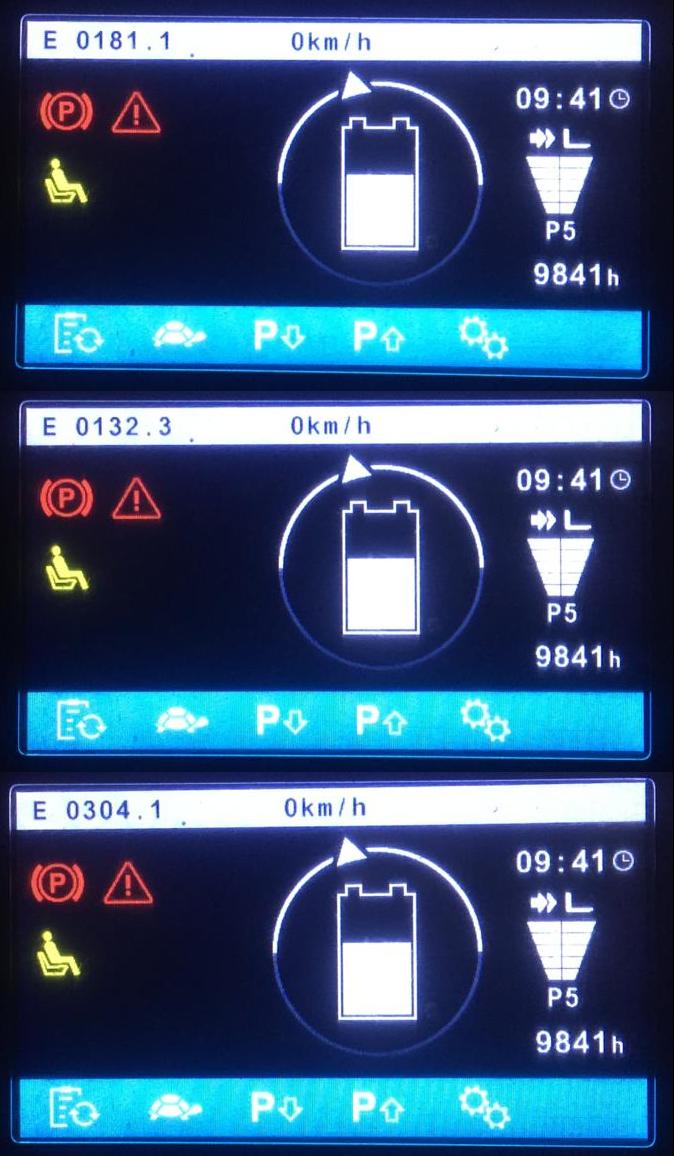
Опираясь на опыт ремонта аналогичных комбинированных блоков с ричтраков Jungheinrich ETV,
удалось решить проблему и отремонтировать блок EFG за пару дней.
Благо запчасти имелись в наличии на складе.
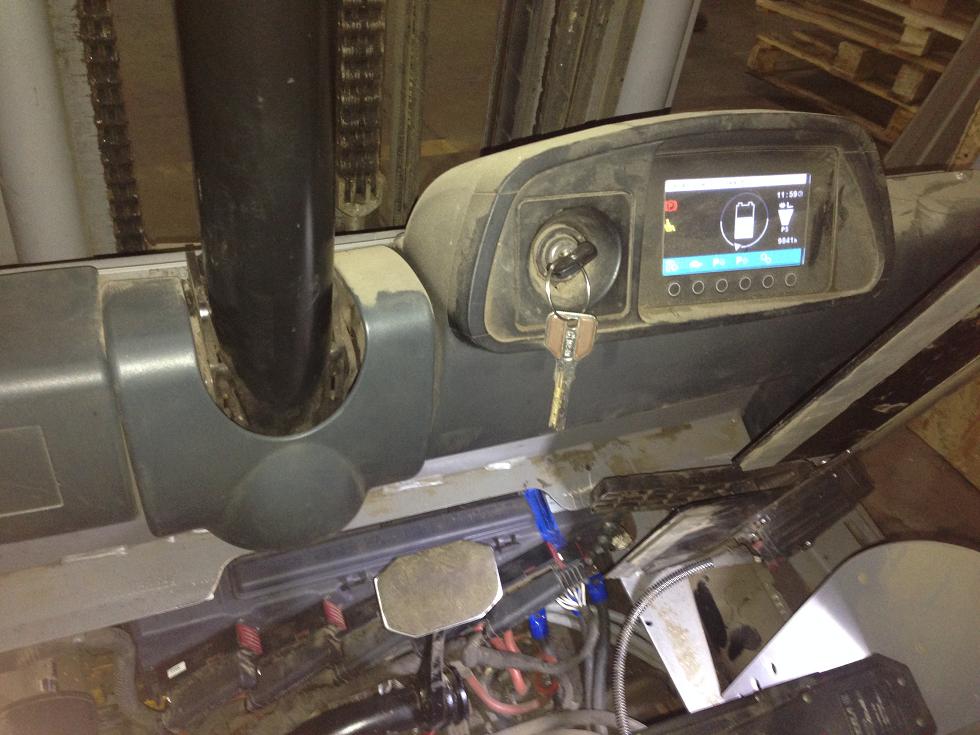
Погрузчик снова в строю!
И что же было причиной таки?
Инженерный просчёт, или «задумка» такая от разработчиков.
Ещё с 2011 года ничего сильно не изменилось в схемном решении и софте, работает на пределе, вот и мрут блоки периодически.
На ричтраках Jungheinrich чаще, может просто их больше, чем погрузчиков. Бывают плавающие дефекты, то проявляются, то нет.
Здравствуйте. Парни есть клиент для вас с данным вариатором, дайте контакты для связи.
- Технический форум: Ремонт промышленной электроники и спецтехники
-
►
Ремонт электроники -
►
Jungheinrich -
►
Jungheinrich AS4824iS 51617861 51617924 51414511 комбинированный контроллер EFG
Password: https://www.pdfmanual4trucks.com/
|
Title |
File Size |
Download Links |
|
Jungheinrich EJC112 / E1202 Event Messages Codes List PDF |
619.4kb |
Download |
|
Jungheinrich Error Codes List PDF [PDF] |
199kb |
Download |
|
Jungheinrich Fault Codes [PDF] |
769kb |
Download |
|
Jungheinrich LISTADO ERRORES [PDF] |
199kb |
Download |
|
Jungheinrich System Error Codes list [PDF] |
162.7kb |
Download |
|
Display error code |
Cause |
Action |
|
1901 |
During system start-up, the accelerator pedal zero position could not |
Do not press the accelerator pedal during system start-up. |
|
1904 |
Accelerator pedal pressed, but no travel direction selected. |
Take your foot off the accelerator pedal, select a travel direction and set off. |
|
1909 |
Accelerator pedal pressed and parking brake not released via parking |
Release the parking brake by pressing the parking brake button. |
|
1917 |
Accelerator and brake pedals pressed simultaneously. |
Press one pedal at a time only. |
|
2951 |
Lift function activated on multi-/ solo PILOT during system start- up. |
Do not apply the multi-/ solo PILOT during system start- up.
–
–
– |
|
1952 |
Travel direction switch pressed during system start-up. |
Do not press the travel direction switch during system start-up |
|
9961 |
ISM (option) has detected a shock event in the vertical |
Obtain acknowledgement from authorized person (warehouse manager) and |
|
9962 |
ISM (option) has detected a shock event in the horizontal |
Obtain acknowledgement from authorized person (warehouse manager) and |
|
5990 |
The electrolyte level sensor check (battery-management option) on the |
Add electrolyte. |
|
5992 |
After switching on the truck, no radio network could be established |
–
–
–
– |
|
5408/ 5409 |
Lithium-ion battery overtemperature |
Stop work. |
|
5413 |
Lithium-ion battery low temperature |
Move truck to warm environment. |
For all other warning messages switch the truck off and on again. If the warning message appears again call the service department.
The code lock enables an operator or a group of operators to be assigned an individual user code. The user code is configured with a master code and is outlined in the following sections of this
chapter.
When you have entered the valid user code the truck will be operational. The truck will be able to perform travel, steering and hydraulic operations.
When you have entered the valid master code the truck will be switched on. Travel operations are inhibited. The truck will be able to perform steering and hydraulic operations. The code lock is
in programming mode. When you enter one of the following parameters the settings in the code lock can be changed.
|
Parameters |
Description |
|
0-0-0 |
– To change the master code |
|
0-0-1 |
– To add user codes |
|
0-0-2 |
– To change a user code |
|
0-0-3 |
– To clear a user code |
|
0-0-4 |
– To clear all user codes |
|
0-1-0 |
– To set the automatic cutout of the truck |
Newly supplied trucks have the code indicated on a sticker. When using the truck for the first time change the master and user codes and remove the sticker.
- User code factory setting: 2-5-8-0
- Master code factory setting: 7-2-9-5